
NHTSA ID Number: 10237807
Manufacturer Communication Number: A23-042
TSB/Document Date: 2023-06-15
Summary
Service Bulletin - A combination of carbon deposits on the intake valves and the PGM-FI software settings may lead to reduced combustion stability under certain circumstances. This results in a misfire being detected and DTC stored.
If the PDF is very large, it may not load in the preview below.
Some older TSBs had multiple PDFs — visit the NHTSA Website to view all PDFs.
If the TSB PDF does not show, download or view it on the NHTSA Website.
Click on the (+) Plus Sign
Then Click on Associated Document(s)


- Advanced VCI Box, Industry-leading J2534 Pass-Thru...
- High-Speed OEM-Level Diagnostics & Programming: Unlock true...
- Coverage for 17 Car Brands & Ultra Reliability: Works...
- User-Friendly RLink Platform & Expert Support: TOPDON’s...
- 6.6 ft USB-C Cable & Portable Storage Case: The RLink J...
This product presentation was made with AAWP plugin.
Search NHTSA Database for Recalls
Search NHTSA Database for Vehicle Investigations
View Latest Vehicle Investigations
Search NHTSA Database for Vehicle Complaints
View Latest Vehicle Complaints
TSB/Document ID: A23-042
Replacement Service Bulletin Number:
MFR Communication Date: 2023-06-02
MFR Internal Campaign ID/Software Version:
Communication Type: Service Bulletin/Repair Instructions
NHTSA Components: ENGINE AND ENGINE COOLING
MFR Component System:
MFR Component Subsystem:
Previous TSB | Next TSB |
Service Bulletin
23-042
June 2, 2023
Version 1
Warranty Extension: 2018ꟷ19 Fit Carbon Buildup with Misfire DTCs
P0300, P0301, P0302, P0303, P0304
AFFECTED VEHICLES
Year
Model
Trim Level
VIN Range
2018
Fit with CVT
ALL
Check the iN VIN Status for eligibility
2019
Fit with CVT
ALL
Check the iN VIN Status for eligibility
BACKGROUND
A combination of carbon deposits on the intake valves and the PGM-FI software settings may lead to reduced combustion
stability under certain circumstances. This results in a misfire being detected and DTC stored.
NOTE: Stored DTCs will include any or a combination of the following: P0300, P0301, P0302, P0303, P0304.
American Honda is extending the warranty coverage for valve cleaning and software installation due to carbon buildup on
the valves with misfire DTCs (P0300-P0304) on these vehicles to 10 years or 150,000 miles from the original date of
purchase, whichever comes first.
CUSTOMER NOTIFICATION
Owners of affected vehicles will be sent a notification of this campaign.
Do an iN VIN status inquiry to verify eligibility.
CORRECTIVE ACTION
Update the PGM-FI software and do the REPAIR PROCEDURE.
NOTE: All Injector replacements for misfire prior to performing service bulletin 23-042, Warranty Extension: Carbon Buildup
with Misfire DTCs P0300, P0301, P0302, P0303, P0304 may be subject to debit.
PARTS INFORMATION
Part Name
Part Number
Quantity
Intake Manifold Gasket
17105-5R0-004
4
Throttle Body Gasket
17107-5R0-004
1
EGR Port Gasket
17108-5R0-004
1
CUSTOMER INFORMATION: The information in this bulletin is intended for use only by skilled technicians who have the proper tools, equipment,
and training to correctly and safely maintain your vehicle. These procedures should not be attempted by “do-it-yourselfers,” and you should not
assume this bulletin applies to your vehicle, or that your vehicle has the condition described. To determine whether this information applies, contact
an authorized Honda automobile dealer.
© 2023 American Honda Motor Co., Inc. – All Rights Reserved
Page 1 of 14
TOOL INFORMATION
Tool Name
Tool Number
Quantity
Carbon Cleaning Kit*
07AAK-5R7A100
1
* This kit was previously shipped to your dealer in April 2021 for S/B 21-007. It is not necessary to re-order the Carbon
Cleaning Kit for this bulletin.
NOTE: All information on assembly and contents of the kit is on page 4.
REQUIRED MATERIALS
Material Name
Part Number
Quantity
Carbon Cleaner Media (1 box repairs 3 vehicles)
07AAK-5R7A110
1
Commercially available
4 strips
NOTE:
• Using any other type of media could damage the vehicle or might not repair the vehicle correctly. Use only the media
listed in the table above for this repair.
•
This is the same media used for S/B 21-007. Check your existing inventory before ordering additional media.
WARRANTY CLAIM INFORMATION
Operation
Number
Description
1255G2
Update the PGM-FI
software.
1100B0
Clean the intake ports
of any carbon buildup.
(Includes DTC clear)
Flat Rate
Time
Defect
Code
Symptom
Code
Template
ID
Failed Part Number
6M200
PEB00
A23042A
14711-5R7-A00
0.2 hr
1.6 hr
Skill Level: Repair Technician
Page 2 of 14
SOFTWARE INFORMATION
NOTE: Unnecessary or incorrect repairs resulting from a failure to update the diagnostic and reprogramming software are
not covered under warranty.
Before beginning the repair, make sure all diagnostic and reprogramming software are updated as listed.
i-HDS Software Version
1.008.008 or later
HDS Software Version
3.105.009 or later
Honda ECU Reprogramming
3.5.0.0 or later
J2534 Rewrite Version
1.00.0034
J2534 Rewrite Database Update
20230414_2492 or later
Update only the systems and software listed in this service bulletin.
American Honda has validated and approved the Denso DST-I as the vehicle communication interface (VCI) to
support this service bulletin.
For more information about updating vehicle systems, refer to service bulletin 22-100, Updating Control Units/Modules with
the Honda ECU Reprogramming Application.
Year/Trim Level
Vehicle System
Program ID (or later)
2018 LX
37805-5R7-U540
2018 LX (With Sensing)
37805-5R7-U630
2018 Sport
37805-5R7-U730
2018 Sport (With Sensing)
37805-5R7-U830
2018 EX
2018 EX-L
2019 LX
37805-5R7-E830
PGM-FI
37805-5R7-AC20
2019 LX (With Sensing)
37805-5R7-AD20
2019 Sport
37805-5R7-AE20
2019 Sport (With Sensing)
37805-5R7-AF20
2019 EX
2019 EX-L
37805-5R7-AJ20
Page 3 of 14
SOFTWARE UPDATE
NOTE:
•
•
•
•
•
•
•
Make sure the 12-volt battery is fully charged before starting an update.
Connect a fully charged jumper battery to the vehicle, and leave it connected during the entire procedure to maintain
steady voltage.
Do not use the GR8 because the vehicle requires a steady electrical current.
Control module failure caused by the improper completion of a software update (early key cycle, low battery voltage,
disconnected DLC cable, etc.) is not covered by warranty.
If an error occurs during the update or the i-HDS freezes, do not disconnect the battery or turn the ignition to OFF.
Reboot the i-HDS, and start over.
To prevent control unit damage, do not operate anything electrical (headlights, audio system, brakes, A/C, power
windows, door locks, etc.) during the update.
Warranty reimbursement for technician labor is not allowed for routine checking/installation of any available software
update.
1. Update the PGM-FI software using the Honda ECU Reprogramming application in the i-HDS. Refer to service bulletin
22-100, Updating Control Units/Modules with the Honda ECU Reprogramming Application.
CARBON CLEANER ASSEMBLY INSTRUCTIONS
NOTE: If the carbon cleaner tool is already assembled with new media cleaner, skip to REPAIR PROCEDURE on
page 8.
1. Remove all the equipment from the carbon cleaner canister to ensure that the following items are included:
•
Inlet air pressure regulator
•
Nozzle with depth stopper
•
5R7 intake port adaptor and spacer (can be reordered as 07AAK-5R7A130)
•
Two black silicone universal intake port adaptors and one blue silicone hose coupler.
(only the blue silicone coupler is used)
•
Safety goggles
•
Carbon Cleaner Filter (not shown in photo, can be reordered as 07AAK-5R7A120)
Page 4 of 14
2. Install the air pressure regulator through the regulator bracket on the outside of the canister. Make sure you tighten the
regulator nut to secure it.
3. Install the appropriate air fitting on the air regulator for your shop’s compressor lines.
4. Install the clear tube into the right end of the air regulator. To ensure that it is in place, tug lightly on the tube.
Page 5 of 14
5. Install the filter on the rim of the canister. If it’s not on properly, the motor assembly will not close.
6. Fill the canister with new (unused) media to approximately 5 mm to 10 mm from the bottom of the suction hose
receptacle.
NOTE: Using any other type of media could damage the vehicle or might not repair the vehicle correctly. Use only the
media listed in the table above for this repair.
Page 6 of 14
7. Install the motor assembly on top of the base. Use the latches on the sides to seal it to the base of the canister.
8. Install the nozzle on the handle assembly and tighten with a 15 mm open-ended wrench.
9.
Confirm that the length from the tip of the nozzle to the depth stopper measures 80 mm. If not, adjust the depth stopper
so that it is.
NOTE: If the depth stopper isn’t correctly adjusted, you may cause damage to the valves and valve stems.
Page 7 of 14
10. Insert the suction hose to the suction hose receptacle until you hear a click. Once it is all the way in, lightly tug on it to
ensure that it’s properly installed.
REPAIR PROCEDURE
1. Remove the intake manifold and insulator. See the service information.
2. Remove the fuel rail cover.
NOTE: Do not remove the fuel rail.
3. Raise the vehicle on a lift and remove the right front tire.
Page 8 of 14
4. Turn the crankshaft to align the No.1 piston at top dead center. The white mark on the crankshaft pulley lines up with the
pointer.
5. Confirm the intake valves A and B of cylinder #1 and #2 are closed.
6. Tape off the ports on cylinders #3 and #4 to prevent debris from entering the ports.
Page 9 of 14
7. Install the intake port adaptor on cylinders #1 and #2. Use the spacer from the kit and the intake manifold nut to ensure
the adaptor is installed correctly. Torque the nut to 24 N·m (18 lb-ft).
NOTE: Make sure the tabs on the inside of the adaptor are correctly inside the intake port. If they are not, it will not be
flush with the cylinder head.
8. Attach the carbon cleaner suction hose to the port adaptor using the blue silicone hose coupler shown below.
NOTE: Make sure the carbon cleaner suction hose is attached to the larger end of the blue silicone hose coupler.
Page 10 of 14
9. Confirm the air flow valve on the trigger is closed.
10. Connect a shop air supply hose to the air pressure regulator.
11. Make sure that the air pressure on the air valve gauge reads 80 psi before use. To adjust the pressure, pull the pressure
adjustment knob upward, and turn it clockwise or counterclockwise until the pressure is correct. Once it is correct, press
it down to relock.
Page 11 of 14
12. Turn the suction power switch on the front face to ON.
NOTE: If this switch is not ON while you are cleaning the ports, you may damage the valves.
13. Place the nozzle of the handle assembly in the opening of the intake port adapter for cylinder #1. Make sure that the
depth stopper is touching the intake port adaptor. Do not apply force onto the depth stopper when inserting the nozzle
into the intake port, as it will result in displacement of the depth stopper.
Page 12 of 14
⚠ CAUTION
Damage to the surrounding area or injury to yourself may occur if the nozzle is removed from the intake port adaptor
during the cleaning process. The media is applied with high pressure from the nozzle. Do not remove the nozzle
during the cleaning process.
14. Once the nozzle is in place, open the air flow valve on the handle so that it is vertical. Aim the nozzle at valve A and hold
the trigger to start the cleaning process. Clean valve A for 2.5 minutes. Then, aim the nozzle at valve B and repeat the
process.
NOTE:
• When cleaning the valves, move the nozzle in an up and down motion to ensure a proper cleaning.
• Do not insert the nozzle past the 80 mm depth stopper.
15. Once you are done with cleaning both valves on a cylinder, switch the air flow valve to the closed position. Keep the
suction on for 5 to 10 seconds to extract any remaining media in that cylinder. Once completed with cylinder one, repeat
steps 13 through 15 for cylinder two before proceeding to step 16.
16. Turn the suction power switch off, remove the adapter from cylinders #1 and #2 and confirm that the remaining media is
removed. If media is still left, turn the suction power switch back on and apply the suction hose directly onto the
cylinder head.
NOTE: Even after extracting the media in the area, there may be small amounts of media left.
This is acceptable to leave.
Page 13 of 14
17. Turn the crankshaft pulley clockwise 360 degrees. This will set it to TDC for cylinder #4. Remove the tape and
confirm the intake valves for cylinders #3 and #4 are closed.
18. Tape off the intake ports on cylinders #1 and #2 to prevent debris from entering the ports.
19. Repeat steps 7 through 16 for cylinders #3 and #4, then proceed to step 20.
20. Remove the tape.
21. Install all the removed parts in the reverse order of removal.
22. Once the repair is complete, empty the carbon cleaner tool of the used media.
NOTE:
• Do not reuse the used carbon cleaning media.
• Used media must be removed from the cleaning tool after each repair. (See page 14 for removal instructions.)
• Clear any DTCs.
REMOVING THE USED CARBON CLEANER MEDIA
1. Remove the motor assembly off the base of the canister.
2. Inspect the condition of the filter for tears or clogs. Knock off any media that might be stuck on the filter by tapping it. If
you notice a lack of performance from the motor assembly, replace the filter.
3. For removal of the old media, dump it out of the base of the canister. For any media in the hose, tilt the canister upside
down at about 45 degrees so that media can flow out of the hose.
END
Page 14 of 14
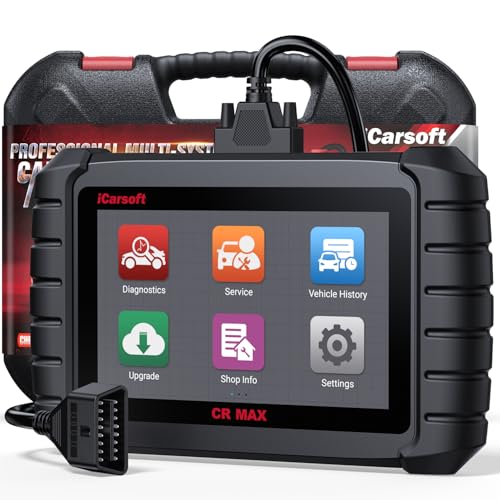
- WHY CHOOSE THE 2025 CR MAX -Upgrade the latest diagnostic capabilities for all vehicles after 1996: upgrade to 49+maintenance services; 46 extra specific functions; real all systems/all control modules diagnose; over 40K+ bidirectional actuation tests for diagnosing all control moduels of cars; Powerful full OBD2 Functions; built-in ECU Coding for BMW
 / Audi/ VW/ RollsRoyce; Fr ee V.A.G Guide Function; Battery retistration for new battery adaptation and more. It covers all vehicle diagnostic services and some special professional vehicle maintenance servces, assists you to do home DIY vehicle maintenance or car repair as a pro technician.
 - NEWEST IN INNOVATION FULL OBD2 SERVICES- iCarsoft auto car diagnostic scanner compatible with CAN-FD, CR MAX can do it all-reads and clears trouble codes, ALL SYSTEM DIAGNOSIS such as engine, transmission, ABS and airbag etc. CR MAX code reader for all cars can perform I/M Readiness, Live Data, Freeze Frame, Vehicle Information, Monitor Test, On-Board Monitor, E vap System Test,O2 Sensor Test,DTC Library Lookup,etc. (Warm Tips: If you car is after 2023,please contact us for compatibility; 3. It comes with 16PIN OBD2 diagnostic adapter, please check your car diagnostic socket if it is 16pin socket, if your car is 14pin diagnostic socket please contact us for the solution.)
- 49 RESET+ 46 SERVICES- Performs: Oil Reset, EPB,SAS,Throttle, D-P - F, Battery, ABS, Injector, TPMS, Suspension, AC, Head Lamp, Body Stablity, Engine, Tramsmission, Airbag, Seat, Door-Win-Roof, Fuel Pump, Door, E-G- R.+21 NEWEST SERVICES( Need update scanner)-AdBlue, Clutch, Crankshaft, High Voltage Battery, Cruise Control, NO xSensor, Rain Sensor, Stop And Start, Turbocharger, Head Up Display, Radar Camera, Vehicle Setup, Cyliner Misfire Check,Speedlimitassist, ControlUnitReset,OxygenSensor, Seatbelt. Extra 46+ extra services based on car brand.(Tips: Quantity of reset/ calibration fucitons are based on car system that your vehicle model has)
- REVOLUTIONARY 40000+BIDIRECTIONAL ACTIVE TESTS: Upgraded CR Max scanner equip with numberous of actuational test items for covering all available vehicle control modules, no longer only do simple light test or window test like other scanners, performs hardware modules test and software control modules test for checking car units or new updated control moduels work well or not after maintenance/ repair/ re-installation/ control system updated (Example for Benz- Roller Sun Blind test; Backup Camera test ;Self-test; EPB test; Transport Mode test;Boost Pressure Positioner test; Fuel Pump test; AND MORE!!).(Warm tip: The available test items are based on control modules your car has)
- ECU CODING+ BATTERY REGISTRATION- Powerful ECU Coding service for BMW/MINI/RollsRoyce / Audi/VW/Seat/Skoda/Bentley/Bugatti/Lamborghini, Improves Engine Power Performance and Optimizes Fuel Efficiency and Match New Hardware Unit to car and Customized a comfortable Driving Modes and Fixes & Updates Original Software Bug. The battery test function for checking car battery health, perform battery reset (BMS ) for replacing a damaged or aging car battery with a new one and register new battery to car ECU

- Scanner POR V2.0 with all obd2 services
- Do the scanning for engine
- Support OBDII/EOBD Ten Modes of Operation

- 【Designed for Most Mercedes-Benz, Sprinter and Smart from 1996-2023】As every car model of Benz has its-owned specific car system and ECUs, not all models are equipped with a complete vehicle ECU, which may cause the scanner to be unable to perform all listed reset services on some models, or even completely incompatible. Like For Sprinter's newer models, it support diagnostic functions only, lacking support for specialized service functions.. So please tell us the car's VIN and required service before purchase for compatibility check. You may also refer to the instructions in the eighth image of the main product photos to perform your inquiry.
- 【Up to 38 Reset Services】MB V3.0 2026 Version diagnostic tool performs Up to 38 maintenance services - Oil Rest , SAS, EPB, ETC, D-P-F, TPMS, ABS, Suspension, Air Conditioner, Head Lamp, Body Stability, Engine Control, Seat, Fuel Pump, Air-Filter, Engine Idle, Door, Im-mo-bilizer, Injector Coding, Transmission Control, Miscellaneous, Adblue, BMS, Cluth, Water Pump, NOxSensor, Rain/Light Sensor, Start/Stop, Radar/Camera, Cylinder Shutoff Test, Speed Limit Assist, Control Unit Reset, Oxygen Sensor, Seat Belt, Cruise Control System, Turbocharger, Crankshaft, Language Setting and etc. (Tips: Please update the software after receiving the product to obtain new service functions)
- 【OE-Level All System OBD2 Scanner】iCarsoft MB V3.0 (2026 Version) diagnostic scanner offers comprehensive OBDII services, allowing you to quickly scan all systems, including the Engine, ABS, SAS, SRS, TPMS, TCM, Fuel Pump System, ESP, EPB, EPS, Suspension, SCM, Adaptive Systems, and more. It supports functions such as reading and erasing codes, checking I/M readiness, viewing freeze frame data, performing O2 sensor tests, conducting on-board monitoring, testing the evap system, auto VIN retrieval, and reading both generic and specific codes, as well as DTCs and battery tests.
- 【Bidirectional Scan Tool】iCarsoft MB V3.0 (2026 Version) Bidirectional scanner supports activate or control a vehicle system or component, allows commanding cars’ modules and receiving info from the ECU to perform active tests on individual components, including EVAP/ABS Motor Pump/Windows/Sunroof and more, to pinpoint fault causes & resolve issues,and allows you to re-learn certain components after making repairs or replacement.
- 【Real Time Record & Graph View】iCarsoft MB V3.0 (2026 Version) can automatically record vehicle text history and identify vehicle information. Preserve real-time data information. View & Graph Live Data. Support Data Review and Print. Multi-language: English, German, Dutch, Spanish, French and so on. We promise to offer Lifetime updates (Lifetime free Update via PC), and confidence in products. We also provide 1 year warranty + extra lifetime hardware free repair if you need it in the future. We prioritize user experience & strive to meet your expectations. Please do feel free to reach out to us if you have any question or problem about the usage, our tech team will service you in time.

This product presentation was made with AAWP plugin.
Last update on 2026-05-13 / Affiliate links / Images from Amazon Product Advertising API