
NHTSA ID Number: 10237494
Manufacturer Communication Number: SLG-05.04.2023.1
TSB/Document Date: 2023-06-06
Summary
This communication provides information regarding MY2022 + Slingshot Premium Interior Lighting Kit Installations.
If the PDF is very large, it may not load in the preview below.
Some older TSBs had multiple PDFs — visit the NHTSA Website to view all PDFs.
If the TSB PDF does not show, download or view it on the NHTSA Website.
Click on the (+) Plus Sign
Then Click on Associated Document(s)

- 💝【Questions? We’re Here Anytime】MK808S is a...
- 🔥🔥🔥【2026 NEWLY RELEASED BI-DIRECTIONAL...
- 【28+ MOST POPULAR RESET SERVICE FOR 150 MAKES】Autel...
- 【ALL SYSTEM DIAGNOSTICS, FACTORY-LEVEL SCANNER】The...
- 【AUT0 SCAN & AUT0V1N, 10X FASTER】How much have you spent...


- 💯【Conta.ct us for Support Directly】If you met any...
- 🔥🔥🔥【2026 AUTEL FLAGSHIP MK900BT MK900-BT, NEW...
- 🚗【3000+ ACTIVE TESTS (50➡3000+), SAME AS MS...
- 🚗【40+ HOT SERVICES FOR 150 MAKES (28+➡40+)】Full...
- 🚗【OE ALL SYSTEM DIAGNOSE, AUTO SCAN 2.0: SCAN LICENSE...
This product presentation was made with AAWP plugin.
Search NHTSA Database for Recalls
Search NHTSA Database for Vehicle Investigations
View Latest Vehicle Investigations
Search NHTSA Database for Vehicle Complaints
View Latest Vehicle Complaints
TSB/Document ID: SLG-05.04.2023.1
Replacement Service Bulletin Number:
MFR Communication Date: 2023-05-04
MFR Internal Campaign ID/Software Version:
Communication Type: Service Bulletin/Repair Instructions
NHTSA Components: ELECTRICAL SYSTEM
MFR Component System:
MFR Component Subsystem:
Previous TSB | Next TSB |
SLINGSHOT
HELP CENTER
What can we help you find?
Help Center Home / Article
5/4/2023
2022+ Slingshot Premium Interior Lighting Kit Installation
Slingshot | Premium Interior Lighting Kit by XK Glow …
Required Tools and Supplies
8mm Allen Socket
10mm Socket
13mm Socket
T25 TORX® Socket
T27 TORX® Socket
T40 TORX® Socket
Multi-Function Pliers
Pliers (Side Cutting)
Floor Jack
Jack Stands
Safety Glasses
SEARCH
Nitrile Gloves
For information on tools, read the Tools and Fasteners Guide. Always wear safety glasses and nitrile
gloves when working on your Polaris Slingshot.
In this video, we will cover the installation process of the Premium Interior Slingshot LED Lighting Kit
by XKGlow® (part number 2889638).
1. Ensure the vehicle is parked on a flat and level surface.
2. Confirm the vehicle is in neutral with the parking brake fully engaged.
3. Remove the key fob from the vehicle.
4. To lift the hood, begin by pulling the hood release lever upward to disengage the four hood
latches.
5. Pull the hood upward and forward, ensuring it’s in the proper up position.
6. To disconnect the battery, start by identifying the battery location on the right side of the engine
bay.
7. Remove the negative battery terminal bolt with a 10mm socket, and disconnect the negative
battery cable.
8. To chock the wheels, be sure to always chock at least one of the front tires with a wheel chock on
both the front and the back side of the tire.
9. Safely elevate the vehicle. Reference your Owner’s Manual for proper lifting techniques.
10. To remove the wind deflector, start by removing and keeping the three fasteners from the base
of the wind deflector with a T27 TORX® socket.
11. If equipped, remove and keep the screw, washer and O-ring from the center wind deflector
mount.
12. Remove the wind deflector and carefully set aside.
13. To remove the mirrors, start by removing and keeping the two mounting screws with an 8mm
Allen socket. Tip: You may have to loosen and rotate the mirrors with a 13mm socket for screw
access.
14. Remove and carefully set aside mirror assembly.
15. Repeat this process on the opposite mirror.
16. To remove the upper dash, begin by removing and keeping the upper dash painted panels, if
equipped, by lifting from the front edges to release the clips.
17. To remove the side trim panels, remove and keep the two screws and two push-pin rivets from
the side trim panel with a T25 TORX® socket and multi-function pliers.
18. Remove the side trim panel and set aside.
19. To remove the upper dash panel, start by removing and retaining the eight screws from the
upper dash panel with a T40 TORX® socket. Additionally, remove the two center push-pin rivets
underneath the upper dash. Note: Push-pin orientation may differ based on vehicle and model year.
Check your Owner's Manual for correct placement.
20. If equipped, tweeter speakers can be disconnected or left in the dash assembly as long as they
are disconnected at the front of the panel from the main vehicle harness. Use a flathead screwdriver
for speaker connector removal
21. Lift the front edge of the upper dash panel to release clips. Then lift off upper dash panel and
set it aside.
22. To remove the center console and display, begin by removing and retaining the two push pins
from the center console trim with multi-function pliers.
23. Remove the center console trim.
24. Remove and keep the two display center fasteners with a T40 TORX® socket. Move the display
center away from the mounting position and disconnect the wiring. Follow by removing the display
center.
25. Press the tabs on the back of the switch panel to remove the switch bezel. Remove the switch
retainer.
26. To install the LED and Bluetooth® controller, start by putting the center LED in the location
behind the switch panel as shown. Tip: Remove the LED from the rubber grommet and install the
rubber grommet first. Then install the LED.
27. Remove the existing switch, or switch close-off in third position from the left. Put the switch in
the third position from the left. Make sure the switch is installed with the light icon on top.
28. Put the Bluetooth® controller on the outside of the left hand footwell using the push pin rivets.
Attach the wiring using the routing clip as shown. Note: MY20/21 vehicles will require drilling holes
for controller mounting. Reference instruction sheet 9939875 for steps and templates using the kit
designed to fit those model years (part number 2889059).
29. Start on the passenger side. First, remove the adhesive backing paper from the LED strip. Next,
insert the two routing clips into their respective holes and put the LED strip into the footwell. Finally,
attach using the routing clip.
30. Move to the driver side and put the edge clips in an opening above the steering column so the
LED mounts above the visor closeout. Then put the LED strip with the lights facing down and attach
using the edge clips.
31. Insert the routing clip underneath the driver seat base. Remove the adhesive backing paper from
the LED strip.
32. Install the LED by adhering it to the seat base and secure it with the clip. Repeat this step for the
passenger side seat.
33. Remove the adhesive backing paper and mount the rocker panel LED strip facing down to the
frame tube using cable ties. Repeat this process on the opposite side rocker panel.
34. To install the rear interglow harness, begin by plugging in the rear interglow harness connector
into the Bluetooth® controller connector. Then put the wiring harness down and to the left-hand
frame rail and attach with cable ties.
35. Install the wire harness along the frame rail as shown. Make sure the wiring harness is routed
above the frame components and attach with cable ties. Important: The harness must be routed
entirely before installing the cable ties. Start by working from the back of the vehicle and then
forward. Any slack will be located in the footwell.
36. Connect the left rear interglow harness extension connector to the driver seat LED. Clip the
harness to the edge clip. Note: The left and right harness extension connectors are different sizes.
The left extension harness is shorter and the right extension harness is longer.
37. Connect the left rear interglow harness extension to the left-hand rocker LED and clip to the
edge clip.
38. Insert the left rear interglow harness extension into the cabin through the opening in the
bottom of the vehicle. Clip the seat base with the clip.
39. Connect the right rear interglow harness extension connector to the passenger seat LED and clip
to the vehicle.
40. Connect the right rear interglow harness extension to the right-hand rocker LED. Clip to the
vehicle using edge clip.
41. Insert the right rear interglow harness extension into the cabin through the opening in the
bottom of the vehicle. Clip to the seat base with the clip.
42. Connect the left rear interglow harness extension connector to the rear interglow light harness
connector.
43. Connect the right rear interglow harness extension connector to the rear interglow harness
connector.
44. To install the footwell interior light harness, start by connecting the footwell interior light
harness – this is the connector closest to the part number tag – to the Bluetooth® controller.
45. Put the footwell interior light harness plug through the bulkhead along the existing wires.
Connect the harness to the footwell LED. Attach with a cable tie.
46. Remove the two coolant reservoir bolts with a 13mm socket, and pivot the reservoir out of the
way.
47. Put the footwell interior light harness along the existing wiring and attach with cable ties.
48. Put the console LED wiring through the bulkhead along the existing wiring. Connect the footwell
interior light harness to the console LED.
49. Put the footwell interior light harness through the bulkhead following the existing wiring.
Connect the footwell interior light harness plug to the footwell LED plug. Attach with cable ties.
50. To install the multi-color interior LED harness, begin by connecting the multi-color interior LED
harness to the Bluetooth® controller. Put the push dart in the existing hole as shown in the video
above.
51. Put the multi-color interior LED harness under the ECM mounting bracket. Put the routing clip in
the existing hole. Next, put the harness through the bulkhead along the existing wiring. Finally,
connect the plug to the rocker switch and attach with cable ties.
52. Route the multi-color interior LED harness along the existing harness and put through the
bulkhead along the existing wiring. Connect the plug to the chassis harness. Finally, attach with
cable ties.
53. Reconnect all cables that were removed from the display during disassembly.
54. Put the coolant reservoir in place and install screws. Torque to 18 ft-lbs (24 Nm).
55. For vehicle reassembly, begin by reinstalling the switch panel and console trim.
56. Put the switch retainer bezel and switch bezel in place.
57. Put the display center in place and install the retained fasteners.
58. Put the center console trim in place.
59. Install the two retained push pins from the center console trim.
60. To reinstall the upper dash, start connecting the dash tweeter speakers to the main vehicle
harness, if equipped.
61. Set the upper dash panel in place and loosely install the eight retained screws.
62. Reinsert the two retained center push-pin rivets underneath the upper dash.
63. Torque the eight screws to specification. The inner upper dash panel screws should
be torqued to 62 in-lbs (7 Nm). The outer upper dash panel screws should be torqued to 36 in-lbs
(4 Nm).
64. To reinstall the side trim panels, begin by setting the side trim panels in place and loosely
installing the two retained screws with the two retained push pin rivets.
65. Torque the two screws to 10 in-lbs (1 Nm).
66. Repeat this process for the opposite side.
67. If equipped, reinstall the upper dash painted panels, put the small end of the panels under the
dash and rotate to press the clips into place.
68. To reinstall the mirrors, start by setting the mirror in place and attach with the two mirror
mounting screws, and torque to 35 ft-lbs (47 N·m) with an 8mm Allen socket. Tip: Be sure to
retighten the adjusted hex bolt.
69. Repeat this process for the opposite side mirror.
70. To reinstall the wind deflector, begin by setting the wind deflector in place and attach it with the
retained fasteners.
71. If equipped, install the screw, washer and O-ring into the center wind deflector mount. Torque
the screw to 9 in-lbs (1 Nm).
72. Finally, reconnect the battery by installing the negative battery cable to the battery with the
retained terminal bolt, then torque to 40 in-lbs (4.5 Nm).
73. Read Slingshot LED App Operation for instructions on pairing your phone and customizing the
lighting.
View the Premium Interior Light Kit by XKGlow® (part number 2889638) and read the installation
instructions for additional information, included parts and diagrams.
Download the Slingshot LED app on the App Store® for iPhone® and iPad® or Google Play®.
To view more accessories, visit the Slingshot Accessories page.
For more information, see your authorized Slingshot Dealer. Find a dealer near you with the Dealer
Locator.
Bluetooth® is a registered trademark of Bluetooth Sig, Inc.
Google Play® and YouTube® are registered trademarks of Google LLC
App Store®, iPhone® and iPad® are registered trademarks of Apple Inc.
XKGLOW® is a registered trademark of Danial E. Julian DBA XKGLOW.
Unless noted, trademarks are the property of Polaris Industries Inc.
© 2023 Polaris Industries Inc.
Was this article helpful?
Yes, it answers my question
No, it's missing information or visuals
No, the instructions are unclear
No, What are the next steps?
No, I'm experiencing a technical error
Other
* [-] How can we improve this article? We'd love to hear your suggestions
Tell us what you would like to see in this article
SEND
Keyword(s) video , instructions , LED , lights , installation , install , XK Glow , slingshot , roush , slr , sl , s , r , signature le ,
HELPFUL LINKS
Parts, Accessories and Apparel
Owner's Manuals
Safety Information
Polaris Protection Plan
Special Offers
Recalls
Slingshot Lubricants
CONTACT US
BY E-MAIL
Send us an e-mail inquiry.
CLICK TO CALL
BY DEALER
Locate the nearest dealer in your area.
FIND A DEALER NEAR YOU
Enter City, State or Zip Code
55422
SEARCH
Use Current Location
Filter By (Optional)
Show dealers that offer online service scheduling
SUBSCRIBE NOW
FIND A DEALER
Reset Filters
US-ENGLISH
LINEUP
SHOPPING TOOLS
OWNER RESOURCES
ABOUT US
© 2023 POLARIS INC.
SITE MAP
PRIVACY
COOKIE PREFERENCES
TERMS
ACCESSIBILITY
CAREERS
GLOBAL SITES
Slingshot® is a three-wheeled motorcycle. It is not an automobile. It does not have airbags and it does not meet automotive safety
standards. Three wheel vehicles may handle differently than other vehicles, especially in wet conditions. Always wear a DOT-approved
full-face helmet and fasten seatbelts. The Driver may need a valid motorcycle endorsement. Don’t drink and drive
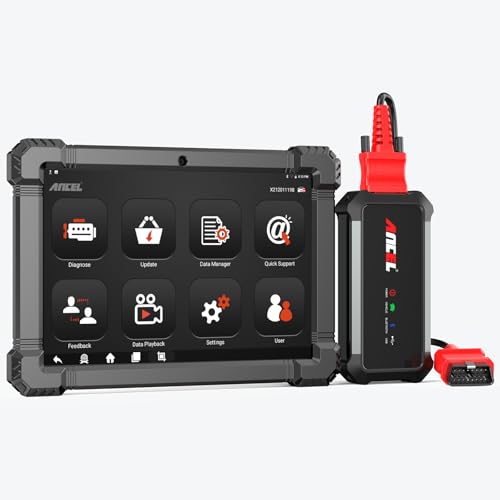
- 🔥🔥🔥2026 New Functions Making X7HD the Top Dog - Big Surprise!!! ANCEL X7HD truck scanner 10 major functional advantages .✅>Full HDOBD/OBD2 Function ✅>ALL System Diagnostic ✅>42+ Reset Function ✅>Active Test / Bi-Directional Control✅>ECU Coding✅>Graphing Live Data✅>Wide Compatibility ✅>2 Yrs Free Update✅>Remote Operation✅>Bluetooth 5.0 & Wifi In addition, 8 major hardware advantages: ✅>6000 mAh✅>10.1 inch Tablet✅>2G RAM
 ✅>32G ROM (Expandable to 128GB)✅>Data Record & Replay & Print✅>Android 10.0✅>Bluetooth 5.0 & Wifi✅>14 Languages
 - 🚛OEM DPF Forced Regen & Cylinder Cutout Test & more - ANCEL X7HD diesel scanner diagnostic tool not only supports DPF regeneration, DPF reset, DPF related information reset, DPR state reset, DPD forced regeneration etc, which helps you better solve the exhaust aftertreatment system problems, but also supports activate motor to do exhaust air in ABS Automatically. Moreover, it features TPMS activation, cylinder cut-off and learning functions
- 🚛Advanced ECU Coding & Programming - ANCEL X7HD 10.1inch truck scanner diagnostic tool is equipped with advanced ECU coding, supports Level calibration, Idle speed learning and Adjustment, Camshaft timing control learning, Control unit adaptations, Injector Codes, Read/Write VIN, Road speed limit optional vehicle speed set, etc... PLEASE NOTE that ECU codes are not compatible with all vehicles, please send us your VIN# to check vehicle compatibility
- 🚛42+ Reset Functions & Bidirectional Control - 2026 newest top heavy duty truck scan tool, comes with 42+ special services (ECU, Speed Limit and Idle Reset, Oil Reset, Injector Coding, EPB, ABS, SRS, Suspension, Throttle, etc. and always keep growing), which meet all your various needs for service and maintenance
- 🚛10 Inch All Systems Diesel Scanner & Full HDOBD/OBD2 Modes - ANCEL X7HD diesel truck scan tool supports all systems scan, such as Engine, Brake, Retarder, TECU Transmission, Tachograph, ABS, SRS, TPMS, EPB, SAS, ESP, and other vehicle systems, comes with 10 obd2 service modes: read/erase error codes, Data Stream, I/M Readiness, Vehicle Information, Actuations, DTC Lookup, EVAP, view freeze frame, etc
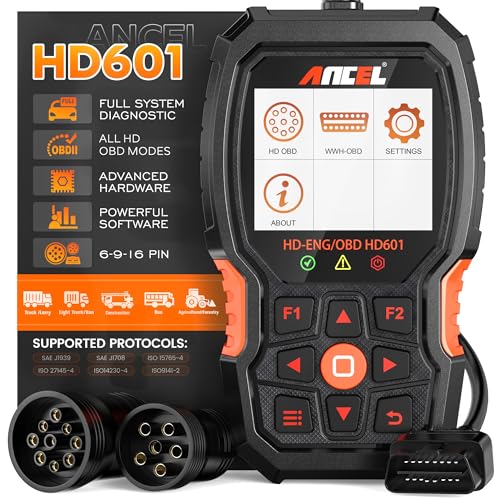
- 【Extensive Compatibility】HD601 heavy duty truck scanner supports 12V & 24V commercial vehicles and all major truck models that comply with standard protocols (SAE J1939, SAE J1708, ISO 14230-4, ISO 15765-4 and ISO 9141-2, ISO 27145-4 and Euro6). Fits for Cummins, Paccar, Detroit, Caterpillar, Freightliner, International, Peterbilt, Ford Heavy Truck, Class 4-Class 8 trucks, etc. It also supports engine diagnosis on most cars, minivans, light trucks and pickups
- 【 Full System Diagnostic】HD601 Diesel Scanner supports all system scans of heavy trucks compliant with standard protocols SAE J1939 & J1708, such as Engine, ABS, Transmission, Braking System, ESP, EPS, Fuel System, etc, It is a great scan tool for Cummins, Caterpillar, Detroit, Caterpillar, Maxxforce, Bendix,Wabash, Wabaco, Haldex, Allison, Eaton heavy trucks, With this truck tool, you can get deep analysis data about the system and do some repairs by yourself, saving much time and money. Note: Only heavy truck vehicles that comply with the above protocol can diagnose the entire system
- 【Enhanced Diesel OBD Scanner】The HD601 Diesel OBD Scanner offers unparalleled diagnostic capabilities for heavy-duty trucks. Beyond code reading, clearing, and live data display, it retrieves vehicle information, freeze frames, and DTCs. With 6, 9, and 16 pin cables, it ensures compatibility with various engines. This scanner's real-world testing prowess ensures comprehensive support for a wide array of heavy-duty truck engines, making it an indispensable tool for truck diagnostics
- 【DTC Library】+【Life Time Free Update】The built-in DTC library allows you to retrieve the codes directly without searching for the definition in the book. Whether you are a professional mechanic or a DIY car owner, HD601 diesel scanner explains the existing problem, makes it easier for you to understand code definitions and helps you locate vehicle faults. Note: This device cannot directly solve the fault. Plus, you get a lifetime free internet updates, so you always have the latest software for diagnostics in English and Spanish languages.
- 【Friendly Design, Easy of Use】This scanner is plug and play, simple and convenient, and very friendly for beginners. With improved buttons for easy menu navigation. The excellent 2.8 inch LCD color screen makes it easy to view the displayed results and gives you a better overview of your car's problem areas and the identified codes. In addition, the processor is super-fast and responds without lagging, providing maximum comfort and efficiency in diagnostic and service work
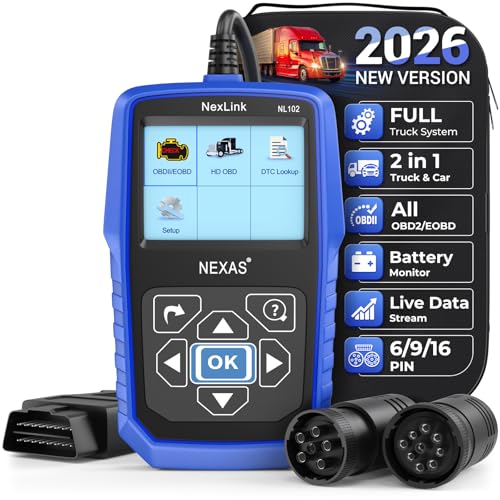
- Why NEXAS NL102 Truck Scan Tool? The NL102 outshines other truck scanner with its extensive diagnostic features. It offers full system diagnostics for major trucks meeting standard protocols, along with complete OBD2 functionality. Beyond read fault codes, clear codes and live data display, it enables vehicle info retrieval, freeze frame capture, and DTC lookup. Equipped with 6-pin, 9-pin, 16-pin connectors, it ensures broad truck compatibility. Plus, enjoy lifetime free updates in English, Spanish, and French, keeping your diagnostic scanner software current.
- Wide Compatibility - Friendly Reminder: To avoid compatibility issues, please confirm with us via Amazon Messages before purchasing. This heavy duty truck scanner is compatible with all heavy-duty trucks and semi that adhere to standard protocols (J1587, J1939, J1708). It covers a wide range of vehicle models, including Cummins, Detroit, Caterpillar, Freightliner, International, Kenworth, John Deere, Peterbilt, Sterling, Mack, Paccar, Western Star, Mercedes-Benz, Volvo, Scania, MAN, Renault, ERF, Foden, Seddon-Atkinson, Iveco, DAF, SISU, STEYR, ISUZU etc. Equipped with 6-pin, 9-pin, and 16-pin connectors for versatile device compatibility, ensuring stable plug-and-play connections.
- Save Hundreds of Money for All Heavy Duty Trucks – This diesel diagnostic scanner supports accurate full-system scans for all heavy-duty trucks that comply with standard protocols (J1587, J1939, and J1708). It can read and clear trouble codes across a range of vehicle systems, including the engine, transmission, instrument panel, drivetrain, brake system, suspension, ABS, ESP, EPS, fuel system, etc. The truck scanner communicates directly with your truck's computer to provide real-time data stream analysis, letting you pinpoint issues with precision. This cuts down on waste from unnecessary part replacements, saving you time and hundreds or even thousands of dollars.
- All OBD2 Functions + Battery Health Monitoring – Unlike many obd2 scanners on the market that only cover partial OBD2 features, ours gives you full OBD2 capability: read & clear codes, live data, freeze frame data, I/M readiness checks, EVAP tests, on-board monitor, O2 sensor tests, vehicle info, and DTC lookup. That means more detailed insights for pros and DIYers alike. The NL102 isn't just a code scanner – it's a battery saver. Regularly check your car's battery health, and catch issues before it dies completely. No more unexpected no-starts in the driveway or on the road. It diagnoses battery condition accurately, helping you avoid costly last-minute repairs.
- Plug and Play & One-click for DTC: NEXAS diesel scanner is user-friendly. It comes with an intuitive screen and easy-to-understand interface, making it accessible even for non-professionals to get started. And the built-in DTC library in the code reader allows you to directly retrieve codes without searching for definitions in books, making it easier to understand the code definitions and solve problems more quickly.
This product presentation was made with AAWP plugin.
Last update on 2026-05-11 / Affiliate links / Images from Amazon Product Advertising API