
NHTSA ID Number: 10237451
Manufacturer Communication Number: S-1681
TSB/Document Date: 2023-06-06
Summary
Bendix SmarTire TPMS Tire Pressure Monitoring System installation instructions.
If the PDF is very large, it may not load in the preview below.
Some older TSBs had multiple PDFs — visit the NHTSA Website to view all PDFs.
If the TSB PDF does not show, download or view it on the NHTSA Website.
Click on the (+) Plus Sign
Then Click on Associated Document(s)
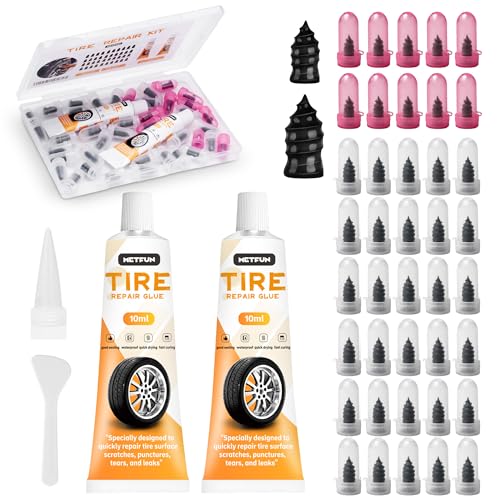
- 【Perfect Emergency Repair Solution】This kit includes...
- 【Premium Materials for Safe Repairs】Our tire screw plugs...
- 【2 Sizes for Every Puncture】Choose the right size for...
- 【5-Minute DIY Repair】Skip the auto shop and fix flats...
- 【Emergency-Ready Design】Compact & ready for...
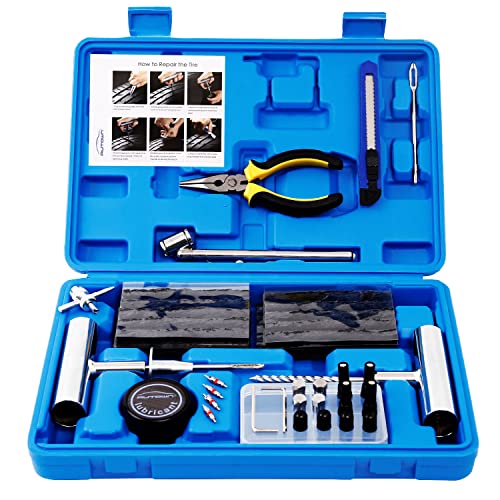
- [PROFESSIONAL QUALITY ] - AUTOWN Tire Repair Kits are made...
- [DURABLE & SAFE ] - The tire puncture repair set own great...
- [MULTIPLE USES ] - The AUTOWN 68 pcs tire repair heavy duty...
- [EASY TO USE ] - Our tire plug kits have everything you need...
- [QUICK ACTION] - We care about every customer's sense of...
This product presentation was made with AAWP plugin.
Search NHTSA Database for Recalls
Search NHTSA Database for Vehicle Investigations
View Latest Vehicle Investigations
Search NHTSA Database for Vehicle Complaints
View Latest Vehicle Complaints
TSB/Document ID: S-1681
Replacement Service Bulletin Number:
MFR Communication Date: 2023-05-17
MFR Internal Campaign ID/Software Version:
Communication Type: Service Bulletin/Repair Instructions
NHTSA Components: TIRES:PRESSURE MONITORING AND REGULATING SYSTEMS
MFR Component System:
MFR Component Subsystem:
Previous TSB | Next TSB |
SmarTire® Tire Pressure Monitoring System (TPMS) by Bendix CVS
Replacement Service Kit
KIT COMPONENTS
GENERAL SAFETY GUIDELINES
The following components are in the SmarTire® Tire
Pressure Monitoring System (TPMS) by Bendix CVS
service kit:
Component
Quantity
Electronic Control Unit (ECU)
1
2
Nut
2
Patch Cable
1
BACK UP THE CURRENT TPMS SETTING
1. If the current Electronic Control Unit (ECU) can
communicate on the CAN bus, use the Bendix® ACom®
PRO™ diagnostic software connected to the vehicle
diagnostic port.
2. Select the Bi-Directional tool bar icon, and then start
the TPMS Backup and Restore application.
3. Select the Save Settings button to create a backup of
the ECU parameters to your computer.
REMOVING THE PREVIOUS ECU
1. U
nscrew the existing antenna connector from the
ECU (1). See Figure 1.
2. Unplug the main harness from the existing TPMS
ECU (2).
2
1
Figure 1 - Removing the Previous ECU
WARNING! PLEASE READ AND
FOLLOW THESE INSTRUCTIONS
TO AVOID PERSONAL INJURY OR DEATH:
When working on or around a vehicle, the following
guidelines should be observed AT ALL TIMES:
▲Park the vehicle on a level surface, apply the parking
brakes, and always block the wheels. Always wear personal
protection equipment.
▲Stop the engine and remove the ignition key when working
under or around the vehicle. When working in the engine
compartment, the engine should be shut off and the ignition
key should be removed. Where circumstances require that
the engine be in operation, EXTREME CAUTION should be
used to prevent personal injury resulting from contact with
moving, rotating, leaking, heated, or electrically charged
components.
▲Do not attempt to install, remove, disassemble, or
assemble a component until you have read, and thoroughly
understand, the recommended procedures. Use only the
proper tools and observe all precautions pertaining to use
of those tools.
▲If the work is being performed on the vehicle’s air brake
system, or any auxiliary pressurized air systems, make
certain to drain the air pressure from all reservoirs before
beginning ANY work on the vehicle. If the vehicle is
equipped with a Bendix® AD-IS® air dryer system, a Bendix®
DRM™ dryer reservoir module, a Bendix ® AD-9si ®, AD-HF®,
or AD-HFi™ air dryer, be sure to drain the purge reservoir.
▲Following the vehicle manufacturer’s recommended
procedures, deactivate the electrical system in a manner
that safely removes all electrical power from the vehicle.
▲Never exceed manufacturer’s recommended pressures.
▲Never connect or disconnect a hose or line containing
pressure; it may whip and/or cause hazardous airborne
dust and dirt particles. Wear eye protection. Slowly open
connections with care, and verify that no pressure is
present. Never remove a component or plug unless you are
certain all system pressure has been depleted.
▲Use only genuine Bendix ® brand replacement parts,
components, and kits. Replacement hardware, tubing, hose,
fittings, wiring, etc. must be of equivalent size, type, and
strength as original equipment and be designed specifically
for such applications and systems.
▲Components with stripped threads or damaged parts should
be replaced rather than repaired. Do not attempt repairs
requiring machining or welding unless specifically stated
and approved by the vehicle and component manufacturer.
▲Prior to returning the vehicle to service, make certain all
components and systems are restored to their proper
operating condition.
▲For vehicles with Automatic Traction Control (ATC), the ATC
function must be disabled (ATC indicator lamp should be
ON) prior to performing any vehicle maintenance where
one or more wheels on a drive axle are lifted off the ground
and moving.
▲The power MUST be temporarily disconnected from the
radar sensor whenever any tests USING A DYNAMOMETER
are conducted on a vehicle equipped with a Bendix ®
Wingman ® system.
▲You should consult the vehicle manufacturer's operating
and service manuals, and any related literature, in
conjunction with the guidelines above.
1
3. Remove the two (2) bolts securing the original Electronic
Control Unit (ECU) to the vehicle chassis and set it aside.
See Figure 2.
3. Strip the cut wires. Using a suitable crimping tool, crimp
the provided terminals to the stripped wires. See Figure 4.
Figure 4 - Stripping the Wires and Crimping the Terminals
4. Carefully push the terminal into the back of the provided
4-pin Deutsch connector. Ensure the crimped end does
not have any sharp protrusions that could damage the
silicone seal. See Figure 5 for the proper way to insert
the wires.
Figure 2 - Removing the ECU Bolts
REPLACING THE ORIGINAL HARNESS
CONNECTOR
1. M
ake note of the wire colors and position(s) on the
original connector housing. It is important to identify the
power, ground, CAN high, and CAN low wires. These will
normally be red, black, yellow, and green respectively.
If these are not the colors used, use the pin diagram in
Figure 3 to identify and notate the wire signals.
2. Using wire cutters, cut the original wires close to the top
of the connector shell.
Pin No.
Signal
1
+12V Power (Red)
2
Ground (Black)
3
CAN Low (Green)
4
CAN High (Yellow)
Figure 5 - Inserting the Wires
5. Ensure the terminals are fully seated in the housing. Insert
the locking cap to the front of the housing. See Figure 6.
Pin No.
Signal
2, 15
+12V Power
1, 13, 14, 16, 24, 26
Ground
11
CAN Low
12
CAN High
Figure 3 - Replacing the Original Harness Connector
Figure 6 - Inserting the Locking Cap to the Housing
2
MOUNTING THE NEW ELECTRONIC CONTROL
UNIT (ECU)
5. Plug the 4-pin Deutsch connector into the patch cable.
See Figure 9.
1. Mount the provided adapter bracket in the location where
the original ECU was mounted. The studs should be in
the forward location where the original harness entered
the ECU. Leave the attaching bolts loose. See Figure 7.
Figure 9 - Connecting the Patch Cable to the New ECU
Figure 7 - Adapter Bracket
2. Mount the new ECU onto the studs of the bracket and
secure the ECU with the supplied washers and nuts.
Slide the bracket on the original plate to optimize the
ECU location. Ensure the ECU is not in contact with
any other components on the vehicle. Then, tighten the
bolts between the adapter plate and the original bracket.
See Figure 8.
RESTORING THE SMARTIRE® TIRE
PRESSURE MONITORING SYSTEM (TPMS)
BY BENDIX CVS CONFIGURATION
1. Connect to the Bendix® ACom® PRO™ diagnostic
software.
2. Browse to the Axle Setup screen and configure the
number of axles and tires as per the vehicle configuration.
• If it was possible to back up the previous TPMS
settings, start the same TPMS Backup and Restore
application, but this time, press the Load Settings
button and select the previously saved backup file.
• If it was not possible to back up the previous TPMS
settings, then each tire ID will need to be learned.
Click on a Tire Icon in the ACom PRO diagnostic
software and press the Learn button. Navigate to
the tire to be learned and use the Bendix® LF Hand
Tool to activate the sensor. The sensor should be
learned into the ECU. Repeat these steps for all
other tire locations. The other parameters, such as
Cold Inflation Pressure (CIP) and warning levels,
will have to be modified to suit the application if the
default values provided are not appropriate.
Figure 8 - Mounting the New ECU on the Bracket
3. Reattach the existing antenna connector lead to the
new ECU.
4. Plug the provided patch cable into the front of the new
ECU.
3
24/7/365 ACCESS
FULL SERVICE AT YOUR FINGERTIPS
4
1-800-AIR-BRAKE (1-800-247-2725)
TECHTEAM@BENDIX.COM
WEB-BASED TRAINING
LOG ON AND LEARN FROM THE BEST
S-1681 Rev 001 © 2023 Bendix Commercial Vehicle Systems LLC, a member of Knorr-Bremse • 5/23 • All Rights Reserved
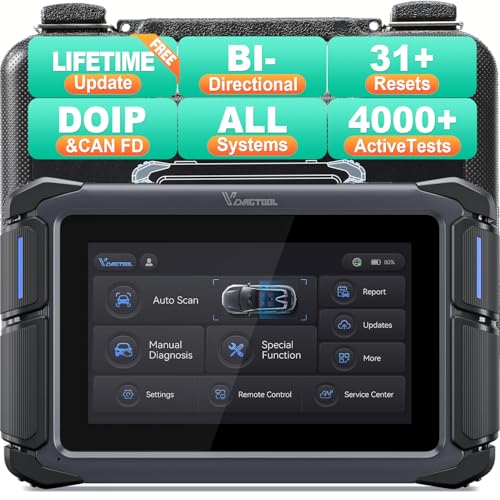
- Affordable Solution for Professional-grade Car Diagnostics & Repair: As the budget-friendly OBD2 scanner under $300, the VD70 Lite car diagnostic tool offers 31+ hot resets, full bi-directional controls with 4000+ active tests, all system diagnostics, 8-in-One live data graphing (export as CSV Export/Recording/Playback), CAN FD & DoIP protocols, and long-term free update. Additional features include Auto VIN & Auto Scan, diagnostic report sharing/printing, with coverage for over 10,000 vehicle models worldwide, suitable for DIYers, Car Owners, Technicians, and Mechanics on car repairs and maintenance tasks.
- OBD2 Scanner with Full Bi-directional Control: The Bidirectional scan tool VIDAGTOOL VD70 Lite performs 4000+ active tests that can send execution commands to the ECU module and identify the repair status, covering for windows, doors, ABS, valves, wipers, headlights, rear mirrors, sunroof,and more in-vehicle components. This bidirectional OBD2 scanner is a must-have diagnostic tool for auto technicians and mechanics on a budget! The available function tests vary by model—please check compatibility via vdiagtool2 @ outlook . c o m before purchase.
- OE All Systems Diagnostics & 8-IN-One Data Graphing: VD70 Lite is a dealer-level car scanner diagnostic tool with Auto VIN that can do in-depth diagnostics for 100+ modern car brands, covering all systems including engine, transmission, airbag, ABS, ESP, TPMS, radio, etc, to read/clear code, view live data, freeze frame, and read ECU info. This advanced OBD2 Scanner with 8-in-one data graphing and detailed diagnostic reports makes data viewing more intuitive, ensures quickly accurate repairs by identifying issues, and easily masters the car situation.
- Stay Ahead with 31+ Reset for Faster & Easier Repairs: VDIAGTOOL VD70 Lite scanner for car meets almost all daily maintenance needs for both home mechanics and workshops as a professional automotive scan tool. It can perform Oil Reset, ABS Bleed, Crank Sensor Relearn, Idle Relearn, Injector Coding, Window Initialization, HVAC Calibration, Suspension Calibration, Throttle Matching, etc, ensuring efficient repairs and complete maintenance. Besides, long-term free updates keep its functionality and broad vehicle compatibility up to date. Functions vary by model, please send us the Vehicle Model, Year, VIN for compatibility before purchase.
- 150+ Models, 10000+ Car Coverage & 22 Languages:As a powerful car computer diagnostic tool, VD70 Lite helps you to quickly troubleshoot issues for 95% of US, European, and Asian vehicles. Supporting 22 languages makes it a global car diagnostic scanner for auto mechanics worldwide without language barriers. Note: Simply provide your tool’s S/N and reach out to vdiagtool2 @ outlook . c o m to change the menu language.

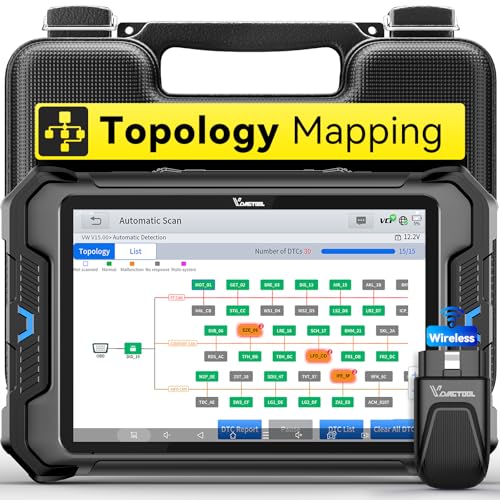
- Smarter Diagnostics, Broader Coverage, Greater Value Than $1,000+ Tools: The game-changing VD80BT OBD2 scanner delivers 4000+ active tests, 42+ hot services, advanced ECU coding, PMI & V.A.G Guided—all in one scanner for car. With OE-level full system scan and intelligent topology mapping that cuts diagnostic time by up to 50%, you'll work smarter and faster. Supporting FCA
 AutoAuth, CAN FD & DoIP protocols, this car scanner covers over 10,000 vehicle models worldwide. Built for serious pros and DIYers, it features 8" HD screen & 4+64GB storage, 7.3V fast charging with long-lasting battery, and 33–66ft stable wireless connection—making it the most complete diagnostic solution you’ll ever own
 - Intuitive Topology Map, Fast Locate Faults: Why waste time clicking module by module? VD80BT car diagnostic scanner takes diagnostics to the next level with its intuitive Topology Map—a premium feature usually found in $1000+ obd scanner. With one tap, it performs all system scan and presents all modules and DTCs in a clear, color-coded layout, boosting diagnostic efficiency by up to 200% and helping you locate issues instantly and reduce repair time and costs. Whether you're a pro boosting efficiency or a beginner learning diagnostics, this obd2 scanner diagnostic tool makes fault-finding faster and smarter for you. Note: varies by vehicle model, please check compatibility before purchase
- Wireless Connectivity Simplifies Bi-Directional Control: With 4000+ active tests, including throttle reset, window calibration and solenoid check, VD80BT bidirectional scan tool lets you diagnose and verify functions faster, smarter, and more efficiently. This scanner for car redefines flexibility in bi-directional control through a fully wireless connection, freeing you from the constraints of wired car diagnostic tool in the workshop. Imagine actively controlling components like the A/C clutch, fuel injector, ABS pump, or radiator fan within a wireless range of 33–66ft around the vehicle—all while enjoying stable, high-speed wireless diagnostic and real-time data monitoring
- 42+ Hot Services, One Powerful Scanner for Car: Why pay a shop $100 just to reset a light? VD80BT car scanner diagnostic tool gives you 42+ hot services from basic resets to advanced maintenance tasks like Crank Sensor Relearn, Injector Coding, ABS Bleeding, Oil Reset, Throttle Relearn, EPB, BMS Reset, Tire Size Reset and more. Plus, it offers 100+ vehicle-specific features including Idle Relearn, VIN Write, Brake Fluid Replacement, Fuel Trim Reset, ABS Initialization and more. Whether you’re resetting TPMS or fixing a stubborn SAS, this car computer diagnostic reader delivers shop-grade precision at a fraction of the cost. Varies by model. Send VIN to verify compatibility before purchase
- OE-Level Full System Diagnostics in Your Hands: Dominate diagnostics like a dealership with VD80BT scan tool for all vehicles, delivering factory-grade scanning for aLL systems—including ABS, SRS, ECM, TCM and more. View up to 8 PID graphs simultaneously to quickly catch intermittent issues and troubleshoot with confidence. Easily read and clear DTCs, retrieve freeze frame data, and run active tests for faster, more accurate repairs. It’s like having a dealership-grade scan tool in your pocket, complete with data playback and CSV export for in-depth analysis. Stop guessing and start fixing with surgical precision—professional diagnostics made simple and portable. Check compatibility Please

- 【OE-Level Full System Diagnostics-Lifetime F*REE Software Updates】The VDIAGTOOL D200 OBD2 Scanner for cars is a all system bidirectional scan tool that enjoy lifetime f*ree software updates, delivers complete system coverage. reading/clearing codes across engine, transmission, ABS, SAS, EPB, TPMS plus full access to body, chassis, powertrain and all control modules. This D200 Bidirectional car scanner works with most 1996+ OBD2 gasoline and hybrid cars and light trucks. It does NOT support pure electric and heavy-duty trucks. PLEASE CHECK COMPATIBILITY BEFORE ORDERING or Contact us with VIN to confirm compatibility.
- 【Supports OBD2 Full Functions-ZERO Subscription Fees】D200 Bidirectional OBD2 Scanner is a upgarde of universal car code reader. It supports OBD2 full functions to help you turn off the annoying instrument fault indicator, such as read/clear codes, O2 sensor test, I/M readiness, on-board monitor test, datastream, freeze frame, E-VAP system test, and retrieve vehicle information. This professional obd2 scanner diagnostic tool can full access to diagnostics, reset tools and maintenance features with a single payment. NOTE: The fault code can only be cleared after the vehicle's malfunction has been repaired; please ensure the vehicle issue is fixed before clearing the code.
- 【D200 Hidden 2 Advantages: 1. $169 Expandable 49+ Advanced Resets. 2. $199 Get J2534 P*a*s*s-Thru Programming】Your core car diagnostics and 26 reset remain lifetime f*ree for everyday maintenance. When you need deeper repair capability, upgrade with 3-year access for $169 in Store on VDIAGTOOL App, gaining 49+ advanced resets. D200 configured with J2534 hardware, upgrade only when you need without replacing the entire device. You also can Lifetime Unlock for $199 in Store one-time, perform module programming, software re~flashing and ECU data updates directly. Supports 17+ major brands, including for BMW, for Audi, for GM, for Ford and more. Note:D200 does‘t provide any OE software.
- 【Full Bidirectional Control / Active Tests】The D200 car scanner diagnostic tool is a true bidirectional scan tool that lets you send commands directly to the vehicle’s ECU for active tests. Quickly test fuel pumps, relays, solenoids, injectors, cooling fans, windows, sunroofs and more to verify operation instantly. Get dealership-level diagnostic control at a fraction of the cost (ofter $100-200$ per diagnostic visit), reduce guessworkand confirm repairs faster, avoid unnecessary parts replacement, towing fees and wait times.
- 【26 F*ree Essential Reset & Relearn Functions – Everyday Maintenance Made Easy】Handle common maintenance and repair jobs without visiting the shop. The D200 code readers & scan tools includes 26 f*ree high-demand reset functions, including Oil Reset, EPB Service, SAS Calibration, ABS Brake Bleeding, Throttle Relearn, Injector Coding, Headlight Adjustment, Tire Size Reset and more. Perfect for home car owners, mechanics and DIYers – just plug and diagnose anytime, anywhere! Note: Service functions vary by vehicle model—please confirm compatibility.
This product presentation was made with AAWP plugin.
Last update on 2026-05-11 / Affiliate links / Images from Amazon Product Advertising API