
NHTSA ID Number: 10236036
Manufacturer Communication Number: TSB 23-2139
TSB/Document Date: 2023-05-17
Summary
This article supersedes TSB 22-2278 to update the vehicle model years affected and the part list. For 2020-2023 Escape/Corsair vehicles, the roof opening panel frame mechanism kits have been released for service. These components can now be serviced separately and no longer require replacement of the entire roof opening panel frame. To correct the condition, follow the Service Procedure to install the roof opening panel frame mechanism kit.
5/9/23, 7:23 AM
TECHNICAL SERVICE BULLETIN
Roof Opening Panel Frame Rail Mechanisms Replacement
23-2139
02 May 2023
This bulletin supersedes 22-2278.
Model:
Ford
2020-2023 Escape
Lincoln
2020-2023 Corsair
Summary
This article supersedes TSB 22-2278 to update the vehicle model years affected and the part list.
Issue: For 2020-2023 Escape/Corsair vehicles, the roof opening panel frame mechanism kits have been released for
service. These components can now be serviced separately and no longer require replacement of the entire roof
opening panel frame. To correct the condition, follow the Service Procedure to install the roof opening panel frame
mechanism kit.
Action: Follow the Service Procedure to correct the condition on vehicles that meet the following criteria:
• 2020-2023 Escape/Corsair
• Equipped with roof opening panel
• One or more of the following symptoms related roof opening panel mechanism failure:
- Glass misalignment
- Popping/creaking noise
- Slow opening/closing
- Binding
- Wind noise
Parts
Service Part
Number
Quantity Description
Unit of
Issue
Piece
Quantity
GD9Z-5400817-A
2
Retainer Clip
1
2
LJ6Z-7851070-A
1
Service Guide Assembly With Mechanism Kit, Right
(Escape)
1
1
LJ6Z-7851071-A
1
Service Guide Assembly With Mechanism Kit, Left
(Escape)
1
1
LJ7Z-7851070-A
1
Service Guide Assembly With Mechanism Kit, Right
(Corsair)
1
1
LJ7Z-7851071-A
1
Service Guide Assembly With Mechanism Kit, Left
(Corsair)
1
1
Quantity refers to the amount of the service part number required to repair the vehicle.
Unit of Issue refers to the number of individual pieces included in a service part number package.
Piece Quantity refers to the total number of individual pieces required to repair the vehicle.
Warranty Status: Eligible under provisions of New Vehicle Limited Warranty (NVLW)/Service Part Warranty
(SPW)/Special Service Part (SSP)/Extended Service Plan (ESP) coverage. Limits/policies/prior approvals are not
altered by a TSB. NVLW/SPW/SSP/ESP coverage limits are determined by the identified causal part and verified
using the OASIS part coverage tool.
Labor Times
https://www.fordservicecontent.com/Ford_Content/vdirsnet/TSB/EU/~WTSB23-2139/US/EN/~UEmployee/default.aspx?VIN=&version=3.0&environm…
1/17
5/9/23, 7:23 AM
Operation
No.
Description
2020-2023 Escape/Corsair: Replace Both Guide Assemblies Includes Time To Lower
Headliner (Do Not Use With Any Other Labor Operations)
232139A
Time
4.6
Hrs.
Repair/Claim Coding
Causal Part:
5450056
Condition Code: 01
Service Procedure
1. Remove the roof opening panel glass assembly. Refer to Workshop Manual (WSM), Section 501-17 Roof Opening
Panel > Removal and Installation > Roof Opening Panel Glass.
2. Remove the air deflector assembly. Refer to WSM, Section 501-17 Roof Opening Panel, Removal and Installation
> Air Deflector.
3. Lower the headliner. Refer to WSM, Section 501-05.
4. Remove the air deflector panel by removing the 3 button head screws attaching the panel to the roof opening
panel frame.
5. Reconnect both A-Pillar electrical connectors and over head console electrical connectors.
6. Disengage the sunshade crossbar from the sunshade drive cable plate.
(1). Position the sunshade in the center of the roof opening.
(2). Disengage the sunshade crossbar from the sunshade drive cable plates left and right side. (Figure 1)
Figure 1
7. Disengage the fabric pilot clips from the sunshade drive cable plate. (Figure 2)
Figure 2
2/17
5/9/23, 7:23 AM
(1). The sunshade is under tension. Hold the cross bar when releasing the second fabric pilot clip to prevent the
roller from pulling the fabric, clips and cross bar into the sunshade bracket assembly.
(2). Using a small flat bladed screwdriver, lift the tab off of the locking button and slide the clip rearward to release
the fabric pilot clips from the sunshade drive cable plates left and right side. (Figure 3)
Figure 3
(3). Slide the fabric and pilot clips rearward until they are fully out of the track.
8. Starting with left side, remove the 2 button head screws and remove the front inside locator on the left side.
(Figures 4-5)
Figure 4
3/17
5/9/23, 7:23 AM
Figure 5
9. Remove the left mechanism bracket. (Figures 6)
Figure 6
(1). Make sure the mechanism is in the partial open position.
1. Partial open is the position where the glass begins the slide motion immediately after vent.
(2). Disengage the front slide shoe (mechanism bracket) from the front inside locator. (Figure 7)
Figure 7
https://www.fordservicecontent.com/Ford_Content/vdirsnet/TSB/EU/~WTSB23-2139/US/EN/~UEmployee/default.aspx?VIN=&version=3.0&environm…
4/17
5/9/23, 7:23 AM
(3). Slide the mechanism bracket assembly forward until it is fully disengaged from the driving wedge (rear locator
assembly). (Figure 8)
Figure 8
10. Remove the 7 button head screws - top side. (Figure 9)
Figure 9
11. Remove the left rear locator assembly.
(1). Disengage the rear locator assembly from the guide by applying a gentle rearward force near the forward
screw location. (Figure 10)
https://www.fordservicecontent.com/Ford_Content/vdirsnet/TSB/EU/~WTSB23-2139/US/EN/~UEmployee/default.aspx?VIN=&version=3.0&environm…
5/17
5/9/23, 7:23 AM
Figure 10
(2). Rotate the rear locator assembly counterclockwise until the connection bar can be disengaged from the
control slide. (Figure 11-12)
Figure 11
Figure 12
12. Remove the 2 button head screws – bottom side. (Figure 13)
Figure 13
https://www.fordservicecontent.com/Ford_Content/vdirsnet/TSB/EU/~WTSB23-2139/US/EN/~UEmployee/default.aspx?VIN=&version=3.0&environm…
6/17
5/9/23, 7:23 AM
WARNING: Protective gloves are recommended for Step 13.
13. Disengage the left relief tube and clips from the guide (2 clips on the left side; 3 clips on the right side) (Figure
14)
Figure 14
14. Remove the left guide assembly.
(1). Rotate the front of the guide assembly upward and inward.(Figure 15)
Figure 15
7/17
5/9/23, 7:23 AM
(2). Slowly pull the guide assembly forward releasing the guide assembly from the drive cables.
15. Install the new left guide assembly.
(1). Starting at the rear end of the guide, slowly feed the drive cables into the guide and align the guide screw
positions to the holes in the frame. (Figure 16)
Figure 16
16. Re-engage the left relief tube to the clips. (Figure 17)
Figure 17
17. Repeat Steps 8-16 on the right side.
18. Install the button head screws finger tight.
19. Set the guide-to-guide alignment. (Figure 18)
Figure 18
8/17
5/9/23, 7:23 AM
(1). Use a measuring device to set the guide alignment (730.46 mm ± 0.6 mm, 2 locations).
20. Tighten the 2 button head screws - bottom side (left and right side) to 5.0 Nm ± 0.5 Nm. (Figure 19)
Figure 19
21. Tighten the 4 button head screws - top side (left and right side) to 5.0 Nm ± 0.5 Nm. (Figure 20)
Figure 20
9/17
5/9/23, 7:23 AM
22. Verify the guide alignment and adjust as needed. (Figure 18)
(1). Use a measuring device to verify the guide alignment (730.46 mm ± 0.6 mm, 2 locations).
23. Starting with the left side, verify the new rear locator assembly on the left side.
(1). Verify that the assembly rear lever is in the vertical position and that the slide pins are engaged in the proper
channels. (Figure 21)
Figure 21
(2). Verify that the locator rear inside is properly engaged to the locator rear outside. (Figure 22-24)
Figure 22
10/17
5/9/23, 7:23 AM
Figure 23
Figure 24
24. Install the new left rear locator assembly.
(1). Attach the connection bar to the control slide. (Figure 25-26)
Figure 25
Figure 26
11/17
5/9/23, 7:23 AM
(2). Rotate the rear locator assembly clockwise until the front tab of the rear locator assembly can be installed into
the guide. (Figure 27)
Figure 27
(3). Verify that the hard stop feature of the rear locator assembly is fully engaged to the guide.(Figures 28-29)
Figure 28
Figure 29
12/17
5/9/23, 7:23 AM
25. Tighten the 3 button head screws to 3.5 Nm ± 0.3 Nm. (Figure 30)
Figure 30
26. Install the new left mechanism bracket assembly.
(1). Install the mechanism bracket assembly (rear end) into the driving wedge. (Figure 31)
Figure 31
(2). Continue to slide the mechanism bracket rearward. (Figure 32)
Figure 32
https://www.fordservicecontent.com/Ford_Content/vdirsnet/TSB/EU/~WTSB23-2139/US/EN/~UEmployee/default.aspx?VIN=&version=3.0&environ…
13/17
5/9/23, 7:23 AM
(3). Rotate the front lever downward so that it is perpendicular to the mechanism bracket arm. (Figures 33-34)
Figure 33
Figure 34
(4). Insert the front lever foot into the guide channel. (Figure 35)
Figure 35
14/17
5/9/23, 7:23 AM
(5). Rotate the mechanism bracket forward (and downward). (Figures 36-37)
NOTE: Make sure the front slide shoes of the mechanism bracket move in front of the guide, the outside foot
must engage into the front outside locator channel.
Figure 36
Figure 37
(6). The front lever must engage into the driven slider.
(7). Slide the mechanism bracket rearward so that the slide shoe features enter into their respective guide
channels.
https://www.fordservicecontent.com/Ford_Content/vdirsnet/TSB/EU/~WTSB23-2139/US/EN/~UEmployee/default.aspx?VIN=&version=3.0&environ…
15/17
5/9/23, 7:23 AM
27. Install the front inside locator.
(1). Verify that the front inside locator is properly engaged to guide.(Figure 38)
Figure 38
(2). Tighten the 2 button head screws to 3.5 Nm ± 0.3 Nm. (Figures 39-40)
Figure 39
Figure 40
16/17
5/9/23, 7:23 AM
28. Repeat Steps 23-27 on the right side.
29. Install the air deflector panel to the roof opening panel frame.
(1). Tighten the 3 button head screws to 3.5 Nm ± 0.3 Nm.
30. Install the air deflector assembly. Refer to WSM, Section 501-17 Roof Opening Panel, Removal and Installation >
Air Deflector.
31. Install the fabric pilot (left and right sides). Refer to WSM, Section 501-17 Roof Opening Panel, Removal and
Installation > Installation > Only Step 22-24.
32. Install the sunshade cross bar onto the drive cables. Refer to WSM, Section 501-17 Roof Opening Panel,
Removal and Installation > Installation > Only Step 25-26.
33. Install the roof opening panel glass assembly. Refer to WSM, Section 501-17 Roof Opening Panel > Removal
and Installation > Roof Opening Panel Glass.
34. Install the headliner. Refer to WSM, Section 501-05.
35. Verify the glass and sunshade are operating properly.
(1). Verify no operational failures or appearance failures such as false reversal, sunshade derails/wrinkles,
mechanism click.
© 2023 Ford Motor Company
All rights reserved.
NOTE: The information in Technical Service Bulletins is intended for use by trained, professional technicians with the knowledge, tools, and
equipment to do the job properly and safely. It informs these technicians of conditions that may occur on some vehicles, or provides information
that could assist in proper vehicle service. The procedures should not be performed by "do-it-yourselfers". Do not assume that a condition
described affects your car or truck. Contact a Ford or Lincoln dealership to determine whether the Bulletin applies to your vehicle. Warranty Policy
and Extended Service Plan documentation determine Warranty and/or Extended Service Plan coverage unless stated otherwise in the TSB article.
The information in this Technical Service Bulletin (TSB) was current at the time of printing. Ford Motor Company reserves the right to supersede
this information with updates. The most recent information is available through Ford Motor Company's on-line technical resources.
17/17


- Advanced VCI Box, Industry-leading J2534 Pass-Thru...
- High-Speed OEM-Level Diagnostics & Programming: Unlock true...
- Coverage for 17 Car Brands & Ultra Reliability: Works...
- User-Friendly RLink Platform & Expert Support: TOPDON’s...
- 6.6 ft USB-C Cable & Portable Storage Case: The RLink J...
Last update on 2026-06-23 / Affiliate links / Images from Amazon Product Advertising API
If the PDF is very large, it may not load in the preview below.
Some older TSBs had multiple PDFs — visit the NHTSA Website to view all PDFs.
If the TSB PDF does not show, download or view it on the NHTSA Website.
Click on the (+) Plus Sign
Then Click on Associated Document(s)
Search NHTSA Database for Recalls
Search NHTSA Database for Vehicle Investigations
View Latest Vehicle Investigations
Search NHTSA Database for Vehicle Complaints
View Latest Vehicle Complaints
TSB/Document ID: TSB 23-2139
Replacement Service Bulletin Number:
MFR Communication Date: 2023-05-03
MFR Internal Campaign ID/Software Version:
Communication Type: Service Bulletin/Repair Instructions
NHTSA Components: EQUIPMENT
MFR Component System:
MFR Component Subsystem:
Previous TSB | Next TSB |

- 🎉[OTOFIX D1 Lite, Perfect Cost-effective Diagnostic Tool]: OTOFIX D1 Lite, a newest bidirectional scan tool from OTOFIX company, is a great choice for DIYers and repair shops. 👉This obd2 scanner diagnostic tool packs all practical functions: OE level all systems diagnoses, Bi-Directional Control, 38+ reset services fixing 99% of common problems, support DoIP & CANDF protocols and FCA
 AutoAuth, high-end hardware configuration. Worldwide vehicles and 🔥2 Years Free Updating🔥 covered.
 - 🎉[Bi-Directional Scan Tool, Active Test]: OTOFIX D1 Lite bluetooth obd2 scanner can also command ECUs and monitor the operation of the actuators to track down the problems of certain parts, like windows, sunroof, wipers, fuel pumps, etc., saving repair time & trouble. This makes OTOFIX D1 Lite the most cost-effective bidirectional scan tool.
- 🎉[2026 Newest, 38+ Hot Reset Functions]: Equipped with 38+ reset functions in one, the OTOFIX D1 lite automotive scanner diagnostic tool allows you to troubleshoot 99% of common vehicle problems. You can use this car diagnostic scanner holding enough functions to easily repair common vehicle models in your repair shops. Including Oil Reset, Injector Coding, Throttle, DPF Reset, SCR Reset, Gear Learning, Clutch Learning, Suspension, etc. Note* Reset functions vary by model.
- 🎉[OE Level Full Systems Diagnostics]: Unlike the 2-system and 4-system diagnostic tools, the OTOFIX auto scan tool can complete comprehensive system diagnostics within 5 minutes. It accesses and scans all available onboard systems like for Engine /AT /ABS /EPB /BMS /TPMS /SRS /SAS /Audio System /BCM /Air Conditioning / etc., to read & clear codes, view live data, and check ECU information. Note: Active test is not involved.
- 🎉[Powerful Hardware Configuration]: Designed with a fashion appearance & a 7” touchscreen and a weight of 463g, this OTOFIX D1 Lite OBD2 diagnostic scanner scan tool is convenient for everywhere and easy to use & store. Android9.0 OS and 2+64GB memory enhance multi-task smoothness and diagnostic operation, no more wasting too much time. 5800mAh battery allows hours-lasting use. WiFi & VCI1 also bring faster communication for your diagnostics.
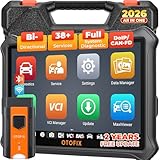
- 🏆【2026 TOP OBD2 Scanner Diagnostic Tool】OTOFIX D1 Lite wireless obd2 scanner has upgraded hardware configuration and car coverage. The newly upgraded D1 Lite with 🔥OS Android 9.0🔥1.5Ghz 4 core high efficiency processor🔥2GB RAM+64GB ROM large storage🔥5800mAh large battery, more stable and longer lasting diagnostics🔥 38+ Reset🔥action tests🔥full system diagnostic🔥Supports MV105 endoscope🔥21+ Language Supports🔥100000+ vehicle coverage to meet all your daily maintenance needs.
- 👍【Bi-Directional Control / Active Test】D1 Lite obd2 scanner has bidirectional control(worth $300+), which is the most beloved feature among mechanic. If your headlights or car windows are broken, going to a repair shop will cost a lot of money. You can use D1 Lite to send execution commands to the ECU module and identify the repair status. Such as ABS, car windows, doors, valves, wipers, headlights, etc., effectively shorten diagnostic time and reduce diagnostic costs.
- 🔥【All Systems Diagnostics, In-depth Checking】This advanced OBD2 Scanner D1 Lite can perform OE-level diagnosis of all systems including engine, transmission, airbag, ABS, ESP, TPMS, gateway, steering, radio, and air conditioning for more than 100 brands. This diagnostic scanner supports essential functions, such as reading ECU version info, reading and clearing fault codes, and reading data streams.With just a simple click, it provides you with accurate and in-depth diagnostics.
- 🏆【38+ Reset Hot Functions】For repair workshops, holding an OTOFIX D1 Lite Auto scanner is a strong advantage over others. Its 38+ maintenance functions provide various solutions for all module repairs, including Oil Reset, TPMS Reset, Injector Coding, Suspension, Throttle Matching, etc., which will usher your repair business to a new pinnacle. Continuously updating will never make the functionality & compatibility out-of-date.
- 🏆【150+ Models, 10000+ Car Coverage & 16 Languages】D1 Lite is a comprehensive car diagnostic scan tool, help you to troubleshoot car issues fast for 95% US, European, Asian auto makes. ✅ With frequent updates and optimizations allow D1 Lite to cover more vehicles to meet your needs. ✅ Multilingual menu allows auto mechanics around the world to use it without language barriers. 🚩Note: Kindly send us the S/N of the device to authorize new language updates before changing the menu language.

- 2026 Newest Wireless Bluetooth Scan Tool D1: OTOFIX D1 Diagnostic scanner is upgraded version with Enhanced Hardwares & Newest Functions, FASTER and SMARTER! ✅Alternative Bluetooth 5.0 +USB connect✅2G+64GB✅Android 9.0 OS✅5G & 2.4 GHz Dual WiFi✅5800mAh battery👍VAG Guided Function👍ECU Online Coding👍CANFD&DOIP👍40+ Services👍Bi-Directional Control👍Full Systems Diagnose👍2 Years Free Update👍150+ Vehicle Coverage🎁Contact to get gift: otofixaftersales-amz@ outlook.com
- ECU Coding to Unlock the Hidden Features: OTOFIX D1 obd2 scanner diagnostic tool newly adds ECU Coding which can Online Coding(ONLY for VW/Au.di/Sk0da), Variant Coding/Offline Programming, Flash Hidden Functions, Reset Adaptive Data, Match Replaced Components, Customize OE-Settings. Such as: halogen fog lamps retrofitted with xenon fog lamps, different capacity battery retrofit, disbale auto start-stop, sunroof initialization, injector calibration, etc. PS: Coding functions vary by model&year.
- Full Bidirectional Control for Active Car Tests: The D1 OTOFIX scanner also offers bi-directional control, allowing you to perform powerful active tests on car subsystems. This means that you can check the working status and functionality of open & close solenoids, energize injectors, turn cooling fan on & off, and more, all from the device itself.🚩The D1 bi-directional obd2 scanner can quickly help you to check if a system or component goes well,Improving 200% Efficiency.**Note that Active Tests available depend on the make/model/year of your car.
- 40+ Popular Maintenance Functions: OTOFIX D1 obd scanner for car performs 40+ hot services, including Oil Reset, EPB, TPMS, BMS, E.GR, G.PF, D.PF, SAS Calibration, ABS Bleeding, Injector Coding, Gearbox Match, Suspension, Crankshaft Relearn, Power Balance, etc., still growing. Great choice for DIYers, technician, repair shop. 🚩Get MORE special functions from "Car Brand>System>Service". Check compatibility before purchase via 📧 otofixaftersales-amz@ outlook.com.
- OE-Level All Systems Diagnostic + One-Click AutoVIN & AutoSCAN: OTOFIX D1 scanner automotriz gives you the ability to troubleshoot entire car systems including engion system,transmission system,body system,chassis,etc. 🚩One of the standout features of the D1 obd2 scanner diagnostic tool is the one-click AutoVIN & AutoScan function. This feature allows you to quickly and easily scan all diagnosable ECUs with just one click, and identify any problems hidden in your vehicle's systems.
Last update on 2026-06-23 / Affiliate links / Images from Amazon Product Advertising API
This product presentation was made with AAWP plugin.