
NHTSA ID Number: 10231893
Manufacturer Communication Number: 22-NA-115
TSB/Document Date: 2023-02-21
Summary
This service bulletin provides information for U.S. dealers ONLY to refer to the Battery Maintenance Report to identify vehicles in dealer inventory that require attention.
Bulletin No.:
Service Bulletin
Date:
22-NA-115
February, 2023
INFORMATION
Subject:
Battery Maintenance Report FAQs (U.S. ONLY)
Attention: This bulletin applies ONLY to the U.S. market.
Brand:
Model:
Model Year:
VIN:
from
to
from
to
2020
2023
—
—
—
—
GM Passenger Cars
and Trucks (including
Medium Duty)
Involved Region or Country
United States Only
Important: Service agents must comply with all
International , Federal, State, Provincial, and/or
Local laws applicable to the activities it performs
under this bulletin, including but not limited to
handling, deploying, preparing, classifying,
packaging, marking, labeling, and shipping
dangerous goods. In the event of a conflict between
the procedures set forth in this bulletin and the
laws that apply to your dealership, you must follow
those applicable laws.
U.S. dealers must refer to the Battery Maintenance
Report to identify vehicles in their new vehicle inventory
that require attention. The Report, located in the Dealer
Maxis application on the GlobalConnect App Center,
will conveniently identify the specific vehicles in your
dealer inventory that require “Charge 12V Battery
Charge”, "Plug in High Voltage Charger," or “Start
and Move.”
Actions Required
•
It is recommended that dealers monitor the report
only once per week. As a best practice, dealers
should pull a fresh report every Monday morning.
Copyright 2023 General Motors LLC. All Rights Reserved.
•
Vehicles on the report that require a Battery
Charge should be charged using the “Diagnostic
Charge ” mode on the GR8 or the “Diagnostic
Trolley” mode on the Diagnostic Charge Battery
Station (DCBS). For vehicles with two batteries,
each battery should be individually charged.
• The report will also identify vehicles that need to
be started and moved as they have remained
dormant for an extended period and are no longer
transmitting battery state of health information to
GM via Remote Vehicle Diagnostics. Sitting in one
location for long periods can also lead to tire flat
spotting and brake corrosion build up. These
vehicles should be started and moved to prevent
these issues and also to allow GM to connect to
the vehicle so that we can provide proper
recommendations on battery maintenance.
After taking action on any particular vehicle noted on
the Battery Maintenance Report, it may take up to 5
days for the vehicle to be removed from the Report.
Refer to Service Bulletin # 21-NA-043 for
requirements on properly maintaining vehicles in
dealer inventory.
Page 2
February, 2023
Bulletin No.: 22-NA-115
Process Overview
6230294
Battery Maintenance Report Frequently
Asked Questions (FAQs)
Note: If you find you do not have access, please
see your dealer Partner Security Coordinator (PSC).
Q1: Why do the Dealers need to do this? Doesn’t
the PDI process take care of this?
A1: Effective January 1, 2021, we made the following
PDI changes for 12 Volt Battery Maintenance:
• Eliminated initial PDI battery check and charge
• Eliminated battery charge every 30 days on New
Vehicle Inventory
• Eliminated final PDI battery check and charge just
prior to delivery
Note: There was no reduction to PDI labor time
allowances.
Q3: What VINs appear on the Maintenance report?
A3: Vehicles that meet the following criteria:
• U.S Pre-sale inventory
• Less than 500 miles
• AT&T cellular connection
• OnStar full services not activated
• Vehicles Delivered to Dealer or ship-to location
Q4: What does the Required Action “Charge 12V
Battery ” mean on the report?
A4: This action alert indicates the vehicle battery
requires charging due to its low state of charge (SOC).
SOC refers to the 12V battery capacity not the voltage.
If the battery SOC is less than 50% of its full capacity,
the VIN will appear on the report.
All vehicles showing this required action must be
charged using the “Diagnostic Charge ” mode on the
GR8 or the “Diagnostic Trolley” mode on the Diagnostic
Charge Battery Station (DCBS) to sufficiently charge
the battery.
Q2: How can Dealers access the Battery
Maintenance Report?
A2: Dealers may access the Battery Maintenance
Report by:
1. Access “Maxis for Dealers” App link in the
GlobalConnect App Center.
2. Click on the “Battery Maintenance Report” tile.
Bulletin No.: 22-NA-115
February, 2023
Note: DO NOT use the PDI mode to charge. This
mode will only charge for 20 minutes and does not
provide enough charge.
GM recommends cycling the ignition every time after
charging a vehicle to reset the 30 day Onstar timeout
counter.
Q5: After I charge the 12V battery, when will the VIN
be removed from the report?
A5: Once battery SOC is above 65%, the VIN will
come off report within 5 days.
Q6: What Voltage is 50% State of Charge?
A6: State of Charge is the measure of a battery’s
capacity not the voltage. As capacity reduces the
voltage will lower. Approximately 12.1 Volts at 50%
SOC. Battery SOC percentage is dependent on
temperature, so reference Battery Charging in SI.
Q7: What if my vehicle has two 12V batteries?
A7: Stop/Start vehicles, Medium Duty, Heavy Duty
trucks often have the batteries in parallel, so only one
state of charge reading is reported. Each one should be
individually tested with a diagnostic charger. For Police
vehicles, only the main 12V battery is monitored with
the battery sensor and not the Auxiliary battery. Both
should be checked when “Charge Battery” is displayed
on the report.
Q8: What does Required Action “Start and Move
Vehicle” mean on the report?
A8: This alert indicates the vehicle has not been started
in 12 days. Dealers must start and move the vehicle to
prevent tire flat spotting and/or brake corrosion
build up.
Q9: How far do I need to drive a vehicle that needs a
“Start and Move”?
A9: Moving the vehicle 8 feet forward and 8 feet back
will be sufficient.
Q10: If a vehicle alerts for needing a 12V charge,
can I just start the vehicle and let it run for a while?
A10: No. Vehicles on the report have reached the
caution threshold and our testing shows that they
require the type of charging provided using the
“Diagnostic Charge” mode on the GR8 or Diagnostic
Trolley mode on the Diagnostic Charge Battery
Station (DCBS).
Note: Just starting and running the vehicle or
charging in “PDI Mode” will not be effective.
Q11: If our GR8 or DCBS is down, can I use a
different battery charger?
A11: A different charger may or may not provide
enough charge to remove the battery from the report,
depending upon the model/time charged etc. Dealers
should have equipment repaired as soon as possible.
See Service Policies and Procedures for additional
information.
Refer to question number 29 and 30 for information on
charger alternatives.
Page 3
Note: PDI Mode charges will not be effective. It will
only charge for 20 minutes.
Q12: How often does the Battery Maintenance
Report update?
A12: The report updates every day, but each vehicle
sends updates once every 5 days. Therefore, after a
vehicle is charged by your dealership, it may take UP
TO 5 calendar DAYS for the vehicle to be removed from
the report.
Q13: What happens if dealer action is not taken
within 10 calendar days?
A13: It has been determined that battery damage can
occur if it is left under 50% State of Charge for longer
than 10 days. Should battery replacement become
necessary because of lack of action as communicated
in the Battery Maintenance Report, this would be at the
dealership’s expense.
Q14: Does OnStar need to be activated for GM to
receive battery information from the vehicle?
A14: No, full OnStar Activation will disable SOC
monitoring and the VIN from the report.
Q15: How is the intelligent Battery Sensor
(IBS) used?
A15: The IBS Sensor, also known as Battery Sensor
module, is a LIN sensor that tells the vehicle important
12V information such as state of charge (SOC),
voltage, current charge, drain, etc. Critical 12V features
that depend on this sensor like OTA updates, Battery
Maintenance Report, Stop/Start, etc.
Q16: What causes the IBS sensor to reset?
A16: Parasitic drains, unplugging the battery sensor
connector or removing it from the negative battery post
will reset the learn status. In the scan tool, an
unlearned Battery Sensor Module will display a SOC
error above 95%. Vehicles will self-learn after 4 hours if
there is no excessive drain.
Refer to bulletin 22-NA-214 for more information.
Q17: Once a vehicle is added as a Dealer Demo or
loaner, will it come off the report?
A17: Vehicles that have activated OnStar or have
greater than 500 miles will be automatically removed
from the report.
Q18: Are vehicles that are in transit to the
dealership on the report?
A18: No, only vehicles that have been delivered to the
dealer or a designated ship-to location will appear on
the Maintenance Report.
Q19: Are vehicles located at an Upfitter on the
report?
A19: Bailment units ordered as part of an upfitter fleet
WILL NOT be on the report; however, vehicles ordered
by the dealer with an upfitter identified as the ship-to
location WILL BE on the report. It is the Dealers
responsibility to contact the upfitter if the vehicle is on
the report and needs action.
Page 4
February, 2023
Q20: What happens if a vehicle sale does not go
through, and a vehicle is returned to inventory?
A20: No action is required if a returned back to the
dealer’s stock within 48 hours after the retail sale.
Note: Loaners/demo are not categorized as return
to stock vehicles.
Q21: Why do some vehicles show on the Regional
Report, but not on Dealer Maxis?
A21: The Regional report is a snapshot in time and the
resulting picture can be different than the Dealer Maxis
report if they were snapshots taken at varying intervals.
Vehicles can be sold, pinged again, traded or have
been started and moved between the times the two
snapshots are taken and reported. Since the Regional
data is run early Monday morning. We recommend
dealers pull their Maxis report each Monday to
minimize the possibility of different snapshots.
Q22: Who do I contact if there’s an issue with the
data displayed in the Battery Maintenance Report?
A22: Dealers should contact their District Service
Manager if they feel there is an issue with the data in
the report.
Q23: I charged the vehicle and it’s still on the report
after 5 days. Why?
A23: There are a few possibilities:
• The VIN did not go above 65% battery state of
charge (SOC).
• Vehicle did not have cellular connection will retry
to communicate again in 5 calender days.
• Vehicle may be in deep sleep state and requires
the ignition to be cycled.
• Vehicle once had OnStar active and now it is
disabled.
• Terms and Conditions were rejected on the
infotainment center.
Q24: What happens if a 12V battery fails testing
after a charge?
A24: If vehicle requiring charging per Battery
Maintenance Report fails the initial test, retain the test
printout and RETEST, again using the required
“Diagnostic Charge” (GR8) or (DCBS) process.
Q25: What documentation is required when I’m
replacing a 12V battery in dealer inventory?
A25: Technicians are required to print the test result
from the GR8/DCBS that supports battery replacement.
Dealer must attach a copy to the battery replacement
transaction, and retain the original in the vehicle history
folder. The Warranty Code from the test printout must
also be entered on the warranty transaction in the
“Battery Tester Code” field. See Service Bulletin
#20-NA-132 for complete details.
Q26: What if a 12V battery fails at PDI, but has not
shown up on the Maintenance report?
A26: Although rare, this is a possibility since the
vehicle only communicates to GM every 5 days.
Q27: For 12V batteries that fail and require a retest,
how long should I wait before retesting?
A27: It is recommended that the second test be
performed immediately after the first attempt.
Bulletin No.: 22-NA-115
Labor to perform the retest is covered as follows:
1. If the battery PASSES the retest, the vehicle can
be returned to inventory. Dealers may claim a
ZREG Transaction Type for performing the retest
using Labor Code 0600284 (Pre-Sale Charge and
Test). The allowable allowance mirrors the
vehicle’s applicable published Base Labor Time for
Labor Code 4041512 (Battery Charging and
Testing). Published Add Times are ineligible. The
transaction must be routed to the Warranty Support
Center with a copy of BOTH the initial test and the
retest result printouts attached to the transaction.
2. If the battery FAILS the retest, replace the battery
and submit a ZREG warranty claim using the
applicable labor operation and published
allowance per the Labor Time Guide (labor for
testing is included in the published allowance for
battery replacement). Attach BOTH copies of the
test result to the transaction. Enter the 2nd code
(obtained after retest) in the Battery Tester Code
field of the warranty transaction.
12V Battery Charging Information
Q28: Why does the vehicle stay between 64.5 to
65% SOC on the report after charging?
A28: The vehicle could be sending a default value. The
Battery Sensor Module also known as the IBS sensor
may be unlearned due to battery disconnect or parasitic
drains.
Q29: Can we charge a vehicle by letting the
engine idle?
A29: Yes, new vehicles with less than 500 miles are in
a mode where they will output a higher voltage to
charge a battery. This method should only be used in
remote lots.
GM still recommends using approved dealer equipment
at the dealerships for vehicles that are NOT past due
(See question 30). DCBS or GR8 test slips remain a
requirement for warranty transactions and should be
used to test past due alerted vehicles.
Q30: What other chargers can we use other than the
DCBS or GR8?
A30: GM has other approved alternate chargers like
the BC1012 and BC512 that can be found on the GM
Dealer Equipment website and may be used to
maintain alerted, but NOT past due vehicles. Both have
the capability to charge the 12V lead, AGM, EFB, Li-Ion
batteries. Be aware that chargers like the BC512 will
not perform a test on the battery. A test printout with a
warranty code from a GR8 or DCBS is required to
support warranty battery replacements.
The BC1012 charger has the capability to test by IR,
CCA and Charge Acceptance.
Important: Both chargers will not produce a
warranty code.
Q31: Is charging required after replacing a battery?
A31: Yes, some new batteries may require a charge
depending on their shelf life.
Bulletin No.: 22-NA-115
February, 2023
Q32: Why do I get clamp connection failures?
A32: There could several reasons why:
• During the test, the clamps have been
disconnected from the battery
• During the test, the clamps were not connected
directly to the terminals and clamps were heating
up. There is a safety feature in the tool to stop the
charge if the clamps start to get too hot
• There is an error internally in the DCBS trolley and
the tool needs to be restarted.
Q33: What are some common errors when testing a
12V battery?
A33: Here are some tips when testing 12V batteries:
• Technicians must enter the correct battery type
and CCA rating when setting up the charge/test.
• Never test or charge a frozen battery.
• Always connect to bare battery posts for battery
diagnostics.
• Incorrect batteries that are undersized should not
be tested.
Q34: Why is the Cold Cranking Amps (CCA) on the
battery different than what I see on the 12V battery
reference table?
A34: There are 2 types of CCA Ratings EN CCA &
SAE CCA and they are not same. EN is a European
Standard and SAE is a North American Standard.
Example: 800 EN CCA is equivalent to 730 SAE CCA.
Q35: What to do if the DCBS is not working?
A35: Always reference the user manual and ensure the
DCBS machine has the latest software installed.
Q36: What do I do if I can’t resolve my issue DCBS
machine?
A36: Contact E-Xteq Tech Support – USA at:
• 1-877-453-3265 English
• [email protected]
Hours Of Operation (EST)
• Monday – Friday 8 AM to 8 PM
• Saturday:10 AM to 3 PM
Page 5
Q37: Where can I find training material on
the DCBS?
A37: We featured the DCBS in the following emerging
issues broadcasts. These can be viewed in the Center
of Learning under GM Media Tube (tech tubes).
• Nov. 2019 – Intro Video
• Jan. 2021 – Battery test
• June 2022 – GR8 phase out
• Oct. 2022 – Battery test
Electric Vehicle (EV) Section
Q38: At what high voltage (HV) SOC does an EV get
added to the report?
A38: An EV will get added to the Battery Maintenance
Report if the HV SOC falls below 15% or the 12V
battery SOC is below 50%.
Q39: At what HV SOC will an EV be removed from
the report?
A39: Once the HV battery SOC is above 30% and the
12V battery SOC is above 65%, the VIN will come off
the report.
Q40: How should a HV battery be charged on
an EV?
A40: If an Electric Vehicle (EV) appears on your Battery
Maintenance Report stating "Plug in High Voltage
Charger", GM recommends charging the HV battery
with a Level 2 or DC Fast Charger. All new EVs should
be charged to 80% HV SOC upon receipt of the vehicle
from the factory prior to PDI. The high voltage system is
designed to maintain the 12V battery state of charge,
but it may not prevent an unexpected large parasitic
draw from depleting the 12V battery SOC.
Q41: If charging the HV battery on an EV does not
successfully charge the 12V battery, and therefore
the technician needs to charge the 12V battery,
does that have to be performed ONLY by a fully EV
trained technician?
A41: Yes. The technician performing a charge and test
on the 12V battery of a High Voltage vehicle must have
completed all required EV training. Technician should
refer to Document ID: 5840812 Battery Negative Cable
Disconnection and Connection in SI before
disconnecting the 12V battery.
Version
4
Modified
Released May 27, 2022
Revised June 23, 2022 – Replaced picture under Process Overview and updated
information under Battery Maintenance Report Frequently Asked Questions (FAQs).
Revised January 06, 2023 – Updated picture under Process Overview, updated
information under Battery Maintenance Report Frequently Asked Questions (FAQs) and
added 12V Battery Charger Information and Electric Vehicle (EV) Section with
additional FAQs.
Revised February 01, 2023 – Added additional FAQs under Electric Vehicle (EV) Section.
GM bulletins are intended for use by professional technicians, NOT a "do-it-yourselfer". They are written to inform these
technicians of conditions that may occur on some vehicles, or to provide information that could assist in the proper
service of a vehicle. Properly trained technicians have the equipment, tools, safety instructions, and know-how to do a
job properly and safely. If a condition is described, DO NOT assume that the bulletin applies to your vehicle, or that your
vehicle will have that condition. See your GM dealer for information on whether your vehicle may benefit from the
information.
WE SUPPORT VOLUNTARY
TECHNICIAN
CERTIFICATION
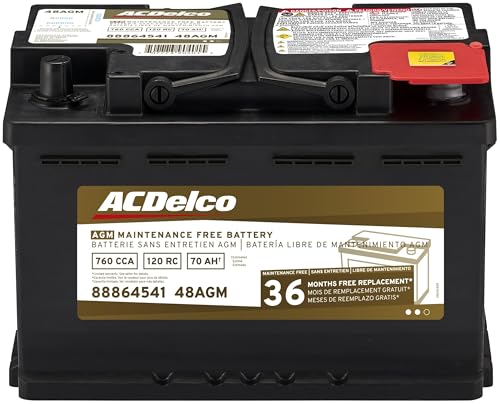
- High density negative paste, improves performance and...
- Enhanced life alloy or Silver Calcium stamped alloy...
- Calcium lead positive grid, maximizes conductivity and...
- Robust envelope separator with puncture resistant back...
- Vent cap design that resists acid leakage

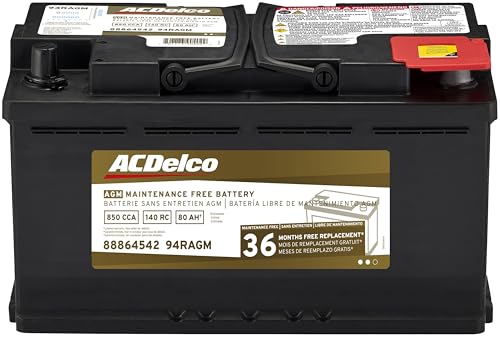
- High density negative paste, improves performance and...
- Enhanced life alloy or Silver Calcium stamped alloy...
- Calcium Lead positive grid, maximizes conductivity and...
- Robust Envelope Separator with puncture-resistant back...
- Vent cap design that resists acid leakage
If the PDF is very large, it may not load in the preview below.
Some older TSBs had multiple PDFs — visit the NHTSA Website to view all PDFs.
If the TSB PDF does not show, download or view it on the NHTSA Website.
Click on the (+) Plus Sign
Then Click on Associated Document(s)
Search NHTSA Database for Recalls
Search NHTSA Database for Vehicle Investigations
View Latest Vehicle Investigations
Search NHTSA Database for Vehicle Complaints
View Latest Vehicle Complaints
TSB/Document ID: 22-NA-115
Replacement Service Bulletin Number:
MFR Communication Date: 2023-02-01
MFR Internal Campaign ID/Software Version:
Communication Type: Service Bulletin/Repair Instructions
NHTSA Components: ENGINE AND ENGINE COOLING
MFR Component System:
MFR Component Subsystem:
Previous TSB | Next TSB |

- [Notice] When you receive a used device, it may be a customer return resold by Amazon without inspection. You can exchange it for a new one through Amazon. As this situation is unavoidable, we sincerely apologize. For any issues, contacting us via Amazon's "Messages" is the best way. THINKSCAN 689BT Bidirectional Scan Tool Can Be Used Immediately After It is Turned On, Without Complicated Registration Process, Which is More Convenient & Quick.
- Full Bi-Directional Control & 3000+ Active Tests: Take control and test components like actuators, fuel injectors, relays, and cooling fans in real time. You’ll quickly see if the problem is in the part itself or the control module — saving you hours of guesswork and frustrating trial-and-error.
- Advanced ECU Coding Capabilities: Handle module matching and hidden feature activation with confidence. When you replace an ECU or want to customize settings, this obd2 scanner diagnostic bi directional tool gives you the professional-level capabilities you need without the dealership price tag.
- 34+ Useful Reset and Maintenance Functions: Complete everyday service tasks smoothly with a wide range of helpful reset and maintenance functions. Whether you’re keeping up with regular upkeep or tackling a specific job, this scanner makes maintenance simpler and less stressful for both DIYers and pros.
- Comprehensive Full System Diagnostics: Diagnose every major system — Engine, Transmission, ABS, SRS, TPMS, and more — all in one place. Finally stop wondering if you’re missing something important; get the full picture and clear codes with ease.

- Top Reasons to Choose the D7S OBD2 Scanner: XTOOL D7S car scan tool, an upgrade of XTOOL D7, offers comprehensive features for automotive technicians, workshops, and DIY enthusiasts 1. Upgraded Hardware: 2+64GB memory, rear camera, intuitive interface, foldable bracket 2. Complete Diagnostics: FCA
 Autoauth, OE-level all system scan, 39+ maintenance services, 4K+ bidirectional, CANFD/DoIP protocol 3. Advanced Capabilities: ECU c0ding, PMI functions 4. Wide Compatibility: Support 10,000+ models, covering 99% vehicle brands 5. Multi-language: Available in 22+ languages, No IP Restrictions 6. 3-Year Updates: Save 300 bucks on software updates for the latest features and optimizations
 - 2026 Upgraded D7S Car Scanner Features: The newly 2026 D7S V2.0 scanner for car brings exciting features for advanced vehicle diagnostics and enhanced user experience 1. FCA AutoAuth: Now supports FCA SGW module for Chrysler, for Jeep, for Dodge (2018+), for Fiat (2017+), enabling faster vehicle communication without gateway restrictions 2. PMI (Offline ECU Pr0gramming): Allows for Ford, for Lincoln, and for Mazda ECU pr0gramming for new modules 3. Optimized Diagnostic Report 2.0: Personalized reports with logos and customer info for auto shops. Note: Compatibility varies by cars, please check before order
- 39+ Services/Resets/Adaptations/Relearns/Calibrations: XTOOL D7S full system car scanner diagnostic tool tackles 99% of common car issues through its 36+ special functions, including Oil Reset, EPB, SAS, BMS, Throttle Reset, Injector C0ding, ABS Bleed, TPMS Reset, Power Balance, etc and also covers specific-vehicle functions like Crank Sensor Relearn, ABS Initialization, Cylinder Power Balance, Fuel Trim Reset, Idle Relearn etc. This car diagnostic scanner enhances efficiency, making repairs and maintenance hassle-free. Tip: DO NOT for All vehicles, please check compatibility first
- Cost-effective ECU C0ding Scan Tool for Specific Brands: Enhance your vehicle's performance with XTOOL D7S! This obd2 scanner all systems bidirectional offers advanced capabilities at an affordable price, supports online for BMW, for Benz and offline for BENZ, for MIT, along with PMI functions for Ford, for Mazda, and for Lincoln. Ideal for technicians and DIY enthusiasts, this automotive scanner diagnostic tool optimizes vehicle performance and enhances the driving experience. Note: Not for all cars and modules, please send car VIN to check the compatibility before purchase
- OE All System Diagnostic & 8 Pids Graphing: XTOOL D7S is a comprehensive all system bi directional obd2 scanner that delivers dealer-level diagnostics, completely controlling over your vehicle’s performance and health. This automotive scan tool can read and clear DTCs, view live data and ECU information, retrieve freeze frames, and perform active tests and full obd2 functions. This bi-directional scan tool can can identify your vehicle's make, model, and year information with just one click and show up to 8 PIDs live data with options for CSV viewing, playback, and recording for in-depth analysis. It is easy-to-use for both professionals and beginners, helping pinpoint issues efficiently

- 【✅Compared to BOSSCOMM IF742, IF745 Offers Full-System Diagnostics】The BOSSCOMM IF745 car diagnostic scanner is an upgraded model of IF742. In addition to supporting all OBD2 Code Reader functions and 6 reset options (ABS/EPB/SAS/BMS/Oil/Throttle), it expands diagnostics from 4 systems (Check Engine/ABS/SRS/Transmission) to vehicle All systems, including Steering, Suspension, and Body Electronics. This provides deeper, more comprehensive diagnostic capabilities.
- 【✨10 OBD2 Functions】The BOSSCOMM IF745 scan tool’s DTC Lookup instantly translates fault codes into user-friendly explanations, its I/M Readiness feature streamlines emissions testing with a single tap, and Freeze Frame lets you pinpoint the exact moment of a fault for in-depth root-cause diagnosis. Combined with a live data dashboard and advanced diagnostics (O2S, OBMon, EVAP), it delivers comprehensive insights for confident troubleshooting.
- 【✨Deep Diagnostics for All Vehicle System Modules】Beyond code reading/clearing and ECU information retrieval, our all-in-one data stream feature lets you inspect all current fault codes and their locations across the vehicle’s systems. This vehicle code reader helps you turn off dashboard warning lights and perform a comprehensive self-check of your car at home—no more back-and-forth trips to the repair shop or hefty inspection fees.
- 【✨6 Essential Resets: ABS Bleeding, Oil, EPB, SAS, Throttle, BMS】The BOSSCOMM IF745 obd2 scanner diagnostic tool swiftly purges air from brake lines to restore braking sensitivity, fine-tunes maintenance cycles to eliminate false alerts, resolves parking brake issues with one-click control, recalibrates steering sensors for stability, optimizes engine idling/acceleration for smoother performance, and deeply resets battery systems to extend lifespan and range via precise parameter adjustments.❗NOTE: Does NOT support bidirectional control, coding, or programming.
- 【✨10,000+ Car Models, AutoVIN, 13 Languages】The BOSSCOMM IF745 vehicle scanner diagnostic tool covers 73+ global car brands and offers support in 13 languages, making it perfect for DIYers, auto mechanics, or as a thoughtful gift. With a single-click AutoVIN feature, it instantly retrieves vehicle serial numbers, streamlining diagnostics for users globally. This adaptable tool balances user-friendliness with precision, catering to both personal and professional requirements.✅Unsure about compatibility? Compatibility will vary on vehicles' model and year, pls reach us via 📧 [email protected] 📧 before purchase.
This product presentation was made with AAWP plugin.