
NHTSA ID Number: 10225541
Manufacturer Communication Number: 22B10 S1
TSB/Document Date: 2022-11-01
Summary
Certain 2021 Model Year Mach-E Additional Remote Control and Key Blank REASON FOR THIS SUPPLEMENT Affected Vehicle Build Dates: The build date range for the affected vehicles was incorrectly listed as through June 7, 2021. The correct build date range is July 7, 2021. All affected vehicles were correctly identified in OASIS and FSA VIN lists. Parts Requirements/Ordering Information: Updates to remote control and key blank ordering/claiming information.
If the PDF is very large, it may not load in the preview below.
Some older TSBs had multiple PDFs — visit the NHTSA Website to view all PDFs.
If the TSB PDF does not show, download or view it on the NHTSA Website.
Click on the (+) Plus Sign
Then Click on Associated Document(s)


- Advanced VCI Box, Industry-leading J2534 Pass-Thru...
- High-Speed OEM-Level Diagnostics & Programming: Unlock true...
- Coverage for 17 Car Brands & Ultra Reliability: Works...
- User-Friendly RLink Platform & Expert Support: TOPDON’s...
- 6.6 ft USB-C Cable & Portable Storage Case: The RLink J...
This product presentation was made with AAWP plugin.
Search NHTSA Database for Recalls
Search NHTSA Database for Vehicle Investigations
View Latest Vehicle Investigations
Search NHTSA Database for Vehicle Complaints
View Latest Vehicle Complaints
TSB/Document ID: 22B10 S1
Replacement Service Bulletin Number:
MFR Communication Date: 2022-10-17
MFR Internal Campaign ID/Software Version:
Communication Type: Service Bulletin/Repair Instructions
NHTSA Components: ELECTRICAL SYSTEM:IGNITION:ANTI-THEFT:IMMOBILIZER/PROXIMITY:KEY/SENDER
MFR Component System:
MFR Component Subsystem:
Previous TSB | Next TSB |
Stacy L. Balzer
Operating Director
Service Engineering Operations
Ford Customer Service Division
Ford Motor Company
P. O. Box 1904
Dearborn, Michigan 48121
October 17, 2022
TO:
All U.S. Ford and Lincoln Dealers
SUBJECT:
Customer Satisfaction Program 22B10 - Supplement #1
Certain 2021 Model Year Mach-E
Additional Remote Control and Key Blank
REF:
Customer Satisfaction Program 22B10
Dated August 5, 2022
New! REASON FOR THIS SUPPLEMENT
• Affected Vehicle Build Dates: The build date range for the affected vehicles was incorrectly
listed as through June 7, 2021. The correct build date range is July 7, 2021. All affected
vehicles were correctly identified in OASIS and FSA VIN lists.
• Parts Requirements/Ordering Information: Updates to remote control and key blank
ordering/claiming information.
PROGRAM TERMS
This program will be in effect through August 5, 2023. There is no mileage limit for this program.
New! AFFECTED VEHICLES
Vehicle
Model Year
Assembly Plant
Build Dates
Mach-E
2021
Cuautitlan
September 14, 2020 through July 7, 2021
Affected vehicles are identified in OASIS and FSAVIN Lists.
REASON FOR THIS PROGRAM
The 21MY Mach-E was initially launched with Phone as a Key (PaaK) and with single remote control.
Customer feedback after several months indicates that PaaK is not working as planned and a second
remote control is desired. A second remote control and a key blank will be provided for all affected
vehicles.
SERVICE ACTION
Dealers are to provide an additional remote control and key blank at no charge to the vehicle owner.
Option 1: At the customer’s request, program and provide additional remote control and key blank.
Option 2: At the customer’s request, a refund (plus applicable sales tax), using the following steps:
1. Submit a claim for the refund amount to close the program (see “Claims Preparation and
Submission” in Attachment I).
2. Provide the refund plus tax to the original titled owner by mail or in person.
OWNER NOTIFICATION MAILING SCHEDULE
Parts to repair this condition are currently not available in sufficient quantities to service all of the
affected vehicles. Therefore, to ensure an ample supply of part availability, owners of affected
Copyright 2022 Ford Motor Company
vehicles will be notified between late October and early November 2022. Dealers should provide an
additional remote control, if available, to any affected vehicles that arrive at their dealerships, whether
or not the customer has received a letter.
ATTACHMENTS
Attachment I:
Attachment II:
Attachment III:
Owner Notification
Administrative Information
Labor Allowances and Parts Ordering Information
Technical Information
QUESTIONS & ASSISTANCE
For questions and assistance, contact the Special Service Support Center (SSSC) via the SSSC Web
Contact Site. The SSSC Web Contact Site can be accessed through the Professional Technician
System (PTS) website using the SSSC link listed at the bottom of the OASIS VIN report screen or
listed under the SSSC tab.
Sincerely,
Stacy L. Balzer
Copyright 2022 Ford Motor Company
ATTACHMENT I
Page 1 of 3
Customer Satisfaction Program 22B10 - Supplement #1
Certain 2021 Model Year Mach-E
Additional Remote Control and Key Blank
OASIS ACTIVATION
OASIS was activated on August 5, 2022.
FSA VIN LISTS ACTIVATION
FSA VIN Lists will be available through https://web.fsavinlists.dealerconnection.com by August 5,
2022. Owner names and addresses will be available in late October 2022.
NOTE: Your FSA VIN Lists may contain owner names and addresses obtained from motor vehicle
registration records. The use of such motor vehicle registration data for any purpose other than in
connection with this program is a violation of law in several states, provinces, and countries.
Accordingly, you must limit the use of this listing to the follow-up necessary to complete this service
action.
SOLD VEHICLES
• Owners of affected vehicles will be directed to dealers for repairs.
• Immediately contact any of your affected customers whose vehicles are not on your VIN list
but are identified in OASIS. Give the customer a copy of the Owner Notification Letter (when
available) and schedule a service date.
• Correct other affected vehicles identified in OASIS which are brought to your dealership.
• Dealers are to prioritize repairs of customer vehicles over repairs of new and used vehicle
inventory.
STOCK VEHICLES
• Correct all affected units in your new vehicle inventory before delivery.
• Use OASIS to identify any affected vehicles in your used vehicle inventory.
TITLE BRANDED / SALVAGED VEHICLES
• Affected title branded and salvaged vehicles are eligible for this service action.
OWNER REFUNDS
•
Ford Motor Company is offering a refund for owner-paid repairs covered by this program if the
repair was performed before the date of the Owner Notification Letter. This refund offer expires
on February 5, 2023. Refunds will only be provided to the owner plus applicable tax, in lieu of
providing an additional remote control and key blank.
•
Dealers are also pre-approved to refund owner-paid emergency repairs that were performed
away from an authorized servicing dealer after the date of the Owner Notification Letter. Noncovered repairs, or those judged by Ford to be excessive, will not be reimbursed.
•
Refunds will only be provided for the cost associated with a second remote control and key
blank.
RENTAL VEHICLES
• Rental vehicles are not approved for this program.
Copyright 2022 Ford Motor Company
ATTACHMENT I
Page 2 of 3
Customer Satisfaction Program 22B10 - Supplement #1
Certain 2021 Model Year Mach-E
Additional Remote Control and Key Blank
ADDITIONAL REPAIR (LABOR TIME AND/OR PARTS)
Additional repairs identified as necessary to complete the FSA should be managed as follows:
• For related damage and access time requirements, refer to the Warranty and Policy Manual /
Section 6 – Ford & Lincoln Program Policies / General Information & Special Circumstances
for FSA’s / Related Damage.
• For vehicles within new vehicle bumper-to-bumper warranty coverage, no SSSC approval is
required, although related damage must be on a separate repair line with the “Related
Damage” radio button checked.
o Ford vehicles – 3 years or 36,000 miles
• For vehicles outside new vehicle bumper-to-bumper warranty coverage, submit an Approval
Request to the SSSC Web Contact Site before completing the repair.
CLAIMS PREPARATION AND SUBMISSION
• Claim Entry: Enter claims using Dealer Management System (DMS) or One Warranty
Solution (OWS) online.
o When entering claims:
Claim type 31: Field Service Action. The FSA number 22B10 is the subcode.
Customer Concern Code (CCC): L20
Condition Code (CC): 42
Causal Part Number: PATSKEY
Part Quantity: 0
o For additional claims preparation and submission information, refer to the Recall and
Customer Satisfaction Program (CSP) Repairs in the OWS User Guide.
• Pickup & Delivery: Claims for Pickup & Delivery should be submitted on a separate line from
the FSA. Submit Pickup & Delivery on a separate repair line.
- Claim Type: 13
- Sub Code: PRENT
- Causal Base: DELIVERY
- Misc. Expense Description: FSAPDL
- Amount: $25 one-way, $50 both ways
• Refunds: Owners who purchased an additional remote control and key blank prior to
the FSA program.
o Claim Labor Operation MTREFUND – 0.1 Hours (closes the program, covers mailing
refund).
o Submit a refund plus applicable sales tax on the same repair line (reimbursement in lieu of
providing a second remote control and key blank).
o Note: An invoice copy may be needed for refund reimbursement.
- Program Code: 22B10
- Misc. Expense: ADMIN
- Misc. Expense: REFUND
- Misc. Expense: 0.2 Hrs.
- Not to be claimed with Labor Operation 22B10B
Copyright 2022 Ford Motor Company
ATTACHMENT II
Page 1 of 2
Customer Satisfaction Program 22B10 - Supplement #1
Certain 2021 Model Year Mach-E
Additional Remote Control and Key Blank
LABOR ALLOWANCES
Description
Program a second remote control
Labor Operation
Labor Time
22B10B
0.3 Hour
New! PARTS REQUIREMENTS / ORDERING INFORMATION
Part Number
Description
Order
Quantity
Claim
Quantity
Rotunda Part #
164-R8319
Remote Control*
OWS will apply the appropriate markup.
Claim as “OSP”
pricing at $142.95
(Quantity of 1 needed)
Rotunda Part #
164-R8311
Key Blank*
OWS will apply the appropriate markup.
Claim as “KEY”
pricing at $39.55
(Quantity of 1 needed)
Order your parts requirements through normal order processing channels. To guarantee the shortest
delivery time, an emergency order for parts must be placed.
* Order the key blank and remote control through Rotunda:
https://rotunda.service-solutions.com/en-US/Pages/Home.aspx.
EXCESS STOCK RETURN
The excess stock returned for credit must have been purchased from Ford Customer Service Division
in accordance with Policy Procedure Bulletin 4000.
Note: Other approvals (electronic or handwritten) for add-on repair lines, dealer owned vehicle
repairs, and repeat repairs do not qualify as FSA parts inspection approvals. The post-repair FSA
parts inspection process (electronic or handwritten) is independent from other warranty approval
requirements. The approval by the designated employee implies that the FSA parts were found to be
replaced and must be able to be clearly identified on the Repair Order. If multiple FSAs require
approval on a single Repair Order, each applicable occurrence will require individual post-repair
approval by the designated employee.
Copyright 2022 Ford Motor Company
ATTACHMENT II
Page 2 of 2
Customer Satisfaction Program 22B10 - Supplement #1
Certain 2021 Model Year Mach-E
Additional Remote Control and Key Blank
REPLACED FSA PARTS INSPECTION AND SIGN OFF
Effective March 1st, 2021 all parts replaced as part of an FSA repair with a repair order open date of
March 1st, 2021, or later must be inspected and signed off on the repair order by a member of your
dealer fixed operations management team or an employee of the task has been delegated to. If the
task is to be delegated to a non-management employee, the employee needs to be someone other
than the technician who completed the repair and needs to understand the importance of completing
this task consistently and accurately.
• All parts replaced as part of an FSA repair should be returned to the parts department
following the Warranty Parts Retention and Return Policies.
•
Inspect the replaced parts to verify the FSA repair was completed.
If the FSA repair is found to be complete, the designated employee signs the repair order line
or parts return stamp area (electronic or hand-signed) for the FSA repair indicating the parts
were inspected and validated to have been replaced.
• After the parts have been inspected, they should be handled based on the guidance in the
parts status report in the Online Warranty System (Hold, Return, CORE, Scrap, etc.).
• This process is subject to review during warranty audits for FSA repairs with a repair order
open date of March 1st, 2021, or later. Any eligible FSA claims requiring parts replacement
found not to have been inspected and signed off during a warranty audit will be subject to
chargeback and consideration for enrollment into the Dealer Incomplete Recall Repair
Process.
Note: Other approvals (electronic or handwritten) for add-on repair lines, dealer owned vehicle
repairs, and repeat repairs do not qualify as FSA parts inspection approvals. The post-repair FSA
parts inspection process (electronic or handwritten) is independent from other warranty approval
requirements. The approval by the designated employee implies that the FSA parts were found to be
replaced and must be able to be clearly identified on the Repair Order. If multiple FSAs require
approval on a single Repair Order, each applicable occurrence will require individual post-repair
approval by the designated employee.
•
Copyright 2022 Ford Motor Company
ATTACHMENT III
PAGE 1 OF 3
CUSTOMER SATISFACTION PROGRAM 22B10-S1
CERTAIN 2021 MODEL YEAR MACH-E VEHICLES — ADDITIONAL REMOTE
CONTROL AND KEY BLANK
SERVICE PROCEDURE
Module Programming
NOTE: Program appropriate vehicle modules before performing diagnostics and clear all DTC's after
programming. For DTC's generated after programming, follow normal diagnostic service
procedures.
1. Connect a battery charger to the 12V battery.
NOTE: Verify that the negative cable of the charger is installed on a chassis or engine ground, and not
the 12 volt battery negative terminal to prevent the battery saver mode from activating on the
vehicle.
NOTE: If the diagnostic software does not load or if the vehicle cannot be identified properly, make sure
there is a good internet connection and the VCM is properly connected to the DLC.
2. Log into Ford Diagnostic and Repair System (FDRS).
NOTE: Vehicle information is automatically retrieved by the diagnostic software and a Network Test is
run. Vehicle identification data appears on the screen when this is complete.
3. Click 'Read VIN from Vehicle' or manually enter the VIN.
NOTE: Available modules are shown on the LH side of the screen, and available procedures are listed
on the RH side of the screen. Modules that are communicating are highlighted in green.
4. Select Toolbox tab.
5. From the list on the LH side of the screen, select the PCM.
6. From the list on the RH side of the screen, select Passive Anti-Theft System (PATS) Programming.
7. Click RUN. Follow all on-screen instructions carefully.
8. When prompted to "Select the desired function", select Program Key.
CPR © 2022 FORD MOTOR COMPANY
DEARBORN, MICHIGAN 48121
10/2022
ATTACHMENT III
PAGE 2 OF 3
CUSTOMER SATISFACTION PROGRAM 22B10-S1
9. When prompted, place the key remote control that is to be programmed onto the backup transceiver
located inside the center console compartment then click OK. See Figure 1.
BACKUP
TRANSCEIVER
FRONT OF
VEHICLE
KEY REMOTE CONTORL
TO BE PROGRAMMED
22015A
FIGURE 1
10. When prompted to "Select the desired function", select Exit.
11. Disconnect the FDRS scan tool.
12. Disconnect the battery charger from the 12V battery once the programming has completed.
13. Test the new programmed key remote control functions.
STUD FOR
MISSING NUT
STUD FOR
MISSING NUT
STUD FOR
MISSING NUT
PLACE COPY HERE
PLACE COPY HERE
PLACE COPY HERE
CPR © 2022 FORD MOTOR COMPANY
DEARBORN, MICHIGAN 48121
10/2022
ATTACHMENT III
PAGE 3 OF 3
CUSTOMER SATISFACTION PROGRAM 22B10-S1
Important Information for Module Programming
NOTE: When programming a module, use the following basic checks to ensure programming completes
without errors.
• Make sure the 12V battery is fully charged before carrying out the programming steps and connect
FDRS/scan tool to a power source.
NOTE: A good internet connection is necessary to identify the vehicle and to load the diagnostic software.
• Inspect Vehicle Communication Module II (VCM II)/Vehicle Communication and Measurement Module
(VCMM) and cables for any damage. Make sure scan tool connections are not interrupted during
programming.
• A hardwired connection is strongly recommended.
• Turn off all unnecessary accessories (radio, heated/cooled seats, headlamps, interior lamps, HVAC
system, etc.) and close doors.
• Disconnect/depower any aftermarket accessories (remote start, alarm, power inverter, CB radio,etc.).
• Follow all scan tool on-screen instructions carefully.
• Disable FDRS/scan tool sleep mode, screensaver, hibernation modes.
• Create all sessions key on engine off (KOEO). Starting the vehicle before creating a session will cause
errors within the programming inhale process.
Recovering a module when programming has resulted in a blank module
a. Disconnect the VCMII or VCMM from the data link connector (DLC) and your PC.
b. After ten seconds, reconnect the VCMII/VCMM to the DLC and the PC. Launch FDRS. The
VCMII/VCMM icon should turn green in the bottom right corner of the screen. If it does not,
troubleshoot the FDRS to VCM connection.
c. If you are using the same FDRS as the initial programming attempt, select the appropriate VIN from
the Vehicle Identification menu. If you are using a different FDRS, select “Read VIN from Vehicle”
and proceed through the Network Test.
d. In the Toolbox menu, navigate to the failed module and Download/Run Programmable Module
Installation (PMI). Follow the on-screen prompts. When asked if the original module is installed,
select “No” and continue through the installation application.
e. Once programming has completed, a screen may list additional steps required to complete the
programming process. Make sure all applicable steps are followed in order.
CPR © 2022 FORD MOTOR COMPANY
DEARBORN, MICHIGAN 48121
10/2022
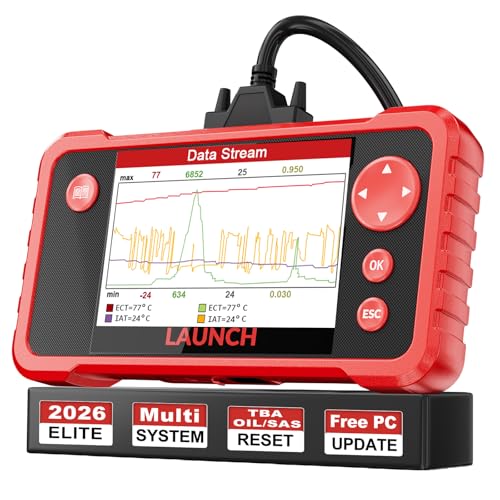
- 【Great Ideal For Every Car Owner】Prefect choice for your father, husband, brother or boyfriend. EVERY CAR OWNER WILL NEED IT! Also, the lifetime update is provided for more vehicle coverage, bug fixes. SAVE AT LEAST $1000+ PER YEAR!Get LAUNCH CRP123 V2.0 car diagnostic scanner and give your lover a surprise!*R each us to Get the Extra Gifts :Protective Case Storage Bag.
- 【Newly Added 3 Reset Functions】CRP123 V2.0 obd2 scanner with upgrades it offers Throttle Adaptation,Oil Reset and SAS Reset functions for FREE now!! Optimize your engine performance with Throttle Adaptation, reset your oil life system with ease to save time and money on maintenance, and enhance your vehicle's handling and safety with SAS Reset.Covering more daily repairs,become the most cost-effective product in its price range,save your time and money!
- 【 Read & Clear/Reset Engine/ABS/SRS/Transmission Diagnostic Scan Tool 】LAUNCH CRP123 V2.0 OBD2 Scanner can test Engine, Transmission, ABS and Airbag four systems, also reads and resets code, displays data stream graphic, stores and playbacks dynamic data stream,helps to quick analysis and diagnosis.
- 【 Error Fault Code Reader】Except the full 10 modes OBD2 diagnostic functions like, retrieving I/M readiness, Freeze Frame Data, Read Dynamic Data stream and Vehicle Information, O2 Sensor Test, EVAP Test of Fuel Tank System (Mode 8) and Advanced On-board Monitoring (Mode 6), launch crp123 v2.0 obd2 scanner can not only reveal what error codes your car is producing, but also erase your vehicle’s check engine light after problem fixed, the DTC help and explanation also tell you the exact problem.
- 【 Live Data Graphing + Read/Record/Playback Data stream + Print diagnostic data 】Live Data Graphing,more intuitive to know your vehicle’s problem.4 inches Screen Screen ;Print Function:Print the diagnose result easily; with user manual and register & update tutorial video uploaded in the link by us,you can Look up it anytime by ONE-CLICK.

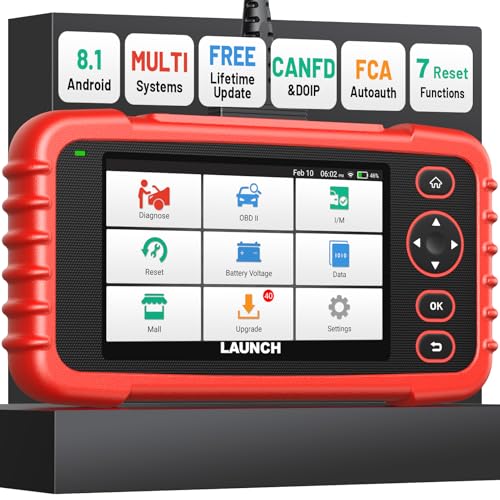
- [Newly Added in 2026: 7 Reset Functions] The 2026 new version of the OBD2 scanner diagnostic tool CRP123X V3.0 Elite has new special functions for F.REE: Throttle Ad.aptation, Oil/SAS/BMS/Brake Reset, D-P.F Re.generation and ABS Service. Before you visit a mechanic, launch obd2 Scanner CRP123X Elite can perform a more in-depth diagnosis of the car system and provide accurate data within minutes. What's more, the list of compatible models has been expanded. Upgrading frequency is regular, occurring monthly even weekly.
- 🔥[FCA AutoAuth + CAN FD & DoIP] As an upgraded version of the LAUNCH CRP123X/CRP129X, FOXWELL NT614, and ANCEL FX2000, The Newest LAUNCH CRP123X V3.0 auto diagnostic scanner supports the following new protocols: CAN-FD for 2020 and newer G.M and Chrysler
 models, as well as DoIP for V.olvo, Land Rover/Jaguar, and B.MW F/G chassis. With integrated AutoAuth, you can diagnose 2018 and newer FCA cars equipped with S.GW. Note: CAN-FD and DoIP protocols require an additional obd2 cable. *Menus vary by make, model, and year of gasoline or diesel engine vehicle. Email us your VIN data.
 - 🔥[No extra software fee. Works on 90 vehicle brands.] Most OBD2 scanners work with vehicles manufactured after 2001. However, the LUNCH OBD2 scanner is compatible with OBDII-equipped vehicles built after 1996 and works with more than 90 vehicle brands. One-click lifetime updates over WIFI 2.4&5.0Ghz keep the car software current and ensure constant coverage additions, diagnose vehicles from 1996 to 2026 with a massive global database. Android 8.1 ensures lightning-fast boot-up and processing.
- [Accurate & Intuitive Multi System Diagnosis] Will you be confused about what happens when the warning light of transmission, ABS, and SRS Airbag check engine flashes? Launch obd2 scanner diagnostic tool CRP123X V3.0 to pinpoint the problem components for a faster diagnosis for your car instead of taking your car to the dealership. Generate vehicle health reports with one click and share them via email over Wi-Fi to help avoid blind maintenance. And will turn off the warning light for you after fixing the problem, make to know more about your cars and do your own repair.
- [Multiple Display of Live Data + DTC Code Definition Explanation] Launch car tools show real-time data of oil temp, pressure, transmission temp, engine speed, coolant temperature, you will know which car part is abnormal. Data can be shown in a single, multi- graph, and merge two graphs for analysis(or 4-in-1 merged waveform graph),you can save, share, print, or email the overall inspection report for easier analysis.🔥Code Search,DTC Library provide massive information. Inbuilt “Feedback” module provides customized repair suggestions from our certified professionals.
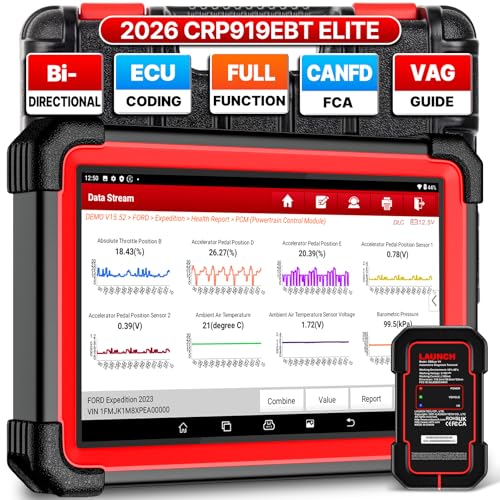
- 🔥【2026 TOP HARDWARE AND SOFTWARE UPGRADE,UPGRADED OF CRP919E】LAUNCH scanner CRP919EBT wireless obd2 scanner has upgraded TOP HARDWARE CONFIGURATION and ADD NEWEST FUNCTIONS. The more FASTER and SMARTER CRP919EBT with 🔥Bluetooths & USB 2-in-1 connect🔥Android 10.0 OS🔥2.0Ghz 4 core high efficiency processor 4GB RAM+64GB ROM large storage🔥6300mAh large battery, more stable and longer lasting diagnostics🔥VAG Guided🔥ECU Code🔥Bi-directional Control🔥35+ Resets🔥CANFD&DOIP🔥FCA AutoAuth🔥Full System Diagnostics🔥2 Yrs Update🔥Newly add BST360 battery tester & I-TPMS & VSP600 endoscope🔥23+ Languages. Provide an unparalleled diagnostic experience at an affordable price.
- 🚗【CAN FD & DOIP & FCA, SUPER PROTOCOL】LAUNCH X431 CRP919EBT is equipped with the DBSCAR VII Bluetooth connector supporting CANFD and DoIP. The CRP919EBT automotive diagnostic scanner supports CAN FD protocol (compatible with post-2020 GM vehicles). It also meets DoIP protocol requirements (adapter sold separately) for compatibility with BMW (E & F chassis) models from 2017 onward. Autoauth for FCA SGW supports FCA vehicles including Chrysler models from 2017 and later.
- ✔️【ADVANCED ECU CODE, ADAPTATION, CALIBRATION & INITIALIZATION】The LAUNCH X431 CRP919EBT automotive scanner delivers exceptional ECU code capabilities for customized vehicle setups. It provides dealer-level functionality to streamline maintenance and repairs, enabling ECU matching and learning for enhanced customization.
- 👍【BIDIRECTIONAL CONTROL, 4000+ ACTIVE TESTS】LAUNCH OBD2 scanner CRP919EBT features bi-directional control - the most demanded capability among mechanics. When headlights or windows malfunction, repairs can be costly. With CRP919EBT, execute ECU commands and assess repair status through systems including ABS, windows, valves, wipers, and headlights - streamlining diagnostics while slashing repair expenses.
- 🥇【35+ MOST POPULAR RESET SERVICE FOR 160 MAKES】Same as Snap-on scanners, CRP919EBT scan tool delivers 35+ reset functions for 160+ vehicle models, including: service oil reset, throttle adaptation, steering angle calibration, brake pad replacement code, tire pressure reset, ABS bleeding, battery registration, gear signal learning, and injector code, etc.
This product presentation was made with AAWP plugin.
Last update on 2026-05-13 / Affiliate links / Images from Amazon Product Advertising API