
NHTSA ID Number: 10210913
Manufacturer Communication Number: ITS60421
TSB/Document Date: 2022-05-04
Summary
This Technical Instruction is a description of the inspections and cleaning procedures being recommended by MCI due to the parts shortages which are impacting the repair inspections associated with NHTSA Recall 21V-748. These are the same instructions as outlined in the previously submitted Technical Services Information Bulletin TSIB 22-01 and Technical Instruction ITS60421, except they are specific to those customers operating in extremely corrosive environments.
If the PDF is very large, it may not load in the preview below.
Some older TSBs had multiple PDFs — visit the NHTSA Website to view all PDFs.
If the TSB PDF does not show, download or view it on the NHTSA Website.
Click on the (+) Plus Sign
Then Click on Associated Document(s)

- 💝【Questions? We’re Here Anytime】MK808S is a...
- 🔥🔥🔥【2026 NEWLY RELEASED BI-DIRECTIONAL...
- 【28+ MOST POPULAR RESET SERVICE FOR 150 MAKES】Autel...
- 【ALL SYSTEM DIAGNOSTICS, FACTORY-LEVEL SCANNER】The...
- 【AUT0 SCAN & AUT0V1N, 10X FASTER】How much have you spent...


- 💯【Conta.ct us for Support Directly】If you met any...
- 🔥🔥🔥【2026 AUTEL FLAGSHIP MK900BT MK900-BT, NEW...
- 🚗【3000+ ACTIVE TESTS (50➡3000+), SAME AS MS...
- 🚗【40+ HOT SERVICES FOR 150 MAKES (28+➡40+)】Full...
- 🚗【OE ALL SYSTEM DIAGNOSE, AUTO SCAN 2.0: SCAN LICENSE...
This product presentation was made with AAWP plugin.
Search NHTSA Database for Recalls
Search NHTSA Database for Vehicle Investigations
View Latest Vehicle Investigations
Search NHTSA Database for Vehicle Complaints
View Latest Vehicle Complaints
TSB/Document ID: ITS60421
Replacement Service Bulletin Number:
MFR Communication Date: 2022-04-01
MFR Internal Campaign ID/Software Version:
Communication Type: Service Bulletin/Repair Instructions
NHTSA Components: EQUIPMENT
MFR Component System:
MFR Component Subsystem:
Previous TSB | Next TSB |
INSTRUCTION TO SERVICE
ITS60422
March 17, 2022
SECTION:
292-Electrical Harnesses
WRITTEN BY:
Aditya Gadepalli
SUBJECT:
ISSUE:
SUMMARY:
MCI Main Distribution Panel Inspection and Cleaning for Harsh/Corrosive
Environment
This is to inform you that your vehicle may contain a defect that could affect the
safety of a person. The Main Distribution Panel (MDP) in the battery
compartment has experienced failures that may result in thermal events and/or
uncommanded vehicle shutdown.
Due to the current global parts shortage, the components required to conduct
the related recall repair instructions are not currently available. This is specific
to repair instructions ITS60272 (J4500), ITS-60335 (J3500), ITS 60283 (D
Coach), and ITS60298 (D45CRT and D4520 coach).
In the interim period, prior to these repair instructions being incorporated on the
buses identified above, MCI recommends conducting an immediate inspection
of the MDP, MCI P/N: 07-08-7940, and regular interval inspections every three
months for signs of thermal stress or corrosion following this inspection
procedure
Due to the Main Distribution Panel failures resulting from supplier quality and
environmental issues, it is recommended the MDP be inspected and replaced
until the permanent solution of replacing the MDP with a circuit breaker
assembly is applied.
ITS60422
Ref. NHTSA Recall No.
Ref. Transport Canada Recall No.
2021-595
THIS ITS DOCUMENT SHOULD BE RETAINED AND REFERRED TO FOR FUTURE MAINTENANCE UNTIL
THE PARTS AND/OR SERVICE MANUAL IS UPDATED TO REFLECT WORK DONE AS A RESULT OF THIS
DOCUMENT. ENSURE THAT THIS DOCUMENT IS AVAILABLE FOR PARTS AND MAINTENANCE STAFF
GOING FORWARD.
This document and the contents discussed herein are the confidential and proprietary information of New Flyer Industries Canada ULC and New Flyer of America Inc. and are disclosed by New Flyer in
confidence. This document and the contents herein are not to be disclosed by the intended recipient without the prior written authorization of New Flyer. Any unauthorized disclosure, reproduction or other
distribution of this document or information strictly prohibited and may result in action being taken against the party making the unauthorized disclosure. This document and all copies hereof must be returned
to New Flyer upon request.
INSTRUCTION TO SERVICE
ITS60422
PROCEDURE:
1. Set park brake and chock wheels.
2. Turn the main battery disconnect switch to the “OFF” position.
3. Follow steps 4 to 8 on J4500, J3500, D45CRTLE, and D4520 coach models.
4. Locate the Main Battery Disconnect Switch and ensure it is in the off position.
Turn off
MDS.
5. Disconnect GND, 12V, and 24V battery cables from the coach batteries. Ensure the battery cables do not
come in contact with each other or the coach.
Disconnect all
battery cables.
6. Locate the MDP compartment mounted on the rear wall in the battery compartment. Remove and save the 4
thumb screws to release the MDP cover.
Remove and save 4
thumb screws.
ITS60422
Page 2 of 14
March 17, 2022
INSTRUCTION TO SERVICE
ITS60422
7. Remove tyraps that secure BT-P162 to the Main Disconnect Switch cables.
Remove BT-P162 tyraps on
battery cables.
8. Disconnect connectors BT-P161 and BT-P162 from MDP.
Disconnect BT-P161
and BT-P162.
9. Follow steps 10 to 15 on D4000, D4500, D4005, D4005, and D4000 ISTV coach models.
10. Locate the Main Battery Disconnect Switch and ensure it is in the off position.
Turn off
MDS.
ITS60422
Page 3 of 14
March 17, 2022
INSTRUCTION TO SERVICE
ITS60422
11. Disconnect GND, 12V, and 24V battery cables from the coach batteries. Ensure the battery cables do not
come in contact with each other or the coach.
Disconnect
battery cables
12. Remove and save the two thumbscrews from the MDP cover.
Remove the thumb
screws
13. Remove and save 4 screws holding the MDP cut-out part to the MDP cover.
Remove and save the
screws
ITS60422
Page 4 of 14
March 17, 2022
INSTRUCTION TO SERVICE
ITS60422
14. Disconnect the two connectors, BT-P162 and BT-P161, from the main distribution panel.
Disconnect the wires
15. Slide out and save the battery compartment cover out of the bracket.
Slide the cover out
16. Remove all cables from MDP. Make a note of where each cable is connected on the board. Place nuts and
lock washers back on studs after the cables are removed.
Remove all cables
from MDP.
ITS60422
Page 5 of 14
March 17, 2022
INSTRUCTION TO SERVICE
ITS60422
17. Remove & save 8 MDP mounting screws and washers to remove the MDP from the coach.
Remove mounting
screws.
18. Blast the MDP board with air and clean the board with hard nylon wire brush by spraying cleaning spray
lightly to eliminate the dirt.
Clean the board with cleaning
spray using nylon wire brush
NOTE: Maintain caution to spray the cleaner lightly as it could remove the existing conformal coating and
also maintain caution not to damage the pins on the MDP.
NOTE: If the board is found damaged/corroded beyond repair, please contact your local MCI
representative for the replacement board.
ITS60422
Page 6 of 14
March 17, 2022
INSTRUCTION TO SERVICE
ITS60422
19. Using short sprays, apply the corrosion inhibitor, MCI P/N: 23-02-0119, on back of the board and allow 510min for it to dry.
Spray corrosion inhibitor, MCI
P/N: 23-02-0119
20. Using RTV silicon, place a bead of silicone around fuse checker connectors K1 and J7.
Apply RTV around K1
and J7 connectors.
21. Using RTV silicon, seal the top of fuse checker connectors K1 and J7. Let the silicon dry (approximately 30
minutes).
Apply RTV on top of K1 and
J7 connectors.
ITS60422
Page 7 of 14
March 17, 2022
INSTRUCTION TO SERVICE
ITS60422
22. Re-install the MDP to the wall using existing screws and torque the screws to 75 In-Lbs. Re-install the cables
referencing the torques specified in step 39.
Re-install the board
using existing screws
23. Cover all open connectors and fuse slots with masking tape.
Cover open
connectors and
fuse slots.
24. Using short sprays, apply the corrosion inhibitor, MCI P/N: 23-02-0119, on all power and fuse studs. Wipe off
any excessive corrosion inhibitor from the fuse windows using a dry rag.
Spray anticorrosive on
MDP studs.
ITS60422
Page 8 of 14
March 17, 2022
INSTRUCTION TO SERVICE
ITS60422
25. Cut HVAC wires CT0021, CT0022, CT0026, and CT0027 4-5 inches from the 24V BT-P162 connector.
Cut wires 4-5 inches after
the connector
Schematic of J4500, J3500,
D45CRTLE and D4520 coach models
Schematic of D4000, D4500, D4005,
D4005, and D4000 ISTV coach models
NOTE: Heatshrink and tie back the wire attached to the pins to avoid corrosion.
26. Crimp HHG in-line fuse holders, MCI P/N: T19-1168, to the HVAC wires using splice connector, MCI P/N: 1911-431, black heat shrink, MCI P/N: 19-11-1465, and a 1/2” ring terminal at the end, MCI P/N: 19-11-393.
Crimp inline fuse holder to
the HVAC wires
ITS60422
Page 9 of 14
March 17, 2022
INSTRUCTION TO SERVICE
ITS60422
27. Remove 20A fuses from the MDP and install them in the in-line fuse holders.
Remove 20A fuses and
install in in-line fuse holders
28. Connect the modified HVAC wires to either 24V SW stud on the MDS as shown below for various coach
models. Torque the nut to 300 In-lbs.
Connect the modified HVAC
wires to 24V SW stud on MDS
J4500, J3500, D45CRTLE
and D4520 coach models
Connect the modified HVAC
wires to 24V SW stud on MDS
D4000, D4500, D4005, D4005,
and D4000 ISTV coach models
ITS60422
Page 10 of 14
March 17, 2022
INSTRUCTION TO SERVICE
ITS60422
29. Follow steps 31 to 33 for J4500/J3500/D45CRT-Le/D4520 coach models.
30. Secure the MDP cover using the 4 thumb screws, MCI P/N: 07-08-9231.
Install 4 thumb
screws.
31. Seal the opening on MDP cover for BT-P161 and BT-P162 connectors over the wires with duct tape.
Cover the openings
with duct tape
NOTE: Ensure smooth routing of cables and ensure no rubbing on the remaining wires.
32. Re-install the battery cables and torque the studs following the maintenance manual.
Reconnect all
battery cables.
ITS60422
Page 11 of 14
March 17, 2022
INSTRUCTION TO SERVICE
ITS60422
34. Perform steps 35 to 37 on D4000, D4500, D4005, D4005, and D4000 ISTV coach models.
35. Prior to installing the MDP cover, re-install the MDP cut-out part to the MDP cover using existing screws. Duct
tape over the BT-P161 and BT-P162 connectors around the wires to seal the area.
Re-install MDP cut-out
part
Install duct tape
NOTE: Ensure smooth routing of cables and ensure no rubbing on the remaining wires.
36. Slide in and re-install the MDP cover using the existing two thumbscrews.
Re-install the MDP
cover
Slide the cover in
37. Re-install the battery cables and torque the studs following the maintenance manual.
Re-connect
battery cables
ITS60422
Page 12 of 14
March 17, 2022
INSTRUCTION TO SERVICE
ITS60422
38. Following are the torque values for the MDP studs:
NOTE: Inspection and preventive maintenance are no longer required once the MDP is replaced
with circuit breakers as per ITS60272 (J4500), ITS-60335 (J3500), ITS 60283 (D Coach), and ITS60298
(D45CRT and D4520 coach).
ITS60422
Page 13 of 14
March 17, 2022
INSTRUCTION TO SERVICE
ITS60422
LABOUR ESTIMATE
Operation
1
MDP Inspection and cleaning for harsh/corrosive
Number of
Technician(s)
1
Hours
3
Labor Time
T X HR
3
environment
PARTS REQUIRED
Description
Qty.
per
Coach
4
Units
Item
Part Number
1
19-11-393
Ring Terminal, ½ IN 12AWG
2
T19-1168
Holder-Fuse, Inline, HHG, W/Cap
4
EA
3
19-11-431
Connector-Splice,Butt,12 10 AWG,
4
EA
4
19-11-1465
Heatshrink, 2”
4
EA
Notes
EA
SPECIAL TOOLS REQUIRED
Qty.
Units
Sealant-Corrosion Inhibitor
1
EA
N/A
Duct tape
1
EA
3
N/A
Nylon brush
1
EA
4
N/A
Electrical cleaning spray (vendor: CRC, VPN:
1
EA
1
EA
Item
Part Number
Description
1
23-02-0119
2
Notes
5102)
5
ITS60422
N/A
Ultra Grey RTV Silicone (Vendor: Imperial,
VPN: 9166)
Page 14 of 14
March 17, 2022

- OBD2 Bluetooth Scanner Lifetime Update: Ediag Elite offers revolutionary Advantage Lifetime Updates with unlimited access to the superior 15+ reset service, bidirectional testing and full system diagnostics.The Ediag Elite is an excellent Bluetooth OBD2 scanner diagnostic tool ideal for DIY's and private car owners.
- Bidirectional Test for Quickly Locating Problems: The Bidirectional Scan tool allows you to send commands directly from your smartphone to your vehicle for active testing. This feature helps to quickly narrow down problems such as air conditioning clutches, windows, doors, sunroofs, etc., reducing diagnostic time for mechanics and helping DIY users locate faults more easily. In addition, Ediag Elite provides fault analysis and repair guidance to help you solve problems efficiently.
- 15+ Maintenance Resets: The current version introduces 15+ popular special features: Oil Reset, Headlight Matching, Bleeding Reset, TPMS Reset, BMS Reset, Gear Box Relearn, Throttle Learning, Injector Coding, SAS Reset and more special functions in system diagnose menu. These functions make it easy for owners to carry out the necessary maintenance and servicing, ensuring that your vehicle stays in top condition, prolonging its service life and preventing common problems and breakdowns. Note: The Special function vary by model& year, Reach us check compatibility.
- Wide Compatibility CANFD & FCA
 Autoauth: Compatible with GM, Ford, Toyota, Chrysler, Honda, Mazda, Nissan, Mitsubishi, Hyundai, KIA with standard OBD2 port from 1996 to newer. More car brands and features will be released gradually. Newest Ediag Elite scanner supports CANFD Protocol and FCA cars. Note: Coverage may vary on different vehicle by model& year ,Please contact us to confirm compatibility before purchase.
 - Perfect for Monitoring The Health of Your Vehicle: Ediag Elite is designed to make vehicle maintenance simple and efficient. With intelligent Auto VIN quick recognition, it is easy to connect to your car without the need for manual input. Real-time data is visualized in a variety of formats, including graphs, numeric, meter displays and clear 4-in-1 data charts, allowing you to effortlessly monitor real-time data. Data logging/reporting is available for playback and further analysis

- No Annual Fees & 2026 Upgraded CAN FD: Why pay $199/year or more for updates? The 2026 newest Kingbolen K7 obd2 scanner features have been upgraded to Lifetime Updates without subscription fees, saving you significant costs in the long run. K7 scan tool also adds the CAN FD protocol for the latest GM models (2019+), enabling faster data transfer, reducing the risk of undetected errors
- 2026 Newest Top-tier Car Scanner: Kingbolen K7 diagnostic scan tool is equipped with most capabilities for daily repair/maintenance: Wireless diagnosis via Bluetooth, Bidirectional Test, ECU Online/Offline Code, 31+ Resets, PMI for Ford, Lincoln, Mazda, Global version for 100+ brand vehicles and 17 languages, no area limit, FCA AutoAuth
- OE-Level Full Systems Scan Tool: K7 professional diagnostic scanner with Auto Vin can do one-click to scan ECUs on most of vehicles, like pcm, ecm, eps, bcm, tpms, sas, a/c system... to read/clear code, view live data, freeze frame, read ecu info. 4-in-1 data stream graphics can make data viewing more intuitive. Detailed diagnostic reports will help you easily master the car situation as it can be shared by bluetooth or email! Adding workshop information can help your customers to know more
- Bidirectional Test/Active Test & ECU Code: Stop guessing and start fixing. Bidirectional scan tool Kingbolen K7 can perform real active test that can send commands to the vehicle's ECU to drive the actuators to work, like window, rear mirrors, sunroof, door, solenoids, wipers, headlamp, etc, helping you quickly find out bad parts and pinpoint faulty issues. K7 bidirectional scanner will be a good choice to save money and time on car repairs when performing complex maintenance and repair
- 31 Reset Functions: Avoid expensive dealership visits for simple services. Experience tells us that just a small repair service may cost a lot of money. Kingbolen K7 is a professional diagnostic scanner with 31 common maintenance services like Oil /SAS/EPB/TPMS Reset, Battery Matching, ABS Bleeding, Injector Code, etc. It effectively handles most of the car reset and relearning jobs, perfect for experienced DIYers and mechanics. Note: Functions in the menu vary across vehicles. Kindly check the compatibility before purchase
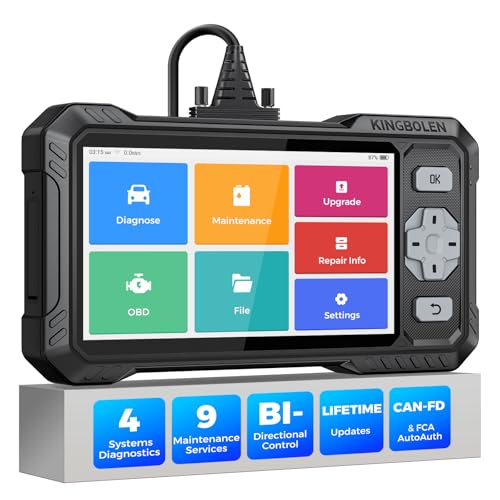
- WHY S608 STANDS OUT:2026 Kingbolen S608 is the only scanner <200 bucks that offers powerful active tests on Engine, ABS, SRS, and Transmission systems. Offers 9 resets,Covers 110+ global brands with a 6.2'' larger touchscreen
- KINGBOLEN'S NEW BIDIRECTIONAL SCAN TOOL: As the 2026 upgraded version of S600, our Newest S608 obd2 scanner has the powerful Bi-directional Control on Engine, ABS, SRS, and Transmission systems. It can send commands to the ECUs of actuators for functional tests and work status checks, such as ABS, fuel injectors, adjusting throttle, coolant pumps, EVAP test, fuel trim reset, etc. No more Guesswork. Quickly identify problem components without teardown, get fuss-free results in seconds.
- 【9 HOT RESET SERVICES CAR SCANNER】Tired of costly mechanic trips for common resets? The Kingbolen S608 obd2 scanner lets you do it yourself, even for beginners—quickly and effortlessly! It offers 9 hot reset functions: Oil/EPB Reset, ABS Bleeding, SAS Calibration, DPF Regeneration, Injector Coding, BMS Matching, Throttle Adaptation, Gear Learning. Stop paying mechanics for 5-minute jobs. Save hundreds per year! 🚗*Function vary from vehicle models. reach us to check compatibility firstly!
- 【4 SYSTEM DIAGNOSTIC TOOL + FULL OBDII FUNCTIONS】Kingbolen S608 is an OBDII scanner and 4 systems diagnostic tool made for home mechanics, DIYers, and professionals. You can access Engine, ABS, SRS, Transmission fault codes, track live data in graphs, and onboard DTC library lookup to find the right troubleshooting procedure, and diagnose with full 10 OBD2 test modes to fix most of emission issues. Give your aging cars routine maintenance to avoid costly repairs, a breakdown, or even a crash.
- 【NEW CAN FD, FCA/RENAULT SGW, 140+ BRANDS】Kingbolen S608 scanner for car supports 140+ vehicle brands, 100,000+ models, 28 languages and can be used worldwide. S608 stays up-to-date with modern vehicles, allows secure access to 2017+ FCA cars and 2015+ Renault cars (📢*Need to purchase an AutoAuth/Renault account by yourself), and supports the latest CAN-FD protocol for 2019+ GM/Chrysler, enabling 2X faster data transfer and more precise diagnostics. 🚗*Check compatibility before purchase.
This product presentation was made with AAWP plugin.
Last update on 2026-05-12 / Affiliate links / Images from Amazon Product Advertising API