
NHTSA ID Number: 10209821
Manufacturer Communication Number: 16-001/22
TSB/Document Date: 2022-04-05
Summary
Some vehicles entertainment system may experience the symptoms mentioned, which can be fixed with the latest software update (Version 7000C0A-NA01_11012 or later).
If the PDF is very large, it may not load in the preview below.
Some older TSBs had multiple PDFs — visit the NHTSA Website to view all PDFs.
If the TSB PDF does not show, download or view it on the NHTSA Website.
Click on the (+) Plus Sign
Then Click on Associated Document(s)



- Advanced VCI Box, Industry-leading J2534 Pass-Thru...
- High-Speed OEM-Level Diagnostics & Programming: Unlock true...
- Coverage for 17 Car Brands & Ultra Reliability: Works...
- User-Friendly RLink Platform & Expert Support: TOPDON’s...
- 6.6 ft USB-C Cable & Portable Storage Case: The RLink J...
This product presentation was made with AAWP plugin.
Search NHTSA Database for Recalls
Search NHTSA Database for Vehicle Investigations
View Latest Vehicle Investigations
Search NHTSA Database for Vehicle Complaints
View Latest Vehicle Complaints
TSB/Document ID: 16-001/22
Replacement Service Bulletin Number:
MFR Communication Date: 2022-03-09
MFR Internal Campaign ID/Software Version:
Communication Type: Service Bulletin/Repair Instructions
NHTSA Components: ELECTRICAL SYSTEM
MFR Component System:
MFR Component Subsystem:
Previous TSB | Next TSB |
BULLETIN NOTES
This bulletin supersedes the previously issued bulletin(s) listed below. The changes are noted in Red.
Previous TSBs
Issued Dates:
16-002/21
12/21/21
16-001/20
10/30/20, 10/13/20, 04/08/20 and 3/04/20
APPLICABLE MODEL(S)/VINS
2019-2022 Mazda3
2020-2022 CX-30
2022 MX-30
DESCRIPTION
Some vehicles may experience the symptoms mentioned below, which can be fixed with the latest software update
(Version 7000C0A-NA01_11012 or later).
NOTE: Device compatibility can be found at connect.mazda.com -> Support -> Compatibility.
(From Version 7000C0A-NA01_11012 or later)
• A “Loading” pop up message continues and it cannot move to Parking Information screen if there is no parking
information around the destination.
(From Version 7000C0A-NA01_11008 or later)
• DTC U3000:49 (CMU internal malfunction) is detected when music play is disturbed by another mobile device
application.
• Voice command for artist name or album name is not accepted with error message “Voice Recognition Unavailable.
Voice Recognition commands for music are unavailable. There is
no available metadata on this device.”
• The system may reboot when the Wi-Fi services start.
• The system may freeze at the phone call screen if Bluetooth connection has been interrupted when using voice
command “Call Time Signal”.
Page 1 of 6
04/04/2022 10:27 AM cciz
(From Version 7000C0A-NA01_11006 or later)
• [Connected Service is in use] Authorization using One Time Password may fail.
• [While the cursor is shown in the navigation screen after a commander operation] When Talk/Pickup button is pressed
and "Go Home" is spoken, the navigation screen is shown but the commander operation is not accepted and the cursor
is not shown.
• The 21th title is shown at the top when using Bluetooth audio and scrolling title list to the bottom.
• The system reboots when making a call with voice command. It occurs when making a call to the contact who contains
two or more single quotation marks in the phone book downloaded from a mobile phone.
• The system reboots while the disclaimer notice screen is shown.
• [Connected Service is in use] After sending destinations from Send To Car function on MyMazda app several times, the
navigation may reboot because of a poor wireless connection.
• The second track on certain CDs will not play. After experiencing this, even with another CD, the track selection and
control fail until the ignition is turned off.
• Voice recognition command to select a track may clear the random mode icon while it continues the random mode
when using a USB audio device in random play mode,.
• The system reboots when recovering from the sleep mode.
• The parking assist screen continues to display.
• The DTC may not be detected for communication error between CMU and the Telematics communication unit.
• After adding a favorite destination for a road or street without a valid name, it appears as “Unnamed road.” It should be
the latitude and the longitude.
• The system may freeze when cranking right after turning the ignition on if the ignition has been turned off showing the
navigation screen while playing a USB audio device.
• After SMS messages are received while one of the certain system dialog (such as a disclaimer screen for AndroidAuto
or CarPlay) is displayed, it may not be able to move to the communication menu.
• The system may reboot when trying Bluetooth connection using certain mobile device (Doro 7060).
• The system may reboot when using the map function on CarPlay.
• The system may not recognize AndroidAuto after turning the ignition off when using the navigation screen and playing
AndroidAuto Music.
• Insufficient storm details may appear when using SiriusXM weather radio.
• The navigation may not show a green dot on the map where there is right/left turn guidance.
• When returning from the detail screen, the focus moves to Add Destination button instead of high way mode area while
using navigation and displaying high way mode area. The concern occurs after moving the focus to the high way mode
area using split screen button, then to the detail of high way exit.
• The background screen blinks with pop up message "Route Notification" after setting the destination in the country
where the navigation map is not applicable.
• Route guidance ends just before the arrival announcement.
• The destination flag disappears just before arriving there.
• [Connected Service is in use] Route guidance may start without waiting for the OK button for SendToCar setting
completion.
• The navigation may reboot when receiving big data for SiriusXM weather radar.
• Nothing appear in Turn-by-Turn display area when going off the guided route.
• SiriusXM Fuel price is not shown in colors.
Page 2 of 6
04/04/2022 10:27 AM cciz
• SiriusXM Weather Radar does not keep display setting for Storm after turning ACC off.
(From Version 7000C0A-NA01_10048 or later)
• The screen turns black if the ignition switch is turned OFF then ON within a few seconds while the opening screen
appears.
• The Google Map navigation stops after already being in use when the Android Auto application is launched,
• No warning popup message appears when another destination is added which has to cross a border with "Allow Border
Crossing" unchecked.
• A warning popup message appears repeatedly when another destination is added which has to use a car shuttle train
with "Allow Car Shuttle Trains" unchecked
• If the "Allow Car Shuttle Trains" setting is changed after the route is set up, the "Allow Ferries" setting changes instead.
• A wrong warning popup message appears as “The destination cannot be reached without using a ferry” when the route
is set up which has to use a car shuttle train with "Allow Car Shuttle Trains" unchecked.
• Pressing the Back button leads to the Information screen instead of the previous page while using the In-Vehicle
Owner's Manual.
• The Communication Setting screen and the HOME screen may appear to overlap.
(From Version 7000C0A-NA01_10042 or later)
• If the system freezes, it may be followed by a reboot a couple of minutes later.
• The banner message about Bluetooth Audio may not appear when turning it ON.
• An improper message appears when GPS reception is not available.
• The rear view does not appear when the transmission is shifted to reverse right after turning the ignition on.
• The current location does not move after rebooting the navigation.
• The side panel turns black if reroute search occurs while using navigation with media display in the side panel.
• No warning popup message appears when another destination is added which has to use a toll road with "Allow Toll
Roads" unchecked.
• No warning popup message appears when another destination is added which has to use a Carpool/HOV Lane with
"Allow Carpool/HOV Lanes" unchecked and "Allow Carpool/HOV Lanes" is checked by itself.
• In the Energy Flow Monitor, the graphic blinks during idling.
• The guidance message may not sound when the ignition is turned OFF right after the route setting.
• An abnormal Route Settings menu appears for a moment during reroute search in route setting menu instead of the
notification.
• The alphabetical search is not accessible after sorting the history list in the "More Recent Destinations" when driving.
• Road names may not appear in Turn-by-Turn and Route Monitor.
• Street names may not completely appear.
• The complicated Turn-by-Turn icon may appear.
• The same destination may be registered as multiple listings in Favorite Destination if the destination has multiple
addresses (ex. large facility like a golf course).
• The keyboard and footer bar may appear to overlap.
• The status bar may appear for a moment when pressing the Back key to move to Travel Information in the Country
Information screen.
Page 3 of 6
04/04/2022 10:27 AM cciz
• Additional registering of a favorite destination may not be accepted after registering a favorite destination right after the
MAZDA CONNECT boots up.
• After registering a country (or state/province) other than the current location for a favorite destination, that country may
appear in the country field in the Town Selection screen.
• It may take a long time until the free word search (OneBox search) screen appears after selecting the Navigation Menu
Search.
• The screen flickers after switching from 3D to 2D on the View Mode screen.
• The Media panel may appear improperly.
• The traffic information for a non-relevant location may appear when a grouped traffic icon is selected on the map when
using SiriusXM Traffic Plus.
From Version 7000C0A-NA01_10018 and later)
• The navigation system unexpectedly makes an announcement when the driver unlocks and opens the door, even
without touching the START/STOP button.
(From Version 7000C0A-NA01_10017 and later)
• The compass screen may be displayed instead of the map screen after the ignition is turned ON,
• The In-Vehicle Warning Messages screen displays warning comment for "MRCC being not operable" and uses "30 km/
h" instead of "20 mph" even when "mile" is selected in the distance setting.
• The sytem may reboot when connecting to a Bluetooth device.
• Destinations may be cleared when the ignition is turned OFF and ON while route guidance is being given.
• [Canada, Mexico] The navigation system unexpectedly announces when the vehicle passes the border to another
country.
• The system may reboot when too much information is received using the SiriusXM SportsFlash service.
• [Alaska (U.S.)] Point Of Interest searching may not work properly.
• The system reboots when using Apple CarPlay.
(From Version 7000C0A-NA01_10015 and later)
• The check box for Bluetooth connection may not be accessible after the ignition is turned OFF to ON in a few seconds.
• The device names for USB1 and USB2 may be displayed in the reverse order after the ignition is turned ON.
(From Version 7000C0A-NA01_10014 and later)
• There may be an excess error in the current location on the navigation screen where GPS reception is poor.
• The rear view monitor may turn black or need longer time to display during hot weather.
• The Apple CarPlay icon is left on the screen when the USB cable for an iPhone is disconnected,
• The rear view monitor turns to black when the transmission is shifted into reverse right after the engine is started,
• A guidance message is accompanied by a pop noise when using Apple CarPlay.
• The system reboots when the ignition is turned ON when an iPhone and a USB memory stick are connected
• The system may reboot while the disclaimer notice screen is shown.
• The USB connections may be disrupted when the ignition is turned ON with two USB devices connected and the
navigation SD card in the slot.
Page 4 of 6
04/04/2022 10:27 AM cciz
(From Version 7000C0A-NA01_10012 and later)
• The right most gauge for the last one minute shows the maximum level when the ignition is turned OFF and ON while
displaying the Average Fuel Efficiency History.
• The rear view does not appear soon enough when the transmission is shifted into reverse right after the map is
displayed the first time.
Customers having this concern should have their vehicle repaired using the following repair procedure.
REPAIR PROCEDURE
1. Verify customer concern.
2. Update MAZDA CONNECT with software version 7000C0A-NA01_11012 or later using the 7TH GEN MAZDA
CONNECT Update Instructions on MGSS.
CAUTION: More than one software version can be placed on a memory stick, but Mazda recommends placing only one
version on a memory stick to avoid updating the system with the wrong version.
3. [For 2019 Mazda3 only (Additional repair procedure)]: When the CMU is updated from older version than 7000C0ANA01_10040, the TCU and the BCM need to be reprogrammed together to have the vehicle be ready for activation of the
connected service. If they are not reprogrammed, communication error between CMU occurs.
a. Reprogram the TCU and the BCM with the Mazda Modular Diagnostic System (M-MDS), using Mazda
Diagnostic And Repair Software (MDARS) and claim the labor hours according to the warranty information shown
below.
• After CMU update, an additional button appears at the right bottom corner of the screen. This means that the
communication unit is unsubscribed or a Connected Service contract has been ended.
• After CMU update, “Wi-Fi Settings” is added to the Connectivity Settings but it is grayed out and not active.
• If current calibration file name in the ECU FILENAME screen is same as shown below or with later suffix,
reprogramming is not necessary.
• [5HB] If the vehicle is applicable to the Mazda Service Program MSP56, performing the MSP56 repair procedure
updates BCM (and LFU) to the modified version.
ECU name
TCU
BCM
Body
File name
Japan built
BDGF-67CK2-B
Mexico built
BDTS-67CK2-A
Japan built 4-door SD
BCKA-66S02-R
Mexico built 4-door SD
BDTS-66S02-M
Japan built 5-door HB
BEMD-66S02-M
b. Perform “Activation Remote Control by Smart Phone” using M-MDS. Without performing this, DTC U2050:55TCU and/or U2050:55-BCM will be stored.
On MDARS screen, follow these steps: “Tool box” tab > “Work support” icon > “Mazda Connect” > “Activation
Remote Control by Smart Phone”
Page 5 of 6
04/04/2022 10:27 AM cciz
4. Verify repair.
WARRANTY INFORMATION
NOTE:
• This warranty information applies only to verified customer complaints on vehicles eligible for warranty repair.
• This repair will be covered under Mazda’s New Vehicle Limited Warranty term.
• Additional diagnostic time cannot be claimed for this repair.
Warranty Type
A
Symptom Code
61
Damage Code
9W
Part Number Main Cause
5555-RP-CMU
Quantity
0
Operation Number / Labor Hours:
XXS1HAFX / 0.2 Hrs.
NOTE: [For 2019 Mazda3] If the TCU and/or the BCM has been updated together, claim additional hours using the labor
operation number with “AFT” instead of the last three letters
“AFX”.
Additional reprogramming
Additional hours
TCU
0.1 Hrs.
BCM
0.1 Hrs.
TCU and BCM
0.2 Hrs.
Additional reprogramming
Additional hours
Reprogramming CMU
XXS1HAFX / 0.2 Hrs.
With reprogramming TCU
XXS1HAFT / 0.3 Hrs.
With reprogramming BCM
XXS1HAFT / 0.3 Hrs.
With reprogramming TCU and BCM
XXS1HAFT / 0.4 Hrs.
Example:
Page 6 of 6
04/04/2022 10:27 AM cciz
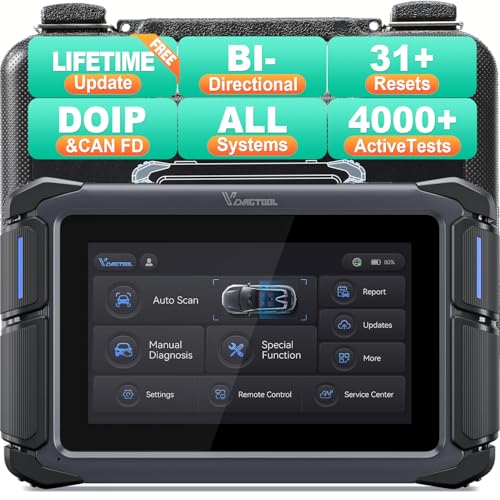
- Affordable Solution for Professional-grade Car Diagnostics & Repair: As the budget-friendly OBD2 scanner under $300, the VD70 Lite car diagnostic tool offers 31+ hot resets, full bi-directional controls with 4000+ active tests, all system diagnostics, 8-in-One live data graphing (export as CSV Export/Recording/Playback), CAN FD & DoIP protocols, and long-term free update. Additional features include Auto VIN & Auto Scan, diagnostic report sharing/printing, with coverage for over 10,000 vehicle models worldwide, suitable for DIYers, Car Owners, Technicians, and Mechanics on car repairs and maintenance tasks.
- OBD2 Scanner with Full Bi-directional Control: The Bidirectional scan tool VIDAGTOOL VD70 Lite performs 4000+ active tests that can send execution commands to the ECU module and identify the repair status, covering for windows, doors, ABS, valves, wipers, headlights, rear mirrors, sunroof,and more in-vehicle components. This bidirectional OBD2 scanner is a must-have diagnostic tool for auto technicians and mechanics on a budget! The available function tests vary by model—please check compatibility via vdiagtool2 @ outlook . c o m before purchase.
- OE All Systems Diagnostics & 8-IN-One Data Graphing: VD70 Lite is a dealer-level car scanner diagnostic tool with Auto VIN that can do in-depth diagnostics for 100+ modern car brands, covering all systems including engine, transmission, airbag, ABS, ESP, TPMS, radio, etc, to read/clear code, view live data, freeze frame, and read ECU info. This advanced OBD2 Scanner with 8-in-one data graphing and detailed diagnostic reports makes data viewing more intuitive, ensures quickly accurate repairs by identifying issues, and easily masters the car situation.
- Stay Ahead with 31+ Reset for Faster & Easier Repairs: VDIAGTOOL VD70 Lite scanner for car meets almost all daily maintenance needs for both home mechanics and workshops as a professional automotive scan tool. It can perform Oil Reset, ABS Bleed, Crank Sensor Relearn, Idle Relearn, Injector Coding, Window Initialization, HVAC Calibration, Suspension Calibration, Throttle Matching, etc, ensuring efficient repairs and complete maintenance. Besides, long-term free updates keep its functionality and broad vehicle compatibility up to date. Functions vary by model, please send us the Vehicle Model, Year, VIN for compatibility before purchase.
- 150+ Models, 10000+ Car Coverage & 22 Languages:As a powerful car computer diagnostic tool, VD70 Lite helps you to quickly troubleshoot issues for 95% of US, European, and Asian vehicles. Supporting 22 languages makes it a global car diagnostic scanner for auto mechanics worldwide without language barriers. Note: Simply provide your tool’s S/N and reach out to vdiagtool2 @ outlook . c o m to change the menu language.
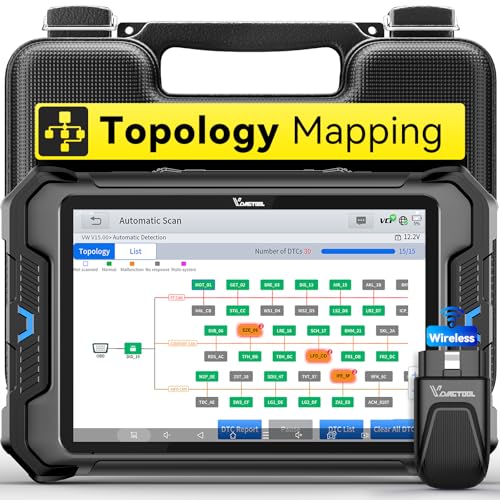
- Smarter Diagnostics, Broader Coverage, Greater Value Than $1,000+ Tools: The game-changing VD80BT OBD2 scanner delivers 4000+ active tests, 42+ hot services, advanced ECU coding, PMI & V.A.G Guided—all in one scanner for car. With OE-level full system scan and intelligent topology mapping that cuts diagnostic time by up to 50%, you'll work smarter and faster. Supporting FCA
 AutoAuth, CAN FD & DoIP protocols, this car scanner covers over 10,000 vehicle models worldwide. Built for serious pros and DIYers, it features 8" HD screen & 4+64GB storage, 7.3V fast charging with long-lasting battery, and 33–66ft stable wireless connection—making it the most complete diagnostic solution you’ll ever own
 - Intuitive Topology Map, Fast Locate Faults: Why waste time clicking module by module? VD80BT car diagnostic scanner takes diagnostics to the next level with its intuitive Topology Map—a premium feature usually found in $1000+ obd scanner. With one tap, it performs all system scan and presents all modules and DTCs in a clear, color-coded layout, boosting diagnostic efficiency by up to 200% and helping you locate issues instantly and reduce repair time and costs. Whether you're a pro boosting efficiency or a beginner learning diagnostics, this obd2 scanner diagnostic tool makes fault-finding faster and smarter for you. Note: varies by vehicle model, please check compatibility before purchase
- Wireless Connectivity Simplifies Bi-Directional Control: With 4000+ active tests, including throttle reset, window calibration and solenoid check, VD80BT bidirectional scan tool lets you diagnose and verify functions faster, smarter, and more efficiently. This scanner for car redefines flexibility in bi-directional control through a fully wireless connection, freeing you from the constraints of wired car diagnostic tool in the workshop. Imagine actively controlling components like the A/C clutch, fuel injector, ABS pump, or radiator fan within a wireless range of 33–66ft around the vehicle—all while enjoying stable, high-speed wireless diagnostic and real-time data monitoring
- 42+ Hot Services, One Powerful Scanner for Car: Why pay a shop $100 just to reset a light? VD80BT car scanner diagnostic tool gives you 42+ hot services from basic resets to advanced maintenance tasks like Crank Sensor Relearn, Injector Coding, ABS Bleeding, Oil Reset, Throttle Relearn, EPB, BMS Reset, Tire Size Reset and more. Plus, it offers 100+ vehicle-specific features including Idle Relearn, VIN Write, Brake Fluid Replacement, Fuel Trim Reset, ABS Initialization and more. Whether you’re resetting TPMS or fixing a stubborn SAS, this car computer diagnostic reader delivers shop-grade precision at a fraction of the cost. Varies by model. Send VIN to verify compatibility before purchase
- OE-Level Full System Diagnostics in Your Hands: Dominate diagnostics like a dealership with VD80BT scan tool for all vehicles, delivering factory-grade scanning for aLL systems—including ABS, SRS, ECM, TCM and more. View up to 8 PID graphs simultaneously to quickly catch intermittent issues and troubleshoot with confidence. Easily read and clear DTCs, retrieve freeze frame data, and run active tests for faster, more accurate repairs. It’s like having a dealership-grade scan tool in your pocket, complete with data playback and CSV export for in-depth analysis. Stop guessing and start fixing with surgical precision—professional diagnostics made simple and portable. Check compatibility Please

- 【OE-Level Full System Diagnostics-Lifetime F*REE Software Updates】The VDIAGTOOL D200 OBD2 Scanner for cars is a all system bidirectional scan tool that enjoy lifetime f*ree software updates, delivers complete system coverage. reading/clearing codes across engine, transmission, ABS, SAS, EPB, TPMS plus full access to body, chassis, powertrain and all control modules. This D200 Bidirectional car scanner works with most 1996+ OBD2 gasoline and hybrid cars and light trucks. It does NOT support pure electric and heavy-duty trucks. PLEASE CHECK COMPATIBILITY BEFORE ORDERING or Contact us with VIN to confirm compatibility.
- 【Supports OBD2 Full Functions-ZERO Subscription Fees】D200 Bidirectional OBD2 Scanner is a upgarde of universal car code reader. It supports OBD2 full functions to help you turn off the annoying instrument fault indicator, such as read/clear codes, O2 sensor test, I/M readiness, on-board monitor test, datastream, freeze frame, E-VAP system test, and retrieve vehicle information. This professional obd2 scanner diagnostic tool can full access to diagnostics, reset tools and maintenance features with a single payment. NOTE: The fault code can only be cleared after the vehicle's malfunction has been repaired; please ensure the vehicle issue is fixed before clearing the code.
- 【D200 Hidden 2 Advantages: 1. $169 Expandable 49+ Advanced Resets. 2. $199 Get J2534 P*a*s*s-Thru Programming】Your core car diagnostics and 26 reset remain lifetime f*ree for everyday maintenance. When you need deeper repair capability, upgrade with 3-year access for $169 in Store on VDIAGTOOL App, gaining 49+ advanced resets. D200 configured with J2534 hardware, upgrade only when you need without replacing the entire device. You also can Lifetime Unlock for $199 in Store one-time, perform module programming, software re~flashing and ECU data updates directly. Supports 17+ major brands, including for BMW, for Audi, for GM, for Ford and more. Note:D200 does‘t provide any OE software.
- 【Full Bidirectional Control / Active Tests】The D200 car scanner diagnostic tool is a true bidirectional scan tool that lets you send commands directly to the vehicle’s ECU for active tests. Quickly test fuel pumps, relays, solenoids, injectors, cooling fans, windows, sunroofs and more to verify operation instantly. Get dealership-level diagnostic control at a fraction of the cost (ofter $100-200$ per diagnostic visit), reduce guessworkand confirm repairs faster, avoid unnecessary parts replacement, towing fees and wait times.
- 【26 F*ree Essential Reset & Relearn Functions – Everyday Maintenance Made Easy】Handle common maintenance and repair jobs without visiting the shop. The D200 code readers & scan tools includes 26 f*ree high-demand reset functions, including Oil Reset, EPB Service, SAS Calibration, ABS Brake Bleeding, Throttle Relearn, Injector Coding, Headlight Adjustment, Tire Size Reset and more. Perfect for home car owners, mechanics and DIYers – just plug and diagnose anytime, anywhere! Note: Service functions vary by vehicle model—please confirm compatibility.
This product presentation was made with AAWP plugin.
Last update on 2026-05-12 / Affiliate links / Images from Amazon Product Advertising API