
NHTSA ID Number: 10204097
Manufacturer Communication Number: No. 106-21-2
TSB/Document Date: 2021-12-07
Summary
Information for recall campaign AMB5: re-programing power electronics.
caused programming to be aborted.
If control unit programming is aborted a second
time, stop operational readiness for approx.
15 minutes (switch off ignition) and repeat the
procedure described here again.
Workshop Manual '9X00IN Basic instructions and
procedure for control unit programming using the
PIWIS Tester - section on "Fault finding"'.
Create new working log.
5.1
After programming has been performed, confirm with •F4“('Save') in the campaign menu
at the bottom.
5.2
Select •F10“ ('Logs').
5.3
Select the log type Working log.
5.4
Rename and store the working log you have just created with the designation of the
sequence carried out.
5.5
Mark the working log and use •F10“ ('Display').
AfterSales
Service
Technical Information
106/21 ENU
5.6
Select the Printer icon at the top right of the selection bar.
5.7
Select printer ('PDF').
5.8
Print the working log, saving it automatically to the Tester.
AMB5
9
Information
Special features of sequence 3:
•
The new software version of the additional instrument (stopwatch) and multifunction steering
wheel is only shown after restarting these components. This restart takes place in bus idle during
the concluding work.
6
Start control unit programming sequence 3.
For specific information on control unit programming in this sequence, see the table
below:
Required PIWIS Tester software version:
40.550.040 (or higher)
Type of control unit programming:
Control unit programming using the 'Campaign'
function in the Additional menu on the PIWIS
Tester by entering a programming code.
Programming code:
K4M3S
Programming sequence:
Read and follow the information and instructions
on the PIWIS Tester during the guided
programming sequence.
Do not interrupt programming and coding.
A backup documentation process for the
re-programmed software versions starts as soon as
programming and coding is complete.
Programming time (approx.):
130 minutes
Software versions programmed during
this campaign:
•
Multifunction steering wheel
0091
•
Seat adjustment control unit,
front
0064
•
Additional instrument control
unit (stopwatch)
0015
•
Door control unit, front and rear
0390
•
Control unit for exterior
acoustics (eSound)
0100
AfterSales
Nov 29, 2021
Page 19 of 51
9
Service
AMB5
ENU
Technical Information
106/21
•
Control unit for interior
acoustics (iSound)
0290
•
Display and operator control unit
in rear center console
1170
•
Connect control unit
0236
or
0237
or
0238
or
0239
Following control unit programming, the software
version can be read out of the relevant control unit in
the 'Extended identifications' menu using the PIWIS
Tester.
Procedure in the event of abnormal
termination of control unit programming:
•
•
•
•
•
Procedure in the event of error messages
appearing during the programming
sequence:
Nov 29, 2021
Page 20 of 51
End and restore operational readiness (switch
ignition off and then on again).
Read out and erase the fault memory
Workshop Manual '9X00IN Basic instructions
and procedure for control unit programming
using the PIWIS Tester'.
Repeat control unit programming by entering
the programming code again, whereby
extended logging must be started using the key
combination •Ctrl“ + •L“.
Extended logging records diagnostic software
data, particularly vehicle communication data,
which is required for analysing the issues that
caused programming to be aborted.
If control unit programming is aborted a second
time, end operational readiness for approx.
15 minutes (switch off ignition) and repeat the
procedure described here again.
Workshop Manual '9X00IN Basic instructions and
procedure for control unit programming using the
PIWIS Tester - section on "Fault finding"'.
AfterSales
Service
Technical Information
7
106/21 ENU
AMB5
9
Create new working log.
8
7.1
After programming has been performed, confirm with •F4“('Save') in the campaign menu
at the bottom.
7.2
Select •F10“ ('Logs').
7.3
Select the log type Working log.
7.4
Rename and store the working log you have just created with the designation of the
sequence carried out.
7.5
Mark the working log and use •F10“ ('Display').
7.6
Select the Printer icon at the top right of the selection bar.
7.7
Select printer ('PDF').
7.8
Print the working log, saving it automatically to the Tester.
Re-program the central computer (PCM) (sequence 4).
8.1
Open the armrest and remove the external device, e.g. iPod, USB storage medium, from the
USB interface if necessary.
NOTICE
Using the software on vehicles that are not assigned to this campaign:
•
Risk of damage to control unit
Use the listed software versions only for the vehicles assigned to the campaign.
8.2
Insert the USB storage medium with the software version specific to the respective region
for the PCM update into the USB interface.
Part No.
Designation
– Region
Vehicle assignment
9J1919360C
USB storage medium for PCM
update
– Europe
– ROW
I-no. ER1/ER2
9J1919360D
USB storage medium for PCM
update
– North America
– Mexico
I-no. ER3/ER4
9J1919360E
USB storage medium for PCM
update
– Japan
– China
– Korea
– Taiwan
I-no. ER5/ER6/ER7/ER8
AfterSales
Nov 29, 2021
Page 21 of 51
9
Service
AMB5
ENU
Technical Information
106/21
8.3
See Technical Information TI 101/20 if programming is aborted during central computer
(PCM) software updates Technical Information '915200 Complaint - PCM update cannot
be performed/stops. Observe specified procedure (101/20)'.
8.4
Check whether guest account is selected in the central display (PCM) and Privacy mode is
activated (available in some countries).
8.5
Start the central computer (PCM) software update (sequence 4) using the PIWIS Tester.
8.6
Select the PCM central computer control unit in the control unit selection screen
('Overview' menu) and press •F12“ ('Next') to confirm your selection.
8.7
Once the PCM central computer control unit has been found and is displayed in the
'Overview', select the 'Maintenance/repairs' menu.
8.8
Select the 'Install software update' function
and press •F12“ ('Next') to perform the
software update Installing PCM 6.0
software update.
8.9
Confirm the information that is displayed by
pressing •F12“ ('Next').
8.10
After meeting the preconditions, confirm
by ticking the 'Status' column. Then, press
•F12“ ('Next') to continue.
8.11
Enter the programming code K4M4S in
the relevant column Entering PCM 6.0
programming code and press •F12“ ('Next')
to confirm Entering PCM 6.0 programming
code.
8.12
Press •F8“ ('Start') to start.
8.13
After checking the software data, press
•F8“ ('Start') to start programming.
Installing PCM 6.0 software update
Entering PCM 6.0 programming code
Once the update has started, the PCM is
restarted in the Update menu and the individual components are then updated.
The update can take up to 60 minutes.
Read and follow the instructions displayed on the PIWIS Tester during the update. The PCM
is restarted several times. The PCM screen (central display) remains dark for a long
time.
8.14
Once the update is complete, an overview is displayed showing processes that have been
completed successfully marked with a tick in the Status box. Press •F12“ ('Next') to
confirm.
Software versions programmed during this sequence
Nov 29, 2021
Page 22 of 51
AfterSales
Service
Technical Information
•
•
•
•
•
106/21 ENU
AMB5
9
Central computer (PCM): 3397
Front display and operator control unit (central display): 0210
Loudspeaker booster: 0150 (Bose), 0090 (Burmester)
Passenger display: 0310
Operator control unit in front center console: 1250
Following control unit programming, the software version can be read out of the PCM central
computer control unit in the 'Extended identifications' menu using the PIWIS Tester.
8.15
9
Open the armrest and remove the USB storage medium from the USB interface.
Then, carry out concluding work (sequence 5).
Concluding work - Scope 1-3
WARNING
Electrically moved side windows and rear spoiler
•
Danger of limbs being trapped or severed
•
Risk of damage to components
Do not reach into the danger area.
Keep third parties away from the danger area.
Do not move components or tools into the danger area.
NOTICE
Movement of the rear wheels by activating the electric motor; vehicle driving off when the wheels are touching
the ground
•
Personal injury as a result of wheel or vehicle movement
•
Material damage to vehicle, drive or brake components
Raise the vehicle on a lifting platform until the drive wheels are free
Press the foot brake during adaptation
Cordon off the work area
NOTICE
Programming interrupted
•
Malfunctions in control unit
•
Risk of damage to control unit
AfterSales
Nov 29, 2021
Page 23 of 51
9
Service
AMB5
ENU
Technical Information
106/21
Route the line between the vehicle communication module (VCI) and diagnostic socket on the vehicle
without tension and make sure that the connector is inserted fully into the diagnostic socket.
Check that the rechargeable battery for the PIWIS Tester is charged sufficiently. Connect the PIWIS Tester
to the power supply unit if necessary.
Information
In the menu-guided procedure, check the 'Teach wheel IDs' menu item after confirming with •F12“ to
make sure that the function 'Teach 2nd wheel IDs without driving' is selected.
Then, select the function '2nd wheel IDs unknown' and continue the procedure according to menu
guidance.
Work Procedure: 1
2
Establish bus idle for at least 15 minutes.
1.1

- 💯【Conta.ct us for Support Directly】If you met any...
- 🔥🔥🔥【2026 AUTEL FLAGSHIP MK900BT MK900-BT, NEW...
- 🚗【3000+ ACTIVE TESTS (50➡3000+), SAME AS MS...
- 🚗【40+ HOT SERVICES FOR 150 MAKES (28+➡40+)】Full...
- 🚗【OE ALL SYSTEM DIAGNOSE, AUTO SCAN 2.0: SCAN LICENSE...


- 【TURN OFF CEL】 This AL319 car scanner diagnostic tool...
- 【EXTENSIVE APPLICATION】 Autel AL319 Compatible with...
- 【FOR END USER & DIYERS】 This error code reader AL319 is...
- 【USER-FRIENDLY DESIGN】 This OBD2 scanner and check...
- 【HIGH-QUALITY SERVICES】 12 months war.ranty from the...
Last update on 2026-06-12 / Affiliate links / Images from Amazon Product Advertising API
If the PDF is very large, it may not load in the preview below.
Some older TSBs had multiple PDFs — visit the NHTSA Website to view all PDFs.
If the TSB PDF does not show, download or view it on the NHTSA Website.
Click on the (+) Plus Sign
Then Click on Associated Document(s)
Search NHTSA Database for Recalls
Search NHTSA Database for Vehicle Investigations
View Latest Vehicle Investigations
Search NHTSA Database for Vehicle Complaints
View Latest Vehicle Complaints
TSB/Document ID: No. 106-21-2
Replacement Service Bulletin Number:
MFR Communication Date: 2021-11-29
MFR Internal Campaign ID/Software Version:
Communication Type: Service Bulletin/Repair Instructions
NHTSA Components: ELECTRICAL SYSTEM
MFR Component System:
MFR Component Subsystem:
Previous TSB | Next TSB |
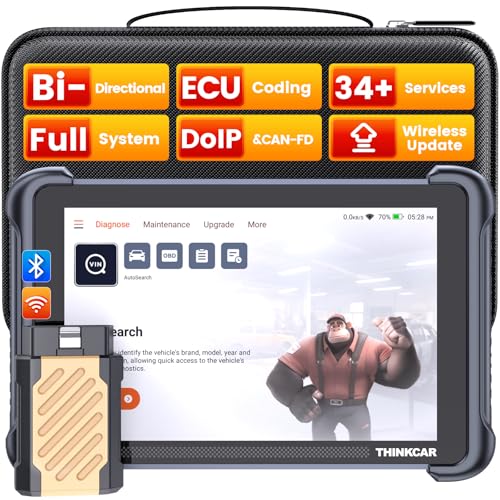
- [Notice] When you receive a used escaner automotriz device, it may be a customer return resold by Amazon without inspection. You can exchange it for a new one through Amazon. As this situation is unavoidable, we sincerely apologize. For any issues, contacting us via Amazon's "Messages" is the best way, and we’ll provide a solution within 24 hours. THINKSCAN 689BT Can Be Used Immediately After It is Turned On, Without Complicated Registration Process, Which is More Convenient & Quick.
- [Good News] THINKSCAN 689BT is the most competitive automotive scan tool to date, offering wireless updates with no subscription fees(valued 500Buc.ks) . With all the features of THINKTOOL PD8,PRO, built on Android 10 platform with 4-core CPU, 4GB RAM
 and 64GB ROM, serving up to 5X faster than older MAX/MINI/PLUS vehicle scanners escaner automotriz, no more slow and delayed feedbacks, it's time to update your garage tool.
 - [Big Money Saver] Premium THINKSCAN 689BT Wireless Diagnostic Scanner Escaner Automotriz, save up to 400USD per year, includes all useful features: Full bi-directional controls, ECU coding, 34+ services, OEM all system diagnostics, Worldwide vehicles coverage, CAN FD & DoIP, FCA AutoAuth(The 689BT only provides a login and purchase portal, and users are required to register for an FCA account and pay a membership fee in order to perform the relevant automotive diagnostics)
- [3000+ Active Tests]Active testing is one of the most useful features in automotive maintenance and greatly improves mechanic efficiency. THINKCAR 689BT bidirectional scanner can send action commends to vehicle sub-systems or components for active test without using vehicle controls. It can perform various tests such as: EVAP Test, Fuel Trim Reset, Injector Buzz Test, Window/ Mirror/ Door Lock Test, Pump and Value Tests, etc. Get functions from "Diagnose>Car Model>System>Active Test".
- [Hot Advanced Features] 689BT bidirectional tool scanner for car newly adds ECU Coding, Power Balance, Flash Hidden Functions, Reset Adaptive Data, Match Replaced Components, Customize OE-Settings. Such as: 1. changing the color of interior lights 2. switching on/off the auto hold, 3. customizing dash kits 4. activating the auto side mirror folding function 5. disables auto start-stop. Note: Coding functions vary by model&year.
 and 64GB ROM, serving up to 5X faster than older MAX/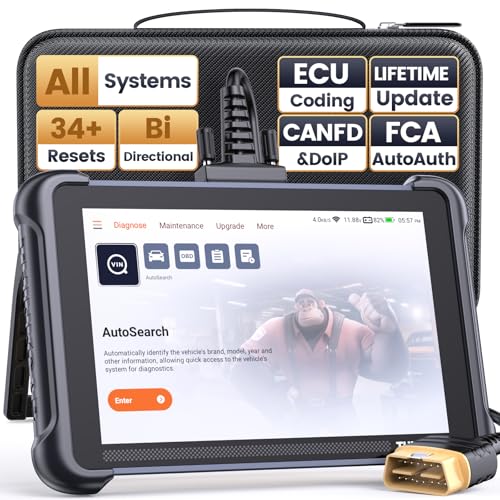
- 【Warm Tips】Wired THINKSCAN 689 is connected through a detachable OBDII cable, and we also have added OBD2 Extension Cable (about 60 cm/2 feet) as g ift, enabling customers handling vehicle repairs with ease. Just click "Bundles Item" above to get it. Note: FCA AutoAuth is a third-party service, additional cost may be required.
- 【Professional Car Diagnostic Tool】Tired of renew fees? Thinkscan 689 scanner provides dealer-level advanced functions without annual fees for auto mechanics and repair shops. 34+ Services, 3000+ Active Test, ECU Coding, 140+ Brands Coverage, FCA AutoAuth, CANFD&DOIP Protocol, Component Matching, Power Balance, V.A.G Guided, Compatible with Google Chrome integration, etc. With strong hardware backing, 64G Memory, Android 10, 4-core processors, and 4150mAh battery. Thinkscan 689 brings you the best as your daily business helper and never lets you drop the ball!
- 【Over 34 Reset Service, Adaptation + Relearn + Calibration + Initialization + Matching】Made for workshops, Thinkscan 689 scanner provides 34+ services for worldwide vehicles: such as Gear/SAS/EPB/TPMS/D.P.F/I.M.M.O/BMS/ETS/Oil/Brake/AFS/GEARBOX/SUNROOF/SUS Reset, ABS Bleed, Injector coding, etc. Warm tips: Compatibility may vary on vehicles' model and year, please contact seller before purchase to make sure it works well on your cars.
- 【Real Active Test】Thinkscan 689 scan tool features over 3000+ full bi-directional control ability, to send commands to vehicle’s systems/components, to verify system input/output without using the vehicle's controls, e.g. turn on the radiator fan, modulate the throttle, open/close windows, operate mirrors, Injector Buz Test, turn on interior&exterior lights, sound horn, test door lock actuators, turn on/off front/rear side ACM Solenoid, Vehicle level position calibration, Wheel Speed Sensor Supply.
- 【Comprehensive Solutions with Advanced Features】Take your vehicle customization to the next level with the Thinkscan 689's advanced ECU coding capabilities. This scan tool provides power balance, PMI, unlock more new features and enhance performance by activating dormant functions, customizing OE settings, matching replaced components, and reprogramming adaptive data to elevate your driving experience. Note: Compatibility varies by car models, please check before order.

- 【Cost-effective OBD2 scanner】 Thinkcar Thinkdiag2 is the most powerful wireless diagnostic tool for it's price! Equipped with multi-functions of Newly added CAN-FD protocol, BiDirectional control(Active Test), 15 Maintenance resets, All Systems diagnosis, Auto VIN, FCA AutoAuth, Unlock the protected FCA vehicle SGW module on Chrysler, Dodge, Jeep, Alfa Romeo, and Fiat vehicles manufactured after 2019.120+ Car brands coverage, No IP limited, etc. Good for workshops & DIYers. Kindly send us VIN to check compatibility before purchase
- 【OE-Level Full Systems Car Scanner with Added CAN FD Protocol】 Upgrade of Thinkdiag, Thinkdiag2 is a bluetooth diagnostic tool can diagnose Full System such as ECM, ABS, SRS, TCM, EPB, TPMS, SAS, A/C, BMS, etc. Thinkdiag2 can read/clear fault codes, read real-time data, read control module information,etc. As the only diagnostic scanner in this price range that supports the CAN-FD protocol, it suits for the latest GM(2019-) , saving $100 to buy a CAN FD adapter, reducing the risk of undetected errors to enhancing the user experience
- 【Bidirectional Test】This bidirectional scan tool Thinkdiag2 allows you to send commands from your smartphone directly to the vehicle's ECU for active testing, quickly locate problem areas, such as A/C clutch, windows, doors, sunroof, etc., reducing the diagnostic time and money. (Note: kindly send us VIN to check compatibility before order.)
- 【15+ Maintenance Functions】Thinkdiag2 OBDII code scanner is designed for individual car owners, DIYers, and small repair shops, which has a separate menu of 15 common special functions, such as Oil reset, EPB reset, SAS calibration, ABS bleeding, injector code, TPMS reset, etc. Enter from the all-system diagnostic menu to unlock more system special functions, and effectively handle the reset and relearn of most cars. Note: The Maintenance functions that each car can do may be different
- 【120+ car brands & FCA Autoauth+10 languages】Thinkcar thinkdiag2 helps you to troubleshoot the problems fast for 100 + US, European, Asian vehicle brands after 1996 that use the OBDII protocol. Only support 12V cars, including gasoline cars and diesel cars. Supporting Autoauth allows you to unlock the protected FCA vehicle SGW module on Chrysler, Dodge, Jeep, Alfa Romeo, Fiat vehicles, etc. (Note: Only provide AutoAuth login portal, and need purchase the registration number on the AutoAuth website by yourself.) Multilingual function allows workshop mechanics to avoid language barriers and use it around the world Without restriction
Last update on 2026-06-12 / Affiliate links / Images from Amazon Product Advertising API
This product presentation was made with AAWP plugin.