
NHTSA ID Number: 10199659
Manufacturer Communication Number: S-1668
TSB/Document Date: 2021-08-02
Summary
Installation Instructions BENDIX ® AD-HFi™ SOLENOID GOVERNOR AND DELIVERY CHECK VALVE (DCV) REPLACEMENT KIT
BENDIX® AD-HFi™ SOLENOID GOVERNOR AND DELIVERY CHECK VALVE (DCV)
REPLACEMENT KIT
DCV Bore
7
6
5
2
3
1
Remote Fill Port
4
DCV Boss
Figure 1 – Bendix® AD-HFi™ Solenoid Governor and Delivery Check Valve (DCV) Kit
KIT COMPONENTS
See Figure 1. The following components are in the Bendix®
AD-HFi™ Solenoid Governor and Delivery Check Valve
(DCV) kit.
ITEM #
DESCRIPTION
QTY
1
Solenoid Governor
1
2
1
3
Screw
2
4
DVC Port O-ring
1
5
Spring
1
6
Check Valve Body
1
7
Check Valve O-ring
1
1
Not Shown
1
DESCRIPTION
GENERAL SAFETY GUIDELINES
This kit services the solenoid governor and Delivery Check
Valve (DCV) of a Bendix® AD-HFi™ air dryer.
When working on or around a vehicle, the following
guidelines should be observed AT ALL TIMES:
▲Park the vehicle on a level surface, apply the parking
brakes and always block the wheels. Always wear personal
protection equipment.
▲Stop the engine and remove the ignition key when working
under or around the vehicle. When working in the engine
compartment, the engine should be shut off and the ignition
key should be removed. Where circumstances require that
the engine be in operation, EXTREME CAUTION should be
used to prevent personal injury resulting from contact with
moving, rotating, leaking, heated or electrically-charged
components.
▲Do not attempt to install, remove, disassemble or
assemble a component until you have read, and thoroughly
understand, the recommended procedures. Use only the
proper tools and observe all precautions pertaining to use
of those tools.
▲If the work is being performed on the vehicle’s air brake
system, or any auxiliary pressurized air systems, make
certain to drain the air pressure from all reservoirs before
beginning ANY work on the vehicle. If the vehicle is
equipped with a Bendix® AD-IS® air dryer system, a Bendix®
DRM™ dryer reservoir module, a Bendix ® AD-9si ®, AD-HF®,
or AD-HFi™ air dryer, be sure to drain the purge reservoir.
▲Following the vehicle manufacturer’s recommended
procedures, deactivate the electrical system in a manner
that safely removes all electrical power from the vehicle.
▲Never exceed manufacturer’s recommended pressures.
▲Never connect or disconnect a hose or line containing
pressure; it may whip and/or cause hazardous airborne
dust and dirt particles. Wear eye protection. Slowly open
connections with care, and verify that no pressure is
present. Never remove a component or plug unless you are
certain all system pressure has been depleted.
▲Use only genuine Bendix ® brand replacement parts,
components and kits. Replacement hardware, tubing, hose,
fittings, wiring, etc. must be of equivalent size, type and
strength as original equipment and be designed specifically
for such applications and systems.
▲Components with stripped threads or damaged parts should
be replaced rather than repaired. Do not attempt repairs
requiring machining or welding unless specifically stated
and approved by the vehicle and component manufacturer.
▲Prior to returning the vehicle to service, make certain all
components and systems are restored to their proper
operating condition.
▲For vehicles with Automatic Traction Control (ATC), the ATC
function must be disabled (ATC indicator lamp should be
ON) prior to performing any vehicle maintenance where
one or more wheels on a drive axle are lifted off the ground
and moving.
▲The power MUST be temporarily disconnected from the
radar sensor whenever any tests USING A DYNAMOMETER
are conducted on a vehicle equipped with a Bendix ®
Wingman ® system.
▲You should consult the vehicle manufacturer's operating
and service manuals, and any related literature, in
conjunction with the Guidelines above.
1. Park the vehicle on a level surface and chock the
vehicle to prevent movement by means other than
the brakes.
WARNING! PLEASE READ AND
FOLLOW THESE INSTRUCTIONS
TO AVOID PERSONAL INJURY OR DEATH:
VEHICLE PREPARATION
2. Drain all reservoirs to 0 psi (0 kPa).
3. Clean the exterior of the AD-HFi air dryer.
DISASSEMBLY
This kit does not require removal of the AD-HFi air dryer
from the vehicle.
1. Remove the connector from the solenoid governor.
2. Remove and discard the screws attaching the solenoid
governor to the AD-HFi air dryer.
3. Remove and discard the solenoid governor, face seal
o-ring, and DCV port o-ring.
4. The spring, check valve body, and check valve o-ring
can now be removed and discarded.
CLEANING AND INSPECTION
1. Use a suitable solvent to clean all metal parts and
use a cotton swab to clean the bore and the solenoid
governor mounting pad.
NOTE: Do not use abrasives or tools to clean the bore
and solenoid governor mounting pad. Any scratches
caused may necessitate replacing the AD-HFi air
dryer. Superficial external corrosion and/or pitting is
acceptable.
2. Inspect for physical damage to the bore, the check
valve seat, and the solenoid governor mounting pad.
3. Inspect all air line fittings for corrosion and replace
them as necessary.
2
ASSEMBLY
1. Lubricate the check valve o-ring and the check valve
body with the supplied grease.
NOTE: Use only the grease packaged with this kit.
2. Install the check valve o-ring on the check valve body by
sliding the o-ring over the set of four (4) tapered guide
lands. The o-ring groove holds the o-ring in its correct
location.
3. At the other end of the check valve body, the supplied
spring is installed over the set of four (4) straight guide
lands. When the spring has been pushed to the correct
location, the check valve body is designed to hold the
end of the spring in position.
NOTE: Ensure the spring is not loose before continuing
with this installation.
4. Install the assembled check valve body/o-ring/spring in
the Delivery Check Valve (DCV) bore so the o-ring rests
on its seat and the free end of the spring is visible.
5. Grease the DCV port o-ring and install it in the groove
of the DCV boss protruding from the mounting face of
the solenoid governor.
6. Grease the face seal o-ring and install the o-ring into the
recess in the mounting face of the solenoid governor.
7. Install the solenoid governor by inserting the DCV boss
on the solenoid governor into the DCV bore of the Bendix®
AD-HFi™ air dryer. Insert the solenoid governor until the
face seal o-ring of the solenoid governor contacts the
AD-HFi solenoid governor mounting face. Align the
mounting holes of the solenoid governor with the
mounting holes in the AD-HFi solenoid governor
mounting face. Ensure the face seal o-ring remains in
place.
OPERATIONAL TESTS
• Install an accurate pressure gauge in the remote fill port
of the AD-HFi air dryer.
• Close all drain valves and test the DCV assembly by
building the air system to governor cut-out.
• Shut off the engine.
• Check all lines and fittings leading to and from the
AD-HFi air dryer for leakage and integrity. Note the
pressure on the air gauge. After the governor cut-out
pressure is reached, a rapid loss of pressure could
indicate a leaking DCV. To troubleshoot for DCV leakage,
allow the system to reach the governor cut-out pressure
and the governor will start the purge cycle (listen for the
release of air as the AD-HFi air dryer purges). NOTE: The
AD-HFi air dryer may purge prior to reaching governor
cut-out pressure. Ensure the pressure on the air gauge in
the remote fill port reaches the governor cut-out pressure
before proceeding. After 60 seconds, the purge cycle will
be completed.
• Locate the lanyard drain valve installed in the integrated
purge reservoir of the Bendix AD-HFi air dryer (See
Figure 2). Secure the lanyard drain valve in the open
position. After 10 seconds, carefully remove the AD-HFi
air dryer desiccant cartridge according to the procedure
in Figure 3. Test for air leaks by applying a soap solution
into the center cavity of the threaded desiccant cartridge
mounting boss. Repair the Delivery Check Valve (DCV) if
there is excessive leakage – exceeding a 1-in. bubble in
five (5) seconds. Reinstall the cartridge by following the
procedure titled Reassembly of the Desiccant Cartridge.
Be sure to close the lanyard drain valve on the purge
volume before restoring the vehicle to service.
8. Insert the screws provided with this kit and tighten to
125 in-lbs.
9. Reattach the connector to the solenoid governor.
10. Before placing the vehicle back into service, perform the
Operational Tests.
Lanyard Drain Valve
Figure 2 – Lanyard Drain Valve
3
DISASSEMBLY OF THE DESICCANT
CARTRIDGE
1. Using an appropriate filter wrench, loosen the desiccant
cartridge and remove it from the Bendix® AD-HFi™ air
dryer housing by turning it in a counterclockwise direction.
Be careful not to allow dirt or other contaminants to fall
into the AD-HFi air dryer housing.
NOTE: Place the filter wrench only on areas A or B as
shown in Figure 3 to avoid damage to the desiccant
cartridge.
REASSEMBLY OF THE DESICCANT CARTRIDGE
1. Clean the surface area of the AD-HFi air dryer housing
with a clean cloth. Be careful not to allow dirt or other
contaminants to fall into the AD-HFi air dryer housing.
2. Using the tube of lubricant provided in this kit, apply a
thin coat of lubricant to the sealing ring on the bottom of
the desiccant cartridge.
3. Apply the remaining lubricant to the AD-HFi air dryer
cartridge mounting threads on the housing.
4. Spin the desiccant cartridge onto the AD-HFi air dryer
housing in a clockwise direction until the seal makes
contact with the housing. Using an appropriate filter
wrench, tighten the desiccant cartridge 3/4 turn.
NOTE: Place the filter wrench only on areas A or B as
shown in Figure 3 to avoid damage to the desiccant
cartridge.
A
B
Figure 3 – Filter Wrench Placement
S-1668 © 2021 Bendix Commercial Vehicle Systems LLC, a member of Knorr-Bremse • 6/21 • All Rights Reserved
4

- 💯【Conta.ct us for Support Directly】If you met any...
- 🔥🔥🔥【2026 AUTEL FLAGSHIP MK900BT MK900-BT, NEW...
- 🚗【3000+ ACTIVE TESTS (50➡3000+), SAME AS MS...
- 🚗【40+ HOT SERVICES FOR 150 MAKES (28+➡40+)】Full...
- 🚗【OE ALL SYSTEM DIAGNOSE, AUTO SCAN 2.0: SCAN LICENSE...


- 【TURN OFF CEL】 This AL319 car scanner diagnostic tool...
- 【EXTENSIVE APPLICATION】 Autel AL319 Compatible with...
- 【FOR END USER & DIYERS】 This error code reader AL319 is...
- 【USER-FRIENDLY DESIGN】 This OBD2 scanner and check...
- 【HIGH-QUALITY SERVICES】 12 months war.ranty from the...
Last update on 2026-06-23 / Affiliate links / Images from Amazon Product Advertising API
If the PDF is very large, it may not load in the preview below.
Some older TSBs had multiple PDFs — visit the NHTSA Website to view all PDFs.
If the TSB PDF does not show, download or view it on the NHTSA Website.
Click on the (+) Plus Sign
Then Click on Associated Document(s)
Search NHTSA Database for Recalls
Search NHTSA Database for Vehicle Investigations
View Latest Vehicle Investigations
Search NHTSA Database for Vehicle Complaints
View Latest Vehicle Complaints
TSB/Document ID: S-1668
Replacement Service Bulletin Number:
MFR Communication Date: 2021-07-05
MFR Internal Campaign ID/Software Version:
Communication Type: Service Bulletin/Repair Instructions
NHTSA Components: SERVICE BRAKES, AIR
MFR Component System:
MFR Component Subsystem:
Previous TSB | Next TSB |

- 🎉[OTOFIX D1 Lite, Perfect Cost-effective Diagnostic Tool]: OTOFIX D1 Lite, a newest bidirectional scan tool from OTOFIX company, is a great choice for DIYers and repair shops. 👉This obd2 scanner diagnostic tool packs all practical functions: OE level all systems diagnoses, Bi-Directional Control, 38+ reset services fixing 99% of common problems, support DoIP & CANDF protocols and FCA
 AutoAuth, high-end hardware configuration. Worldwide vehicles and 🔥2 Years Free Updating🔥 covered.
 - 🎉[Bi-Directional Scan Tool, Active Test]: OTOFIX D1 Lite bluetooth obd2 scanner can also command ECUs and monitor the operation of the actuators to track down the problems of certain parts, like windows, sunroof, wipers, fuel pumps, etc., saving repair time & trouble. This makes OTOFIX D1 Lite the most cost-effective bidirectional scan tool.
- 🎉[2026 Newest, 38+ Hot Reset Functions]: Equipped with 38+ reset functions in one, the OTOFIX D1 lite automotive scanner diagnostic tool allows you to troubleshoot 99% of common vehicle problems. You can use this car diagnostic scanner holding enough functions to easily repair common vehicle models in your repair shops. Including Oil Reset, Injector Coding, Throttle, DPF Reset, SCR Reset, Gear Learning, Clutch Learning, Suspension, etc. Note* Reset functions vary by model.
- 🎉[OE Level Full Systems Diagnostics]: Unlike the 2-system and 4-system diagnostic tools, the OTOFIX auto scan tool can complete comprehensive system diagnostics within 5 minutes. It accesses and scans all available onboard systems like for Engine /AT /ABS /EPB /BMS /TPMS /SRS /SAS /Audio System /BCM /Air Conditioning / etc., to read & clear codes, view live data, and check ECU information. Note: Active test is not involved.
- 🎉[Powerful Hardware Configuration]: Designed with a fashion appearance & a 7” touchscreen and a weight of 463g, this OTOFIX D1 Lite OBD2 diagnostic scanner scan tool is convenient for everywhere and easy to use & store. Android9.0 OS and 2+64GB memory enhance multi-task smoothness and diagnostic operation, no more wasting too much time. 5800mAh battery allows hours-lasting use. WiFi & VCI1 also bring faster communication for your diagnostics.
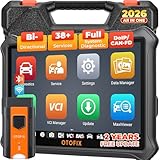
- 🏆【2026 TOP OBD2 Scanner Diagnostic Tool】OTOFIX D1 Lite wireless obd2 scanner has upgraded hardware configuration and car coverage. The newly upgraded D1 Lite with 🔥OS Android 9.0🔥1.5Ghz 4 core high efficiency processor🔥2GB RAM+64GB ROM large storage🔥5800mAh large battery, more stable and longer lasting diagnostics🔥 38+ Reset🔥action tests🔥full system diagnostic🔥Supports MV105 endoscope🔥21+ Language Supports🔥100000+ vehicle coverage to meet all your daily maintenance needs.
- 👍【Bi-Directional Control / Active Test】D1 Lite obd2 scanner has bidirectional control(worth $300+), which is the most beloved feature among mechanic. If your headlights or car windows are broken, going to a repair shop will cost a lot of money. You can use D1 Lite to send execution commands to the ECU module and identify the repair status. Such as ABS, car windows, doors, valves, wipers, headlights, etc., effectively shorten diagnostic time and reduce diagnostic costs.
- 🔥【All Systems Diagnostics, In-depth Checking】This advanced OBD2 Scanner D1 Lite can perform OE-level diagnosis of all systems including engine, transmission, airbag, ABS, ESP, TPMS, gateway, steering, radio, and air conditioning for more than 100 brands. This diagnostic scanner supports essential functions, such as reading ECU version info, reading and clearing fault codes, and reading data streams.With just a simple click, it provides you with accurate and in-depth diagnostics.
- 🏆【38+ Reset Hot Functions】For repair workshops, holding an OTOFIX D1 Lite Auto scanner is a strong advantage over others. Its 38+ maintenance functions provide various solutions for all module repairs, including Oil Reset, TPMS Reset, Injector Coding, Suspension, Throttle Matching, etc., which will usher your repair business to a new pinnacle. Continuously updating will never make the functionality & compatibility out-of-date.
- 🏆【150+ Models, 10000+ Car Coverage & 16 Languages】D1 Lite is a comprehensive car diagnostic scan tool, help you to troubleshoot car issues fast for 95% US, European, Asian auto makes. ✅ With frequent updates and optimizations allow D1 Lite to cover more vehicles to meet your needs. ✅ Multilingual menu allows auto mechanics around the world to use it without language barriers. 🚩Note: Kindly send us the S/N of the device to authorize new language updates before changing the menu language.

- 2026 Newest Wireless Bluetooth Scan Tool D1: OTOFIX D1 Diagnostic scanner is upgraded version with Enhanced Hardwares & Newest Functions, FASTER and SMARTER! ✅Alternative Bluetooth 5.0 +USB connect✅2G+64GB✅Android 9.0 OS✅5G & 2.4 GHz Dual WiFi✅5800mAh battery👍VAG Guided Function👍ECU Online Coding👍CANFD&DOIP👍40+ Services👍Bi-Directional Control👍Full Systems Diagnose👍2 Years Free Update👍150+ Vehicle Coverage🎁Contact to get gift: otofixaftersales-amz@ outlook.com
- ECU Coding to Unlock the Hidden Features: OTOFIX D1 obd2 scanner diagnostic tool newly adds ECU Coding which can Online Coding(ONLY for VW/Au.di/Sk0da), Variant Coding/Offline Programming, Flash Hidden Functions, Reset Adaptive Data, Match Replaced Components, Customize OE-Settings. Such as: halogen fog lamps retrofitted with xenon fog lamps, different capacity battery retrofit, disbale auto start-stop, sunroof initialization, injector calibration, etc. PS: Coding functions vary by model&year.
- Full Bidirectional Control for Active Car Tests: The D1 OTOFIX scanner also offers bi-directional control, allowing you to perform powerful active tests on car subsystems. This means that you can check the working status and functionality of open & close solenoids, energize injectors, turn cooling fan on & off, and more, all from the device itself.🚩The D1 bi-directional obd2 scanner can quickly help you to check if a system or component goes well,Improving 200% Efficiency.**Note that Active Tests available depend on the make/model/year of your car.
- 40+ Popular Maintenance Functions: OTOFIX D1 obd scanner for car performs 40+ hot services, including Oil Reset, EPB, TPMS, BMS, E.GR, G.PF, D.PF, SAS Calibration, ABS Bleeding, Injector Coding, Gearbox Match, Suspension, Crankshaft Relearn, Power Balance, etc., still growing. Great choice for DIYers, technician, repair shop. 🚩Get MORE special functions from "Car Brand>System>Service". Check compatibility before purchase via 📧 otofixaftersales-amz@ outlook.com.
- OE-Level All Systems Diagnostic + One-Click AutoVIN & AutoSCAN: OTOFIX D1 scanner automotriz gives you the ability to troubleshoot entire car systems including engion system,transmission system,body system,chassis,etc. 🚩One of the standout features of the D1 obd2 scanner diagnostic tool is the one-click AutoVIN & AutoScan function. This feature allows you to quickly and easily scan all diagnosable ECUs with just one click, and identify any problems hidden in your vehicle's systems.
Last update on 2026-06-23 / Affiliate links / Images from Amazon Product Advertising API
This product presentation was made with AAWP plugin.