
NHTSA ID Number: 10199174
Manufacturer Communication Number: NTB21-051
TSB/Document Date: 2021-07-12
Summary
2017-2019 ROGUE SPORT; DTC P17F0, P17F1, P0776, P2813, P1715 AND/OR P0841 STORED IF YOU CONFIRM One or more of the following DTCs are stored: P0776, P2813, P0841, P17F0, P17F1, P1715 HINT: ï‚· If DTCs other than those listed above are stored, this bulletin does not apply. ï‚· If the customer states the engine stalled while going from 'P' or 'N' range to 'R' or 'D' range, this bulletin does not apply. ï‚· If DTC P17F0 and/or P17F1 are the only DTCs stored and there is no customer complaint of judder, this bulletin does not apply. ï‚· If DTC P1715 is the only DTC stored, this bulletin does not apply. ACTION See Repair Flow Chart on page 2 to confirm if this bulletin applies. HINT: The following pages must be printed and attached to the RO: 1. Clutch Total End Play Calculation (Step 93 on page 60) 2. CONSULT screen shot showing the TCM part numbers (Step 147 on page 86) 3. Current Calibration Data (Step 150 on page 87) 4. New Calibration Data (Step 166 on page 88)
NTB21-051
Sub-assembly Lifting Fixture Procedure (continued)
Guide Pin
59.
Install the two CVT Assembly Guide
Pins (J-51959 - Guide Pins) as shown
in Figure 78 and Figure 79.
Dowel Pin
Pins
The Guide Pins must be located
next to the dowel pins.
Figure 78
Dowel Pin
Guide Pin
Figure 79
40/99
NTB21-051
60.
Raise the Lifting Fixture so that the CVT assembly weight is mostly supported by the
Lifting Fixture and just slightly raised off of the work surface.
61.
Loosen the side cover with a slide hammer at the three points (tool location marks)
shown in Figure 80.
Rotate between the three (3) locations on the side cover until the CVT case
separates from the sub-assembly. This can take more than one rotation to loosen
the sealant.
To avoid damage to the CVT, DO NOT use a prybar, chisel, etc. to separate the side cover
from the CVT case.
HINT: Apply rust penetrant to the two dowel pins as needed.
Tool location marks
Figure 80 shows a similar side
cover and is for reference only
Dowel
pin
Dowel
pin
Figure 80
41/99
NTB21-051
62.
Raise the Lifting Fixture to remove the
“side cover with pulleys and belt
assembly” (sub-assembly) from the
CVT case (Figure 81).
To avoid damage to the primary speed
sensor, make sure it is removed from the
sub-assembly.
The speed sensor will be reused.
DO NOT discard the speed sensor.
This sub-assembly will not be
reused.
Figure 81
63.
Remove the lifting fixture from the sub-assembly.
64.
Reinstall all six (6) original bolts into the old sub-assembly.
Thoroughly clean the mating surfaces of the CVT case (Figure 82) that the subassembly was just separated from (a plastic scraper can be used).
Confirm that the dowel pins have remained in the CVT case. If not, remove them
from the sub-assembly and reattach them back to the CVT case.
HINT: The Guide Pins can be temporarily removed for cleaning purposes.
To prevent debris from entering the CVT and causing damage:
DO NOT use sanding discs, similar abrasive tools, or metal blades.
Use brake cleaner or equivalent solvent and lint-free towels only.
Make sure rust and debris have been removed from the dowel pins and receiving
holes.
Mating surfaces
Figure 82
42/99
NTB21-051
65.
Replace the O-ring on the CVT case
side with a new one.
Coat the O-ring with CVT fluid
before installing.
O-ring
Figure 83
66.
Remove the thrust bearing from the
planetary carrier plate (Figure 84).
This thrust bearing will be
reused. DO NOT discard.
HINT: If not found on the planetary
carrier plate, the thrust bearing may
still be attached to the primary
pulley.
Thrust bearing
Figure 84
43/99
NTB21-051
67.
Rotate the shift select lever counterclockwise to the “L” range position
(Figure 85), so that the parking pawl is at its lowest position (Figure 86).
Parking
pawl
Shift select lever
Figure 85
68.
Figure 86
Attach the Lifting Fixture to the new sub-assembly, and then raise sub-assembly out
of the shipping box.
First remove the six (6) bolts from the new sub-assembly and then remove their
O-rings before installing Lifting Fixture.
These bolts will be reused.
These O-rings will not be reused.
To avoid damage to the side cover, start the lifting fixture bolts by hand.
Refer to the Lifting Fixture procedure on page 39 for correct Lifting Fixture
installation.
Lifting Fixture
Sub-assembly
Figure 87
44/99
NTB21-051
69.
Apply one continuous 2.0 mm diameter bead of sealant along the center of the CVT
case side mating surface (Figure 88).
Sealant:
Loctite 5460 (see PARTS INFORMATION on page 92).
Color: Pink
IMPORTANT:
Confirm that the mating surfaces are clean before applying sealant.
Make sure that the starting point and the ending point of the sealant is between
two bolt holes. Overlap both ends of the bead by 3 – 5 mm.
To prevent possible leaks, be careful not to contact or contaminate the sealant. If the
sealant has been disturbed or contaminated in any way before case assembly, thoroughly
clean the mating surfaces of the CVT case and restart from step 69.
Figure 88
45/99
NTB21-051
70.
Install the original thrust bearing on the primary pulley of the new sub-assembly
(Figure 89).
HINT:
The thrust bearing surface must lay flush with the primary pulley. Any additional
height will affect the total end play that is measured later in this procedure.
The thrust bearing has two sides. Reference Figure 90 for bearing orientation.
Apply a small amount of petroleum jelly or equivalent to the original thrust bearing
to hold it in place on the primary pulley.
Primary pulley
Thrust bearing; must sit
flush with primary pulley
surface
Thrust bearing
Figure 90
Figure 89
46/99
NTB21-051
71.
Coat the primary pulley bearing, secondary pulley gear teeth, and the secondary
bearing with CVT fluid prior to installation (Figure 91 and Figure 92).
HINT: DO NOT drip any CVT fluid onto the sealant.
The following figures are for reference only and may or may not have the sealant in
place or have the old sealant removed. Clean the surfaces and apply sealant when
and where instructed.
Coat these
surfaces with
CVT fluid
Output gear
Figure 91
72.
Figure 92
While lowering the sub-assembly, route the Guide Pins into the appropriate CVT bolt
holes, one at a time (the Guide Pins are different lengths for easy assembly).
HINT: DO NOT allow the output gear to contact the lubrication tube when the side cover is
positioned over the guide pins (Figure 93 and Figure 94).
Lubrication
tube
Figure 93
Figure 94
47/99
NTB21-051
F.
IMPORTANT:
Before continuing, it is recommended that you review and understand the instructions on
pages 48 through 52.
The sub-assembly will lower into the CVT case without applying extra vertical force.
IF THE SUB-ASSEMBLY DOES NOT LOWER COMPLETELY,
INTERFERENCE IS PRESENT.
! PHYSICAL
Key Technique: Raise to remove weight on interference, adjust as necessary, and
then lower again.
Use the “visual gap size” below (Figure 95 and Figure 96), between the sub-assembly and
the CVT case, to determine the cause of interference.
44 mm - Page 49
38 mm - Page 50
CASE GAP = ?
19 mm - Page 51
6 mm Page 52
Figure 95
Case gap
Figure 96
48/99
NTB21-051
73.
Carefully, lower the Lifting Fixture to install the sub-assembly into the CVT case until a
38 mm (1.5 inch) gap is present between the sub-assembly and CVT case. See
Figure 101 on page 50.
Look into the bearing bore to confirm the output gear is centered (Figure 98).
Place hands on top of the sub-assembly to keep it level and guide it into the
CVT case.
If the sub-assembly will not lower farther than 44 mm (1.75 inches) the
output gear did not clear the bearing bore (Figure 97).
Sub-assembly will not lower past 44 mm (1.75 inches)?
Interference is present between the output gear and bearing bore.
Sub-assembly
44 mm (1.75
inch) gap
CVT case
Output gear
Bearing bore
Output gear
Figure 97
Bearing bore
CVT case
Figure 98
49/99
NTB21-051
In the following steps be careful not to contact or contaminate the sealant or a leak may
occur. If the sealant has been disturbed or contaminated in any way, remove the sealant
completely and restart from step 69 on page 45.
74.
Align the parking rod with the parking pawl as follows:
IMPORTANT: Perform step 74 while there is a 38 mm (1.5 inch) gap between the subassembly and CVT case (Figure 101).
a) Rotate the shift select lever clockwise on the side of the CVT to adjust the parking
rod to the highest position.
b) Use a magnet to align the parking rod in the CVT case (
in Figure 100) with the
opening in the parking pawl (
in Figure 99) in the side cover.
HINT: If the parking rod is not located correctly it will keep the case from lowering.
The following figures are for reference only.
Side cover
Parking pawl
Parking rod
Pocket
magnet
Figure 99
CVT case
Figure 100
Sub-assembly
38 mm (1.5
inch) gap
CVT case
Figure 101
50/99
NTB21-051
75.
Continue to slowly lower the sub-assembly into the CVT case.
If the primary and the secondary pulley bearings do not align properly with their
bores (Figure 102) or are at an angle, a gap of 19 mm (0.75 inches) may be
present.
As needed, level the sub-assembly as it is lowered into the CVT case to help
the primary and the secondary pulley bearings align in their bores.
MINOR LEVELING ADJUSTMENTS with limited weight on the sub-assembly
will help the installation. Vertical force is not needed.
Once the sub-assembly is LEVEL, the primary and the secondary pulley
bearings will smoothly align while lowering.
Sub-assembly will not lower past 19 mm (0.75 inches)?
If this occurs Do NOT force the sub-assembly into the case.
a. Raise the sub-assembly slightly.
b. Level the sub-assembly (visually check the gap between case and sub-assembly
side cover and confirm that it is even all around).
c. Gently lower the sub-assembly.
d. Gently shake the sub-assembly horizontally, lower, raise and repeat as needed
to help align.
e. Lower to engage the dowel pins and a 6 mm (0.25 inch) gap is between the subassembly and CVT case.
Sub-assembly
Primary
pulley bearing
19 mm (0.75
inch) gap
Secondary
pulley bearing
Bearing bore
CVT Case
Bearing bore
Figure 102
51/99
NTB21-051
IMPORTANT: In the following steps the case halves must sit flush against each other
without a gap before installing the bolts. The bolts CANNOT be used to draw the cases
together. DO NOT APPLY VERTICAL FORCE.
76.
Once the dowel pins are cleared, ease the sub-assembly down onto the CVT case
until the case halves are flush.
Confirm the dowel pins are clean and aligned and are not catching on the subassembly case cover.
To avoid personal injury, ensure your fingers are not between the CVT case and the subassembly. They may become pinched while seating the components together.
Sub-assembly will not lower past 6 mm (0.25 inches)?
If the sub-assembly will not lower past 6 mm (0.25 inches), the primary pulley splines are
not aligned.
If this occurs Do NOT force sub-assembly into the case.
a. Raise the sub-assembly slightly so the weight is not completely on the primary
pulley splines.
b. Slightly rotate the primary pulley through the bottom of the CVT and then lower
the sub-assembly.
c. Repeat as needed.
Sub-assembly
Primary pulley
6 mm (0.25
inch) gap
Belt
element
CVT
case
Primary pulley
splines
Touch side of primary
pulley to align splines
Planetary
carrier splines
Do not place fingers
below primary pulley
Figure 103
52/99
NTB21-051
Rotate the shift select lever
77.
Confirm the parking rod operation as
follows:
a. Rotate the shift select lever
counterclockwise and confirm that
all detents for each of the P-R-N-D
are felt.
b. Rotate the lever clockwise to return
the rod back to the P position.
c. Are all of the detents felt?
YES: Proceed to step 78.
Figure 104
NO: If the lever does not rotate
or if all detents are not felt:
1) Raise the sub-assembly and remove all sealant.
2) Restart from step 69 on page 45.
78. Remove the guide pins.
53/99
NTB21-051
79.
Install the new side cover bolts (Figure 105).
Torque the first eight (8) bolts marked as
in the sequence numbered in
Figure 105 below, and then torque the rest of the bolts in a clockwise direction.
Bolt torque: 45 N•m (4.6 kg-m, 33 ft-lb) 19 pieces.

- 6X better wear protection on critical engine parts than...
- 1.3X better sludge protection than industry standards*
- 3X Stronger against viscosity breakdown than leading full...
- Protection for 10,000 miles between oil changes
- Meets or exceeds the following specifications: API SP/SN...

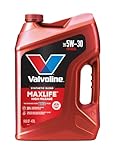
- Formulated for engines with 75,000 miles or more, Valvoline...
- Delivers 20% better wear protection and 15% better sludge...
- Extra detergents safeguard against friction, corrosion and...
- Advanced friction-fighting additives help maximize...
- Provides performance benefits for high mileage, new and...
Last update on 2026-06-23 / Affiliate links / Images from Amazon Product Advertising API
If the PDF is very large, it may not load in the preview below.
Some older TSBs had multiple PDFs — visit the NHTSA Website to view all PDFs.
If the TSB PDF does not show, download or view it on the NHTSA Website.
Click on the (+) Plus Sign
Then Click on Associated Document(s)
Search NHTSA Database for Recalls
Search NHTSA Database for Vehicle Investigations
View Latest Vehicle Investigations
Search NHTSA Database for Vehicle Complaints
View Latest Vehicle Complaints
TSB/Document ID: NTB21-051
Replacement Service Bulletin Number:
MFR Communication Date: 2021-06-22
MFR Internal Campaign ID/Software Version:
Communication Type: Service Bulletin/Repair Instructions
NHTSA Components: POWER TRAIN
MFR Component System:
MFR Component Subsystem:
Previous TSB | Next TSB |

- [Newly Added in 2026: 7 Reset Functions] The 2026 new version of the OBD2 scanner diagnostic tool CRP123X V3.0 Elite has new special functions for F.REE: Throttle Ad.aptation, Oil/SAS/BMS/Brake Reset, D-P.F Re.generation and ABS Service. Before you visit a mechanic, launch obd2 Scanner CRP123X Elite can perform a more in-depth diagnosis of the car system and provide accurate data within minutes. What's more, the list of compatible models has been expanded. Upgrading frequency is regular, occurring monthly even weekly.
- 🔥[FCA AutoAuth + CAN FD & DoIP] As an upgraded version of the LAUNCH CRP123X/CRP129X, FOXWELL NT614, and ANCEL FX2000, The Newest LAUNCH CRP123X V3.0 auto diagnostic scanner supports the following new protocols: CAN-FD for 2020 and newer G.M and Chrysler
 models, as well as DoIP for V.olvo, Land Rover/Jaguar, and B.MW F/G chassis. With integrated AutoAuth, you can diagnose 2018 and newer FCA cars equipped with S.GW. Note: CAN-FD and DoIP protocols require an additional obd2 cable. *Menus vary by make, model, and year of gasoline or diesel engine vehicle. Email us your VIN data.
 - 🔥[No extra software fee. Works on 90 vehicle brands.] Most OBD2 scanners work with vehicles manufactured after 2001. However, the LUNCH OBD2 scanner is compatible with OBDII-equipped vehicles built after 1996 and works with more than 90 vehicle brands. One-click lifetime updates over WIFI 2.4&5.0Ghz keep the car software current and ensure constant coverage additions, diagnose vehicles from 1996 to 2026 with a massive global database. Android 8.1 ensures lightning-fast boot-up and processing.
- [Accurate & Intuitive Multi System Diagnosis] Will you be confused about what happens when the warning light of transmission, ABS, and SRS Airbag check engine flashes? Launch obd2 scanner diagnostic tool CRP123X V3.0 to pinpoint the problem components for a faster diagnosis for your car instead of taking your car to the dealership. Generate vehicle health reports with one click and share them via email over Wi-Fi to help avoid blind maintenance. And will turn off the warning light for you after fixing the problem, make to know more about your cars and do your own repair.
- [Multiple Display of Live Data + DTC Code Definition Explanation] Launch car tools show real-time data of oil temp, pressure, transmission temp, engine speed, coolant temperature, you will know which car part is abnormal. Data can be shown in a single, multi- graph, and merge two graphs for analysis(or 4-in-1 merged waveform graph),you can save, share, print, or email the overall inspection report for easier analysis.🔥Code Search,DTC Library provide massive information. Inbuilt “Feedback” module provides customized repair suggestions from our certified professionals.

- 【2026 UPGRADED VERSION, NEW CHIPS, ADD MORE FUNCTIONS, No Extra Software Fee】Faster! The 2026 CRP123I V3.0 car diagnostic scanner has a new processor✅Android 8.1, 2+64GB of memory, 5-inch touchscreen (720P), 6100mAh rechargeable battery✅FCA SGW, New Protocol CANFD & DoIP✅Work with BST360 Battery Tester & i-TPMS Tire Pressure Detector Tool(Purchase Separately)✅2.4&5GHz dual WiFi,One-touch Lifetime Free update for 100+ Global brands(1996-2026),help you access,diagnose and fix more vehicles faster,upgrade of CRP123I V2.0.
- 【Newly Added 7 RESET FUNCTIONS】+ 【BATTERY VOLTAGE TEST】2026 New Ver. scan tool CRP123I V3.0 ADDS NEW SPECIAL FUNCTIONS-Throttle Adaptation,Oil Reset,SAS Reset,ABS Bleeding,BMS Reset,EPB Reset, DPF Regeneration,to maintain your vehicle system safely and efficiently.Graphing the battery voltage easier and more intuitive for the real-time monitors to check.It does not only reveal what error codes your car is producing,but also erase your vehicle's check engine light after the problem is fixed.
- 【Multi System Diagnostic Tool】LAUNCH CRP123I V3.0 obd2 scanner check ABS/SRS/AT/ENG systems &10 OBD2 modes, read/clear fault codes,Online Google Search, 4 IN 1 Graphing.Store and playback of dynamic data stream help to quick analysis and diagnosis. Generate vehicle health reports with one click and share them with your email via Wifi which helps avoid blind maintenance. CRP123I costs less, in the long run, saving you up to $2000 each year.
- 【Lifetime Free Update + FCA SGW +CAN FD & DoIP】This scan tool features One-click wifi update and fre e for fixing more bugs; Realtime battery voltage graphing helps to Judge the state of the battery; Auto Vin,facilitate accurate diagnosis and provide useful information.Besides,CRP123I V3.0 support AutoAuth for FCA SGW,For 2017 and later FCA Vehicles with Secure Gateway Module (SGW);New Protocol CANFD & DoIP cover more newer car and boost 4X faster data transfer(need extra adapters).
- 【Cover 10000+ Models & 100+ Car Brands】CRP123I V3.0 Elite code reader for cars and trucks is capable of diagnosing fault codes on more than 10000+ vehicles from 1996 to 2026 and 90+ car makes worldwide. Support almost all 12V OBDII cars such as SUVs, minivans, light-duty trucks, etc. It's an excellent tool for all types of mechanics from novice to pros. NOTICE: Compatibility will vary on vehicles' model and year, pls reach us via Q&A/message before purchase.

- [2026 X431 PRO3 V+ Elite] A great value for the X431 series that differs from similar diagnostic tools by adding: 1) J2534 protocol for over $800 in savings; 2) CANFD/DOIP support for enhanced communications; 3) Configuration of over $900 worth of HD(heavy truck) modules, needed purchase HD diagnostic software by HD vehicle model for use.; 4) A 10.1 inch Gorilla screen with 1280*800 resolution and 80% more touch screen sensitivity
- [J2534 Protocol Scan Tool] The J2534 Direct Access Device can be used as a factory scanning tool at no cost to you, saving you over $2,000. You can easily expand your ECU protocol capabilities for Toyota, Honda, VW, BMW, Ford, GM, Chrysler, Mercedes-Benz and more. The LAUNCH X431 PRO3 V+ ELITE Scan Tool is equipped with the newly upgraded smartlinkC V2.0. smartLinkC is a communication interface that supports the J2534 specification. It can also be used as a J2534 PassThru device to implement the J2534 protocol with a PC that has OEM diagnostic software installed.The J2534 protocol is the only way to solve problems ranging from drivability and power loss to poor fuel economy
- [Top Hardware Configuration, Upgraded Version of V+] LAUNCH Diagnostic Scanner adopts Android 10.0 OS; CPU is 4-core processor with 2.0 GHz, which greatly improves the speed of running multi-tasks. 2.4GHz/5GHz; 6300mAh/7.6V ultra-large capacity battery; 10.1 inch Gorilla screen, sunlight readable, 8MP camera; Auto VIN; 4GB+64GB storage; 20x transfer rate to save more vehicle files and customer data; New TYPE A interface to connect expansion tools such as oscilloscopes, sensors, etc.; Supports more than 25 software languages such as EN, DE, FR, SP and JP
- [60+ Reset 3000+ Active Test] Full Bi-Directional Scan Tool quickly detects problems and guides repairs based on the response of actuators such as air conditioning clutches, windows, doors, mirrors and more. With the touch of a finger, you can easily send command signals from the scanner to a variety of modular actuators, testing component integrity and functionality in minutes or even seconds to determine if a replacement or repair is needed. In addition, the machine enjoys 60+ special services such as oil reset, ABS brake bleed, EPB, SAS, BMS, suspension, injector reset and more, and undergoes rigorous field testing to ensure availability
- [Unrivaled Coverage, Over 200 Vehicle Brands] LAUNCH X431 PRO3 V+ Elite Automotive Scanner is suitable for over 200 vehicle brands, including commercial vehicles and new energy vehicles. This professional car scanner supports: 1) J2534/D-PDU protocol for HD trucks; DoIP/CANFD for Land Rover/Jaguar, BMW F/G chassis, GM, etc.; 2) FCA Autoauth, covering 2018+ Chrysler/Dodge/Fiat, etc. New/old models, all covered. Includes frequently updated vehicle software and car coverage for faster support of other new models
Last update on 2026-06-23 / Affiliate links / Images from Amazon Product Advertising API
This product presentation was made with AAWP plugin.