
NHTSA ID Number: 10197333
Manufacturer Communication Number: WB08-X-001H
TSB/Document Date: 2021-06-14
Summary
THIS BULLETIN PROVIDES INSTRUCTIONS WITH REGARD TO THE ISUZU COMMERCIAL VEHICLE (CV) WARRANTY PARTS CENTER ON THE TOPICS OF PARTS RETENTION, PARTS PREPARATION FOR SHIPPING, AND ADMINISTRATION. NOTE: EFFECTIVE JUNE 1, 2021 DEALERS/SERVICE CENTERS MUST RETURN PARTS REQUESTED BY ISUZU TO THE CV WARRANTY PARTS CENTER USING THE PREPAID SHIPPING LABELS PROVIDED BY ISUZU. SEE THE FREIGHT REIMBURSEMENT SECTION FOR DETAILS. THE CV WARRANTY PARTS CENTER PROCESS IS USED TO OBTAIN PARTS REPLACED BY ISUZU DEALERSHIPS AND ISUZU ENGINE CERTIFIED SERVICE CENTERS (EXCLUDING CANADA) TO ENABLE ISUZU TO PERFORM ROOT CAUSE ANALYSIS OF CUSTOMER PRODUCT CONCERNS. THE CV WARRANTY PARTS CENTER ISSUES PART RETURN REQUESTS TO THE DEALERSHIPS/SERVICE CENTERS TO OBTAIN THE DESIRED PARTS. DEALERS/SERVICE CENTERS MUST RETURN TEH REQUESTED PARTS TO THE CV WARRANTY PARTS CENTER WITHIN 20 DAYS OF NOTIFICATION OF THE REQUEST. FAILURE TO COMPLY WITH THE REQUEST MAY REQUEST IN PARTIAL OR COMPLETE CHARGEBACK OF THE CLAIM ASSOCIATED WITH THE REQUEST. CHARGEBACKS FOR NON-RETURNED PARTS ARE PROCESSED AUTOMATICALLY BY THE CV WARRANTY PARTS CENTER COMPUTER SYTSEMS. TO ENSURE COMPLIANCE WITH TEHSE REQUIREMENTS AND AVOID A CHARGEBACK SITUATION, IT IS HIGHLY RECOMMENDED THAT AN INDIVIDUAL (AND A BACK-UP PERSON) BE ASSIGNED THE RESPONSIBILITY OF PROCESSING THESE REQUESTS AS QUICKLY AS POSSIBLE.
BULLETIN NUMBER:
WB08-X-001H
IMPORTANT SERVICE
INFORMATION FOR:
SERVICE MANAGER
SERVICE ADVISOR
TECHNICIAN
PARTS DEPARTMENT
WARRANTY PERSONNEL
ISSUE DATE:
MAY 2021
GROUP:
MISCELLANEOUS
CV WARRANTY PARTS CENTER/CORPORATE PARTS RETURN
SYSTEM ANNOUNCEMENT (POLICIES AND PROCEDURES)
AFFECTED VEHICLES
All Isuzu Commercial Vehicles
2010MY and Prior GMC /Chevrolet W-Series Medium Duty Vehicles
2009MY and Prior 7.8L 6HK1 Isuzu Diesel Engines (LG4/LF8)
This bulletin supersedes warranty bulletin WB08-X-001G. This bulletin is being
revised to announce prepaid freight and update policy information. Please discard
previous bulletin WB08-X-001G.
This bulletin provides instructions with regard to the Isuzu Commercial Vehicle (CV) Warranty
Parts Center on the topics of parts retention, parts preparation for shipping, and administration.
NOTE: Effective June 1, 2021 dealers/service centers must return parts requested by Isuzu
to the CV Warranty Parts Center using the prepaid shipping labels provided by Isuzu. See
the Freight Reimbursement section for details.
The CV Warranty Parts Center process is used to obtain parts replaced by Isuzu Dealerships and
Isuzu Engine Certified Service Centers (excluding Canada) to enable Isuzu to perform root cause
analysis of customer product concerns. The CV Warranty Parts Center issues part return
requests to the dealerships/service centers to obtain the desired parts. Dealers/service centers
must return the requested parts to the CV Warranty Parts Center within 20 days of notification of
the request. Failure to comply with the request may result in partial or complete chargeback of
the claim associated with the request. Chargebacks for non-returned parts are processed
automatically by the CV Warranty Parts Center computer systems. To ensure compliance with
these requirements and avoid a chargeback situation, it is highly recommended that an individual
(and a back-up person) be assigned the responsibility of processing these requests as quickly as
possible.
NOTE: Requested parts received after a chargeback has been initiated (late parts) will not stop
or reverse the chargeback process.
INFORMATION
Requests - “Part” or “Repair Order Only”
When a part (with repair order copy) or repair order ONLY is needed, the request will be
communicated through the Isuzu Communication System (ICS). The requests will be posted in
the “Warranty Parts Return Requests” section. Refer to the sample report provided.
The service manager, parts manager, and warranty administrator at your dealership will also
receive a one-time email for each warranty parts return request that Isuzu creates. Ensure that
these individual email addresses are correct by reviewing them in GoIsuzu.net. These emails are
a courtesy and in no way replace the dealer’s responsibility to check ICS for new Warranty Parts
Return Requests.
Part Preparation for Shipping
All parts related to a request should be returned together. The area of concern should be clearly
marked so that it can be easily identified. Try to ship each request in a separate box. If an
individual request requires several boxes because of size or other limitations, ensure each box is
marked with the claim number and grouped with the other boxes that are part of the claim. DO
NOT SEND MULITIPLE REQUESTS IN THE SAME BOX. Copies of the “request”, repair order
(legible copies of both sides of the hard copy including technician notes/comments) and an Isuzu
Warranty Parts tag must be attached to each part sent to the CV Warranty Parts Center. The
claim number pertaining to the requested part should be highlighted. Place the folded paperwork
in a plastic packing bag with the highlighted claim numbers facing out. The bag containing all
paperwork must be securely attached to the appropriate part. This process will assist in
processing and crediting the dealership/service center for returning the part in a timely manner.
When possible, the container from the new/replacement part should be used for the return of the
failed part. However, all previous shipping labels should be removed or covered prior to re-use.
(Leaving a prior shipping label exposed can cause errors in shipping.) Be sure to use ONLY boxes
without hazardous materials labeling to return NON hazmat parts. Parts containing or soaked by
fluids, such as oil or fuel, MUST be thoroughly drained, wiped clean and placed in an appropriate
packing container and securely packaged to prevent leakage or contamination. Transfer all caps
and plugs from the new part to the replaced part for shipping. Use only clean dry boxes to return
parts. Boxes that have absorbed oil or other fluids should not be used to return parts.
Be sure to package parts in a manner that will prevent them from being damaged during shipping.
Bubble wrap or other protective packing material may be needed. It is important that parts arrive
in the same condition they were in when they were removed from the vehicles.
Parts Retention and Requests
The Service Policy and Procedure Manual (SP&P) states all warranty parts are to be turned into
your dealership’s parts department by technicians for tagging, retention and/or return. This
includes all parts with core charge as well as all parts for repairs performed by a sublet shop.
Retain for inspection all warranty parts for a minimum of 30 days from the FINAL claim payment
notification or until an Isuzu representative authorizes their scrapping, whichever occurs first.
Parts (excluding parts with core charge) not requested within the 30-day retention period, or
scrapped per the authorization of an Isuzu representative, MUST BE DESTROYED AND
SCRAPPED BY THE DEALER/SERVICE CENTER. Parts with core charge not requested within
the 30-day retention period should be returned for core credit as outlined in the Dealer Parts
Policies and Procedures Manual. Under no circumstances are warranty parts to be installed on
any vehicle sold retail or as salvage, or used in any other application.
IMPORTANT: Do not return parts to the core consolidator until after the 30-day retention period
has expired.
Daily, or after the claim is paid, the dealer/service center should check the Warranty Parts Return
Request screen in ICS for “parts” or “repair order ONLY” requests. This screen will identify the
paid claims with open requests. From this screen the request details (packing list) can be viewed
and printed. A copy of this claim detail (packing list) must be returned with the requested parts.
Sample images are provided below. All CV Warranty Parts Return requests take priority over
returning cores to the Core Return Center. If the part return system did NOT request the part,
then per the Isuzu SP&P manual, parts with core charges should be returned to the appropriate
core return center, and parts without core charges should be scrapped locally.
IMPORTANT: Do NOT return parts to Isuzu that were not requested. Unsolicited and/or nonIsuzu parts returned to the Isuzu CV Warranty Parts Return Center will become the property of
Isuzu Commercial Truck of America and may be scrapped.
Requested parts should be shipped and post-marked no later than 20 days from the date
requested. The number of days the warranty parts request has been open is displayed on the far
right column of the “Warranty Parts Return Requests” section of ICS. Parts must be shipped
using the prepaid labels available from Isuzu in ICS. Other delivery methods will not be
reimbursed by Isuzu.
Parts Waiver Request
On those rare occasions when a requested part is not available for return, a Parts Waiver Request
Form must be completed and sent to your dealer’s DSPM immediately.
The Parts Waiver Request Form can be found on GoIsuzu.net in a “fillable” PDF format. To access
this form, perform the following:
Go to www.goisuzu.net and log in.
Click on the “MENU” button in the upper left hand corner of the GoIsuzu.net main page.
Click on “Service”.
Click on “Literature and Forms”.
Click on the “Warranty Parts Waiver Form” PDF icon.
Click on “Download” next to the PDF Icon above the Parts Waiver Request Form in order
to download the “fillable” PDF.
Complete the Parts Waiver Request Form, save it on your computer, and send it to your DSPM
as an email attachment. Your DSPM will then send it to the CV Warranty Parts Return Center.
Forms must be completed, signed by your DSPM or other authorized Isuzu representative and
received by the CV Warranty Parts Return Center within 20 days of the part requested date.
Waivers received after 21 days will not be considered.
Please note that not all explanations will prevent a chargeback.
Repair Order Only Requests
If a “Repair Order Only” request is received, return legible copies of the R.O., including technician
comments, directly to the requester using the mailing address provided on the CV Warranty Parts
Center request. DO NOT RETURN PARTS on this type of request. When returning “Repair
Order Only” requests, only use REGULAR 1 st Class Postal Service mail. Do not use Registered,
Certified or Insured mail of any type.
Core Reimbursement
Core credits for warranty engines and transmissions requested by the Isuzu Quality Center (IQC)
or Technical Assistance Line (TAL) will be processed automatically once the core has been
received. No action is required by the Dealership. Other core charges for parts requested by the
CV Warranty Parts Return Center may be claimed against the original warranty claim with an Add
Credit claim once the warranty parts request status is “Received”. When an engine or
transmission is collected by the IQC or TAL, upon receipt of the core, the core credit will be issued
automatically back to the dealer. Do NOT attempt to add core value for an engine or transmission
to a warranty claim.
Freight Reimbursement
We are pleased to announce prepaid shipping for warranty part return requests is now
available in ICS. This new function will allow dealers to more easily return any requested
part to the Isuzu CV Warranty parts center at no cost to the dealer. The system will generate
Federal Express prepaid labels for packages under 150 lbs. For freight over 150 lbs. and certain
oversized items, Yellow Roadway Corporation (YRC) freight prepaid labels are also available.
Follow the information provided in this bulletin to learn where to find and how to use the new
prepaid shipping function. Dealer MUST use this option when returning requested warranty parts
to Isuzu.
Dealers/service centers will not be reimbursed for freight. Isuzu provides prepaid shipping labels
for all warranty parts returns at no cost to the dealer. Make sure the follow the steps provided in
this bulletin to print out the prepaid shipping labels to return requested warranty parts to Isuzu.
Labor Hours
Dealers can submit their actual time used to process Warranty Parts Center (WPC) part return
requests, up to a maximum of .3 hour per claim. For "repair order only" requests, up to .2 hour
can be submitted. The time requested for reimbursement depends on the complexity of the
request as determined by the dealer. If other labor hours (OLH) are required, dealers must obtain
DSPM approval.
IMPORTANT: For all CV Warranty Parts center claims, be sure to attach a copy of the CV
Warranty Parts request and shipping invoice to the repair order.
Submit a “Regular” warranty claim using Labor Operation Z7200 for warranty part return
administrative time reimbursement. Enter labor hours into the “Labor Hours” field. Only this field
should be used for reimbursement. Any other entries may delay claim payment.
All related documentation, including a copy of the CV Warranty Parts Center return request, must
be retained for future reference in accordance with the Isuzu SP&P manual.
Important Isuzu CV Warranty Parts Center Information to Remember
Request Communication
ICS Warranty “Warranty Parts Return
Request”
Isuzu Warranty Parts Tag (part no.)
2-90184-220-0
CV Warranty Parts Center Shipping Address
Ship all parts to:
CV Warranty Parts Center
1600 S. Claudina Way
Anaheim, CA. 92805
TEL: 657-295-4011
FAX: 657-295-4061
Index View of the WPR Request Screen
1. Select an Action for a specific claim
o Packing Slip or
o Generate label
2. Request Search Function (by status, by date)
3. Possible Statuses:
a. Open (Red) – New request
b. Open (Black) - Open request viewed at least one time by dealer
c. Label Generated (Blue) – Open request viewed at least one time by
dealer
d. In Transit – Carrier has picked up the package
e. Delivered – Carrier has delivered the package to the CV WPC
f. Prtl Rcpt – Fewer than 100% of the requested parts were received by
the CV WPC
g. Accepted - 100% of all requested parts were received by the CV WPC
h. Chgd Bck – CV WPC did not receive the requested part within the
policy guideline
i. Cancel – Isuzu canceled this part request
j. Yellow Highlight – request is 15 – 20 days old
k. Red Highlight – request is over 20 days old
l. Blue Text and Underlined – links to shipping information
ICS Warranty Parts Return Request Process
ICS Main Menu:
1. Click on “Warranty Part Rtrn Req.” and locate the desired claim.
2. Click on “Select Action” then click on “View Packing List”. This list will provide the
warranty part(s) that need to be returned to Isuzu.
3. Print this preliminary version of the Packing List to use as a “pick list” to retrieve
the requested parts for the claim.
NOTE: A final version of the Packing List will need to be printed after the
shipping label has been generated. Only this final version will contain the
important shipping information that must be included with the parts being
returned.
4. Retrieve and properly package the parts, but do not seal the box(es) yet. If
multiple boxes are necessary to return a single request, make sure to note the
contents of each box. This detail will be needed when generating the shipping
label and final packing list.
5. Click on “Select Action” then click on “Generate Label”.
6. Follow the instructions to generate either a FedEx shipping label or a YRC
shipping label. Be sure to select the appropriate carrier based on the weight
and/or size of the part(s) being returned. Packages under 150lbs should be
shipped via FedEx while parts over 150lbs or oversized should be shipped via
YRC.
7. Print one shipping label for each box that will be shipped for that claim (shipping
labels can be reprinted as necessary after the initial print).
8. Click on the “Packing List” tab above the shipping label to generate the final
Packing List. Print one copy of the final Packing List for each box that will be
shipped for that claim.
NOTE: Each copy of the final Packing List must include the shipping
information at the bottom.
9. Place a copy of the final Packing List, which includes the box number (more than
one copy may be needed if there are multiple boxes for 1 request) into each box
being returned for that claim. Finish packaging the parts.
10. Properly affix shipping label(s) to the package(s) created in Step 4.
11. Schedule package pick up with the selected carrier. The carrier will deliver the
packages to the Isuzu Warranty Parts Center. The status for your return will
change from “Label Generated” to “In Transit”.
12. Monitor the status of your returned parts in the “Warranty Part Rtrn Req.” section
in ICS. (Refer to the “Index View of the WPR Request Screen” above.)
13. When the part is received by the shipping department and the WPC, the request
status will change to “Delivered”.
14. The delivered packaged will normally be processed by the WPC within 24 hours.
If all parts were returned as requested, the request status will change to
“Accepted”. (Refer to the “Index View of the WPR Request Screen” above for
other possible statuses).

- 3X Stronger than the leading full synthetic*
- 10X Better high stress performance**
- 20,000 miles between oil changes***
- Viscosity breakdown as measured in Kurt Orbahn test on 5W...
- As measured in Seq IX test under high load/torque conditions...

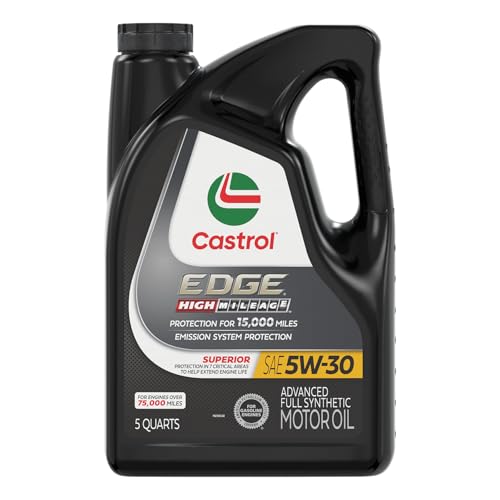
- Phosphorus Replacement Technology to help extend the life of...
- Reduces leaks, oil burnoff and power robbing deposits
- 15,000 miles between oil changes*
- Meets or exceeds the following specifications: API SP/SN...
- Or one year, whichever comes first
If the PDF is very large, it may not load in the preview below.
Some older TSBs had multiple PDFs — visit the NHTSA Website to view all PDFs.
If the TSB PDF does not show, download or view it on the NHTSA Website.
Click on the (+) Plus Sign
Then Click on Associated Document(s)
Search NHTSA Database for Recalls
Search NHTSA Database for Vehicle Investigations
View Latest Vehicle Investigations
Search NHTSA Database for Vehicle Complaints
View Latest Vehicle Complaints
TSB/Document ID: WB08-X-001H
Replacement Service Bulletin Number:
MFR Communication Date: 2021-05-21
MFR Internal Campaign ID/Software Version:
Communication Type: Service Bulletin/Repair Instructions
NHTSA Components: EQUIPMENT
MFR Component System:
MFR Component Subsystem:
Previous TSB | Next TSB |

- [Notice] When you receive a used device, it may be a customer return resold by Amazon without inspection. You can exchange it for a new one through Amazon. As this situation is unavoidable, we sincerely apologize. For any issues, contacting us via Amazon's "Messages" is the best way. THINKSCAN 689BT Bidirectional Scan Tool Can Be Used Immediately After It is Turned On, Without Complicated Registration Process, Which is More Convenient & Quick.
- Full Bi-Directional Control & 3000+ Active Tests: Take control and test components like actuators, fuel injectors, relays, and cooling fans in real time. You’ll quickly see if the problem is in the part itself or the control module — saving you hours of guesswork and frustrating trial-and-error.
- Advanced ECU Coding Capabilities: Handle module matching and hidden feature activation with confidence. When you replace an ECU or want to customize settings, this obd2 scanner diagnostic bi directional tool gives you the professional-level capabilities you need without the dealership price tag.
- 34+ Useful Reset and Maintenance Functions: Complete everyday service tasks smoothly with a wide range of helpful reset and maintenance functions. Whether you’re keeping up with regular upkeep or tackling a specific job, this scanner makes maintenance simpler and less stressful for both DIYers and pros.
- Comprehensive Full System Diagnostics: Diagnose every major system — Engine, Transmission
 , ABS, SRS, TPMS, and more — all in one place. Finally stop wondering if you’re missing something important; get the full picture and clear codes with ease.

- Top Reasons to Choose the D7S OBD2 Scanner: XTOOL D7S car scan tool, an upgrade of XTOOL D7, offers comprehensive features for automotive technicians, workshops, and DIY enthusiasts 1. Upgraded Hardware: 2+64GB memory, rear camera, intuitive interface, foldable bracket 2. Complete Diagnostics: FCA Autoauth, OE-level all system scan, 39+ maintenance services, 4K+ bidirectional, CANFD/DoIP protocol 3. Advanced Capabilities: ECU coding, PMI functions 4. Wide Compatibility: Support 10,000+ models, covering 99% vehicle brands 5. Multi-language: Available in 22+ languages, No IP Restrictions 6. 3-Year Updates: Save 300 bucks on software updates for the latest features and optimizations
- 2026 Upgraded D7S Car Scanner Features: The newly 2026 D7S V2.0 scanner for car brings exciting features for advanced vehicle diagnostics and enhanced user experience 1. FCA AutoAuth: Now supports FCA SGW module for Chrysler, for Jeep, for Dodge (2018+), for Fiat (2017+), enabling faster vehicle communication without gateway restrictions 2. PMI (Offline ECU Programming): Allows for Ford, for Lincoln, and for Mazda ECU programming for new modules 3. Optimized Diagnostic Report 2.0: Personalized reports with logos and customer info for auto shops. Note: Compatibility varies by cars, please check before order
- Cost-effective ECU Coding Scan Tool for Specific Brands: Enhance your vehicle's performance with XTOOL D7S! This obd2 scanner all systems bidirectional offers advanced capabilities at an affordable price, supports online for BMW, for Benz and offline for BENZ, for MIT, along with PMI functions for Ford, for Mazda, and for Lincoln. Ideal for technicians and DIY enthusiasts, this automotive scanner diagnostic tool optimizes vehicle performance and enhances the driving experience. Note: Not for all cars and modules, please send car VIN to check the compatibility before purchase
- OE All System Diagnostic & 8 Pids Graphing: XTOOL D7S is a comprehensive all system bi directional obd2 scanner that delivers dealer-level diagnostics, completely controlling over your vehicle’s performance and health. This automotive scan tool can read and clear DTCs, view live data and ECU information, retrieve freeze frames, and perform active tests and full obd2 functions. This bi-directional scan tool can can identify your vehicle's make, model, and year information with just one click and show up to 8 PIDs live data with options for CSV viewing, playback, and recording for in-depth analysis. It is easy-to-use for both professionals and beginners, helping pinpoint issues efficiently
- 3 Years Software Update, Value for Money: With 3 years of software updates and 22+ languages(no IP restrictions), XTOOL D7S auto scanner code scanner ensures ongoing compatibility for the latest car models and improved diagnostic functions. This all system vehicle diagnostic scanner comes with a 30-day return policy and a 24-month repair for dependable performance. XTOOL are dedicated to your satisfaction, so enjoy seamless support and lifetime expert assistance. Should you encounter any issues or concerns, don’t hesitate to reach out XTOOL. D7S with newest update with 22 languages freely transfer without authorization, check details from setting-language or from XTOOL

- 【✅Compared to BOSSCOMM IF742, IF745 Offers Full-System Diagnostics】The BOSSCOMM IF745 car diagnostic scanner is an upgraded model of IF742. In addition to supporting all OBD2 Code Reader functions and 6 reset options (ABS/EPB/SAS/BMS/Oil/Throttle), it expands diagnostics from 4 systems (Check Engine/ABS/SRS/Transmission) to vehicle All systems, including Steering, Suspension, and Body Electronics. This provides deeper, more comprehensive diagnostic capabilities.
- 【✨6 Essential Resets: ABS Bleeding, Oil, EPB, SAS, Throttle, BMS】The BOSSCOMM IF745 obd2 scanner diagnostic tool swiftly purges air from brake lines to restore braking sensitivity, fine-tunes maintenance cycles to eliminate false alerts, resolves parking brake issues with one-click control, recalibrates steering sensors for stability, optimizes engine idling/acceleration for smoother performance, and deeply resets battery systems to extend lifespan and range via precise parameter adjustments.❗NOTE: Does NOT support bidirectional control, coding, or programming.
- 【✨Deep Diagnostics for All Vehicle System Modules】Beyond code reading/clearing and ECU information retrieval, our all-in-one data stream feature lets you inspect all current fault codes and their locations across the vehicle’s systems. This vehicle code reader helps you turn off dashboard warning lights and perform a comprehensive self-check of your car at home—no more back-and-forth trips to the repair shop or hefty inspection fees.
- 【✨10 OBD2 Functions】The BOSSCOMM IF745 scan tool’s DTC Lookup instantly translates fault codes into user-friendly explanations, its I/M Readiness feature streamlines emissions testing with a single tap, and Freeze Frame lets you pinpoint the exact moment of a fault for in-depth root-cause diagnosis. Combined with a live data dashboard and advanced diagnostics (O2S, OBMon, EVAP), it delivers comprehensive insights for confident troubleshooting.
- 【✨10,000+ Car Models, AutoVIN, 13 Languages】The BOSSCOMM IF745 vehicle scanner diagnostic tool covers 73+ global car brands and offers support in 13 languages, making it perfect for DIYers, auto mechanics, or as a thoughtful gift. With a single-click AutoVIN feature, it instantly retrieves vehicle serial numbers, streamlining diagnostics for users globally. This adaptable tool balances user-friendliness with precision, catering to both personal and professional requirements.✅Unsure about compatibility? Compatibility will vary on vehicles' model and year, pls reach us via 📧 [email protected] 📧 before purchase.
This product presentation was made with AAWP plugin.