
NHTSA ID Number: 10192604
Manufacturer Communication Number: NTB13095C
TSB/Document Date: 2021-05-10
Summary
IF YOU CONFIRM: The vehicle speed is, or was, reduced by the CVT fail-safe (reduced vehicle speed) after continuous operation under the following conditions: * High RPM and/or high speed driving (4000 RPM or more, and/or 65 MPH or more for 1.0 - 1.5 hrs or more) * Driving in ambient temperature of 96 degrees or higher * Climbing steep or extended hills for 6 miles or more * Whine or rattle type noise occurring during reduced engine performance (vehicle speed decrease) NOTE: Before applying this bulletin if the vehicle has any DTCs, they should be checked and repaired first. ACTION: Install SERVICE KIT-COOLER ASSY. See this bulletin for further details.
Classification:
AT13-011c
Reference:
Date:
NTB13-095c
November 25, 2015
2007-2012 SENTRA; REDUCED PERFORMANCE DUE TO CVT
FLUID TEMPERATURE PROTECTION LOGIC
This bulletin has been amended to revise the flow chart on page 2 with additional repair
information. Please discard all previous versions.
APPLIED VEHICLE:
APPLIED ENGINE:
2007-2012 Sentra (B16)
MR20
IF YOU CONFIRM:
The vehicle speed is, or was, reduced by the CVT fail-safe (reduced vehicle speed) after
continuous operation under the following conditions:
High RPM and/or high speed driving
(4000 RPM or more, and/or 65 MPH or more for 1.0 – 1.5 hrs or more)
Driving in ambient temperature of 96 degrees or higher
Climbing steep or extended hills for 6 miles or more
Whine or rattle type noise occurring during reduced engine performance (vehicle speed
decrease)
NOTE: Before applying this bulletin if the vehicle has any DTCs, they should be checked
and repaired first.
ACTION
1. Perform a self-diagnosis with CONSULT-III plus (C-III plus).
If DTCs are present, refer to the appropriate section of the Electronic Service Manual
(ESM) and diagnose the DTCs first before proceeding to step 2 of ACTION.
2. Check the number of counts of "CVT-A” and “CVT-B" with C-III plus.
Refer to the Flow Chart on page 2 and the Service Procedure starting on page 3 to
confirm if this bulletin applies.
IMPORTANT: The purpose of “ACTION” (above) is to give you a quick idea of the work you will be
performing. You MUST closely follow the entire Service Procedure as it contains information that is essential
to successfully completing the repair.
Nissan Bulletins are intended for use by qualified technicians, not 'do-it-yourselfers'. Qualified technicians are
properly trained individuals who have the equipment, tools, safety instruction, and know-how to do a job
properly and safely. NOTE: If you believe that a described condition may apply to a particular vehicle, DO
NOT assume that it does. See your Nissan dealer to determine if this applies to your vehicle.
1/10
Flow Chart
Important
Before applying this bulletin:
Confirm that the CVT fluid has not been overfilled, and that it contains the proper
CVT fluid.
Confirm that the coolant concentration is not greater than 50%.
Use of incorrect fluid, overfilling the CVT fluid, or coolant concentrations greater than
50% can cause the symptoms in the IF YOU CONFIRM section on page 1.
Refer to NTB12-057 to resolve these conditions first if they should
occur.
NOTE: Refer to the ESM for the correct CVT fluid and coolant type for the model and
year vehicle that is being worked on.
Check the CVT-A and
CVT-B counts with CIII plus.
Yes Is the CVT-A count
greater than 1?
No
Is the CVT-A count 24 or
more?
No
Refer to bulletin
NTB12-057 for related
service information.
Yes
And/or
Are 2 or more of the
following DTCs stored?
P0840
P0845
P0710
Replace only the Control
Valve assembly, and
then install the External
CVT Fluid Cooler kit.
Go to page 5.
Pre-authorization is required
before CVT replacement.
Print screen showing CVTA; CVT-B counts for
Powertrain Cal Center
approval.
Replace the CVT assembly, and then
install the External CVT Fluid Cooler kit.
Go to page 5.
NOTE:
If the CVT-A count is not greater than 1 and similar symptoms to those in
IF YOU CONFIRM and/or a single DTC is present, refer to the ESM and
NTB12-057 for further diagnosis.
Refer to the ESM section TM – Transaxle & Transmission for removal and
installation information for the Control Valve or CVT assemblies.
2/10
NTB13-095c
SERVICE PROCEDURE
Check CVT-A and CVT-B count with C-III plus
1. Open C-III plus and select
Diagnosis (All Systems).
Select
Figure 1
2. Select TRANSMISSION.
Step 2
Figure 2
3/10
NTB13-095c
3. In Data Monitor select TRANSMISSION
and then select CVT-A and CVT-B.
Select
TRANSMISSION
Select CVT-A
and CVT-B
4. Select START.
Step 4
Figure 3
Confirm VIN is
present
5. Check both CVT-A and CVT-B counts
and refer to the Flow Chart on page 2 to
confirm if this bulletin applies.
NOTE: If the CVT-A count is not greater
than 1 and similar symptoms to those in
IF YOU CONFIRM and/or a DTC are
present, refer to the ESM and
NTB12-057 for further diagnosis.
Figure 4
6. If it is confirmed that this bulletin applies, install the SERVICE KIT-COOLER-ASSY
listed in the Parts Information.
And
If the CVT count is 24 or greater, replace the CVT assembly.
Or
If the CVT count is less than 24, replace the Control Valve Assembly.
IMPORTANT: Pre-authorization is required before CVT replacement. Print screen
showing CVT-A; CVT-B counts for Powertrain Call Center approval.
Refer to the Installation Instructions beginning on the next page to install the
SERVICE KIT-COOLER-ASSY.
Refer to the ESM section TM – Transaxle & Transmission for removal and
installation information for the Control Valve or CVT assemblies.
4/10
NTB13-095c
INSTALLATION INSTRUCTIONS
1. Place the vehicle on a lift and raise it as needed to perform the following procedure.
Attach with 3 bolts
2. Install the “COOLER ASSY – AUTO
TRANS. OIL” to the pre-existing weld
nuts on the front of the radiator support
with bolts from kit.
Torque bolts to 7N•m (0.71 kg-m, 62
in-lb).
NOTE: Figure 5 is shown looking from
the bottom of the vehicle upward, at the
lower front radiator/condenser support.
COOLER ASSY – AUTO
TRANS. OIL
Figure 5
Route hoses past radiator
into engine compartment
NOTE: Figure 14 on page 8 shows an
overview of the external CVT cooler and
hose routing.
3. Route both hoses through the radiator
support and into engine compartment.
Figure 6
Remove Air Inlet
4. Remove the Air Inlet to gain access to
the CVT Fluid Cooler.
Figure 7
5/10
NTB13-095c
Detach the harness and the
battery J-bolt from the TCM
Unbolt the TCM
bracket and place the
bracket out of the way
Figure 8
5. Detach the Engine Room harness and
the battery J-bolt from the TCM bracket.
TCM moved out of
the way and bracket
removed
6. Unbolt the TCM bracket and place it out
of the way.
WARNING:
Never remove the radiator cap when
the engine is hot. Serious burns may
occur from high-pressure engine
coolant escaping from the radiator.
7. Relieve any residual cooling system
pressure.
Figure 9
a. Wrap a thick cloth around the
radiator cap. Slowly turn it a quarter
of a turn to release the pressure.
Clamp both
coolant hoses to
CVT fluid cooler
b. Then turn it all the way.
8. Clamp both of the coolant hoses
attached to the CVT Fluid Cooler to
prevent coolant loss.
CVT Fluid Cooler
Figure 10
6/10
NTB13-095c
9. Remove both of the CVT Fluid Cooler
coolant hose (Water Hose B and Water
Hose C) spring clamps and then
remove both of the hoses from the CVT
Fluid Cooler.
NOTE: These spring clamps will be
saved for reassembly.
CVT Fluid Cooler with
coolant hoses removed
Figure 11
Do not disturb oil filter
10. Loosen the CVT Fluid Cooler mounting
bolts (4 bolts) and remove the CVT
Fluid Cooler.
11. Clean any debris from the CVT Fluid
Cooler mounting surface with brake
cleaner and a lint free cloth.
Clean surface
NOTE: Use genuine Nissan Brake
Cleaner or equivalent.
Figure 12
12. Coat the O-ring on the new CVT Fluid
Cooler using NS-2 CVT fluid before
installing it onto the CVT Cooler
mounting area.
Coat O-ring
with NS-2
Figure 13
7/10
NTB13-095c
CLP – HOSE SPR PLATE
COOLER ASSY – AUTO
TRANS. OIL
CVT Fluid Cooler
CLP – HOSE SPR PLATE
HOSE – AUTO TRANS. UPR
Bolt
HOSE – AUTO TRANS. LWR
CLP – HOSE SPR PLATE
CLP – HOSE SPR PLATE
Figure 14
Figure 14 shows overview of external CVT cooler and hose routing.
8/10
NTB13-095c
13. Install the new CVT Fluid Cooler from the kit onto the CVT and tighten the mounting
bolts to 3.63 N•m (0.37 kg-m, 32 in-lb).
14. Use a lint-free cloth and genuine Nissan Brake Cleaner or equivalent to remove any
residual coolant from the inside of both of the coolant hoses before re-assembly of the
hoses to the CVT fluid cooler.
15. Re-install CVT Water Hose B and CVT
Water Hose C onto the new CVT Fluid
Cooler and reposition spring clamps.
Re-install Water Hose B and C and
reposition spring clamps
Position the spring clamps as close
to each fitting bulge as possible and
then release them.
NOTE: Confirm that the clamps are not
on top of each fitting bulge or on an
angle.
Figure 15
16. Place 2 new “CLP – HOSE SPR
PLATE” (spring clamps) onto the
COOLER ASSY – AUTO TRANS. OIL
hoses and install the cooler hoses on to
the CVT Fluid Cooler.
See Figure 14 for hose routing.
Position the hoses so that they do
not come in contact with the radiator
support.
Position the spring clamps as close
to the fitting bulge as possible and
then release them.
COOLER ASSY – AUTO
TRANS. OIL hoses
Figure 16
NOTE: Confirm that the spring clamps
are not on top of the fitting bulge or on
an angle.
17. Reassemble the components removed in steps 4 – 6 in reverse order.
18. Check the level of the coolant and add as needed.
Refer to ESM for correct coolant for the model year vehicle that is being worked on.
19. Check the level of the CVT Fluid and add as needed.
Refer to ESM for correct method to check fluid level for the model year vehicle that
is being worked on.
NOTE: For warranty repairs, Nissan NS-2 CVT Fluid must be used. For customer
pay repairs, Nissan NS-2 CVT Fluid or an equivalent is recommended.
9/10
NTB13-095c
PARTS INFORMATION
DESCRIPTION
SERVICE KIT-COOLER ASSY
PART #
21606-ET89B
QUANTITY
1
NS-2 CVT Fluid (2)
999MP-NS200P (1)
As needed
Control Valve Assembly
(3)
1
CVT Assembly
(3)
1
(1) For warranty repairs, Nissan NS-2 CVT Fluid must be used. For customer pay repairs,
Nissan NS-2 CVT Fluid or an equivalent is recommended.
(2) Order this item through the Nissan Maintenance Advantage program: Phone: 877-NISNMA1 (877-647-6621). Website order via link on dealer portal www.NNAnet.com and
click on the “Maintenance Advantage” link.
(3) Use the VIN and the electronic parts catalog (FAST or equivalent) to obtain the
applicable part number for the vehicle you are working on.
Table A – Listing of parts included in the SERVICE KIT-COOLER ASSY
PART NAME
QTY PER KIT
COOLER ASSY-AUTO TRANS OIL (air-to-ATF cooler)
1
HOSE-AUTO TRANS, UPR
1
HOSE-AUTO TRANS, LWR
1
CLP – HOSE SPR PLATE(s)
4
BOLT-HEX
3
BOLT-HEX
4
CVT Fluid Cooler (CVT mounted heat exchanger with 4 ports)
1
OIL COOLER O-Ring
1
CLAIMS INFORMATION
Submit a Primary Part (PP) type line claim using the following claims coding:
DESCRIPTION
PFP
OP CODE SYM DIA
FRT
Replace Control Valve Assembly
JD48AA
(1)
21606-ZX59A
AE
32
Oil cooler kit installation
JX15AA
1.0
(1) Reference the current Nissan Warranty Flat Rate Manual and use the indicated Flat
Rate Time.
OR
Submit a Primary Part (PP) type line claim using the following claims coding:
DESCRIPTION
PFP
OP CODE SYM DIA
FRT
R&I Automatic CVT Transaxle Assembly
JD01AA
Replace Automatic CVT Transaxle
(1)
JD023A
(2)
ZE
32
Assembly
CVT TROUBLE DIAGNOSIS
JX22AA
Oil cooler kit installation
JX15AA
1.0
(1) Reference the current Nissan Warranty Flat Rate Manual and use the indicated Flat
Rate Time.
(2) Refer to the electronic parts catalog (FAST) and use the CVT assembly part number as
the Primary Failed Part (PFP).
10/10
NTB13-095c
- Formulated for engines with 75,000 miles or more, Valvoline...
- Delivers 20% better wear protection and 15% better sludge...
- Extra detergents safeguard against friction, corrosion and...
- Advanced friction-fighting additives help maximize...
- Provides performance benefits for high mileage, new and...

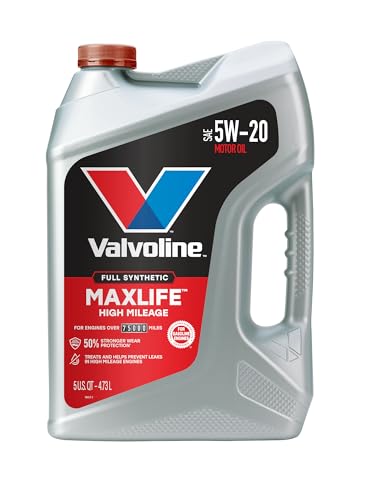
- Designed for vehicles with 75,000 miles or more, Valvoline...
- Formulated with seal conditioners to help prevent oil leaks...
- Delivers 50% stronger wear protection than industry...
- Provides 20% stronger sludge defense than industry standards...
- Offers 2.5X better heat protection than industry standards...
Last update on 2026-06-21 / Affiliate links / Images from Amazon Product Advertising API
If the PDF is very large, it may not load in the preview below.
Some older TSBs had multiple PDFs — visit the NHTSA Website to view all PDFs.
If the TSB PDF does not show, download or view it on the NHTSA Website.
Click on the (+) Plus Sign
Then Click on Associated Document(s)
Search NHTSA Database for Recalls
Search NHTSA Database for Vehicle Investigations
View Latest Vehicle Investigations
Search NHTSA Database for Vehicle Complaints
View Latest Vehicle Complaints
TSB/Document ID: NTB13095C
Replacement Service Bulletin Number:
MFR Communication Date: 2015-07-09
MFR Internal Campaign ID/Software Version:
Communication Type: Service Bulletin/Repair Instructions
NHTSA Components: BACK OVER PREVENTION
MFR Component System:
MFR Component Subsystem:
Previous TSB | Next TSB |
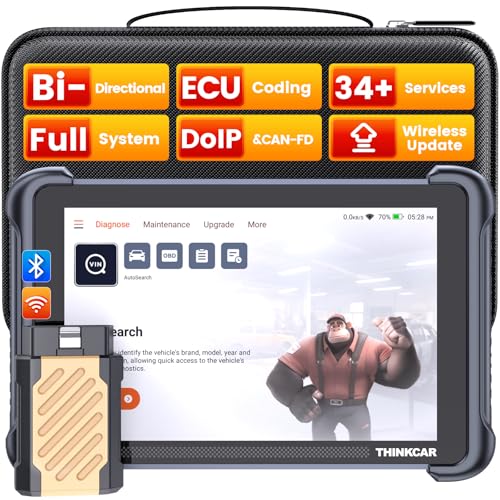
- [Notice] When you receive a used escaner automotriz device, it may be a customer return resold by Amazon without inspection. You can exchange it for a new one through Amazon. As this situation is unavoidable, we sincerely apologize. For any issues, contacting us via Amazon's "Messages" is the best way, and we’ll provide a solution within 24 hours. THINKSCAN 689BT Can Be Used Immediately After It is Turned On, Without Complicated Registration Process, Which is More Convenient & Quick.
- [Good News] THINKSCAN 689BT is the most competitive automotive scan tool to date, offering wireless updates with no subscription fees(valued 500Buc.ks) . With all the features of THINKTOOL PD8,PRO, built on Android 10 platform with 4-core CPU, 4GB RAM
 and 64GB ROM, serving up to 5X faster than older MAX/MINI/PLUS vehicle scanners escaner automotriz, no more slow and delayed feedbacks, it's time to update your garage tool.
 - [Big Money Saver] Premium THINKSCAN 689BT Wireless Diagnostic Scanner Escaner Automotriz, save up to 400USD per year, includes all useful features: Full bi-directional controls, ECU coding, 34+ services, OEM all system diagnostics, Worldwide vehicles coverage, CAN FD & DoIP, FCA AutoAuth(The 689BT only provides a login and purchase portal, and users are required to register for an FCA account and pay a membership fee in order to perform the relevant automotive diagnostics)
- [3000+ Active Tests]Active testing is one of the most useful features in automotive maintenance and greatly improves mechanic efficiency. THINKCAR 689BT bidirectional scanner can send action commends to vehicle sub-systems or components for active test without using vehicle controls. It can perform various tests such as: EVAP Test, Fuel Trim Reset, Injector Buzz Test, Window/ Mirror/ Door Lock Test, Pump and Value Tests, etc. Get functions from "Diagnose>Car Model>System>Active Test".
- [Hot Advanced Features] 689BT bidirectional tool scanner for car newly adds ECU Coding, Power Balance, Flash Hidden Functions, Reset Adaptive Data, Match Replaced Components, Customize OE-Settings. Such as: 1. changing the color of interior lights 2. switching on/off the auto hold, 3. customizing dash kits 4. activating the auto side mirror folding function 5. disables auto start-stop. Note: Coding functions vary by model&year.

- 【Cost-effective OBD2 scanner】 Thinkcar Thinkdiag2 is the most powerful wireless diagnostic tool for it's price! Equipped with multi-functions of Newly added CAN-FD protocol, BiDirectional control(Active Test), 15 Maintenance resets, All Systems diagnosis, Auto VIN, FCA AutoAuth, Unlock the protected FCA vehicle SGW module on Chrysler, Dodge, Jeep, Alfa Romeo, and Fiat vehicles manufactured after 2019.120+ Car brands coverage, No IP limited, etc. Good for workshops & DIYers. Kindly send us VIN to check compatibility before purchase
- 【OE-Level Full Systems Car Scanner with Added CAN FD Protocol】 Upgrade of Thinkdiag, Thinkdiag2 is a bluetooth diagnostic tool can diagnose Full System such as ECM, ABS, SRS, TCM, EPB, TPMS, SAS, A/C, BMS, etc. Thinkdiag2 can read/clear fault codes, read real-time data, read control module information,etc. As the only diagnostic scanner in this price range that supports the CAN-FD protocol, it suits for the latest GM(2019-) , saving $100 to buy a CAN FD adapter, reducing the risk of undetected errors to enhancing the user experience
- 【Bidirectional Test】This bidirectional scan tool Thinkdiag2 allows you to send commands from your smartphone directly to the vehicle's ECU for active testing, quickly locate problem areas, such as A/C clutch, windows, doors, sunroof, etc., reducing the diagnostic time and money. (Note: kindly send us VIN to check compatibility before order.)
- 【15+ Maintenance Functions】Thinkdiag2 OBDII code scanner is designed for individual car owners, DIYers, and small repair shops, which has a separate menu of 15 common special functions, such as Oil reset, EPB reset, SAS calibration, ABS bleeding, injector code, TPMS reset, etc. Enter from the all-system diagnostic menu to unlock more system special functions, and effectively handle the reset and relearn of most cars. Note: The Maintenance functions that each car can do may be different
- 【120+ car brands & FCA Autoauth+10 languages】Thinkcar thinkdiag2 helps you to troubleshoot the problems fast for 100 + US, European, Asian vehicle brands after 1996 that use the OBDII protocol. Only support 12V cars, including gasoline cars and diesel cars. Supporting Autoauth allows you to unlock the protected FCA vehicle SGW module on Chrysler, Dodge, Jeep, Alfa Romeo, Fiat vehicles, etc. (Note: Only provide AutoAuth login portal, and need purchase the registration number on the AutoAuth website by yourself.) Multilingual function allows workshop mechanics to avoid language barriers and use it around the world Without restriction

- 【15+ Advanced Reset & Calibration Functions】The Thinkdiag scanner provides 15+ professional maintenance functions, including:✔ Oil Reset | ✔ ABS Bleeding | ✔ Injector Coding | ✔ SAS Reset✔ TPMS Reset | ✔ BMS Reset | ✔ Transmission Adaptation | ✔ AFS Reset | ✔ Sunroof Calibration | ✔ Brake Reset | ✔ Suspension Relearn | ✔ Electronic Throttle Relearn | ✔ Seat Calibration | + More reset/relearn/calibrate/adaptive functions under automotive full systems diagnostic menu. Ideal professional OBDII scanner for mechanics and DIY enthusiasts, Thinkdiag delivers professional OE-level diagnostics with adaptive relearn capabilities for precise vehicle servicing.
- 【Full-System Diagnostics OBD2 Scanner Bluetooth】 Thinkdiag OBD2 Scanner supports all Systems diagnostic function, it can read/clear DTCs, read live data, read control module information, actuation tests and maintenance functions for ECM, BCM, SRS, TCM, BMS, TPMS, SAS, A/C system etc... It works with most car models after 1996, cover more than 120+ car brands. All car make and reset software come with 1 year update without any charge, much valuable and powerful than 1000 dollars level scanners in the market.
- 【Potential Feature Activation】 Thinkdiag diagnose obd2 scanner Bluetooth allows you to match the replaced components with ECU, activate potential functions for BMW, for GM, for Benz etc. Adjust some annoying features, adapt vehicle's settings to improve performance. No matter you are private owner or professional technician, Thinkdiag is a powerful and handy scanner in your repair tool list. Potential features are not suitable for every car models, please check with us before purchase. This superior function required newest Android OS device, it performs better on Android cell phone.
- 【Bidirectional Test/Active Test】 Thinkdiag car code reader actuates solenoids and actuators for active testing, send commands to systems/components to test their real-time working status, without using manual vehicle controls which saves much diagnostic time and effort to identify malfunction causes. You can check windows, doors, mirrors, sunroof, fans, fuel pump and other parts working status by actuation test function, thinkdiag supports 10000+ active tests. When you process Automotive full system diagnostic, you can do active test on every supported module.
- 【Intelligent Diagnostic Tool with Auto-VIN】Thinkdiag Bluetooth OBD2 scanner makes your smart phone device become a professional vehicle diagnostic tool, it compatible with Android and iOS system. Auto-VIN function supports the Thinkdiag identifies the most car models automatically, if autovin failed, you can choose car info manually. Full system Vehicle health report will be automatically created after diagnosis, report can be shared. Live Data Stream combined 4-in-1 Graphing+Data Record better for monitoring vehicle performance and analyze the abnormal parameter.
Last update on 2026-06-21 / Affiliate links / Images from Amazon Product Advertising API
This product presentation was made with AAWP plugin.