
NHTSA ID Number: 10189913
Manufacturer Communication Number: No. 32-21
TSB/Document Date: 2021-04-06
Summary
Spare Part Requirements for 12-Volt Vehicle Electrical System Battery on the Taycan.
Service
Technical Information
32/21
ENU
2706
2
Spare Part Requirements for 12-Volt Vehicle Electrical System Battery - Checking Software
Version and Updating it if Necessary (32/21)
Vehicle Type:
Taycan (Y1A)
Model Year:
As of 2020 up to 2021
Concerns:
Spare parts requirements for the 12-volt vehicle electrical system battery
Information:
If the 12-volt vehicle electrical system battery needs to be replaced, the software version of the
battery sensor must be checked and, if necessary, updated following installation in the vehicle.
Action required: Check software version of the battery sensor and update it if necessary.
Information
If the vehicle is affected by workshop campaign WMA5 or WMA6 and this has not yet been carried out,
the relevant workshop campaign must also be carried out during the workshop visit.
Otherwise, correct functioning cannot be guaranteed because of the different software versions in the
vehicle.
Information
The total time required for control unit programming is approx. 10 minutes.
Software:
Parts Info:
Overview of software version:
Component
SW (new)
Battery sensor
4174
Affected part numbers:
Part No.
Designation
9J1915105EY
Lithium battery (40 AH)
AfterSales
Mar 26, 2021
Page 1 of 7
2
Service
2706
ENU
Technical Information
32/21
Tools:
Information
The Taycan (Y1A) is equipped as standard with a lithium starter battery.
Lithium starter batteries must only be charged using a suitable battery charger that has a current
and voltage-controlled charge map.
For further information about the battery chargers to be used, see Workshop Manual '270689
Charging battery/vehicle electrical system'.
•
•
Battery charger with a current rating of at least 90 A and - if required - also with a current- and
voltage-controlled charge map for lithium starter batteries, e.g. VAS 5908 90 A battery
charger
9900 - PIWIS Tester 3 with PIWIS test software version 40.000.040 (or higher) installed.
Preparatory work
NOTICE
Fault entry in the fault memory and control unit programming aborted due to low voltage.
•
Increased current draw during diagnosis or control unit programming can cause a drop in voltage, which
can result in one or more fault entries and the abnormal termination of the programming process.
Before starting control unit programming, connect a suitable battery charger with a current rating of at
least 90 A to the vehicle.
NOTICE
Control unit programming will be aborted if the WLAN connection is unstable.
•
An unstable WiFi connection can interrupt communication between the PIWIS Tester and the vehicle
communication module (VCI). As a result, control unit programming may be aborted.
During control unit programming, always connect the PIWIS Tester to the vehicle communication module
(VCI) via the USB cable.
NOTICE
Control unit programming will be aborted if the driver's key is not recognized
•
If the driver's key is not recognized in the vehicle, programming cannot be started or will be interrupted.
Place the driver's key with the back facing down in the area in front of the storage compartment under
the armrest (emergency start tray) in order to guarantee a permanent radio link between the vehicle and
driver's key.
Mar 26, 2021
Page 2 of 7
AfterSales
Service
Technical Information
32/21
ENU
2706
2
NOTICE
Programming interrupted
•
Malfunctions in control unit
•
Risk of damage to control unit
Route the line between the vehicle communication module (VCI) and diagnostic socket on the vehicle
without tension and make sure that the connector is inserted fully into the diagnostic socket.
Check that the rechargeable battery for the PIWIS Tester is charged sufficiently. Connect the PIWIS Tester
to the power supply unit if necessary.
Information
The procedure described here is based on the PIWIS Tester 3 software version 40.000.040.
The PIWIS Tester instructions take precedence and in the event of a discrepancy, these are the
instructions that must be followed.
A discrepancy may arise with later software versions for example.
Work Procedure: 1
Carry out general preliminary work for control unit programming as described in Workshop
Manual '9X00IN Basic instructions and procedure for control unit programming - section on
"Preliminary work"'.
2
Connect a suitable battery charger, e.g. battery charger 90A, to the jump-start terminals and
switch it on.
3
Position the driver's key with the back facing
forward upright between the holding struts in the rear
cupholder (emergency start tray) to guarantee a
permanent radio link between the vehicle and remote
control Emergency start tray.
4
Connect 9900 - PIWIS Tester 3 to the vehicle
communication module (VCI) via the USB cable.
Then connect the communication module to the
vehicle and switch on the PIWIS Tester.
5
Establish operational readiness (switch on ignition).
6
On the PIWIS Tester start screen, call up the 'Diagnostics' application.
Emergency start tray
The vehicle type is then read out, the diagnostic application is started and the control unit selection
screen is populated.
AfterSales
Mar 26, 2021
Page 3 of 7
2
Service
2706
ENU
7
Technical Information
32/21
Select Gateway control unit.
7.1
Select the 'Extended identifications' menu.
7.2
Check the software version for the battery sensor.
•
Software version is 4174: The software is already up-to-date. No further action
required.
•
Software version is not 4174: Software update required. For this purpose, re-program
the battery sensor, see Technical Information '9X00IN Re-programming battery
sensor'.
Re-programming battery sensor
WARNING
Electrically moved side windows and rear spoiler
•
Danger of limbs being trapped or severed
•
Risk of damage to components
Do not reach into the danger area.
Keep third parties away from the danger area.
Do not move components or tools into the danger area.
Work
Procedure:
Re-program battery sensor.
The basic procedure for control unit programming is described in the Workshop Manual Workshop
Manual '9X00IN Basic instructions and procedure for control unit programming using the PIWIS Tester'.
Information
An actual voltage of at least 14 volts is required from the 12-volt vehicle electrical system battery for
programming the battery sensor. If this voltage is not achieved, programming cannot be performed.
For specific information on control unit programming as part of this programming process, see
the table below:
Mar 26, 2021
Page 4 of 7
Required PIWIS Tester software version:
40.000.040 (or higher)
Type of control unit programming:
Control unit programming using the 'Campaign'
function in the Additional menu on the PIWIS Tester
by entering a programming code.
Programming code:
K4M2S
AfterSales
Service
Technical Information
32/21
ENU
2706
2
Read and follow the information and instructions
on the PIWIS Tester during the guided programming
sequence.
Programming sequence:
Do not interrupt programming and coding.
A backup documentation process for the
re-programmed software versions starts as soon as
programming and coding is complete.
Software version for the battery sensor
programmed as part of this programming
process:
4174
•
•
Several control units can be updated with this
programming process, depending on the relevant
software integrated in the vehicle.
Following control unit programming, the software
version can be read out of the gateway control unit
in the 'Extended identifications' menu using the
PIWIS Tester.
Programming time (approx.):
approx. 10 minutes
Procedure in the event of abnormal termination of control unit programming:
•
•
•
Procedure in the event of error messages
appearing during the programming
sequence:
End and restore operational readiness (switch
ignition off and then on again).
Read out and erase the fault memory Workshop
Manual '9X00IN Basic instructions and procedure
for control unit programming using the PIWIS
Tester'.
Repeat control unit programming by entering the
programming code again.
Workshop Manual '9X00IN Basic instructions and
procedure for control unit programming using the PIWIS
Tester - section on "Fault finding"'.
AfterSales
Mar 26, 2021
Page 5 of 7
2
Service
2706
ENU
Technical Information
32/21
Concluding work
Work Procedure: 1
Read out and erase the fault memories of all control units.
1.1
Press •F7“ in the control unit selection screen ('Overview' menu) to call up the Additional
menu.
1.2
Select the function “Read all fault memories
and erase them if necessary” and press
•F12“ ('Next') to confirm Erasing fault
memories.
The fault memories of the control units are
read out.
1.3
Once you have read out the fault memories,
check the fault memory entries.
Erasing fault memories
Information
If control units are found to have faults that
are not caused by control unit programming, these must first be found and corrected. This
work cannot be invoiced under the workshop campaign number.
1.4
Press •F8“ to delete fault memory entries.
1.5
Press •F12“ ('Yes') in response to the question as to whether you really want to delete all
fault memory entries.
The faults stored in the fault memories of the various control units are deleted.
Information
If fault memory entries for individual control units cannot be deleted, proceed as follows:
Mar 26, 2021
Page 6 of 7
•
End operational readiness (switch off ignition).
•
Disconnect the PIWIS Tester diagnostic connector from the diagnostic socket.
•
Lock the vehicle using the driver's key and remove the driver's key from the
proximity of the vehicle (approx. 10 meter/ 32.8 ft).
•
Wait approx. 15 minutes before unlocking the vehicle again.
•
Restore operational readiness (switch on ignition).
•
Plug the PIWIS Tester diagnostic connector into the diagnostic socket again and restore
communication with the vehicle.
•
Read out the fault memory again and delete any fault memory entries that are stored.
AfterSales
Service
Technical Information
1.6
32/21
ENU
2706
2
Once you have erased the fault memories,
select the 'Overview' menu to return to the
control unit selection screen Control unit
selection.
2
End operational readiness (switch off ignition).
3
Disconnect the PIWIS Tester from the vehicle.
Information
Connect the PIWIS Tester to a network as soon as
Control unit selection
you can and log into the PPN in order to transfer the
backup documentation created during this campaign to the PAG systems.
4
Switch off and disconnect the battery charger.
Invoicing
Invoicing:
For documentation and warranty invoicing, enter the labor operations and PQIS coding specified below in
the warranty claim:
APOS
Labor operation
27060150
Checking vehicle electrical system battery
(checking software version)
27060149
Reworking vehicle electrical system battery
(programming battery sensor)
I No.
PQIS coding:
Location (FES5)
27060
Vehicle electrical system battery
Damage type (SA4)
1611
does not function
References:
Workshop Manual '270689 Charging battery/vehicle electrical system'
Workshop Manual '9X00IN Basic instructions and procedure for control unit programming using the
PIWIS Tester - section on "Fault finding"'.
Workshop Manual '9X00IN Basic instructions and procedure for control unit programming using the
PIWIS Tester'
Important Notice: Technical Bulletins issued by Porsche Cars North America, Inc. are intended only for use by professional automotive technicians who have attended Porsche service training
courses. They are written to inform those technicians of conditions that may occur on some Porsche vehicles, or to provide information that could assist in the proper servicing of a vehicle. Porsche special
tools may be necessary in order to perform certain operations identified in these bulletins. Use of tools and procedures other than those Porsche recommends in these bulletins may be detrimental to the
safe operation of your vehicle, and may endanger the people working on it. Properly trained Porsche technicians have the equipment, tools, safety instructions, and know-how to do the job properly and
safely. Part numbers listed in these bulletins are for reference only. The work procedures updated electronically in the Porsche PIWIS diagnostic and testing device take precedence and, in the event of a
discrepancy, the work procedures in the PIWIS Tester are the ones that must be followed.
© 2021 Porsche Cars North America, Inc.
AfterSales
Mar 26, 2021
Page 7 of 7
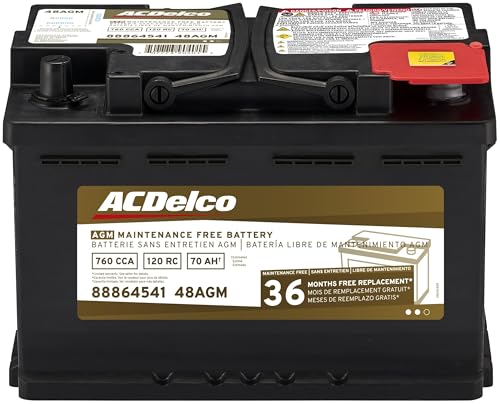
- High density negative paste, improves performance and...
- Enhanced life alloy or Silver Calcium stamped alloy...
- Calcium lead positive grid, maximizes conductivity and...
- Robust envelope separator with puncture resistant back...
- Vent cap design that resists acid leakage

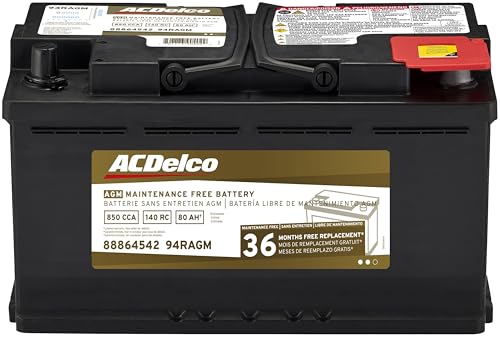
- High density negative paste, improves performance and...
- Enhanced life alloy or Silver Calcium stamped alloy...
- Calcium Lead positive grid, maximizes conductivity and...
- Robust Envelope Separator with puncture-resistant back...
- Vent cap design that resists acid leakage
Last update on 2026-05-30 / Affiliate links / Images from Amazon Product Advertising API
If the PDF is very large, it may not load in the preview below.
Some older TSBs had multiple PDFs — visit the NHTSA Website to view all PDFs.
If the TSB PDF does not show, download or view it on the NHTSA Website.
Click on the (+) Plus Sign
Then Click on Associated Document(s)
Search NHTSA Database for Recalls
Search NHTSA Database for Vehicle Investigations
View Latest Vehicle Investigations
Search NHTSA Database for Vehicle Complaints
View Latest Vehicle Complaints
TSB/Document ID: No. 32-21
Replacement Service Bulletin Number:
MFR Communication Date: 2021-03-26
MFR Internal Campaign ID/Software Version:
Communication Type: Service Bulletin/Repair Instructions
NHTSA Components: ELECTRICAL SYSTEM
MFR Component System:
MFR Component Subsystem:
Previous TSB | Next TSB |

- [2026 Top-Tier Hardware and Software Upgrade]: Topdon ArtiDiag900 Lite scanner has enhanced hardware and latest features, including Android 11.0, 5x faster CPU, 10000mAh battery for 12 hours of continuous operation, stable wireless diagnosis with Bluetooth 5.0, 8-inch touchscreen. Added bi-directional control, wireless diagnosis, battery testing (optional), and DTC repair guide
- [TOPDON Bidirectional Scan Tool]: This bidirectional obd2 scanner sends commands to the vehicle's ECU for active testing, enabling users to accurately and quickly locate faulty components such as injectors, coolant pumps, windows, wipers, headlights, mirrors, etc. The bidirectional control scanner is the ideal choice for workshops/automotive repair shops as it significantly reduces mechanic's diagnostic time.
- [Wireless Bluetooth Diagnostic Experience]: The AD900 Lite scan tool comes with a Bluetooth 5.0 VCI, supporting a wireless diagnostic range of up to 33 feet (10 meters), allowing you to diagnose without being confined to cables or tight spaces. Stable and fast wireless diagnosis provides a comfortable repair environment. It also offers VCI cables to increase connectivity options.
- [DTC Repair Guide Function]: Easily diagnose issues with your vehicle and receive guidance on repairs with the topdon scan tool's fault code definitions for all systems,maximize your diagnostic capabilities. This function is compatible with Chrysler
 /Dodge/Jeep/Fiat 2010-2014 and expanding with continual updates,the AritDiag 900 Lite car diagnostic scanner is the must-have tool for any technician or DIY enthusiast.
 - [OE-Level Full System Diagnostics]:AritDiag900 Lite full system diagnostic scanner can scan ALL available modules(Engine, Transmission, Airbag, ABS, ESP, TPMS, Gateway, Steering, Radio, Air conditioning, ect.) to✔read ECU info, ✔read/clear codes, ✔view live data stream, ✔retrieves freeze-frame, ✔perform active tests, and more. With just a simple click, it provides you with accurate and in-depth diagnostics.

- Bi-Directional Control, Quickly Locate Problems: Turn your phone into a professional diagnostic tool. You can send commands from your phone to the ECU to test injectors, cooling fans, headlights, A/C clutch, windows, wipers, and more. See which one doesn't respond. Helps you quickly locate the problem and save time. No need to tear things apart, avoid blind disassembly.
- Flexible Subscription, Choose Advanced Features as Needed: TopScan Lite provides free-for-life access to core diagnostics, including full system scan, code reading, performance tests, and repair information. After purchase, advanced features (bi-directional control, service operations, live data, code clearing, and AI functions) are free-for-the-first-year. After the first year, if you want to use advanced features, you need to subscribe on a monthly, quarterly, or yearly basis. As new models and reset functions are updated, the tool will also be continuously upgraded.
- Full System Diagnostics, No Fault Hides: Unlike basic diagnostic tools that only cover 4 systems, TopScan can scan all systems. Read and clear trouble codes, view live data streams, and generate a complete vehicle health report – all issues are clear at a glance. Covers 10,000+ vehicle models and is compatible with 99.99% of vehicles.
- AI Assistant - TopFix: Think of TopFix as your personal AI mechanic. It leverages a repair database and OEM data to deliver clear, step-by-step repair solutions. Features include AI Q&A, one-click translation, and a full repair log, making your diagnostic process simpler and more efficient.
- 8+ Hot Resets, Keep Your Car in Top Shape: One-tap resets for oil, throttle, EPB, steering angle, DPF, ABS, BMS, and airbag. It enables car owners to easily perform essential maintenance, ensuring the vehicle stays in optimal condition and extends its service life.

- Dual WiFi & 10.1" Touchscreen: Provides a stable, high-speed wireless link 3x faster than bluetooth, and a responsive, professional interface. Topdon ONE obd2 scanner diagnostic tool ensures smooth, non-lagging diagnostic scan, boosting mechanic efficiency
- J2534 Pass-Thru Support: The included ONE VCI supports the J2534 standard, allowing it to function as a pass-thru device when paired with OEM diagnostic software.Through TOPDON’s RLink platform, technicians can perform dealer-level coding, expanding in-house capabilities without investing in multiple factory automotive scan tools
- OE Topology Mapping: Visualize the vehicle’s ECU network exactly as it’s built.Zoom, pan, and highlight specific modules to pinpoint component issues with precision.Topology mapping displays real-time communication between modules
- 50 Plus Service Functions: Covers high-demand services like ADAS calibration, DPF regen, TPMS reset, ABS bleed, and throttle adaptation.Expands your service menu, allows you to charge premium rates, and turns away zero jobs due to lack of tooling. Vehicle-specific functionality may vary
- Advaned ECU Coding: 10 of the most serviced brands in North America, including full ECU coding and flash hidden support for BMW, VW, Au-di, Benz, Porsche, Toyota, Ni ssan and more. Enables module replacement, feature customization, and personal settings with automatic backup or restore.Lets your shop safely offer high-margin customization services, attracting more customers and boosting profit
Last update on 2026-06-12 / Affiliate links / Images from Amazon Product Advertising API
This product presentation was made with AAWP plugin.