
NHTSA ID Number: 10189907
Manufacturer Communication Number: KC-137
TSB/Document Date: 2021-04-05
Summary
Volvo Chassis - Vehicle with Diagnostic Trouble Code (DTC) P2002-00, Diagnostic Instructions - US10+OBD13 Emssions ONLY, Model Years 2013 (Rare), 2014
3/31/2021
Content creation stages KC-137
Volvo Chassis - Vehicle with Diagnostic Trouble
Code (DTC) P2002-00, Diagnostic Instructions US10+OBD13 Emssions ONLY, Model Years 2013
(Rare), 2014
Internal Content
Conditions
• Vehicle emissions level should be veri ed to be US10+OBD13.
Emissions level can be found in Premium Tech Tool (PTT) as shown
below:
• Vehicles a ected will have the following Engine Control Module
(EMS) Main Software Part Numbers 23036505.
• P2002 must be either:
- Active with Con rmed status True.
- Inactive with greater than 3 counts and Con rmed status True.
1/4
3/31/2021
Content creation stages KC-137
Con rmed status True
Important Notes
• If P2002 is Con rmed status False it is not the source of the issue
that resulted in the shop visit. DO NOT troubleshoot the code. Review
the DTC Readout for codes that may be related.
• If P2002 is Inactive the latest evaluation passed and may indicate
an issue that resolved itself. The number of counts should then be
considered as an indication of an intermittent problem.
For an Active and Con rmed Code:
Inspect the following items:
1. Ensure the correct DPF and DOC are installed.
• Both parts should be OEM. Third-party aftermarket parts do not
always meet factory speci cations and can be the source of the
code.
• Take pictures of the DPF faces and the part numbers of both the
DOC and DPF for documentation.
2. Verify that there is no evidence of soot passing through the DPF.
3. Check the connections and pipes for the DPF Di erential Pressure
Sensor. Make certain that there are no leaks or damage, and the
tubes and the sensor itself are not clogged, crimped, or otherwise
; Live UI
blocked.
https://volvo-trkna-prod1.pegacloud.net/prweb/PRAuth/app/VolvoKM_/iNPUIKpeinqPJi2G0hH930k43USdE1gb*/!TABTHREAD8?pyActivity=%40basec…
2/4
3/31/2021
Content creation stages KC-137
4. Make sure the DPF Di erential Pressure Sensor is reading correctly
and free of any electrical faults.
5. Check for documentation that the DPF was cleaned per service
recommendations.
Any issues found in the items above should be corrected prior to
proceeding further with diagnosis.
If all the items above are determined to be correct:
If this is the vehicle's rst visit for P2002 and the code is con rm
ed and active, clear the DTC and release the vehicle after con rming
and documenting the ve items in the section above. Do not procee
d with the below steps.
1. Record a Sensor and Parameter Values Monitor. Please refer to
CBR-864 for road test instructions.
• The road test should last approximately one hour.
• The test should follow both city and highway duty cycles.
- This includes stop-and-go driving as well as steady highway
speeds.
2. Verify the DTC status following the road test:
• Did the code recur during the road test?
• How many counts logged during the road test?
3. Start an eService case.
• The eService case MUST INCLUDE:
• A thorough description of the problem.
• A current DTC Readout from the time the vehicle arrived.
• All of the information gathered during the inspection steps
above.
- This includes the DPF and DOC pictures.
• The road test data.
• DTC status information as seen following the road test.
Cases submitted with incomplete information may be
; Live UI
refused.
3/4
3/31/2021
Content creation stages KC-137
Tags
k70734554
p2002-00
Related links and attachments
KC-864
p200200
Feedback
Give feedback
to help improve the content of this article
4/4
3/31/2021
Content creation stages KC-864
Road Test Instructions - Required Criteria For
Sensor And Parameter Value Monitor /
Recordings; Request For Data From eService US10+OBD13 To US14+OBD16 ( OBDII, Sixteen Pin
Diagnostic Connector ), Year Models 2014 To
2017; Non-Common Rail Fuel Syst
Internal Content
Road test data should only be recorded at request from eService or for
dealer use in the diagnostic process. eService cases submitted with data
will not be reviewed unless all possible diagnostic procedures have been
exhausted with no fault found, and a detailed description of all steps
taken with accurate results and values is included in the case.
I. All Road Tests will need to be recorded with the
OBDII Template loaded from the test screen in
Premium Tech Tool ( PTT )
• The template le can be found here:
○ Right click the le icon and select "Save Link As..." (Chrome, FireFox)
or "Save Target As..." (Internet Explorer), then choose the Desktop or a
folder where the le can be easily located. The le cannot be opened
outside of Premium Tech Tool ( PTT ).
• Instructions for loading the template once it is saved to the hard drive
can be found in Solution CBR-270 .
II. For Emissions Evaluation:
• Data from loaded operation is preferred when possible unless the
chassis is only coding when bobtail or empty
• Both NOx sensors must be online prior to starting the road test
- System warmup can be accelerated by running a regen and
canceling when both NOx sensors are veri ed to be reading
• Smooth accelerator inputs should be used for all parts of the test
except for acceleration from a stop
- Stabbing the accelerator or suddenly letting o will cause invalid
sensor readings
; Live UI
1/6
3/31/2021
Content creation stages KC-864
• Record:
- Two to Three instances of sustained high engine load
○ This can be done from a stop or while in motion
♦ If done while in motion RPM range should move from
approximately 1200 RPMs up through at least 1800 RPMs in
lower gear
○ Wide Open Throttle (100%) should be maintained
○ Engine load should remain at 100% during this period
- 25 to 30 miles of steady highway-speed driving
○ DO NOT use cruise control. Accelerator input values are required
for evaluation
○ Keep speed below the chassis's governed road speed
♦ Accelerator readings will not be valid if chassis is held at its
maximum speed
- Minimum of one instance of downhill deceleration lasting 20-30
seconds
○ There should be no accelerator input at this time
- Two to Five minutes of idle time before the recording is stopped.
III. For Low Oil Pressure Or Low Power Evaluation:
• Data and eService cases submitted for low power complaints will
not be reviewed unless the chassis has been con rmed to not reach
rated horsepower or torque range via dynamometer report
or dealer review of data prior to submitting to Dealer Technical
Support
• Low power issues must be veri ed during loaded operation.
Bobtail or empty operation will not provide relevant readings
• Both NOx sensors must be online prior to starting the road test unless
the problem is occurring with cold engine
- System warmup can be accelerated by running a regen and
UI
; Livecanceling
when both NOx sensors are veri ed to be reading
2/6
3/31/2021
Content creation stages KC-864
• Smooth accelerator inputs should be used for all parts of the test
except for acceleration from a stop
- Stabbing the accelerator or suddenly letting o will cause invalid
sensor readings
• Record:
- At Least Three instances of sustained high engine load
○ This can be done from a stop or while in motion
♦ If done while in motion RPM range should move from
approximately 1200 RPMs up through at least 1800 RPMs in
lower gear
○ Wide Open Throttle (100%) should be maintained
○ Engine load should remain at or as close as possible to
100% during this period
○ Long uphill climbs are preferred for this where possible. If a
long uphill pull can be recorded it is understood that engine
load may not remain at 100% for the duration
- 15-20 miles of steady highway-speed driving
○ DO NOT use cruise control. Accelerator input values are required
for evaluation
○ Keep speed below the chassis's governed road speed
♦ Accelerator readings will not be valid if chassis is held at its
maximum speed
- Minimum of one instance of downhill deceleration lasting 20-30
seconds
○ There should be no accelerator input at this time
- One to Two minutes of idle time before the recording is stopped.
IV. Uneven Operation, Engine Stumble, Vibration
Evaluation:
• Vibration issues must be recorded in the same operating
; Live UI
conditions as they are reported to be occurring
3/6
3/31/2021
Content creation stages KC-864
- If vibration is occurring only during loaded operation, for example,
data recorded during a bobtail road test would not be acceptable
- Engine temperature, weather, terrain, and driver habits, especially if
equipped with a manual transmission, should be considered
• Smooth accelerator inputs should be used for all parts of the test
except for acceleration from a stop
- Stabbing the accelerator or suddenly letting o will cause invalid
sensor readings
• Record:
-Note: Depending on the severity of symptoms, it may not be possible
to cover all items listed below. At minimum, the recording needs to
capture the problem occurring
- The complaint should be duplicated several times when possible
○ Engine parameters should be held steady while the problem is
occurring for as long as able
○ Push the spacebar once when the problem begins each time to
create a ag in the data.
- If it is possible, at least one hard acceleration with engine load
sustained at 100% for several seconds should be captured
- 10-15 miles of steady highway-speed driving
○ DO NOT use cruise control. Accelerator input values are required
for evaluation
○ Keep speed below the chassis's governed road speed
♦ Accelerator readings will not be valid if chassis is held at its
maximum speed
- Minimum of one instance of downhill deceleration lasting 20-30
seconds
○ If the issue is reported as occurring during deceleration or
engine braking this should be captured several times
○ There should be no accelerator input during this time
- 3-5 minutes of idle time before stopping the recording
;
Live UI
4/6
3/31/2021
Content creation stages KC-864
V. Allow The PC To Complete Processing The Data
• When a laptop is running on battery power, the processor speed is
reduced to increase battery life.
- Plug the laptop in to a wall outlet so it is able to run at full power
• Depending on the length of the test drive and computer specs, it may
take 15-20 minutes for the computer to complete processing the data
before the operation can be exited
VI. Attach The Road Test Data To The eService Case
• Further instructions for locating a data le can be found in CBR solution
CBR-270 or by searching for " CSV File Extraction "
Tags
road test
k25801413
Related links and attachments
No links or attachments available
; Live UI
Feedback
Give feedback
5/6
3/31/2021
Content creation stages KC-864
to help improve the content of this article
6/6

- 💯【Conta.ct us for Support Directly】If you met any...
- 🔥🔥🔥【2026 AUTEL FLAGSHIP MK900BT MK900-BT, NEW...
- 🚗【3000+ ACTIVE TESTS (50➡3000+), SAME AS MS...
- 🚗【40+ HOT SERVICES FOR 150 MAKES (28+➡40+)】Full...
- 🚗【OE ALL SYSTEM DIAGNOSE, AUTO SCAN 2.0: SCAN LICENSE...


- 【TURN OFF CEL】 This AL319 car scanner diagnostic tool...
- 【EXTENSIVE APPLICATION】 Autel AL319 Compatible with...
- 【FOR END USER & DIYERS】 This error code reader AL319 is...
- 【USER-FRIENDLY DESIGN】 This OBD2 scanner and check...
- 【HIGH-QUALITY SERVICES】 12 months war.ranty from the...
Last update on 2026-06-12 / Affiliate links / Images from Amazon Product Advertising API
If the PDF is very large, it may not load in the preview below.
Some older TSBs had multiple PDFs — visit the NHTSA Website to view all PDFs.
If the TSB PDF does not show, download or view it on the NHTSA Website.
Click on the (+) Plus Sign
Then Click on Associated Document(s)
Search NHTSA Database for Recalls
Search NHTSA Database for Vehicle Investigations
View Latest Vehicle Investigations
Search NHTSA Database for Vehicle Complaints
View Latest Vehicle Complaints
TSB/Document ID: KC-137
Replacement Service Bulletin Number:
MFR Communication Date: 2021-03-17
MFR Internal Campaign ID/Software Version:
Communication Type: Service Bulletin/Repair Instructions
NHTSA Components: EQUIPMENT
MFR Component System:
MFR Component Subsystem:
Previous TSB | Next TSB |

- [Notice] When you receive a used escaner automotriz device, it may be a customer return resold by Amazon without inspection. You can exchange it for a new one through Amazon. As this situation is unavoidable, we sincerely apologize. For any issues, contacting us via Amazon's "Messages" is the best way, and we’ll provide a solution within 24 hours. THINKSCAN 689BT Can Be Used Immediately After It is Turned On, Without Complicated Registration Process, Which is More Convenient & Quick.
- [Good News] THINKSCAN 689BT is the most competitive automotive scan tool to date, offering wireless updates with no subscription fees(valued 500Buc.ks) . With all the features of THINKTOOL PD8,PRO, built on Android 10 platform with 4-core CPU, 4GB RAM
 and 64GB ROM, serving up to 5X faster than older MAX/MINI/PLUS vehicle scanners escaner automotriz, no more slow and delayed feedbacks, it's time to update your garage tool.
 - [Big Money Saver] Premium THINKSCAN 689BT Wireless Diagnostic Scanner Escaner Automotriz, save up to 400USD per year, includes all useful features: Full bi-directional controls, ECU coding, 34+ services, OEM all system diagnostics, Worldwide vehicles coverage, CAN FD & DoIP, FCA AutoAuth(The 689BT only provides a login and purchase portal, and users are required to register for an FCA account and pay a membership fee in order to perform the relevant automotive diagnostics)
- [3000+ Active Tests]Active testing is one of the most useful features in automotive maintenance and greatly improves mechanic efficiency. THINKCAR 689BT bidirectional scanner can send action commends to vehicle sub-systems or components for active test without using vehicle controls. It can perform various tests such as: EVAP Test, Fuel Trim Reset, Injector Buzz Test, Window/ Mirror/ Door Lock Test, Pump and Value Tests, etc. Get functions from "Diagnose>Car Model>System>Active Test".
- [Hot Advanced Features] 689BT bidirectional tool newly adds ECU Coding, Power Balance, Flash Hidden Functions, Reset Adaptive Data, Match Replaced Components, Customize OE-Settings. Such as: 1. changing the color of interior lights 2. switching on/off the auto hold, 3. customizing dash kits 4. activating the auto side mirror folding function 5. disables auto start-stop. Note: Coding functions vary by model&year.
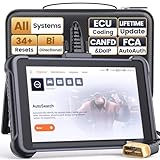
- 【Warm Tips】Wired THINKSCAN 689 is connected through a detachable OBDII cable, and we also have added OBD2 Extension Cable (about 60 cm/2 feet) as g ift, enabling customers handling vehicle repairs with ease. Just click "Bundles Item" above to get it. Note: FCA AutoAuth is a third-party service, additional cost may be required.
- 【Professional Car Diagnostic Tool】Tired of renew fees? Thinkscan 689 scanner provides dealer-level advanced functions without annual fees for auto mechanics and repair shops. 34+ Services, 3000+ Active Test, ECU Coding, 140+ Brands Coverage, FCA AutoAuth, CANFD&DOIP Protocol, Component Matching, Power Balance, V.A.G Guided, Compatible with Google Chrome integration, etc. With strong hardware backing, 64G Memory, Android 10, 4-core processors, and 4150mAh battery. Thinkscan 689 brings you the best as your daily business helper and never lets you drop the ball!
- 【Over 34 Reset Service, Adaptation + Relearn + Calibration + Initialization + Matching】Made for workshops, Thinkscan 689 scanner provides 34+ services for worldwide vehicles: such as Gear/SAS/EPB/TPMS/D.P.F/I.M.M.O/BMS/ETS/Oil/Brake/AFS/GEARBOX/SUNROOF/SUS Reset, ABS Bleed, Injector coding, etc. Warm tips: Compatibility may vary on vehicles' model and year, please contact seller before purchase to make sure it works well on your cars.
- 【Real Active Test】Thinkscan 689 scan tool features over 3000+ full bi-directional control ability, to send commands to vehicle’s systems/components, to verify system input/output without using the vehicle's controls, e.g. turn on the radiator fan, modulate the throttle, open/close windows, operate mirrors, Injector Buz Test, turn on interior&exterior lights, sound horn, test door lock actuators, turn on/off front/rear side ACM Solenoid, Vehicle level position calibration, Wheel Speed Sensor Supply.
- 【Comprehensive Solutions with Advanced Features】Take your vehicle customization to the next level with the Thinkscan 689's advanced ECU coding capabilities. This scan tool provides power balance, PMI, unlock more new features and enhance performance by activating dormant functions, customizing OE settings, matching replaced components, and reprogramming adaptive data to elevate your driving experience. Note: Compatibility varies by car models, please check before order.

- 【Cost-effective OBD2 scanner】 Thinkcar Thinkdiag2 is the most powerful wireless diagnostic tool for it's price! Equipped with multi-functions of Newly added CAN-FD protocol, BiDirectional control(Active Test), 15 Maintenance resets, All Systems diagnosis, Auto VIN, FCA AutoAuth, Unlock the protected FCA vehicle SGW module on Chrysler, Dodge, Jeep, Alfa Romeo, and Fiat vehicles manufactured after 2019.120+ Car brands coverage, No IP limited, etc. Good for workshops & DIYers. Kindly send us VIN to check compatibility before purchase
- 【OE-Level Full Systems Car Scanner with Added CAN FD Protocol】 Upgrade of Thinkdiag, Thinkdiag2 is a bluetooth diagnostic tool can diagnose Full System such as ECM, ABS, SRS, TCM, EPB, TPMS, SAS, A/C, BMS, etc. Thinkdiag2 can read/clear fault codes, read real-time data, read control module information,etc. As the only diagnostic scanner in this price range that supports the CAN-FD protocol, it suits for the latest GM(2019-) , saving $100 to buy a CAN FD adapter, reducing the risk of undetected errors to enhancing the user experience
- 【Bidirectional Test】This bidirectional scan tool Thinkdiag2 allows you to send commands from your smartphone directly to the vehicle's ECU for active testing, quickly locate problem areas, such as A/C clutch, windows, doors, sunroof, etc., reducing the diagnostic time and money. (Note: kindly send us VIN to check compatibility before order.)
- 【15+ Maintenance Functions】Thinkdiag2 OBDII code scanner is designed for individual car owners, DIYers, and small repair shops, which has a separate menu of 15 common special functions, such as Oil reset, EPB reset, SAS calibration, ABS bleeding, injector code, TPMS reset, etc. Enter from the all-system diagnostic menu to unlock more system special functions, and effectively handle the reset and relearn of most cars. Note: The Maintenance functions that each car can do may be different
- 【120+ car brands & FCA Autoauth+10 languages】Thinkcar thinkdiag2 helps you to troubleshoot the problems fast for 100 + US, European, Asian vehicle brands after 1996 that use the OBDII protocol. Only support 12V cars, including gasoline cars and diesel cars. Supporting Autoauth allows you to unlock the protected FCA vehicle SGW module on Chrysler, Dodge, Jeep, Alfa Romeo, Fiat vehicles, etc. (Note: Only provide AutoAuth login portal, and need purchase the registration number on the AutoAuth website by yourself.) Multilingual function allows workshop mechanics to avoid language barriers and use it around the world Without restriction
Last update on 2026-06-12 / Affiliate links / Images from Amazon Product Advertising API
This product presentation was made with AAWP plugin.