
NHTSA ID Number: 10187813
Manufacturer Communication Number: 21B17
TSB/Document Date: 2021-03-02
Summary
In all of the affected vehicles, the installed high-output alternator and powertrain control module (PCM) calibration were not aligned. A mismatch between the alternator and PCM calibration could cause idle control issues such as engine speed fluctuations, which may cause customer dissatisfaction.
If the PDF is very large, it may not load in the preview below.
Some older TSBs had multiple PDFs — visit the NHTSA Website to view all PDFs.
If the TSB PDF does not show, download or view it on the NHTSA Website.
Click on the (+) Plus Sign
Then Click on Associated Document(s)

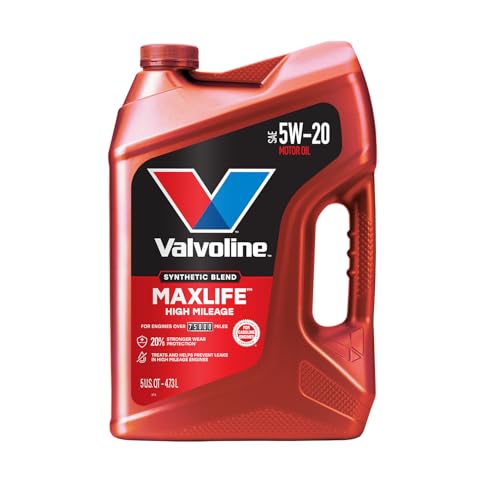
- MaxLife Technology prevents engine breakdown with 40% better...
- Includes seal conditioners to reduce oil consumption and oil...
- Added detergents reduce sludge, corrosion, rust and deposits...
- Advanced friction-fighting additives help maximize...
- Meets or exceeds all requirements of ILSAC GF-6A, API SP...
This product presentation was made with AAWP plugin.
Search NHTSA Database for Recalls
Search NHTSA Database for Vehicle Investigations
View Latest Vehicle Investigations
Search NHTSA Database for Vehicle Complaints
View Latest Vehicle Complaints
TSB/Document ID: 21B17
Replacement Service Bulletin Number:
MFR Communication Date: 2021-02-18
MFR Internal Campaign ID/Software Version:
Communication Type: Service Bulletin/Repair Instructions
NHTSA Components: ELECTRICAL SYSTEM
MFR Component System:
MFR Component Subsystem:
Previous TSB | Next TSB |
David J. Johnson
Director
Service Engineering Operations
Ford Customer Service Division
Ford Motor Company
P. O. Box 1904
Dearborn, Michigan 48121
February 18, 2021
TO:
All U.S. Ford and Lincoln Dealers
SUBJECT:
NEW VEHICLE DELIVERY HOLD
Customer Satisfaction Program 21B17
Certain 2021 Model Year Explorer Vehicles with 2.3L Engines
Alternator to Powertrain Control Module Calibration Mismatch
PROGRAM TERMS
This program will be in effect through February 28, 2022. There is no mileage limit for this program.
We recommend dealers utilize their FSA VIN Lists name and address (available March 19, 2021) to
contact customers with affected vehicles.
AFFECTED VEHICLES
Vehicle
Model Year
Assembly Plant
Build Dates
Explorer
2021
Chicago
November 30, 2020
Affected vehicles are identified in OASIS and FSA VIN Lists.
REASON FOR THIS PROGRAM
In all of the affected vehicles, the installed high-output alternator and powertrain control module
(PCM) calibration were not aligned. A mismatch between the alternator and PCM calibration could
cause idle control issues such as engine speed fluctuations, which may cause customer
dissatisfaction.
SERVICE ACTION
Before delivering any new in-stock vehicles involved in this program, dealers will download the latest
PCM configuration with the Ford Diagnostic and Repair System (FDRS) pulled from the corrected AsBuilt database. This will adjust the PCM calibration to match the alternator installed in these vehicles.
This service must be performed on all affected vehicles at no charge to the vehicle owner.
NOTE: Integrated Diagnostic Software (IDS) cannot be used for programming on these vehicles.
OWNER NOTIFICATION MAILING SCHEDULE
Owner letters are expected to be mailed the week of March 01, 2021. Dealers should repair any
affected vehicles that arrive at their dealerships, whether or not the customer has received a letter.
© Copyright 2021 Ford Motor Company
ATTACHMENTS
Attachment I:
Administrative Information
Attachment II:
Labor Allowances and Parts Ordering Information
Attachment III:
Technical Information
Owner Notification Letter
QUESTIONS & ASSISTANCE
For questions and assistance, contact the Special Service Support Center (SSSC) via the SSSC Web
Contact Site. The SSSC Web Contact Site can be accessed through the Professional Technician
System (PTS) website using the SSSC link listed at the bottom of the OASIS VIN report screen or
listed under the SSSC tab.
Sincerely,
David J. Johnson
© Copyright 2021 Ford Motor Company
ATTACHMENT I
Page 1 of 2
NEW VEHICLE DELIVERY HOLD
Customer Satisfaction Program 21B17
Certain 2021 Model Year Explorer Vehicles with 2.3L Engines
Alternator to Powertrain Control Module Calibration Mismatch
OASIS ACTIVATION
OASIS will be activated on February 18, 2021.
FSA VIN LISTS ACTIVATION
FSA VIN Lists will be available through https://web.fsavinlists.dealerconnection.com on February 18,
2021. Owner names and addresses will be available by March 19, 2021.
NOTE: Your FSA VIN Lists may contain owner names and addresses obtained from motor vehicle
registration records. The use of such motor vehicle registration data for any purpose other than in
connection with this program is a violation of law in several states, provinces, and countries.
Accordingly, you must limit the use of this listing to the follow-up necessary to complete this service
action.
SOLD VEHICLES
• Owners of affected vehicles will be directed to dealers for repairs.
•
•
•
Immediately contact any of your affected customers whose vehicles are not on your VIN list
but are identified in OASIS. Give the customer a copy of the Owner Notification Letter (when
available) and schedule a service date.
Correct other affected vehicles identified in OASIS which are brought to your dealership.
Dealers are to prioritize repairs of customer vehicles over repairs of new and used vehicle
inventory.
STOCK VEHICLES
• Correct all affected units in your new vehicle inventory before delivery.
TITLE BRANDED / SALVAGED VEHICLES
Affected title branded and salvaged vehicles are eligible for this service action.
OWNER REFUNDS
Refunds are not approved for this program.
RENTAL VEHICLES
Rental vehicles are not approved for this program.
© Copyright 2021 Ford Motor Company
ATTACHMENT I
Page 2 of 2
NEW VEHICLE DELIVERY HOLD
Customer Satisfaction Program 21B17
Certain 2021 Model Year Explorer Vehicles with 2.3L Engines
Alternator to Powertrain Control Module Calibration Mismatch
ADDITIONAL REPAIR (LABOR TIME AND/OR PARTS)
Additional repairs identified as necessary to complete the FSA should be managed as follows:
• For related damage and access time requirements, refer to the Warranty and Policy Manual /
Section 6 – Ford & Lincoln Program Policies / General Information & Special Circumstances
for FSA’s / Related Damage.
• For vehicles within new vehicle bumper-to-bumper warranty coverage, no SSSC approval is
required, although related damage must be on a separate repair line with the “Related
Damage” radio button checked.
o Ford vehicles – 5 years or 60,000 miles
For vehicles outside new vehicle bumper-to-bumper warranty coverage, submit an Approval Request
to the SSSC Web Contact Site prior to completing the repair.
CLAIMS PREPARATION AND SUBMISSION
• Claim Entry: Enter claims using Dealer Management System (DMS) or One Warranty
Solution (OWS) online.
•
Description When Entering Claims
Enter Value:
Select claim type 31
Sub Code
Field Service Action
21B17
Causal Part Number
12A650
Customer Concern Code (CCC)
D13- ENGINE IDLE TROUBLES – ROUGH
QTY:
0
Condition Code (CC)
04 - SOFTWARE REVISION, FLASH MODULE
o For additional claims preparation and submission information, refer to the Recall and
Customer Satisfaction Program (CSP) Repairs in the OWS User Guide.
Related Damage/Additional labor and/or parts: Must be claimed as Related Damage on a
separate repair line from the FSA with same claim type and sub code as described in Claim
Entry above.
IMPORTANT: Click the Related Damage Indicator radio button.
© Copyright 2021 Ford Motor Company
ATTACHMENT II
Page 1 of 1
NEW VEHICLE DELIVERY HOLD
Customer Satisfaction Program 21B17
Certain 2021 Model Year Explorer Vehicles with 2.3L Engines
Alternator to Powertrain Control Module Calibration Mismatch
LABOR ALLOWANCES
Description
Labor Operation
Labor Time
Use FDRS As-Built database to reprogram the PCM
21B17B
0.3 Hours
NOTE: Integrated Diagnostic Software (IDS) cannot be used for programming on these vehicles.
PARTS REQUIREMENTS / ORDERING INFORMATION
Parts are not required to complete this repair.
© Copyright 2021 Ford Motor Company
ATTACHMENT III
PAGE 1 OF 3
CUSTOMER SATISFACTION PROGRAM 21B17
CERTAIN 2021 MODEL YEAR EXPLORER VEHICLES WITH 2.3L ENGINES —
ALTERNATOR TO POWERTRAIN CONTROL MODULE CALIBRATION MISMATCH
SERVICE PROCEDURE
Module Programming
1. Connect a battery charger to the 12V battery.
NOTE: Verify that the negative cable of the charger is installed on a chassis or engine ground, and not
the 12 volt battery negative terminal to prevent the battery saver mode from activating on the
vehicle.
NOTE: If the diagnostic software does not load or if the vehicle cannot be identified properly, make sure
there is a good internet connection and the Vehicle Communication Module II (VCM II) is properly
connected to the Data Link Connector (DLC).
NOTE: Make sure the Ford Diagnostic and Repair System (FDRS) does not enter sleep mode during
module configuration.
2. Launch FDRS.
NOTE: Vehicle information is automatically retrieved by the diagnostic software and a Network Test is
run. Vehicle identification data appears on the screen when this is complete.
3. Click 'Read VIN from Vehicle' or manually enter the Vehicle Identification Number (VIN).
NOTE: Available modules are shown on the left hand (LH) side of the screen, and available procedures
are listed on the right hand (RH) side of the screen. Modules that are communicating are
highlighted in green.
4. Select Toolbox tab.
CPR © 2021 FORD MOTOR COMPANY
DEARBORN, MICHIGAN 48121
02/2021
ATTACHMENT III
PAGE 2 OF 3
CUSTOMER SATISFACTION PROGRAM 21B17
5. On the LH side of the screen, Select 'PCM'. See Figure 1.
20270A
FIGURE 1
6. On the RH side of the screen, click 'Download' Powertrain Control Module (PCM) - Configuration.
See Figure 2.
STUD FOR
MISSING NUT
STUD FOR
MISSING NUT
20270C
FIGURE 2
STUD FOR
MISSING NUT
PLACE COPY HERE
PLACE COPY HERE
PLACE COPY HERE
CPR © 2021 FORD MOTOR COMPANY
DEARBORN, MICHIGAN 48121
02/2021
STUD FOR
MISSING NUT
ATTACHMENT III
PAGE 3 OF 3
CUSTOMER SATISFACTION PROGRAM 21B17
7. Click 'RUN'. Follow all on-screen instructions carefully.
8. Check and clear codes.
Important Information for Module Programming
NOTE: When programming a module, use the following basic checks to ensure programming completes
without errors.
• Make sure the 12V battery is fully charged before carrying out the programming steps and connect
FDRS/scan tool to a power source.
NOTE: A good internet connection is necessary to identify the vehicle and to load the diagnostic software.
• Inspect Vehicle Communication Module II (VCM II)/Vehicle Communication and Measurement Module
(VCMM) and cables for any damage. Make sure scan tool connections are not interrupted during
programming.
• A hardwired connection is strongly recommended.
• Turn off all unnecessary accessories (radio, heated/cooled seats, headlamps, interior lamps, HVAC
system, etc.) and close doors.
• Disconnect/depower any aftermarket accessories (remote start, alarm, power inverter, CB radio,etc.).
• Follow all scan tool on-screen instructions carefully.
• Disable FDRS/scan tool sleep mode, screensaver, hibernation modes.
• Create all sessions key on engine off (KOEO). Starting the vehicle before creating a session will cause
errors within the programming inhale process.
Recovering a module when programming has resulted in a blank module
a. Disconnect the VCMII or VCMM from the data link connector (DLC) and your PC.
b. After ten seconds, reconnect the VCMII/VCMM to the DLC and the PC. Launch FDRS. The
VCMII/VCMM icon should turn green in the bottom right corner of the screen. If it does not,
troubleshoot the FDRS to VCM connection.
c. If you are using the same FDRS as the initial programming attempt, select the appropriate VIN from
the Vehicle Identification menu. If you are using a different FDRS, select “Read VIN from Vehicle”
and proceed through the Network Test.
d. In the Toolbox menu, navigate to the failed module and Download/Run Programmable Module
Installation (PMI). Follow the on-screen prompts. When asked if the original module is installed,
select “No” and continue through the installation application.
e. Once programming has completed, a screen may list additional steps required to complete the
programming process. Make sure all applicable steps are followed in order.
CPR © 2021 FORD MOTOR COMPANY
DEARBORN, MICHIGAN 48121
02/2021
Ford Motor Company
Ford Customer Service Division
P. O. Box 1904
Dearborn, Michigan 48121
March 2021
Customer Satisfaction Program 21B17
Mr. John Sample
123 Main Street
Anywhere, USA 12345
Your Vehicle Identification Number (VIN): 12345678901234567
At Ford Motor Company, we are committed not only to building high quality, dependable products, but
also to building a community of happy, satisfied customers. To demonstrate that commitment, we are
providing a no-charge Customer Satisfaction Program for your vehicle with the VIN shown above.
Why are you receiving
this notice?
A high-output alternator was installed in your vehicle and is not aligned with
the powertrain control module (PCM) calibration, which was configured to
accept a regular-output alternator.
What is the effect?
A mismatch between a high-output alternator and the PCM calibration for a
regular-output alternator could cause idle control issues such as engine
speed fluctuations, which may cause customer dissatisfaction.
What will Ford and
your dealer do?
In the interest of customer satisfaction, Ford Motor Company has authorized
your dealer to reprogram the PCM free of charge (parts and labor) under the
terms of this program.
This Customer Satisfaction Program will be in effect until February 28, 2022
regardless of mileage. Coverage is automatically transferred to subsequent
owners.
How long will it take?
The time needed for this repair is less than one-half day. However, due to
service scheduling requirements, your dealer may need your vehicle for a
longer period of time.
What should you do?
Please call your dealer without delay to schedule a service appointment for
Customer Satisfaction Program 21B17. Provide the dealer with your VIN,
which is printed near your name at the beginning of this letter.
If you do not already have a servicing dealer, you can access owner.ford.com
for dealer addresses, maps, and driving instructions.
Ford Motor Company wants you to have this service action completed on
your vehicle. The vehicle owner is responsible for making arrangements to
have the work completed.
© Copyright 2021 Ford Motor Company
What should you do?
(continued)
Ford Motor Company can deny coverage for any vehicle damage that may
result from the failure to have this service action performed on a timely
basis. Therefore, please have this service action performed as soon as
possible.
NOTE: You can receive information about Recalls and Customer
Satisfaction Programs through our FordPass App. The app can be
downloaded through the App Store or Google Play. In addition there are
other features such as reserving parking in certain locations and controlling
certain functions on your vehicle (lock or unlock doors, remote start) if it is
equipped to allow control.
COVID-19
(CORONAVIRUS)
Ford dealerships have implemented enhanced protocols to ensure both your
safety and the safety of dealership employees. This includes specific
procedures for cleaning and disinfecting customer vehicles before and after
each vehicle is serviced. In most places, vehicle service has been deemed a
critical service. Please contact your local dealer to confirm current service
hours. For more information on how Ford and your local dealer are working
hard to keep you on the road during these challenging times, please visit
owner.ford.com.
What if you no longer
own this vehicle?
If you no longer own this vehicle, and have an address for the current owner,
please forward this letter to the new owner.
You received this notice because our records, which are based primarily on
state registration and title data, indicate that you are the current owner.
Can we assist you
further?
If you have difficulties getting your vehicle repaired promptly and without
charge, please contact your dealership's Service Manager for assistance.
RETAIL OWNERS: If you have questions or concerns, please contact our
Ford Customer Relationship Center at 1-866-436-7332 and one of our
representatives will be happy to assist you. If you wish to contact us through
the Internet, our address is: owner.ford.com
For the hearing impaired call 1-800-232-5952 (TDD). Representatives are
available Monday through Friday: 8:00AM – 8:00PM (Eastern Time).
FLEET OWNERS: If you have questions or concerns, please contact our
Fleet Customer Information Center at 1-800-34-FLEET, choose Option
#3, and one of our representatives will be happy to assist you. If you wish to
contact us through the Internet, our address is: fleet.ford.com.
Representatives are available Monday through Friday: 8:00AM - 8:00PM
(Eastern Time).
Thank you for your attention to this important matter.
Ford Customer Service Division
© Copyright 2021 Ford Motor Company

- 💝【Questions? We’re Here Anytime】MK808S is a high-end flagship model that connects via wired OBD2 for faster, more stable, and reliable diagnosis compared to B,.T tools. If you have any questions about setup, activation, features, additional accessories, or update subscriptions, please reach us and we will respond promptly to assist you. It includes 1-Year F.ree Updates (124.5 bucks/year after), and most functions still work after expiration except a few online features. Please note some functions like full TPMS are not supported, reach us for model recommendations.
- 🔥🔥🔥【2026 NEWLY RELEASED BI-DIRECTIONAL CONTROL】As the 2026 upgraded version of MaxiChek MX808 MaxiDiag MD909 Pro MD906 Pro, our Newest MK808S auto diagnostic scanner for all cars inherits the powerful Bi-directional Control which makes it the most cost-effective scanner (without breaking the bank, same as MK900BT MS906 PRO MS906MAX). Active test is widely used on car subsystems to help you check if the car actuators are all in good condition. Such as windows, rear mirrors, sunroof, wipers...
- 【28+ MOST POPULAR RESET SERVICE FOR 150 MAKES】Autel versatile OBDII scanenr MK808S, full level-up of MX808, work as MX900, MK900, MK900-BT, supports 150+ car brands worldwide. Like the OBD2 code reader MaxiCOM MK808BT Pro, MK808S is equipped with 28+ hot services including 0il Reset, SAS Calibration, ABS Bleeding, Battery Registration, etc. MK808S ranks top in professional automotive tablets and keeps updating to support more newer modes from 2025 to 2026.
- 【ALL SYSTEM DIAGNOSTICS, FACTORY-LEVEL SCANNER】The MK808S dealer-level scanner, like Snap-on tools, effectively works all cars for all system diagnostics. It reads/clears codes, displays 5-in-1 Live Data, performs active tests, and special functions for all available modules. With a few clicks, you can easily understand the vehicle's condition. The convenient Wi-Fi printing feature allows you to generate a detailed report, highlighting the exact nature of the problem.
- 【AUT0 SCAN & AUT0V1N, 10X FASTER】How much have you spent on car maintenance? Even a minor issue can take up a significant amount of time. The MK808S is designed to improve your work efficiency. With its Aut0V1N technology, you can check your car's make, model, and year information with just one click. The Aut0Scan feature automatically scans all of the vehicle's modules and detects any fault codes. Check Aut0V1N compatibility by reaching us at 📞1-833-436-5880. Available Mon-Fri, 9 AM-6 PM EST.

- 💯【Conta.ct us for Support Directly】If you met any issues about: Received a registered device/ Language Changing/ Function not Support/ Blueto-oth connector malfunction/ Subscription Renewal, please conta.ct us via 📞autelsupply @outlook. com🛣️, we will provide perfect solution for you. ⚠️Note: Autel MK900BT comes with 1-Year Free Software Update, most features will remain active after update subscription expires. For questions regarding updates or need more useful accessories, please conta.ct us via 📞autelsupply @outlook.com🛣️. 2. If you encounter Blueto-oth adapter VCI150 malfunction, please tell us 📞autelsupply @outlook. com🛣️, we will handle it promptly.
- 🔥🔥🔥【2026 AUTEL FLAGSHIP MK900BT MK900-BT, NEW MODEL OF MK808S MK900 MX900 MK808BT MX808S】2026 newest Autel MK900BT retains all features of MK808S MX900 MX808S MK808Z MK808Z-BT MK808K-BT, while EXTRA added powerful functions (value 2000+ bucks). The Pro-level Autel MK900BT makes a big leaps: 28+➡40+, 50+➡3000+ Active Tests, 2026 NEW✅CAN FD & DOIP protocols ✅Pre&Post diagnostic report ✅WIFI Print ✅Auto VIN&Auto Scan 2.0 ✅Scan VIN/ License ✅Battery Test (Need purcha.se BT506). If found defect or us.ed, please conta-ct 📞autelsupply @outlook. com📞 get perf-ect solut.ion.
- 🚗【3000+ ACTIVE TESTS (50➡3000+), SAME AS MS906 PRO】Differ from MS906BT MS906 MP808 MK808 MX808 MK808BT only 50 tests, Autel scanner MK900BT escaner automotriz professional offers 3000+ active tests, it can send command to ECUs & monitor actuators operation, quickly locating faulty components. Bidirectional scanning takes your diagnostics to the next level with menu lists 3000+ active tests, such as windows, rear mirrors, sunroof, wipers, fuel injector, coolant fans, radiator fan, AC clutch, coolant pump and more. Note: Functions are not available for all vehicles, please send vehicle VIN to us check compatibility.
- 🚗【40+ HOT SERVICES FOR 150 MAKES (28+➡40+)】Full level-up of OBD2 code reader MaxiCOM MK808S MK808 MK808Z MX808 MK808Z-BT with 28 service, Autel scan tool MK900BT/ MK900-BT offers 40+ maintenance service on 150+ brands 10,000 vehicles from 1996-2025-2026. Hottest Services like: Oil Reset, ABS Bleed, SAS Calibration, Injector Coding, SRS, Throttle Reset, Gearbox Reset, Battery Registration etc. Added 12+ advanced resets: rain slash light sensor reset, HVA.C/ SUS calibration etc. Welcome to send Vehicle Make>Model>Year>VIN>Functions you required to 📞autelsupply @ outlook . com📞 check compatibility.
- 🚗【OE ALL SYSTEM DIAGNOSE, AUTO SCAN 2.0: SCAN LICENSE/ AUTO VIN】2026 new release Autel MaxiCOM MK900-BT scan tool embodies all system diagnostic with its 8in display for all vehicles. Like Sna.p-on tools, it can perform ✔Read/Clear Codes✔Displays 5-in-1 Live Data✔Record & Playback Data✔Retrieve Info on all available systems like ABS ECM BCM SRS TCM etc. In addition to Auto VIN technology, Autel MK900BT adds Scan License/ Auto Scan 2.0 to identify vehicle’s VIN/ license, make, year, model, no need manual input; One-click WiFi Printing of Pre&Post comparison diagnostic reports, highlight root causes of problems.

- 【TURN OFF CEL】 This AL319 car scanner diagnostic tool supports Reading and Clearing DTCs, DTC Look Up, displaying Live Data, Freeze Frame & I/M Readiness, view vehicle information, etc., to figure out the root cause of the Check Engine Light (CEL) and turn it off, helping you catch any potential issues early and avoid excessive costs from unnecessary repairs.
- 【EXTENSIVE APPLICATION】 Autel AL319 Compatible with 7 languages (English, French, Spanish, etc.) and various post-1996 OBD II protocol vehicles (Toyota
 , Nissan, Honda, Ford, etc.), this OBD II scanner provides accurate and fast diagnosis for worldwide car owners.
 - 【FOR END USER & DIYERS】 This error code reader AL319 is “plug and play” and comes with an easy interface. Even if you’re not familiar with vehicle repair, you can quickly take control of this obd2 scanner, and get the information you want.
- 【USER-FRIENDLY DESIGN】 This OBD2 scanner and check engine code reader features a patented One-Click I/M Readiness, TFT color display, built-in speaker, LED Indicator etc. The cable is long enough without being too long and getting in the way. No batteries are needed.
- 【HIGH-QUALITY SERVICES】 12 months war.ranty from the date of purchase and lifetime free update are offered by this Automobile OBDII scan tool. Welcome to contact us via Q&A, email, or hotline, and our after-sale-service team for technical support.
This product presentation was made with AAWP plugin.
Last update on 2026-05-12 / Affiliate links / Images from Amazon Product Advertising API