
NHTSA ID Number: 10187765
Manufacturer Communication Number: 20NA237
TSB/Document Date: 2021-03-01
Summary
This service bulletin provides V152 radio software update information to correct customer concerns of various software issues.
If the PDF is very large, it may not load in the preview below.
Some older TSBs had multiple PDFs — visit the NHTSA Website to view all PDFs.
If the TSB PDF does not show, download or view it on the NHTSA Website.
Click on the (+) Plus Sign
Then Click on Associated Document(s)


- Advanced VCI Box, Industry-leading J2534 Pass-Thru...
- High-Speed OEM-Level Diagnostics & Programming: Unlock true...
- Coverage for 17 Car Brands & Ultra Reliability: Works...
- User-Friendly RLink Platform & Expert Support: TOPDON’s...
- 6.6 ft USB-C Cable & Portable Storage Case: The RLink J...
This product presentation was made with AAWP plugin.
Search NHTSA Database for Recalls
Search NHTSA Database for Vehicle Investigations
View Latest Vehicle Investigations
Search NHTSA Database for Vehicle Complaints
View Latest Vehicle Complaints
TSB/Document ID: 20NA237
Replacement Service Bulletin Number:
MFR Communication Date: 2021-01-28
MFR Internal Campaign ID/Software Version:
Communication Type: Service Bulletin/Repair Instructions
NHTSA Components: ELECTRICAL SYSTEM:SOFTWARE
MFR Component System:
MFR Component Subsystem:
Previous TSB | Next TSB |
Bulletin No.:
Service Bulletin
Date:
20-NA-237
February, 2021
TECHNICAL
Subject:
Brand:
Chevrolet
GMC
Radio Software Version V152 Update
Model:
Suburban
Tahoe
Yukon
Yukon XL
Model Year:
VIN:
from
to
2021
2021
2021
from
to
—
—
Engine:
—
—
2021
Involved Region or Country
North America, Middle East, Colombia
Additional Options (RPOs)
Equipped with Infotainment System IOS, IOU or IOT
Condition
Some customers may comment on software issues. A continuous improvement software
update was released with updates made in several areas. There were two updates
released in Production very close to each other. At the time of initial bulletin publication,
the most current software version available to service was V152. Some vehicles may
have been manufactured with a software version of V152 or less, while newer vehicle
builds may have V153 loaded. This bulletin covers the V152 release, another bulletin will
be released later for V153. As always, the current release includes all enhancements
from previous software version releases. V152 contains over 100 improvements. Refer to
V152 Most Notable Improvements section below.
Cause
The cause of the condition may be software anomalies.
Correction
A new radio software update, version V152, was released to service for vehicles
equipped with Infotainment system RPO IOS, IOU or IOT, in addition to providing general
robustness and stability enhancements. This update includes all enhancements from
previous software version releases.
V152 Most Notable Improvements
Important: Improvements will vary by model, build
configuration, system, and sales region. Not all
vehicles have all features.
Most notable improvements contained in this release
may include:
• Audio and Media
• Favorites jumps back to page 1 when
attempting to scroll to or past page 3
• Remove unnecessary Settings button from
third-party audio app
• Loss of audio after use of Android Auto voice
recognition
• Apple CarPlay voice commands play on all
speakers
• Steering Wheel Control Favorites button
inoperative for entire drive cycle
• Audio Favorite selection will flash back from
recently selected to previously played selection
Copyright 2021 General Motors LLC. All Rights Reserved.
•
•
Camera
• Camera view may overlap Home screen after
Automatic Park Assist (APA) is cancelled
• The APA Exit Park button displays when
vehicle is stopped despite the system
requesting the button be disabled
Energy App
• Home or Away Target Charge Level (TCL)
changes to minimum value when opposite TCL
value is changed
• Radio displays incorrect text when Fast Charge
TCL is set at or less than 80% (Time remaining
is displayed correctly)
• Radio may not display “stop charging at any
time” or “using station power for battery
conditions to preserve battery energy for
range” during the Thermal Conditioning
Only mode
• Radio displays time to complete charge value
too soon, causing highly inaccurate display
times
Page 2
•
•
•
•
February, 2021
• Location-Based Charging may not display the
current location when entering the TCL or
Displayed Charging Time screens while signed
into a User Profile
• Energy App crashes after using the Stop
button in the Energy App
• Energy App will not reconnect if phone app is
closed while phone is connected to the vehicle
unless phone is disconnected and reconnected
• Text overlaps on the main screen for status,
start and completion times after performing
some actions in the Charging Options
• Utility rate charging schedules or season dates
are not populated or app crashes
• Delayed Charging text issues with “Charging
will begin at:”
• Incorrectly displays “Default Charge Mode
Enabled” at wake up
• Energy App slow performance or no response
to up/down arrows after wake-up
HMI
• Buick emblem is not round
• “Feature unavailable while driving” message
displayed for some restricted actions although
passenger is present
• TTY button may not switch out of hearing mode
if multiple users exist with different TTY modes
• Average Fuel Economy in Trailering app does
not match IPC
IPC Interface
• Some RDS text appears out of position
• Visual updates to remote HMI for OnStar,
navigation, audio, phone, and voice recognition
interface
• DIC text could be cutoff at top or bottom of
display
Phone
• Robotic voice for phone calls
• Phone number and call time off center when
making a call to non-contact number
Sirius XM
• Blank Sirius XM Favorite
• Displays “loading” until channel up
• Displays “This favorite is not available” when
vehicle is started on SXM channel that is not a
Favorite
• No Favorite or an incorrect Favorite is
highlighted
• Unable to save an SXM Favorite with long
press
• In accessory power mode, a loss of SXM audio
until another SXM station is selected
• Metadata missing or greyed out while using
OnStar Turn by Turn in audio view
• SXM crashes but the rest of the Audio app
works
• Channel playing and channel displayed do not
match
•
•
•
Bulletin No.: 20-NA-237
• Tune does not function as expected when
using steering wheel controls or hard buttons
• Displays “something went wrong” after a
remote start on SXM
System
• System does not retain power mode selection
over ignition cycles
• Screen stuck on brand splash animation for
entire ignition cycle
• Display screen goes black instead of
displaying account is locked after 5 incorrect
password entries
Navigation
• HUD may not show a street name if the name
field is only one line unless it is an exit number
• Unable to start or view active route guidance
using steering wheel controls
• Vehicle position indicator is incorrect when
switching from nav app (full map) to porch view
• Overspeed Camera Zone Alert icon remains
active after passing the camera zone
• Navigation keyboard disappears after ending
a call
• DIC Navigation page may truncate Recent or
Favorite destination
• In addition to current lane, sharp curve alert of
the opposite lane is also shown
• First road name on a route is not displayed in
the HUD
• Predictive navigation may show incorrect traffic
status
• Time-restricted maneuvers may not be
included in route guidance calculation
• (Non-GMNA) Toll cost displayed is incorrect
• (Non-GMNA) POI names not recognized for
non-state-based countries
• (Non-GMNA) No EV charging stations
displayed in the hot categories in Korea
• (Non-GMNA) DIC navigation page does not
display street names in Korean
Translation (Non-GMNA)
• When using voice recognition “my media” was
not translated to other languages
• Correct Chinese translation of high sensitivity
in Air Quality Sensor settings
• Changing from Chinese to English, the OnStar
icon, Apps notifications block, and SD Card
Eject remains in Chinese
• Missing period in Chinese for Advanced
Lighting description
• Action Unavailable displays in English instead
of Chinese when attempting to change a song
while in a phone call
• Change Korean translation of Teen Driver to
My Driving Coach
• Utility Season Date display missing Korean
translation for Energy App
Bulletin No.: 20-NA-237
•
•
February, 2021
• Missing period and line break in Korean on
date of check in Settings > Updates
• CarPlay Privacy Consent incorrect Korean
translation
• Incorrect spelling of Disabled in Portuguese
• Poor grammar of the Portuguese translation of
taking your eyes off the road warning message
• If a customer declines Terms and Conditions in
Spanish when attempting to connect a WiFi
device, the phrase that appears next is
incomplete
Voice Recognition
• Unable to tune to FM station
Wireless Projection
• Robotic voice after muting and unmuting calls
• Radio display freezes while playing Spotify
• Apple CarPlay not available or loses
connection
• CarPlay audio is unintelligible during
phone call
Service Procedure
Caution: Before downloading the update files, be sure
the computer is connected to the internet through a
network cable (hardwired). DO NOT DOWNLOAD or
install the files wirelessly. If there is an interruption
during programming, programming failure or control
module damage may occur.
Page 3
Note: Carefully read and follow the instructions below.
•
•
•
•
•
Ensure the programming tool is equipped with the
latest software and is securely connected to the
data link connector. If there is an interruption
during programming, programming failure or
control module damage may occur.
Stable battery voltage is critical during
programming. Any fluctuation, spiking, over
voltage or loss of voltage will interrupt
programming. Install a GM Authorized
Programming Support Tool to maintain system
voltage. Refer to www.gmdesolutions.com for
further information. If not available, connect a fully
charged 12V jumper or booster pack disconnected
from the AC voltage supply. DO NOT connect a
battery charger.
Ensure the ignition is turned OFF, load on the
vehicle’s battery such as; interior lights, exterior
lights (including daytime running lights), HVAC,
etc. may affect the download process.
Please verify that the radio time and date are set
correctly before inserting USB drive into vehicle
for programming, otherwise an error will result.
Clear DTCs after programming is complete.
Clearing powertrain DTCs will set the Inspection/
Maintenance (I/M) system status indicators to NO.
Page 4
February, 2021
Bulletin No.: 20-NA-237
5644477
5431207
Bulletin No.: 20-NA-237
February, 2021
Page 5
Important: Techline Connect and TIS2WEB screens
shown above.
Important: If the Same Calibration/Software Warning
is noted on the TLC or SPS Summary screen, select
OK and follow on-screen instructions. The system will
generate a warranty claim code (WCC) for
documentation purposes only. Perform service
information (SI) diagnostics to determine the cause of
the condition. Use the applicable labor operation code
when submitting a warranty claim. Do NOT use the
WCC with the warranty claim submission.
Important: When programming a module in GM’s new
Vehicle Intelligence Platform, or VIP, the power mode
(ignition) needs to be off or errors may occur. This
involves the 2020 Chevrolet Corvette, Cadillac CT5 and
CT4, as well as the upcoming full-size Chevrolet, GMC,
Cadillac SUVs and Buick Envision. Serial Data
Message Authentication also needs to have the
ignition off.
1. Inspect the current radio software version.
Navigate to Settings -> About -> Build Number ->
Information “i” to view and verify the software
version. If the build number is less than V152,
update the radio software.
2. Install the software update via USB. Refer to A11
Radio: Programming and Setup in SI.
5644478
Page 6
February, 2021
Bulletin No.: 20-NA-237
5431209
Note: The screenshots above are an example of
module programming and may not be indicative of the
specific module that is being programmed. Module
selection and VIN information have been blacked out.
Important: To avoid warranty transaction rejections,
you MUST record the warranty claim code provided on
the SPS Warranty Claim Code (WCC) screen shown
above on the job card. Refer to callout 1 above for the
location of the WCC on the SPS screen.
3. Record the SPS Warranty Claim Code on the job
card for warranty transaction submission.
Warranty Information
For vehicles repaired under warranty, use:
Labor
Operation
Description
Labor Time
Use
Published
Radio Reprogramming
Labor
2810335*
with SPS
Operation
Time
Important: *To avoid warranty transaction rejections,
carefully read and follow the instructions below:
• The Warranty Claim Code must be accurately entered
in the “SPS Warranty Claim Code” field of the
transaction.
• When more than one Warranty Claim Code is
generated for a programming event, it is required to
document all Warranty Claim Codes in the “Correction”
field on the job card. Dealers must also enter one of the
codes in the “SPS Warranty Claim Code” field of the
transaction, otherwise the transaction will reject. It is
best practice to enter the FINAL code provided by
SPS/SPS2.
Bulletin No.: 20-NA-237
February, 2021
Page 7
Warranty Claim Code Information Retrieval
If the SPS Warranty Claim Code was not recorded on
the Job Card, the code can be retrieved in the SPS
system as follows:
1. Open TLC/TIS on the computer used to program
the vehicle.
2. Select and start SPS/SPS2.
3. Select Settings.
4. Select the Warranty Claim Code tab.
The VIN, Warranty Claim Code and Date/Time will be
listed on a roster of recent programming events. If the
code is retrievable, dealers should resubmit the
transaction making sure to include the code in the SPS
Warranty Claim Code field.
Version
2
Modified
Released December 23, 2020
January 28, 2021 – Updated Models to reflect that this bulletin only applies to Chevrolet
Suburban, Tahoe and GMC Yukon, Yukon XL and updated the Involved Region or
Country section.
GM bulletins are intended for use by professional technicians, NOT a "do-it-yourselfer". They are written to inform these
technicians of conditions that may occur on some vehicles, or to provide information that could assist in the proper
service of a vehicle. Properly trained technicians have the equipment, tools, safety instructions, and know-how to do a
job properly and safely. If a condition is described, DO NOT assume that the bulletin applies to your vehicle, or that your
vehicle will have that condition. See your GM dealer for information on whether your vehicle may benefit from the
information.
WE SUPPORT VOLUNTARY
TECHNICIAN
CERTIFICATION
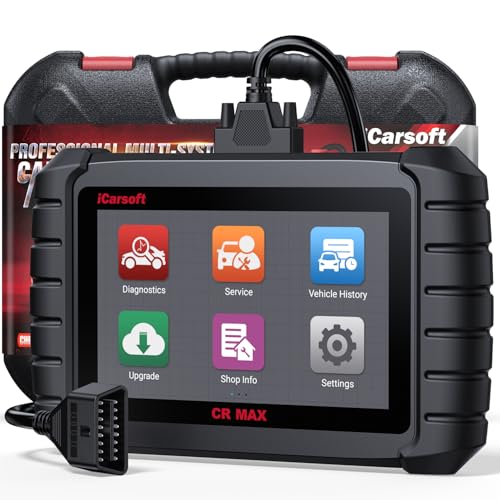
- WHY CHOOSE THE 2025 CR MAX -Upgrade the latest diagnostic capabilities for all vehicles after 1996: upgrade to 49+maintenance services; 46 extra specific functions; real all systems/all control modules diagnose; over 40K+ bidirectional actuation tests for diagnosing all control moduels of cars; Powerful full OBD2 Functions; built-in ECU Coding for BMW
 / Audi/ VW/ RollsRoyce; Fr ee V.A.G Guide Function; Battery retistration for new battery adaptation and more. It covers all vehicle diagnostic services and some special professional vehicle maintenance servces, assists you to do home DIY vehicle maintenance or car repair as a pro technician.
 - NEWEST IN INNOVATION FULL OBD2 SERVICES- iCarsoft auto car diagnostic scanner compatible with CAN-FD, CR MAX can do it all-reads and clears trouble codes, ALL SYSTEM DIAGNOSIS such as engine, transmission, ABS and airbag etc. CR MAX code reader for all cars can perform I/M Readiness, Live Data, Freeze Frame, Vehicle Information, Monitor Test, On-Board Monitor, E vap System Test,O2 Sensor Test,DTC Library Lookup,etc. (Warm Tips: If you car is after 2023,please contact us for compatibility; 3. It comes with 16PIN OBD2 diagnostic adapter, please check your car diagnostic socket if it is 16pin socket, if your car is 14pin diagnostic socket please contact us for the solution.)
- 49 RESET+ 46 SERVICES- Performs: Oil Reset, EPB,SAS,Throttle, D-P - F, Battery, ABS, Injector, TPMS, Suspension, AC, Head Lamp, Body Stablity, Engine, Tramsmission, Airbag, Seat, Door-Win-Roof, Fuel Pump, Door, E-G- R.+21 NEWEST SERVICES( Need update scanner)-AdBlue, Clutch, Crankshaft, High Voltage Battery, Cruise Control, NO xSensor, Rain Sensor, Stop And Start, Turbocharger, Head Up Display, Radar Camera, Vehicle Setup, Cyliner Misfire Check,Speedlimitassist, ControlUnitReset,OxygenSensor, Seatbelt. Extra 46+ extra services based on car brand.(Tips: Quantity of reset/ calibration fucitons are based on car system that your vehicle model has)
- REVOLUTIONARY 40000+BIDIRECTIONAL ACTIVE TESTS: Upgraded CR Max scanner equip with numberous of actuational test items for covering all available vehicle control modules, no longer only do simple light test or window test like other scanners, performs hardware modules test and software control modules test for checking car units or new updated control moduels work well or not after maintenance/ repair/ re-installation/ control system updated (Example for Benz- Roller Sun Blind test; Backup Camera test ;Self-test; EPB test; Transport Mode test;Boost Pressure Positioner test; Fuel Pump test; AND MORE!!).(Warm tip: The available test items are based on control modules your car has)
- ECU CODING+ BATTERY REGISTRATION- Powerful ECU Coding service for BMW/MINI/RollsRoyce / Audi/VW/Seat/Skoda/Bentley/Bugatti/Lamborghini, Improves Engine Power Performance and Optimizes Fuel Efficiency and Match New Hardware Unit to car and Customized a comfortable Driving Modes and Fixes & Updates Original Software Bug. The battery test function for checking car battery health, perform battery reset (BMS ) for replacing a damaged or aging car battery with a new one and register new battery to car ECU

- Scanner POR V2.0 with all obd2 services
- Do the scanning for engine
- Support OBDII/EOBD Ten Modes of Operation

- 【Designed for Most Mercedes-Benz, Sprinter and Smart from 1996-2023】As every car model of Benz has its-owned specific car system and ECUs, not all models are equipped with a complete vehicle ECU, which may cause the scanner to be unable to perform all listed reset services on some models, or even completely incompatible. Like For Sprinter's newer models, it support diagnostic functions only, lacking support for specialized service functions.. So please tell us the car's VIN and required service before purchase for compatibility check. You may also refer to the instructions in the eighth image of the main product photos to perform your inquiry.
- 【Up to 38 Reset Services】MB V3.0 2026 Version diagnostic tool performs Up to 38 maintenance services - Oil Rest , SAS, EPB, ETC, D-P-F, TPMS, ABS, Suspension, Air Conditioner, Head Lamp, Body Stability, Engine Control, Seat, Fuel Pump, Air-Filter, Engine Idle, Door, Im-mo-bilizer, Injector Coding, Transmission Control, Miscellaneous, Adblue, BMS, Cluth, Water Pump, NOxSensor, Rain/Light Sensor, Start/Stop, Radar/Camera, Cylinder Shutoff Test, Speed Limit Assist, Control Unit Reset, Oxygen Sensor, Seat Belt, Cruise Control System, Turbocharger, Crankshaft, Language Setting and etc. (Tips: Please update the software after receiving the product to obtain new service functions)
- 【OE-Level All System OBD2 Scanner】iCarsoft MB V3.0 (2026 Version) diagnostic scanner offers comprehensive OBDII services, allowing you to quickly scan all systems, including the Engine, ABS, SAS, SRS, TPMS, TCM, Fuel Pump System, ESP, EPB, EPS, Suspension, SCM, Adaptive Systems, and more. It supports functions such as reading and erasing codes, checking I/M readiness, viewing freeze frame data, performing O2 sensor tests, conducting on-board monitoring, testing the evap system, auto VIN retrieval, and reading both generic and specific codes, as well as DTCs and battery tests.
- 【Bidirectional Scan Tool】iCarsoft MB V3.0 (2026 Version) Bidirectional scanner supports activate or control a vehicle system or component, allows commanding cars’ modules and receiving info from the ECU to perform active tests on individual components, including EVAP/ABS Motor Pump/Windows/Sunroof and more, to pinpoint fault causes & resolve issues,and allows you to re-learn certain components after making repairs or replacement.
- 【Real Time Record & Graph View】iCarsoft MB V3.0 (2026 Version) can automatically record vehicle text history and identify vehicle information. Preserve real-time data information. View & Graph Live Data. Support Data Review and Print. Multi-language: English, German, Dutch, Spanish, French and so on. We promise to offer Lifetime updates (Lifetime free Update via PC), and confidence in products. We also provide 1 year warranty + extra lifetime hardware free repair if you need it in the future. We prioritize user experience & strive to meet your expectations. Please do feel free to reach out to us if you have any question or problem about the usage, our tech team will service you in time.

This product presentation was made with AAWP plugin.
Last update on 2026-05-12 / Affiliate links / Images from Amazon Product Advertising API