
NHTSA ID Number: 10186192
Manufacturer Communication Number: T-SB-0038-20 Rev
TSB/Document Date: 2021-02-01
Summary
TSB: Pre-Delivery Service (PDS) is a critical step in satisfying our new car customers. Customer feedback indicates the following areas deserve special attention when performing PDS: ?Careful inspection for paint chips/scratches and body dents/dings. ?Proper operation of electrical accessories (including interior light, clock, and radio reset). ?Interior cleanliness. ?Proper function of mechanical systems. Customer retention and proper maintenance of vehicles are and have always been a major focus for Toyota . To help remind customers that regular service is essential to the proper maintenance of the vehicle, dealers are required to install a service reminder sticker before delivery. By doing this, customers will be reminded to return to your dealership for service. Your current service reminder sticker may be used. (See PDS Check Sheet item 8 of ?Final Inspection and Cleaning.?) This bulletin contains the PDS procedures that apply specifically to the 2021 Supra. A universal PDS Check Sheet has been developed for all 2021 model year Toyota vehicles and contains PDS steps which apply to all Toyota models. To properly perform a complete PDS, you must complete all procedures contained in this TSB, as well as the universal PDS Check Sheet. In addition, if the vehicle is stored for over 30 days, be sure to follow Supra Long-Term Vehicle Storage Guidelines.
If the PDF is very large, it may not load in the preview below.
Some older TSBs had multiple PDFs — visit the NHTSA Website to view all PDFs.
If the TSB PDF does not show, download or view it on the NHTSA Website.
Click on the (+) Plus Sign
Then Click on Associated Document(s)
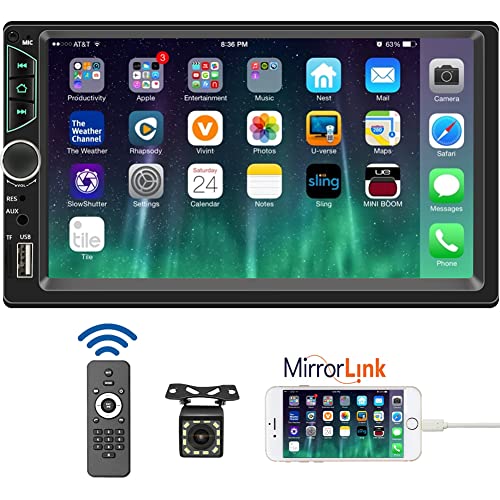
- 【High Quality Car Stereo Player】- Our double din car...
- 【Double Din Car Stereo Phone Mirror Link】- Support...
- 【7 inch Double Din Car Radio With Bluetooth 5.0 and FM...
- 【Car Stereo Double Din Inputs】- USB /SD/AUX input. car...
- 【Standard Double Din Stereo with Backup Camera】- Parking...

- DIMENSIONS: 7.94" x 3.94” x 2.28”, Mounting Dimensions...
- FEATURES: Bluetooth (Hands-Free Calling and Wireless Music...
- INPUTS/OUTPUTS: The USB port gives you the option to have a...
- WHAT IS INCLUDED: Stereo, Installation Brackets, Power...
- WARRANTY: BOSS Audio Systems provides a powerful 3-year...
This product presentation was made with AAWP plugin.
Search NHTSA Database for Recalls
Search NHTSA Database for Vehicle Investigations
View Latest Vehicle Investigations
Search NHTSA Database for Vehicle Complaints
View Latest Vehicle Complaints
TSB/Document ID: T-SB-0038-20 Rev
Replacement Service Bulletin Number:
MFR Communication Date: 2020-12-14
MFR Internal Campaign ID/Software Version:
Communication Type: Service Bulletin/Repair Instructions
NHTSA Components: EQUIPMENT
MFR Component System:
MFR Component Subsystem:
Previous TSB | Next TSB |
T-SB-0038-20
Rev1
April 14, 2020
2021 Supra Pre-Delivery Service (PDS)
Service
Category
General
Section
Pre-Delivery Service
Market USA
Applicability
YEAR(S)
MODEL(S)
2021
Supra
ADDITIONAL INFORMATION
REVISION NOTICE
December 14, 2020 Rev1:
The entire bulletin has been updated.
Any previous printed versions of this bulletin should be discarded.
Introduction
Pre-Delivery Service (PDS) is a critical step in satisfying our new car customers. Customer
feedback indicates the following areas deserve special attention when performing PDS:
Careful inspection for paint chips/scratches and body dents/dings.
Proper operation of electrical accessories (including interior light, clock, and radio reset).
Interior cleanliness.
Proper function of mechanical systems.
Customer retention and proper maintenance of vehicles are and have always been a major focus
for Toyota. To help remind customers that regular service is essential to the proper maintenance
of the vehicle, dealers are required to install a service reminder sticker before delivery. By doing
this, customers will be reminded to return to your dealership for service. Your current service
reminder sticker may be used. (See PDS Check Sheet item 8 of “Final Inspection and Cleaning.”)
© 2020 Toyota Motor Sales, USA
Page 1 of 33
T-SB-0038-20
Rev1
April 14, 2020
Page 2 of 33
2021 Supra Pre-Delivery Service (PDS)
Introduction (continued)
This bulletin contains the PDS procedures that apply specifically to the 2021 Supra. A universal
PDS Check Sheet has been developed for all 2021 model year Toyota vehicles and contains PDS
steps which apply to all Toyota models. To properly perform a complete PDS, you must complete
all procedures contained in this TSB, as well as the universal PDS Check Sheet.
In addition, if the vehicle is stored for over 30 days, be sure to follow Supra Long-Term Vehicle
Storage Guidelines.
NOTE
To perform navigation map activation during the transport mode deletion procedure, the following items
MUST be completed in advance. Refer to the Ordering License Key section of this bulletin for
more details.
Dealer user registration on www.supramapactivation.com.
License key order placed and completed (1 – 3-day process).
Warranty Policy
If the need for additional repairs or adjustment is noted during PDS, the required service should be
performed under warranty. Reimbursement will be managed under the warranty policy.
The Warranty Policy and Procedures Manual requires that you maintain the completed
Check Sheet in the customer’s file. If you cannot produce a completed form for each retailed
vehicle upon TMS and/or Region/Distributor audit, the PDS payment amount will be subject
to debit.
An additional Repair Order completed in conjunction with normal PDS MUST have time punch/flags
for service. If multiple repairs are performed, separate time flags MUST be punched for each repair.
Warranty Information
OP CODE
DESCRIPTION
TIME
OFP
T1
T2
001013
Pre-Delivery Service (PDS)
1.5
–
–
–
© 2020 Toyota Motor Sales, USA
T-SB-0038-20
Rev1
April 14, 2020
Page 3 of 33
2021 Supra Pre-Delivery Service (PDS)
Required Tools & Equipment
SPECIAL SERVICE TOOLS (SST)
PART NUMBER
QTY
Supra Diagnostic Cable*
01018-00118
1
DCA-8000 Battery Diagnostic Tool*
DCA-8000P T
1
*Essential SST.
NOTE
Additional SSTs may be ordered by calling 1-800-933-8335.
REQUIRED EQUIPMENT
SUPPLIER
PART NUMBER
QTY
Techstream ADVi*
Snap-On
TSADVUNIT
1
*Essential SST.
NOTE
Supra Diagnostic Software Toyota ISTA version 4.18.21.18585 or later is required. ISTA software is
available for download at TIS - Diagnostics – Scantool.
Techstream software version 15.30.027 or later is required.
Additional Techstream ADVi units may be ordered through the Techstream Order Portal at
TIS – Diagnostics – Scantool.
© 2020 Toyota Motor Sales, USA
T-SB-0038-20
Rev1
April 14, 2020
Page 4 of 33
2021 Supra Pre-Delivery Service (PDS)
Procedures
Preparation for Map Activation ............................................................................................. 5
Dealer User Registration ................................................................................................ 5
Ordering License Key ..................................................................................................... 5
Transport Mode Deletion Procedure .................................................................................... 6
Spring Spacer Removal ..................................................................................................... 24
Tire Pressure Warning System (TPSW) Initialization ................................................................. 26
Emergency Towing Eyelet Removal and Eyelet Hole Cover Installation* ........................... 27
Front License Plate and Mounting Bracket Installation*...................................................... 30
Rear License Plate and Mounting Bracket Installation........................................................ 33
*If applicable.
© 2020 Toyota Motor Sales, USA
T-SB-0038-20
Rev1
April 14, 2020
Page 5 of 33
2021 Supra Pre-Delivery Service (PDS)
Preparation for Map Activation
In order to perform navigation map activation (procedures for start-of-use) during the transport mode
deletion procedure, it is necessary to order a license key in advance. It is necessary to determine the
pre-delivery work schedule in coordination with the sales staff and perform the Dealer User
Registration and Ordering License Key procedures described below.
Dealer User Registration
Navigate to www.supramapactivation.com and complete dealer user registration.
NOTE
User registration only needs to be completed once. If already registered, go to the Ordering License Key
section of this bulletin. Refer to the Map Activation Order Request Guide for complete
registration instructions.
Ordering License Key
Navigate to www.supramapactivation.com and order a license key.
NOTE
Refer to the Map Activation Order Request Guide for complete ordering instructions.
To place the order, enter the vehicle VIN and select the applicable country.
Orders can be submitted 24 hours a day, but order processing times are limited. Therefore, orders
need to be placed in advance according to the schedule for PDS.
Time from order placed until order completed:
From same day to max. 3 days (no processing on weekends).
If an order is placed just before a scheduled order processing time, the order may be processed at the
next scheduled order processing time.
Order processing times (Central European Time):
Monday – Friday, 9:45 AM, 12:00 PM, 3:00 PM, 9:00 PM.
Orders are processed in Europe and will therefore follow European daylight savings (summer) time.
The European daylight savings time schedule differs from the USA schedule.
After the order has been received, an email will be sent to the address that was provided during user
registration to inform you of the time at which processing is expected to be completed.
As long as ISTA is connected to the internet, the ordered license key will automatically populate in
ISTA during the navigation map activation procedure. (No physical object will be sent to the dealer.)
Activation MUST be completed within 30 days of the license key order.
If activation is NOT completed within 30 days of the license key order, the license key will become
invalid, and it will be necessary to order a NEW license key.
The 4-year free update period is calculated from the completion of the license key order, NOT from
the activation timing.
© 2020 Toyota Motor Sales, USA
T-SB-0038-20
Rev1
April 14, 2020
Page 6 of 33
2021 Supra Pre-Delivery Service (PDS)
Transport Mode Deletion Procedure
Transport mode disables various electrical functions while the vehicle is being shipped to help
prevent the vehicle battery from being drained. While in transport mode, the “Transport Mode
Indicator” is displayed on the combination meter. The indicator will turn off after transport mode is
deleted. Follow these steps to delete transport mode using the Supra diagnostic
application (ISTA).
NOTE
In the procedure below, the language setting in ISTA is British English (en-GB), which is the default
setting. If you have changed the language setting to English for the United States (en-US), you may
see different terminology within ISTA (e.g., Operations Cases).
Transport mode deletion procedure screen flows and content may vary depending on ISTA version.
To perform the transport mode deletion procedure, it is necessary to connect to the Internet.
1. Connect the battery charger to the vehicle.
NOTE
When deleting transport mode, keep the battery charger connected throughout the procedure and
make sure the battery voltage remains at 12.3V or higher. If the voltage decreases below 12.3V,
a message may be displayed on the ISTA screen instructing the technician to connect the
battery charger.
When AGM batteries are charging, the maximum charging voltage of 14.8V at room temperature
must NOT be exceeded. Do NOT use rapid-charging programs.
When charging, use the jump-starting terminals located under the hood.
When the vehicle is stored for a long period of time, charge the battery to 12.9V every six weeks.
2. While connected to Wi-Fi, connect Techstream to the DLC3 port using the Supra
diagnostic cable.
NOTE
Check that the date and time on the PC are correct.
3. Press the Start-Stop (engine switch) three times within 0.8 seconds to enter Diagnostics
(PAD) Mode.
© 2020 Toyota Motor Sales, USA
T-SB-0038-20
Rev1
April 14, 2020
2021 Supra Pre-Delivery Service (PDS)
Transport Mode Deletion Procedure (continued)
4. Launch ISTA software, enter the following menus: Operations (Cases) – New –
Read Out Vehicle Data, and click Complete identification (Full Identification).
Figure 1.
© 2020 Toyota Motor Sales, USA
Page 7 of 33
T-SB-0038-20
Rev1
April 14, 2020
Page 8 of 33
2021 Supra Pre-Delivery Service (PDS)
Transport Mode Deletion Procedure (continued)
5. In the Connection manager window, select the VIN and click Set up connection
(Establish connection).
Figure 2.
NOTE
AFTER the connection has been established, even if fault memory is displayed, it will be
erased during "11. Delete Fault Memory," so it does NOT need to be handled at this point.
© 2020 Toyota Motor Sales, USA
T-SB-0038-20
Rev1
April 14, 2020
Page 9 of 33
2021 Supra Pre-Delivery Service (PDS)
Transport Mode Deletion Procedure (continued)
6. Enter the following menus:
Vehicle management – Service functions – Maintenance and pre-delivery check – Transport
mode, pre-delivery check – Delete transport mode – ABL Delete transport mode
Then click Display.
Figure 3.
© 2020 Toyota Motor Sales, USA
T-SB-0038-20
Rev1
April 14, 2020
Page 10 of 33
2021 Supra Pre-Delivery Service (PDS)
Transport Mode Deletion Procedure (continued)
7. Menu display: “Delete transport mode and then carry out the pre-delivery check?”
Select Yes, then click Continue.
Figure 4.
8. If the screen below appears, ignore it and click Continue.
If this screen does NOT appear, continue to step 9.
Figure 5.
© 2020 Toyota Motor Sales, USA
T-SB-0038-20
Rev1
April 14, 2020
Page 11 of 33
2021 Supra Pre-Delivery Service (PDS)
Transport Mode Deletion Procedure (continued)
9. Menu display: “Enter the currently valid phone number for the responsible (country-specific)
breakdown assistance.”
Enter the appropriate roadside assistance phone number according to the table below, then
click Continue.
NOTE
Phone number entry is only required once. If the ISTA software being used has been used to
complete PDS previously, go to step 12.
Do NOT input dashes with phone numbers.
REGION
ROADSIDE ASSISTANCE PHONE NUMBER
Continental United States of America
Hawaii
Puerto Rico
18003314331
18775251778
18009818166
Figure 6.
© 2020 Toyota Motor Sales, USA
T-SB-0038-20
Rev1
April 14, 2020
Page 12 of 33
2021 Supra Pre-Delivery Service (PDS)
Transport Mode Deletion Procedure (continued)
10. Menu display: “Enter the currently valid phone number for the responsible Technical Support
department (country-specific).”
Enter the appropriate customer support phone number according to the table below, then
click Continue.
NOTE
Phone number entry is only required once. If the ISTA software being used has been used to
complete PDS previously, go to step 12.
Do NOT input dashes with phone numbers.
REGION
CUSTOMER SUPPORT PHONE NUMBER
Continental United States of America
Hawaii
Puerto Rico
18003314331
18882725515
18778558377
Figure 7.
© 2020 Toyota Motor Sales, USA
T-SB-0038-20
Rev1
April 14, 2020
Page 13 of 33
2021 Supra Pre-Delivery Service (PDS)
Transport Mode Deletion Procedure (continued)
11. Menu display: “Enter the currently valid phone number for the dealer. If there are several
telephone numbers in the premises, use the telephone number used in the service section.”
Enter the service department phone number for your dealership, then click Continue.
NOTE
Phone number entry is only required once. If the ISTA software being used has been used to
complete PDS previously, go to step 13.
Figure 8.
© 2020 Toyota Motor Sales, USA
T-SB-0038-20
Rev1
April 14, 2020
Page 14 of 33
2021 Supra Pre-Delivery Service (PDS)
Transport Mode Deletion Procedure (continued)
12. Ensure that statutory exhaust-gas test is deactivated, then click Continue.
If statutory exhaust-gas test is activated, select Yes to deactivate, then click Continue.
NOTE
Statutory exhaust-gas test display preference entry is only required once. If the ISTA software being
used has been used to complete PDS previously, continue to step 13.
Figure 9.
© 2020 Toyota Motor Sales, USA
T-SB-0038-20
Rev1
April 14, 2020
Page 15 of 33
2021 Supra Pre-Delivery Service (PDS)
Transport Mode Deletion Procedure (continued)
13. Confirm the phone numbers for breakdown assistance (roadside assistance), technical support
(Customer Experience Center/customer support), and dealer (service department).
Select the “Enter phone numbers in the vehicle” box and click Continue.
NOTE
If a phone number needs to be edited, select the box next to the number that needs to be edited and
click Continue.
Figure 10.
© 2020 Toyota Motor Sales, USA
T-SB-0038-20
Rev1
April 14, 2020
2021 Supra Pre-Delivery Service (PDS)
Transport Mode Deletion Procedure (continued)
14. Menu display: “The online services will be updated in the following procedure...”
Click Continue.
Figure 11.
NOTE
If updating online services fails, the menu will display “Currently, there is no
connection to the ConnectedDrive Server or there is a problem with the user
account in the ConnectedDrive portal."
If this message is displayed, select “Confirm the note and continue with the
procedure.” and “Continue (Next).”
AFTER the transport mode deletion procedure is complete, use the multi-display
and perform the following steps to update the online services.
After selecting “Connected Serv.,” press the OPTION button on the controller.
Select “Update Toyota Supra Services.”
For the “Transferring data” message, select “OK” and for the “Data transfer
successful” message, select “OK.”
© 2020 Toyota Motor Sales, USA
Page 16 of 33
T-SB-0038-20
Rev1
April 14, 2020
2021 Supra Pre-Delivery Service (PDS)
Transport Mode Deletion Procedure (continued)
15. Once the head unit and telematics control unit service updates are complete,
click Continue.
Figure 12.

- Affordable Solution for Professional-grade Car Diagnostics & Repair: As the budget-friendly OBD2 scanner under $300, the VD70 Lite car diagnostic tool offers 31+ hot resets, full bi-directional controls with 4000+ active tests, all system diagnostics, 8-in-One live data graphing (export as CSV Export/Recording/Playback), CAN FD & DoIP protocols, and long-term free update. Additional features include Auto VIN & Auto Scan, diagnostic report sharing/printing, with coverage for over 10,000 vehicle models worldwide, suitable for DIYers, Car Owners, Technicians, and Mechanics on car repairs and maintenance tasks.
- OBD2 Scanner with Full Bi-directional Control: The Bidirectional scan tool VIDAGTOOL VD70 Lite performs 4000+ active tests that can send execution commands to the ECU module and identify the repair status, covering for windows, doors, ABS, valves, wipers, headlights, rear mirrors, sunroof,and more in-vehicle components. This bidirectional OBD2 scanner is a must-have diagnostic tool for auto technicians and mechanics on a budget! The available function tests vary by model—please check compatibility via vdiagtool2 @ outlook . c o m before purchase.
- OE All Systems Diagnostics & 8-IN-One Data Graphing: VD70 Lite is a dealer-level car scanner diagnostic tool with Auto VIN that can do in-depth diagnostics for 100+ modern car brands, covering all systems including engine, transmission, airbag, ABS, ESP, TPMS, radio, etc, to read/clear code, view live data, freeze frame, and read ECU info. This advanced OBD2 Scanner with 8-in-one data graphing and detailed diagnostic reports makes data viewing more intuitive, ensures quickly accurate repairs by identifying issues, and easily masters the car situation.
- Stay Ahead with 31+ Reset for Faster & Easier Repairs: VDIAGTOOL VD70 Lite scanner for car meets almost all daily maintenance needs for both home mechanics and workshops as a professional automotive scan tool. It can perform Oil Reset, ABS Bleed, Crank Sensor Relearn, Idle Relearn, Injector Coding, Window Initialization, HVAC Calibration, Suspension Calibration, Throttle Matching, etc, ensuring efficient repairs and complete maintenance. Besides, long-term free updates keep its functionality and broad vehicle compatibility up to date. Functions vary by model, please send us the Vehicle Model, Year, VIN for compatibility before purchase.
- 150+ Models, 10000+ Car Coverage & 22 Languages:As a powerful car computer diagnostic tool, VD70 Lite helps you to quickly troubleshoot issues for 95% of US, European, and Asian vehicles. Supporting 22 languages makes it a global car diagnostic scanner for auto mechanics worldwide without language barriers. Note: Simply provide your tool’s S/N and reach out to vdiagtool2 @ outlook . c o m to change the menu language.

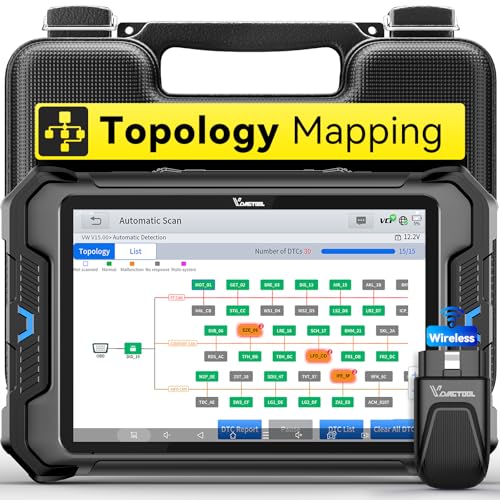
- Smarter Diagnostics, Broader Coverage, Greater Value Than $1,000+ Tools: The game-changing VD80BT OBD2 scanner delivers 4000+ active tests, 42+ hot services, advanced ECU coding, PMI & V.A.G Guided—all in one scanner for car. With OE-level full system scan and intelligent topology mapping that cuts diagnostic time by up to 50%, you'll work smarter and faster. Supporting FCA
 AutoAuth, CAN FD & DoIP protocols, this car scanner covers over 10,000 vehicle models worldwide. Built for serious pros and DIYers, it features 8" HD screen & 4+64GB storage, 7.3V fast charging with long-lasting battery, and 33–66ft stable wireless connection—making it the most complete diagnostic solution you’ll ever own
 - Intuitive Topology Map, Fast Locate Faults: Why waste time clicking module by module? VD80BT car diagnostic scanner takes diagnostics to the next level with its intuitive Topology Map—a premium feature usually found in $1000+ obd scanner. With one tap, it performs all system scan and presents all modules and DTCs in a clear, color-coded layout, boosting diagnostic efficiency by up to 200% and helping you locate issues instantly and reduce repair time and costs. Whether you're a pro boosting efficiency or a beginner learning diagnostics, this obd2 scanner diagnostic tool makes fault-finding faster and smarter for you. Note: varies by vehicle model, please check compatibility before purchase
- Wireless Connectivity Simplifies Bi-Directional Control: With 4000+ active tests, including throttle reset, window calibration and solenoid check, VD80BT bidirectional scan tool lets you diagnose and verify functions faster, smarter, and more efficiently. This scanner for car redefines flexibility in bi-directional control through a fully wireless connection, freeing you from the constraints of wired car diagnostic tool in the workshop. Imagine actively controlling components like the A/C clutch, fuel injector, ABS pump, or radiator fan within a wireless range of 33–66ft around the vehicle—all while enjoying stable, high-speed wireless diagnostic and real-time data monitoring
- 42+ Hot Services, One Powerful Scanner for Car: Why pay a shop $100 just to reset a light? VD80BT car scanner diagnostic tool gives you 42+ hot services from basic resets to advanced maintenance tasks like Crank Sensor Relearn, Injector Coding, ABS Bleeding, Oil Reset, Throttle Relearn, EPB, BMS Reset, Tire Size Reset and more. Plus, it offers 100+ vehicle-specific features including Idle Relearn, VIN Write, Brake Fluid Replacement, Fuel Trim Reset, ABS Initialization and more. Whether you’re resetting TPMS or fixing a stubborn SAS, this car computer diagnostic reader delivers shop-grade precision at a fraction of the cost. Varies by model. Send VIN to verify compatibility before purchase
- OE-Level Full System Diagnostics in Your Hands: Dominate diagnostics like a dealership with VD80BT scan tool for all vehicles, delivering factory-grade scanning for aLL systems—including ABS, SRS, ECM, TCM and more. View up to 8 PID graphs simultaneously to quickly catch intermittent issues and troubleshoot with confidence. Easily read and clear DTCs, retrieve freeze frame data, and run active tests for faster, more accurate repairs. It’s like having a dealership-grade scan tool in your pocket, complete with data playback and CSV export for in-depth analysis. Stop guessing and start fixing with surgical precision—professional diagnostics made simple and portable. Check compatibility Please

- 【OE-Level Full System Diagnostics-Lifetime F*REE Software Updates】The VDIAGTOOL D200 OBD2 Scanner for cars is a all system bidirectional scan tool that enjoy lifetime f*ree software updates, delivers complete system coverage. reading/clearing codes across engine, transmission, ABS, SAS, EPB, TPMS plus full access to body, chassis, powertrain and all control modules. This D200 Bidirectional car scanner works with most 1996+ OBD2 gasoline and hybrid cars and light trucks. It does NOT support pure electric and heavy-duty trucks. PLEASE CHECK COMPATIBILITY BEFORE ORDERING or Contact us with VIN to confirm compatibility.
- 【Supports OBD2 Full Functions-ZERO Subscription Fees】D200 Bidirectional OBD2 Scanner is a upgarde of universal car code reader. It supports OBD2 full functions to help you turn off the annoying instrument fault indicator, such as read/clear codes, O2 sensor test, I/M readiness, on-board monitor test, datastream, freeze frame, E-VAP system test, and retrieve vehicle information. This professional obd2 scanner diagnostic tool can full access to diagnostics, reset tools and maintenance features with a single payment. NOTE: The fault code can only be cleared after the vehicle's malfunction has been repaired; please ensure the vehicle issue is fixed before clearing the code.
- 【D200 Hidden 2 Advantages: 1. $169 Expandable 49+ Advanced Resets. 2. $199 Get J2534 P*a*s*s-Thru Programming】Your core car diagnostics and 26 reset remain lifetime f*ree for everyday maintenance. When you need deeper repair capability, upgrade with 3-year access for $169 in Store on VDIAGTOOL App, gaining 49+ advanced resets. D200 configured with J2534 hardware, upgrade only when you need without replacing the entire device. You also can Lifetime Unlock for $199 in Store one-time, perform module programming, software re~flashing and ECU data updates directly. Supports 17+ major brands, including for BMW, for Audi, for GM, for Ford and more. Note:D200 does‘t provide any OE software.
- 【Full Bidirectional Control / Active Tests】The D200 car scanner diagnostic tool is a true bidirectional scan tool that lets you send commands directly to the vehicle’s ECU for active tests. Quickly test fuel pumps, relays, solenoids, injectors, cooling fans, windows, sunroofs and more to verify operation instantly. Get dealership-level diagnostic control at a fraction of the cost (ofter $100-200$ per diagnostic visit), reduce guessworkand confirm repairs faster, avoid unnecessary parts replacement, towing fees and wait times.
- 【26 F*ree Essential Reset & Relearn Functions – Everyday Maintenance Made Easy】Handle common maintenance and repair jobs without visiting the shop. The D200 code readers & scan tools includes 26 f*ree high-demand reset functions, including Oil Reset, EPB Service, SAS Calibration, ABS Brake Bleeding, Throttle Relearn, Injector Coding, Headlight Adjustment, Tire Size Reset and more. Perfect for home car owners, mechanics and DIYers – just plug and diagnose anytime, anywhere! Note: Service functions vary by vehicle model—please confirm compatibility.
This product presentation was made with AAWP plugin.
Last update on 2026-05-13 / Affiliate links / Images from Amazon Product Advertising API