
NHTSA ID Number: 10185124
Manufacturer Communication Number: 2686
TSB/Document Date: 2021-01-05
Summary
Pre-Delivery Inspection – PDI procedures
If the PDF is very large, it may not load in the preview below.
Some older TSBs had multiple PDFs — visit the NHTSA Website to view all PDFs.
If the TSB PDF does not show, download or view it on the NHTSA Website.
Click on the (+) Plus Sign
Then Click on Associated Document(s)

- 💝【Questions? We’re Here Anytime】MK808S is a...
- 🔥🔥🔥【2026 NEWLY RELEASED BI-DIRECTIONAL...
- 【28+ MOST POPULAR RESET SERVICE FOR 150 MAKES】Autel...
- 【ALL SYSTEM DIAGNOSTICS, FACTORY-LEVEL SCANNER】The...
- 【AUT0 SCAN & AUT0V1N, 10X FASTER】How much have you spent...


- 💯【Conta.ct us for Support Directly】If you met any...
- 🔥🔥🔥【2026 AUTEL FLAGSHIP MK900BT MK900-BT, NEW...
- 🚗【3000+ ACTIVE TESTS (50➡3000+), SAME AS MS...
- 🚗【40+ HOT SERVICES FOR 150 MAKES (28+➡40+)】Full...
- 🚗【OE ALL SYSTEM DIAGNOSE, AUTO SCAN 2.0: SCAN LICENSE...
This product presentation was made with AAWP plugin.
Search NHTSA Database for Recalls
Search NHTSA Database for Vehicle Investigations
View Latest Vehicle Investigations
Search NHTSA Database for Vehicle Complaints
View Latest Vehicle Complaints
TSB/Document ID: 2686
Replacement Service Bulletin Number:
MFR Communication Date: 2020-12-14
MFR Internal Campaign ID/Software Version:
Communication Type: Service Bulletin/Repair Instructions
NHTSA Components: EQUIPMENT:OTHER:OWNERS/SERVICE/OTHER MANUAL
MFR Component System:
MFR Component Subsystem:
Previous TSB | Next TSB |
Ferrari North America
Technical Information
Date:
Bulletin #:
Campaign #:
Supersedes:
Section:
December 2020
2686
10
Model:
Subject: Pre-Delivery Inspection – PDI procedures
- IMPORTANT The pre-delivery inspection procedures (PDI) may only be performed by your F-HVT
(Ferrari High Voltage Technician), who has taken the SF90 training class and passed the
TUV certiciation for working with high voltage systems.
In case of any doubt, contact the Ferrari Help Desk before starting any work on the
vehicle.
Please find enclosed the new procedures and relative list of inspections to be performed at all
times before the vehicle is delivered to the customer.
The following procedures must be performed exactly as indicated and in the order given,
providing the factory with the information requested.
- IMPORTANT This Pre-Delivery Inspection (PDI) procedure may only be performed with a PC-Tester DEIS
updated to at least the following software version (or subsequent release):
- Module 0
Portal and Troubleshooting
54
- Module 1
DEIS Diagnostic software
89
- Module 2
Technical Documentation
12
- Module 3
Tools
8
Check the software number and, if necessary, update your DEIS Tester immediately.
After updating the DEIS, the first vehicle diagnostic cycle must be performed using a cable
connection.
© 2020. Ferrari North America, Inc.
Technical Department
www.ferrari.com
All rights reserved. Reproduction or translation in
whole or in part is not permitted without
authorization from the publisher. Printed in USA.
Ferrari North America
Procedure.
1.
Visually inspect condition of vehicle paintwork; repair if necessary (use the specific
“Bodywork Problems” form annexed on page 11).
2.
If disconnected, connect the negative pole of the battery and reset the vehicle autoadaptive parameters (as described in paragraph F3.01 of the Workshop Manual).
3.
Activate Key-ON state and check the automatic gearbox mode indicated on the
instrument panel:
- if letter “P” (Park Lock) is displayed, go to point 5.
- if letter “N” (Neutral) is displayed, go to point 4.
4.
Re-enable the Park Lock – Gearbox lock device (as described in paragraph C2.07 of the
Workshop Manual).
5.
Using the DEIS tester, print out the engine parameters and indicate the values SOC (State
of Charge) and SOH (State of Health) of the high voltage battery (HVB), and the values
and SOC of the low voltage battery (LVB). Charge the batteries with the specific battery
charger/conditioner. Attach the print-out of the engine parameters, with the description
“PDI Form Info”.
Fig. 1
6.
Using the DEIS tester, disable the “Logistic Mode” function with diagnostic cycle “150
Complete Logistic Mode” on the NBC ECU (Body Computer Node).
7.
Test the keys and the anti-theft system.
8.
Check that the daytime lights are working (depending on market).
2
© 2020. Ferrari North America, Inc.
Technical Department
www.ferrari.com
TI-2686
All rights reserved. Reproduction or translation in
whole or in part is not permitted without
authorization from the publisher. Printed in USA.
Ferrari North America
9.
Check that the low beam lights work correctly: also check that the AHS - Adaptive
Headlights System (if applicable) works correctly when the steering wheel is turned.
10. Check the vehicle front lift (if present) is working: also check that the AHS (low beam
headlamp orientation) system is working correctly. With the car raised, the height of the
headlight beam must be the same as with the car lowered.
11. Check that the high beams work correctly.
12. Check that the brake lights work correctly.
13. Check that the turn indicators and license plate lights work correctly.
14. Check that all the cabin light units in the vehicle work correctly.
15. Check that the backlighting of the buttons on the steering wheel, dashboard, doors,
center console tunnel and the ceiling light unit, and of the USB port socket, works
correctly.
16. Check the horn.
17. Check that the power windows work correctly.
18. Check that the windshield and headlight wipers work correctly.
19. Check that the mechanical/electrical steering adjustment mechanism works correctly.
20. Check the electric seat functions: check fore/aft, backrest rake, height and cushion tilt
angle adjustment functions. If applicable, also check: the seat memory functions (driver
side only) and the lumbar support, pneumatic side bolster, seat cushion length (upper
leg support) adjustment functions and the heated seat function.
21. Check that the electric parking brake (EPB) works correctly; test manual and automatic
modes.
22. Check that Infotainment / navigation system works correctly (if installed, see point 37);
set the relative roadside assistance numbers for your market.
3
© 2020. Ferrari North America, Inc.
Technical Department
www.ferrari.com
TI-2686
All rights reserved. Reproduction or translation in
whole or in part is not permitted without
authorization from the publisher. Printed in USA.
Ferrari North America
23. Check engine coolant level and top up if necessary.
24. Check the fluid level of the cooling system of the high voltage electrical system battery
(HVB) (as described in paragraph G3.02 of the Workshop Manual).
25. Check the fluid level of the cooling system of the inverter and electric front axle (P4) (as
described in paragraph G6.02 of the Workshop Manual).
26. Check the brake fluid level and top up if necessary.
27. Check the headlight washer/windshield washer fluid level and top up if necessary.
28. Check tire pressure calibration with the TPMS system.
29. Check the tightness of the wheel studs with a torque wrench . The studs must be
tightened to 120 Nm on vehicles with aluminium wheels, or 150 Nm on vehicles with
carbon wheels.
30. Check that the tow hook can be fitted correctly.
31. Check that all High Voltage warning labels are applied correctly.
Start the engine (as described in paragraph F19.02 of the Workshop Manual),
and perform the following:
32. Check that the air conditioning and heating system works correctly (static test).
33. Check that the electric rear view mirrors work correctly.
34. Check that the internal electrochromic mirror and the electrochromic RH and LH rear
view mirrors (if installed) work correctly.
35. Check that the parking sensors, rear and front parking cameras (if applicable) and
Surround View cameras (if applicable) work correctly.
36. Using the DEIS tester, perform the “Cancel all DTCs from all ECUs” procedure from the
“Vehicle functions” menu.
4
© 2020. Ferrari North America, Inc.
Technical Department
www.ferrari.com
TI-2686
All rights reserved. Reproduction or translation in
whole or in part is not permitted without
authorization from the publisher. Printed in USA.
Ferrari North America
Test drive.
37. Check function of navigation system (if applicable); set route before setting off.
38. Test drive the vehicle (approx. 20 minutes).
39. Check that Stop&Start system works correctly.
40. While driving, check that the “Manettino” dial on the steering wheel works correctly. Also
check that the “Suspension damping decouple” function, selectable by pressing the
Manettino control, works correctly.
41. While driving, check that the ADAS driver assistance systems (if applicable) work
correctly:
•
•
•
•
•
Adaptive Cruise Control;
Blind Spot Detection;
Rear Cross Traffic Alert;
Traffic Sign Recognition;
Lane Departure Warning.
42. While driving, check that the air conditioning and heating system works correctly
(dynamic test).
43. For USA/CND Version only. Take the vehicle into a location with a clear view of the sky
and activate Sirius XM as per FNA 165
Return to workshop.
44. Check the engine oil level (engine warm and at idle speed) and top up if necessary (as
described in paragraph B8.02 in the Workshop Manual).
45. Using the DEIS tester, check that the VIN number read on the tester matches the number
indicated on the VIN plate situated at the bottom left of the windshield and the number
punched onto the chassis of the vehicle. The punched VIN number on the chassis is visible
via an aperture in the floorpan carpet on the passenger side. For more information on
the locations of vehicle identification numbers, see chapter A1.02 of the Workshop
Manual. if necessary, the VIN number may be modified using the “100 Write VIN”
5
© 2020. Ferrari North America, Inc.
Technical Department
www.ferrari.com
TI-2686
All rights reserved. Reproduction or translation in
whole or in part is not permitted without
authorization from the publisher. Printed in USA.
Ferrari North America
diagnostic function (password-protected) on the NCM ECU (engine control node). Any
faults must be reported in an ROL.
46. Resolve and cancel any errors on all ECUs.
47. Enter the warranty start date (Check that the language setting on the TFT display is
correct).
48. Perform the “SCAN OUT” procedure from the “Vehicle functions” menu with the DEIS
tester before carrying out any further diagnostic operations.
49. Remove the complete aerodynamic undertray and the cosmetic engine compartment shields
from the vehicle (as described in paragraphs E3.01 and E3.03 of the Workshop Manual).
50. Visually check for coolant and/or oil leaks in the underbody area and engine compartment.
51. Visually inspect engine compartment lines.
52. Visually inspect the engine compartment wiring harnesses.
53. Visually inspect the High Voltage wiring harnesses in the engine compartment.
54. Visually inspect underbody lines.
55. Visually inspect exhaust pipes.
56. Visual inspection of fuel tanks.
57. Check visually that the following are fitted correctly: Suspension assembly components,
steering box and axle shaft flanges.
58. Check visually that the following are fitted correctly: vehicle ground point and engine
ground point.
59. Visually inspect condition of brake pads and discs (DO NOT remove wheels).
60. Check condition of tires and wheels.
61. Refit the complete aerodynamic undertray and cosmetic engine compartment shields (as
described in paragraphs E3.01 and E3.03 of the Workshop Manual).
6
© 2020. Ferrari North America, Inc.
Technical Department
www.ferrari.com
TI-2686
All rights reserved. Reproduction or translation in
whole or in part is not permitted without
authorization from the publisher. Printed in USA.
Ferrari North America
62. Check that the door and lid locks work correctly; adjust if necessary.
63. Check that the fuel filler flap and battery charger socket flap emergency release
mechanisms work correctly; adjust if necessary.
64. Visually inspect condition of vehicle interior; repair if necessary.
65. Clean the interior thoroughly and wash the exterior. Do not use an automatic car wash
with rotary brushes. Do not use steam or pressure cleaners to clean the engine
compartment, areas in the vicinity of high voltage cables and components, areas in the
vicinity of the battery conditioner socket and high voltage battery, or the vehicle
bodywork in general, as they may cause damage to the high voltage system.
66. Ensure that the vehicle is delivered complete with the following:
- identification and type approval plates
- license plate holder
- tool kit
- On Board Documentation (Owner's Manual, Quick Reference Guide, Warranty
Booklet, Emergency Response Guide, First Aid Guide, Battery conditioner guide),
second vehicle key, Code Card and any other material related to optional accessories.
67. Check that the battery conditioner provided with the vehicle works correctly, referring to
the relative manual.
7
© 2020. Ferrari North America, Inc.
Technical Department
www.ferrari.com
TI-2686
All rights reserved. Reproduction or translation in
whole or in part is not permitted without
authorization from the publisher. Printed in USA.
Ferrari North America
- IMPORTANT Confirm that the operations listed above have been carried out correctly with the “Pre-Delivery
Inspection - PDI” form (enclosed on pages 9 and 10), compiled in full and signed by the
Aftersales Manager of your Authorized Ferrari Dealer.
After the inspection procedures, ALWAYS open an ROL (Red On Line) if the vehicle is in “New
Model/Special Series” status (ref. TI 2667) specifying “PDI Form Info” as the description. Attach
the completed “PDI Pre-Delivery Inspection” form attach the duly compiled “PDI Pre-Delivery
Inspection” form together with the printout files of the parameters and errors requested in
points 5, 36 and 48.
You will also be required to open a separate individual ROL with the description "PDI Fault
Info" for each fault encountered during the inspection procedure, indicating the respective
operation number as cited in the “PDI Pre-Delivery Inspection” form; Attach all necessary
documentation, including photographs if needed.
Thank you for your co-operation.
8
© 2020. Ferrari North America, Inc.
Technical Department
www.ferrari.com
TI-2686
All rights reserved. Reproduction or translation in
whole or in part is not permitted without
authorization from the publisher. Printed in USA.
Model
Updated on
June 2020
Chassis number:
Dossier creation date:
Job order no.:
Notes:
Description of inspection / operation:
1. - Condition of vehicle paintwork.
2. - Connect battery and reset vehicle parameters.
3. - Check Park Lock device.
4. - Reset Park Lock device.
5. - Check SOC (State of Charge) of LVB and HVB batteries
6. - Disable “Logistic Mode”.
7. - Test keys, etc.
8. - Daytime running lights.
9. - Low beam lights and AHS (if applicable).
10. - Check the front vehicle lift (if installed).
11. - High beams.
12. - Stop lights.
13. - Turn indicators and license plate lights.
14. - Check that the interior light units work correctly.
15. - Button backlighting.
16. - Horn.
17. - Power windows.
18. - Windshield and headlight wipers.
19. - Steering wheel adjustment.
20. - Check seat functions.
21. - Electric parking brake (EPB); manual/auto.
22. - Infotainment / Navigation system (see point 37).
23. - Engine coolant level.
24. - HVB battery coolant level.
25. - Inverter and electric front axle coolant level.
26. - Braking system fluid level.
27. - Windshield washer/headlight washer fluid level.
28. - Tire pressure calibrated with TPMS.
29. - Tightness of wheel stud bolts.
30. - Tow hook.
31. - Check High Voltage warning labels.
32. - * Air conditioning and heating system (static test).
33. - * Electric rear-view mirrors.
34. - * Electrochromic rear view mirrors (if applicable).
35. - * Parking sensors, front/rear cameras and Surround View.
36. - Cancel all DTCs from all ECUs.
37. - Navigation (if applicable): Set route.
38. - Test drive (20 min.).
39. - Test Stop&Start function.
(*) With engine running
Te chnical Service De partment
Page 9 of 11
Performed Performed
OK
NOT OK
R.O.L. N°
(if NOT OK)
Pre-Delivery Inspection - PDI form
Page 02 of 02
Model
Updated on
June 2020
40. - “Manettino” and suspension damping decouple function.
41. - Check ADAS systems (if applicable).
42. - Air conditioning and heating system (dynamic test).
43. - For USA / CND ONLY _ Sirius XM Activation.
44. - Engine oil level (warm engine – at idle speed).
45. - Check VIN on NCM, on windshield VIN plate and on chassis.
46. - Check and cancel ECU errors.
47. - Enter warranty start date.
48. - Perform “SCAN OUT” procedure.
49. - Remove complete aerodynamic undertray and shields.
50. - Water and/or oil leaks in vehicle underbody .
51. - Engine compartment lines.
52. - Engine compartment wiring.
53. - High voltage wiring harnesses in engine compartment.
54. - Underbody lines.
55. - Exhaust pipe.
56. - Visual inspection of fuel tanks.
57. - Visual inspection: Suspension components, etc.
58. - Visual inspection of ground connections: vehicle and
engine-chassis ground.
59. - Condition of brake pads and discs (DO NOT remove wheels).
60. - Condition of tires and wheel rims.
61. - Refit flat undertray and engine compartment shields.
62. - Door and lid locks.
63. - Fuel filler flap emergency opening.
64. - Condition of vehicle interior.
65. - Clean interior and wash car (DO NOT use pressure cleaner).
66. - Material provided with vehicle: Identification plates,
toolkit, etc.
67. - Functional test of battery conditioner
Job performed by (Dealer):
Technical Manager:
First name
(Print)
Last Name
(Print)
Company stamp
Full signature
Vehicle delivery date:
Te chnical Service De partment
Page 10 of 11
Problem
Te chnical Service De partment
Page 11 of 11
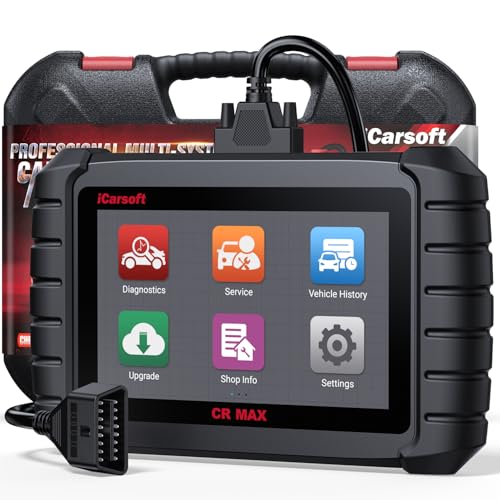
- WHY CHOOSE THE 2025 CR MAX -Upgrade the latest diagnostic capabilities for all vehicles after 1996: upgrade to 49+maintenance services; 46 extra specific functions; real all systems/all control modules diagnose; over 40K+ bidirectional actuation tests for diagnosing all control moduels of cars; Powerful full OBD2 Functions; built-in ECU Coding for BMW
 / Audi/ VW/ RollsRoyce; Fr ee V.A.G Guide Function; Battery retistration for new battery adaptation and more. It covers all vehicle diagnostic services and some special professional vehicle maintenance servces, assists you to do home DIY vehicle maintenance or car repair as a pro technician.
 - NEWEST IN INNOVATION FULL OBD2 SERVICES- iCarsoft auto car diagnostic scanner compatible with CAN-FD, CR MAX can do it all-reads and clears trouble codes, ALL SYSTEM DIAGNOSIS such as engine, transmission, ABS and airbag etc. CR MAX code reader for all cars can perform I/M Readiness, Live Data, Freeze Frame, Vehicle Information, Monitor Test, On-Board Monitor, E vap System Test,O2 Sensor Test,DTC Library Lookup,etc. (Warm Tips: If you car is after 2023,please contact us for compatibility; 3. It comes with 16PIN OBD2 diagnostic adapter, please check your car diagnostic socket if it is 16pin socket, if your car is 14pin diagnostic socket please contact us for the solution.)
- 49 RESET+ 46 SERVICES- Performs: Oil Reset, EPB,SAS,Throttle, D-P - F, Battery, ABS, Injector, TPMS, Suspension, AC, Head Lamp, Body Stablity, Engine, Tramsmission, Airbag, Seat, Door-Win-Roof, Fuel Pump, Door, E-G- R.+21 NEWEST SERVICES( Need update scanner)-AdBlue, Clutch, Crankshaft, High Voltage Battery, Cruise Control, NO xSensor, Rain Sensor, Stop And Start, Turbocharger, Head Up Display, Radar Camera, Vehicle Setup, Cyliner Misfire Check,Speedlimitassist, ControlUnitReset,OxygenSensor, Seatbelt. Extra 46+ extra services based on car brand.(Tips: Quantity of reset/ calibration fucitons are based on car system that your vehicle model has)
- REVOLUTIONARY 40000+BIDIRECTIONAL ACTIVE TESTS: Upgraded CR Max scanner equip with numberous of actuational test items for covering all available vehicle control modules, no longer only do simple light test or window test like other scanners, performs hardware modules test and software control modules test for checking car units or new updated control moduels work well or not after maintenance/ repair/ re-installation/ control system updated (Example for Benz- Roller Sun Blind test; Backup Camera test ;Self-test; EPB test; Transport Mode test;Boost Pressure Positioner test; Fuel Pump test; AND MORE!!).(Warm tip: The available test items are based on control modules your car has)
- ECU CODING+ BATTERY REGISTRATION- Powerful ECU Coding service for BMW/MINI/RollsRoyce / Audi/VW/Seat/Skoda/Bentley/Bugatti/Lamborghini, Improves Engine Power Performance and Optimizes Fuel Efficiency and Match New Hardware Unit to car and Customized a comfortable Driving Modes and Fixes & Updates Original Software Bug. The battery test function for checking car battery health, perform battery reset (BMS ) for replacing a damaged or aging car battery with a new one and register new battery to car ECU

- Scanner POR V2.0 with all obd2 services
- Do the scanning for engine
- Support OBDII/EOBD Ten Modes of Operation

- 【Designed for Most Mercedes-Benz, Sprinter and Smart from 1996-2023】As every car model of Benz has its-owned specific car system and ECUs, not all models are equipped with a complete vehicle ECU, which may cause the scanner to be unable to perform all listed reset services on some models, or even completely incompatible. Like For Sprinter's newer models, it support diagnostic functions only, lacking support for specialized service functions.. So please tell us the car's VIN and required service before purchase for compatibility check. You may also refer to the instructions in the eighth image of the main product photos to perform your inquiry.
- 【Up to 38 Reset Services】MB V3.0 2026 Version diagnostic tool performs Up to 38 maintenance services - Oil Rest , SAS, EPB, ETC, D-P-F, TPMS, ABS, Suspension, Air Conditioner, Head Lamp, Body Stability, Engine Control, Seat, Fuel Pump, Air-Filter, Engine Idle, Door, Im-mo-bilizer, Injector Coding, Transmission Control, Miscellaneous, Adblue, BMS, Cluth, Water Pump, NOxSensor, Rain/Light Sensor, Start/Stop, Radar/Camera, Cylinder Shutoff Test, Speed Limit Assist, Control Unit Reset, Oxygen Sensor, Seat Belt, Cruise Control System, Turbocharger, Crankshaft, Language Setting and etc. (Tips: Please update the software after receiving the product to obtain new service functions)
- 【OE-Level All System OBD2 Scanner】iCarsoft MB V3.0 (2026 Version) diagnostic scanner offers comprehensive OBDII services, allowing you to quickly scan all systems, including the Engine, ABS, SAS, SRS, TPMS, TCM, Fuel Pump System, ESP, EPB, EPS, Suspension, SCM, Adaptive Systems, and more. It supports functions such as reading and erasing codes, checking I/M readiness, viewing freeze frame data, performing O2 sensor tests, conducting on-board monitoring, testing the evap system, auto VIN retrieval, and reading both generic and specific codes, as well as DTCs and battery tests.
- 【Bidirectional Scan Tool】iCarsoft MB V3.0 (2026 Version) Bidirectional scanner supports activate or control a vehicle system or component, allows commanding cars’ modules and receiving info from the ECU to perform active tests on individual components, including EVAP/ABS Motor Pump/Windows/Sunroof and more, to pinpoint fault causes & resolve issues,and allows you to re-learn certain components after making repairs or replacement.
- 【Real Time Record & Graph View】iCarsoft MB V3.0 (2026 Version) can automatically record vehicle text history and identify vehicle information. Preserve real-time data information. View & Graph Live Data. Support Data Review and Print. Multi-language: English, German, Dutch, Spanish, French and so on. We promise to offer Lifetime updates (Lifetime free Update via PC), and confidence in products. We also provide 1 year warranty + extra lifetime hardware free repair if you need it in the future. We prioritize user experience & strive to meet your expectations. Please do feel free to reach out to us if you have any question or problem about the usage, our tech team will service you in time.
This product presentation was made with AAWP plugin.
Last update on 2026-05-12 / Affiliate links / Images from Amazon Product Advertising API