
NHTSA ID Number: 10180968
Manufacturer Communication Number: 2060557/1
TSB/Document Date: 2020-10-08
Summary
Wifi function not activated within the TSR (SC 20/24). Technical background The Touch Screen Remote (TSR) is unable to determine its current Wifi state, the TSR Wifi should be activated by ODIS during PDI process (for example), However previous ODIS versions do not allow this, leaving some TSR features unavailable Once activated, more features are available, for example the ability to change the Media and the Radio station from the TSR. NOTE: Please see the onward examples regarding Wifi activation confirmation for New Flying Spur and Bentayga New Flying Spur NOTE: Figures 1 and 2 are examples only, the image may look different depending on the specification of the audio system Referring to Figure 1 - The red cross shows an example of a partially functional TSR (Without Wifi activation Please Note - The Function currently not available message )
Field campaign
Topic
Market
area
Brand
Wifi function not activated within the TSR (SC 20/24)
Russische Föderation (5RU),Australia E04 Bentley rest Asia and Australia (6E04),China 796 VW Import Comp. Ltd (Vico), Beijing
(6796),Germany E02 Bentley rest Europe (6E02),Japan E03 Bentley Japan (6E03),United Arab Emirates E06 Bentley Middle East
and Africa (6E06),United Kingdom E01 Bentley UK (6E01),United States E05 Bentley USA and rest America (6E05)
Bentley
Transaction 2060557/1
No.
Campaign EB66
number
Note
Type
US code
Vehicle data
New Flying Spur and Bentayga
Sales types
Type MY Brand Designation Engine code Gearbox code Final drive code
4V1* 2021 E
ZG2* 2020 E
*
*
*
*
*
*
Chas is numbers
Manufacturer Filler Type Filler MY Factory From To
Prod from Prod to
SJA
*
*
*
M C
032142 032857
SCB
*
*
*
L C
077816 082848
Documents
Document name
master.xml
vinlistforsc2024.pdf
EB66
Wifi function not activated within the TSR (SC 20/24)
Notes
Transaction No.: 2060557/1
Repair instructions
Technical background
The Touch Screen Remote (TSR) is unable to determine its current Wifi state, the TSR Wifi should be activated by ODIS during PDI process (for
example), However previous ODIS versions do not allow this, leaving some TSR features unavailable
Once activated, more features are available, for example the ability to change the Media and the Radio station from the TSR.
NOTE: Please see the onward examples regarding Wifi activation confirmation for New Flying Spur and Bentayga
New Flying Spur
NOTE: Figures 1 and 2 are examples only, the image may look different depending on the specification of the audio system
•
Referring to Figure 1 - The red cross shows an example of a partially functional TSR (Without Wifi activation – Please Note - The Function
currently not available message )
Figure 1
•
Referring to Figure 2 - The green tick shows an example of a fully functional TSR with multiple options (After Wifi activation – No availability
message visible)
Figure 2
Bentayga
•
Referring to Figure 3 - The red cross shows an example of a partially functional TSR (Without Wifi activation)
Figure 3
•
Referring to Figure 4 - The green tick shows an example of a fully functional TSR with multiple options (After Wifi activation)
Figure 4
Remedy
Follow all instructions within the Work section to activate the Wifi function on the TSR
ODIS version 2.28.5 rectifies the concern allowing the Wifi to be activated
Customer notification
Customers do not need to be informed directly of this campaign. Please ensure that all affected vehicles are checked and repaired during a
service visit or during the PDI process. You should also inform your new and used car sales departments so that the vehicles affected can be
checked, and if necessary repaired immediately and not just prior to sale.
Warranty accounting instructions
Warranty type
790 or 710
Damage service number EB66
Damage code
00 66
Labour
Labour operation code 01 50 00 00
Time
Time as per ODIS log (Must not exceed 10 Time units)
Criteria
Genuine parts
Not applicable
01
Parts supply
Not applicable
Parts despatch control
Not applicable
Repair instructions
Notes
Technical background
The Touch Screen Remote (TSR) is unable to determine its current Wifi state, the TSR Wifi should be activated by ODIS during PDI process (for
example), However previous ODIS versions do not allow this, leaving some TSR features unavailable
Once activated, more features are available, for example the ability to change the Media and the Radio station from the TSR.
NOTE: Please see the onward examples regarding Wifi activation confirmation for New Flying Spur and Bentayga
New Flying Spur
NOTE: Figures 1 and 2 are examples only, the image may look different depending on the specification of the audio system
•
Referring to Figure 1 - The red cross shows an example of a partially functional TSR (Without Wifi activation – Please Note - The Function
currently not available message )
Figure 1
• Referring to Figure 2 - The green tick shows an example of a fully functional TSR with multiple options (After Wifi activation – No availability
message visible)
Figure 2
Bentayga
•
Referring to Figure 3 - The red cross shows an example of a partially functional TSR (Without Wifi activation)
Figure 3
•
Referring to Figure 4 - The green tick shows an example of a fully functional TSR with multiple options (After Wifi activation)
Figure 4
Check
If the vehicle is not already listed as repaired in “Repair history” (within Elsa Pro) refer to the Identification section to check and confirm all Wifi
features are available
Should neither be evident carry out the required work in accordance with these instructions
Genuine parts
Not applicable
Tools
Diagnostic machine with the ODIS version 2.28.5 installed
Work
The closed- circuit voltage of the vehicle must be at least 12.5 V during the activation test. Connect a suitable battery charger to the
vehicle. For further information refer to the Repair manual
1) VERY IMPORTANT: Ensure ODIS version 2.28.5 is installed onto the diagnostic tester
The onward instructions are the same for Bentayga and New Flying Spur
2) Referring to Figure 5 – Select special functions – 0027 – Activate TSR WIFI
Figure 5
3) Follow all remaining on screen prompts until - End of test
4) Check and confirm the Wifi functionality is now activated
Identification
Wifi functionality confirms the action has been successfully completed
Repair instructions
Notes
BENTAYGA
SJAAB14V2MC032142
SJAAB14V4MC032143
SJAAB14VXMC032146
SJAAB14V5MC032149
SJAAB14V1MC032150
SJAAB14V3MC032151
SJAAB14V5MC032152
SJAAB14V7MC032153
SJAAB14V0MC032155
SJAAB14V2MC032156
SJAAB14V4MC032157
SJAAB14V8MC032159
SJAAB14V6MC032161
SJAAB14V8MC032162
SJAAB14VXMC032163
SJAAB14V1MC032164
SJAAB14V3MC032165
SJAAB14V5MC032166
SJAAB14V9MC032168
SJAAB14V0MC032169
SJAAB14V9MC032171
SJAAB14V0MC032172
SJAAB14V2MC032173
SJAAB14V4MC032174
SJAAB14V6MC032175
SJAAB14V8MC032176
SJAAB14VXMC032177
SJAAB14V1MC032178
SJAAB14V3MC032179
SJAAB14VXMC032180
SJAAB14V1MC032181
SJAAB14V5MC032183
SJAAB14V7MC032184
SJAAB14V0MC032186
SJAAB14V2MC032187
SJAAB14V6MC032189
SJAAB14V2MC032190
SJAAB14V4MC032191
SJAAB14V8MC032193
SJAAB14V3MC032196
SJAAB14V5MC032197
SJAAB14V7MC032198
SJAAB14V9MC032199
SJAAB14V1MC032200
SJAAB14V3MC032201
SJAAB14V5MC032202
SJAAB14V7MC032203
SJAAB14V9MC032204
SJAAB14V2MC032206
SJAAB14V4MC032207
SJAAB14V6MC032208
SJAAB14V8MC032209
SJAAB14V4MC032210
SJAAB14V6MC032211
SJAAB14V8MC032212
SJAAB14VXMC032213
SJAAB14V1MC032214
SJAAB14V3MC032215
SJAAB14V5MC032216
SJAAB14V7MC032217
SJAAB14V9MC032218
SJAAB14V7MC032220
SJAAB14V9MC032221
SJAAB14V2MC032223
SJAAB14V6MC032225
SJAAB14V8MC032226
SJAAB14VXMC032227
SJAAB14V1MC032228
SJAAB14V3MC032229
SJAAB14VXMC032230
SJAAB14V1MC032231
SJAAB14V3MC032232
SJAAB14V5MC032233
SJAAB14V7MC032234
SJAAB14V9MC032235
SJAAB14V0MC032236
SJAAB14V2MC032237
SJAAB14V4MC032238
SJAAB14V6MC032239
SJAAB14V4MC032241
SJAAB14V6MC032242
SJAAB14V8MC032243
SJAAB14VXMC032244
SJAAB14V1MC032245
SJAAB14V3MC032246
SJAAB14V5MC032247
SJAAB14V7MC032248
SJAAB14V9MC032249
SJAAB14V7MC032251
SJAAB14V9MC032252
SJAAB14V0MC032253
SJAAB14V6MC032256
SJAAB14V8MC032257
SJAAB14V1MC032259
SJAAB14V8MC032260
SJAAB14VXMC032261
SJAAB14V1MC032262
SJAAB14V5MC032264
SJAAB14V7MC032265
SJAAB14V9MC032266
SJAAB14V0MC032267
SJAAB14V2MC032268
SJAAB14V4MC032269
SJAAB14V2MC032271
SJAAB14V4MC032272
SJAAB14V8MC032274
SJAAB14VXMC032275
SJAAB14V1MC032276
SJAAB14V3MC032277
SJAAB14V5MC032278
SJAAB14V7MC032279
SJAAB14V5MC032281
SJAAB14V9MC032283
SJAAB14V2MC032285
SJAAB14V4MC032286
SJAAB14V6MC032287
SJAAB14V8MC032288
SJAAB14V6MC032290
SJAAB14V8MC032291
SJAAB14VXMC032292
SJAAB14V1MC032293
SJAAB14V3MC032294
SJAAB14V5MC032295
SJAAB14V0MC032298
SJAAB14V2MC032299
SJAAB14V5MC032300
SJAAB14V7MC032301
SJAAB14V9MC032302
SJAAB14V2MC032304
SJAAB14V4MC032305
SJAAB14V6MC032306
SJAAB14V8MC032307
SJAAB14VXMC032308
SJAAB14VXMC032311
SJAAB14V3MC032313
SJAAB14V7MC032315
SJAAB14V0MC032317
SJAAB14V2MC032318
SJAAB14V4MC032319
SJAAB14V0MC032320
SJAAB14V2MC032321
SJAAB14V4MC032322
SJAAB14V6MC032323
SJAAB14V8MC032324
SJAAB14VXMC032325
SJAAB14V1MC032326
SJAAB14V3MC032327
SJAAB14V5MC032328
SJAAB14V7MC032329
SJAAB14V3MC032330
SJAAB14V5MC032331
SJAAB14V7MC032332
SJAAB14V9MC032333
SJAAB14V0MC032334
SJAAB14V2MC032335
SJAAB14V4MC032336
SJAAB14VXMC032339
SJAAB14V8MC032341
SJAAB14V3MC032344
SJAAB14V5MC032345
SJAAB14V7MC032346
SJAAB14V9MC032347
SJAAB14V0MC032348
SJAAB14V2MC032349
SJAAB14V9MC032350
SJAAB14V0MC032351
SJAAB14V4MC032353
SJAAB14VXMC032356
SJAAB14V1MC032357
SJAAB14V1MC032360
SJAAB14V3MC032361
SJAAB14V5MC032362
SJAAB14V7MC032363
SJAAB14V9MC032364
SJAAB14V2MC032366
SJAAB14V4MC032370
SJAAB14V8MC032372
SJAAB14VXMC032373
SJAAB14V1MC032374
SJAAB14V5MC032376
SJAAB14V7MC032377
SJAAB14V0MC032379
SJAAB14V7MC032380
SJAAB14V0MC032382
SJAAB14V4MC032384
SJAAB14V6MC032385
SJAAB14VXMC032390
SJAAB14V3MC032392
SJAAB14V5MC032393
SJAAB14V7MC032394
SJAAB14V0MC032396
SJAAB14V2MC032397
SJAAB14V6MC032404
SJAAB14V8MC032405
SJAAB14V1MC032407
SJAAB14V5MC032409
SJAAB14V1MC032410
SJAAB14V3MC032411
SJAAB14V7MC032413
SJAAB14V0MC032415
SJAAB14V2MC032416
SJAAB14V8MC032419
SJAAB14V6MC032421
SJAAB14VXMC032437
SJAAB14V1MC032438
SJAAB14V1MC032441
SJAAB14V9MC032445
SJAAB14V4MC032448
SJAAB14V4MC032451
SJAAL14V1MC032453
SJAAB14V5MC032457
SJAAB14V7MC032461
SJAAB14V8MC032470
SJAAB14V1MC032472
SJAAB14V3MC032473
SJAAB14V7MC032475
SJAAB14V9MC032476
SJAAB14V0MC032477
SJAAB14VXMC032485
SJAAB14V1MC032486
SJAAB14V3MC032487
SJAAB14V5MC032488
SJAAB14V3MC032490
SJAAB14V5MC032491
SJAAB14V4MC032496
SJAAB14V2MC032500
SJAAB14V6MC032502
SJAAB14V1MC032505
SJAAB14V9MC032509
SJAAB14V5MC032510
SJAAB14V7MC032511
SJAAB14V2MC032514
SJAAB14VXMC032518
SJAAB14VXMC032521
SJAAB14V3MC032523
SJAAB14V7MC032525
SJAAB14V9MC032526
SJAAB14V1MC032536
SJAAB14V5MC032538
SJAAB14V3MC032540
SJAAB14V6MC032547
SJAAB14VXMC032552
SJAAB14V0MC032575
SJAAL14V6MC032643
SJAAB14V1MC032648
SJAAB14V7MC032654
SJAAB14V1MC032701
SJAAL14V9MC032782
SJAAB14VXMC032857
FLYING SPUR
SCBBS53S8LC077816
SCBBS53S1LC077818
SCBBS53S3LC077822
SCBBS53S3LC078016
SCBBS53S9LC078022
SCBBS53S1LC078029
SCBBS53S9LC078036
SCBBS53S3LC078050
SCBBS53SXLC078143
SCBBS53S7LC078178
SCBBS53S7LC078214
SCBBS53S3LC078243
SCBBS53S6LC078317
SCBBS53S0LC078328
SCBBS53S8LC078335
SCBBS53S6LC078351
SCBBS53S2LC078380
SCBBS53S5LC078387
SCBBS53S2LC078394
SCBBS53S0LC078409
SCBBS53S8LC078416
SCBBS53S2LC078427
SCBBS53S7LC078438
SCBBS53S3LC078453
SCBBS53S4LC078462
SCBBS53S7LC078472
SCBBS53S0LC078507
SCBBS53S6LC078513
SCBBS53S3LC078520
SCBBS53S9LC078554
SCBBS53S5LC078566
SCBBS53S0LC078572
SCBBS53S1LC078578
SCBBS53S7LC078584
SCBBS53S2LC078590
SCBBS53S3LC078596
SCBBS53S5LC078602
SCBBS53S4LC078607
SCBBS53S8LC078626
SCBBS53S7LC078634
SCBBS53S2LC078640
SCBBS53S3LC078646
SCBBA53S5LC078652
SCBBS53S8LC078657
SCBBS53S3LC078677
SCBBS53S1LC078726
SCBBS53S8LC078741
SCBBS53S5LC078759
SCBBS53SXLC078790
SCBBS53S4LC078798
SCBBS53S1LC078824
SCBBS53S4LC078848
SCBBA53S0LC078851
SCBBS53SXLC078854
SCBBS53S9LC078859
SCBBS53S8LC078870
SCBBE53S2LC078905
SCBBA53S0LC078915
SCBBA5ZG0LC078917
SCBBS53S1LC078919
SCBBS53SXLC078921
SCBBS53S3LC078923
SCBBS53S7LC078925
SCBBE53S1LC078927
SCBBE53S5LC078929
SCBBE53S7LC078933
SCBBS53S3LC078937
SCBBS53S3LC078940
SCBBS53S9LC078943
SCBBS53S4LC078946
SCBBS53SXLC078949
SCBBS53SXLC078952
SCBBE53S4LC078954
SCBBE53S8LC078956
SCBBS53S0LC078958
SCBBE53S6LC078972
SCBBS53S6LC078978
SCBBS53SXLC078983
SCBBS53S0LC078989
SCBBS53S6LC078995
SCBBS53S3LC079005
SCBBS53S7LC079010
SCBBS53S3LC079019
SCBBE53S6LC079023
SCBBE53S3LC079030
SCBBS53SXLC079034
SCBBS53S5LC079040
SCBBA53S2LC079046
SCBBS53S1LC079052
SCBBS53S0LC079074
SCBBS53S1LC079116
SCBBS53S5LC079118
SCBBA53S7LC079124
SCBBS53S6LC079127
SCBBE53S6LC079135
SCBBE53S1LC079138
SCBBE53S1LC079141
SCBBA53S2LC079144
SCBBE53S2LC079147
SCBBA53S8LC079150
SCBBS53S9LC079154
SCBBS53S6LC079161
SCBBS53S7LC079167
SCBBS53S7LC079170
SCBBS53S2LC079173
SCBBS53S6LC079175
SCBBS53SXLC079180
SCBBA53SXLC079182
SCBBA53S5LC079185
SCBBS53S2LC079187
SCBBS53S6LC079189
SCBBS53S4LC079191
SCBBS53S8LC079193
SCBBA5ZG6LC079196
SCBBA5ZG6LC079201
SCBBS53S0LC079205
SCBBS53S8LC079212
SCBBA5ZG3LC079222

- Seamless Bluetooth Connectivity: Car stereo with Bluetooth...
- Powerful, Clear Audio Performance: Equipped with a built-in...
- High-Quality Music Playback via USB: Enjoy clear, detailed...
- Compact 1-DIN Design: Single din radio is designed with a...
- Simple Sound Customization: Dedicated Direct EQ Keys let you...

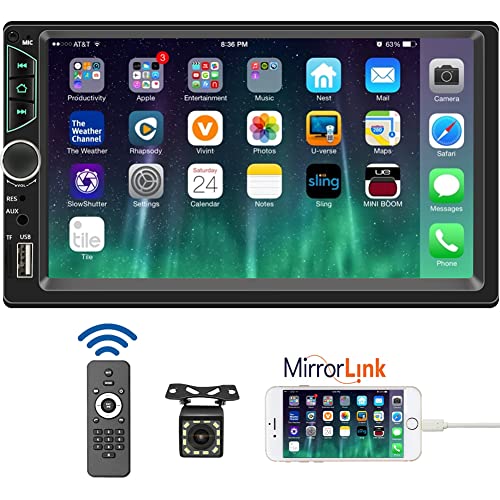
- 【High Quality Car Stereo Player】- Our double din car...
- 【Double Din Car Stereo Phone Mirror Link】- Support...
- 【7 inch Double Din Car Radio With Bluetooth 5.0 and FM...
- 【Car Stereo Double Din Inputs】- USB /SD/AUX input. car...
- 【Standard Double Din Stereo with Backup Camera】- Parking...
Last update on 2026-06-23 / Affiliate links / Images from Amazon Product Advertising API
If the PDF is very large, it may not load in the preview below.
Some older TSBs had multiple PDFs — visit the NHTSA Website to view all PDFs.
If the TSB PDF does not show, download or view it on the NHTSA Website.
Click on the (+) Plus Sign
Then Click on Associated Document(s)
Search NHTSA Database for Recalls
Search NHTSA Database for Vehicle Investigations
View Latest Vehicle Investigations
Search NHTSA Database for Vehicle Complaints
View Latest Vehicle Complaints
TSB/Document ID: 2060557/1
Replacement Service Bulletin Number:
MFR Communication Date: 2020-09-03
MFR Internal Campaign ID/Software Version:
Communication Type: Service Bulletin/Repair Instructions
NHTSA Components: EQUIPMENT
MFR Component System:
MFR Component Subsystem:
Previous TSB | Next TSB |

- [Notice] When you receive a used device, it may be a customer return resold by Amazon without inspection. You can exchange it for a new one through Amazon. As this situation is unavoidable, we sincerely apologize. For any issues, contacting us via Amazon's "Messages" is the best way. THINKSCAN 689BT Bidirectional Scan Tool Can Be Used Immediately After It is Turned On, Without Complicated Registration Process, Which is More Convenient & Quick.
- Full Bi-Directional Control & 3000+ Active Tests: Take control and test components like actuators, fuel injectors, relays, and cooling fans in real time. You’ll quickly see if the problem is in the part itself or the control module — saving you hours of guesswork and frustrating trial-and-error.
- Advanced ECU Coding Capabilities: Handle module matching and hidden feature activation with confidence. When you replace an ECU or want to customize settings, this obd2 scanner diagnostic bi directional tool gives you the professional-level capabilities you need without the dealership price tag.
- 34+ Useful Reset and Maintenance Functions: Complete everyday service tasks smoothly with a wide range of helpful reset and maintenance functions. Whether you’re keeping up with regular upkeep or tackling a specific job, this scanner makes maintenance simpler and less stressful for both DIYers and pros.
- Comprehensive Full System Diagnostics: Diagnose every major system — Engine, Transmission, ABS
 , SRS, TPMS, and more — all in one place. Finally stop wondering if you’re missing something important; get the full picture and clear codes with ease.
Last update on 2026-07-02 / Affiliate links / Images from Amazon Product Advertising API

- Top Reasons to Choose the D7S OBD2 Scanner: XTOOL D7S car scan tool, an upgrade of XTOOL D7, offers comprehensive features for automotive technicians, workshops, and DIY enthusiasts 1. Upgraded Hardware: 2+64GB memory, rear camera, intuitive interface, foldable bracket 2. Complete Diagnostics: FCA Autoauth, OE-level all system scan, 39+ maintenance services, 4K+ bidirectional, CANFD/DoIP protocol 3. Advanced Capabilities: ECU c0ding, PMI functions 4. Wide Compatibility: Support 10,000+ models, covering 99% vehicle brands 5. Multi-language: Available in 22+ languages, No IP Restrictions 6. 3-Year Updates: Save 300 bucks on software updates for the latest features and optimizations
- 2026 Upgraded D7S Car Scanner Features: The newly 2026 D7S V2.0 scanner for car brings exciting features for advanced vehicle diagnostics and enhanced user experience 1. FCA AutoAuth: Now supports FCA SGW module for Chrysler, for Jeep, for Dodge (2018+), for Fiat (2017+), enabling faster vehicle communication without gateway restrictions 2. PMI (Offline ECU Pr0gramming): Allows for Ford, for Lincoln, and for Mazda ECU pr0gramming for new modules 3. Optimized Diagnostic Report 2.0: Personalized reports with logos and customer info for auto shops. Note: Compatibility varies by cars, please check before order
- 39+ Services/Resets/Adaptations/Relearns/Calibrations: XTOOL D7S full system car scanner diagnostic tool tackles 99% of common car issues through its 36+ special functions, including Oil Reset, EPB, SAS, BMS, Throttle Reset, Injector C0ding, ABS Bleed, TPMS Reset, Power Balance, etc and also covers specific-vehicle functions like Crank Sensor Relearn, ABS Initialization, Cylinder Power Balance, Fuel Trim Reset, Idle Relearn etc. This car diagnostic scanner enhances efficiency, making repairs and maintenance hassle-free. Tip: DO NOT for All vehicles, please check compatibility first
- Cost-effective ECU C0ding Scan Tool for Specific Brands: Enhance your vehicle's performance with XTOOL D7S! This obd2 scanner all systems bidirectional offers advanced capabilities at an affordable price, supports online for BMW, for Benz and offline for BENZ, for MIT, along with PMI functions for Ford, for Mazda, and for Lincoln. Ideal for technicians and DIY enthusiasts, this automotive scanner diagnostic tool optimizes vehicle performance and enhances the driving experience. Note: Not for all cars and modules, please send car VIN to check the compatibility before purchase
- OE All System Diagnostic & 8 Pids Graphing: XTOOL D7S is a comprehensive all system bi directional obd2 scanner that delivers dealer-level diagnostics, completely controlling over your vehicle’s performance and health. This automotive scan tool can read and clear DTCs, view live data and ECU information, retrieve freeze frames, and perform active tests and full obd2 functions. This bi-directional scan tool can can identify your vehicle's make, model, and year information with just one click and show up to 8 PIDs live data with options for CSV viewing, playback, and recording for in-depth analysis. It is easy-to-use for both professionals and beginners, helping pinpoint issues efficiently
Last update on 2026-06-30 / Affiliate links / Images from Amazon Product Advertising API

- 【✅Compared to BOSSCOMM IF742, IF745 Offers Full-System Diagnostics】The BOSSCOMM IF745 car diagnostic scanner is an upgraded model of IF742. In addition to supporting all OBD2 Code Reader functions and 6 reset options (ABS/EPB/SAS/BMS/Oil/Throttle), it expands diagnostics from 4 systems (Check Engine/ABS/SRS/Transmission) to vehicle All systems, including Steering, Suspension, and Body Electronics. This provides deeper, more comprehensive diagnostic capabilities.
- 【✨10 OBD2 Functions】The BOSSCOMM IF745 scan tool’s DTC Lookup instantly translates fault codes into user-friendly explanations, its I/M Readiness feature streamlines emissions testing with a single tap, and Freeze Frame lets you pinpoint the exact moment of a fault for in-depth root-cause diagnosis. Combined with a live data dashboard and advanced diagnostics (O2S, OBMon, EVAP), it delivers comprehensive insights for confident troubleshooting.
- 【✨Deep Diagnostics for All Vehicle System Modules】Beyond code reading/clearing and ECU information retrieval, our all-in-one data stream feature lets you inspect all current fault codes and their locations across the vehicle’s systems. This vehicle code reader helps you turn off dashboard warning lights and perform a comprehensive self-check of your car at home—no more back-and-forth trips to the repair shop or hefty inspection fees.
- 【✨6 Essential Resets: ABS Bleeding, Oil, EPB, SAS, Throttle, BMS】The BOSSCOMM IF745 obd2 scanner diagnostic tool swiftly purges air from brake lines to restore braking sensitivity, fine-tunes maintenance cycles to eliminate false alerts, resolves parking brake issues with one-click control, recalibrates steering sensors for stability, optimizes engine idling/acceleration for smoother performance, and deeply resets battery systems to extend lifespan and range via precise parameter adjustments.❗NOTE: Does NOT support bidirectional control, coding, or programming.
- 【✨10,000+ Car Models, AutoVIN, 13 Languages】The BOSSCOMM IF745 vehicle scanner diagnostic tool covers 73+ global car brands and offers support in 13 languages, making it perfect for DIYers, auto mechanics, or as a thoughtful gift. With a single-click AutoVIN feature, it instantly retrieves vehicle serial numbers, streamlining diagnostics for users globally. This adaptable tool balances user-friendliness with precision, catering to both personal and professional requirements.✅Unsure about compatibility? Compatibility will vary on vehicles' model and year, pls reach us via 📧 [email protected] 📧 before purchase.
Last update on 2026-07-02 / Affiliate links / Images from Amazon Product Advertising API
This product presentation was made with AAWP plugin.