
NHTSA ID Number: 10180783
Manufacturer Communication Number: SA-007-20k
TSB/Document Date: 2020-10-05
Summary
MAZDA CONNECTED SERVICES - FREQUENTLY ASKED QUESTIONS (FAQ). General Questions, Setup and Getting Started, Registration / Enrollment, WI-FI General Information, WI-FI How-To, WI-FI Trial Period, Interacting With The App, Service Issues, Troubleshooting, Dealer Processes, Conditions for Remote Engine Start Will Not Function, Conditions for Remote Engine Start Function Will turn engine OFF, Educational Videos, Resources
conditions or geographic
features such as tunnels or
steep valleys?
Yes, inclement weather, remote locations, enclosed areas, or
underground parking garages can affect your service. Use the radio wave
reception level indications of the communication unit to determine if
your Connected Services reception is being affected. For details on the
system’s limitations, refer to the Terms and Conditions.
Can I use Connected Services
as normal during an app
update?
It may not be possible to use certain Connected Services functions
during a MyMazda online update.
Page 18 of 25
CONSUMER NOTICE: The information and instructions in this bulletin are intended for use by skilled technicians. Mazda technicians utilize the proper tools/
equipment and take training to correctly and safely maintain Mazda vehicles. These instructions should not be performed by “do-it-yourselfers.” Customers
should not assume this bulletin applies to their vehicle or that their vehicle will develop the described concern. To determine if the information applies,
customers should contact their nearest authorized Mazda dealership. Mazda North American Operations reserves the right to alter the specifications and
contents of this bulletin without obligation or advance notice. All rights reserved. No part of this bulletin may be reproduced in any form or by any means,
electronic or mechanical---including photocopying and recording and the use of any kind of information storage and retrieval system ---without permission in
writing.
© 2020 Mazda North American Operations, U.S.A.
09/30/2020 3:44 PM tlawrenc
Service Alert No.: SA-007/20
Last Issued: 09/29/2020
Troubleshooting
Problem
Solution
1. Check customer phone and vehicle reception strength. Retry when
reception strength is good or strong.
Go to Reception Level Inspection
Vehicle center display does
not provide Authorization
Code during the MyMazda
App connected services
enrollment.
2. Connected Services Enrollment step 1/3 "Turn Ignition
ON", wait 30 seconds before you select "Next" on the
phone App.
This allows the communication unit time to connect.
NOTE: Vehicles stored for long periods may loose GPS
clock sychronization. If the vehicle is stored for a long
period, test drive the vehicle to give the GPS clock time to
sychronize before enrolling.
Some 2020 Mazda3 vehicles may have incorrect infotainment software
version 10042 installed. The incorrect software will cause MyMazda App
Connected Vehicle enrollment errors.Go toSSPC1.
2020 Mazda3 Infotainment
Software Update Error
Remote function(s)
inoperative.
1. Engine Start / Stop
2. Door Lock / Unlock
3. Lights ON / OFF
First remote control
attempt fails, second
attempt works fine.
1. Check customer phone and vehicle reception strength. Retry when
reception strength is good or strong.
Go to Reception Level Inspection
2. Check for DTC(s) stored. If stored, clear/repair DTC(s) and then retry.
NOTE: Vehicles stored for long periods may loose GPS clock sychronization. If
the vehicle is stored for a long period, test drive the vehicle to give the GPS
clock time to sychronize before testing connected vehicle functions.
Go to TSB 16-002/20.
1. Engine Start / Stop
Page 19 of 25
CONSUMER NOTICE: The information and instructions in this bulletin are intended for use by skilled technicians. Mazda technicians utilize the proper tools/
equipment and take training to correctly and safely maintain Mazda vehicles. These instructions should not be performed by “do-it-yourselfers.” Customers
should not assume this bulletin applies to their vehicle or that their vehicle will develop the described concern. To determine if the information applies,
customers should contact their nearest authorized Mazda dealership. Mazda North American Operations reserves the right to alter the specifications and
contents of this bulletin without obligation or advance notice. All rights reserved. No part of this bulletin may be reproduced in any form or by any means,
electronic or mechanical---including photocopying and recording and the use of any kind of information storage and retrieval system ---without permission in
writing.
© 2020 Mazda North American Operations, U.S.A.
09/30/2020 3:44 PM tlawrenc
Service Alert No.: SA-007/20
Last Issued: 09/29/2020
2. Door Lock / Unlock
3. Lights ON / OFF
Remote Engine Start
inoperative due to:
1. Aftermarket Remote
Engine Start accessory
installed.
2. Mazda Remote Engine
Start (BCKA-V7-620)
accessory installed.
1. Remove the aftermarket accessory.
2. The customer can use either the Mazda Remote Engine Start accessory or
the MyMazda App function. Cannot use both.
To regain access to Connected Services, follow these
steps:
1. What vehicle do you have?
See applicable models shown at the beginning of this
Service Alert.
2. Have you downloaded the MyMazda app and registered
for an account? If not:
For an iOS device (iPhone, iPad), download the MyMazda
I can’t access Connected
app from the App Store. The device must be running iOS
Services via MyMazda app. 9.0 or newer.
For an Android device, download the MyMazda app from
Google Play Store. The device must be running Android
7.0 or newer.
3. Have you already enrolled in Connected Services?
If you aren’t enrolled in Connected Services, follow the
enrollment process. Download the MyMazda app from the
app store, if necessary.
Note to CEC/Tech Hotline/Dealer: If the customer is
Page 20 of 25
CONSUMER NOTICE: The information and instructions in this bulletin are intended for use by skilled technicians. Mazda technicians utilize the proper tools/
equipment and take training to correctly and safely maintain Mazda vehicles. These instructions should not be performed by “do-it-yourselfers.” Customers
should not assume this bulletin applies to their vehicle or that their vehicle will develop the described concern. To determine if the information applies,
customers should contact their nearest authorized Mazda dealership. Mazda North American Operations reserves the right to alter the specifications and
contents of this bulletin without obligation or advance notice. All rights reserved. No part of this bulletin may be reproduced in any form or by any means,
electronic or mechanical---including photocopying and recording and the use of any kind of information storage and retrieval system ---without permission in
writing.
© 2020 Mazda North American Operations, U.S.A.
09/30/2020 3:44 PM tlawrenc
Service Alert No.: SA-007/20
Last Issued: 09/29/2020
enrolled in Connected Services, follow incident
management protocol.
If you are unable to access the in-car Wi-Fi hotspot, follow these steps:
1. See if your device’s Wi-Fi access is turned on.
2. Make sure your vehicle is running or in accessory mode.
3. You can follow the steps below to find your Wi-Fi network name:
a. Select Settings from the Mazda Connect home screen.
I can’t access the in-car Wi- b. Select Connectivity Settings.
Fi hotspot.
c. Select Wi-Fi Settings.
d. Select SSID (Access Point Name).
Applicable CX-5 and CX-9 e. Find the SSID on your device, then select it.
available end of October 4. Now follow the steps below to find your Wi-Fi network password:
2020.
a. Select Settings from the Mazda Connect home screen.
b. Select Connectivity Settings.
c. Select Wi-Fi Settings.
d. Select Wi-Fi Password.
e. Enter the password displayed on the device to connect to the Wi-Fi
network.
I made multiple remote
service requests within a
60-second period.
You can only make one (1) remote request within a 60-second period. For
example, if you accidently made a “remote unlock” request and now want to
send a “remote lock” request, you will have to wait at least 60 seconds
before you can make the second request.
I didn’t use the vehicle for
Simply drive the vehicle as normal for a few miles and Connected Services
a week, and now I can’t
should start working again.
access Connected Services.
I left my key in the vehicle.
No, you will see a “Fail” error message upon making a remote service
Can I still use Connected
request (e.g., remote engine start) if you leave the key in the vehicle. The key
Services, like remote
must be kept outside the vehicle to execute remote services.
engine start?
I am locked out from the
If you have made five (5) failed login attempts, you must wait five (5)
app after failing to log in a
minutes before you can attempt to log in again.
few consecutive times.
The Remote Control
lock/unlock function isn’t
working.
Double-check your vehicle. The lock/unlock function will not work if the
engine is running, the key is left inside the vehicle or any of the doors are
opened.
I used Remote Engine
Start, but when I opened When Remote Engine Start is used, the engine will turn off when any of the
the door to my vehicle, the doors are opened.
engine turned off.
Page 21 of 25
CONSUMER NOTICE: The information and instructions in this bulletin are intended for use by skilled technicians. Mazda technicians utilize the proper tools/
equipment and take training to correctly and safely maintain Mazda vehicles. These instructions should not be performed by “do-it-yourselfers.” Customers
should not assume this bulletin applies to their vehicle or that their vehicle will develop the described concern. To determine if the information applies,
customers should contact their nearest authorized Mazda dealership. Mazda North American Operations reserves the right to alter the specifications and
contents of this bulletin without obligation or advance notice. All rights reserved. No part of this bulletin may be reproduced in any form or by any means,
electronic or mechanical---including photocopying and recording and the use of any kind of information storage and retrieval system ---without permission in
writing.
© 2020 Mazda North American Operations, U.S.A.
09/30/2020 3:44 PM tlawrenc
Service Alert No.: SA-007/20
Last Issued: 09/29/2020
MyMazda App remote functions can be restricted by switching to Restricted
Transmitting Mode.
1. Restricts MyMazda App remote functions.
2. Prevents error messages being sent to the customer during vehicle
service.
Cancel Restricted Transmitting Mode after completing vehicle service.
How do I block MyMazda
App remote functions
when vehicle is being
serviced?
Go to MGSS SERVICE CAUTIONS FOR VEHICLES WITH TELEMATICS
COMMUNICATION SYSTEM [(US)].
Engine turns off a few
seconds after remote
engine start
Possible Powertrain DTC's stored. Repair DTC's and then retry.
Reception Level Inspection
Indication
Explanation
Radio waves are not being received. Move to a location with good reception.
Weak reception.
Good reception.
Strong reception.
Currently conducting an operation check of the communication unit. If this condition
continues, consult an Authorized Mazda Dealer.
1. The Telematics Communication Unit (TCU) is unsubscribed
2. Connected Service contract has ended
3. TCU has not been initialized, go to SA-010/20 (Except 2019 Mazda3)
Page 22 of 25
CONSUMER NOTICE: The information and instructions in this bulletin are intended for use by skilled technicians. Mazda technicians utilize the proper tools/
equipment and take training to correctly and safely maintain Mazda vehicles. These instructions should not be performed by “do-it-yourselfers.” Customers
should not assume this bulletin applies to their vehicle or that their vehicle will develop the described concern. To determine if the information applies,
customers should contact their nearest authorized Mazda dealership. Mazda North American Operations reserves the right to alter the specifications and
contents of this bulletin without obligation or advance notice. All rights reserved. No part of this bulletin may be reproduced in any form or by any means,
electronic or mechanical---including photocopying and recording and the use of any kind of information storage and retrieval system ---without permission in
writing.
© 2020 Mazda North American Operations, U.S.A.
09/30/2020 3:44 PM tlawrenc
Service Alert No.: SA-007/20
Last Issued: 09/29/2020
Dealer Processes
Is there an
opportunity at
PDI to test the
system?
No special action is required to activate at PDI other than the room fuse installation,
which is already part of the current PDI. We recommend checking for signal after
installing room fuse. See the image below for how the connectivity signal bar looks
(it's the vertical stack bar on the right bottom corner). This connectivity signal bar is
not displayed on the "Home" screen, so the PDI Inspector would have to go into the
"Entertainment" or "Navigation" menu to check it. To confirm it is working properly,
the bar should be white like the image below.
Except 2019 Mazda3
The handbook
states that a
“moderate
If an airbag is deployed.
collision” will dial
911. Please define
“moderate.”
Will the customer
have to sign a
disclaimer for a
loaner vehicle
that has
Connected
Services
activated?
If the customer is downloading the MyMazda app to use the Connected Services
functions, they will sign the disclaimer as part of the MyMazda process. If the
customer is not downloading the app but the dealer has set it up for their own
purposes (e.g., vehicle location), then it is the dealer's responsibility to disclose to the
customer.
Remote Engine Start Will Not Function under the following conditions
Item
Condition
Page 23 of 25
CONSUMER NOTICE: The information and instructions in this bulletin are intended for use by skilled technicians. Mazda technicians utilize the proper tools/
equipment and take training to correctly and safely maintain Mazda vehicles. These instructions should not be performed by “do-it-yourselfers.” Customers
should not assume this bulletin applies to their vehicle or that their vehicle will develop the described concern. To determine if the information applies,
customers should contact their nearest authorized Mazda dealership. Mazda North American Operations reserves the right to alter the specifications and
contents of this bulletin without obligation or advance notice. All rights reserved. No part of this bulletin may be reproduced in any form or by any means,
electronic or mechanical---including photocopying and recording and the use of any kind of information storage and retrieval system ---without permission in
writing.
© 2020 Mazda North American Operations, U.S.A.
09/30/2020 3:44 PM tlawrenc
Service Alert No.: SA-007/20
Last Issued: 09/29/2020
1
Vehicle battery voltage low
2
AT shift position except "P"
3
Vehicle speed above 3 mi/h (5 km/h)
4
Brake pedal switch malfunction
5
Engine already started by remote engine start function
6
A registered key is detected in the vehicle
7
Brake pedal switch detects brake application
8
Low fuel warning message
9
Engine starts, then turns OFF due to abnormal high engine rpm detected. (Engine rotation over
3000 rpm continued for more than 0.2[s])
10
No engine rpm detected after sending engine start request. (Engine rotation 0 rpm continued for
more than 0.2[s])
11
When the CAN data signal for engine shut off is present (e.g.: door ajar signal)
12
After 10 second maximum cranking time
13
Burglar alarm status is "Alarm" and "Alarm stand by" (CAUTION - DO NOT enable, see TheftDeterrent System section in SA-013/20)
14
Room fuse blown/missing
15
Connected Vehicle Maintenance Mode enabled (Restricted Transmitting Mode in MDARS)
16
Vehicle is parked (stored) for approximately 1 week or longer or in deep sleep mode.
Drive the vehicle for a few miles to recover.
17
DTC stored
18
Remote engine start aftermarket accessory installed
19
Mazda Remote Engine Start (BCKA-V7-620) accessory installed (No MyMazda app remote engine
start function).
20
First remote control attempt fails, second attempt works fine.
Go to TSB 16-002/20.
Page 24 of 25
CONSUMER NOTICE: The information and instructions in this bulletin are intended for use by skilled technicians. Mazda technicians utilize the proper tools/
equipment and take training to correctly and safely maintain Mazda vehicles. These instructions should not be performed by “do-it-yourselfers.” Customers
should not assume this bulletin applies to their vehicle or that their vehicle will develop the described concern. To determine if the information applies,
customers should contact their nearest authorized Mazda dealership. Mazda North American Operations reserves the right to alter the specifications and
contents of this bulletin without obligation or advance notice. All rights reserved. No part of this bulletin may be reproduced in any form or by any means,
electronic or mechanical---including photocopying and recording and the use of any kind of information storage and retrieval system ---without permission in
writing.
© 2020 Mazda North American Operations, U.S.A.
09/30/2020 3:44 PM tlawrenc
Service Alert No.: SA-007/20
Last Issued: 09/29/2020
Remote Engine Start Function Will turn engine OFF under the following conditions
Item
Condition
1
Vehicle door(s) opened
2
Vehicle trunk opened
3
Vehicle hood opened
4
Ignition switch push button "ON" detected
5
Remote engine STOP request
6
Brake pedal switch detects brake application
7
DTC stored
8
After 15 minute run time limitation
Educational Videos
Overview
Using MyMazda App
In-car Wi-Fi hotspot
MyMazda remote
Notifications
Saftey features
Resources
SA-064/20-CX5 and CX-9 CONNECTED VEHICLE SERVICE INFORMATION
SA-031/20- CONNECTED VEHICLE SYMPTOM TROUBLESHOOTING
SA-052/20 - CONNECTED VEHICLE MAINTENANCE MODE
Connected Services Owner's Manual
MAZDA CONNECT and MAZDA CONNECTED SERVICES USER GUIDE
MAZDA CONNECTED VEHICLE VIEWER (MCVV) USER GUIDE (see attachment)
MAZDA CONNECT ESSENTIALS WBT (30076)
MAZDA CONNECT & CONNECTED SERVICES FOCAL POINT (30093FOC)
MAZDA CONNECTED SERVICES SMART CARDS
MAZDA CONNECTED SERVICES: CUSTOMER OUTREACH
Page 25 of 25
CONSUMER NOTICE: The information and instructions in this bulletin are intended for use by skilled technicians. Mazda technicians utilize the proper tools/
equipment and take training to correctly and safely maintain Mazda vehicles. These instructions should not be performed by “do-it-yourselfers.” Customers
should not assume this bulletin applies to their vehicle or that their vehicle will develop the described concern. To determine if the information applies,
customers should contact their nearest authorized Mazda dealership. Mazda North American Operations reserves the right to alter the specifications and
contents of this bulletin without obligation or advance notice. All rights reserved. No part of this bulletin may be reproduced in any form or by any means,
electronic or mechanical---including photocopying and recording and the use of any kind of information storage and retrieval system ---without permission in
writing.
© 2020 Mazda North American Operations, U.S.A.
09/30/2020 3:44 PM tlawrenc
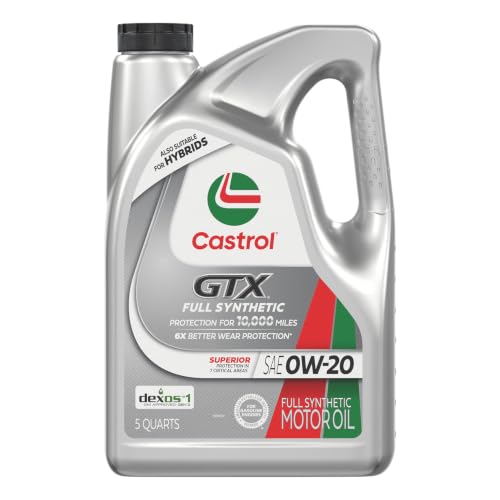
- 6X better wear protection on critical engine parts than...
- 1.3X better sludge protection than industry standards*
- 3X Stronger against viscosity breakdown than leading full...
- Protection for 10,000 miles between oil changes
- Meets or exceeds the following specifications: API SP/SN...

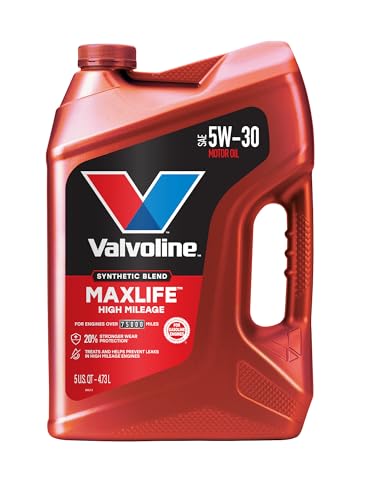
- Formulated for engines with 75,000 miles or more, Valvoline...
- Delivers 20% better wear protection and 15% better sludge...
- Extra detergents safeguard against friction, corrosion and...
- Advanced friction-fighting additives help maximize...
- Provides performance benefits for high mileage, new and...
Last update on 2026-06-23 / Affiliate links / Images from Amazon Product Advertising API
If the PDF is very large, it may not load in the preview below.
Some older TSBs had multiple PDFs — visit the NHTSA Website to view all PDFs.
If the TSB PDF does not show, download or view it on the NHTSA Website.
Click on the (+) Plus Sign
Then Click on Associated Document(s)
Search NHTSA Database for Recalls
Search NHTSA Database for Vehicle Investigations
View Latest Vehicle Investigations
Search NHTSA Database for Vehicle Complaints
View Latest Vehicle Complaints
TSB/Document ID: SA-007-20k
Replacement Service Bulletin Number:
MFR Communication Date: 2020-09-29
MFR Internal Campaign ID/Software Version:
Communication Type: Service Bulletin/Repair Instructions
NHTSA Components: EQUIPMENT ADAPTIVE/MOBILITY
MFR Component System:
MFR Component Subsystem:
Previous TSB | Next TSB |
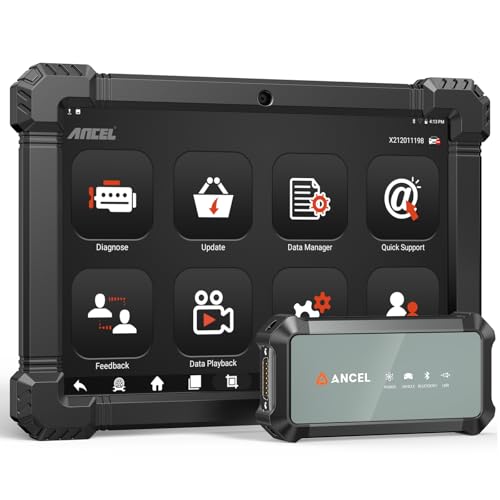
- 2026 ALL-IN-ONE HEAVY DUTY TRUCK SCANNER – BUILT FOR DIESEL DIAGNOSTICS:The ANCEL X7HD PRO combines full-system diagnostics, bi-directional control, ECU coding, HDOBD/OBD2 functions, and 42+ reset services in one powerful heavy duty truck scanner. This diesel scan tool helps technicians, fleet owners, and repair shops diagnose problems faster, reduce downtime, and complete more repairs without switching between multiple truck diagnostic tools. Features a 10.1" Android tablet, Bluetooth & Wi-Fi, live data graphing, and 2 years of f-ree updates
- 42+ RESET FUNCTIONS – MORE THAN A BASIC TRUCK CODE READER:Perform essential service functions including forced DPF regeneration, injector coding, speed limiter adjustment, idle adjustment, oil reset, ABS reset, SRS reset, EPB reset, throttle reset, and suspension calibration. Designed for real truck maintenance and fleet service, this commercial truck diagnostic scanner helps reduce dealer visits, avoid unnecessary downtime, and handle more repair jobs with one diesel diagnostic tool
- ACTIVE TEST & ECU CODING – ADVANCED BIDIRECTIONAL SCAN TOOL FOR TRUCKS:Quickly locate faults by activating components and sending commands directly to vehicle systems. Test injectors, ABS, throttle, cooling systems, and other modules in real time without unnecessary disassembly. ECU coding and module matching help adapt replacement parts, restore factory settings, and reduce repeat repairs, making this semi truck scan tool ideal for advanced troubleshooting and daily shop work
- FULL-SYSTEM HDOBD/OBD2 DIAGNOSTICS – WIDE TRUCK & ENGINE COVERAGE:Read and clear codes, monitor live data, freeze frame, and diagnose engine, transmission, ABS, body, and other major systems. Compatible with Freightliner
 , Kenworth, Peterbilt, Volvo, Mack, International, and other commercial truck brands, plus Cummins, Caterpillar, Detroit, Paccar, and Navistar diesel engines. Also supports full OBD2/EOBD diagnostics for standard vehicles, making it a versatile truck obd2 scanner for mixed fleets and repair shops
 - PROFESSIONAL HARDWARE + RELIABLE SUPPORT – BUILT FOR DAILY SHOP USE:This professional diesel diagnostic computer features a 10.1" touchscreen, Android 10.0 system, 6000mAh battery, Bluetooth/Wi-Fi connectivity, and built-in front & rear cameras for documenting repairs and remote troubleshooting. Includes 2 years of fr-ee updates, 1-year w-arranty, and responsive technical support. Contact [email protected] before purchase to confirm compatibility and supported functions for your truck or diesel engine

- 【Built for Heavy Duty Diesel Diagnostics】Designed for SAE J1939 and J1708 compliant trucks, buses, and diesel-powered commercial vehicles. HD601 truck scanner diagnostic tool helps owner-operators, small fleets, mobile technicians, and independent repair shops quickly identify fault codes, view live data, and make informed repair decisions—saving time, reducing downtime, and avoiding unnecessary shop visits
- 【Full System Diagnostics+All HD OBD Modes】The New HD601 heavy duty truck scanner delivers full-system diagnostics on SAE J1939 and J1708-compliant commercial vehicles—digging into engine, transmission, ABS, fuel, every system that keeps your rig rolling. It supports all HD OBD modes, giving you live data, freeze frame, ECU info, vehicle info, emissions data tracking, plus code reading and clearing. Not just what broke, but why—so you fix it right the first time. Pinpoint issues faster, cut repair costs, and spend less time on the shoulder
- 【Wide Heavy-Duty Vehicle Coverage】Supports a wide range of heavy-duty vehicle manufacturers and systems, including Freightliner, Kenworth, Peterbilt, Volvo, International, Detroit, Cummins, Paccar, Allison, Eaton, Bendix, Wabco, and more. Coverage varies by vehicle make, model, year, and system configuration. Contact our support team before purchase if compatibility verification is needed
- 【Speaks Major Truck Protocol】The New HD601 diesel truck scanner is built for American-made trucks—and supports the heavy‑duty protocols you' re most likely to run into on the road: SAE J1939, J1708/J1587, ISO 15765‑4, ISO 14230‑4, ISO 9141‑2, J1850 PWM/VPW, ISO 27145‑4, and EURO‑6. For most trucks, model years, and systems, it speaks the language your vehicle understands. Just plug it in and start diagnosing—no guesswork, no gatekeeping. Note: vehicle functions and module availability may vary by manufacturer and model year
- 【Save Hundreds on Diagnostic Fees】Why pay $150–300 for someone to read your codes? With the New ANCEL heavy duty truck scanner, you can pull fault codes yourself—in minutes, without leaving the truck. One or two uses pays for the tool. After that, every diagnostic is money back in your pocket. Smart investment for owner-operators, techs, and small fleets. Read and clear stored fault codes in minutes. Active fault codes may require repairs before they can be cleared
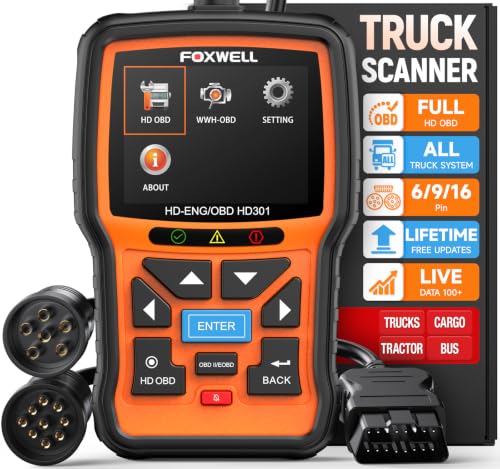
- 【One Tool, Total Fleet Coverage: 6/9/16 Pin Ready】Featuring an integrated 16-pin OBD2 connector and professional-grade 6-pin & 9-pin adapters, this heavy duty truck scanner provides extensive support for J1939, J1708, J1587, ISO 14230-4, ISO 15765-4 and ISO 9141-2, ISO 27145-4 protocols. It offers reliable diagnostic coverage for major American diesel brands—including Cummins, Paccar, Caterpillar, Detroit, and Freightliner—making it a versatile semi truck scanner for managing any diverse fleet.
- 【2 in 1 Diesel Code Reader & Advanced HD OBDII】Equipped with professional-grade diesel scanner capabilities, the HD301 diesel scanner features intuitive Read/Erase codes and turn off the "Check Engine" light. With the built-in DTC Lookup library, you can instantly access fault code definitions on-device without searching the internet. It also retrieves hundreds of essential live sensor data—such as coolant temperature, fuel pressure, and engine RPM—in a stable text format for precise and rapid troubleshooting. (Please note that the HD301 can not support DPF Regen.)
- 【Full System Truck Diagnostic】The FOXWELL HD301 heavy duty scan tool is engineered to deeply access and scan all available electronic control modules specifically for truck, including Engine, Transmission, ABS, SRS, Chassis, and Body Control. This professional truck scanner diagnostic tool allows you to identify issues across the entire vehicle, ensuring your rig stays in peak condition for the long haul.
- 【Versatile for most big Rigs: Commercial, Passenger & Beyond】Engineered for more than just trucks, this heavy duty scan tool offers extensive coverage for pickups, buses, trailers, and even marine vessels. From construction machinery (excavators, loaders) to agricultural equipment (tractors, harvesters), it provides a true all-in-one diagnostic solution.
- 【Plug-and-Play & No Subscription】Designed for the road! No WiFi, no batteries, and no complex App setup required. Simply plug it into your vehicle’s diagnostic port to start scanning immediately. Enjoy lifetime free software updates to keep your HD301 diesel truck scanner current with the latest vehicle models and features—without any hidden subscription fees—While overcoming language barriers with support for Spanish and English.
Last update on 2026-06-23 / Affiliate links / Images from Amazon Product Advertising API
This product presentation was made with AAWP plugin.