
NHTSA ID Number: 10180481
Manufacturer Communication Number: No. 5X
TSB/Document Date: 2020-10-01
Summary
System description document for the PCM (Porsche Communication Management) version 5.0
PCM 5.X
(Porsche Communication Management)
Porsche Cayenne
© Copyright by Dr. Ing. h.c. F. Porsche AG
Table of contents
System overview
System function
System components
Instructions for the workshop
2
3
4
12
18
Porsche Cayenne
© Copyright by Dr. Ing. h.c. F. Porsche AG
System overview
System overview: PCM (Porsche Communication Management) 5.X
1
Display and operator control unit with 12inch touchscreen
2
3
Front control panel
Central computer
PCM (Porsche Communication Management) 5.X
The PCM (Porsche Communication Management) 5.X, comprises
Display and operator control unit and central computer provide the driver with numerous
Infotainment applications and comfort functions.
Driving settings can be configured and air conditioning, driver assistance systems,
comfort systems and the various services can be used using PCM. The PCM is
operated using the display and operator control unit with 12-inch touchscreen and the
control panel in the front centre console.
The control panels and displays are connected via CAN bus to the PCM central
computer. This is connected to the gateway via CAN bus and to the CD/DVD
autochanger and amplifier via MOST bus.
Porsche Cayenne
© Copyright by Dr. Ing. h.c. F. Porsche AG
System function
Overview: Operation
1
3
Main menu
Interaction area
2
4
Submenu
Preview/information area
Operating logic
Options are selected in the main menu by means of gesture control using one finger.
Two fingers are used for gesture control in the interaction area. The Info widget area
can be used both with one or two fingers.
The PCM main menu is always visible. If the system's proximity sensors detect a finger
moving close to the touchscreen, the PCM automatically displays the submenu. The
most important information about the system status is also displayed for the driver in the
status line at the top of the screen. The Home, Search function and Additional menu
buttons are also shown here. At the right of the screen, the Info widgets can also be
displayed along with
other PCM functions. For example, the Navigation system can be displayed in the
interaction area in the middle of the screen while the driver uses the telephone function
at the right of the screen at the same time.
The PCM also allows input via handwriting recognition and voice control. Instead of
entering letters using the keyboard, letters can now also be written on the touchscreen.
Many PCM functions can also be controlled by voice command. These functions ensure
much greater comfort and safety for the driver.
Porsche Cayenne
© Copyright by Dr. Ing. h.c. F. Porsche AG
System function
Overview: Start screen
Start screen
The PCM start screen can be personalised. So-called
Info widgets can be used to define tiles for the most important personal functions. This
means that different functions, such as Sport modes, iPod control and telephone
functions, can be controlled via a personalised display.
Overview: Widgets
Widgets
The Info widget can also be personalised. Contents from the category selection can be
dragged to the tiles on the Home screen. This means that the driver always has fast
access to the most important personal widgets.
Porsche Cayenne
© Copyright by Dr. Ing. h.c. F. Porsche AG
System function
Overview: Services menu item
Services
In order to use the services, the customer must have purchased them, must have
registered in the customer portal and must have accepted the general terms and
conditions. Some services will only be shown fully following personalisation in the
customer portal.
Other services can be used via the Porsche "One Connect App" on the customer's
smartphone. The Porsche "One Connect App" can be downloaded under the keyword
"PCM Connect" in the App Store.
The Porsche Connect services provide useful added features and additional functions in
the PCM.
Navigation Plus:
•
Real-time Traffic
•
Online Map Update
•
•
Smart routing
Satellite map
Finder:
•
E-Charging
•
Petrol stations
•
Restaurants
•
•
•
Hotels
Parking
POI search
•
•
Event Info (China only)
Concierge Info (only China, Japan)
Other:
•
News, including Twitter
•
Weather
•
Flight Info (only China)
Porsche Cayenne
© Copyright by Dr. Ing. h.c. F. Porsche AG
System function
Connectivity
The IT-based back-end services as well as the "One Connect App" and Apple CarPlay
can be accessed online using PCM 5.X.
The back-end services and parts of the "One Connect App" can be shown in the PCM
5.X receiver. All services can also be shown on the smartphone using the "One
Connect App".
An Internet connection can be established via available online access points, such as
LTE or WiFi (hotspot). To make full use of all services, a smartphone as well as an
additional SIM card or an eSIM card integrated in the vehicle is required.
It is also possible to establish a connection between the vehicle and smartphone.
Information on the smartphone, e.g. apps, contacts or organizer appointments, can then
be retrieved and selected directly using the smartphone.
Porsche Cayenne
© Copyright by Dr. Ing. h.c. F. Porsche AG
System function
Other functions
The PCM user interface not only shows the functions of the Porsche Communication
Management system itself, but also provides the central user interface for a large
number of adjacent systems with which the PCM communicates via bus systems.
The driver can also configure various settings for chassis and damper control or for the
spoiler level mode, for example. The air conditioning functions can also be controlled
centrally and conveniently using the PCM. Settings for air vents, various modes or the
auxiliary heater are available.
Many functions of the driver assistance systems are also controlled from the PCM. The
image captured by the ParkAssist reversing camera is also shown
on the PCM's 12-inch touchscreen.
In the CAR menu, the driver can configure and activate or deactivate vehicle and
system settings for comfort functions. Optional functions, such as massage seats and
ambient lighting, are available depending on vehicle equipment.
HiFi system
Numerous settings can be configured in the PCM Sound menu, depending on which
sound system is installed. Balance and sound can be adjusted by moving the cursor.
Various sources are available depending on equipment, connection status and country.
The interfaces to the CD/DVD drive can be used for playing media on the PCM from
playback media such as audio/video DVDs and CDs. There are also USB ports located
in the smartphone tray in the centre console.
In conjunction with the optional Porsche Rear Seat Entertainment system, reception on
the rear screens is even possible while driving.
The CD/DVD drive is located in the luggage compartment at the left in direction of
travel.
Porsche Cayenne
© Copyright by Dr. Ing. h.c. F. Porsche AG
System function
Navigation
The PCM features a hard drive navigation system with individually configurable map
display. Maps can be displayed in 2D, in perspective and even in 3D in selected areas.
Navigation is available on request with dynamic route guidance and using Traffic
Message Channel (TMC) data. Navigation for points of interest (POIs) or for contacts
from the phone book is also possible. The navigation system in the Porsche Cayenne
learns frequently driven routes and can therefore suggest alternative routes for the
driver when traffic is heavy on these routes.
Phone
Depending on equipment and country variant, the smartphone tray in the centre console
makes it easy to connect mobile phones that support the Hands-Free Profile (HFP). The
smartphone is connected to the telephone module via Bluetooth®. ®.
With the smartphone tray, the smartphone is integrated much better into the vehicle.
The direct connection of the smartphone to the vehicle's external antenna is always
guaranteed when the smartphone is in the tray. This reduces the power consumption of
the smartphone and improves the reception quality.
The LTE telephone module includes a WiFi function, which allows wireless Internet
access by means of a data-enabled SIM card. Smartphones and other mobile devices
can be connected to the vehicle and to the Internet via WiFi.
In the PHONE menu on the PCM, the driver can also access the phonebook with all
contacts and favourites, manage all text messages or e-mails, write new messages,
reply to messages that were received or listen to messages using the Read out
function.
Porsche Cayenne
© Copyright by Dr. Ing. h.c. F. Porsche AG
System function
Overview: Network topology
Network topology
The central computer of the PCM 5.X controls all functions of the PCM and provides the
connection to the gateway and thus also to all adjacent systems in the vehicle.
The central computer is connected to the gateway via the Infotainment CAN and to the
CD/DVD autochanger and amplifier via MOST bus.
There is also a connection to the display and operator control unit and to the control
panel via an internal Private CAN. PCM diagnostics is guaranteed via the gateway's
diagnostic CAN and via the Infotainment CAN for the PCM.
Porsche Cayenne
© Copyright by Dr. Ing. h.c. F. Porsche AG
System function
Overview: Antenna topology
Antenna topology
The antenna signals for radio reception of the various frequencies and the signals from
the GPS antennas are processed directly by the central computer.
DSRC, satellite and telephone signals are not sent to the central computer, but go
directly to the relevant systems. The central computer only receives the signals from the
FM/AM and GPS antennas directly.
Porsche Cayenne
© Copyright by Dr. Ing. h.c. F. Porsche AG
System components
View: Display and operator control unit
Display and operator control unit
Porsche Communication Management 5.X is available in all Cayenne models . The
PCM is operated using the 12-inch touchscreen on the display and operator control unit,
for example.
It can be used to control and configure numerous vehicle functions, such as Sport
modes, telephone and message functions or driving settings.
Porsche Cayenne
© Copyright by Dr. Ing. h.c. F. Porsche AG
System components
View: Control panel
Control panel
The capacitive keypad encloses the selector lever and the control panels for the
Infotainment system. The areas next to and above the selector lever contain the control
functions for the seats as well as the heating and air conditioning controls.
The touchscreen provides haptic feedback to confirm input on the keypad. Many other
buttons, which are usually arranged in the centre console, are replaced by the
touchscreen.
Air conditioning functions, such as temperature, air flow, AUTO, Defrost, A/C MAX, air
recirculation as well as seat heating and seat ventilation, can be controlled using the
buttons on the control panel in the centre console or by selecting the relevant menu
items in the PCM main display.
Porsche Cayenne
© Copyright by Dr. Ing. h.c. F. Porsche AG
System components
Standard HiFi audio system
The HiFi audio system installed as standard in the Porsche Cayenne has a total of 10
loudspeakers with a total output of 150 watts. In addition to the standard HiFi
equipment, the following HiFi systems are optionally available:
Overview: BOSE® Surround Sound System
BOSE® Surround Sound System
The BOSE® Surround Sound System is available as an optional extra in the Porsche
Cayenne.
It has a total of 14 loudspeakers with a total output of 710 watts as well as a digital
amplifier and a passive subwoofer.
The BOSE® Centerpoint® technology allows playback of stereo sources in surround
mode and thus produces a much better stereophonic sound compared with playback in
stereo. With AudioPilot® noise compensation technology, you can enjoy the sound of
the BOSE® Surround Sound System irrespective of vehicle speed and engine speed.
Driving noises are recorded by a microphone, detected in real time and compensated
by means of a frequency-dependent volume correction system. The Bose SoundTrue®
enhancement technology counteracts the problem of music compression. As a result,
parts of high-loss music tracks can be restored in the high-frequency range, thereby
improving the sound.
Porsche Cayenne
© Copyright by Dr. Ing. h.c. F. Porsche AG
System components
Overview: Burmester® 3D High-End Surround Sound System
Burmester® 3D High-End Surround Sound System
The Burmester® 3D High-End Surround Sound System is also available as an optional
extra in the Porsche Cayenne.
It has a total of 21 individually activated loudspeakers and a total output of 1,455 watts.
The system also has a 400-watt active subwoofer and a Class D digital amplifier.
The 21 loudspeakers are made of die-cast aluminium frames with highly efficient
neodymium magnets. This ensures greater efficiency and more dynamic music
playback. Even the bass power amplifiers now feature Class D technology in order to
further reduce power loss.
The Burmester® Air Motion Transformer was also improved using special aluminium
vapour plating. The result is particularly fine and clear high-range playback without any
sharpness. The Auro 3D® technology used by Burmester® uses two additional
loudspeakers in the A-pillar to produce a sound modelled on the ambient effect of the
renowned Galaxy Studios. These are regarded worldwide as the reference standard for
perfect music playback.
Porsche Cayenne
© Copyright by Dr. Ing. h.c. F. Porsche AG
System components
Overview: Antennas
1
2
3
4
5
6
7
8
9
10
11
Bluetooth antenna 1
Bluetooth control unit
Bluetooth antenna 2
LTE antenna 1
LTE antenna 2
LTE antenna 3 (Russia)
GPS antenna (VTS Russia)
E-Call or GLONASS GPS antenna
(RoW / Russia)
AM / FM antenna with control unit
AM / FM1 / FZV / DAB2 antenna
FM2 antenna
12
13
14
15
16
17
18
19
20
21
22
23
SHS antenna
DAB1 antenna
GPS antenna (head unit)
LTE1/GSM antenna (head unit)
WLAN antenna (head unit)
LTE2 / GSM antenna (head unit)
Coupler box
Compensator for connection box
LTE / GSM coupler box
ETC antenna (Japan)
VICS antenna (Japan)
SDARS antenna (USA)
Porsche Cayenne
© Copyright by Dr. Ing. h.c. F. Porsche AG
System components
View: Central computer
Central computer
The central computer is the central control unit for numerous Infotainment applications
and comfort functions in the vehicle. It is also the central interface between PCM 5.X
and adjacent systems, which can be operated using the PCM. The SD card reader can
be used to import music onto the 10 GB memory. A Jukebox is also available. It is
installed in the glove compartment at the right.
Porsche Cayenne
© Copyright by Dr. Ing. h.c. F. Porsche AG
Instructions for the workshop
PCSI - Porsche Connect Service Information
With the introduction of the Porsche Cayenne, new functions within PIWIS are available
to the workshop. The PCSI (Porsche Connect Service Information) offers enhanced
options for fast, targeted fault finding and diagnosis of Porsche Connect.
The following functions are available within the PCSI:
•
Quick view of current faults in services and server failures.
•
History search based on faults in services and server failures in a period in the
past.
•
Display of the functions registered to the customer and licence validity information
when entering the chassis number.
•
Display of faults in registered functions when
entering the chassis number.
•
Central access to fault finding media specific to Porsche Connect.
PCS - Porsche Connect Support
Dealers or customers can send questions that arise directly to Porsche Connect
Support.
Porsche Connect Support provides support and assistance particularly for the
following questions about Porsche Connect:
•
The customer has a question about Porsche Connect that does not relate to the
vehicle and cannot be answered by the dealer using the available information
media.
•
The workshop employee has a question about Porsche Connect that he cannot
resolve using the available information media.
(The contact details for Porsche Connect Support can be found in the PCSI.)
Porsche Cayenne
© Copyright by Dr. Ing. h.c. F. Porsche AG
Instructions for the workshop
Legal Notice
Dr. Ing. h. c. F. Porsche
Aktiengesellschaft
Postfach 1108
D-71634 Ludwigsburg
Department: After Sales Engineering/Diagnostics
Editorial work: Technical Service Diagnostics (VAT3)
12/2018
Diagrams, descriptions and schematic drawings are provided for illustrative purposes
only.
We accept no liability for the completeness of the content of this publication and for
compliance
with the valid legal provisions.
Right of technical modifications reserved.
Confidential!
The texts and illustrations in this diagnostic documentation are intended solely for
internal
use within the Porsche dealer organisation. Approval from the Technical Service
Diagnostics department of Dr. Ing. h.c. F. Porsche AG shall always be required for any
duplication or forwarding of this document to third parties, including the duplication or
forwarding of extracts of the document.
© Copyright by Dr. Ing. h.c. F. Porsche AG
Printed in Germany
Porsche Cayenne
© Copyright by Dr. Ing. h.c. F. Porsche AG
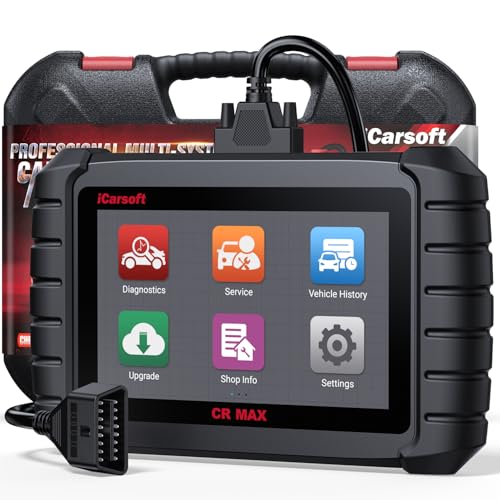
- Why Choose the 2026 CR MAX -Upgrade the latest diagnostic...
- Newst in Innovation Full Services - iCarsoft auto car...
- Up to 50 Reset Services - Performs: Oil Reset...
- REVOLUTIONARY 40000+BIDIRECTIONAL ACTIVE TESTS: Upgraded CR...
- Advanced ECU CODING: Unlock Your Vehicle's Full Potential...
- 【Looking for More Professional Vehicle Scan...
- 【OE-Level 4 Systems OBD2 Scanner】iCarsoft E...
- 【4 Systems Diagnosis for 10000+ Vehicles】 iCarsoft E...
- 【6 Reset Services】iCarsoft E660 2026 Upgrade Version is...
- 【118+ Real Time Record & Live Graph View】iCarsoft E...

If the PDF is very large, it may not load in the preview below.
Some older TSBs had multiple PDFs — visit the NHTSA Website to view all PDFs.
If the TSB PDF does not show, download or view it on the NHTSA Website.
Click on the (+) Plus Sign
Then Click on Associated Document(s)
Search NHTSA Database for Recalls
Search NHTSA Database for Vehicle Investigations
View Latest Vehicle Investigations
Search NHTSA Database for Vehicle Complaints
View Latest Vehicle Complaints
TSB/Document ID: No. 5X
Replacement Service Bulletin Number:
MFR Communication Date: 2020-09-30
MFR Internal Campaign ID/Software Version:
Communication Type: Service Bulletin/Repair Instructions
NHTSA Components: EQUIPMENT
MFR Component System:
MFR Component Subsystem:
Previous TSB | Next TSB |

- [Notice] When you receive a used device, it may be a customer return resold by Amazon without inspection. You can exchange it for a new one through Amazon. As this situation is unavoidable, we sincerely apologize. For any issues, contacting us via Amazon's "Messages" is the best way. THINKSCAN 689BT Bidirectional Scan Tool Can Be Used Immediately After It is Turned On, Without Complicated Registration Process, Which is More Convenient & Quick.
- Full Bi-Directional Control & 3000+ Active Tests: Take control and test components like actuators, fuel injectors, relays, and cooling fans in real time. You’ll quickly see if the problem is in the part itself or the control module — saving you hours of guesswork and frustrating trial-and-error.
- Advanced ECU Coding Capabilities: Handle module matching and hidden feature activation with confidence. When you replace an ECU or want to customize settings, this obd2 scanner diagnostic bi directional tool gives you the professional-level capabilities you need without the dealership price tag.
- 34+ Useful Reset and Maintenance Functions: Complete everyday service tasks smoothly with a wide range of helpful reset and maintenance functions. Whether you’re keeping up with regular upkeep or tackling a specific job, this scanner makes maintenance simpler and less stressful for both DIYers and pros.
- Comprehensive Full System Diagnostics: Diagnose every major system — Engine, Transmission, ABS, SRS, TPMS, and more — all in one place. Finally stop wondering if you’re missing something important; get the full picture and clear codes with ease.

- Top Reasons to Choose the D7S OBD2 Scanner: XTOOL D7S car scan tool, an upgrade of XTOOL D7, offers comprehensive features for automotive technicians, workshops, and DIY enthusiasts 1. Upgraded Hardware: 2+64GB memory, rear camera, intuitive interface, foldable bracket 2. Complete Diagnostics: FCA
 Autoauth, OE-level all system scan, 39+ maintenance services, 4K+ bidirectional, CANFD/DoIP protocol 3. Advanced Capabilities: ECU c0ding, PMI functions 4. Wide Compatibility: Support 10,000+ models, covering 99% vehicle brands 5. Multi-language: Available in 22+ languages, No IP Restrictions 6. 3-Year Updates: Save 300 bucks on software updates for the latest features and optimizations
 - 2026 Upgraded D7S Car Scanner Features: The newly 2026 D7S V2.0 scanner for car brings exciting features for advanced vehicle diagnostics and enhanced user experience 1. FCA AutoAuth: Now supports FCA SGW module for Chrysler, for Jeep, for Dodge (2018+), for Fiat (2017+), enabling faster vehicle communication without gateway restrictions 2. PMI (Offline ECU Pr0gramming): Allows for Ford, for Lincoln, and for Mazda ECU pr0gramming for new modules 3. Optimized Diagnostic Report 2.0: Personalized reports with logos and customer info for auto shops. Note: Compatibility varies by cars, please check before order
- 39+ Services/Resets/Adaptations/Relearns/Calibrations: XTOOL D7S full system car scanner diagnostic tool tackles 99% of common car issues through its 36+ special functions, including Oil Reset, EPB, SAS, BMS, Throttle Reset, Injector C0ding, ABS Bleed, TPMS Reset, Power Balance, etc and also covers specific-vehicle functions like Crank Sensor Relearn, ABS Initialization, Cylinder Power Balance, Fuel Trim Reset, Idle Relearn etc. This car diagnostic scanner enhances efficiency, making repairs and maintenance hassle-free. Tip: DO NOT for All vehicles, please check compatibility first
- Cost-effective ECU C0ding Scan Tool for Specific Brands: Enhance your vehicle's performance with XTOOL D7S! This obd2 scanner all systems bidirectional offers advanced capabilities at an affordable price, supports online for BMW, for Benz and offline for BENZ, for MIT, along with PMI functions for Ford, for Mazda, and for Lincoln. Ideal for technicians and DIY enthusiasts, this automotive scanner diagnostic tool optimizes vehicle performance and enhances the driving experience. Note: Not for all cars and modules, please send car VIN to check the compatibility before purchase
- OE All System Diagnostic & 8 Pids Graphing: XTOOL D7S is a comprehensive all system bi directional obd2 scanner that delivers dealer-level diagnostics, completely controlling over your vehicle’s performance and health. This automotive scan tool can read and clear DTCs, view live data and ECU information, retrieve freeze frames, and perform active tests and full obd2 functions. This bi-directional scan tool can can identify your vehicle's make, model, and year information with just one click and show up to 8 PIDs live data with options for CSV viewing, playback, and recording for in-depth analysis. It is easy-to-use for both professionals and beginners, helping pinpoint issues efficiently

- 【✅Compared to BOSSCOMM IF742, IF745 Offers Full-System Diagnostics】The BOSSCOMM IF745 car diagnostic scanner is an upgraded model of IF742. In addition to supporting all OBD2 Code Reader functions and 6 reset options (ABS/EPB/SAS/BMS/Oil/Throttle), it expands diagnostics from 4 systems (Check Engine/ABS/SRS/Transmission) to vehicle All systems, including Steering, Suspension, and Body Electronics. This provides deeper, more comprehensive diagnostic capabilities.
- 【✨10 OBD2 Functions】The BOSSCOMM IF745 scan tool’s DTC Lookup instantly translates fault codes into user-friendly explanations, its I/M Readiness feature streamlines emissions testing with a single tap, and Freeze Frame lets you pinpoint the exact moment of a fault for in-depth root-cause diagnosis. Combined with a live data dashboard and advanced diagnostics (O2S, OBMon, EVAP), it delivers comprehensive insights for confident troubleshooting.
- 【✨Deep Diagnostics for All Vehicle System Modules】Beyond code reading/clearing and ECU information retrieval, our all-in-one data stream feature lets you inspect all current fault codes and their locations across the vehicle’s systems. This vehicle code reader helps you turn off dashboard warning lights and perform a comprehensive self-check of your car at home—no more back-and-forth trips to the repair shop or hefty inspection fees.
- 【✨6 Essential Resets: ABS Bleeding, Oil, EPB, SAS, Throttle, BMS】The BOSSCOMM IF745 obd2 scanner diagnostic tool swiftly purges air from brake lines to restore braking sensitivity, fine-tunes maintenance cycles to eliminate false alerts, resolves parking brake issues with one-click control, recalibrates steering sensors for stability, optimizes engine idling/acceleration for smoother performance, and deeply resets battery systems to extend lifespan and range via precise parameter adjustments.❗NOTE: Does NOT support bidirectional control, coding, or programming.
- 【✨10,000+ Car Models, AutoVIN, 13 Languages】The BOSSCOMM IF745 vehicle scanner diagnostic tool covers 73+ global car brands and offers support in 13 languages, making it perfect for DIYers, auto mechanics, or as a thoughtful gift. With a single-click AutoVIN feature, it instantly retrieves vehicle serial numbers, streamlining diagnostics for users globally. This adaptable tool balances user-friendliness with precision, catering to both personal and professional requirements.✅Unsure about compatibility? Compatibility will vary on vehicles' model and year, pls reach us via 📧 [email protected] 📧 before purchase.
This product presentation was made with AAWP plugin.