
NHTSA ID Number: 10177697
Manufacturer Communication Number: 2676
TSB/Document Date: 2020-07-31
Summary
Pre-Delivery Inspection – PDI procedures
If the PDF is very large, it may not load in the preview below.
Some older TSBs had multiple PDFs — visit the NHTSA Website to view all PDFs.
If the TSB PDF does not show, download or view it on the NHTSA Website.
Click on the (+) Plus Sign
Then Click on Associated Document(s)

- 💝【Questions? We’re Here Anytime】MK808S is a...
- 🔥🔥🔥【2026 NEWLY RELEASED BI-DIRECTIONAL...
- 【28+ MOST POPULAR RESET SERVICE FOR 150 MAKES】Autel...
- 【ALL SYSTEM DIAGNOSTICS, FACTORY-LEVEL SCANNER】The...
- 【AUT0 SCAN & AUT0V1N, 10X FASTER】How much have you spent...


- 💯【Conta.ct us for Support Directly】If you met any...
- 🔥🔥🔥【2026 AUTEL FLAGSHIP MK900BT MK900-BT, NEW...
- 🚗【3000+ ACTIVE TESTS (50➡3000+), SAME AS MS...
- 🚗【40+ HOT SERVICES FOR 150 MAKES (28+➡40+)】Full...
- 🚗【OE ALL SYSTEM DIAGNOSE, AUTO SCAN 2.0: SCAN LICENSE...
This product presentation was made with AAWP plugin.
Search NHTSA Database for Recalls
Search NHTSA Database for Vehicle Investigations
View Latest Vehicle Investigations
Search NHTSA Database for Vehicle Complaints
View Latest Vehicle Complaints
TSB/Document ID: 2676
Replacement Service Bulletin Number:
MFR Communication Date: 2020-07-30
MFR Internal Campaign ID/Software Version:
Communication Type: Service Bulletin/Repair Instructions
NHTSA Components: EQUIPMENT:OTHER:OWNERS/SERVICE/OTHER MANUAL
MFR Component System:
MFR Component Subsystem:
Previous TSB | Next TSB |
Ferrari North America
Technical Information
Date:
Bulletin #:
Campaign #:
Supersedes:
Section:
July 2020
2676
10
Model Type:
This Technical Information Cancels and Replaces
the previous TI 2614 of November 2019
Subject:
Pre-Delivery Inspection – PDI procedures
Please find enclosed the procedures and list of inspections to be performed at all times before
the vehicle is delivered to the customer.
The following procedures must be performed exactly as indicated and in the order given,
providing the factory with the information requested.
- IMPORTANT This Pre-Delivery Inspection (PDI) procedure may only be performed with a PCTester DEIS updated to at least the following software version (or subsequent
release):
-
Module
Module
Module
Module
0
1
2
3
Portal and Troubleshooting
DEIS Diagnostic software
Technical Documentation
Tools
54
88
12
8
Check the software number and, if necessary, update your DEIS Tester
immediately.
After updating the DEIS, the first vehicle diagnostic cycle must be performed
using a cable connection.
Procedure.
1.
Visually inspect condition of vehicle paintwork; repair if necessary (use the specific
“Bodywork” form annexed on page 10).
2.
If disconnected, connect the negative pole of the battery and reset the vehicle auto-adaptive
parameters (as described in paragraph F3.01 of the Workshop Manual).
3.
Activate Key-ON state and check which letter is shown on the DOT MATRIX display:
- if letter “P” (Park Lock) is displayed, go to point 5.
- if letter “N” (Neutral) is displayed, go to point
Te chnical Service De partment
Page 1 of 7
Ferrari North America
4.
Re-enable the Park Lock – Gearbox lock device (as described in paragraph C2.07 of the
Workshop Manual).
5.
If fitted with a Lithium Ion battery, print out the engine parameters using the DEIS tester
and check that the lithium battery SOC (State of Charge) value is at least 70%. If the SOC
is below this level, the battery must be recharged.
Fig. 1
Note: If the battery needs to be recharged, we recommend using a FRONIUS Acctiva
Professional 35A power supply and following the instructions provided in Technical
Instruction 2520.
*If the car is not fitted with a Lithium Ion battery, proceed with the battery
certification procedure as per TI 2079/2230.
6.
Using the DEIS tester, disable the “Logistic Mode” function with diagnostic cycle “150
Complete Logistic Mode” on the NBC ECU (Body Computer Node).
7.
Test the keys and the antitheft system.
8.
Check that the daytime lights work correctly (depending on market).
9.
Check that the low beam headlights work correctly: also check that the AFS system
(adaptive front lights - if applicable) works correctly by turning the steering wheel.
10. Check the vehicle front lift (if present): check the AFS system (low beam orientation).
With the car raised, the height of the light beam must be equal to the height with the car
lowered.
11. Check that the high beam headlights work correctly.
12. Check that the brake lights work correctly.
© 2020. Ferrari North America, Inc.
Technical Department
www.ferrari.com
All rights reserved. Reproduction or translation in
whole or in part is not permitted without
authorization from the publisher. Printed in USA.
Ferrari North America
13. Check that the turn indicators and license plate lights work correctly.
14. Check that door lights, vehicle interior light and luggage compartment lights work
correctly.
15. Check that the button backlights on the dashboard and driver side door, center console,
ceiling light unit and USB socket lights work correctly.
16. Try the horn.
17. Check that the power windows work correctly.
18. Check that the windshield and headlight wipers/washers work correctly.
19. Check that the mechanical/electrical steering adjustment mechanism works correctly.
20. Check that the seats work correctly.
21. Check that the electric parking brake (EPB) works correctly; test manual and automatic
modes.
22. Check that the Hi-Fi (if applicable) / Navigation system (if applicable) work (see point
35); set the relative roadside assistance numbers for your market.
23. Check coolant level and top up if necessary.
24. Check power steering fluid level and top up if necessary.
25. Check the brake fluid level and top up if necessary.
26. Check headlight washer/windscreen washer fluid level and top up if necessary.
27. Check tire pressure and TPMS system calibration.
28. Check the tightness of the wheel studs with a torque wrench. The studs must be tightened
to 120 Nm on vehicles with aluminium wheels, or 150 Nm on vehicles with carbon
wheels.
29. Check that the tow hook can be fitted correctly.
3
© 2020. Ferrari North America, Inc.
Technical Department
www.ferrari.com
TI-2676
All rights reserved. Reproduction or translation in
whole or in part is not permitted without
authorization from the publisher. Printed in USA.
Ferrari North America
Start the engine (as described in paragraph F19.02 of the Workshop Manual),
and perform the following:
30. Check that the air conditioning and heating system works correctly (static test).
31. Check that the electric rear view mirrors work correctly.
32. Check that the internal electrochromic mirror and the electrochromic RH and LH rear
view mirrors (if installed) work correctly.
33. Check that the parking sensors, rear and front parking cameras (if applicable) and
Surround View cameras (if applicable) work correctly.
34. Using the DEIS tester, perform the “Cancel all DTCs from all ECUs” procedure from the
“Vehicle functions” menu.
Test drive.
35. Check that the navigation system works correctly (if applicable); set route before starting
test drive.
36. Test drive the vehicle (approx. 20 minutes).
37. Confirm that the Stop&Start system works (if applicable).
38. While driving, check that the “Suspension damping decoupling” button and
“Manettino” dial on the steering wheel work correctly.
39. While driving, check that the ADAS driver assistance systems (if applicable) work
correctly:
• Adaptive Cruise Control;
• Blind Spot Detection;
• Rear Cross Traffic Alert;
• Traffic Sign Recognition;
• Lane Departure Warning.
40. While driving, check that the air conditioning and heating system works correctly
(dynamic test).
4
© 2020. Ferrari North America, Inc.
Technical Department
www.ferrari.com
TI-2676
All rights reserved. Reproduction or translation in
whole or in part is not permitted without
authorization from the publisher. Printed in USA.
Ferrari North America
41. For USA/CND Version only. Activate the Sirius XM subscription as per FNA 165
Return to workshop.
42. Check the engine oil level (engine warm and at idle speed) and top up if necessary (as
described in paragraph B8.02 in the Workshop Manual).
43. With the DEIS tester, check that the VIN number read with the tester matches the VIN
number of the vehicle; For more information on the locations of vehicle identification
numbers, see chapter A1.02. If necessary, the VIN number read with the tester may be
modified using the “100 VIN Writing” diagnostic function (password-protected) on the
NCM ECU (engine control node). Any faults must be reported in an ROL.
44. Check and cancel the errors on all ECUs.
45. Enter the warranty start date (Check that the language setting on the TFT display is
correct).
46. Perform the “SCAN OUT” procedure from the “Vehicle functions” menu with the DEIS
tester before carrying out any further diagnostic operations.
47. Remove the complete aerodynamic undertray and the cosmetic engine compartment
shields from the vehicle (as described in paragraphs E3.01 and E3.03 of the Workshop
Manual).
48. Visually check for coolant and/or oil leaks in the underbody area and engine
compartment.
49. Visually inspect engine compartment lines.
50. Visually inspect the engine compartment wiring harnesses.
51. Visually inspect underbody lines.
52. Visually inspect exhaust pipe.
53. Visual inspection of fuel tanks.
5
© 2020. Ferrari North America, Inc.
Technical Department
www.ferrari.com
TI-2676
All rights reserved. Reproduction or translation in
whole or in part is not permitted without
authorization from the publisher. Printed in USA.
Ferrari North America
54. Check visually that the following are fitted/tightened correctly: Suspension components,
steering box and axle shaft flanges.
55. Check visually that the following are fitted/tightened correctly: Vehicle ground and
engine-chassis ground.
56. Visually inspect condition of brake pads and discs (DO NOT remove wheels).
57. Check condition of tires and wheels.
58. Refit the complete aerodynamic undertray and cosmetic engine compartment shields (as
described in paragraphs E3.01 and E3.03 of the Workshop Manual).
59. Check that the door and lid locks work correctly; adjust if necessary.
60. Check that the fuel filler flap emergency release works correctly; adjust if necessary.
61. Visually inspect condition of vehicle interior; repair if necessary.
62. Thoroughly clean interior and wash car.
63. Ensure that the vehicle is delivered complete with the following:
• identification and type approval plates
• license plate holder
• tool kit
• on-board documentation (Owner's Manual, Quick Reference Guide, Warranty
Booklet, Safety Device Booklet and Battery Conditioner Quick Guide card), second
vehicle key and code card, and any material related to options.
64. Check that the battery maintainer provided with the vehicle works correctly, referring to
the relative manual.
6
© 2020. Ferrari North America, Inc.
Technical Department
www.ferrari.com
TI-2676
All rights reserved. Reproduction or translation in
whole or in part is not permitted without
authorization from the publisher. Printed in USA.
Ferrari North America
- IMPORTANT Confirm that the operations listed above have been carried out correctly
with the “Pre-Delivery Inspection - PDI” form (enclosed on pages 8 and 9),
compiled in full and signed by the Aftersales Manager of your Service
Center.
After the inspection procedures, ALWAYS open an ROL (Red On Line) if the
vehicle is in “New Model/Special Series” status (ref. TI 2667) specifying “PDI
Form Info” as the description. Attach the completed “PDI Pre-Delivery
Inspection” form together with the body form, Battery form 2079/2230 (if
applicable) printout files of the parameters and errors requested in points
5 (if applicable), 34 and 47.
You will also be required to open a separate individual ROL with the
description "PDI Anomaly Info" for each fault encountered during the
inspection procedure, indicating the respective operation number as cited
in the “PDI Pre-Delivery Inspection” form; Attach all necessary
documentation, including photographs if needed.
Thank you for your co-operation.
7
© 2020. Ferrari North America, Inc.
Technical Department
www.ferrari.com
TI-2676
All rights reserved. Reproduction or translation in
whole or in part is not permitted without
authorization from the publisher. Printed in USA.
Pre-Delivery Inspection - PDI form
Model
Updated on
May 2020
Chassis number:
Dossier creation date:
Job order no.:
Notes:
Description of inspection / operation:
1. - Condition of vehicle paintwork.
2. - Connect battery and reset vehicle parameters.
3. - Check Park Lock device.
4. - Reset Park Lock device.
5. - “Battery certification” procedure / Lithium battery SOC
(State of Charge) check (if applicable)
6. - Disable “Logistic Mode”.
7. - Test the keys and the anti-theft system.
8. - Daytime running lights.
9. - Low beam lights and AFS (if applicable).
10. - Check vehicle front lift system (if applicable).
11. - High beams.
12. - Stop lights.
13. - Turn indicators and number plate lights.
14. - Door lights, cabin light and luggage compartment light.
15. - Function of buttons and backlighting.
16. - Horn.
17. - Power windows.
18. - Windscreen wipers and headlight washers.
19. - Steering wheel adjustment.
20. - Check seat functions.
21. - Electric parking brake (EPB); manual/auto.
22. - Hi-Fi system / Navigation system (if applicable) (see point 35).
23. - Coolant level.
24. - Power steering fluid level.
25. - Braking system fluid level.
26. - Windshield washer/headlight washer fluid level.
27. - Tire pressure calibration with TPMS.
28. - Tightness of wheel stud bolts.
29. - Tow hook.
30. - * Air conditioning and heating system (static test).
31. - * Electric rear-view mirrors.
32. - * Electrochromic rear view mirrors (if applicable).
33. - * Parking sensors, front/rear cameras and Surround View.
34. - Cancel all DTCs from all ECUs.
35. - Navigation system (if applicable): Set route.
36. - Test drive (20 min.).
37. - Test Stop&Start function.
(*) With engine running
Te chnical Service De partment
Page 8 of 10
Performed Performed
OK
NOT OK
R.O.L. N°
(if NOT OK)
Pre-Delivery Inspection - PDI form
Page 02 of 02
Model
Updated on
May 2020
38. - Suspension damping decouple button and “Manettino”.
39. - Check ADAS systems (if applicable).
40. - Air conditioning and heating system (dynamic test).
41. - For USA / CND ONLY _ SDARS XM activation
42. - Engine oil level (warm engine – at idle speed).
43. - Check VIN on NCM, on windshield VIN plate and on chassis.
44. - Check and cancel ECU errors.
45. - Enter the warranty start date.
46. - Perform “SCAN OUT” procedure.
47. - Removal of complete aerodynamic undertray and shields.
48. - Check for water and/or oil leaks in vehicle underbody area.
49. - Engine compartment lines.
50. - Engine compartment wiring.
51. - Underbody lines.
52. - Exhaust pipe.
53. - Visual inspection of fuel tanks.
54. - Visual inspection: Suspension components, etc.
55. - Visual inspection of ground connections: vehicle and
engine-chassis ground.
56. - Condition of brake pads and discs (DO NOT remove wheels).
57. - Condition of tires and wheels.
58. - Refitting of flat undertray and engine compartment shields.
59. - Door and lid locks.
60. - Fuel filler flap emergency opening.
61. - Condition of vehicle interior.
62. - Clean interior and wash car.
63. - Material provided with vehicle: Identification plates,
toolkit, etc.
64. - Functional test of battery maintainer
Job performed by (Dealer):
Technical Manager:
First name
Last Name
(Print)
(Print)
Company stamp
Full signature
Vehicle delivery date:
Te chnical Service De partment
Page 9 of 10
Problem
Te chnical Service De partment
Page 10 of 10
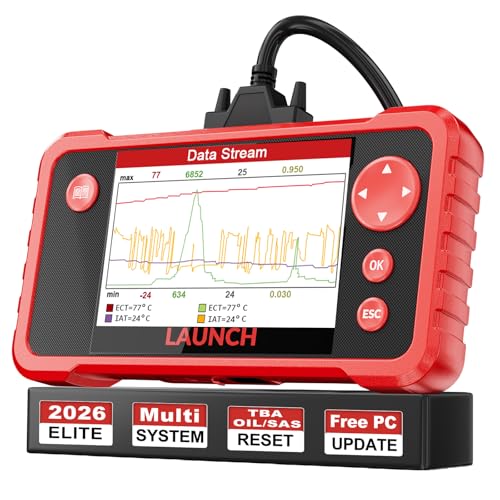
- 【Great Ideal For Every Car Owner】Prefect choice for your father, husband, brother or boyfriend. EVERY CAR OWNER WILL NEED IT! Also, the lifetime update is provided for more vehicle coverage, bug fixes. SAVE AT LEAST $1000+ PER YEAR!Get LAUNCH CRP123 V2.0 car diagnostic scanner and give your lover a surprise!*R each us to Get the Extra Gifts :Protective Case Storage Bag.
- 【Newly Added 3 Reset Functions】CRP123 V2.0 obd2 scanner with upgrades it offers Throttle Adaptation,Oil Reset and SAS Reset functions for FREE now!! Optimize your engine performance with Throttle Adaptation, reset your oil life system with ease to save time and money on maintenance, and enhance your vehicle's handling and safety with SAS Reset.Covering more daily repairs,become the most cost-effective product in its price range,save your time and money!
- 【 Read & Clear/Reset Engine/ABS/SRS/Transmission Diagnostic Scan Tool 】LAUNCH CRP123 V2.0 OBD2 Scanner can test Engine, Transmission, ABS and Airbag four systems, also reads and resets code, displays data stream graphic, stores and playbacks dynamic data stream,helps to quick analysis and diagnosis.
- 【 Error Fault Code Reader】Except the full 10 modes OBD2 diagnostic functions like, retrieving I/M readiness, Freeze Frame Data, Read Dynamic Data stream and Vehicle Information, O2 Sensor Test, EVAP Test of Fuel Tank System (Mode 8) and Advanced On-board Monitoring (Mode 6), launch crp123 v2.0 obd2 scanner can not only reveal what error codes your car is producing, but also erase your vehicle’s check engine light after problem fixed, the DTC help and explanation also tell you the exact problem.
- 【 Live Data Graphing + Read/Record/Playback Data stream + Print diagnostic data 】Live Data Graphing,more intuitive to know your vehicle’s problem.4 inches Screen Screen ;Print Function:Print the diagnose result easily; with user manual and register & update tutorial video uploaded in the link by us,you can Look up it anytime by ONE-CLICK.
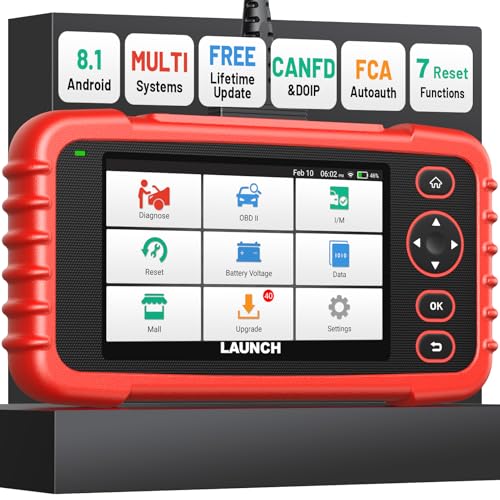
- [Newly Added in 2026: 7 Reset Functions] The 2026 new version of the OBD2 scanner diagnostic tool CRP123X V3.0 Elite has new special functions for F.REE: Throttle Ad.aptation, Oil/SAS/BMS/Brake Reset, D-P.F Re.generation and ABS Service. Before you visit a mechanic, launch obd2 Scanner CRP123X Elite can perform a more in-depth diagnosis of the car system and provide accurate data within minutes. What's more, the list of compatible models has been expanded. Upgrading frequency is regular, occurring monthly even weekly.
- 🔥[FCA AutoAuth + CAN FD & DoIP] As an upgraded version of the LAUNCH CRP123X/CRP129X, FOXWELL NT614, and ANCEL FX2000, The Newest LAUNCH CRP123X V3.0 auto diagnostic scanner supports the following new protocols: CAN-FD for 2020 and newer G.M and Chrysler
 models, as well as DoIP for V.olvo, Land Rover/Jaguar, and B.MW F/G chassis. With integrated AutoAuth, you can diagnose 2018 and newer FCA cars equipped with S.GW. Note: CAN-FD and DoIP protocols require an additional obd2 cable. *Menus vary by make, model, and year of gasoline or diesel engine vehicle. Email us your VIN data.
 - 🔥[No extra software fee. Works on 90 vehicle brands.] Most OBD2 scanners work with vehicles manufactured after 2001. However, the LUNCH OBD2 scanner is compatible with OBDII-equipped vehicles built after 1996 and works with more than 90 vehicle brands. One-click lifetime updates over WIFI 2.4&5.0Ghz keep the car software current and ensure constant coverage additions, diagnose vehicles from 1996 to 2026 with a massive global database. Android 8.1 ensures lightning-fast boot-up and processing.
- [Accurate & Intuitive Multi System Diagnosis] Will you be confused about what happens when the warning light of transmission, ABS, and SRS Airbag check engine flashes? Launch obd2 scanner diagnostic tool CRP123X V3.0 to pinpoint the problem components for a faster diagnosis for your car instead of taking your car to the dealership. Generate vehicle health reports with one click and share them via email over Wi-Fi to help avoid blind maintenance. And will turn off the warning light for you after fixing the problem, make to know more about your cars and do your own repair.
- [Multiple Display of Live Data + DTC Code Definition Explanation] Launch car tools show real-time data of oil temp, pressure, transmission temp, engine speed, coolant temperature, you will know which car part is abnormal. Data can be shown in a single, multi- graph, and merge two graphs for analysis(or 4-in-1 merged waveform graph),you can save, share, print, or email the overall inspection report for easier analysis.🔥Code Search,DTC Library provide massive information. Inbuilt “Feedback” module provides customized repair suggestions from our certified professionals.
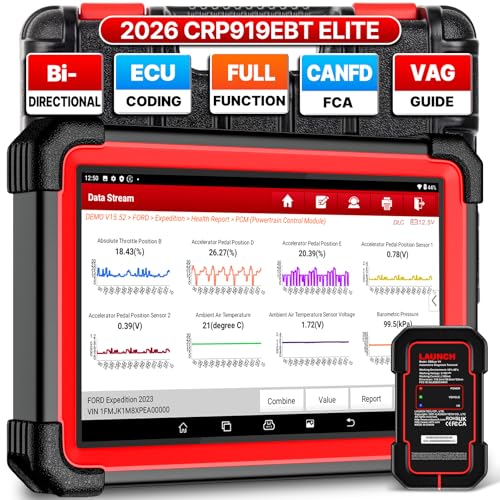
- 🔥【2026 TOP HARDWARE AND SOFTWARE UPGRADE,UPGRADED OF CRP919E】LAUNCH scanner CRP919EBT wireless obd2 scanner has upgraded TOP HARDWARE CONFIGURATION and ADD NEWEST FUNCTIONS. The more FASTER and SMARTER CRP919EBT with 🔥Bluetooths & USB 2-in-1 connect🔥Android 10.0 OS🔥2.0Ghz 4 core high efficiency processor 4GB RAM+64GB ROM large storage🔥6300mAh large battery, more stable and longer lasting diagnostics🔥VAG Guided🔥ECU Code🔥Bi-directional Control🔥35+ Resets🔥CANFD&DOIP🔥FCA AutoAuth🔥Full System Diagnostics🔥2 Yrs Update🔥Newly add BST360 battery tester & I-TPMS & VSP600 endoscope🔥23+ Languages. Provide an unparalleled diagnostic experience at an affordable price.
- 🚗【CAN FD & DOIP & FCA, SUPER PROTOCOL】LAUNCH X431 CRP919EBT is equipped with the DBSCAR VII Bluetooth connector supporting CANFD and DoIP. The CRP919EBT automotive diagnostic scanner supports CAN FD protocol (compatible with post-2020 GM vehicles). It also meets DoIP protocol requirements (adapter sold separately) for compatibility with BMW (E & F chassis) models from 2017 onward. Autoauth for FCA SGW supports FCA vehicles including Chrysler models from 2017 and later.
- ✔️【ADVANCED ECU CODE, ADAPTATION, CALIBRATION & INITIALIZATION】The LAUNCH X431 CRP919EBT automotive scanner delivers exceptional ECU code capabilities for customized vehicle setups. It provides dealer-level functionality to streamline maintenance and repairs, enabling ECU matching and learning for enhanced customization.
- 👍【BIDIRECTIONAL CONTROL, 4000+ ACTIVE TESTS】LAUNCH OBD2 scanner CRP919EBT features bi-directional control - the most demanded capability among mechanics. When headlights or windows malfunction, repairs can be costly. With CRP919EBT, execute ECU commands and assess repair status through systems including ABS, windows, valves, wipers, and headlights - streamlining diagnostics while slashing repair expenses.
- 🥇【35+ MOST POPULAR RESET SERVICE FOR 160 MAKES】Same as Snap-on scanners, CRP919EBT scan tool delivers 35+ reset functions for 160+ vehicle models, including: service oil reset, throttle adaptation, steering angle calibration, brake pad replacement code, tire pressure reset, ABS bleeding, battery registration, gear signal learning, and injector code, etc.
This product presentation was made with AAWP plugin.
Last update on 2026-05-13 / Affiliate links / Images from Amazon Product Advertising API