
NHTSA ID Number: 10177609
Manufacturer Communication Number: K0D-TI-Spray 11-
TSB/Document Date: 2020-07-27
Summary
TI: TECHNICAL INSTRUCTIONS FOR LIMITED SERVICE CAMPAIGN K0D FRAME CORROSION RESISTANT COMPOUND (CRC) APPLICATION CERTAIN 2011 ? 2015 MODEL YEAR TACOMA
5.
CALIBRATE E-TES HEATER
a. Plug in the air mover power cord and the two E-TES heater power cords.
The air mover and E-TES heater must be plugged into separate circuits. Check your
dealership electrical system to ensure the circuit you are plugging into can operate the air
mover and E-TES heater.
b. Press SELECT to set the Air Flow switch trigger point. Follow the
screen directions using the DOWN button to set the levels with the air
mover OFF & ON.
c. Turn the air mover OFF. When the air mover is off and the
number stops changing, press DOWN(most cases this will be 0.) This is
the Off Set Point. (Shown as 033 in this example)
d.
Then turn the air mover ON at high speed. Press DOWN as
soon as the number on the display steadies out (50-300). This is the
ON Set Point. (Shown as 076 in this example)
If you need assistance with the E-TES heater contact
the Bosch Technical Assistance Line - 1-800-933-8335
(Option 4)
DO NOT CONTACT TAS for E-TES Heater concerns.
11
DRYING PROCEDURE (Normal procedure after initial setup)
1.
ATTACH HEATER TO VEHICLE
a. Lift the vehicle
b. Place the E-TES heater below the rear of the vehicle.
c. Connect the air mover power cord and the two E-TES heater
power cords (if not already connected)
d.
Insert the right-side hose into the right-side frame rail until it is
secure.
e.
Using a bungee cord or straps around the frame rail, secure the
left-side hose to the left side frame rail. The outlet of the hose
must be center with the frame rail opening.
DO NOT wrap the bungee cord around any fuel, evap,
or brake hoses. Only put the bungee cord around the
frame rail and air duct hose to avoid damage to
vehicle components.
4.
2.
TURN THE AIR MOVER ON THE HIGH SETTING
3.
TURN THE E-TES HEATER ON AND DRY FRAME
a. Flip the switch on the E-TES Heater to the “on” position
b. Check that the air coming out of the heater is warm.
c. Leave the heater and air mover ON and attached to the vehicle
for 3 hours.
The drying procedure being performed as written is
critical for the wax application procedure success. If
the drying procedure is not performed correctly the
maximum rust prevention will not be achieved.
REMOVE E-TES HEATER AND HOSES FROM VEHICLE
12
5.
DRY THE OPEN SECTION OF THE FRAME AND INNER CAB MOUNTS
a. Using the 2ft air gun, remove all water from the open section of the frame and the inside of the cab
mounts on both the right and left side of the frame. All the water between the metal reinforcements in the
open section of the frame MUST BE REMOVED before proceeding
IT IS CRITICAL THAT YOUR SHOP AIR SYSTEM NOT HAVE WATER IN IT.
Confirm by spraying the air gun at a piece of carboard (or other water absorbant material)
to confirm that no water is present. If water is present then the shop air dryer may need to
be drained or replaced.
13
11-15 MODEL YEAR CLEANING PROCEDURE
Before starting this process, review the SCK0D E-Learning Cleaning
section for key details
1.
USE EXTENDED WIRE BRUSH TO CLEAN THE RH FRAME RAIL
BOXED SECTION
a. Inspect the brush to confirm the bristles are not lose or worm
If the wire brush has worn down to the point of not
being effective or you have an issue with any other
tool related to K0D contact Bosch Technical
Assistance Line - 1-800-933-8335 (Option 4) for
instructions on how to acquire replacement parts
b.
Insert the brush into the frame rail as shown in the illustration
DO NOT insert the brush beyond the point shown in the
illustration below, otherwise brush damage will occur
NOTE: When handling the Power Tool Wand, make sure to hold
onto the plastic handle for safety
c.
With the drill direction set to clockwise, run the drill in and out of the box section frame to break free
rocks, dirt, and rust. DO NOT SET THE DRILL DIRECTION TO COUNTERCLOCKWISE
NOTE: The amount of time needed to run the brush will vary from frame to frame. The typical
time will be 5 to 10 minutes per side however it may take longer depending on how dirty the
frame is and the type of dirt/debris in the frame
14
2.
USE WIRE BRUSH WITH DRILL TO CLEAN THE LH FRAME RAIL
BOXED SECTION
a. Insert the wire brush (power tool) below the brake lines.
Be careful not to damage the brake lines when inserting
the wire brush
b.
Clamp the plastic handle to the frame rail using a C-Clamp to
avoid damage to the brake lines
NOTE:
Depending on the vehicle, you may need to add something
below the plastic handle (such as a piece of wood) if the
C-Clamp is not able to secure the plastic handle.
c.
With the drill direction set to clockwise, run the drill in and out of the box section frame to break free
rocks, dirt, and rust.
NOTE: The amount of time needed to run the brush will vary from frame to frame. The typical time will
be 5 to 10 minutes per side however it may take longer depending on how dirty the frame is and the
type of dirt/debris in the frame
Be careful not to damage the brake lines when removing the wire brush
d.
Install the cab mount frame plug
Plug Part Number: 90950-A1008
15
3.
4.
CLEAN BOTH FRONT CAB MOUNTS
a. If there is hardened dirt or other difficult to remove debris, use the
rubber mallet to hit the outside of the cab mount to break up the
debris
b. Using the 2ft Air Gun, blow out all the dirt and debris inside the
cab mount focusing on the inner corners.
CONFIRM CAB MOUNTS CLEANLINESS
a. Using the endoscope provided to your dealer in the J0M campaign, confirm the inside of the cab mount
is clean focusing on the inner corners
NOTE: The images below show the “minimum cleanliness” that the cab mounts can be. The
frame can be cleaner than the images below but cannot be less clean.
b.
If the cab mount is not clean enough, repeat steps 1-2 until clean
Inner Corner of the Cab Mount
5.
CLEAN THE OPEN SECTION OF THE FRAME (both LH and RH)
a. Clean the welds and area highlighted in the illustrations below using the wire brush (Hand Tool) show in
the illustrations below until no dirt, debris, or rust is present on the welds
NOTE: The cross member may not be present on short wheel base frames
FRONT
16
6.
REMOVE DIRT AND DEBRIS FROM FRAME
a. Using the 2ft Air Gun, blow out all the dirt and debris working from the front of the vehicle to the back
using the various plug holes. You may have to remove plugs from the frame to blow out all debris. Only
remove the plugs in the sections being cleaned.
NOTE: It will normally take 4 to 5 passes with the air gun to remove the all the debris from the
frame
NOTE:
Confirm no rocks or other debris are stuck in the channel shown below on the LH and RH side of the
frame
7.
REMOVE DUST AND DEBRIS FROM OPEN SECTION (LH AND RH SIDE)
a. Blow any dust, or debris that might be on the opens section shown below.
NOTE: The cross member may not be present on short wheel base frames
FRONT
17
8.
CONFIRM FRAME CLEANLINESS
a. Using the endoscope provided to your dealer in the J0M campaign, confirm the inside of the frame is
clean by inserting the endoscope into various plug holes
NOTE: The images below show the “minimum cleanliness” that the frame can be. The frame can
be cleaner than the images below but cannot be less clean.
b.
If the frame is not clean enough repeat the cleaning procedure until clean enough
The frame must be cleaned before applying the wax. If the frame is not completely clean
then the wax coating will not adhear to the frame properly
If the wire brush has worn down to the point of not being effective or you have an issue with
any other tool related to K0D contact Bosch Technical Assistance Line - 1-800-933-8335
(Option 4) for instructions on how to acquire replacement parts
18
WAX APPLICATION WORK PROCEDURE
A. CIRCUIT OF THE APPLICATION UNIT
19
1.
B. COMPONENTS OF THE APPLICATION UNIT
SYSTEM
Control Panel
1. Air inlet port
2. Air closing lever
3. Air pressure Gauge
4. Air regulator
3
1
Heater
Adjust Dial
Temperature
Gauge
4
2
120V power
supply cable
Sealer Gun
(Low Pressure)
Ground cable
Short/Long Wand Spray Gun
(High Pressure)
Wax pail
Suction pipe
Filter drain hose / lever
Inlet drain lever
2.
Inlet drain hose
SETTINGS
Pump Output
Pressure Gauge
14 MPa (2031 psi)
Back Pressure
9 MPa (1305 psi)
Adjust air regulator
Adjust black dial
High Pressure
12 MPa (1741 psi)
Adjust red dial
Sealer Pressure
0.5 - 4 MPa (73 - 580 psi)
Adjust red dial
20
1.
C. WAND SPECIFICATION
WAND
SHORT WAND
LONG WAND
2.
SEALER GUN
1. Simple tubular tip.
2. The amount of wax applied is judged visually.
WAND TIP
The tip of the short wand has 5 orifices to spray out wax.
The tip of the long wand has 6 orifices to spray out wax.
3.
WAND TOP MARK
The punch marks found on the wand tip side and gun side are the TOP marks.
Confirm that the TOP mark is facing upward at all time.
Tip Side (Tip & Wand)
Gun Side (Wand & Joint)
21
4.
INSTALLATION OF THE WAND TO THE GUN (SHORT & LONG WAND)
Connect the short or long wand to the gun by sliding in (Quick connector).
Adjust the wand connecting portion to set the TOP mark upward.
DO NOT use red shop towels or other lint products when handling the wands as they will
cause a clogged tip. Only use lint free towels when handling the wands
Direction for RH side
Direction for LH side
22
D. INITIAL SET UP
1.
PREPARE THE WAX PAIL
Press the center of the cap and remove.
Remove the plastic inner cap.
Open the lever and remove the lid.
Remove the strainer from the suction pipe and insert the
pipe into the cap hole of the lid.
Reinstall the strainer to the pipe and then reinstall the wax
lid to the can.
Be careful to NOT let the pipe, strainer
and lid contact foreign materials when
working and DO NOT allow any foreign
materials enter the wax pail.
2.
ADD THROAT SEALING LIQUID
a) A bottle of Throat Sealing Liquid (TSL) can be found on
attached near the wheel of the pump assembly. This
bottle will be used as part of maintenance of the pump.
Store the bottle in an accessible area.
b) Before pump operation fill the white colored TSL dish halfway with TSL fluid.
Contact Bosch Technical
Assistance line to order additional
TSL fluid.
Bosch Technical Assistance Line 1-800-933-8335 (Option 4)
3.
CHECK THROAT SEALING LIQUID LEVEL
a) Remove the TSL cover screw and remove the cover
b) Confirm the TSL dish is filled half way with TSL fluid
You will need to check the TSL level
every day, or if the pump has been
moved before pump operation.
4.
SYSTEM SET UP
Lock the triggers of the high pressure spray gun and sealer
gun.
Connect the short wand to the high pressure gun
23
Connect the ground cable.
DO NOT connect to vehicle ground.
Connect the shop air hose to the air inlet port.
Open the air closing lever.
Open the filter drain lever (yellow).
Turn the air regulator to adjust the air pressure to less than
0.07 MPa (10 psi) on the air pressure gauge.
Place a container under the filter drain hose and wait until
white wax continuously comes out.
Close the filter drain lever (yellow) once all the air is
removed.
Turn the inlet drain lever (black) to drain side (arrow to inlet
drain hose side) and place a container under the filter drain
hose and wait until white wax continuously comes out.
Close the inlet drain lever (black) once all air is removed by
turning the arrow back towards the inlet feed line.
Confirm the heater adjust dial is set to off
Connect the 120V power supply cable.
DO NOT turn the heater on until the
entire system is primed with wax and
free of air otherwise damage may
occur
Adjust the heater adjust dial to 6 to warm up the wax.
Confirm the green light turns on when heater adjust dial
first adjusted.
Note: It can take 30 minutes or more to bring the wax
up to temperature depending on room temperature.
Continue with the process while the wax heats up.
24
Turn the air regulator to adjust the pump output pressure to
14 MPa (2031 psi).
NEVER set the pressure to be over
14 MPa (2031 psi).
Turn the high pressure regulator (red dial) to adjust the
high pressure to 12 MPa (1741 psi).
NEVER set the pressure to be over
12 MPa (1741 psi).
Confirm the inlet drain lever (black) is pointing towards the
inlet feed hose.
Turn the back pressure regulator (black dial) to adjust the
back pressure to 9 MPa (1305 psi).
Turn the sealer pressure regulator (red dial) to adjust the
sealer pressure to 0.5 - 4 MPa (73 - 580 psi).
NOTE:
Adjust the pressure within the range to make it easy to
work with when applying wax.
Do Not set the pressure to be over
4 Mpa (580 psi)
Operate the sealer gun to drain wax.
Reference Value: 100 ml
Operate the high pressure spray gun to drain wax.
Reference Value: 100 ml
25
5.
SET UP CONFIRMATION
Confirm that the wax temperature is 40 ºC (104 ºF) on
temperature gauge.
NOTE:
If the wax temperature is not heated enough, please
wait for a couple of minutes. It may be necessary
to turn the dial to a higher level depending on air
temperature in the shop.
DO NOT warm up the wax temperature higher than
50 ºC (122 ºF).
If the wax has been overheated the system will need
to be flushed with new wax prior to application
If the system needs to be drained due
to overheating the wax you must drain
2L of wax from the inlet drain lever
(black)
Confirm pump cycle rate.
Standard Value: 7 – 10 times/min
NOTE:
If the pump cycle rate is faster or slower than the
standard value, turn the back pressure regulator to
adjust the rate within the range.
Confirm that the pump output pressure is 14 MPa (2031 psi).
If not, adjust the air regulator to meet 14 MPa (2031 psi).
NEVER set the pressure to be over
14 MPa (2031 psi).
Confirm that the high pressure is 12 MPa (1741 psi).
If not, adjust the high pressure regulator (red dial) to meet
12 MPa (1741 psi).
NEVER set the pressure to be over
12 MPa (1741 psi).
Confirm that the sealer pressure is 0.5 - 4 MPa
(73 - 580 psi).
NEVER set the pressure to be over
4 MPa (580 psi).
Check each line for wax leakage.
If there is any wax leakage, stop using the system immediately and contact the
following number for assistance:
Bosch Technical Assistance Line - 1-800-933-8335 (Option 4)
26
E. SETTINGS AFTER WORK
1.
SETTINGS AFTER WORK
Close the air closing lever.
Turn the heater adjust dial off.
Disconnect the shop air hose.
Disconnect the 120V power supply cable and ground
cable.
Cover the guns and wands with plastic wrap to protect
them from dust.
Close the lid of the wax pail securely and wrap the cover of
the pail with plastic wrap. Store the wax pail indoors
avoiding any heat source.
NOTE:
The wax can be used for 2 months once opened. After
that it must be replaced with new wax.
27
F. REMOVAL PARTS
Reference the appropriate repair manual on TIS for parts removal procedures.
28
G. MASKING AROUND WORK STALL
NOTE:
Depending on the shop layout, it may be necessary to put barriers to prevent accidental over spray
Masking on the floor is unnecessary. (if wax falls from the frame, clean the spill right away to avoid a
fall hazard)
1.
VEHICLE MASKING
NOTE:
In this work, masking needs to be done only partially as
the drips and scattering are few.
Using an infrared thermometer ensure the exhaust has
cooled.
Cover the holes from which wax can spill out using shop
cloths or the likes.
Protect each brake tube as the wand may hit them.
(LH Side Only)
29
2.
PLUG HOLES IN THE FRAME
Apply all the plugs other than the ones indicated with stars (★) on Hole Plugs Installation Check Sheet found
in appendix.
DO NOT install the plugs indicated with stars (★) until the wax application is completed. Those
plug holes will be used when inserting a wand to apply wax.
NOTE:
You may have to remove certain stickers to install optional equipment.
Some vehicles may not have plug holes or may have plugs already installed depending on the
vehicle specification or model year.
Make sure all the plugs are flush with the frame.
Make sure the surface of the frame is clean before you apply stickers.
Apply masking tape to the holes shown in the illustration from which wax can spill out.
NOTE:
The masking tape has to be applied on both LH and RH side of the frame even when the illustrations
show only one side.
30
H. APPLY WAX WITH SHORT WAND
Before starting this process, review the SCK0D E-Learning Spray
Application section for key details
1.
PREPARE FOR WAX APPLICATION
CHECK THE REMAINING WAX AMOUNT

- 💯【Conta.ct us for Support Directly】If you met any...
- 🔥🔥🔥【2026 AUTEL FLAGSHIP MK900BT MK900-BT, NEW...
- 🚗【3000+ ACTIVE TESTS (50➡3000+), SAME AS MS...
- 🚗【40+ HOT SERVICES FOR 150 MAKES (28+➡40+)】Full...
- 🚗【OE ALL SYSTEM DIAGNOSE, AUTO SCAN 2.0: SCAN LICENSE...


- 【TURN OFF CEL】 This AL319 car scanner diagnostic tool...
- 【EXTENSIVE APPLICATION】 Autel AL319 Compatible with...
- 【FOR END USER & DIYERS】 This error code reader AL319 is...
- 【USER-FRIENDLY DESIGN】 This OBD2 scanner and check...
- 【HIGH-QUALITY SERVICES】 12 months war.ranty from the...
Last update on 2026-06-23 / Affiliate links / Images from Amazon Product Advertising API
If the PDF is very large, it may not load in the preview below.
Some older TSBs had multiple PDFs — visit the NHTSA Website to view all PDFs.
If the TSB PDF does not show, download or view it on the NHTSA Website.
Click on the (+) Plus Sign
Then Click on Associated Document(s)
Search NHTSA Database for Recalls
Search NHTSA Database for Vehicle Investigations
View Latest Vehicle Investigations
Search NHTSA Database for Vehicle Complaints
View Latest Vehicle Complaints
TSB/Document ID: K0D-TI-Spray 11-
Replacement Service Bulletin Number:
MFR Communication Date: 2020-06-25
MFR Internal Campaign ID/Software Version:
Communication Type: Service Bulletin/Repair Instructions
NHTSA Components: STRUCTURE:FRAME AND MEMBERS
MFR Component System:
MFR Component Subsystem:
Previous TSB | Next TSB |

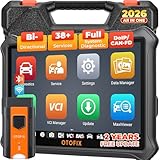
- 🎉[OTOFIX D1 Lite, Perfect Cost-effective Diagnostic Tool]: OTOFIX D1 Lite, a newest bidirectional scan tool from OTOFIX company, is a great choice for DIYers and repair shops. 👉This obd2 scanner diagnostic tool packs all practical functions: OE level all systems diagnoses, Bi-Directional Control, 38+ reset services fixing 99% of common problems, support DoIP & CANDF protocols and FCA
 AutoAuth, high-end hardware configuration. Worldwide vehicles and 🔥2 Years Free Updating🔥 covered.
 - 🎉[Bi-Directional Scan Tool, Active Test]: OTOFIX D1 Lite bluetooth obd2 scanner can also command ECUs and monitor the operation of the actuators to track down the problems of certain parts, like windows, sunroof, wipers, fuel pumps, etc., saving repair time & trouble. This makes OTOFIX D1 Lite the most cost-effective bidirectional scan tool.
- 🎉[2026 Newest, 38+ Hot Reset Functions]: Equipped with 38+ reset functions in one, the OTOFIX D1 lite automotive scanner diagnostic tool allows you to troubleshoot 99% of common vehicle problems. You can use this car diagnostic scanner holding enough functions to easily repair common vehicle models in your repair shops. Including Oil Reset, Injector Coding, Throttle, DPF Reset, SCR Reset, Gear Learning, Clutch Learning, Suspension, etc. Note* Reset functions vary by model.
- 🎉[OE Level Full Systems Diagnostics]: Unlike the 2-system and 4-system diagnostic tools, the OTOFIX auto scan tool can complete comprehensive system diagnostics within 5 minutes. It accesses and scans all available onboard systems like for Engine /AT /ABS /EPB /BMS /TPMS /SRS /SAS /Audio System /BCM /Air Conditioning / etc., to read & clear codes, view live data, and check ECU information. Note: Active test is not involved.
- 🎉[Powerful Hardware Configuration]: Designed with a fashion appearance & a 7” touchscreen and a weight of 463g, this OTOFIX D1 Lite OBD2 diagnostic scanner scan tool is convenient for everywhere and easy to use & store. Android9.0 OS and 2+64GB memory enhance multi-task smoothness and diagnostic operation, no more wasting too much time. 5800mAh battery allows hours-lasting use. WiFi & VCI1 also bring faster communication for your diagnostics.
- 🏆【2026 TOP OBD2 Scanner Diagnostic Tool】OTOFIX D1 Lite wireless obd2 scanner has upgraded hardware configuration and car coverage. The newly upgraded D1 Lite with 🔥OS Android 9.0🔥1.5Ghz 4 core high efficiency processor🔥2GB RAM+64GB ROM large storage🔥5800mAh large battery, more stable and longer lasting diagnostics🔥 38+ Reset🔥action tests🔥full system diagnostic🔥Supports MV105 endoscope🔥21+ Language Supports🔥100000+ vehicle coverage to meet all your daily maintenance needs.
- 👍【Bi-Directional Control / Active Test】D1 Lite obd2 scanner has bidirectional control(worth $300+), which is the most beloved feature among mechanic. If your headlights or car windows are broken, going to a repair shop will cost a lot of money. You can use D1 Lite to send execution commands to the ECU module and identify the repair status. Such as ABS, car windows, doors, valves, wipers, headlights, etc., effectively shorten diagnostic time and reduce diagnostic costs.
- 🔥【All Systems Diagnostics, In-depth Checking】This advanced OBD2 Scanner D1 Lite can perform OE-level diagnosis of all systems including engine, transmission, airbag, ABS, ESP, TPMS, gateway, steering, radio, and air conditioning for more than 100 brands. This diagnostic scanner supports essential functions, such as reading ECU version info, reading and clearing fault codes, and reading data streams.With just a simple click, it provides you with accurate and in-depth diagnostics.
- 🏆【38+ Reset Hot Functions】For repair workshops, holding an OTOFIX D1 Lite Auto scanner is a strong advantage over others. Its 38+ maintenance functions provide various solutions for all module repairs, including Oil Reset, TPMS Reset, Injector Coding, Suspension, Throttle Matching, etc., which will usher your repair business to a new pinnacle. Continuously updating will never make the functionality & compatibility out-of-date.
- 🏆【150+ Models, 10000+ Car Coverage & 16 Languages】D1 Lite is a comprehensive car diagnostic scan tool, help you to troubleshoot car issues fast for 95% US, European, Asian auto makes. ✅ With frequent updates and optimizations allow D1 Lite to cover more vehicles to meet your needs. ✅ Multilingual menu allows auto mechanics around the world to use it without language barriers. 🚩Note: Kindly send us the S/N of the device to authorize new language updates before changing the menu language.

- 2026 Newest Wireless Bluetooth Scan Tool D1: OTOFIX D1 Diagnostic scanner is upgraded version with Enhanced Hardwares & Newest Functions, FASTER and SMARTER! ✅Alternative Bluetooth 5.0 +USB connect✅2G+64GB✅Android 9.0 OS✅5G & 2.4 GHz Dual WiFi✅5800mAh battery👍VAG Guided Function👍ECU Online Coding👍CANFD&DOIP👍40+ Services👍Bi-Directional Control👍Full Systems Diagnose👍2 Years Free Update👍150+ Vehicle Coverage🎁Contact to get gift: otofixaftersales-amz@ outlook.com
- ECU Coding to Unlock the Hidden Features: OTOFIX D1 obd2 scanner diagnostic tool newly adds ECU Coding which can Online Coding(ONLY for VW/Au.di/Sk0da), Variant Coding/Offline Programming, Flash Hidden Functions, Reset Adaptive Data, Match Replaced Components, Customize OE-Settings. Such as: halogen fog lamps retrofitted with xenon fog lamps, different capacity battery retrofit, disbale auto start-stop, sunroof initialization, injector calibration, etc. PS: Coding functions vary by model&year.
- Full Bidirectional Control for Active Car Tests: The D1 OTOFIX scanner also offers bi-directional control, allowing you to perform powerful active tests on car subsystems. This means that you can check the working status and functionality of open & close solenoids, energize injectors, turn cooling fan on & off, and more, all from the device itself.🚩The D1 bi-directional obd2 scanner can quickly help you to check if a system or component goes well,Improving 200% Efficiency.**Note that Active Tests available depend on the make/model/year of your car.
- 40+ Popular Maintenance Functions: OTOFIX D1 obd scanner for car performs 40+ hot services, including Oil Reset, EPB, TPMS, BMS, E.GR, G.PF, D.PF, SAS Calibration, ABS Bleeding, Injector Coding, Gearbox Match, Suspension, Crankshaft Relearn, Power Balance, etc., still growing. Great choice for DIYers, technician, repair shop. 🚩Get MORE special functions from "Car Brand>System>Service". Check compatibility before purchase via 📧 otofixaftersales-amz@ outlook.com.
- OE-Level All Systems Diagnostic + One-Click AutoVIN & AutoSCAN: OTOFIX D1 scanner automotriz gives you the ability to troubleshoot entire car systems including engion system,transmission system,body system,chassis,etc. 🚩One of the standout features of the D1 obd2 scanner diagnostic tool is the one-click AutoVIN & AutoScan function. This feature allows you to quickly and easily scan all diagnosable ECUs with just one click, and identify any problems hidden in your vehicle's systems.
Last update on 2026-06-23 / Affiliate links / Images from Amazon Product Advertising API
This product presentation was made with AAWP plugin.