
NHTSA ID Number: 10177290
Manufacturer Communication Number: 21TechRefGde630
TSB/Document Date: 2020-08-06
Summary
New Document
• Turn off Manual Speed Warning (if equipped)
This can be changed in the Driver Assistance Settings by
going to Menu > Vehicle > Driver Assistance > Speed Warning
> Manual > Select Off
• Disable climate control via door unlock
Main screen => Vehicle => Climate control => select small
temperature gauge symbol in upper right section => settings
(“wheel” upper right) => unselect (disable) “Start A/C after
unlocking”. Check and adjust, if needed. Button position
“off”, in left position
Media / Radio / SAT
• Verify HD Radio is turned “off”
This can be found in the Radio/Settings Menu
On-Hoist Inspection
• Inspect wheel bolts for proper torque
Use torque wrench to verify
• Install wheel bolt covers and center caps as supplied
Wheel bolt covers can be found in the PDI kit
• Set and store tire pressures for either sold vehicle OR stock
inventory vehicle
Verify operation of Audi parking system sensors with rear
view camera (if equipped)
• Verify all vehicle Head-up display functionality (if
equipped)
Verify the image can be adjusted properly in the viewing
area of the windshield. Verify NAV directions, speed, cruise
control, and lane assist are all visible in Head-Up Display (as
equipped)
Audi connect® (USA ONLY) (if equipped)
• Turn on the Wi-Fi® hotspot (if equipped)
Ensure the wireless network is turned on (Telephone > Options > Wi-Fi® options > Wi-Fi® Mode “Hotspot” )
• Check Wi-Fi® hotspot visibility. No data available at PDI
due to dealer demo mode
Check Wi-Fi® hotspot functionality is enabled and verify the
Access point (SSID) is set to “Audi_MMI_XXXX”, where XXXX
is the last four digits of the VIN. Via Telephone > Options >
Wi-Fi® options > Wi-Fi® Mode “Hotspot” > Hotspot settings
> Access point (SSID)
• Enable satellite map view for navigation
Enable satellite map view in the Navigation > Gear icon >
Map Settings, and verify the satellite imagery appears in the
navigation map screen
If a known “sold” unit, set to appropriate Normal Load Condition. See separate “Audi Normal Load Condition Tire Pressure
Table” posted on ServiceNet. If going to stock, set to maximum recommended tire pressures listed on the B-pillar door
jamb, and store tire pressure values in Car/System menu
Driving Performance
• Verify electric motor performance and acceleration
Listen for abnormal noise/vibrations
• Test drive vehicle applying brakes several times
Apply brakes at least 4 times at 20 mph (35 km/h) to clean
brake rotors. Check for abnormal noise/ vibration/pulsation
• Calibrate rear view mirror
Calibrate rear view mirror compass to proper zone and check
self-dimming function/lighting (if equipped)
Effective 6-30-2020-US
Version 1.0
Model Year 2021 | Audi Pre-Delivery Reference Document | 16
Q3
Technician Reference Document
Vehicle Preparation
Trunk Inspection
• Perform any open campaigns
• Verify power tailgate is operational and set default opening
height
Follow instructions listed in campaign documentation
• Perform diagnostic work
Connect vehicle diagnostic tester
• Select “Diagnosis” mode and start diagnosis
• Perform vehicle identification
• Untick “Working with Guided Fault Finding”
• Switch to “Special functions” tab and select following
program:
Delivery Inspection total
• Start program by selecting “Carry out check”
• Continue to follow instructions on screen and complete
the process
• Switch to the “Control units” tab, press the “Guided Fault
Finding” button and launch Guided Fault Finding as far
as the test plan
• The static event memory entries must be evaluated and,
if necessary, processed using Guided Fault Finding
• Exit diagnosis; diagnostic log for delivery inspection is
sent automatically
• Install front license plate carrier (if necessary)
• Retain any removed trim required for carrier installation
and give to the customer. If no front license plate carrier
is necessary ensure the carrier remains in the trunk for
the customer
Exterior
• Check all key buttons and features
Check functionality of all keys. Verify vehicle starts and runs
with all keys and the start/stop button. Verify all doors
and trunk manually and remotely lock/unlock with all keys,
including all door handle sensors with Advanced Key (if
equipped)
Lighting and Windshield
• Test front washers (and headlight washers if equipped).
Correct aim if necessary
Headlights must be on to test functionality of the headlight
washers
Adjust the trunk lid opening height to 77.7 inches (197 cm)
from the ground to the close button in the rear lid. Press and
hold the close button in the rear lid for at least four seconds
to program the opening height
• Install wheel bolt cover removal tool from PDI kit into
trunk lid tool kit
Install wheel bolt cover removal tool from PDI kit and wheel
lock key (if applicable) into trunk tool kit to the right of the
spare tire
• Set spare tire pressure
See separate “Audi Normal Load Condition Tire Pressure
Table” posted on ServiceNet
• Check battery clamps for proper torque
Refer to Elsa Pro for specification
Interior
• Check operation of window, lock, and seat controls
Check operation of all switches: Locks, windows, seat adjustment, heated seats (if equipped) and child safety features
• Inspect mirrors for proper operation
Inspect folding, adjustments, right side tilt in reverse, heating (if equipped)
• Check rear view mirror operation
Check self-dimming function/lighting (if equipped)
• Verify proper operation of climate control
Ensure proper heating and A/C cooling and open all panel
vents
• Inspect operation of all power outlets
Inspect operation of front outlet, aux. outlet under armrest,
and rear outlets
• Check panoramic sunroof and sunshade operation
Verify open/close/vent/deflector at edge and sunshade
operation
Settings
• Set Time source setting to “GPS” and set Auto daylight
savings time to “on.” (if equipped with navigation)
Change time zone appropriate to the dealer location
Effective 6-30-2020-US
Version 1.0
Model Year 2021 | Audi Pre-Delivery Reference Document | 17
Q3
Technician Reference Document
Settings (continued)
Driving Performance
• Set “Entertain. Fad.” in Parking aid to an audible level (if
equipped)
• Verify engine Start-Stop System functionality
Via “ Menu > Vehicle > Left Option > Drive Assistance > Parking Aid”
• Verify and set language and measurement units
This can be changed in the Setup/Settings menu
• Verify Speech Dialog System is operating
Press the “Talk” button and verify several commands
• Set dealership location in navigation (if equipped)
Set dealership location for following back to dealership
during road test
Media / Radio / SAT
• Verify HD Radio is turned “off”
This can be found in the Radio/Settings Menu
Audi connect® (USA ONLY) (if equipped)
• Turn on the Wi-Fi® hotspot (if equipped)
Ensure the wireless network is turned on (Telephone > Right
Option > Wi-Fi® options > Wi-Fi® “On”)
• Check Wi-Fi® hotspot visibility. No data available at PDI (if
equipped)
Check Wi-Fi® hotspot functionality is enabled and verify the
SSID is set to “AUDIXXXXX”, where XXXXX = the last five digits of VIN that are automatically preset in the system
Verify the velum sticker is on the start/stop button. Remove
the start/stop information card from the car kit and place it
in the glove box with the owner’s manuals. Additional supply
can be ordered via the Brand Store on AccessAudi
• Verify engine performance and acceleration
Listen for abnormal noise/vibrations
• Test drive vehicle applying brakes several times
Apply brakes at least 4 times at 20 mph (35 km/h) to clean
brake rotors. Check for abnormal noise/ vibration/pulsation
• Calibrate rear view mirror
Calibrate rear view mirror compass to proper zone and check
self-dimming function/lighting (if equipped)
Driver Assistance
• Verify operation of parking system plus with rear cross
traffic assist (if equipped)
Verify operation of Audi parking system sensors with rear
view camera
Post-Road Test Inspection
• Check engine oil level
Fill oil to the max level when the vehicle is at operating temperature
• Enable satellite map view for navigation (if equipped)
Enable satellite map view in the Navigation > Gear Icon >
Map Settings, and verify the satellite imagery appears in the
navigation map screen
On-Hoist Inspection
• Install wheel bolt covers and center caps as supplied
Wheel bolt covers and center caps can be found in the PDI kit
• Inspect wheel bolts for proper torque
Use torque wrench to verify
• Set and store tire pressures for either sold vehicle OR stock
inventory vehicle
If a known “sold” unit, set to appropriate Normal Load Condition. See separate “Audi Normal Load Condition Tire Pressure
Table” posted on ServiceNet. If going to stock, set to maximum recommended tire pressures listed on the B-pillar door
jamb, and store tire pressure values in Car/System menu
Effective 6-30-2020-US
Version 1.0
Model Year 2021 | Audi Pre-Delivery Reference Document | 18
Q5/Q5 PHEV/SQ5
Technician Reference Document
Vehicle Preparation
Exterior (continued)
• Set adaption channel to enable CD Ripping using Guided
Functions (if equipped with NAV)
• Prepare the base bars for customer delivery (install bars
only upon customer request)
Set adaptation channel (via Special functions > Service work
> 5F-Activating/deactivating storage of music). Also referred
to as CD Ripping. Perform 3 button reset of the MMI to
complete the activation. Refer to the owner’s manual for
model-specific button sequence
• Perform any open campaigns
Follow instructions listed in campaign documentation
• Perform diagnostic work
Install the rubber strips to the top of the base carrier bars
(do not install the carrier bars on the vehicle unless customer
has requested). Repackage the bars into the box if they are
not being installed on the vehicle. Retrieve the paper with
the torque wrench key code from the base carrier bar box.
Insert the paper with the key code into the owner’s literature
wallet. Record torque wrench key code in the VDF to ensure
it’s documented in the event the paper with the code is
misplaced
Connect vehicle diagnostic tester
• Select “Diagnosis” mode and start diagnosis
• Perform vehicle identification
• Untick “Working with Guided Fault Finding”
• Switch to “Special functions” tab and select following
program:
Delivery Inspection total
• Start program by selecting “Carry out check”
• Continue to follow instructions on screen and complete
the process
• Switch to the “Control units” tab, press the “Guided Fault
Finding” button and launch Guided Fault Finding as far
as the test plan
• The static event memory entries must be evaluated and,
if necessary, processed using Guided Fault Finding
• Exit diagnosis; diagnostic log for delivery inspection is
sent automatically
• Install front license plate carrier (if necessary)
• Retain any removed trim required for carrier installation
and give to the customer. If no front license plate carrier
is necessary ensure the carrier remains in the trunk for
the customer
Lighting and Windshield
• Test front washers (and headlight washers if equipped).
Correct aim if necessary
Headlights must be on to test functionality of the headlight
washers
Trunk Inspection
• Verify power tailgate is operational and set default opening
height
Adjust the trunk lid opening height to 77.7 inches (197 cm)
from the ground to the close button in the rear lid. Press and
hold the close button in the rear lid for at least four seconds
to program the opening height
• Install wheel bolt cover removal tool from PDI kit into
trunk lid toolkit
Install wheel bolt cover removal tool from PDI kit and wheel
lock key (if applicable) into trunk tool kit to the right of the
spare tire
• Set spare tire pressure
See separate “Audi Normal Load Condition Tire Pressure
Table” posted on ServiceNet
• Check battery clamps for proper torque
Refer to Elsa Pro for specification
Exterior
Interior
• Check all key buttons and features
• Check operation of window, lock, and seat controls
Check functionality of all keys. Verify vehicle starts and runs
with all keys and the start/stop button. Verify all doors
and trunk manually and remotely lock/unlock with all keys,
including all door handle sensors with Advanced Key (if
equipped)
• Check all doors for proper power closing (if equipped)
For vehicles equipped with the power door closing feature,
check all doors for proper closing
Effective 6-30-2020-US
Version 1.0
Check operation of all switches: Locks, windows, seat adjustment, heated seats (if equipped) and child safety features
• Inspect mirrors for proper operation
Inspect folding, adjustments, right side tilt in reverse, heating (if equipped)
• Check rear view mirror operation
Check self-dimming function/lighting (if equipped)
Model Year 2021 | Audi Pre-Delivery Reference Document | 19
Q5/Q5 PHEV/SQ5
Technician Reference Document
Interior (continued)
On-Hoist Inspection (continued)
• Verify proper operation of climate control
• Set and store tire pressures for either sold vehicle OR stock
inventory vehicle
If a known “sold” unit, set to appropriate Normal Load Condition. See separate “Audi Normal Load Condition Tire Pressure
Table” posted on ServiceNet. If going to stock, set to maximum recommended tire pressures listed on the B-pillar door
jamb, and store tire pressure values in Car/System menu
Ensure proper heating and A/C cooling and open all panel
vents
• Inspect operation of all power outlets
Inspect operation of front outlet, aux. outlet under armrest,
and rear outlets
• Check panoramic sunroof and sunshade operation
Verify open/close/vent/deflector at edge and sunshade
operation
Settings
• Set Time source setting to “GPS” and set Auto daylight
savings time to “on.”
Change time zone appropriate to the dealer location
• Verify and set language and measurement units
This can be changed in the Setup/Settings menu
• Verify Speech Dialog System is operating
Press the “Talk” button and verify several commands
• Set “Entertain. Fad.” in Parking aid to an audible level
Via “ Menu > Vehicle > Left Option > Drive Assistance > Parking Aid”
• Set “Music volume while parking” to 6 lines
Accessed via MMI rear view camera display, Settings > Music
volume while parking (applies to vehicles with park assist or
rear view camera)
• Set dealership location in navigation (if equipped)
Set dealership location for following back to dealership
during road test
• Turn off Manual Speed Warning (if equipped)
This can be changed in the Driver Assistance settings by
going to Menu > Vehicle > Driver Assistance > Speed Warning
> Manual->Select Off
Driving Performance
• Verify engine Start-Stop System functionality
Verify the velum sticker is on the start/stop button. Remove
the start/stop information card from the car kit and place it
in the glove box with the owner’s manuals. Additional supply
can be ordered via the Brand Store on AccessAudi
• Verify engine performance and acceleration
Listen for abnormal noise/vibrations
• Test drive vehicle applying brakes several times
Apply brakes at least 4 times at 20 mph (35 km/h) to clean
brake rotors. Check for abnormal noise/ vibration/pulsation
• Calibrate rear view mirror
Calibrate rear view mirror compass to proper zone and check
self-dimming function/lighting (if equipped)
Driver Assistance
• Verify operation of parking system (if equipped)
Verify operation of Audi parking system sensors with rear
view camera (if equipped)
• Verify all vehicle Head-up display functionality (if
equipped)
Verify the image can be adjusted properly in the viewing
area of the windshield. Verify NAV directions, speed, cruise
control, and lane assist are all visible in Head-Up Display (as
equipped)
Media / Radio / SAT
Post-Road Test Inspection
• Verify HD Radio is turned “off”
This can be found in the Radio/Settings Menu
• Check engine oil level
Fill oil to the max level when the vehicle is at operating temperature
On-Hoist Inspection
• Install wheel bolt covers and center caps as supplied
Wheel bolt covers and center caps can be found in the PDI kit
• Inspect wheel bolts for proper torque
Use torque wrench to verify
Effective 6-30-2020-US
Version 1.0
Audi connect® (USA ONLY) (if equipped)
• Turn on the Wi-Fi® hotspot (if equipped)
Ensure the wireless network is turned on (Telephone > Right
Option > Wi-Fi® options > Wi-Fi® “On”)
Model Year 2021 | Audi Pre-Delivery Reference Document | 20
Q5/Q5 PHEV/SQ5
Technician Reference Document
Audi connect® (USA ONLY) (if equipped) (continued)
• Check Wi-Fi® hotspot visibility. No data available at PDI (if
equipped)
Check Wi-Fi® hotspot functionality is enabled and verify the
SSID is set to “AUDIXXXXX”, where XXXXX = the last five digits of VIN that are automatically preset in the system
• Enable satellite map view for navigation (if equipped)
Enable satellite map view in the Navigation > Map Settings,
and verify the satellite imagery appears in the navigation
map screen
Effective 6-30-2020-US
Version 1.0
Model Year 2021 | Audi Pre-Delivery Reference Document | 21
Q7/SQ7
Technician Reference Document
Vehicle Preparation
Trunk Inspection
• Perform any open campaigns
• Verify power tailgate is operational and set to maximum
opening height (if equipped)
Follow instructions listed in campaign documentation
• Perform diagnostic work
Connect vehicle diagnostic tester
• Select “Diagnosis” mode and start diagnosis
• Perform vehicle identification
• Untick “Working with Guided Fault Finding”
• Switch to “Special functions” tab and select following
program:
Delivery Inspection total
• Start program by selecting “Carry out check”
• Continue to follow instructions on screen and complete
the process
• Switch to the “Control units” tab, press the “Guided Fault
Finding” button and launch Guided Fault Finding as far
as the test plan
• The static event memory entries must be evaluated and,
if necessary, processed using Guided Fault Finding
• Exit diagnosis; diagnostic log for delivery inspection is
sent automatically
• Install front license plate carrier (if necessary)
• Retain any removed trim required for carrier installation
and give to the customer. If no front license plate carrier
is necessary ensure the carrier remains in the trunk for
the customer
Exterior
• Check all key buttons and features
Check functionality of all keys. Verify vehicle starts and runs
with all keys and the start/stop button. Verify all doors
and trunk manually and remotely lock/unlock with all keys,
including all door handle sensors with Advanced Key (if
equipped)
• Check all doors for proper power closing (if equipped)
For vehicles equipped with the power door closing feature,
check all doors for proper closing
Lighting and Windshield
• Test front washers (and headlight washers if equipped).
Correct aim if necessary
Headlights must be on to test functionality of the headlight
washers
Effective 6-30-2020-US
Version 1.0
Press and hold the close button in the rear lid for at least
four seconds to program the opening height. Verify operation
of handsfree release (if equipped)
• Install wheel bolt cover removal tool from PDI kit into
trunk lid toolkit
Install wheel bolt cover removal tool from PDI kit and wheel
lock key (if applicable) into trunk tool kit to the right of the
spare tire
• Check battery clamps for proper torque
Refer to Elsa Pro for specification
Interior
• Check operation of window, lock, and seat controls
Check operation of all switches: Locks, windows, seat adjustment, heated seats (if equipped) and child safety features
• Inspect mirrors for proper operation
Inspect folding, adjustments, right side tilt in reverse, heating (if equipped) and child safety features
• Check rear view mirror operation
Check self-dimming function/lighting (if equipped)
• Verify operation of heated/ventilated and massaging seats
(if equipped)
Check both front and rear. Massaging feature is in the front
seats only (if equipped)
• Verify operation of manual folding 2nd row and power
folding 3rd row seats
Controls for the power folding 3rd row are located in the
trunk
• Verify proper operation of climate control
Ensure proper heating and A/C cooling and open all panel
vents
• Inspect operation of all power outlets
Inspect operation of front outlet, aux. outlet under armrest,
and rear outlets
• Check panoramic sunroof and sunshade operation
Verify open/close/vent/deflector at edge and sunshade
operation
Settings
• Verify and set language and measurement units
This can be changed in the Setup/Settings menu
Model Year 2021 | Audi Pre-Delivery Reference Document | 22
Q7/SQ7
Technician Reference Document
Settings (continued)
Driving Performance (continued)
• Verify Speech Dialog System is operating
• Test drive vehicle applying brakes several times
Apply brakes at least 4 times at 20 mph (35 km/h) to clean
brake rotors. Check for abnormal noise/ vibration/pulsation
Press the “Talk” button and verify several commands
• Set “Entertain. Fad.” in Parking aid to an audible level

- 💯【Conta.ct us for Support Directly】If you met any...
- 🔥🔥🔥【2026 AUTEL FLAGSHIP MK900BT MK900-BT, NEW...
- 🚗【3000+ ACTIVE TESTS (50➡3000+), SAME AS MS...
- 🚗【40+ HOT SERVICES FOR 150 MAKES (28+➡40+)】Full...
- 🚗【OE ALL SYSTEM DIAGNOSE, AUTO SCAN 2.0: SCAN LICENSE...


- 【TURN OFF CEL】 This AL319 car scanner diagnostic tool...
- 【EXTENSIVE APPLICATION】 Autel AL319 Compatible with...
- 【FOR END USER & DIYERS】 This error code reader AL319 is...
- 【USER-FRIENDLY DESIGN】 This OBD2 scanner and check...
- 【HIGH-QUALITY SERVICES】 12 months war.ranty from the...
Last update on 2026-06-23 / Affiliate links / Images from Amazon Product Advertising API
If the PDF is very large, it may not load in the preview below.
Some older TSBs had multiple PDFs — visit the NHTSA Website to view all PDFs.
If the TSB PDF does not show, download or view it on the NHTSA Website.
Click on the (+) Plus Sign
Then Click on Associated Document(s)
Search NHTSA Database for Recalls
Search NHTSA Database for Vehicle Investigations
View Latest Vehicle Investigations
Search NHTSA Database for Vehicle Complaints
View Latest Vehicle Complaints
TSB/Document ID: 21TechRefGde630
Replacement Service Bulletin Number:
MFR Communication Date: 2020-07-01
MFR Internal Campaign ID/Software Version:
Communication Type: Service Bulletin/Repair Instructions
NHTSA Components: EQUIPMENT:OTHER:OWNERS/SERVICE/OTHER MANUAL
MFR Component System:
MFR Component Subsystem:
Previous TSB | Next TSB |

- Obd2 Bluetooth Scanner Lifetime Update: Ediag Elite offers revolutionary Advantage Lifetime Updates with unlimited access to the superior 15 reset service, bidirectional testing and full system diagnostics.The Ediag Elite is an excellent Bluetooth obd2 scanner diagnostic tool ideal for diy's and private car owners
- Bidirectional Control for Quickly Locating Problems: The Bidirectional Scan tool allows you to send commands directly from your smartphone to your vehicle for active testing. This feature helps to quickly narrow down problems such as air conditioning clutches, windows, doors, sunroofs, etc., reducing diagnostic time for mechanics and helping Diy users locate faults more easily. In addition, Ediag Elite provides fault analysis and repair guidance to help you solve problems efficiently.
- 15 Maintenance Resets: The current version introduces 15 popular special features: Oil Reset, Headlight Matching, Bleeding Reset, TPMS Reset, BMS Reset, Gear Box Relearn, Throttle Learning, Injector Coding, SAS Reset and more special functions in system diagnose menu. These functions make it easy for owners to carry out the necessary maintenance and servicing, ensuring that your vehicle stays in top condition, prolonging its service life and preventing common problems and breakdowns. Note: The Special function vary by model& year, Reach us check compatibility.
- Wide Compatibility CANFD & FCA
 Autoauth: Compatible with GM, Ford, Toyota, Chrysler, Honda, Mazda, Nissan, Mitsubishi, Hyundai, KIA with standard OBD2 port from 1996 to newer. More car brands and features will be released gradually. Newest Ediag Elite scanner supports CANFD Protocol and FCA cars. Note: Coverage may vary on different vehicle by model& year ,Please contact us to confirm compatibility before purchase.
 - Perfect for Monitoring The Health of Your Vehicle: Ediag Elite is designed to make vehicle maintenance simple and efficient. With intelligent AutoVIN quick recognition, it is easy to connect to your car without the need for manual input. Real-time data is visualized in a variety of formats, including graphs, numeric, meter displays and clear 4-in-1 data charts, allowing you to effortlessly monitor real-time data. Data logging/reporting is available for playback and further analysis.
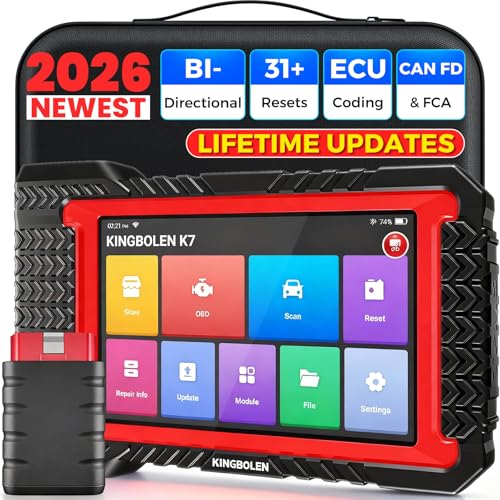
- No Annual Fees & 2026 Upgraded CAN FD: Why pay $199/year or more for updates? The 2026 newest Kingbolen K7 obd2 scanner features have been upgraded to Lifetime Updates without subscription fees, saving you significant costs in the long run. K7 scan tool also adds the CAN FD protocol for the latest GM models (2019+), enabling faster data transfer, reducing the risk of undetected errors
- 2026 Newest Top-tier Car Scanner: Kingbolen K7 diagnostic scan tool is equipped with most capabilities for daily repair/maintenance: Wireless diagnosis via Bluetooth, Bidirectional Test, ECU Online/Offline Code, 31+ Resets, PMI for Ford, Lincoln, Mazda, Global version for 100+ brand vehicles and 17 languages, no area limit, FCA AutoAuth
- OE-Level Full Systems Scan Tool: K7 professional diagnostic scanner with Auto Vin can do one-click to scan ECUs on most of vehicles, like pcm, ecm, eps, bcm, tpms, sas, a/c system... to read/clear code, view live data, freeze frame, read ecu info. 4-in-1 data stream graphics can make data viewing more intuitive. Detailed diagnostic reports will help you easily master the car situation as it can be shared by bluetooth or email! Adding workshop information can help your customers to know more
- Bidirectional Test/Active Test & ECU Code: Stop guessing and start fixing. Bidirectional scan tool Kingbolen K7 can perform real active test that can send commands to the vehicle's ECU to drive the actuators to work, like window, rear mirrors, sunroof, door, solenoids, wipers, headlamp, etc, helping you quickly find out bad parts and pinpoint faulty issues. K7 bidirectional scanner will be a good choice to save money and time on car repairs when performing complex maintenance and repair
- 31 Reset Functions: Avoid expensive dealership visits for simple services. Experience tells us that just a small repair service may cost a lot of money. Kingbolen K7 is a professional diagnostic scanner with 31 common maintenance services like Oil /SAS/EPB/TPMS Reset, Battery Matching, ABS Bleeding, Injector Code, etc. It effectively handles most of the car reset and relearning jobs, perfect for experienced DIYers and mechanics. Note: Functions in the menu vary across vehicles. Kindly check the compatibility before purchase
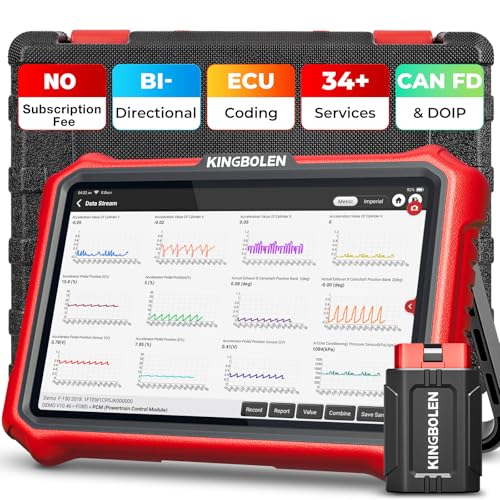
- 【Lifetime Database & Software Updates— No Subscription Fee, No Feature Lock, Save you $399/Y】KINGBOLEN K8 Pro's software can already be permanently upgraded and used for while software of other same price product still needs annual fee of almost $400. K8 pro scanner has packed all capabilities auto technicians would ever need for repair & maintenance services: Added CAN-FD & DOIP protocol, Bluetooth Wireless Diagnosis, Bidirectional Test, ECU Online/Offline Code & Guided Functions for VW, for Audi...34+ Restes, Autoauth for FCA SGW, Larger 4GB+64GB memory, 12600mAh battery, 8'' touch screen with 1280 * 800 Resolution. A Kickstand can allow the tablet to sit at a comfortable angle
- 【Newly Added CAN FD & DOIP Protocol】As Upgrade Version of Kingbolen K8, K8 Pro obd2 scanner supports CANFD and DOIP protocol, which will save you 200+ bucks as no need extra buy for special adapter. CANFD protocol suits for the latest GM(2019-), reducing the risk of undetected errors. The DoIP protocol (comes with DoIp cable) fits for 2017+ BMW(F&G chassis), for Jaguar & Land Rover after 2017, for Volvo after 2018. Plus, K8 Pro's Memory from 2G+32G expanded to 4G+64G, update period extended from 2 years to permanent
- 【34+ Hot Special Functions & V.A.G Guide】KINGBOLEN K8 pro bluetooth obd2 scanner covers almost all common services including Oil Reset, EPB, SAS, BMS Reset, ABS bleed, Throttle Reset, Suspension, Injector Code, Power Balance, Transmission Adaptation, Fuel Trim Learn, HVAC Control Module Calibrate, Language Change, A/F Settings, Stop/Start Reset, Crankshaft Sensor Relearn, TPMS, PMI function and etc. Imagine how much money and time you spend on car maintenance every year? K8 pro car scanner will be a good helper and saver for your car. V.A.G Guided function provides step-by-step guide to work for Volkswagen/Audi/Skoda. Note: Please send us model/year/vin to check compatibility before order
- 【Powerful Bidirectional Test/Active Test & ECU Code】As a bidirectional scan tool, KINGBOLEN K8 pro allows you to request information from a vehicle's ECU or send commands to the vehicle's modules to perform specific tests and functions, such as EVAP Tests, Turn on/off radiator fan, Window/Mirror/Door Lock Test, Pump and Value Tests, Sound horn Test, et. Without using the vehicle control system and dismantling car’s parts, it can quickly and accurately pinpoint the fault causes, simple operation saves time and money
- 【Wireless OE-Level All Systems Diagnostics】Equipped with Bluetooth VCI, you can do car diagnostics out of the car (up to 33F/10M) without being confined to a small space inside the car. Provides the convenience of Auto VIN, K8 pro allowing for easy access and diagnosis of all available modules on a wide range of vehicles, like PCM, ECM, BCM, TPMS, SAS, Fuel System, etc, to perform read/clear codes, view live data, freeze frame, perform active tests, and read ECU info... 12-In-1 Data Stream Graphics make data viewing more intuitive.Diagnostic reports can be shared via QR Code, Bluetooth or email.Built-in Browser and Fault Code Library allows you directly query the fault code when diagnosing
Last update on 2026-06-23 / Affiliate links / Images from Amazon Product Advertising API
This product presentation was made with AAWP plugin.