
NHTSA ID Number: 10176617
Manufacturer Communication Number: 19NA262
TSB/Document Date: 2020-06-22
Summary
This technical bulletin provides repair information to correct a customer concern of Clock Shows Dashes and Cannot be Set After Battery Disconnect.
Service Bulletin
Bulletin No.:
19-NA-262
Date:
May, 2020
TECHNICAL
Subject:
Clock Shows Dashes and Cannot be Set After Battery Disconnect
This bulletin replaces PIT5652E. Please discard PIT5652E.
Brand:
Cadillac
Model:
Model Year:
VIN:
from
to
DTS
2006
2011
STS
2005
2011
Avalanche
2007
2011
Corvette
2005
2010
2007
2011
from
to
Engine:
All
All
Silverado
Suburban
Tahoe
Sierra
Yukon
2007
2011
Yukon XL
HUMMER
H2
2008
2009
Grand Prix
2004
2009
9-5
2005
2009
Involved Region or Country
North America
Additional Options (RPOs)
Equipped with Infotainment system RPO U3R, U3U, US4, UUK, UUL, UVB, UYS or YQ4
Condition
Some customers may comment that after the vehicle battery was disconnected or
replaced, the clock no longer displays on the radio or displays dashes. The technician
may also find that the clock cannot be set through the radio menu.
Cause
The cause of the condition may be an internal software issue in which the GPS system
week counter rolled over to zero, creating the issue.
Correction
Refer to the latest version of PIT3830 before continuing with the Service Procedure. If the
concern remains after reviewing PIT3830, then proceed to the proper program and RPO
below and follow the steps.
Note: There is no manual clock set fix or software update correction for the following
programs: 2005-2007 Cadillac STS with RPO YQ4, 2008-2009 HUMMER H2 with RPO
UVB or UUK, 2004-2009 Pontiac Grand Prix with RPO US4, 2005-2009 Saab 9-5 with
RPO U3U. Please apologize to the customer for this inconvenience and inform them that
the clock will return on its own on August 16, 2020.
Copyright 2020 General Motors LLC. All Rights Reserved.
Page 2
May, 2020
Bulletin No.: 19-NA-262
Service Procedure
Truck, SUV, or Cadillac DTS Radios with RPOs U3R,
U3U, UUK, UUL or UVB
1. Turn the vehicle and radio on.
2. If the “CAUTION” screen is displayed, press “OK.”
5440780
Bulletin No.: 19-NA-262
May, 2020
Page 3
3. Press the hard “Menu” button on the right side of
the radio.
5440779
Page 4
May, 2020
Bulletin No.: 19-NA-262
4. At the top of the display, press the “Display”
soft key.
5440777
Bulletin No.: 19-NA-262
May, 2020
Page 5
5. In the lower left of the next screen, press and hold
in the lower left of the screen for 5–10 seconds
(there will not be a button shown, the button is
hidden).
5440774
Page 6
May, 2020
Bulletin No.: 19-NA-262
6. When the screen to Enter PIN Code appears, enter
"660" (Other codes that may work if the next page
icon is missing are 295660, 3657, 9448, 1791,
1765, 1756, 3366, 296645).
5440762
Bulletin No.: 19-NA-262
May, 2020
Page 7
7. Select “Next Page” from the “Screen
Diagnostic” page.
5440775
Page 8
May, 2020
8. Select “Set Time.”
5440781
Bulletin No.: 19-NA-262
Bulletin No.: 19-NA-262
May, 2020
Page 9
9. Enter the current date and time, then select “Set”
from the lower right of display.
5440764
Page 10
May, 2020
Bulletin No.: 19-NA-262
10. Press “Back” to return to the previous screen.
5440776
11. To completely exit the diagnostic menu mode, turn
the ignition off and allow the vehicle to go to sleep
to exit Retained Accessory Power mode for up to
five minutes. After five minutes have passed, turn
the vehicle on and the correct clock should display.
Bulletin No.: 19-NA-262
May, 2020
Page 11
Corvette Radio with RPO U3U
Important: A personal computer with a CD/DVD
burner is required.
1. For a navigation radio in a Corvette with RPO U3U,
go to the website https://drive.google.com/open?
id=1-EnnVopScrWNUJqySBDVkSDpnGgL6nU1.
2. Click on Download.
5607478
Page 12
May, 2020
Bulletin No.: 19-NA-262
3. A. If using Internet Explorer, select Save As and
Save the file to the Downloads folder.
B. If using Google Chrome, after download is
complete, go to downloaded file in the lower left
corner, click the up arrow and select “Show in
folder.”
4. Find the newly saved file “245_135A.iso” and right
click on it.
5. Select “Burn disc image.”
5607483
Bulletin No.: 19-NA-262
May, 2020
6. Select the Disc burner and the select Burn.
Page 13
7. After 5 minutes, the disc will be completed.
8. Make sure the vehicle is outside and the engine is
running.
9. On the radio display, press the Open/Close
Faceplate Key (A).
10. Eject the map disc by pressing DVD Map
Database Eject Key (B). Insert the Software
Update Disc in the DVD Map Database Slot (C).
5607480
Page 14
May, 2020
Bulletin No.: 19-NA-262
5440759
11. The update will start automatically. You will see a
progress bar on the screen. The update takes
about 2 minutes. The vehicle logo will be seen
once the update is completed.
Note: If the update does not start, verify the radio part
number in the vehicle is the correct part number for the
model year, make, and model involved.
12. Eject the update disc and insert the map disc into
the DVD Map Database Slot (C).
13. The software update procedure is completed.
Bulletin No.: 19-NA-262
May, 2020
Page 15
2008 Cadillac STS Radio with RPO YQ4
Important: A personal computer with a CD/DVD
burner is required.
1. For a 2008 Cadillac, go to the website https://
drive.google.com/open?
id=1v_PwuhFqVH6FLZQzLwyPh4GPXyHsJ2Gd.
2. Click on Download.
5607478
3. A. If using Internet Explorer, select Save As and
Save the file to the Downloads folder.
B. If using Google Chrome, after download is
complete, go to downloaded file in the lower left
corner, click the up arrow and select “Show in
folder.”
4. Find the newly saved file “295_10CA_08.iso” and
right click on it.
Page 16
May, 2020
Bulletin No.: 19-NA-262
5607489
5. After right clicking on the file name, select “Burn
disc image.”
6. Select the Disc burner and then select Burn.
5607490
Bulletin No.: 19-NA-262
May, 2020
7. After 5 minutes, the disc will be completed.
8. Make sure the vehicle is outside and the engine is
running.
Page 17
9. Eject the map disc by pressing DVD Map
Database Eject Key (A). Insert the Software
Update Disc in the DVD Map Database Slot (B).
5440769
10. The update will start automatically. You will see a
progress bar on the screen. The update takes
about 5 minutes. The vehicle logo will be seen
once the update is completed.
Note: If the update does not start, verify the radio part
number in the vehicle is the correct part number for the
model year, make, and model involved.
11. Eject the update disc and insert the map disc into
the DVD Map Database Slot (B).
12. The software update procedure is completed.
Page 18
May, 2020
Bulletin No.: 19-NA-262
2009-2011 Cadillac STS Radio with RPO YQ4
Important: A personal computer with a CD/DVD
burner is required.
1. Go to the website https://drive.google.com/open?
id=1kL9uhIUctlaxJqbH4WVuSem2KE-wI-5_.
2. Click on Download.
5607478
3. A. If using Internet Explorer, select Save As and
Save the file to the Downloads folder.
B. If using Google Chrome, after download is
complete, go to downloaded file in the lower left
corner, click the up arrow and select “Show in
folder.”
4. Find the newly saved file “295_vAA_09_11.iso”
and right click on it.
Bulletin No.: 19-NA-262
May, 2020
Page 19
5607486
5. After right clicking on the file name, select “Burn
disc image.”
5607488
Page 20
May, 2020
6. Select the Disc burner and then select Burn.
7. After 5 minutes, the disc will be completed.
8. Make sure the vehicle is outside and the engine is
running.
Bulletin No.: 19-NA-262
9. Eject the map disc by pressing DVD Map
Database Eject Key (A). Insert the Software
Update Disc in the DVD Map Database Slot (B).
5440769
10. The update will start automatically. You will see a
progress bar on the screen. The update takes
about 5 minutes. The vehicle logo will be seen
once the update is completed.
Note: If the update does not start, verify the radio part
number in the vehicle is the correct part number for the
model year, make, and model involved.
11. Eject the update disc and insert the map disc into
the DVD Map Database Slot (B).
12. The software update procedure is completed.
Bulletin No.: 19-NA-262
May, 2020
Page 21
Version
3
Modified
Released November 15, 2019
November 22, 2019 – Added a Supersede statement, updated the Model Years for STS,
added the GMC Yukon XL, HUMMER H2, Pontiac Grand Prix, Saab 9-5 Models, updated
the Involved Region or Country section and added a Note to the Correction section.
May 18, 2020 – Updated the procedure under Corvette Radio with RPO U3U and added/
updated procedures for Cadillac STS Radio with RPO YQ4.
GM bulletins are intended for use by professional technicians, NOT a "do-it-yourselfer". They are written to inform these
technicians of conditions that may occur on some vehicles, or to provide information that could assist in the proper
service of a vehicle. Properly trained technicians have the equipment, tools, safety instructions, and know-how to do a
job properly and safely. If a condition is described, DO NOT assume that the bulletin applies to your vehicle, or that your
vehicle will have that condition. See your GM dealer for information on whether your vehicle may benefit from the
information.
WE SUPPORT VOLUNTARY
TECHNICIAN
CERTIFICATION
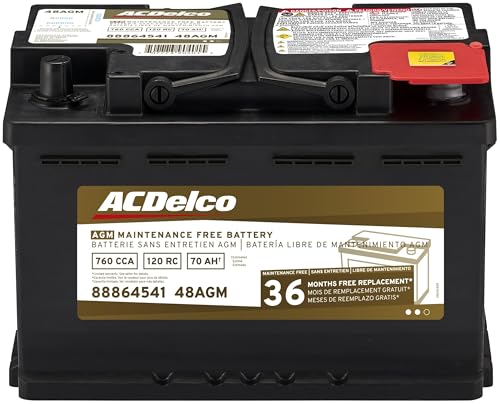
- High density negative paste, improves performance and...
- Enhanced life alloy or Silver Calcium stamped alloy...
- Calcium lead positive grid, maximizes conductivity and...
- Robust envelope separator with puncture resistant back...
- Vent cap design that resists acid leakage

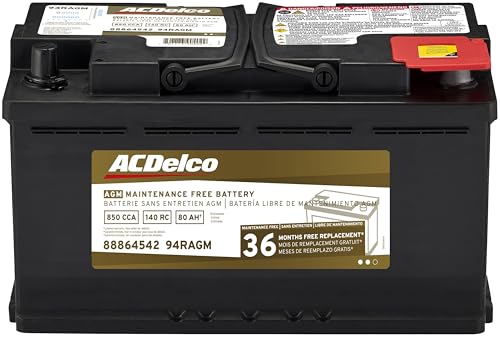
- High density negative paste, improves performance and...
- Enhanced life alloy or Silver Calcium stamped alloy...
- Calcium Lead positive grid, maximizes conductivity and...
- Robust Envelope Separator with puncture-resistant back...
- Vent cap design that resists acid leakage
Last update on 2026-05-30 / Affiliate links / Images from Amazon Product Advertising API
If the PDF is very large, it may not load in the preview below.
Some older TSBs had multiple PDFs — visit the NHTSA Website to view all PDFs.
If the TSB PDF does not show, download or view it on the NHTSA Website.
Click on the (+) Plus Sign
Then Click on Associated Document(s)
Search NHTSA Database for Recalls
Search NHTSA Database for Vehicle Investigations
View Latest Vehicle Investigations
Search NHTSA Database for Vehicle Complaints
View Latest Vehicle Complaints
TSB/Document ID: 19NA262
Replacement Service Bulletin Number:
MFR Communication Date: 2020-05-18
MFR Internal Campaign ID/Software Version:
Communication Type: Service Bulletin/Repair Instructions
NHTSA Components: EQUIPMENT
MFR Component System:
MFR Component Subsystem:
Previous TSB | Next TSB |

- [Newly Added in 2026: 7 Reset Functions] The 2026 new version of the OBD2 scanner diagnostic tool CRP123X V3.0 Elite has new special functions for F.REE: Throttle Ad.aptation, Oil/SAS/BMS/Brake Reset, D-P.F Re.generation and ABS Service. Before you visit a mechanic, launch obd2 Scanner CRP123X Elite can perform a more in-depth diagnosis of the car system and provide accurate data within minutes. What's more, the list of compatible models has been expanded. Upgrading frequency is regular, occurring monthly even weekly.
- 🔥[FCA AutoAuth + CAN FD & DoIP] As an upgraded version of the LAUNCH CRP123X/CRP129X, FOXWELL NT614, and ANCEL FX2000, The Newest LAUNCH CRP123X V3.0 auto diagnostic scanner supports the following new protocols: CAN-FD for 2020 and newer G.M and Chrysler
 models, as well as DoIP for V.olvo, Land Rover/Jaguar, and B.MW F/G chassis. With integrated AutoAuth, you can diagnose 2018 and newer FCA cars equipped with S.GW. Note: CAN-FD and DoIP protocols require an additional obd2 cable. *Menus vary by make, model, and year of gasoline or diesel engine vehicle. Email us your VIN data.
 - 🔥[No extra software fee. Works on 90 vehicle brands.] Most OBD2 scanners work with vehicles manufactured after 2001. However, the LUNCH OBD2 scanner is compatible with OBDII-equipped vehicles built after 1996 and works with more than 90 vehicle brands. One-click lifetime updates over WIFI 2.4&5.0Ghz keep the car software current and ensure constant coverage additions, diagnose vehicles from 1996 to 2026 with a massive global database. Android 8.1 ensures lightning-fast boot-up and processing.
- [Accurate & Intuitive Multi System Diagnosis] Will you be confused about what happens when the warning light of transmission, ABS, and SRS Airbag check engine flashes? Launch obd2 scanner diagnostic tool CRP123X V3.0 to pinpoint the problem components for a faster diagnosis for your car instead of taking your car to the dealership. Generate vehicle health reports with one click and share them via email over Wi-Fi to help avoid blind maintenance. And will turn off the warning light for you after fixing the problem, make to know more about your cars and do your own repair.
- [Multiple Display of Live Data + DTC Code Definition Explanation] Launch car tools show real-time data of oil temp, pressure, transmission temp, engine speed, coolant temperature, you will know which car part is abnormal. Data can be shown in a single, multi- graph, and merge two graphs for analysis(or 4-in-1 merged waveform graph),you can save, share, print, or email the overall inspection report for easier analysis.🔥Code Search,DTC Library provide massive information. Inbuilt “Feedback” module provides customized repair suggestions from our certified professionals.

- 【2026 UPGRADED VERSION, NEW CHIPS, ADD MORE FUNCTIONS, No Extra Software Fee】Faster! The 2026 CRP123I V3.0 car diagnostic scanner has a new processor✅Android 8.1, 2+64GB of memory, 5-inch touchscreen (720P), 6100mAh rechargeable battery✅FCA SGW, New Protocol CANFD & DoIP✅Work with BST360 Battery Tester & i-TPMS Tire Pressure Detector Tool(Purchase Separately)✅2.4&5GHz dual WiFi,One-touch Lifetime Free update for 100+ Global brands(1996-2026),help you access,diagnose and fix more vehicles faster,upgrade of CRP123I V2.0.
- 【Newly Added 7 RESET FUNCTIONS】+ 【BATTERY VOLTAGE TEST】2026 New Ver. scan tool CRP123I V3.0 ADDS NEW SPECIAL FUNCTIONS-Throttle Adaptation,Oil Reset,SAS Reset,ABS Bleeding,BMS Reset,EPB Reset, DPF Regeneration,to maintain your vehicle system safely and efficiently.Graphing the battery voltage easier and more intuitive for the real-time monitors to check.It does not only reveal what error codes your car is producing,but also erase your vehicle's check engine light after the problem is fixed.
- 【Multi System Diagnostic Tool】LAUNCH CRP123I V3.0 obd2 scanner check ABS/SRS/AT/ENG systems &10 OBD2 modes, read/clear fault codes,Online Google Search, 4 IN 1 Graphing.Store and playback of dynamic data stream help to quick analysis and diagnosis. Generate vehicle health reports with one click and share them with your email via Wifi which helps avoid blind maintenance. CRP123I costs less, in the long run, saving you up to $2000 each year.
- 【Lifetime Free Update + FCA SGW +CAN FD & DoIP】This scan tool features One-click wifi update and fre e for fixing more bugs; Realtime battery voltage graphing helps to Judge the state of the battery; Auto Vin,facilitate accurate diagnosis and provide useful information.Besides,CRP123I V3.0 support AutoAuth for FCA SGW,For 2017 and later FCA Vehicles with Secure Gateway Module (SGW);New Protocol CANFD & DoIP cover more newer car and boost 4X faster data transfer(need extra adapters).
- 【Cover 10000+ Models & 100+ Car Brands】CRP123I V3.0 Elite code reader for cars and trucks is capable of diagnosing fault codes on more than 10000+ vehicles from 1996 to 2026 and 90+ car makes worldwide. Support almost all 12V OBDII cars such as SUVs, minivans, light-duty trucks, etc. It's an excellent tool for all types of mechanics from novice to pros. NOTICE: Compatibility will vary on vehicles' model and year, pls reach us via Q&A/message before purchase.

- [2026 X431 PRO3 V+ Elite] A great value for the X431 series that differs from similar diagnostic tools by adding: 1) J2534 protocol for over $800 in savings; 2) CANFD/DOIP support for enhanced communications; 3) Configuration of over $900 worth of HD(heavy truck) modules, needed purchase HD diagnostic software by HD vehicle model for use.; 4) A 10.1 inch Gorilla screen with 1280*800 resolution and 80% more touch screen sensitivity
- [J2534 Protocol Scan Tool] The J2534 Direct Access Device can be used as a factory scanning tool at no cost to you, saving you over $2,000. You can easily expand your ECU protocol capabilities for Toyota, Honda, VW, BMW, Ford, GM, Chrysler, Mercedes-Benz and more. The LAUNCH X431 PRO3 V+ ELITE Scan Tool is equipped with the newly upgraded smartlinkC V2.0. smartLinkC is a communication interface that supports the J2534 specification. It can also be used as a J2534 PassThru device to implement the J2534 protocol with a PC that has OEM diagnostic software installed.The J2534 protocol is the only way to solve problems ranging from drivability and power loss to poor fuel economy
- [Top Hardware Configuration, Upgraded Version of V+] LAUNCH Diagnostic Scanner adopts Android 10.0 OS; CPU is 4-core processor with 2.0 GHz, which greatly improves the speed of running multi-tasks. 2.4GHz/5GHz; 6300mAh/7.6V ultra-large capacity battery; 10.1 inch Gorilla screen, sunlight readable, 8MP camera; Auto VIN; 4GB+64GB storage; 20x transfer rate to save more vehicle files and customer data; New TYPE A interface to connect expansion tools such as oscilloscopes, sensors, etc.; Supports more than 25 software languages such as EN, DE, FR, SP and JP
- [60+ Reset 3000+ Active Test] Full Bi-Directional Scan Tool quickly detects problems and guides repairs based on the response of actuators such as air conditioning clutches, windows, doors, mirrors and more. With the touch of a finger, you can easily send command signals from the scanner to a variety of modular actuators, testing component integrity and functionality in minutes or even seconds to determine if a replacement or repair is needed. In addition, the machine enjoys 60+ special services such as oil reset, ABS brake bleed, EPB, SAS, BMS, suspension, injector reset and more, and undergoes rigorous field testing to ensure availability
- [Unrivaled Coverage, Over 200 Vehicle Brands] LAUNCH X431 PRO3 V+ Elite Automotive Scanner is suitable for over 200 vehicle brands, including commercial vehicles and new energy vehicles. This professional car scanner supports: 1) J2534/D-PDU protocol for HD trucks; DoIP/CANFD for Land Rover/Jaguar, BMW F/G chassis, GM, etc.; 2) FCA Autoauth, covering 2018+ Chrysler/Dodge/Fiat, etc. New/old models, all covered. Includes frequently updated vehicle software and car coverage for faster support of other new models
Last update on 2026-06-23 / Affiliate links / Images from Amazon Product Advertising API
This product presentation was made with AAWP plugin.