
NHTSA ID Number: 10176273
Manufacturer Communication Number: TSB 554
TSB/Document Date: 2020-06-11
Summary
Riverpark discovered that a firmware update may be needed on Xite infotainment systems installed on select 2020 Newmar coaches. The affected Xite systems were shipped to Newmar prior to March 16, 2020.
Newmar Corporation
PO Box 30
Nappanee, IN 46550
TSB 554
Jun. 10, 2020
TECHNICAL SERVICE BULLETIN
AFFECTED MODELS
2020:: New Aire, Mountain Aire, London Aire, Essex, King Aire
DESCRIPTION
Riverpark discovered that a firmware update may be needed on Xite infotainment systems
installed on select 2020 Newmar coaches. The affected Xite systems were shipped to Newmar
prior to March 16, 2020.
ISSUE
When using Bluetooth mode, the Bluetooth mode is unintentionally turned off when the camera
button is selected from the main menu.
UNITS AFFECTED
Please refer to the attached population list for the coach and VIN numbers that may be affected.
CORRECTIVE ACTION
The Xite system should be checked for the firmware version using the attached “Firmware Check
Guide” and updated if the firmware does not match using the attached “Firmware Upgrade
Process.” Contact your Newmar Service Account Manager to obtain authorization and a USB
flash drive containing the program (if your dealership is unable to download it to an empty USB
flash drive).
WARNING
Do not turn off power to the Xite system until the update is complete. Damage to the Xite G3
core will result. Do not use the firmware update for any other coach models or years, as
permanent damage may occur.
FLAT RATE CODE:
TSB 554
LABOR TIME:
.1 hr (for inspection only if firmware version matches)
.5 hr (for inspection and firmware update when firmware does not match)
IMPORTANT: Please read this bulletin in its entirety prior to beginning any diagnosis or repairs.
NOTICE: Any technical information published in this bulletin is intended for use only by a qualified, Newmar-authorized service technician. Newmar is not responsible for the misuse of this information.
Firmware check process for XSG3NA.
Step 1.
Select HDMI from the Main Menu.
Step 2.
Press the Bluetooth icon in the top right-hand corner of the screen.
Firmware check process for XSG3NA.
Step 3.
A “Confirm” Information screen will pop up, check the System OS number.
Step 4.
If the System OS is different than the corresponding versions below, it will need the update.
2020 New Aire 9 inch – System OS : 0.84_1
2020 Luxury Diesel 10.4 inch – System OS : 0.85_1
Firmware update process for XSG3NA.
Step 1.
Download the firmware below.
2020 New Aire 9” Infotainment:
http://service.xitesolutions.com/Content/Firmware/G3_Main_Newmar_0.84_1_NA_16-03-2020.exe
2020 Luxury Diesel 10.4” Infotainment:
http://service.xitesolutions.com/Content/Firmware/G3_Main_Newmar_0.85_1_10Inch_16-032020.exe
Step 2.
The download will be available at the bottom portion of the computer screen or in your browser’s
“downloads” section. Click on the download and an option will come up to save or run. Choose to
Run the download.
Step 3.
After running the download an option to extract will pop up.
Firmware update process for XSG3NA.
Step 4.
Before selecting extract, choose the destination of the firmware by selecting “Browse”.
Select the USB as the destination. In this example “32GBUSB” is the USB destination.
Select OK.
Step 5.
Select “Extract”. The firmware will then extract to the USB stick.
Firmware update process for XSG3NA.
Step 6.
Confirm that only the firmware is on the USB.
The USB drive should have only 3 items: a System Folder, a gsMicomImage.mcm file, and a
gsMicomImage_can.mcm file.
Right click on the drive and select “Eject” to safely eject the USB.
Step 7.
Plug the USB into the USB slot at the front of the Core of the radio. It will be located to the left of your
navigation card slot. See the image below, the navigation card slot is circled in yellow and USB in red.
Step 8.
Select Media Center from the main menu of the radio.
Firmware update process for XSG3NA.
Step 9.
The firmware upgrade will begin.
This will take up to 5-7 minutes to complete.
When the upgrade is finished the radio will reboot.
Step 10.
After the radio reboots the update is complete and you may remove the USB stick.
Production Number
501674
501682
501692
501693
501694
501695
501698
501699
501700
501701
501702
501704
501707
501708
501713
501714
501715
501717
501718
501720
501721
501722
501723
501724
501725
501726
501728
501729
501730
501732
501734
501735
501736
501737
501738
501739
501741
501742
501743
501744
501746
501747
501748
501749
501751
501752
501753
501755
501756
501757
501758
501760
501764
530568
530575
530584
530585
530586
530587
530588
530589
530590
530591
530592
530593
530596
530597
530598
530599
530600
VIN Number
4VZVU1E94LC086325
4UZFCTFG4LCLL6157
4UZFCTFG8LCLX0022
4UZFCTFG1LCLW373
4VZVU1E98LC088465
4UZFCTFG7LCMD219
4VZVU1E91LC088114
4UZFCTFGXMCMK34
4UZFCTFG4LCMC996
4UZFCTFG6LCLX2478
4VZVU1E95LC087757
4VZVU1E99LC087728
4VZVU1E93LC087546
4VZVU1E90LC087889
4UZFCTFG1LCLY5025
4VZVU1E92LC087585
4UZFCTFG9LCLW767
4VZVU1E96LC087654
4VZVU1E98LC089017
4UZFCTFG1LCLY1637
4UZFCTFG8LCLX4572
4UZFCTFGXLCMG475
4VZVU1E9XLC087687
4UZFCTFG1LCLX7426
4VZVU1E98LC087624
4UZFCTFG3LCLW373
4VZVU1E99LC087888
4VZVU1E91LC087688
4VZVU1E98LC088014
4UZFCTFG4LCLX2477
4VZVU1E91LC087965
4VZVU1E93LC087966
4VZVU1E99LC087924
4VZVU1E94LC087815
4UZFCTFG8LCLX9884
4UZFCTFG7LCMD669
4VZVU1E9XLC088113
4VZVU1E91LC088145
4VZVU1E96LC089016
4UZFCTFG5LCMD669
4VZVU1E97LC088375
4VZVU1E99LC088376
4VZVU1E98LC088482
4VZVU1E91LC089019
4UZFCTFG0LCME890
4VZVU1E9XLC088483
4VZVU1E98LC088515
4VZVU1E96LC088514
4VZVU1E92LC089014
4VZVU1E94LC089015
4UZFCTFG5LCMJ166
4UZFCTFG1LCMJ389
4UZFCTFG1LCMG475
4VZVU1E92LC086324
4VZVU1E91LC086329
4VZVU1E94KC087408
4VZVU1E97LC087548
4VZVU1E9XLC087690
4VZVU1E90LC087844
4VZVU1E91LC087643
4VZVU1E94LC087796
4VZVU1E94KC087425
4VZVU1E94LC087586
4VZVU1E98LC087655
4VZVU1E92LC087926
4VZVU1E90LC088217
4VZVU1E9XLC087656
4VZVU1E99LC088202
4VZVU1E99LC087731
4VZVU1E91LC087626
Model Year
2020
2020
2020
2020
2020
2020
2020
2020
2020
2020
2020
2020
2020
2020
2020
2020
2020
2020
2020
2020
2020
2020
2020
2020
2020
2020
2020
2020
2020
2020
2020
2020
2020
2020
2020
2020
2020
2020
2020
2020
2020
2020
2020
2020
2020
2020
2020
2020
2020
2020
2020
2020
2020
2020
2020
2020
2020
2020
2020
2020
2020
2020
2020
2020
2020
2020
2020
2020
2020
2020
Brand
LA
LA
LA
LA
LA
LA
LA
LA
LA
LA
LA
LA
LA
LA
LA
LA
LA
LA
LA
LA
LA
LA
LA
LA
LA
LA
LA
LA
LA
LA
LA
LA
LA
LA
LA
LA
LA
LA
LA
LA
LA
LA
LA
LA
LA
LA
LA
LA
LA
LA
LA
LA
LA
KG
KG
KG
KG
KG
KG
KG
KG
KG
KG
KG
KG
KG
KG
KG
KG
KG
Type Floor Plan
Date In Production
Date Off Production
DP
4543
12/5/2018
12/11/2018
DP
4559
2/19/2019
2/26/2019
DP
4543
5/21/2019
6/3/2019
DP
4551
5/29/2019
6/7/2019
DP
4551
1/13/2020
1/20/2020
DP
4579
10/30/2019
11/6/2019
DP
4533
11/25/2019
12/5/2019
DP
4579
3/18/2020
5/5/2020
DP
4569
10/29/2019
11/5/2019
DP
4551
6/12/2019
6/19/2019
DP
4543
8/23/2019
9/3/2019
DP
4551
8/6/2019
8/13/2019
DP
4543
6/3/2019
6/11/2019
DP
4551
9/18/2019
9/30/2019
DP
4551
10/23/2019
11/1/2019
DP
4551
6/18/2019
6/26/2019
DP
4543
6/6/2019
6/13/2019
DP
4543
6/26/2019
7/11/2019
DP
4551
3/12/2020
3/20/2020
DP
4569
10/1/2019
10/8/2019
DP
4551
8/16/2019
8/23/2019
DP
4533
1/27/2020
2/3/2020
DP
4551
7/8/2019
7/15/2019
DP
4559
7/10/2019
7/17/2019
DP
4551
6/24/2019
7/9/2019
DP
4551
7/22/2019
7/29/2019
DP
4551
9/4/2019
9/11/2019
DP
4543
7/15/2019
7/22/2019
DP
4533
11/13/2019
11/20/2019
DP
4543
8/14/2019
8/21/2019
DP
4535
11/1/2019
11/14/2019
DP
4535
11/5/2019
11/18/2019
DP
4551
10/15/2019
10/23/2019
DP
4579
8/27/2019
9/5/2019
DP
4551
9/11/2019
9/19/2019
DP
4543
1/20/2020
1/28/2020
DP
4535
11/19/2019
11/27/2019
DP
4579
12/11/2019
12/18/2019
DP
4579
3/3/2020
3/12/2020
DP
4569
12/5/2019
12/12/2019
DP
4533
12/13/2019
1/7/2020
DP
4551
12/16/2019
1/9/2020
DP
4533
1/22/2020
1/30/2020
DP
4551
3/20/2020
5/7/2020
DP
4579
2/3/2020
2/11/2020
DP
4569
2/10/2020
2/17/2020


- [J2534 Pass-Thru Programmer] - TOPDON RLink J2534 is...
- [All-in-One OEM Reprogramming and Diagnostics] - When...
- [Tested, Trusted, and Proven for Accuracy] - TOPDON RLink...
- [One-Click Installation, Continuous Updates] - The exclusive...
- [Works with Windows Compatibility and OEM Software...
Last update on 2026-06-21 / Affiliate links / Images from Amazon Product Advertising API
If the PDF is very large, it may not load in the preview below.
Some older TSBs had multiple PDFs — visit the NHTSA Website to view all PDFs.
If the TSB PDF does not show, download or view it on the NHTSA Website.
Click on the (+) Plus Sign
Then Click on Associated Document(s)
Search NHTSA Database for Recalls
Search NHTSA Database for Vehicle Investigations
View Latest Vehicle Investigations
Search NHTSA Database for Vehicle Complaints
View Latest Vehicle Complaints
TSB/Document ID: TSB 554
Replacement Service Bulletin Number:
MFR Communication Date: 2020-06-10
MFR Internal Campaign ID/Software Version:
Communication Type: Service Bulletin/Repair Instructions
NHTSA Components: ELECTRICAL SYSTEM:SOFTWARE
MFR Component System:
MFR Component Subsystem:
Previous TSB | Next TSB |

- Stay Updated with Lifetime Access: This obd2 scanner includes lifetime free software updates for all app service functions. With a single payment, enjoy full access to diagnostics, reset tools, and maintenance features — zero subscription fees. A budget-friendly choice for weekend mechanics, home car owners, and DIYers, supporting vehicles from 1996 onward. Come to us with your VIN to check compatibility.
- Full Bidirectional Control/Active Tests & Stable Wireless Connectivity: This car code reader features full bidirectional control, allowing you to send commands to the vehicle's ECU for active tests on components such as fuel pumps, injectors, A/C clutches, windows, sunroofs, and more. This car scanner diagnostic tool helps DIYers quickly diagnose and test vehicle parts, cutting down troubleshooting and repair time. With BT 4.0 wireless connectivity, you can enjoy cable-free diagnostics up to 33 feet. Stand in your garage and test windows, wipers, or even engine components—all without needing to move around your car.
- Portable Car Scanner with 26 Special Functions: Scheduled vehicle maintenance with the A30M car diagnostic scanner can keep your vehicle in peak condition and save you big on dealership trips. The XTOOL A30M obd2 scanner diagnostic tool features essential reset and relearn functions, such as Oil Reset, EPB Reset (Electronic Parking Brake Release), SAS, ABS Brake Bleeding, Throttle Body Relearn, Injector Coding, Crank Sensor Relearn, Headlight Adjustment, and Tire Size Reset. Note: Service functions may vary by vehicle model – check compatibility beforehand!
- Wide Compatibility CAN FD & FCA
 Autoauth: This obd2 scanner diagnostic tool is compatible with over 85+ car brands from the U.S., Europe, and Asia, providing extensive coverage through a BT connection with your smartphone or iPad. Now upgraded to support the latest protocols, it includes FCA AutoAuth access for Chrysler, Jeep, Dodge, and Fiat (2018+), and supports CAN FD for GM (2020+) models, giving you greater access to newer vehicles and systems. Note: The FCA AutoAuth account is not included with the device. Users must register and pay separately through the official FCA AutoAuth website to access diagnostic functions for vehicles that require it.
 - Up to 8 Live Data Streams Graphing – Real-Time Graphing for Deeper Insight: This car scanner supports up to 8 live data streams simultaneously with intuitive, real-time graphing. Gain comprehensive insights into your vehicle’s performance, making it easier to spot issues, detect trends, and make informed diagnostic decisions with confidence.
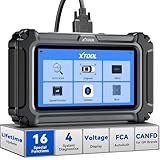
- Comprehensive OBD2 Scanner with 16 Resets: The XTOOL D5S car code reader and vehicle reset tool provides an advanced diagnostic solution with 16 commonly needed reset functions, including Electronic Parking Brake Reset (EPB Reset), SAS, BMS Reset (Battery Test), Throttle Body Relearn, TPMS Reset, ABS Bleeding, Injector Coding, Gearbox Match, Suspension Adjustment, Headlight, Window Initialization, Crank Sensor Relearn and more. Equipped with CAN FD Protocol and FAC AutoAuth, the D5S obd2 scanner diagnostic tool ensures compatibility with a broad range of modern vehicles, allowing users to address common maintenance needs quickly. NOTE: Please Check the Compatibility before ordering.
- 4 Main System Car Scanner & Full OBD2 Diagnostics: The XTOOL D5S car code reader is ideal for home mechanics, DIYers, and professionals, providing access to Transmission/Engine/ABS/SRS systems to read DTCs, Live data can be displayed in text or up to 4 PID data graphs, along with full OBD2 diagnostics to check the engine light on, other obd2 issues and routine maintenance. This car diagnostic scanner ensures you can keep your vehicles in top condition, avoiding costly repairs or unexpected breakdowns. NOTE: Some vehicles display three systems after connection because the transmission and engine of some vehicles are integrated into one.
- Check Engine Code Reader & Real-Time Engine Monitoring: Whether you're a car owner, a DIYer, or run a repair shop, the XTOOL D5S obd2 scanner diagnostic tool makes engine diagnostics fast and frustration-free, reading and explaining trouble codes in seconds—no confusion. Check live data like fuel trim, 02 sensor voltage, RPM, and coolant temp to pinpoint mis~fires, rough idle, or sensor issues. After repairs, simply use the D5S check engine code reader and reset tool to turn off the check engine light and confirm the problem’s fixed—saving time, money, and unnecessary shop visits. - Note: If the check engine light comes back on, it indicates the original problem still exists.
- Portable Car Scanner for ABS and SRS: XTOOL D5S gives you peace of mind when ABS or airbag warning lights come on. It reads and clears ABS codes to help you fix brake sensor, traction control, or wheel speed issues, and supports ABS bleeding after repairs like caliper or master cylinder replacement. For airbag systems, it scans and clears SRS codes related to airbags, seatbelt tensioners, and crash sensors. Whether you're doing repairs at home or running a small shop, the D5S is a cost-effective solution for safety diagnostics. Note: If a fault code returns after clearing, it usually means the issue hasn’t been fully resolved. Please check the compatibility before ordering.
- Transmission Warning Light ON? Here’s the Transmission Diagnostic and Reset Tool You Need: The XTOOL D5S is more than just a basic car scanner—it’s an easy-to-use transmission diagnostic tool. From rough shifts to slipping gears, the D5S lets you read and clear transmission trouble codes, monitor real-time TCM data, and perform transmission resets after fluid changes or repairs. Whether you’re a hands-on car owner or a pro running a busy shop, this OBD2 scanner with transmission functions helps you catch problems early—saving you time, money, and future headaches.. Note: Clearing fault codes is equivalent to a reset on some vehicles, but not all. For help, contact XTOOL Tech Support.
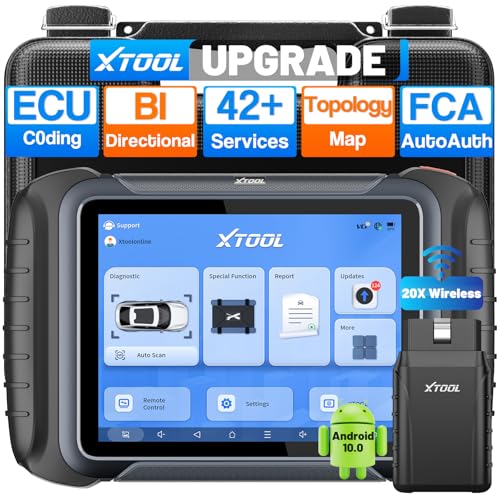
- AI-Assisted Wireless Car Diagnostic Scanner Puts $2,000 Scan Tools to Rest: Upgrade Ver. of D8BT/D7W, wireless ver. of D8S, XTOOL D8W obd2 scanner diagnostic tool targeted for professional US mechanics/workshops/family garage, with 64 GB high-end hardware, 20X faster Built-in WIFI connection, More Stable than BT, packs high-level comprehensive, easy to use AI Assistance features: Topology Mapping, ECU C0ding, PMI Function, 4K+ Active Tests, All System Diagnosis, 42+ Maintenance and more, FCA/CAN FD/DoIP, Pre/Post Scan, Diagnostic Report V2.0, etc. offers the “dealership” diagnosis, isn’t it a Top Pick Scan Tool in this budget
- Super Powerful WI-FI Communication, Extraordinary Built-in Wireless Connectivity: The WI-FI connection, the advanced version of BT, enables the D8W car scanner diagnostic tool to connect directly to vehicles more quickly, easily by simply plugging in the VCI, with the built-in Wi-Fi inside. No additional WiFi signal is required. Its Max high-speed 64 Mbps transmission speed, 33 ft-66 ft or further diagnostic distance, and stable connectivity, makes this obd 2 scanner the winner surpasses traditional BT scanners, more stable, faster, supports longer distance, convenient, and easy to plug and play
- Topology Mapping/AI-Assisted OE-Level Full Systems Diagnostics/Bi Directional Scan Tool/4000+ Active Test: D8W topology scan tool can scan, display all modules with a color topology structure, and view faults at a glance, comparable to other $1,200 to $2,000 obd scanners in the market. Its AI-powered system instantly analyzes fault codes and diagnostic reports for faster and precise repair solution. It also features full-featured bidirectional ability such as Compression Test, Mirror/Sunroof Test, and more active tests, save costs from "dearlership", covers more vehicles for Chrysler 2018+. Please check compatibility with XTOOL before purchase, AI is just for reference
- Advance ECU Configuration/PMI: XTOOL D8W advanced automotive scanner diagnostic tool has the abilities for BENZ/for BMW/for Mitsubishi are designed to unleash the hidden function like turn off the seat belt buzzer and improve car performance. New launched PMI function provided by XTOOL D8W car code scanner for Ford, for Lincoln, for Mazda supports restore full ECU operation into new modules to finish replacement. Note: Please check compatibility with VIN, and Modules
- 42+ Services/Calibration/Initialization/Matching/Relearn Functions: D8W wireless bidirectional obd2 scanner performs more than 42 comprehensive service functions for 10,000+ vehicles including Oil reset, EPB, SAS, Throttle, BMS reset, ABS Bleed, injector c0ding, Fuel Trim Reset, Cylinder Power Balance, Cam Crank Sensors Relearn, VIN Writing, Fuel Injector Balance, Language Change, Auto Stop/Start Reset, A/F Reset, PMI function, etc. Note: Special Functions do NOT work on all cars
Last update on 2026-06-21 / Affiliate links / Images from Amazon Product Advertising API
This product presentation was made with AAWP plugin.