
NHTSA ID Number: 10173138
Manufacturer Communication Number: P203F00
TSB/Document Date: 2020-04-02
Summary
Reductant Level Low
DTC:
P203F-00
GDC18-058
Bulletin:
June 19, 2018
Date:
Description:
Applies to:
Reductant Level Low
US13 - US17 Emissions
For Spanish click here: ESPAÑOL
General Information
These repair instructions are intended to address the following fault(s):
DTC
P203F-00
Description
Reductant Level
Low
Possible Cause
x
x
x
Empty tank
Wiring harness
Reductant Level Sensor "A"
Possible (Observable)
Symptoms
No aftertreatment diesel
exhaust fluid (DEF)
dosage
Required Parts
Part Number
Description
Quantity
22306785
DEF Tank Level Sensor Replacement
1
Repair Instructions
Aftertreatment Diesel Exhaust Fluid (DEF) Tank Level Sensor Replacement
Removal
1. Secure the vehicle for service by parking it on a flat level surface, applying the parking brake, chocking the
rear wheels, and placing the transmission in neutral or park.
2. If equipped, remove the left-side fairing under the cab door to gain access to the diesel exhaust fluid (DEF)
tank and surrounding components.
3. Disconnect all cables from the negative (ground) battery terminals to prevent personal injury from electrical
shock and prevent damage to electrical components.
4. Connect the coolant extractor to the drain fitting at the bottom of the radiator and drain the coolant. Note: An
alternate method is to connect a coolant drain hose to the radiator drain fitting and drain the coolant into a
suitable container. Special tools: 85112740
5. Remove the drain plug from the DEF tank and, using a suitable container, catch any drained fluid remaining in
the tank. When all the fluid has drained, replace the drain plug and tighten.
© 2016 Mack Trucks , Inc. Information is subject to change without notice.
Page 1/6
DTC:
P203F-00
Bulletin:
Date:
GDC18-058
June 19, 2018
1. DEF Tank Drain Plug
6. Disconnect the electrical harness from the aftertreatment control module (ACM) electrical connector.
1. ACM Electrical Connector
7. If equipped, disconnect the electrical harness from the level sensor electrical connector.
1. Level Sensor Electrical Connector
8. If equipped, disconnect the electrical harness from the DEF quality sensor module electrical connector.
Remove the fasteners from the module.
1. DEF Quality Sensor Module Electrical Connector
© 2016 Mack Trucks, Inc. Information is subject to change without notice.
Page 2/6
DTC:
P203F-00
Bulletin:
Date:
GDC18-058
June 19, 2018
1. DEF Quality Sensor Module Electrical Connector 25L Tank
1. DEF Quality Sensor Module Electrical Connector 33L Tank
9.
10.
11.
12.
13.
Disconnect the electrical harness from the DEF pump electrical connector.
Disconnect the DEF pump-to-doser valve fluid hose and the electrical connector.
Disconnect the coolant lines from the DEF tank.
Position a floor jack under the DEF tank and use the jack to support the weight of the DEF tank.
Remove the fasteners securing the DEF tank to the frame-mounted brackets. The support pins at the bottom
of the brackets will hold the tank in place.
1. DEF Tank Mounting Fasteners
14. Using the floor jack, lift the DEF tank off the support pins on the two brackets and remove the DEF tank.
© 2016 Mack Trucks, Inc. Information is subject to change without notice.
Page 3/6
DTC:
P203F-00
Bulletin:
Date:
GDC18-058
June 19, 2018
1. DEF Fluid Tank
15. Remove the DEF fluid hoses attached to the level sensor on the DEF tank. Note: Before detaching the DEF
fluid hoses, note their position since the hoses differ in size.
1. DEF Fluid Hose (Large & Small)
2. DEF Coolant Line (2)
16. Remove the two coolant lines attached to the level sensor on the DEF tank.
17. Loosen the clamp securing the level sensor to the DEF tank and remove the level sensor and quality sensor
module, if equipped. Use care when handling the sensor to avoid damaging the sensor.
1. Level Sensor
2. Clamp
Installation
1. Position the level sensor onto the DEF tank and tighten the clamp to secure it in place. Use care when
handling the sensor to avoid damaging the sensor.
© 2016 Mack Trucks, Inc. Information is subject to change without notice.
Page 4/6
DTC:
P203F-00
Bulletin:
Date:
GDC18-058
June 19, 2018
1. Level Sensor
2. Clamp
2. Attach the two coolant lines to the fittings on the level sensor.
1. DEF Fluid Hose (2)
2. DEF Coolant Line (2)
3. Attach the two DEF fluid hoses to the fittings on the level sensor. Since the hoses are different sizes, be sure
to attach them to the correct fittings.
4. Using a floor jack, move the DEF tank and lift it into place on the support pins on the two frame-mounted
brackets. Loosely install the bolts and fasteners to attach the tank to the brackets, then lower and move the
floor jack out of the way.
5. Tighten the DEF tank mounting fasteners and tighten to specification. Refer to Function Group 20,
Specifications.
6. Connect the two coolant lines to the fittings on the DEF tank.
7. Connect the DEF pump to doser valve fluid hose and the electrical connector.
8. Connect the electrical harness to the DEF pump electrical connector and secure with plastic tie straps as
needed.
9. Connect the electrical harness to the ACM electrical connector.
© 2016 Mack Trucks, Inc. Information is subject to change without notice.
Page 5/6
DTC:
P203F-00
Bulletin:
Date:
GDC18-058
June 19, 2018
1. ACM Electrical Connector
10. If equipped, connect the electrical harness to the level sensor electrical connector.
1. Level Sensor Electrical Connector
11. If equipped, position the DEF quality sensor module and install fasteners. Connect electrical harness to the
DEF quality sensor module electrical connector.
12. Fill the DEF tank with DEF fluid.
13. Fill the cooling system with the recommended coolant using the coolant extractor. Special tools: 85112740
14. Connect all previously removed cables to the negative (ground) battery terminals. Tighten to 20 ±2 Nm (15
±1.5 ft-lb).
15. Start the engine and check for leaks and proper operation. Replenish fluids as needed.
16. Use Tech Tool to check and clear any diagnostic trouble codes (DTC).
17. If equipped, re-install the left-side fairing under the cab door.
Additional Resources
These repairs are the most likely fix for the identified fault, if this does not fix the issue, Tech Tool will need to be
used for more detailed diagnostics. If filing a warranty claim, please include the ASIST case number.
Labor Code
2589-03-02-05
0.4 - 2.0 (Depending on Model)
Causal Part
22306785
© 2016 Mack Trucks, Inc. Information is subject to change without notice.
Page 6/6
DTC:
P203F-00
Boletín:
Fecha:
GDC18-032
20 de febrero de 2020
Nivel reductor bajo
Descripción:
Emisiones de US13 - US17
Se aplica a:
Para inglés, haga clic aquí: ENGLISH
Información general
Estas instrucciones de reparación están destinadas a abordar las siguientes fallas:
DTC
P203F-00
Descripción
Nivel reductor bajo
Posibles síntomas
(observados)
Causa posible
x
x
x
Tanque vacio
Arnés de cableado
Sensor de nivel reductor "A"
Sin postratamiento de
dosificación de fluido de
escape diesel (DEF)
Piezas necesarias
Número de pieza
Descripción
Cantidad
22306785
Reemplazo del sensor de nivel del tanque DEF
1
Instrucciones de reparación
Reemplazo del sensor de nivel de tanque de fluido de escape diesel (DEF) de postratamiento
Desinstalación
1. Asegure el vehículo para el servicio estacionándolo en una superficie plana y nivelada, aplicando el freno de
estacionamiento, bloqueando las ruedas traseras y colocando la transmisión en punto muerto o estacionado.
2. Si está equipado, retire el carenado del lado izquierdo debajo de la puerta de la cabina para acceder al
tanque de fluido de escape diesel (DEF) y los componentes circundantes.
3. Desconecte todos los cables de los terminales negativos (tierra) de la batería para evitar lesiones personales
por descargas eléctricas y daños a los componentes eléctricos.
4. Conecte el extractor de refrigerante al accesorio de drenaje en la parte inferior del radiador y drene el
refrigerante. Nota: Un método alternativo es conectar una manguera de drenaje de refrigerante al accesorio
de drenaje del radiador y drenar el refrigerante en un recipiente adecuado. Herramientas especiales:
85112740
© 2016 Mack Trucks, Inc. La información está sujeta a cambios sin aviso previo.
Página 1/7
DTC:
P203F-00
Boletín:
Fecha:
GDC18-032
20 de febrero de 2020
5. Retire el tapón de drenaje del tanque de DEF y, utilizando un recipiente adecuado, recoja cualquier líquido
drenado que quede en el tanque. Cuando se haya drenado todo el líquido, vuelva a colocar el tapón de
drenaje y apriételo.
1. Tapón de drenaje del tanque DEF
6. Desconecte el arnés eléctrico del conector eléctrico del módulo de control de postratamiento (ACM).
1. Conector eléctrico ACM
7. Si está equipado, desconecte el arnés eléctrico del conector eléctrico del sensor de nivel.
1. Conector eléctrico del sensor de nivel
© 2016 Mack Trucks, Inc. La información está sujeta a cambios sin aviso previo.
Página 2/7
DTC:
P203F-00
Boletín:
Fecha:
GDC18-032
20 de febrero de 2020
8. Si está equipado, desconecte el arnés eléctrico del conector eléctrico del módulo del sensor de calidad DEF.
Retire los sujetadores del módulo.
1. Conector eléctrico del módulo del sensor de calidad DEF
1. Módulo de sensor de calidad DEF Conector eléctrico Tanque de 25L
1. Módulo de sensor de calidad DEF Conector eléctrico Tanque 33L
9.
10.
11.
12.
Desconecte el arnés eléctrico del conector eléctrico de la bomba DEF.
Desconecte la manguera de fluido de la válvula de bomba a dosificador DEF y el conector eléctrico.
Desconecte las líneas de refrigerante del tanque de DEF.
Coloque un gato de piso debajo del tanque de DEF y use el gato para soportar el peso del tanque de DEF.
© 2016 Mack Trucks, Inc. La información está sujeta a cambios sin aviso previo.
Página 3/7
DTC:
P203F-00
Boletín:
Fecha:
GDC18-032
20 de febrero de 2020
13. Retire los sujetadores que aseguran el tanque de DEF a los soportes montados en el marco. Los pasadores
de soporte en la parte inferior de los soportes mantendrán el tanque en su lugar.
1. Sujetadores de montaje en tanque DEF
14. Usando el gato de piso, levante el tanque de DEF de los pasadores de soporte en los dos soportes y retire el
tanque de DEF.
1. Depósito de fluido DEF
Retire las mangueras de fluido DEF conectadas al sensor de nivel en el tanque DEF. Nota: Antes de separar
las mangueras de fluido DEF, tenga en cuenta su posición ya que las mangueras difieren en tamaño.
1. Manguera de fluido DEF (grande y pequeña)
2. Línea de refrigerante DEF (2)
15. Retire las dos líneas de refrigerante conectadas al sensor de nivel en el tanque de DEF.
© 2016 Mack Trucks, Inc. La información está sujeta a cambios sin aviso previo.
Página 4/7
DTC:
P203F-00
Boletín:
Fecha:
GDC18-032
20 de febrero de 2020
16. Afloje la abrazadera que fija el sensor de nivel al tanque de DEF y retire el sensor de nivel y el módulo del
sensor de calidad, si está equipado. Tenga cuidado al manipular el sensor para evitar dañarlo.
1. Level Sensor
2. Clamp
Instalación
1. Position the level sensor onto the DEF tank and tighten the clamp to secure it in place. Use care when
handling the sensor to avoid damaging the sensor.
1. Sensor de nivel
2. Abrazadera
2. Conecte las dos líneas de refrigerante a los accesorios del sensor de nivel.
1. Manguera de fluido DEF (2)
2. Línea de refrigerante DEF (2)
3. Conecte las dos mangueras de fluido DEF a los accesorios del sensor de nivel. Dado que las mangueras son
de diferentes tamaños, asegúrese de conectarlas a las conexiones correctas.
© 2016 Mack Trucks, Inc. La información está sujeta a cambios sin aviso previo.
Página 5/7
DTC:
P203F-00
Boletín:
Fecha:
GDC18-032
20 de febrero de 2020
4. Usando un gato de piso, mueva el tanque de DEF y levántelo en los pasadores de soporte en los dos
soportes montados en el marco. Instale sin apretar los pernos y los sujetadores para fijar el tanque a los
soportes, luego baje y retire el gato del piso.
5. Apriete los sujetadores de montaje del tanque DEF y apriételos según las especificaciones. Consulte el
Grupo de funciones 20, Especificaciones.
6. Conecte las dos líneas de refrigerante a los accesorios del tanque de DEF.
7. Conecte la bomba DEF a la manguera de fluido de la válvula dosificadora y al conector eléctrico.
8. Conecte el arnés eléctrico al conector eléctrico de la bomba DEF y fíjelo con correas de plástico según sea
necesario.
9. Conecte el arnés eléctrico al conector eléctrico del ACM.
1. Conector eléctrico ACM
10. Si está equipado, conecte el arnés eléctrico al conector eléctrico del sensor de nivel.
1. Conector eléctrico del sensor de nivel
11. Si está equipado, coloque el módulo del sensor de calidad DEF e instale los sujetadores. Conecte el arnés
eléctrico al conector eléctrico del módulo del sensor de calidad DEF.
12. Llene el tanque DEF con fluido DEF.
13. Llene el sistema de enfriamiento con el refrigerante recomendado utilizando el extractor de refrigerante.
Herramientas especiales: 85112740
14. Conecte todos los cables retirados previamente a los terminales negativos (tierra) de la batería. Apriete a 20
± 2 Nm (15 ± 1.5 ft-lb).
15. Arranque el motor y verifique que no haya fugas y que funcione correctamente. Reponga los líquidos según
sea necesario.
16. Use Tech Tool para verificar y borrar cualquier código de diagnóstico de falla (DTC).
17. Si está equipado, reinstale el carenado del lado izquierdo debajo de la puerta de la cabina.
© 2016 Mack Trucks, Inc. La información está sujeta a cambios sin aviso previo.
Página 6/7
DTC:
P203F-00
Boletín:
Fecha:
GDC18-032
20 de febrero de 2020
Recursos adicionales
Es muy probable que estas reparaciones solucionen la falla identificada; si esto no soluciona el problema, se
requerirá el uso de Tech Tool para diagnósticos más detallados. Si presenta una reclamación de garantía,
incluya el número de caso ASIST.
Código de trabajo
2589-03-02-05
2.0
Pieza causal
22306785
© 2016 Mack Trucks, Inc. La información está sujeta a cambios sin aviso previo.
Página 7/7

- 💯【Conta.ct us for Support Directly】If you met any...
- 🔥🔥🔥【2026 AUTEL FLAGSHIP MK900BT MK900-BT, NEW...
- 🚗【3000+ ACTIVE TESTS (50➡3000+), SAME AS MS...
- 🚗【40+ HOT SERVICES FOR 150 MAKES (28+➡40+)】Full...
- 🚗【OE ALL SYSTEM DIAGNOSE, AUTO SCAN 2.0: SCAN LICENSE...


- 【TURN OFF CEL】 This AL319 car scanner diagnostic tool...
- 【EXTENSIVE APPLICATION】 Autel AL319 Compatible with...
- 【FOR END USER & DIYERS】 This error code reader AL319 is...
- 【USER-FRIENDLY DESIGN】 This OBD2 scanner and check...
- 【HIGH-QUALITY SERVICES】 12 months war.ranty from the...
Last update on 2026-06-12 / Affiliate links / Images from Amazon Product Advertising API
If the PDF is very large, it may not load in the preview below.
Some older TSBs had multiple PDFs — visit the NHTSA Website to view all PDFs.
If the TSB PDF does not show, download or view it on the NHTSA Website.
Click on the (+) Plus Sign
Then Click on Associated Document(s)
Search NHTSA Database for Recalls
Search NHTSA Database for Vehicle Investigations
View Latest Vehicle Investigations
Search NHTSA Database for Vehicle Complaints
View Latest Vehicle Complaints
TSB/Document ID: P203F00
Replacement Service Bulletin Number:
MFR Communication Date: 2020-03-10
MFR Internal Campaign ID/Software Version:
Communication Type: Service Bulletin/Repair Instructions
NHTSA Components: ELECTRICAL SYSTEM
MFR Component System:
MFR Component Subsystem:
Previous TSB | Next TSB |
- 💯【Conta.ct us for Support Directly】If you met any issues about: Received a registered device/ Language Changing/ Function not Support/ VCI150 Blueto-oth connector malfunction/ Subscription Renewal, please conta.ct us via 📞autelsupply @outlook. com🛣️, we will provide perfect solution for you. ⚠️Note: Autel MK900BT comes with 1-Year Free Software Update, most features will remain active after update subscription expires. 1. For questions regarding updates or need more useful accessories, please conta.ct us via 📞autelsupply @outlook.com🛣️. 2. If the device fails to charge or turn on, please conta.ct us via 📞autelsupply @outlook. com🛣️, we will handle it promptly.
- 🔥🔥🔥【2026 AUTEL FLAGSHIP MK900BT MK900-BT, NEW MODEL OF MK808S MK900 MX900 MK808BT MX808S】2026 newest Autel MK900BT retains all features of MK808S MX900 MX808S MK808Z MK808Z-BT MK808K-BT, while EXTRA added powerful functions (value 2000+ bucks). The Pro-level Autel MK900BT makes a big leaps: 28+➡40+, 50+➡3000+ Active Tests, 2026 NEW✅CAN FD & DOIP protocols ✅Pre&Post diagnostic report ✅WIFI Print ✅Auto VIN&Auto Scan 2.0 ✅Scan VIN/ License ✅Battery Test (Need purcha.se BT506). If found defect or us.ed, please conta-ct 📞autelsupply @outlook. com📞 get perf-ect solut.ion.
- 🚗【3000+ ACTIVE TESTS (50➡3000+), SAME AS MS906 PRO】Differ from MS906BT MS906 MP808 MK808 MX808 MK808BT only 50 tests, Autel scanner MK900BT escaner automotriz professional offers 3000+ active tests, it can send command to ECUs & monitor actuators operation, quickly locating faulty components. Bidirectional scanning takes your diagnostics to the next level with menu lists 3000+ active tests, such as windows, rear mirrors, sunroof, wipers, fuel injector, coolant fans, radiator fan, AC clutch, coolant pump and more. Note: Functions are not available for all vehicles, please send vehicle VIN to us check compatibility.
- 🚗【40+ HOT SERVICES FOR 150 MAKES (28+➡40+)】Full level-up of OBD2 code reader MaxiCOM MK808S MK808 MK808Z MX808 MK808Z-BT with 28 service, Autel scan tool MK900BT/ MK900-BT offers 40+ maintenance service on 150+ brands 10,000 vehicles from 1996-2025-2026. Hottest Services like: Oil Reset, ABS Bleed, SAS Calibration, Injector Coding, SRS, Throttle Reset, Gearbox Reset, Battery Registration etc. Added 12+ advanced resets: rain slash light sensor reset, HVA.C/ SUS calibration etc. Welcome to send Vehicle Make>Model>Year>VIN>Functions you required to 📞autelsupply @ outlook . com📞 check compatibility.
- 🚗【OE ALL SYSTEM DIAGNOSE, AUTO SCAN 2.0: SCAN LICENSE/ AUTO VIN】2026 new release Autel MaxiCOM MK900-BT scan tool embodies all system diagnostic with its 8in display for all vehicles. Like Sna.p-on tools, it can perform ✔Read/Clear Codes✔Displays 5-in-1 Live Data✔Record & Playback Data✔Retrieve Info on all available systems like ABS ECM BCM SRS TCM etc. In addition to Auto VIN technology, Autel MK900BT adds Scan License/ Auto Scan 2.0 to identify vehicle’s VIN/ license, make, year, model, no need manual input; One-click WiFi Printing of Pre&Post comparison diagnostic reports, highlight root causes of problems.
- 【TURN OFF CEL】 This AL319 car scanner diagnostic tool supports Reading and Clearing DTCs, DTC Look Up, displaying Live Data, Freeze Frame & I/M Readiness, view vehicle information, etc., to figure out the root cause of the Check Engine Light (CEL) and turn it off, helping you catch any potential issues early and avoid excessive costs from unnecessary repairs.
- 【EXTENSIVE APPLICATION】 Autel AL319 Compatible with 7 languages (English, French, Spanish, etc.) and various post-1996 OBD II protocol vehicles (Toyota
 , Nissan, Honda, Ford, etc.), this OBD II scanner provides accurate and fast diagnosis for worldwide car owners.
 - 【FOR END USER & DIYERS】 This error code reader AL319 is “plug and play” and comes with an easy interface. Even if you’re not familiar with vehicle repair, you can quickly take control of this obd2 scanner, and get the information you want.
- 【USER-FRIENDLY DESIGN】 This OBD2 scanner and check engine code reader features a patented One-Click I/M Readiness, TFT color display, built-in speaker, LED Indicator etc. The cable is long enough without being too long and getting in the way. No batteries are needed.
- 【HIGH-QUALITY SERVICES】 12 months war.ranty from the date of purchase and lifetime free update are offered by this Automobile OBDII scan tool. Welcome to contact us via Q&A, email, or hotline, and our after-sale-service team for technical support.
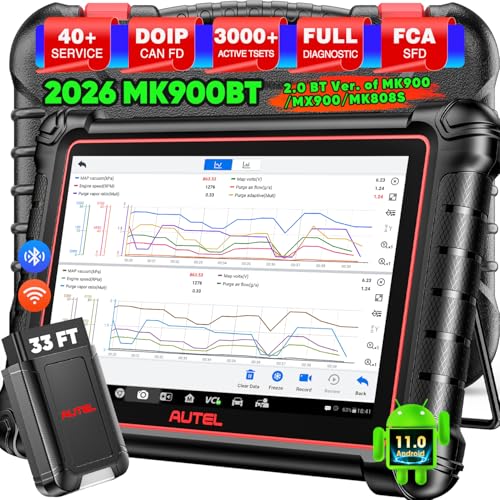
- 📞【Warm Tips】Dear friend, if you have any issues or need any tech support after receiving your MK900BT (received a registered item/ language changing/ functions compatibility/ renew subscription, etc.), please don't hesitate to tell us directly via 💌Autelonline @ outlook . com💌, we will do whatever we can to help you at first time. Besides, if you need other accessories, such as Autel endoscope MV108S, please don't hesitate to con-tact us.
- 🔥【Amazon Choice MK900BT, 2.0 Newer of MK900 MX900 MS906 MK808BT PRO MP808S MK808S MX808S】Big News! 2026 Autel most cost-effective 8in All System & Bidirectional Scan Tool MK900BT is born! 619 only, yet featuring 40+ Hot Services same as MaxiSys Ultra/ MS909/ Elite II Pro/ MK908P/ MS906 PRO/ MS906MAX, among lots of advanced & newer functions: ✅3000+ Active Tests ✅CAN FD/ DoIP new protocols ✅OE All System Diagnosis, Autel Scan 2.0 ✅5-in-1 Live Data ✅detailed Pre & Post Scan ✅Scan VIN/License ✅WiFi Print ✅FAC AutoAuth & Renault SGW ✅Endoscope with MV108/MV105 ✅160+ car brands coverage, etc.
- 😊【Why Choose Autel Scanner MK900-BT, Not MK808S MK900 MX900?】➊ MK900BT escaner automotriz designs with Autel MaxiVCI V150, adopting advanced German Wireless Technology with more stable&faster data transmission, allowing you to work in and around vehicles with a 10M/33FT remote diagnostics. Instead, at almost the same budget, MK900 MK808S outdated wired code reader only with 1m cable, so you must curl up on the steering wheel! ➋ MK900BT can work with Autel BT506 to perform professional cranking charging system tests and in-vehicle & out-of-vehicle battery tests, but MK900 MK808S CANNOT. Some sellers say MK900 can work with BT506, pls don't believe it, who are not Autel a.uthorized sellers.
- 🚀【Upgraded Hardware 2.0, 10X F.aster than Ever】Based on old Android 4.4.4 ver. of MX808 MK808 MK808BT MP808 MP808BT MS906 MS906BT, Autel scan tool MK900-BT takes a big leap to 🟢f.astest OS 11 🟢4-core, 1.8GHz RK3566 speed boosted + lower power consumption🔋doubled 7700mAh Battery 🟢larger & sharper 8" 1280*800 touchscreen with intuitive user interface 🟢expanded 4+64G enough to save more files/data 🟢8M Rear camera gives clearer snapshot, etc. MK900BT scanner for car, is the best bang for your b.uck in the category.
- 📢【New Released: CAN FD/DoIP + WIFI Print + Pre & Post Scan + Scan VIN/ License】MK900BT OBD2 scanner diagnostic tool updates lots of advanced features previously available only for scanners above 2000$ (MS906 Pro MS908S Pro, etc.) ✅New protocols CAN FD works for GM 2019+ ✅DOIP works for Volv.o 2018+, Jaguar&Land Rover 2017+, BM.W F&G chassis models ✅Same WIFI Print as MaxiSys Ultra ✅Detailed Pre/ Post scan reports to up repair efficiency ✅Scan VIN/License can identify your cars in seconds, more accurately! But Autel MK808S/ MK808BT PRO cannot.
Last update on 2026-06-12 / Affiliate links / Images from Amazon Product Advertising API
This product presentation was made with AAWP plugin.