
NHTSA ID Number: 10171777
Manufacturer Communication Number: SA-013-20a
TSB/Document Date: 2020-02-27
Summary
2020 CX-30 SERVICE CAUTIONS FOR NEW AND REVISED FEATURES. The 2020 CX-30 has new and revised features that are different from previous models, and may be difficult to understand. This Service Alert provides valuable information to support potential dealer and customer concerns. Index: PDI fuse, Commander Switch Inoperative, Auxiliary Key, Connected Vehicle, Connected Vehicle Maintenance Mode, Mazda Connected Vehicle Viewer (MRVV), Off-Road Traction Assist, Apple CarPlay / Android Auto Install Kit, Blind Spot Monitoring System (BSM), Front Wiper Service Caution, i-ACTIVSENSE Switch, Traffic Sign Recognition (TSR), MAZDA CONNECT Power Function, MAZDA CONNECT Center Display View, In-Vehicle Digital Owner's Manual, Navigation System, SIRIUSXM Data Service, Power Door Locks, Transmitter Battery Saving Function, Keyless Entry Using Auxiliary Key, Rear Door Child Safety Locks Operation, Theft-Deterrent System, Link Seat & Climate Control Temperatures, Seat Warmer Inoperative, Electric Parking Brake (EPB), Tire Pressure Monitoring System (TPMS), Condition Based Maintenance, M-MDS (MDARS), Part Replacement, Web-based Training Courses.
2/5/2020
SA-013/20 - 2020 CX-30 SERVICE CAUTIONS FOR NEW AND REVISED FEATURES
SI121599
Recommend Change
Manage Document
SA NUMBER: SA-013/20
BULLETIN NOTES
This Service Alert supersedes the previously issued bulletin(s) listed below. The changes are noted in Red text.
Previous Service Alerts:
SA-013/20
SA-051/19
Date(s) Issued:
1/15/20
12/18/19, 12/33/19, and 12/03/19
APPLICABLE MODEL(S)/VINS
2020 CX-30
TI SUMMARY
Hotline Instructions
Theft-Deterrent System accidently enabled and DTC's stored.
Go to TI SI121734 (https://portal.mazdausa.com/pokinfoctr/mazdagms3/index?page=detail&id=SI121734)
Ignore text below, used for MGSS search function
Burglar Alarm
Intrusion Sensor
B109F:87
B1182:06
B2002:87
C0077:00
C1A56:16
C1A56:49
C1A56:87
C1A58:16
C1A58:49
C1A58:87
C1A60:16
C1A60:49
C1A60:87
C1A62:16
C1A62:49
C1A62:87
U1033:82
DESCRIPTION
The 2020 CX-30 has new and revised features that are different from previous models, and may be difficult to understand. This Service Alert provides valuable information to support
potential dealer and customer concerns.
Index
PDI fuse
Commander Switch Inoperative
Auxiliary Key
Connected Vehicle
Connected Vehicle Maintenance Mode
Mazda Connected Vehicle Viewer (MCVV)
Off-Road Traction Assist
Apple CarPlay™ / Android Auto™ Install Kit
Blind Spot Monitoring System (BSM)
Front Wiper Service Caution
i-ACTIVSENSE Switch
Traffic Sign Recognition (TSR)
MAZDA CONNECT Power Function
MAZDA CONNECT Center Display View
In-Vehicle Digital Owner's Manual
Navigation System
SIRIUSXM Data Service
Power Door Locks
Transmitter Battery Saving Function
Keyless Entry Using Auxiliary Key
Rear Door Child Safety Locks Operation
Theft-Deterrent System
Link Seat & Climate Control Temperatures
Seat Warmer Inoperative
Electric Parking Brake (EPB)
Tire Pressure Monitoring System (TPMS)
Condition Based Maintenance
1/12
2/5/2020
M-MDS (MDARS)
Part Replacement
Web-Based Training Courses
Item
Fuse to be Installed at PDI
There are 2 fuses removed at the factory that should be installed at PDI.
1. Fuse F27 (25A) - Fuse Block Engine Compartment
2. One of the following:
Fuse F7 (25A) - Equipped with Power Liftgate - Fuse Block Left Side
Fuse F15 (15A) - Not equipped with Power Liftgate - Fuse Block Left Side
Note: Check for Connected Vehicle signal after installing room fuses. See the image below for how the connectivity signal bar looks (it's the vertical stack b
not displayed on the "Home" screen. Go into the "Entertainment" or "Navigation" menu to check it. To confirm it is working properly, the bar should be wh
Commander Switch and Steering Wheel Switch Inoperative
Check for missing Audio F13 15A fuse
Auxiliary Key
The auxiliary keys need to be inserted into the transmitters during PDI.
Auxiliary Key
Transmitter
NOTE: The auxiliary keys are small and
could be overlooked during PDI.
2/12
2/5/2020
Vehicles arrive at the dealer with one
transmitter located in the front cup
holder*
Vehicles arrive at the dealer with
Auxiliary Keys located in the glove
compartment*
The 2nd transmitter is located near the
spare tire (A) or next to the jack (B).
*Vehicles that arrive at the dealer after business hours, one transmitter and
auxiliary keys are located in the dealer's early bird key drop box.
Insert the auxiliary key into the transmitter.
Remove the transmitter lower cover by sliding the knob
in the direction shown and then sliding the cover in the
opposite direction.
Insert the auxiliary key.
Install the transmitter lower cover by inserting the tabs
of the lower cover into the slots of the transmitter.
NOTE:
If one auxiliary key is lost, some key machines can trace cut a new replacement key.
If both auxiliary keys are lost, key cutting machines do not recognize vehicle key code and will not cut new replacement keys. Replace the front door k
NOTE: If the front door key cylinder set is replaced, eMDCS system key code information will need to be changed. Contact Helpdesk by phone (949 727-64
VIN
Replacement part key code.
Transmitter Note:
If one transmitter is lost, inform the customer to take cautions not to lose the 2nd transmitter.
If both transmitters are lost, the vehicle will be disabled. Use MDARS to program new transmitters.
Replacement battery type is CR2032 (3V, 225mAh), which is different then previous 6th generation transmitter battery type CR2025 (3V, 160mAh).
work properly (malfunction).
3/12
2/5/2020
Connected Vehicle
1. Connected Vehicle App remote requests below may take up to a minute to complete.
Engine Start
Engine Stop
Door Lock
Door Unlock
Quick Flash/Horn On
Hazard Off
2. Connected Vehicle App status is not updated in real time for the items below. Updates may take several minutes and may require a manual refresh.
Tire Pressure Status (last key cycle)
Doors
Trunk/Liftgate
Hood
Hazard Lights
NOTE: Tire pressures on the app are from the last time data was received before the ignition was turned off.
3. Multiple remote requests failure
Only a single request can be processed per minute.
Error messages are displayed if multiple requests are sent within 60 seconds.
Resources:
Educational Videos
Overview (https://trainingvideos.mazdausa.com/Sales/CONNECTED_VEHICLE/Connected_
Services_Mazda_Overview_FINAL_11.25.2019.mp4)
MyMazda remote
(https://trainingvideos.mazdausa.com/Sales/CONNECTED_VEHICLE/Connected_Services_Mazda_Convenience_Remote_FINAL_11.25.19.mp4)
Using MyMazda App
(https://trainingvideos.mazdausa.com/Sales/CONNECTED_VEHICLE/Connected_Services_Mazda_UsingMyMazda_FINAL_11.25.19.mp4)
Vehicle Health Notifications
(https://trainingvideos.mazdausa.com/Sales/CONNECTED_VEHICLE/Connected_Services_Mazda_PeaceOfMind_FINAL_11.25.19.mp4)
In-car Wi-Fi
(https://trainingvideos.mazdausa.com/Sales/CONNECTED_VEHICLE/Connected_Services_Mazda_ConvenienceWiFi_FINAL_11.25.19.mp4)
Saftey features
(https://trainingvideos.mazdausa.com/Sales/CONNECTED_VEHICLE/Connected_Services_Mazda_Safety_FINAL_11.25.19.mp4)
Note: Vehicle Maintenance due data is pulled from the vehicles MAZDA CONNECT system. The customer can change the settings at: MAZDA CONNECT -> In
Settings.
Connected Vehicle Maintenance Mode
When vehicle is being serviced, switch to Restricted Transmitting Mode.
Restricts MyMazda App remote functions.
Prevents error messages being sent to the customer during vehicle service.
Cancel Restricted Transmitting Mode after completing vehicle service.
Mazda Connected Vehicle Viewer (MCVV)
The Mazda Connected Vehicle Viewer (MCVV) enhances the Mazda ownership experience by providing Mazda Service Advisors, Technicians and Call Center
alerts for applicable Mazda connected vehicles.
This powerful tool allows you to proactively understand and diagnose customer concerns and resolve potential issues, demonstrating how well you know th
willingness to assist.
4/12
2/5/2020
Off-Road Traction Assist
The Off-Road Traction Assist is a function to assist in freeing tires that are stuck when driving on rough ground (such as gravel roads or snow-covered
The driver can switch the system to operational or non-operational using the Off-Road Traction Assist switch.
Apple CarPlay™ / Android Auto™ Install Kit
The CX-30 Standard is not equipped with Apple CarPlay™ / Android Auto™ (Equipped on all Option Packages)
Apple CarPlay™ / Android Auto™ Smartphone Screen Mirroring Kit accessory is not available for the CX-30 Standard.
Blind Spot Monitoring (BSM) System
BSM system indicates vehicle on the opposite side.
i-ACTIVSENSE indicator ring will not turn green
Rear Cross Traffic Alert (RCTA) does not work
Rear side radar sensor aiming may fail
TPMS DTC(s) stored
This may be caused by BSM rear side radar sensor(s) installed facing the wrong direction.
OK
NG
Rear side radar sensors (A) part label must not be visible when
installed.
Front Wiper Service Caution
Wiper arm park position is located under the hood.
When servicing front wipers, front wiper service mode is required or damage to wiper arms may occur (see Service Information).
If wiper arms are replaced, M-MDS is needed for wiper arm adjustment (see Service Information)
DO NOT use wiper arms as markers when in dealer inventory.
5/12
2/5/2020
i-ACTIVSENSE Switch
Stand-by Sta
If none of the systems are activated or if there is a problem with the system, the i-ACTIVSENSE status symbol (warning/risk avoidance support
system) (white) is displayed.
Activated St
If any one of the systems is activated, the i-ACTIVSENSE status symbol (warning/risk avoidance support
system) (green) is displayed.
Warning Sta
If any system warning is activated, the i-ACTIVSENSE status symbol (warning/
risk avoidance support system)
(amber) is displayed.
When the i-ACTIVSENSE switch is pressed, the following systems are OFF and the i-ACTIVSENSE OFF indicator illuminates.
Lane Departure Warning System (LDWS)
Blind Spot Monitoring (BSM)
Distance & Speed Alert (DSA)
Rear Cross Traffic Alert (RCTA)
Lane-keep Assist System (LAS)
OFF (Cancel
I-ACTIVSENS
To turn the system back to ON, press the i-ACTIVSENSE switch once.
NOTE:
When the ignition is turned OFF -> ON, i-ACTIVSENSE switches to ON.
If MRCC is activated, i-ACTIVSENSE switches to ON.
When MRCC is deactivated, i-ACTIVSENSE remains ON.
The i-ACTIVSENSE switch does not cancel SBS. SBS can be deactivated using infotainment system settings.
Traffic Sign Recognition (TSR) *
NOTE:
TSR function is only available with a dealer installed in-vehicle navigation system accessory.
TSR function requires Forward Sensing Camera (FSC) recognition or navigation SD card map data when the vehicle is driven.**
TSR function is not displayed in the Active Driving Display.
TSR function is disabled when Apple CarPlay™ or Android Auto™ is connected.
* Some models
6/12
2/5/2020
No Function
Driving under the speed limit
MAZDA CONNECT Speed Limit Alert OFF
(Default Setting)
Driving over the speed limit
Stop sign and Speed Limit recognized
Do Not Enter sign and Speed Limit recognized
MAZDA CONNECT Speed Limit Alert ON
(Customer Setting Change)
Excessive Speed Warning
https://portal.mazdausa.com/pokinfoctr/mazdagms3/index?page=content&id=SI121599&actp=search&viewlocale=en_US&searchid=1580926561761
7/12
2/5/2020
MAZDA CONNECT Speed Limit Alert Customer Settings
Speed Limit Alert Settings
OFF
Visual
Visual + Audible
Speed Limit Alert Threshold
0 mph
+5 mph
+10 mph
** SD Card maps may contain information about the speed limits of the roads. The navigation system is able to warn driver if they exceed the current limit.
not be fully correct for all roads on the map.
MAZDA CONNECT New Power Off Function
Audio Mute - Short press the volume knob (Press again to cancel)
Power Off - Press and hold the volume knob (Press and hold again to Power ON)
MAZDA CONNECT Center Display View
The rear-view monitor does not utilize all of the center display space.
Function
Display
Rear View Monitor
MAZDA CONNECT FM
Apple CarPlay
In-Vehicle Digital Owner's Manual
The in-vehicle digital OM can be displayed on the center display while the vehicle is stopped. Customer can search descriptions and watch videos of vehicle
NOTE:
The digital owner's manual must be installed during PDI. Due to printing deadlines and later updates to the digital manual, the content of the digital manual may differ from the printed manual
DO NOT use the same file as Mazda3. Check MGSS (https://portal.mazdausa.com/pokinfoctr/mazdagms3/index?page=detail&id=SC7) and retrieve the correct file for the CX-30.
USB memory flash drive FAT16 or FAT32 format is required for installation.
The vehicle's infotainment system will only accept file names [contents.tar] and [contents.sig]. File names with additional suffixes will not be accepted.
The infotainment system may inadvertently be powered OFF if the diagnostic assist function buttons are not pressed correctly. Simply press and hold the volume knob to power back ON.
8/12
2/5/2020
Navigation System
The 2020 CX-30 7th generation (Gen 7) infotainment system is not equipped with factory installed navigation system, however, it is available as a dealer in
NOTE: Gen 6.5 Navi SD card with part number prefix BHP1 (CX-3) installed in the Gen 7 2020 CX-30 will not function.
Gen 7
Gen 6.5
P/N prefix BDTS
P/N prefix BHP1
SIRIUSXM Data Service No Free Trial (Preferred Package and above)
Only available as a paid subscription.
SiriusXM Traffic Plus feature requires in-vehicle navigation SD card.
The 2020 CX-30 is not equipped with a factory installed navigation system, however, it is available as a dealer installed accessory.
Power Door Locks
Doors cannot be unlocked using the outside door handle touch sensor
The door handle touch sensor system may not operate normally under the following conditions:
1. The front passenger (without key) grabs and holds the outside door handle before the driver (with key) touches the drivers outside door handle unlock to
2. The driver touches the sensing area of the door lock touch sensor and the sensing area of the door release touch sensor at the same time.
Good
No Good
Transmitter Battery Saving Function (Key Fob)
The CX-30 has a "power saving" function built into the keyless entry system where some key fob functions are disabled. This feature could accidentally be e
Engine does not start.
Engine does not start unless you hold the fob to the start/stop button.
Doors do not unlock using the door handle, but unlock with the remote.
Doors do not lock using the door handle, but lock with the remote.
Transmitter indicator light does not turn on/flash.
9/12
2/5/2020
Keyless Entry Using Auxiliary Key
If the vehicle battery is discharged and/or the key battery is dead, vehicle entry is possible using the auxiliary key.
Rear Door Child Safety Locks Operation
The auxiliary key is required to enable (lock) and disable (unlock) the rear door child safety locks.
1. Auxiliary Key
2. Lock
3. Unlock
Theft-Deterrent System
The CX-30 is not equipped with a Theft-Deterrent System.
CAUTION: DO NOT use MDARS to enable:
Burglar Alarm
Intrusion Sensor
The CX-30 does not have the necessary Theft-Deterrent System hardware to function if enabled using MDARS, and MDARS cannot disable the Theft-Deterr
The following DTC's may be stored if the burglar alarm or intrusion sensor are enabled:
B109F:87 - Intrusion Sensor Module
B2002:87 - On Board Charger DC/DC Low Voltage Side
Contact Hotline if the Theft-Deterrent System has been accidently enabled.
10/12
2/5/2020
Seat Warmer and Heated Steering Wheel Auto Mode
The driver and front passenger's seater warmers* and the heated steering wheel* can be set to be automatically controlled (turned on and off) by the clima
Auto Mode
1. Go to MAZDA CONNECT home screen and select "Settings"
2. Select “Vehicle Settings”.
3. Enable “Link Seat & Climate Control Temperatures”.
4. Press the climate control AUTO switch.
Link Seat & Climate Control Temperatures
Climate Control Auto
Setting
Switch
* if equipped
Seat Warmer Will Not Turn ON After Previous Usage or being parked under the hot sun.
DTC B1030:13 (SEAT WARMER UNIT (LH) CIRCUIT MALFUNCTION (HEATER SIDE)) is stored.
Front seat warmer functions after seat cool down and ignition OFF -> ON cycle.
Contact Hotline for latest repair information.
Electric Parking Brake (EPB)
Parking Brake Auto Operation
When the ignition is switched OFF, the parking brake will be applied automatically. The EPB indicator light in the instrument cluster and the EPB switch indi
1. Indicator light
Canceling the Parking Brake Auto Operation
Parking brake auto operation can be canceled using the procedure in the Owner's Manual.
NOTE: When the ignition is cycled back ON, the parking brake auto operation is restored.
Parking Brake Automatic Release
If the accelerator pedal is depressed with the parking brake applied and all of the following conditions are met, the parking brake is automatically release. W
the instrument cluster and the EPB switch indicator light turn off.
Engine is running
Driver's door is closed
Driver's seat belt is fastened
Selector lever is in the D, M, or R position
Tire Pressure Monitoring System (TPMS) Change
The TPMS system uses a new rubber type direct TPMS.
NOTE: The new rubber type is not reusable. If the TPMS sensor is removed from the wheel, it must be replaced.
New Rubber Type Old Metal Type
Condition Based Maintenance (Except Canada)
The vehicle calculates the maintenance (oil change) timing.
This function cannot be turned OFF.
Distance until the oil change is available in MAZDA CONNECT.
Reset is required after every oil change.
https://portal.mazdausa.com/pokinfoctr/mazdagms3/index?page=content&id=SI121599&actp=search&viewlocale=en_US&searchid=1580926561761
11/12
2/5/2020
New M-MDS (MDARS)
A new M-MDS diagnostic tester (MDARS) for 7th generation vehicles (starting with the 2019 Mazda3) is used.
Performs more maintenance service functions
Performs more complicated vehicle electrical system diagnostic
Reprograms more ECU's
Parts Replacement
When replacing vehicle parts such as ECU's, motors, seats....etc, always refer to MGSS. Some new components may not operate if MGSS new part replacem
2020 CX-30 Web-Based Training Courses (https://www.mazdadevelopmentstudio.com/learnerpage.aspx)
Course
30070
30071
30072
30073
30074
30075
30076
Description
2020 Mazda CX-30 Exclusive Preview
Mazda Premium
Performance: Effortless, Joyful Driving
Exterior: Artful Design
Interior: Human Centricity
Skyactiv® Philosophy
Mazda Connect Essentials Web-based Training Course
MAZDA CONNECT AND MAZDA CONNECTED SERVICES USER GUIDE
(https://portal.mazdausa.com/pokweb/resources/sites/MAZDA/content/live/SERVICE_INFORMATION/121000/SI121599/en_US/Mazda%20Connect%20and%20Connected%20Services%20User%20Guide%20
MAZDA CONNECTED VEHICLE VIEWER
(https://portal.mazdausa.com/pokweb/resources/sites/MAZDA/content/live/SERVICE_INFORMATION/121000/SI121599/en_US/Mazda_Connect_Vehicle_Viewer_12.6.19_FINAL.pdf)
Rate this Page
Did this document address the concern?
No
Yes
Rate Content
Back to Top
12/12
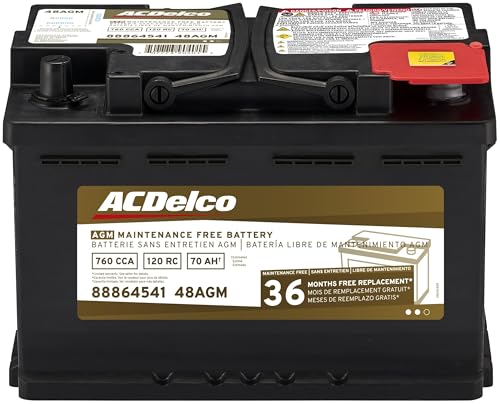
- High density negative paste, improves performance and...
- Enhanced life alloy or Silver Calcium stamped alloy...
- Calcium lead positive grid, maximizes conductivity and...
- Robust envelope separator with puncture resistant back...
- Vent cap design that resists acid leakage

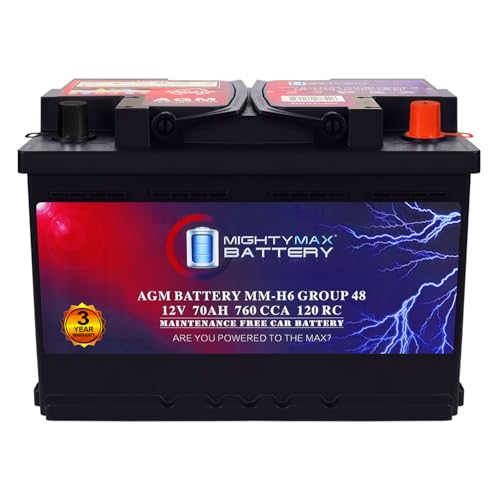
- Fast Starting Power: This 12V 70Ah 760 CCA delivers strong...
- Made to Last: With its 120-minute Reserve Capacity supports...
- All Power, No Mess AGM Design: Sealed and spill-proof, the...
- Strength That Starts on the Inside: The rugged construction...
- Tested Tough & Certified Safe: Mighty Max batteries are...
If the PDF is very large, it may not load in the preview below.
Some older TSBs had multiple PDFs — visit the NHTSA Website to view all PDFs.
If the TSB PDF does not show, download or view it on the NHTSA Website.
Click on the (+) Plus Sign
Then Click on Associated Document(s)
Search NHTSA Database for Recalls
Search NHTSA Database for Vehicle Investigations
View Latest Vehicle Investigations
Search NHTSA Database for Vehicle Complaints
View Latest Vehicle Complaints
TSB/Document ID: SA-013-20a
Replacement Service Bulletin Number:
MFR Communication Date: 2020-02-05
MFR Internal Campaign ID/Software Version:
Communication Type: Service Bulletin/Repair Instructions
NHTSA Components: ELECTRICAL SYSTEM
MFR Component System:
MFR Component Subsystem:
Previous TSB | Next TSB |

- [Notice] When you receive a used device, it may be a customer return resold by Amazon without inspection. You can exchange it for a new one through Amazon. As this situation is unavoidable, we sincerely apologize. For any issues, contacting us via Amazon's "Messages" is the best way. THINKSCAN 689BT Bidirectional Scan Tool Can Be Used Immediately After It is Turned On, Without Complicated Registration Process, Which is More Convenient & Quick.
- Full Bi-Directional Control & 3000+ Active Tests: Take control and test components like actuators, fuel injectors, relays, and cooling fans in real time. You’ll quickly see if the problem is in the part itself or the control module — saving you hours of guesswork and frustrating trial-and-error.
- Advanced ECU Coding Capabilities: Handle module matching and hidden feature activation with confidence. When you replace an ECU or want to customize settings, this obd2 scanner diagnostic bi directional tool gives you the professional-level capabilities you need without the dealership price tag.
- 34+ Useful Reset and Maintenance Functions: Complete everyday service tasks smoothly with a wide range of helpful reset and maintenance functions. Whether you’re keeping up with regular upkeep or tackling a specific job, this scanner makes maintenance simpler and less stressful for both DIYers and pros.
- Comprehensive Full System Diagnostics: Diagnose every major system — Engine, Transmission, ABS, SRS, TPMS, and more — all in one place. Finally stop wondering if you’re missing something important; get the full picture and clear codes with ease.

- Top Reasons to Choose the D7S OBD2 Scanner: XTOOL D7S car scan tool, an upgrade of XTOOL D7, offers comprehensive features for automotive technicians, workshops, and DIY enthusiasts 1. Upgraded Hardware: 2+64GB memory, rear camera, intuitive interface, foldable bracket 2. Complete Diagnostics: FCA
 Autoauth, OE-level all system scan, 39+ maintenance services, 4K+ bidirectional, CANFD/DoIP protocol 3. Advanced Capabilities: ECU coding, PMI functions 4. Wide Compatibility: Support 10,000+ models, covering 99% vehicle brands 5. Multi-language: Available in 22+ languages, No IP Restrictions 6. 3-Year Updates: Save 300 bucks on software updates for the latest features and optimizations
 - 2026 Upgraded D7S Car Scanner Features: The newly 2026 D7S V2.0 scanner for car brings exciting features for advanced vehicle diagnostics and enhanced user experience 1. FCA AutoAuth: Now supports FCA SGW module for Chrysler, for Jeep, for Dodge (2018+), for Fiat (2017+), enabling faster vehicle communication without gateway restrictions 2. PMI (Offline ECU Programming): Allows for Ford, for Lincoln, and for Mazda ECU programming for new modules 3. Optimized Diagnostic Report 2.0: Personalized reports with logos and customer info for auto shops. Note: Compatibility varies by cars, please check before order
- Cost-effective ECU Coding Scan Tool for Specific Brands: Enhance your vehicle's performance with XTOOL D7S! This obd2 scanner all systems bidirectional offers advanced capabilities at an affordable price, supports online for BMW, for Benz and offline for BENZ, for MIT, along with PMI functions for Ford, for Mazda, and for Lincoln. Ideal for technicians and DIY enthusiasts, this automotive scanner diagnostic tool optimizes vehicle performance and enhances the driving experience. Note: Not for all cars and modules, please send car VIN to check the compatibility before purchase
- OE All System Diagnostic & 8 Pids Graphing: XTOOL D7S is a comprehensive all system bi directional obd2 scanner that delivers dealer-level diagnostics, completely controlling over your vehicle’s performance and health. This automotive scan tool can read and clear DTCs, view live data and ECU information, retrieve freeze frames, and perform active tests and full obd2 functions. This bi-directional scan tool can can identify your vehicle's make, model, and year information with just one click and show up to 8 PIDs live data with options for CSV viewing, playback, and recording for in-depth analysis. It is easy-to-use for both professionals and beginners, helping pinpoint issues efficiently
- 3 Years Software Update, Value for Money: With 3 years of software updates and 22+ languages(no IP restrictions), XTOOL D7S auto scanner code scanner ensures ongoing compatibility for the latest car models and improved diagnostic functions. This all system vehicle diagnostic scanner comes with a 30-day return policy and a 24-month repair for dependable performance. XTOOL are dedicated to your satisfaction, so enjoy seamless support and lifetime expert assistance. Should you encounter any issues or concerns, don’t hesitate to reach out XTOOL. D7S with newest update with 22 languages freely transfer without authorization, check details from setting-language or from XTOOL

- 🔥 Historical lowest pr-ice now on sa-le--hot se-lling.
- 【🎈6 Essential Resets: ABS Bleeding, Oil, EPB, SAS, Throttle, BMS】The BOSSCOMM IF745 obd2 scanner diagnostic tool swiftly purges air from brake lines to restore braking sensitivity, fine-tunes maintenance cycles to eliminate false alerts, resolves parking brake issues with one-click control, recalibrates steering sensors for stability, optimizes engine idling/acceleration for smoother performance, and deeply resets battery systems to extend lifespan and range via precise parameter adjustments.❗NOTE: Does NOT support bidirectional control, coding, or programming.
- 【✨10-in-1 OBD2 Functions | Beyond Basic Code Reading 】The BOSSCOMM IF745 scan tool’s DTC Lookup instantly translates fault codes into user-friendly explanations, its I/M Readiness feature streamlines emissions testing with a single tap, and Freeze Frame lets you pinpoint the exact moment of a fault for in-depth root-cause diagnosis. Combined with a live data dashboard and advanced diagnostics (O2S, OBMon, EVAP), it delivers comprehensive insights for confident troubleshooting.
- 【🛒Deep Diagnostics for All Vehicle System Modules】Beyond code reading/clearing and ECU information retrieval, our all-in-one data stream feature lets you inspect all current fault codes and their locations across the vehicle’s systems. This vehicle code reader helps you turn off dashboard warning lights and perform a comprehensive self-check of your car at home—no more back-and-forth trips to the repair shop or hefty inspection fees.
- 【✅Compared to BOSSCOMM IF742, IF745 Offers Full-System Diagnostics】The BOSSCOMM IF745 car diagnostic scanner is an upgraded model of IF742. In addition to supporting all OBD2 Code Reader functions and 6 reset options (ABS/EPB/SAS/BMS/Oil/Throttle), it expands diagnostics from 4 systems (Check Engine/ABS/SRS/Transmission) to vehicle All systems, including Steering, Suspension, and Body Electronics. This provides deeper, more comprehensive diagnostic capabilities.
This product presentation was made with AAWP plugin.