
NHTSA ID Number: 10171103
Manufacturer Communication Number: SubaruTECHTIPS
TSB/Document Date: 2020-02-05
Summary
Subaru Service and Technical Support Line Newsletter.
home
January 2020
Subaru Service and Technical Support Line Newsletter
ARTICLES CONTAINED
IN THIS ISSUE
01
© 2020 Subaru of America, Inc. All rights reserved.
QMR OF THE MONTH
Click on a title below to jump to the article.
Click the date located in the footer to return to page 1.
CODE ARTICLE ....................................... PAGE
(00)
STIS New Releases ......................10-11
(01)
QMR of the Month ............................1-2
(01)
QMR of the Month Award
Presentations ....................................2
(01)
Hints for Searching Separate
Publications with Online
Reference ........................................3-7
(01)
Application Chart For Immobilizer
System ................................................8
(07)
2019-20 Forester & 2020 Legacy/
Outback Driver Monitoring System
(DMS), Seat Memory, and/or Mirror
Tilt Inoperative ...................................8
(07)
Revised Ascent Sunroof Glass (Lid)
and Sun Shade Initialization
Procedures ....................................9-10
(07)
Change to Length of ECM Calibration
ID (CID) Numbers .............................. 10
SUBARU TECHLINE HOLIDAYS
& HOURS OF OPERATION
Memorial Day: (Closed)
Monday, May 25, 2020
Independence Day: (Closed)
Friday, July 3, 2020
Labor Day: (Closed)
Monday, September 7, 2020
Mon. - Thurs.
8:30AM - 7:30PM EST
Friday
10:30AM - 5:00PM EST
Saturday
9:00AM - 3:00PM EST
We are pleased to announce this month’s Winner of QMR of the Month:
Patrick Abramovitch from
Subaru of Port Richey in Port Richey, FL
Patrick’s winning QMR outlined his successful diagnosis and repair
of a 2018 Outback 2.5i Limited which presented with an unusual
customer concern of the door locks locking and unlocking on their own
while driving. Although unable to confirm the condition as described
by the customer, he did verify being able to lock the doors with the
door switches but not unlock them. Patrick started his diagnosis by
confirming the remote keyless entry feature operated normally, both
lock and unlock. Next, he connected the SSM and brought up the
BIU PID data. While monitoring the Manual Unlock Switch Input PID,
Patrick noticed it was not switching and always showed as ON. His
next step was to remove both front door panels and disconnect the
lock switches one at a time while monitoring the PID in hopes of seeing
it switch from ON to OFF. The PID data remained ON so, he began
to inspect the instrument panel harness above the BIU by wiggling
it in different areas while continuing to look for the PID to change.
Eventually, Patrick was successful and after a thorough inspection,
isolated a point where the harness had been contacting the steel
frame of the passenger airbag module. He noticed the harness tape
was chafed and upon closer inspection, found the insulation of the
brown unlock request wire had been punctured, shorting the signal to
ground. After repairing the damaged wire and adding some additional
protection to the harness, normal door lock system operation was
restored. Patrick’s QMR contained a thorough description of his
diagnostic procedure accompanied by quality photos and multiple
videos.
In appreciation for going the extra mile and sharing his experience
with us, Patrick will be receiving the following from his Field Service
Engineer.
A $500.00 Snap-On gift card.
CONTINUED ON THE NEXT PAGE
CAUTION: VEHICLE SERVICING PERFORMED BY UNTRAINED PERSONS
COULD RESULT IN SERIOUS INJURY TO THOSE PERSONS OR TO OTH-
SUBARU OF AMERICA, INC. IS
ISO 14001 COMPLIANT
The Subaru TechTIPS newsletter is intended for use by professional Technicians ONLY. Articles are written
to inform those Technicians of conditions that may occur in some vehicles, or to provide information
that could assist in the proper servicing of the vehicle. Properly trained Technicians have the equipment,
tools, safety instructions, and know-how to do the job correctly and safely. If a condition is described, DO
NOT assume that your vehicle has or will have that condition. Impreza, Legacy, Justy, Loyale, Outback,
Forester, Subaru SVX, WRX, WRX STI, Baja, Tribeca, BRZ, XV Crosstrek, Ascent, Crosstrek Hybrid and
“Quality Driven” are Registered Trademarks.
ISO 14001 is the international standard for
excellence in Environmental Management
Systems. Please recycle or dispose of
automotive products in a manner that is
friendly to our environment and in accordance
with all local, state and federal laws and
regulations.
January 2020 TechTIPS
Page 1 of 12
01
QMR OF THE MONTH (CONTINUED)
The other Regional winners selected from QMRs submitted during December 2019 were:
•
Anthony Quintana from Ramsey Subaru in Ramsey, NJ
•
David Callender from Roy Robinson Subaru in Tulalip, WA
•
Matthew Brady from Subaru of Wichita in Wichita, KS
•
Raymond Anderson from Premier Subaru Watertown in Watertown, CT
Any Subaru Technician can participate in the QMR of the Month program. See the February 2013 and
January 2016 issues of Tech TIPS for full details. You just might see your name and photo in a future issue
of Tech TIPS!
01
QMR OF THE MONTH AWARD PRESENTATION
As part of our “enhanced” QMR of the Month recognition program, we include a photo (whenever
available) of the recipient’s award presentation in TIPS. The winner selected from QMR of the Month
submissions received during November 2019 was Patrick Abramovitch, a Technician from Subaru of
Port Richey in Port Richey, FL.
Patrick is shown after being presented with his $500.00 Snap-On Gift Card by SOA Field Service
Engineer, Jeff Sharkey. Subaru of Port Richey’s Service Manager, Brian Skelton is shown to Patrick’s
left. Congratulations and THANK YOU to our November 2019 QMR of the Month Award recipient!
January 2020 TechTIPS
CONTINUED ON THE NEXT PAGE
Page 2 of 12
01
HINTS FOR SEARCHING SEPARATE PUBLICATIONS WITH ONLINE REFERENCE
Many Technicians call Tech Line because they are having difficulty locating certain publications required
for effective diagnosis. Most of these problems occur from Technicians having trouble searching the
Online Reference section of STIS. Here are some useful hints to improve the efficacy of the Online
Reference search.
Finding the correct Accessory Installation Guide may consume too much time for some as they are only
published in the first model year of the body style for the vehicle. Instead of searching every year or
trying to remember which model year the vehicle was introduced, the fastest way to find the required
installation guide is to check the Accessory Installation Guide box and enter the part number from the
accessory package in the keyword search field.
When diagnosing immobilizer system concerns and steps to perform after immobilizer system
components are replaced, the Service Manual states to use the Registration Manual for Immobilizer.
This manual is available for all models equipped with Immobilizer systems. To access this manual,
check the box labeled Other/Miscellaneous then click the search button.
January 2020 TechTIPS
CONTINUED ON THE NEXT PAGE
Page 3 of 12
01
HINTS FOR SEARCHING SEPARATE PUBLICATIONS WITH ONLINE REFERENCE (CONTINUED)
NOTE: In this search, the fields for Model Year, Model / Carline and Trim are left blank and there is no
Keyword entered. Leaving these fields empty allows the search to return the most possible hits. This
can be done with any Publication Type.
Once this search is complete, the displayed results will look like the image below. Under Other/
Miscellaneous, there are several useful documents including the Registration Manuals for Immobilizer,
TechTIPS Article Locator index and Instruction Manuals for various pieces of diagnostic equipment.
The results can be narrowed by using the Filter field. Typing “imm” into the filter removes all search hits
irrelevant to the immobilizer system.
January 2020 TechTIPS
CONTINUED ON THE NEXT PAGE
Page 4 of 12
01
HINTS FOR SEARCHING SEPARATE PUBLICATIONS WITH ONLINE REFERENCE (CONTINUED)
Owner Manuals for vehicles dating back to 2000MY are available in .pdf format. Service Manuals are
also available as .pdf files for many models dating back to 1991MY.
These files may take some time to download but, will open faster if they are saved to the computer.
To save the Owner or Service Manual, simply click the save icon
to store the file locally. When
the manual is needed again, it will load much faster if you open the file from the computer rather than
downloading from an internet browser.
January 2020 TechTIPS
CONTINUED ON THE NEXT PAGE
Page 5 of 12
01
HINTS FOR SEARCHING SEPARATE PUBLICATIONS WITH ONLINE REFERENCE (CONTINUED)
The TechTIPS Locator Index is an extremely useful tool. It is updated every three months with the article
titles and the month/year in which the article was published. The index is located under the Other/
Miscellaneous Publication Type.
Technical Service Bulletins can also be searched with the Model Year/Carline/Trim fields left blank.
Simply check the publication type box for Technical Service Bulletins and enter a Keyword.
January 2020 TechTIPS
CONTINUED ON THE NEXT PAGE
Page 6 of 12
01
HINTS FOR SEARCHING SEPARATE PUBLICATIONS WITH ONLINE REFERENCE (CONTINUED)
Sometimes, there will be no results even if the search fields are left blank and only the Publication Type
is selected. This is likely because the user has been logged out of Subarunet for inactivity. Close the
STIS tab, return to the Subarunet home page and click the refresh icon on the internet browser. Then,
log in and repeat the search.
Important information can be found in several different Publication Types. Using Online Reference to
search effectively will help to ensure Technicians have all the information they need to make a quick
and efficient repair. The images and examples outlined here only cover some of the Publication Types
but may be applied to all.
Other important Publication Types to note, and use:
•
Owner Manuals for all models – Owner Manuals – Keeping copies of the Owner Manual for each
vehicle type that is serviced often saved to the hard drive of the computer can clear up many
questions regarding user error or system limitations/functions.
•
Registration Manuals for Immobilizer – Other/Miscellaneous – Used to program immobilizer
components, reference this guide when replacing DCMs, ECMs, etc. to check for additional
required steps following replacement of modules.
•
TechTIPS Article Locator Index – Other Miscellaneous – The best way to search for previous articles.
•
Intermediate Fuel Injection – Technician Reference Booklet – Evaporative Emissions Systems
diagnostic information. All TRBs are available via .pdf with color photos.
•
Harman Technical Support Guide – Troubleshooting Guides – Harman 3.0 Audio Unit features,
update information, troubleshooting. Also available for Fujitsu / Denso Ten, Kenwood, Panasonic,
and Clarion audio units.
January 2020 TechTIPS
CONTINUED ON THE NEXT PAGE
Page 7 of 12
•
Remote Engine Start Systems Troubleshooting Guide (many years/models available) –
Troubleshooting Guide – Used to repair and diagnose RES systems, RES fob programming,
runtime selection.
01
APPLICATION CHART FOR IMMOBILIZER SYSTEM

- 💯【Conta.ct us for Support Directly】If you met any...
- 🔥🔥🔥【2026 AUTEL FLAGSHIP MK900BT MK900-BT, NEW...
- 🚗【3000+ ACTIVE TESTS (50➡3000+), SAME AS MS...
- 🚗【40+ HOT SERVICES FOR 150 MAKES (28+➡40+)】Full...
- 🚗【OE ALL SYSTEM DIAGNOSE, AUTO SCAN 2.0: SCAN LICENSE...


- 【TURN OFF CEL】 This AL319 car scanner diagnostic tool...
- 【EXTENSIVE APPLICATION】 Autel AL319 Compatible with...
- 【FOR END USER & DIYERS】 This error code reader AL319 is...
- 【USER-FRIENDLY DESIGN】 This OBD2 scanner and check...
- 【HIGH-QUALITY SERVICES】 12 months war.ranty from the...
Last update on 2026-05-22 / Affiliate links / Images from Amazon Product Advertising API
If the PDF is very large, it may not load in the preview below.
Some older TSBs had multiple PDFs — visit the NHTSA Website to view all PDFs.
If the TSB PDF does not show, download or view it on the NHTSA Website.
Click on the (+) Plus Sign
Then Click on Associated Document(s)
Search NHTSA Database for Recalls
Search NHTSA Database for Vehicle Investigations
View Latest Vehicle Investigations
Search NHTSA Database for Vehicle Complaints
View Latest Vehicle Complaints
TSB/Document ID: SubaruTECHTIPS
Replacement Service Bulletin Number:
MFR Communication Date: 2020-01-31
MFR Internal Campaign ID/Software Version:
Communication Type: Service Bulletin/Repair Instructions
NHTSA Components: EQUIPMENT:OTHER:OWNERS/SERVICE/OTHER MANUAL
MFR Component System:
MFR Component Subsystem:
Previous TSB | Next TSB |

- OBD2 Bluetooth Scanner Lifetime Update: Ediag Elite offers revolutionary Advantage Lifetime Updates with unlimited access to the superior 15+ reset service, bidirectional testing and full system diagnostics.The Ediag Elite is an excellent Bluetooth OBD2 scanner diagnostic tool ideal for DIY's and private car owners.
- Bidirectional Test for Quickly Locating Problems: The Bidirectional Scan tool allows you to send commands directly from your smartphone to your vehicle for active testing. This feature helps to quickly narrow down problems such as air conditioning clutches, windows, doors, sunroofs, etc., reducing diagnostic time for mechanics and helping DIY users locate faults more easily. In addition, Ediag Elite provides fault analysis and repair guidance to help you solve problems efficiently.
- 15+ Maintenance Resets: The current version introduces 15+ popular special features: Oil Reset, Headlight Matching, Bleeding Reset, TPMS Reset, BMS Reset, Gear Box Relearn, Throttle Learning, Injector Coding, SAS Reset and more special functions in system diagnose menu. These functions make it easy for owners to carry out the necessary maintenance and servicing, ensuring that your vehicle stays in top condition, prolonging its service life and preventing common problems and breakdowns. Note: The Special function vary by model& year, Reach us check compatibility.
- Wide Compatibility CANFD & FCA
 Autoauth: Compatible with GM, Ford, Toyota, Chrysler, Honda, Mazda, Nissan, Mitsubishi, Hyundai, KIA with standard OBD2 port from 1996 to newer. More than 100+ car brands and features will be released gradually. Newest Ediag Elite scanner supports CANFD Protocol and FCA cars. Note: Coverage may vary on different vehicle by model& year ,Please contact us to confirm compatibility before purchase.
 - Perfect for Monitoring The Health of Your Vehicle: Ediag Elite is designed to make vehicle maintenance simple and efficient. With intelligent Auto VIN quick recognition, it is easy to connect to your car without the need for manual input. Real-time data is visualized in a variety of formats, including graphs, numeric, meter displays and clear 4-in-1 data charts, allowing you to effortlessly monitor real-time data. Data logging/reporting is available for playback and further analysis
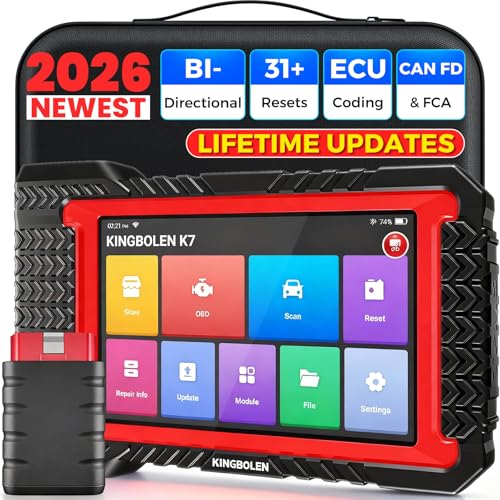
- No Annual Fees & 2026 Upgraded CAN FD: Why pay $199/year or more for updates? The 2026 newest Kingbolen K7 obd2 scanner features have been upgraded to Lifetime Updates without subscription fees, saving you significant costs in the long run. K7 scan tool also adds the CAN FD protocol for the latest GM models (2019+), enabling faster data transfer, reducing the risk of undetected errors
- 2026 Newest Top-tier Car Scanner: Kingbolen K7 diagnostic scan tool is equipped with most capabilities for daily repair/maintenance: Wireless diagnosis via Bluetooth, Bidirectional Test, ECU Online/Offline Code, 31+ Resets, PMI for Ford, Lincoln, Mazda, Global version for 100+ brand vehicles and 17 languages, no area limit, FCA AutoAuth
- OE-Level Full Systems Scan Tool: K7 professional diagnostic scanner with Auto Vin can do one-click to scan ECUs on most of vehicles, like pcm, ecm, eps, bcm, tpms, sas, a/c system... to read/clear code, view live data, freeze frame, read ecu info. 4-in-1 data stream graphics can make data viewing more intuitive. Detailed diagnostic reports will help you easily master the car situation as it can be shared by bluetooth or email! Adding workshop information can help your customers to know more
- Bidirectional Test/Active Test & ECU Code: Stop guessing and start fixing. Bidirectional scan tool Kingbolen K7 can perform real active test that can send commands to the vehicle's ECU to drive the actuators to work, like window, rear mirrors, sunroof, door, solenoids, wipers, headlamp, etc, helping you quickly find out bad parts and pinpoint faulty issues. K7 bidirectional scanner will be a good choice to save money and time on car repairs when performing complex maintenance and repair
- 31 Reset Functions: Avoid expensive dealership visits for simple services. Experience tells us that just a small repair service may cost a lot of money. Kingbolen K7 is a professional diagnostic scanner with 31 common maintenance services like Oil /SAS/EPB/TPMS Reset, Battery Matching, ABS Bleeding, Injector Code, etc. It effectively handles most of the car reset and relearning jobs, perfect for experienced DIYers and mechanics. Note: Functions in the menu vary across vehicles. Kindly check the compatibility before purchase
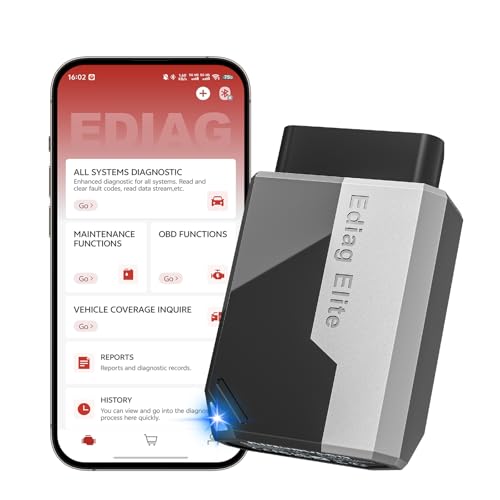
- 【Cost-effective Diagnostic Scan Tool】Lifetime updates without fee, No subscription fee required, No IP restrictions, Ediag Elite bluetooth scanner stands out. It can perform in-depth Full System diagnostics,15+ Reset Services, powerful Active Test, CANFD & FCA AutoAuth. Connect your phone via Bluetooth for diagnosis, providing a faster, smarter and smoother diagnostic experience. Easy to put in pocket, convenient to carry, keep track of the car's status anytime, anywhere. Best bang for your bucks.
- 【15+ Reset Service, Easy Problem Solving】 KINGBOLEN Ediag Elite obd2 scanner diagnostic scan tool comes with 15+ professional reset functions, including: Oil Reset, ABS Bleeding, Injector Code, SAS Reset, TPMS Reset, BMS Reset, AFS Reset, Sunroof Calibration, Brake Reset and more special functions in system diagnose menu. The ideal bluetooth scanner for mechanics and DIY enthusiasts, which can save unnecessary maintenance costs and significantly shorten repair time.
- 【Comprehensive Full Systems Diagnostic】 The Ediag Elite obd2 scanner bluetooth supports full system In-Depth diagnosis. It can read/clear fault codes, read real-time data/freeze frame, module information, and perform testing and reset functions for ECM, BCM, ABS, SRS, TPMS, TCM, BMS, SAS, A/C & RTM systems ect. It works with most car models after 1996, cover more than 150+ car brands. Supports 22 global languages for your convenience(EN, FR, ES, DE, IT, RU, PT, JP, TU...)
- 【Powerful Bidirectional Scan Tool & Active Test】 The obd2 code reader for Ediag Elite can perform real time active test that can send commands to the vehicle’s ECU to drive the actuators to work, such as turn on the radiator fan, modulate the throttle, open/close windows, etc. It can help you quickly find out the bad components and the cause of the fault, which can save you a lot of time. With BT 5.2 wireless connectivity, you can enjoy wireless diagnostics up to 33 feet.
- 【FCA AutoAuth & CANFD Compatibility】 Ediag Elite scan tool offers support with FCA Gateway Access, allowing you to perform protected functions on FCA vehicles, including Chrysler, Dodge, Jeep, Alfa Romeo, Fiat vehicles, etc.(Note:just allows you to access the FCA, but need to have your own FCA account) Supports the CAN-FD protocol, provide high-speed vehicle diagnostic communication and data transfer, working perfectly on GM vehicles produced after 2020, saving $100 to buy a CAN FD adapter.
Last update on 2026-05-22 / Affiliate links / Images from Amazon Product Advertising API
This product presentation was made with AAWP plugin.