
NHTSA ID Number: 10167633
Manufacturer Communication Number: IK1900198
TSB/Document Date: 2019-11-12
Summary
MaxxPower No Idle Battery-Powered A/C System Diagnostic Guide; models equipped with feature 16UZL
connections / defective
compressor
System Controller
High pressure switch
Evaporator discharge temp
sensor / Freeze switch
defective
Compressor thermal switch
Blend door position
Evaporator blower
Loss of charge (Refrigerant
System not serviceable)
1.
2.
3.
Poor electrical connection.
Condenser fan inoperative.
Air flow blockage causing
high pressure or freeze
condition
1.
Check all duct work
connections
Air flow restricted
Evaporator blower motor
inoperative
2.
3.
3.
Ground terminal(s).
Batteries weak or not
charged correctly
High amperage draw
1.
2.
3.
4.
Evaporator Blower motor.
Condenser fan motor.
Compressor mounting.
Compressor internal.
1.
2.
3.
Airflow blockage
Blend door
Engine driven system
charge level.
1.
2.
2.
3.
4.
5.
6.
7.
8.
9.
10.
Confirm all connections are tight, including ground lugs, and terminals crimped
on wires and battery cables.
Check ALL batteries for Voltage. Low voltage disconnect is set to 11.8vdc
Check all fuses, F6 and F7 are Navistar main system fuses in the battery box.
See photo above.
Check for 12 volts through fuse F6 continuing through System Controller Fuse to
Condenser Fan Relay and Blower Relay Coils, Pin 32 of the System Controller
and to the control panel switches as vbat. See appendix, A, B, and J.
Check switch continuity. See appendix B.
Test System Controller. See Appendix J.
Only relevant if key is in the ACC position. Always perform initial diagnostics.
Eng OFF / Key OFF see appendix J.
Inspect wiring harness and all ground wires.
View faults on the information display or check communication using Diamond
Logic Builder or Edith
Clear any blockage from recirculation grill or louvers. Also check condenser inlet
and outlet for restriction (outside truck)
Check Compressor Fuse and Compressor Relay. See appendix C, E and K.
Confirm all wire harness plugs are connected. Test Compressor Controller. See
appendix K.
Check System Controller and compressor speed signal from system controller to
the compressor controller. See appendix J and K.
Check high pressure switch and condenser fan. See appendix D and L.
Check sensor. See appendix F.
Check normally closed thermal switch. See appendix I.
Check Blend door operation. See appendix H.
Check Evaporator blower and linear power module (LPM). See appendix M.
If all tests check OK, a loss of refrigerant charge may have occurred. NOTE:
This unit has a dual core evaporator. It uses refrigerant from the engine driven
compressor during engine running mode. If all electrical components work,
including the electric refrigerant compressor and the unit does not cool, please
call Navistar dealer. You can try operating the unit ENGINE running.
1.
2.
3.
Check all electrical connections.
Check condenser fan. See appendix L.
Check for restricted airflow outside truck at condenser inlet and outlet and at
louvers and recirculation grill. Check pressure switch, thermal limit and / or
discharge temperature sensor. See appendix D, F and I.
1.
2.
3.
Make sure all ducts are connected, sealed and secure
Check for airflow at louvers and recirculation grill.
Check evaporator blower motor and linear power module. See appendix M.
1.
2.
3.
Inspect and tighten ALL connections.
Check batteries for condition and state of charge. See appendix A.
Use DC Ammeter to check amps when running. Excessive amperage could
signal compressor or internal component issue. Amperage ranges 40 to 75
depending on conditions.
1.
Check evaporator blower. See appendix M.
Check Condenser fan. See appendix L.
Check rubber compressor mounts. See appendix N.
If rubber compressor mounts check out acceptable, and compressor vibrates
excessively, call Navistar Dealer.
2.
3.
4.
ENGINE RUNNING
Blower Motor Runs - But
Does Not Blow Cold Air
(Unit will be operating on
Engine system, not the
MaxxPower system)
1.
2.
3.
Clear any blockage from recirculation filter, grill or louvers. Also check
condenser inlet and outlet for restriction (outside truck).
Check blend door operation. See appendix H.
Check refrigeration charge level and engine driven compressor.
Appendix
A. Battery Condition and Performance:
https://evalue.internationaldelivers.com/service_kb/DocTool/ArticleViewer.aspx?ControlID... 4/1/2013
IK1900198 - MaxxPower No Idle Battery-Powered A/C System Diagnostic Guide.
Page 7 of 10
Battery Voltage is critical for system operation. Special attention should be given to both sets of batteries.
Attention: Poor quality batteries or a weak alternator will have a negative impact on MaxxPower unit run time. Always maintain the best possible
batteries and charging system. Standard alternator 320 Amp.
Load test and maintain batteries as required by the manufacturer.
B. LED Control Display and COOL - No Idle Switch Testing: Attention! Conduct the initial test with ENGINE OFF/ KEY OFF AND
BRAKES SET!!!
Turn the MaxxPower unit on by pressing the Cool No/Idle momentary switch.
Pushing the COOL – No Idle momentary switch will signal the MaxxPower unit to start. The led light in the switch will illuminate. At this time the display
will also light up and the MaxxPower unit will start at its default setting and will indicate this by the rows of bars showing on the display. Pushing the
temperature or blower speed buttons will increase or decrease these settings higher or lower.
If you are pushing the COOL – No Idle momentary switch and the unit does NOT start, check for 12 volts at the switch terminals. Wire (vbat) should
have 12 volts. This voltage comes from the 10 amp System Controller Fuse, through pin A1 of the 30 pin harness connector(5205), then to pin 32 of
the System Controller connector. Pushing the COOL No Idle momentary switch sends power from the switch, through pin B13 of the 30 pin harness
connector(5205) then to pin 6 of the System Controller connector.
If you have 12 volts at pin 6 on the System controller and the unit does not start, the System Controller is defective.
If you have 12 volts at pin 6 and the unit starts but the display does not come on, check for proper voltage at the LED display, pin connection 7 (pos)
coming from the Blower Motor Fuse through pin A11 of the 30 pin harness connector(5205). Use pin 8 (neg) at the display, coming from chassis
ground, through pin A2 of the 30 pin harness connector(5205), to check for this voltage. You should have 12 volts. Now check the dimmer to panel
signal, pin 15 on the display. You should have 1.5V at the controller from pin 18 of the System Controller passing through pin A12 of the 30 pin harness
connector(5205). If you do not have the dimmer signal you may have a bad system controller or harness.
After a few seconds, the display will dim and the bars for temperature and blower speed will not show. As soon as you push the increase or decrease
buttons the display will wake up.
C. Relay Testing:
With relay unplugged, confirm there is 12 VOLT on the sockets where 85 and 30 relay terminals are connected.
If you do not have 12 VOLT here check fuses, wiring and battery connections.
Now, with relay unplugged, check across terminals 85 and 86 on the relay, using an OHM meter. You should have 80 to 100 ohms.
This is measuring the resistance through the relay coil. If you do not, replace relay.
Starting the MaxxPower system…as soon as you turn the COOL – No Idle switch on, terminals 86 on the Compressor Relay and Condenser Fan relay
become connected to ground internally on the System Controller pin 3. Also, the Blower Motor relay terminal 86 connects to ground internally at pin 2 on
the system controller. When this happens the relays will pull in the contacts and allow voltage through the relays. You should now have 12 VOLT
passing through the relays on spade terminals 87 of the relays. This provides power to the Compressor fuse, Blower Motor fuse, and Condenser Fan
fuse, continuing to the evaporator blower motor, condenser fan and the compressor controlling section of the Compressor Controller Assembly.
With relay plugged in: TURN THE UNIT ON.
If you do not have 12 VOLT on terminal 87, check across terminals 85 (+) an 86 (-). You should have 12 VOLT. If you do not, you may have a defective
harness or system controller. If you have 12 VOLT here and do not have 12 VOLT on terminal 87 your relay is defective. The internal coil of the relay is
energized but the contacts are not closing. Replace the relay.
If you have 12 VOLT on terminal 87 and the compressor, condenser fan or evaporator blower does not run you could have a defective component such
as evaporator blower, condenser fan or compressor controller. See testing Evaporator Blower Motor-Appendix M, Condenser Fan-Appendix L,
Compressor / Controller-Appendix K.
D. Pressure Switch Testing:
You must remove the top compressor controller cover of the MaxxPower unit to access the switch.
The brazed switch is not removable.
This switch is normally closed. When the unit is off for a few minutes, unplug the System Controller and check between pins 28 and 17, you should
always have continuity. If you do not, you may have a broken wire, bad connection, high pressure situation or defective switch. If the pressure, harness
and connections are ok, the MaxxPower unit will have to be replaced. Call Navistar.
E. Check continuity across fuse body (fuse does not look blown)
Remove fuse from fuse holder. Using a meter, check for continuity across the fuse. You can check for voltage at and through the fuse using a dc volt
meter, with the fuse installed.
F. Discharge Temperature Sensor/Freeze Switch Testing:
Location: Top of unit, at evaporator blower outlet.
IF THE SENSOR OR CIRCUIT HAS A SHORT OR OPEN a fault code will be seen on J1939.
IF THE SENSOR IS DEFECTIVE THE COMPRESSOR WILL NOT OPERATE!
The freeze switch is a temperature sensor. To verify the condition you will need a Volt/OHM meter.
If a freeze condition occurs, the unit will stop the compressor. If the freeze condition leaves, the compressor will restart and the MaxxPower unit will
continue to run.
Check resistance (ohms) value at the system controller with the 32 pin connector disconnected. You should read a resistance across terminals 26 (pos)
and17 (neg) within the range listed on the table page 21. If you cannot read the resistance, check at the sensor connection. If you read the resistance
here, and it’s within the range allowed, you have a defective harness.
If you cannot read the resistance or it is not within the given range, your sensor is defective.
G. Inlet Temperature Sensor:
IF THE SENSOR OR CIRCUIT HAS A SHORT OR OPEN a fault code will be seen on J1939.
IF THE SENSOR IS DEFECTIVE THE unit will default to a cab temperature of 70 F and operate accordingly.
This sensor monitors the return air temperature.
Check resistance (ohms) value at the system controller with the 32 pin connector disconnected. You should read a resistance across terminals 24 (pos)
and 17 (neg) within the range listed on the table page 21. If you cannot read the resistance, check at the sensor connection. If you read the resistance
here, and it’s within the range allowed, you have a defective harness.
If you cannot read the resistance or it is not within the given range, your sensor is defective.
H. Blend Door Actuator:
https://evalue.internationaldelivers.com/service_kb/DocTool/ArticleViewer.aspx?ControlID... 4/1/2013
IK1900198 - MaxxPower No Idle Battery-Powered A/C System Diagnostic Guide.
Page 8 of 10
Physical inspection of the door, can be seen through the top of the unit by removing the evaporator blower.
This actuator motor drives the blend door.
When in the heat mode the blend door will direct recycled air through the heater core as directed by the Digital Control Panel in order to maintain a
preset temperature. The Espar Hydronic coolant heater will provide a constant flow of heated coolant through the heater core for internal bunk heat as
well as engine heat.
First, check for 12 volts (pos) on terminal 10 of the actuator, coming from fuse F4. Ground is terminal 7 on the actuator. If you do not have power here
you may have a defective harness or system controller.
If you have power here, check for the move signal at pin 8 on the actuator, coming from pin 25 of the system controller. This is a variable signal ranging
from 11 volts at max cold to 0 volts full heat. If this voltage is not there or the voltage does not change, you have a defective system controller or
harness. If this voltage is present and variable, and the door does not operate, you may have a defective actuator or inoperative blend door.
I. Compressor Thermal Limit Switch:
You must remove the top compressor controller cover of the MaxxPower unit to access the switch.
This device is a normally closed switch. If the compressor gets too hot, the thermal limit switch will open and the compressor will stop. Checking with a
meter you should always have continuity between the two terminals when it is cool.
J. System Controller:
Do not attempt to test the controller until you have completely eliminated all other possibilities.
The MaxxPower System controller is the device that stores the operating program for the system and controls most input and output functions. This
controller is powered through the System Controller fuse to pin 32 on the controller. Pin 31 is the ground. If you have 12 volts here, the system controller
is waiting for an input from the COOL or HEAT No Idle switch for start up.
If you do not have 12 volts here, check fuses F6(Battery Box) and System Controller fuse, also check for chassis ground.
If you have 12 volts here and the unit will not run, check for the input from the COOL No Idle momentary switch at pin 6 on the system controller. If you
have this 12 volt signal on pin 6 when the switch is depressed (this is a momentary switch) and the unit does not run, check the sensors, pressure
switch, and compressor thermal high limit. Also check battery voltage (LVD). If all safety devices are ok, your controller is defective. Replace the
controller.
K. Compressor Controller:
This device controls the refrigerant compressor
When the MaxxPower system is powered up, the compressor controller is waiting for the system to call for conditioned air. Once the system calls for
conditioned air, the system controller will connect Compressor Relay terminal 86 to ground at pin 3 of the system controller. This will close Compressor
Relay contacts and allow main power through the Compressor Fuse to the compressor controller. Even though main power is sent to this controller, it
will not start the compressor until it receives a speed signal at pin C16 from the System Controller pin 1. Once it has received the speed signal the
compressor controller will start the refrigerant compressor. The compressor will operate as long as the thermal limit on the compressor is closed and the
system continues to call for conditioned air.
Check for 12 VOLT from the 60 amp Compressor Fuse, continuing through the packard connector to the compressor controller. If you have 12 volts
here, check for the speed signal at pin C16. You should have a voltage here ranging from 3.2 on high to 3.9 volts on low. If you have this speed signal,
you should have voltage out on the three wires connected to the compressor.
Disconnect the three wires from the compressor. You will have to remove plastic cap from the top of compressor.
Using a volt meter check each wire, positive on (blue, orange or yellow) negative to battery ground. If you do not have a 6 volt pulse voltage out on each
wire, replace the controller. Pulse voltage means the controller will cycle to each colored wire. You should see the voltage appear and disappear
continuously.
Reconnecting the three wires you must connect blue to A, orange to B, and yellow to C.
If you do have a 6 volt pulse voltage out and the compressor does not run you have a defective compressor controller. Call Navistar dealer.
L. Condenser Fan Motor Testing:
First do a visual inspection of all blower parts.
For condenser fan location see Navistar documents.
Turn the MaxxPower unit on; you should have 12 volts across terminals A and B at the condenser fan connector. If you do not have 12 volt at the fan,
check th Condenser Fan Fuse and Condenser Fan Relay. If you have 12 VOLT main power, check for the signal voltage at the condenser fan connector
pin C coming from pin 29 of the system controller. You should have between 3.1 volts on low speed and 4.8 volts on high. If all voltages are correct, (the
plug needs to be connected in order to read the signal voltages) and the fan does not run, it is defective, and needs to be replaced.
Using a DC ammeter you can check the amperage draw of the blower. Normal amps approx. 6 to 10 Amps max.
Caution: If attempting to connect blower to an outside power source, internal electronic components are sensitive to arcing or reverse
polarity! Damage will occur!!
M. Evaporator Blower Motor and Linear Power Module Testing:
First do a visual inspection of all blower parts.
The evaporator blower speed is controlled by the LPM, Linear Power Module, item I.
Turn the MaxxPower unit on, you should have 12 volt at the LPM pins 6 (pos) and pin 5 (neg), if you do not, check Blower Motor Fuse and Blower Motor
Relay. If you have 12 VOLT main power, check for the speed signal voltage on the LPM at pin 3 coming from the system controller pin 30. You should
have approx. 4.5V at low speed and approx. 2.5V at high speed. If all of these voltages are correct, (the plug needs to be connected in order to read the
signal voltages) check the output voltage from the LPM pins 1 and 2 going to the blower. You should have approx 6.5V in low and 10.6V in high to the
motor depending on the speed signal from the system controller. If all voltages are correct, reconnect the plug.
If fan does not run, it is defective, and needs to be replaced.
Using a DC ammeter you can check the amperage draw of the blower. Normal amps will range from 4 to 10 amps.
Caution: If attempting to connect blower to an outside power source, internal electronic components are sensitive to arcing or reverse
polarity! Damage will occur!!
N. Compressor Rubber Mounts:
Visual inspection of the compressor rubber mounts may be necessary if excessive vibration is present. Check for loose mounting nuts. If mounting nuts
and captive studs are Ok, vibration could be from the internal part of the compressor. If so call Navistar dealer.
CIRCUIT DIAGRAMS
https://evalue.internationaldelivers.com/service_kb/DocTool/ArticleViewer.aspx?ControlID... 4/1/2013
IK1900198 - MaxxPower No Idle Battery-Powered A/C System Diagnostic Guide.
Page 9 of 10
Discharge Sensor/Air inlet sensor temp chart CLICK HERE.
MaxxPower HVAC wiring diagram CLICK HERE
OTHER RESOURCES
MaxxPower HVAC operators manual CLICK HERE
https://evalue.internationaldelivers.com/service_kb/DocTool/ArticleViewer.aspx?ControlID... 4/1/2013
IK1900198 - MaxxPower No Idle Battery-Powered A/C System Diagnostic Guide.
Hide Details
Page 10 of 10
Feedback Information
Viewed:
1898
Helpful:
13
Not Helpful: 4
No Feedback Found
Copyright © 2013 Navistar, Inc.
https://evalue.internationaldelivers.com/service_kb/DocTool/ArticleViewer.aspx?ControlID... 4/1/2013
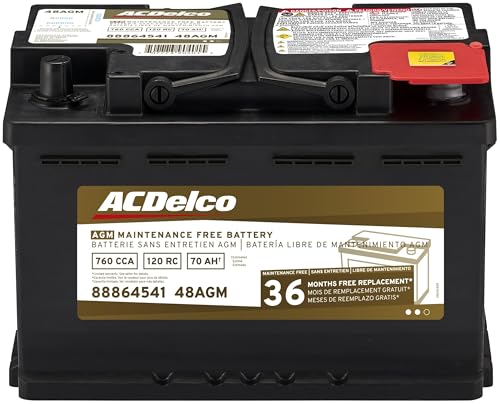
- High density negative paste, improves performance and...
- Enhanced life alloy or Silver Calcium stamped alloy...
- Calcium lead positive grid, maximizes conductivity and...
- Robust envelope separator with puncture resistant back...
- Vent cap design that resists acid leakage

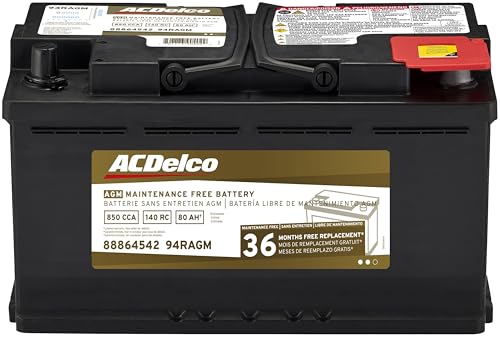
- High density negative paste, improves performance and...
- Enhanced life alloy or Silver Calcium stamped alloy...
- Calcium Lead positive grid, maximizes conductivity and...
- Robust Envelope Separator with puncture-resistant back...
- Vent cap design that resists acid leakage
Last update on 2026-05-30 / Affiliate links / Images from Amazon Product Advertising API
If the PDF is very large, it may not load in the preview below.
Some older TSBs had multiple PDFs — visit the NHTSA Website to view all PDFs.
If the TSB PDF does not show, download or view it on the NHTSA Website.
Click on the (+) Plus Sign
Then Click on Associated Document(s)
Search NHTSA Database for Recalls
Search NHTSA Database for Vehicle Investigations
View Latest Vehicle Investigations
Search NHTSA Database for Vehicle Complaints
View Latest Vehicle Complaints
TSB/Document ID: IK1900198
Replacement Service Bulletin Number:
MFR Communication Date: 2013-03-06
MFR Internal Campaign ID/Software Version:
Communication Type: Service Bulletin/Repair Instructions
NHTSA Components: ELECTRICAL SYSTEM
MFR Component System:
MFR Component Subsystem:
Previous TSB | Next TSB |

- Obd2 Bluetooth Scanner Lifetime Update: Ediag Elite offers revolutionary Advantage Lifetime Updates with unlimited access to the superior 15 reset service, bidirectional testing and full system diagnostics.The Ediag Elite is an excellent Bluetooth obd2 scanner diagnostic tool ideal for diy's and private car owners
- Bidirectional Control for Quickly Locating Problems: The Bidirectional Scan tool allows you to send commands directly from your smartphone to your vehicle for active testing. This feature helps to quickly narrow down problems such as air conditioning clutches, windows, doors, sunroofs, etc., reducing diagnostic time for mechanics and helping Diy users locate faults more easily. In addition, Ediag Elite provides fault analysis and repair guidance to help you solve problems efficiently.
- 15 Maintenance Resets: The current version introduces 15 popular special features: Oil Reset, Headlight Matching, Bleeding Reset, TPMS Reset, BMS Reset, Gear Box Relearn, Throttle Learning, Injector Coding, SAS Reset and more special functions in system diagnose menu. These functions make it easy for owners to carry out the necessary maintenance and servicing, ensuring that your vehicle stays in top condition, prolonging its service life and preventing common problems and breakdowns. Note: The Special function vary by model& year, Reach us check compatibility.
- Wide Compatibility CANFD & FCA
 Autoauth: Compatible with GM, Ford, Toyota, Chrysler, Honda, Mazda, Nissan, Mitsubishi, Hyundai, KIA with standard OBD2 port from 1996 to newer. More car brands and features will be released gradually. Newest Ediag Elite scanner supports CANFD Protocol and FCA cars. Note: Coverage may vary on different vehicle by model& year ,Please contact us to confirm compatibility before purchase.
 - Perfect for Monitoring The Health of Your Vehicle: Ediag Elite is designed to make vehicle maintenance simple and efficient. With intelligent AutoVIN quick recognition, it is easy to connect to your car without the need for manual input. Real-time data is visualized in a variety of formats, including graphs, numeric, meter displays and clear 4-in-1 data charts, allowing you to effortlessly monitor real-time data. Data logging/reporting is available for playback and further analysis.
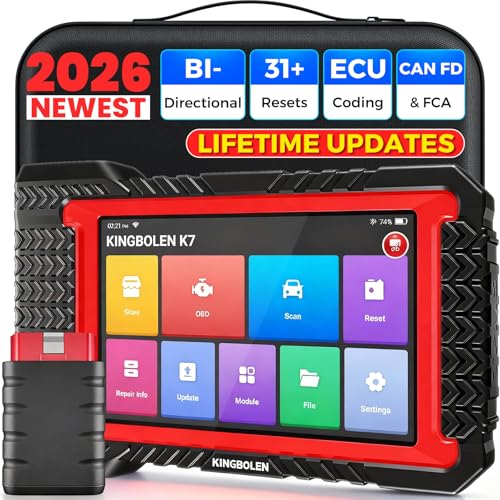
- No Annual Fees & 2026 Upgraded CAN FD: Why pay $199/year or more for updates? The 2026 newest Kingbolen K7 obd2 scanner features have been upgraded to Lifetime Updates without subscription fees, saving you significant costs in the long run. K7 scan tool also adds the CAN FD protocol for the latest GM models (2019+), enabling faster data transfer, reducing the risk of undetected errors
- 2026 Newest Top-tier Car Scanner: Kingbolen K7 diagnostic scan tool is equipped with most capabilities for daily repair/maintenance: Wireless diagnosis via Bluetooth, Bidirectional Test, ECU Online/Offline Code, 31+ Resets, PMI for Ford, Lincoln, Mazda, Global version for 100+ brand vehicles and 17 languages, no area limit, FCA AutoAuth
- OE-Level Full Systems Scan Tool: K7 professional diagnostic scanner with Auto Vin can do one-click to scan ECUs on most of vehicles, like pcm, ecm, eps, bcm, tpms, sas, a/c system... to read/clear code, view live data, freeze frame, read ecu info. 4-in-1 data stream graphics can make data viewing more intuitive. Detailed diagnostic reports will help you easily master the car situation as it can be shared by bluetooth or email! Adding workshop information can help your customers to know more
- Bidirectional Test/Active Test & ECU Code: Stop guessing and start fixing. Bidirectional scan tool Kingbolen K7 can perform real active test that can send commands to the vehicle's ECU to drive the actuators to work, like window, rear mirrors, sunroof, door, solenoids, wipers, headlamp, etc, helping you quickly find out bad parts and pinpoint faulty issues. K7 bidirectional scanner will be a good choice to save money and time on car repairs when performing complex maintenance and repair
- 31 Reset Functions: Avoid expensive dealership visits for simple services. Experience tells us that just a small repair service may cost a lot of money. Kingbolen K7 is a professional diagnostic scanner with 31 common maintenance services like Oil /SAS/EPB/TPMS Reset, Battery Matching, ABS Bleeding, Injector Code, etc. It effectively handles most of the car reset and relearning jobs, perfect for experienced DIYers and mechanics. Note: Functions in the menu vary across vehicles. Kindly check the compatibility before purchase
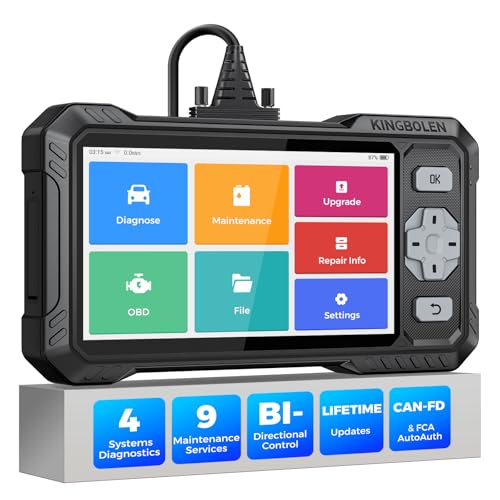
- WHY S608 STANDS OUT:2026 Kingbolen S608 is the only scanner <200 bucks that offers powerful active tests on Engine, ABS, SRS, and Transmission systems. Offers 9 resets,Covers 110+ global brands with a 6.2'' larger touchscreen
- KINGBOLEN'S NEW BIDIRECTIONAL SCAN TOOL: As the 2026 upgraded version of S600, our Newest S608 obd2 scanner has the powerful Bi-directional Control on Engine, ABS, SRS, and Transmission systems. It can send commands to the ECUs of actuators for functional tests and work status checks, such as ABS, fuel injectors, adjusting throttle, coolant pumps, EVAP test, fuel trim reset, etc. No more Guesswork. Quickly identify problem components without teardown, get fuss-free results in seconds.
- 【9 HOT RESET SERVICES CAR SCANNER】Tired of costly mechanic trips for common resets? The Kingbolen S608 obd2 scanner lets you do it yourself, even for beginners—quickly and effortlessly! It offers 9 hot reset functions: Oil/EPB Reset, ABS Bleeding, SAS Calibration, DPF Regeneration, Injector Coding, BMS Matching, Throttle Adaptation, Gear Learning. Stop paying mechanics for 5-minute jobs. Save hundreds per year! 🚗*Function vary from vehicle models. reach us to check compatibility firstly!
- 【4 SYSTEM DIAGNOSTIC TOOL + FULL OBDII FUNCTIONS】Kingbolen S608 is an OBDII scanner and 4 systems diagnostic tool made for home mechanics, DIYers, and professionals. You can access Engine, ABS, SRS, Transmission fault codes, track live data in graphs, and onboard DTC library lookup to find the right troubleshooting procedure, and diagnose with full 10 OBD2 test modes to fix most of emission issues. Give your aging cars routine maintenance to avoid costly repairs, a breakdown, or even a crash.
- 【NEW CAN FD, FCA/RENAULT SGW, 140+ BRANDS】Kingbolen S608 scanner for car supports 140+ vehicle brands, 100,000+ models, 28 languages and can be used worldwide. S608 stays up-to-date with modern vehicles, allows secure access to 2017+ FCA cars and 2015+ Renault cars (📢*Need to purchase an AutoAuth/Renault account by yourself), and supports the latest CAN-FD protocol for 2019+ GM/Chrysler, enabling 2X faster data transfer and more precise diagnostics. 🚗*Check compatibility before purchase.
Last update on 2026-06-21 / Affiliate links / Images from Amazon Product Advertising API
This product presentation was made with AAWP plugin.