
NHTSA ID Number: 10167374
Manufacturer Communication Number: NTB18-062b
TSB/Document Date: 2019-11-08
Summary
2018 ARMADA AND TITAN; MIL ON WITH DTC P0138 AND/OR P0158 This bulletin has been amended. See AMENDMENT HISTORY on the last page. Please discard previous versions of this bulletin.
Classification:
Reference:
EC18-028b
Date:
NTB18-062b
October 24, 2019
2018 ARMADA AND TITAN;
MIL ON WITH DTC P0138 AND/OR P0158
This bulletin has been amended. See AMENDMENT HISTORY on the last page.
Please discard previous versions of this bulletin.
APPLIED VEHICLES:
APPLIED ENGINE:
2018 Armada (Y62)
2018 Titan (A61)
2018 Titan XD (A61)
VK56VD (gasoline V8)
IF YOU CONFIRM
The MIL is ON with one or both of the following DTCs:
P0138 (Heated oxygen sensor heater 2 [bank 1] circuit high voltage)
P0158 (Heated oxygen sensor heater 2 [bank 2] circuit high voltage)
And
There are no drivability issues.
ACTION
1.
Refer to step 6 in the SERVICE PROCEDURE to confirm this bulletin applies to the
vehicle you are working on.
2.
If this bulletin applies, reprogram the ECM.
IMPORTANT: The purpose of ACTION (above) is to give you a quick idea of the work you
will be performing. You MUST closely follow the entire SERVICE PROCEDURE as it
contains information that is essential to successfully completing this repair.
Nissan Bulletins are intended for use by qualified technicians, not 'do-it-yourselfers'. Qualified technicians are
properly trained individuals who have the equipment, tools, safety instruction, and know-how to do a job
properly and safely. NOTE: If you believe that a described condition may apply to a particular vehicle, DO
NOT assume that it does. See your Nissan dealer to determine if this applies to your vehicle.
1/10
SERVICE PROCEDURE
ECM REPROGRAMMING
IMPORTANT: Before starting, make sure:
ASIST on the CONSULT PC has been synchronized (updated) to the current date.
All CONSULT-III plus (C-III plus) software updates (if any) have been installed.
The CONSULT PC is connected to the Internet (Wi-Fi or cable).
NOTE:
Most instructions for reprogramming with C-III plus are displayed on the CONSULT
PC screen.
If you are not familiar with the reprogramming procedure, click here. This will link
you to the "CONSULT- III plus (C-III plus) ECM Reprogramming" general procedure.
Take the vehicle for a 10 minute drive in order to meet the following Idle Air Volume
Learn (IAVL) conditions:
Engine coolant temperature: 70 - 100°C
(158 - 212°F)
Battery voltage: More than 12.9V (At idle)
Transmission: Warmed up
After reprogramming is complete, you will be
required to perform Throttle Valve Closed
Position, Idle Air Volume Learn, Accelerator
Closed Position, and DTC erase.
Figure A
CAUTION:
Connect a battery maintainer or smart charger set to reflash mode or a similar
setting. If the vehicle battery voltage drops below 12.0V or above 15.5V during
reprogramming, the ECM may be damaged.
Be sure to turn OFF all vehicle electrical loads.
If a vehicle electrical load remains ON, the ECM may be damaged.
Be sure to connect the AC Adapter.
If the CONSULT PC battery voltage drops during reprogramming, the process
will be interrupted and the ECM may be damaged.
Turn OFF all external Bluetooth® devices (e.g., cell phones, printers, etc.)
within range of the CONSULT PC and the plus VI. If Bluetooth® signal waves
are within range of the CONSULT PC and plus VI during reprogramming,
reprogramming may be interrupted and the ECM may be damaged.
2/10
NTB18-062b
1. Connect the CONSULT PC to the vehicle to begin the reprogramming procedure.
2. Start C-III plus.
3. Wait for the plus VI to be recognized / connected.
The serial number will display when the plus VI is recognized / connected.
4. Select Re/programming, Configuration.
Step 3: plus
VI is
recognized
Step
4
Figure 1
5. Follow the on-screen instructions and navigate the C-III plus to the screen shown in
Figure 2 on the next page.
3/10
NTB18-062b
6. When the screen in Figure 2 displays, confirm this bulletin applies as follows.
A. Find the ECM Part Number and write it on the repair order.
NOTE: This is the current ECM Part Number (P/N).
6A: Current ECM P/N
Figure 2
B. Compare the P/N you wrote down to the numbers in the CURRENT ECM PART
NUMBER column in Table A below.
If there is a match, this bulletin applies. Continue with the reprogramming
procedure.
If there is not a match, reprogramming does not apply. Refer to ASIST for
further diagnosis.
Table A
MODEL
CURRENT ECM PART NUMBER: 23710-
2018 Armada
6GY2A, 6GY2B, 6GY3A, 6GY3B
6GY4A, 6GY4B, 6GY5A, 6GY5B
2018 Titan and
Titan XD
9FT1B, 9FT1C, 9FT2B,
9FT4B, 9FT4C, 9FT5B,
EZ54A, EZ54B,
EZ56A, EZ56B,
4/10
9FT2C,
9FT6B,
EZ55A,
EZ57A,
9FT3B, 9FT3C
9FT7B, 9FT8B
EZ55B
EZ57B
NTB18-062b
7. Follow the on-screen instructions to navigate C-III plus and reprogram the ECM.
NOTE:
In some cases, more than one new P/N for reprogramming is available.
In this case, the screen in Figure 3 displays.
Select and use the reprogramming option that does not have the message
“Caution! Use ONLY with NTBXX-XXX”.
If you get this screen and it is blank (no reprogramming listed), it means there is no
reprogramming available for this vehicle. Close C-III plus and refer back to ASIST for
further diagnosis.
Figure 3
Before reprogramming will start, you will be required to enter your User Name and
Password.
The CONSULT PC must be connected to the Internet (Wi-Fi or cable).
If you do not know your Username and Password, contact your service
manager.
Figure 4
5/10
NTB18-062b
8. When the screen in Figure 5 displays, reprogramming is complete.
NOTE: If the screen in Figure 5 does not display (reprogramming does not complete),
refer to the information on page 7.
9. Disconnect the battery maintainer/smart charger from the vehicle.
10. Select Next.
Step
10
Figure 5
NOTE:
In the next steps, starting on page 8, you will perform Throttle Valve Closed Position,
Idle Air Volume Learn, Accelerator Closed Position, and DTC erase.
These operations are required before C-III plus will provide the final reprogramming
confirmation report.
6/10
NTB18-062b
ECM Recovery
Do not disconnect plus VI or shut down Consult III plus if reprogramming does not
complete.
If reprogramming does not complete and the “!?” icon displays as shown in
Figure 6:
Check battery voltage
(12.0 - 15.5 V).
Ignition is ON, engine OFF.
External Bluetooth® devices
are OFF.
All electrical loads are OFF.
Select retry and follow the
on screen instructions.
“Retry” may not go through on
first attempt and can be
selected more than once.
Figure 6
If reprogramming does not complete and the “X” icon displays as shown in
Figure 7:
Check battery voltage
(12.0 - 15.5 V).
CONSULT A/C adapter is
plugged in.
Ignition is ON, engine OFF.
Transmission is in Park.
All C-III plus / VI cables are
securely connected.
All C-III plus updates are
installed.
Select Home, and restart
the reprogram procedure
from the beginning.
Figure 7
7/10
NTB18-062b
11. Follow the on-screen instructions to perform the following:
Throttle Valve Closed Position.
Idle Air Volume Learn (IAVL).
NOTE:
Listed below are common conditions required for IAVL to complete.
If IAVL does not complete within a few minutes, a condition may be out of
range.
Refer to the appropriate ESM for specific conditions required for the
vehicle you are working on.
o Engine coolant temperature: 70 - 100°C (158 - 212°F)
o Battery voltage: More than 12.9V (At idle)
o Selector lever: P or N
o Electric load switch: OFF (Air conditioner, headlamp, rear window defogger)
o Steering wheel: Neutral (Straight-ahead position)
o Vehicle speed: Stopped
o Transmission: Warmed up
Accelerator Pedal Close Position Learning
Erase DTCs
Continue to the next page.
8/10
NTB18-062b
12. When the entire reprogramming process is complete, the screen in Figure 8 will display.
13. Verify the before and after part numbers are different.
14. Print a copy of this screen (Figure 8) and attach it to the repair order for warranty
documentation.
15. Select Confirm.
Step
13
Step
14
Step
15
Figure 8
16. Close C-III plus.
17. Turn the ignition OFF.
18. Disconnect the plus VI from the vehicle.
CLAIMS INFORMATION
Submit a Primary Part (PP) type line claim using the following claims coding:
DESCRIPTION
PFP
OP CODE SYM
DIA
FRT
Reprogram Engine Control Module
(1)
DE97AA
HD
32
(2) (3)
(1)
(2)
(3)
Refer to the electronic parts catalog (FAST or equivalent) and use the ECM assembly
part number (23703-*****) as the Primary Failed Part (PFP).
Reference the current Nissan Warranty Flat Rate Manual and use the indicated FRT.
FRT allows adequate time to access DTC codes and reprogram ECM. No other
diagnostic procedures subsequently required. Do NOT claim any Diagnostic Op
Codes with this claim.
9/10
NTB18-062b
AMENDMENT HISTORY
PUBLISHED DATE
REFERENCE
DESCRIPTION
September 11, 2018
NTB18-062
Original bulletin published
October 19, 2018
NTB18-062a
Table A revised
October 24, 2019
NTB18-062b
APPLIED VEHICLES section and Table A
revised
10/10
NTB18-062b

- 💯【Conta.ct us for Support Directly】If you met any...
- 🔥🔥🔥【2026 AUTEL FLAGSHIP MK900BT MK900-BT, NEW...
- 🚗【3000+ ACTIVE TESTS (50➡3000+), SAME AS MS...
- 🚗【40+ HOT SERVICES FOR 150 MAKES (28+➡40+)】Full...
- 🚗【OE ALL SYSTEM DIAGNOSE, AUTO SCAN 2.0: SCAN LICENSE...


- 【TURN OFF CEL】 This AL319 car scanner diagnostic tool...
- 【EXTENSIVE APPLICATION】 Autel AL319 Compatible with...
- 【FOR END USER & DIYERS】 This error code reader AL319 is...
- 【USER-FRIENDLY DESIGN】 This OBD2 scanner and check...
- 【HIGH-QUALITY SERVICES】 12 months war.ranty from the...
Last update on 2026-06-23 / Affiliate links / Images from Amazon Product Advertising API
If the PDF is very large, it may not load in the preview below.
Some older TSBs had multiple PDFs — visit the NHTSA Website to view all PDFs.
If the TSB PDF does not show, download or view it on the NHTSA Website.
Click on the (+) Plus Sign
Then Click on Associated Document(s)
Search NHTSA Database for Recalls
Search NHTSA Database for Vehicle Investigations
View Latest Vehicle Investigations
Search NHTSA Database for Vehicle Complaints
View Latest Vehicle Complaints
TSB/Document ID: NTB18-062b
Replacement Service Bulletin Number:
MFR Communication Date: 2019-10-24
MFR Internal Campaign ID/Software Version:
Communication Type: Service Bulletin/Repair Instructions
NHTSA Components: ENGINE AND ENGINE COOLING
MFR Component System:
MFR Component Subsystem:
Previous TSB | Next TSB |
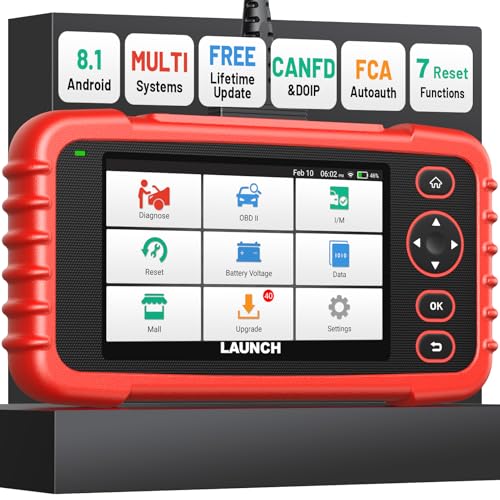
- [Newly Added in 2026: 7 Reset Functions] The 2026 new version of the OBD2 scanner diagnostic tool CRP123X V3.0 Elite has new special functions for F.REE: Throttle Ad.aptation, Oil/SAS/BMS/Brake Reset, D-P.F Re.generation and ABS
 Service. Before you visit a mechanic, launch obd2 Scanner CRP123X Elite can perform a more in-depth diagnosis of the car system and provide accurate data within minutes. What's more, the list of compatible models has been expanded. Upgrading frequency is regular, occurring monthly even weekly.
 - 🔥[FCA AutoAuth + CAN FD & DoIP] As an upgraded version of the LAUNCH CRP123X/CRP129X, FOXWELL NT614, and ANCEL FX2000, The Newest LAUNCH CRP123X V3.0 auto diagnostic scanner supports the following new protocols: CAN-FD for 2020 and newer G.M and Chrysler models, as well as DoIP for V.olvo, Land Rover/Jaguar, and B.MW F/G chassis. With integrated AutoAuth, you can diagnose 2018 and newer FCA cars equipped with S.GW. Note: CAN-FD and DoIP protocols require an additional obd2 cable. *Menus vary by make, model, and year of gasoline or diesel engine vehicle. Email us your VIN data.
- 🔥[No extra software fee. Works on 90 vehicle brands.] Most OBD2 scanners work with vehicles manufactured after 2001. However, the LUNCH OBD2 scanner is compatible with OBDII-equipped vehicles built after 1996 and works with more than 90 vehicle brands. One-click lifetime updates over WIFI 2.4&5.0Ghz keep the car software current and ensure constant coverage additions, diagnose vehicles from 1996 to 2026 with a massive global database. Android 8.1 ensures lightning-fast boot-up and processing.
- [Accurate & Intuitive Multi System Diagnosis] Will you be confused about what happens when the warning light of transmission, ABS, and SRS Airbag check engine flashes? Launch obd2 scanner diagnostic tool CRP123X V3.0 to pinpoint the problem components for a faster diagnosis for your car instead of taking your car to the dealership. Generate vehicle health reports with one click and share them via email over Wi-Fi to help avoid blind maintenance. And will turn off the warning light for you after fixing the problem, make to know more about your cars and do your own repair.
- [Multiple Display of Live Data + DTC Code Definition Explanation] Launch car tools show real-time data of oil temp, pressure, transmission temp, engine speed, coolant temperature, you will know which car part is abnormal. Data can be shown in a single, multi- graph, and merge two graphs for analysis(or 4-in-1 merged waveform graph),you can save, share, print, or email the overall inspection report for easier analysis.🔥Code Search,DTC Library provide massive information. Inbuilt “Feedback” module provides customized repair suggestions from our certified professionals.
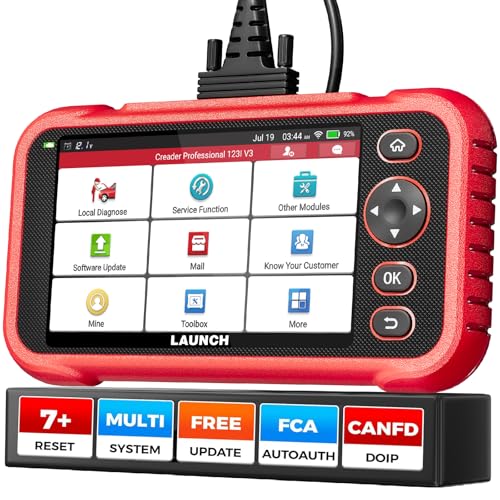
- 【2026 UPGRADED VERSION, NEW CHIPS, ADD MORE FUNCTIONS, No Extra Software Fee】Faster! The 2026 CRP123I V3.0 car diagnostic scanner has a new processor✅Android 8.1, 2+64GB of memory, 5-inch touchscreen (720P), 6100mAh rechargeable battery✅FCA SGW, New Protocol CANFD & DoIP✅Work with BST360 Battery Tester & i-TPMS Tire Pressure Detector Tool(Purchase Separately)✅2.4&5GHz dual WiFi,One-touch Lifetime Free update for 100+ Global brands(1996-2026),help you access,diagnose and fix more vehicles faster,upgrade of CRP123I V2.0.
- 【Newly Added 7 RESET FUNCTIONS】+ 【BATTERY VOLTAGE TEST】2026 New Ver. scan tool CRP123I V3.0 ADDS NEW SPECIAL FUNCTIONS-Throttle Adaptation,Oil Reset,SAS Reset,ABS Bleeding,BMS Reset,EPB Reset, DPF Regeneration,to maintain your vehicle system safely and efficiently.Graphing the battery voltage easier and more intuitive for the real-time monitors to check.It does not only reveal what error codes your car is producing,but also erase your vehicle's check engine light after the problem is fixed.
- 【Multi System Diagnostic Tool】LAUNCH CRP123I V3.0 obd2 scanner check ABS/SRS/AT/ENG systems &10 OBD2 modes, read/clear fault codes,Online Google Search, 4 IN 1 Graphing.Store and playback of dynamic data stream help to quick analysis and diagnosis. Generate vehicle health reports with one click and share them with your email via Wifi which helps avoid blind maintenance. CRP123I costs less, in the long run, saving you up to $2000 each year.
- 【Lifetime Free Update + FCA SGW +CAN FD & DoIP】This scan tool features One-click wifi update and fre e for fixing more bugs; Realtime battery voltage graphing helps to Judge the state of the battery; Auto Vin,facilitate accurate diagnosis and provide useful information.Besides,CRP123I V3.0 support AutoAuth for FCA SGW,For 2017 and later FCA Vehicles with Secure Gateway Module (SGW);New Protocol CANFD & DoIP cover more newer car and boost 4X faster data transfer(need extra adapters).
- 【Cover 10000+ Models & 100+ Car Brands】CRP123I V3.0 Elite code reader for cars and trucks is capable of diagnosing fault codes on more than 10000+ vehicles from 1996 to 2026 and 90+ car makes worldwide. Support almost all 12V OBDII cars such as SUVs, minivans, light-duty trucks, etc. It's an excellent tool for all types of mechanics from novice to pros. NOTICE: Compatibility will vary on vehicles' model and year, pls reach us via Q&A/message before purchase.
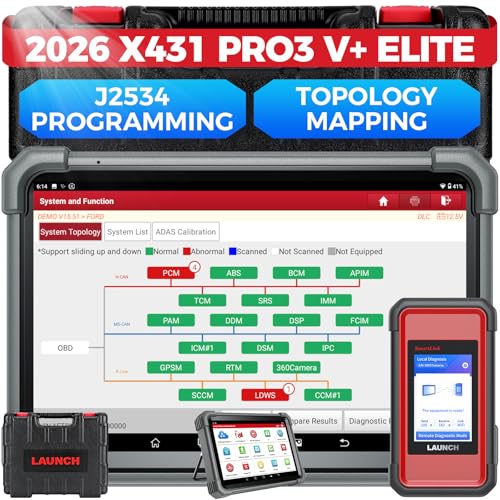
- [2026 X431 PRO3 V+ Elite] A great value for the X431 series that differs from similar diagnostic tools by adding: 1) J2534 protocol for over $800 in savings; 2) CANFD/DOIP support for enhanced communications; 3) Configuration of over $900 worth of HD(heavy truck) modules, needed purchase HD diagnostic software by HD vehicle model for use.; 4) A 10.1 inch Gorilla screen with 1280*800 resolution and 80% more touch screen sensitivity
- [J2534 Protocol Scan Tool] The J2534 Direct Access Device can be used as a factory scanning tool at no cost to you, saving you over $2,000. You can easily expand your ECU protocol capabilities for Toyota, Honda, VW, BMW, Ford, GM, Chrysler, Mercedes-Benz and more. The LAUNCH X431 PRO3 V+ ELITE Scan Tool is equipped with the newly upgraded smartlinkC V2.0. smartLinkC is a communication interface that supports the J2534 specification. It can also be used as a J2534 PassThru device to implement the J2534 protocol with a PC that has OEM diagnostic software installed.The J2534 protocol is the only way to solve problems ranging from drivability and power loss to poor fuel economy
- [Top Hardware Configuration, Upgraded Version of V+] LAUNCH Diagnostic Scanner adopts Android 10.0 OS; CPU is 4-core processor with 2.0 GHz, which greatly improves the speed of running multi-tasks. 2.4GHz/5GHz; 6300mAh/7.6V ultra-large capacity battery; 10.1 inch Gorilla screen, sunlight readable, 8MP camera; Auto VIN; 4GB+64GB storage; 20x transfer rate to save more vehicle files and customer data; New TYPE A interface to connect expansion tools such as oscilloscopes, sensors, etc.; Supports more than 25 software languages such as EN, DE, FR, SP and JP
- [60+ Reset 3000+ Active Test] Full Bi-Directional Scan Tool quickly detects problems and guides repairs based on the response of actuators such as air conditioning clutches, windows, doors, mirrors and more. With the touch of a finger, you can easily send command signals from the scanner to a variety of modular actuators, testing component integrity and functionality in minutes or even seconds to determine if a replacement or repair is needed. In addition, the machine enjoys 60+ special services such as oil reset, ABS brake bleed, EPB, SAS, BMS, suspension, injector reset and more, and undergoes rigorous field testing to ensure availability
- [Unrivaled Coverage, Over 200 Vehicle Brands] LAUNCH X431 PRO3 V+ Elite Automotive Scanner is suitable for over 200 vehicle brands, including commercial vehicles and new energy vehicles. This professional car scanner supports: 1) J2534/D-PDU protocol for HD trucks; DoIP/CANFD for Land Rover/Jaguar, BMW F/G chassis, GM, etc.; 2) FCA Autoauth, covering 2018+ Chrysler/Dodge/Fiat, etc. New/old models, all covered. Includes frequently updated vehicle software and car coverage for faster support of other new models
Last update on 2026-06-23 / Affiliate links / Images from Amazon Product Advertising API
This product presentation was made with AAWP plugin.