
NHTSA ID Number: 10165241
Manufacturer Communication Number: L636-A.11.19
TSB/Document Date: 2019-09-23
Summary
India market configuration only. As a result of the continuous monitoring of the product, Automobili Lamborghini S.p.A. has identified that faults may occur as a result of a mismatch between the seat belt buckle specific for this market and the related ECU?s software.
procedure to disassembly.
13. Click on “SVM–Direct input: SVM for problemrelated update” and then on “Run test”.
NOTE:
Secure the key On during the entire procedure for
updating the various listed systems. Start a diagnostic
session with ODIS Service and keep the diagnostic
interface connected to the OBD socket. Do not close
the ODIS program or use it for other purposes.
14. Enter the campaign code “L636A1119” in the appropriate space at the top right and click “Adopt”.
Rev.00
This document and its contents are strictly confidential and private and are provided for informational purposes only and may not be copied, recorded, transmitted, further distributed to any other subject, or published, in whole or in part, by any means or in any form and for
any purpose, without the prior written authorization of Automobili Lamborghini S.p.A. All copyrights are the property of Automobili
Lamborghini S.p.A based on the applicable laws. The company reserves the right to make updates and modifications.
doc. nr: L/V6_M06 Rev.[06]
8/14
L636A.11.19
To:
Subject:
Date:
Pages
Official After Sales Network
Safety belt buckle replacement
09 August 2019
14
L636A1119
Click “Adopt” to confirm.
15. The SVM code entered is again displayed in the
dialog box. If the entered code is correct, click on
“Yes”. Otherwise click on “No” to cancel the
SVM procedure.
16. Wait for data to be acquired from all the control
units. This operation requires a few minutes.
18. The SVM function will automatically continue
with identification of the control units in the vehicle.
19. It might become necessary to perform one or
more of the following operations in the SVM procedure:
Coding;
Parameterization;
Calibration.
To perform these actions, it is usually necessary
to click on “Done/Continue” where requested and
to follow the instructions directly provided on the
ODIS dialog screens.
20. Click “Done/Continue” until the control units 15
and A5 configuration procedure is completed.
17. To run the SVM function and access the Lamborghini servers, you must have a valid GeKo account. Ensure that the laptop is correctly connected to the Internet. Enter your GeKo username in
the "User name" field and the PIN 1324 + the 6digit code currently displayed on the GeKo token
in the "Password" field.
21. Click “Done/Continue”.
22. Switch the key OFF for few seconds.
Rev.00
This document and its contents are strictly confidential and private and are provided for informational purposes only and may not be copied, recorded, transmitted, further distributed to any other subject, or published, in whole or in part, by any means or in any form and for
any purpose, without the prior written authorization of Automobili Lamborghini S.p.A. All copyrights are the property of Automobili
Lamborghini S.p.A based on the applicable laws. The company reserves the right to make updates and modifications.
doc. nr: L/V6_M06 Rev.[06]
9/14
L636A.11.19
To:
Subject:
Date:
Pages
Official After Sales Network
Safety belt buckle replacement
09 August 2019
14
23. Switch the key ON.
24. Select the function “15 - Read identification data”
from the “Guided functions” of control unit 15.
26. Select the function “A5 - Read identification data” from the “Guided functions” of control unit
A5.
IMPORTANT:
IMPORTANT:
The following image is an example.
The following image is an example.
25. Check that Software Part Number, Software Version, Record Number and Record Version installed are consistent with the “Table of reference for control unit 15” below.
27. Check that Software Part Number, Software Version, Record Number and Record Version installed are consistent with the “Table of reference for control unit A5” below.
Table of reference for control unit A5
Table of reference for control unit 15
Software Part
Number
SW
version
Record number
Record
version
Software Part
Number
SW
version
Record number
Record
version
4KE.907.107.A
0290
V03935271RX
0013
4N0.959.655.R
2710
4ML.909.602.Q
0001
4KE.907.107.B
0290
V03935271RX
0013
4N0.959.655.R
2720
4ML.909.602.Q
0001
4KE.907.107.C
0290
V03935271RX
0013
Rev.00
This document and its contents are strictly confidential and private and are provided for informational purposes only and may not be copied, recorded, transmitted, further distributed to any other subject, or published, in whole or in part, by any means or in any form and for
any purpose, without the prior written authorization of Automobili Lamborghini S.p.A. All copyrights are the property of Automobili
Lamborghini S.p.A based on the applicable laws. The company reserves the right to make updates and modifications.
doc. nr: L/V6_M06 Rev.[06]
10/14
L636A.11.19
To:
Subject:
Date:
Pages
Official After Sales Network
Safety belt buckle replacement
09 August 2019
14
III. Fault memory deletion
28. Select the “Special Functions” card and then
“Erase fault memory - overall system” in order to
delete all stored faults.
cedure “II. Fault memory deletion” again until all
faults are fully removed from the vehicle’s control
units.
/* Diagnosis protocol saving */
30. Save the Diagnostic protocol as described in the
chapter “10.00.H-Saving the diagnostic protocol” when the procedure described in this document is completed.
The complete guide for deleting faults is available
in the workshop manual, chapter “10.00.BDeleting the data in the fault memory of control units”.
IMPORTANT:
The Diagnostic Protocol must be attached to the Corresponding Warranty Request (to enter the request on the
web portal, refer to the W.Claim manual which you can
consult in the Warranty section of the portal).
Trouble shooting:
i.
If the following error screen is displayed,
abort the guided function by clicking on
“Cancel Test” and contact Technical Support.
ii.
If an error is displayed that regards the hardware interface, and the "connection to vehicle" and "key state" icons appear as shown in
the figure below:
29. Go back to the “Block diagram” card and select
“Read all fault memories” from one of the vehicle’s control units in order to update the display
of the faults present after deletion.
IMPORTANT:
Resolve any faults still present by performing the
functions listed in the “Test plan”. Perform the pro-
Rev.00
-
Click “Cancel”
Repeat installation of the interface
VAS5054/6154/6154A per the instruc-
This document and its contents are strictly confidential and private and are provided for informational purposes only and may not be copied, recorded, transmitted, further distributed to any other subject, or published, in whole or in part, by any means or in any form and for
any purpose, without the prior written authorization of Automobili Lamborghini S.p.A. All copyrights are the property of Automobili
Lamborghini S.p.A based on the applicable laws. The company reserves the right to make updates and modifications.
doc. nr: L/V6_M06 Rev.[06]
11/14
To:
Subject:
Date:
Pages
L636A.11.19
Official After Sales Network
Safety belt buckle replacement
09 August 2019
14
tions in procedure (*) “VCI Manager
v2.0”, selecting the right-hand “Extras”
menu in ODIS and clicking on the “Diagnostic interface” button.
iv.
iii.
If one of the following connection errors is
displayed like in the following example
screenshots:
-
If the connection is dropped during the course
of the target/actual comparison during the
SVM procedure:
-
It is not possible to connect to the central
server; check that your laptop is correctly
connected to the Internet and retry by
clicking on “Yes” or “Done/Continue”, as
appropriate.
v.
It is not possible to connect to the central
server; check that your laptop is correctly
connected to the Internet and retry by
clicking on “1”.
If the authentication error as shown in the following screenshot is displayed (error code:
ODS1007E):
-
Ensure you have a valid GeKO user
account
-
Ensure that the “GeKo” label is printed on
the token you are using
Ensure you have entered the correct password
-
Rev.00
This document and its contents are strictly confidential and private and are provided for informational purposes only and may not be copied, recorded, transmitted, further distributed to any other subject, or published, in whole or in part, by any means or in any form and for
any purpose, without the prior written authorization of Automobili Lamborghini S.p.A. All copyrights are the property of Automobili
Lamborghini S.p.A based on the applicable laws. The company reserves the right to make updates and modifications.
doc. nr: L/V6_M06 Rev.[06]
12/14
To:
Subject:
Date:
Pages
L636A.11.19
-
Official After Sales Network
Safety belt buckle replacement
09 August 2019
14
Click on “Cancel” and run the application
test
(see document
“ODIS_ControlloConnessione_Server_S
VM_2.0” (*)).
-
-
Exit ODIS
Browse to the folder C:\Program Files
(x86)\Offboard_Diagnostic_Information_
System_Service\.automatic_sessions on
your diagnostic laptop
Delete the only file which will be in the
folder
Restart ODIS Service, ensuring that:
1. You have a network connection
2. The ODIS connection is set to Internet
vi.
Run the connection test again, and perform the SVM again with your GeKo Token.
If the infrastructure error as shown in the following screenshot is displayed (error code:
ODS9212E):
-
-
Ensure you have a valid GeKO user account
Ensure that the “GeKo” label is printed on the
token you are using
Check that the Internet is set in ODIS settings
and not CPN (see document “Setup_Iniziale_ODIS_2.0” (*))
Click on “Cancel” and run the application test
(see document
“ODIS_ControlloConnessione_Server_SVM_
2.0” (*)).
IMPORTANT:
If the error occurs again, repeat the procedure and
try with a second GeKo token, if available.
NOTE(*)
All ODIS technical documentation can be viewed on
the Lamborghini web portal, in the corresponding
ODIS section.
vii.
If the same error type should reoccur during the
application test, try the following procedure:
Rev.00
IMPORTANT:
The documents which must be provided with the warranty request are:
-
Produced Repair Order
This document and its contents are strictly confidential and private and are provided for informational purposes only and may not be copied, recorded, transmitted, further distributed to any other subject, or published, in whole or in part, by any means or in any form and for
any purpose, without the prior written authorization of Automobili Lamborghini S.p.A. All copyrights are the property of Automobili
Lamborghini S.p.A based on the applicable laws. The company reserves the right to make updates and modifications.
doc. nr: L/V6_M06 Rev.[06]
13/14
To:
Subject:
Date:
Pages
L636A.11.19
-
Official After Sales Network
Safety belt buckle replacement
09 August 2019
14
Saved Diagnostic Protocol
Failure to follow these procedures could lead to the
request being rejected.
Rev.00
This document and its contents are strictly confidential and private and are provided for informational purposes only and may not be copied, recorded, transmitted, further distributed to any other subject, or published, in whole or in part, by any means or in any form and for
any purpose, without the prior written authorization of Automobili Lamborghini S.p.A. All copyrights are the property of Automobili
Lamborghini S.p.A based on the applicable laws. The company reserves the right to make updates and modifications.
doc. nr: L/V6_M06 Rev.[06]
14/14

- Advanced VCI Box, Industry-leading J2534 Pass-Thru...
- High-Speed OEM-Level Diagnostics & Programming: Unlock true...
- Coverage for 17 Car Brands & Ultra Reliability: Works...
- User-Friendly RLink Platform & Expert Support: TOPDON’s...
- 6.6 ft USB-C Cable & Portable Storage Case: The RLink J...
Last update on 2026-06-12 / Affiliate links / Images from Amazon Product Advertising API
If the PDF is very large, it may not load in the preview below.
Some older TSBs had multiple PDFs — visit the NHTSA Website to view all PDFs.
If the TSB PDF does not show, download or view it on the NHTSA Website.
Click on the (+) Plus Sign
Then Click on Associated Document(s)
Search NHTSA Database for Recalls
Search NHTSA Database for Vehicle Investigations
View Latest Vehicle Investigations
Search NHTSA Database for Vehicle Complaints
View Latest Vehicle Complaints
TSB/Document ID: L636-A.11.19
Replacement Service Bulletin Number:
MFR Communication Date: 2019-08-09
MFR Internal Campaign ID/Software Version:
Communication Type: Service Bulletin/Repair Instructions
NHTSA Components: SEAT BELTS
MFR Component System:
MFR Component Subsystem:
Previous TSB | Next TSB |

- Stay Updated with Lifetime Access: This obd2 scanner includes lifetime free software updates for all app service functions. With a single payment, enjoy full access to diagnostics, reset tools, and maintenance features — zero subscription fees. A budget-friendly choice for weekend mechanics, home car owners, and DIYers, supporting vehicles from 1996 onward. Come to us with your VIN to check compatibility.
- Full Bidirectional Control/Active Tests & Stable Wireless Connectivity: This car code reader features full bidirectional control, allowing you to send commands to the vehicle's ECU for active tests on components such as fuel pumps, injectors, A/C clutches, windows, sunroofs, and more. This car scanner diagnostic tool helps DIYers quickly diagnose and test vehicle parts, cutting down troubleshooting and repair time. With BT 4.0 wireless connectivity, you can enjoy cable-free diagnostics up to 33 feet. Stand in your garage and test windows, wipers, or even engine components—all without needing to move around your car.
- Portable Car Scanner with 26 Special Functions: Scheduled vehicle maintenance with the A30M car diagnostic scanner can keep your vehicle in peak condition and save you big on dealership trips. The XTOOL A30M obd2 scanner diagnostic tool features essential reset and relearn functions, such as Oil Reset, EPB Reset (Electronic Parking Brake Release), SAS, ABS Brake Bleeding, Throttle Body Relearn, Injector Coding, Crank Sensor Relearn, Headlight Adjustment, and Tire Size Reset. Note: Service functions may vary by vehicle model – check compatibility beforehand!
- Wide Compatibility CAN FD & FCA
 Autoauth: This obd2 scanner diagnostic tool is compatible with over 85+ car brands from the U.S., Europe, and Asia, providing extensive coverage through a BT connection with your smartphone or iPad. Now upgraded to support the latest protocols, it includes FCA AutoAuth access for Chrysler, Jeep, Dodge, and Fiat (2018+), and supports CAN FD for GM (2020+) models, giving you greater access to newer vehicles and systems. Note: The FCA AutoAuth account is not included with the device. Users must register and pay separately through the official FCA AutoAuth website to access diagnostic functions for vehicles that require it.
 - Up to 8 Live Data Streams Graphing – Real-Time Graphing for Deeper Insight: This car scanner supports up to 8 live data streams simultaneously with intuitive, real-time graphing. Gain comprehensive insights into your vehicle’s performance, making it easier to spot issues, detect trends, and make informed diagnostic decisions with confidence.
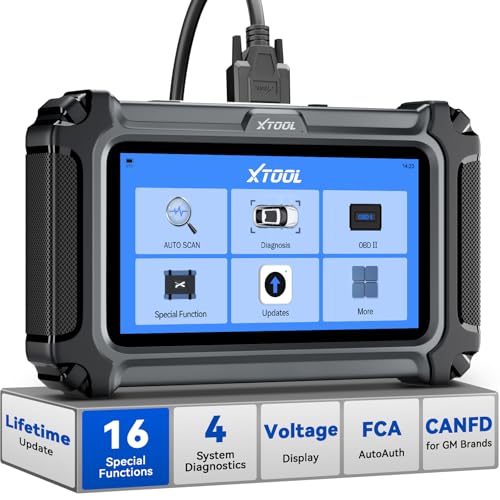
- Comprehensive OBD2 Scanner with 16 Resets: The XTOOL D5S car code reader and vehicle reset tool provides an advanced diagnostic solution with 16 commonly needed reset functions, including Electronic Parking Brake Reset (EPB Reset), SAS, BMS Reset (Battery Test), Throttle Body Relearn, TPMS Reset, ABS Bleeding, Injector Coding, Gearbox Match, Suspension Adjustment, Headlight, Window Initialization, Crank Sensor Relearn and more. Equipped with CAN FD Protocol and FAC AutoAuth, the D5S obd2 scanner diagnostic tool ensures compatibility with a broad range of modern vehicles, allowing users to address common maintenance needs quickly. NOTE: Please Check the Compatibility before ordering.
- 4 Main System Car Scanner & Full OBD2 Diagnostics: The XTOOL D5S car code reader is ideal for home mechanics, DIYers, and professionals, providing access to Transmission/Engine/ABS/SRS systems to read DTCs, Live data can be displayed in text or up to 4 PID data graphs, along with full OBD2 diagnostics to check the engine light on, other obd2 issues and routine maintenance. This car diagnostic scanner ensures you can keep your vehicles in top condition, avoiding costly repairs or unexpected breakdowns. NOTE: Some vehicles display three systems after connection because the transmission and engine of some vehicles are integrated into one.
- Check Engine Code Reader & Real-Time Engine Monitoring: Whether you're a car owner, a DIYer, or run a repair shop, the XTOOL D5S obd2 scanner diagnostic tool makes engine diagnostics fast and frustration-free, reading and explaining trouble codes in seconds—no confusion. Check live data like fuel trim, 02 sensor voltage, RPM, and coolant temp to pinpoint mis~fires, rough idle, or sensor issues. After repairs, simply use the D5S check engine code reader and reset tool to turn off the check engine light and confirm the problem’s fixed—saving time, money, and unnecessary shop visits. - Note: If the check engine light comes back on, it indicates the original problem still exists.
- Portable Car Scanner for ABS and SRS: XTOOL D5S gives you peace of mind when ABS or airbag warning lights come on. It reads and clears ABS codes to help you fix brake sensor, traction control, or wheel speed issues, and supports ABS bleeding after repairs like caliper or master cylinder replacement. For airbag systems, it scans and clears SRS codes related to airbags, seatbelt tensioners, and crash sensors. Whether you're doing repairs at home or running a small shop, the D5S is a cost-effective solution for safety diagnostics. Note: If a fault code returns after clearing, it usually means the issue hasn’t been fully resolved. Please check the compatibility before ordering.
- Transmission Warning Light ON? Here’s the Transmission Diagnostic and Reset Tool You Need: The XTOOL D5S is more than just a basic car scanner—it’s an easy-to-use transmission diagnostic tool. From rough shifts to slipping gears, the D5S lets you read and clear transmission trouble codes, monitor real-time TCM data, and perform transmission resets after fluid changes or repairs. Whether you’re a hands-on car owner or a pro running a busy shop, this OBD2 scanner with transmission functions helps you catch problems early—saving you time, money, and future headaches.. Note: Clearing fault codes is equivalent to a reset on some vehicles, but not all. For help, contact XTOOL Tech Support.

- Top Reasons to Choose the D7S OBD2 Scanner: XTOOL D7S car scan tool, an upgrade of XTOOL D7, offers comprehensive features for automotive technicians, workshops, and DIY enthusiasts 1. Upgraded Hardware: 2+64GB memory, rear camera, intuitive interface, foldable bracket 2. Complete Diagnostics: FCA Autoauth, OE-level all system scan, 39+ maintenance services, 4K+ bidirectional, CANFD/DoIP protocol 3. Advanced Capabilities: ECU c0ding, PMI functions 4. Wide Compatibility: Support 10,000+ models, covering 99% vehicle brands 5. Multi-language: Available in 22+ languages, No IP Restrictions 6. 3-Year Updates: Save 300 bucks on software updates for the latest features and optimizations
- 2026 Upgraded D7S Car Scanner Features: The newly 2026 D7S V2.0 scanner for car brings exciting features for advanced vehicle diagnostics and enhanced user experience 1. FCA AutoAuth: Now supports FCA SGW module for Chrysler, for Jeep, for Dodge (2018+), for Fiat (2017+), enabling faster vehicle communication without gateway restrictions 2. PMI (Offline ECU Pr0gramming): Allows for Ford, for Lincoln, and for Mazda ECU pr0gramming for new modules 3. Optimized Diagnostic Report 2.0: Personalized reports with logos and customer info for auto shops. Note: Compatibility varies by cars, please check before order
- 39+ Services/Resets/Adaptations/Relearns/Calibrations: XTOOL D7S full system car scanner diagnostic tool tackles 99% of common car issues through its 36+ special functions, including Oil Reset, EPB, SAS, BMS, Throttle Reset, Injector C0ding, ABS Bleed, TPMS Reset, Power Balance, etc and also covers specific-vehicle functions like Crank Sensor Relearn, ABS Initialization, Cylinder Power Balance, Fuel Trim Reset, Idle Relearn etc. This car diagnostic scanner enhances efficiency, making repairs and maintenance hassle-free. Tip: DO NOT for All vehicles, please check compatibility first
- Cost-effective ECU C0ding Scan Tool for Specific Brands: Enhance your vehicle's performance with XTOOL D7S! This obd2 scanner all systems bidirectional offers advanced capabilities at an affordable price, supports online for BMW, for Benz and offline for BENZ, for MIT, along with PMI functions for Ford, for Mazda, and for Lincoln. Ideal for technicians and DIY enthusiasts, this automotive scanner diagnostic tool optimizes vehicle performance and enhances the driving experience. Note: Not for all cars and modules, please send car VIN to check the compatibility before purchase
- OE All System Diagnostic & 8 Pids Graphing: XTOOL D7S is a comprehensive all system bi directional obd2 scanner that delivers dealer-level diagnostics, completely controlling over your vehicle’s performance and health. This automotive scan tool can read and clear DTCs, view live data and ECU information, retrieve freeze frames, and perform active tests and full obd2 functions. This bi-directional scan tool can can identify your vehicle's make, model, and year information with just one click and show up to 8 PIDs live data with options for CSV viewing, playback, and recording for in-depth analysis. It is easy-to-use for both professionals and beginners, helping pinpoint issues efficiently
Last update on 2026-06-12 / Affiliate links / Images from Amazon Product Advertising API
This product presentation was made with AAWP plugin.