
NHTSA ID Number: 10163686
Manufacturer Communication Number: PIT5698
TSB/Document Date: 2019-08-12
Summary
This Preliminary information communicates additional information on how a LIN bus operates and diagnostic tips when working on a LIN bus.
If the PDF is very large, it may not load in the preview below.
Some older TSBs had multiple PDFs — visit the NHTSA Website to view all PDFs.
If the TSB PDF does not show, download or view it on the NHTSA Website.
Click on the (+) Plus Sign
Then Click on Associated Document(s)

- 💝【Questions? We’re Here Anytime】MK808S is a...
- 🔥🔥🔥【2026 NEWLY RELEASED BI-DIRECTIONAL...
- 【28+ MOST POPULAR RESET SERVICE FOR 150 MAKES】Autel...
- 【ALL SYSTEM DIAGNOSTICS, FACTORY-LEVEL SCANNER】The...
- 【AUT0 SCAN & AUT0V1N, 10X FASTER】How much have you spent...


- 💯【Conta.ct us for Support Directly】If you met any...
- 🔥🔥🔥【2026 AUTEL FLAGSHIP MK900BT MK900-BT, NEW...
- 🚗【3000+ ACTIVE TESTS (50➡3000+), SAME AS MS...
- 🚗【40+ HOT SERVICES FOR 150 MAKES (28+➡40+)】Full...
- 🚗【OE ALL SYSTEM DIAGNOSE, AUTO SCAN 2.0: SCAN LICENSE...
This product presentation was made with AAWP plugin.
Search NHTSA Database for Recalls
Search NHTSA Database for Vehicle Investigations
View Latest Vehicle Investigations
Search NHTSA Database for Vehicle Complaints
View Latest Vehicle Complaints
TSB/Document ID: PIT5698
Replacement Service Bulletin Number:
MFR Communication Date: 2019-07-30
MFR Internal Campaign ID/Software Version:
Communication Type: Service Bulletin/Repair Instructions
NHTSA Components: EQUIPMENT
MFR Component System:
MFR Component Subsystem:
Previous TSB | Next TSB |
Bulletin No.: PIT5698
Published date: 07/30/2019
Preliminary Information
PIT5698 LIN Bus Diagnostic Information
Models
Brand:
All
Model:
All
Model Years:
2014 - 2020
VIN:
from
All
Engine:
to
All
All
Transmissions:
All
Involved Region or Country North America
Condition
As more smart motors, switches, and sensors are being used there are more Local
Interconnect Network (LIN) buses on vehicles. Because of this, some questions have
raised regarding diagnosis of a LIN bus circuit. This document is intended to help
better understand LIN buses and provide some diagnostics tips.
Note: As always, follow normal SI diagnostics.
Correction:
LIN Bus Information
- The LIN bus consists of a single wire and is used to exchange information between one master control module
(example ECM, BCM, etc.) and one or more slave/smart device(s) such as switches, sensors, motors, etc.
- The LIN bus is relatively simple and it exchanges data at a slower rate than other GMLAN buses.
- LIN buses are not wired to the DLC, thus the scan tool does not communicate directly on a LIN bus. The scan
tool will communicate with the master controller of the LIN bus, which is wired to the DLC (High, Low, Chassis,
etc), in order to command outputs or read parameters from the slave/smart device(s).
- If serial data communication is lost between any of the LIN devices on the LIN bus network, the master control
module will set a no communication code against the non-communicating LIN device.
- Each component on the LIN bus (master and any slave devices) will send out approximately 11-12 volts and
then toggle that voltage low when communicating, as shown below. Knowing that each device sends out its own
voltage can be very useful when performing diagnostics. In some cases, this voltage is even present after the
ignition is o and the vehicle has completely powered down, because many slave devices are only powered by a
hot at all times circuit.
- Because the LIN bus voltage ranges between 12 and 1 volt it is very important we have proper battery voltage
while performing diagnostics. It is recommended to install the GR8 or equivalent battery tender on the vehicle
while diagnosing a LIN bus, or false reading may be read.
- When a LIN bus is at rest/not communicating it will read a steady 11-12 volts (approximately).
- When monitoring a properly operating LIN bus with the Fluke 87 meter set to "peak" min/max (1 ms record), the
voltage readings will be approximately 12 volts max and 1 volt min. If the meter is not set to the "peak" min/max
setting, it will not capture the true min/max readings.
- In most cases, when the ignition is turned on, the master controller will wake up the slave device(s) via the LIN
bus. If the slave device does not wake up, the master controller will set a DTC for that device and will continue to
try and wake up the slave device. This can be seen by the toggling voltage on the LIN bus.
- In some cases the slave device will wake up the master controller, an example of this is the driver's door ajar
switch. The door ajar switch is hard-wired to the driver's window motor. The driver's window motor has a LIN
bus to the BCM. When the driver's door is opened, the ajar switch closes, thus signaling to the driver's window
motor to send a LIN message to the BCM. This wakes up the BCM and it communicates to the vehicle that the
driver's door is open and the BCM will turn on the dome lights and start waking up the other modules.
Diagnostic Tip Information
Below are some diagnostic tips for the LIN bus circuit, in addition, the LIN bus schematic seen below will be used
as an example in some of the tips. The following is not a ow chart, and as always, follow normal SI diagnostics.
- It is recommended to install the GR8 or equivalent battery tender on the vehicle while diagnosing a LIN bus or
false readings may be obtained. Unlike other GMLAN buses which work at much lower voltages (example 0 to 5
or 1.5/2.5/3.5 volts) the LIN bus operates in a range from 1 to 12 volts, and having proper battery voltage is critical
to get proper readings.
- Inspect for any DTC's.
- If a LIN bus has more than one slave device, check to see if the other devices are working. Using the example
below, if the customer's complaint was that the rear wiper was not operating, check to see if the rear power
windows operate. This can help to start narrowing down the area of concern.
- The LIN bus is a single wire and many faults are basic failures, such as, opens, high resistance, shorts to
ground/power, poor terminal drag, connectors not fully seated. Using the proper terminal test probes inspect for
these type of failures.
- Testing/monitoring the voltage of the LIN bus can help determine what type of failure to inspect for.
- Inspect for the output voltage from the master controller: With the master controller connected, disconnect the
slave device and turn on the ignition. At the slave device, inspect for the toggling voltage from the master module
on the LIN bus. Remember, if using a Fluke 87 meter set to "peak" min/max (1 ms record), the voltages will be
approximately 12 volts max and 1 volt min. If the voltage is present but not toggling, it could indicate a short to
power. If the voltage is not present, it could indicate an open or short to ground.
Note: Certain types of shorts on a LIN bus circuit can cause the module to shut down and stop outputting the 1112 volts until the fault is no longer present and the ignition/power is cycled or DTC's are cleared.
- Inspect for the output voltage from the slave device(s): With the slave device in question plugged in, disconnect
the master controller and all other slave device(s) on the same LIN bus. At the master controller, inspect for the
output voltage from the slave device, which will be a steady 11-12 volts (approximately). There are a few things to
keep in mind when testing the output voltage from the slave devices:
1. Most slave devices have a hot at all times feed and no switched ignition inputs. In these cases, the ignition
does not need to be turned on to test for the output voltage. Always check the wiring diagram for the slave
device to determine if it has power at all times or if it has a switched ignition. If it has a switched ignition feed,
when the master controller is unplugged the slave device may not be powered on. In these cases, the slave
device will need to have power applied to the switched ignition input before testing.
2. When testing the LIN bus output voltage from a slave device, which has a switched ignition, some devices
will only have the steady 11-12 volts (approximately) output for a few seconds and then it will drop to 0 volts. This
is because the testing is done with the master controller disconnected and when the slave device does not
establish communication from the master controller it can shut down the LIN bus output voltage.
3. If there is more than one slave device, such as the example below, keep in mind that each slave device is
sending out an output voltage. In these cases, the other slave device(s) will need to be disconnected along with
the master controller before checking the output voltage from the slave device in question.
If no voltage is found coming from the slave device, it could indicate poor terminal tension at the LIN bus
terminal, the slave device was not powered on (missing power or ground), slave device itself, etc.
If the voltage is present check to make sure the correct part number slave device is installed. In many cases, the
slave device part numbers change from year to year but they look similar.
Additional SI Keywords
U1343 U1345 U1346 U1347 U1348 U1349 U135D U135E U1501 U1502 U1505 U1509 U150E U150F U1510 U1511
U1512 U1513 U1514 U1515 U1516 U1517 U1518 U1519 U151A U151B U151C U151F U1520 U1521 U1522 U1523
U1524 U1525 U1526 U1528 U152A U152B U152C U152D U1531 U1530 U1532 U1534 U1538 U153A U1540 U1548
U1549 U154A U154B U1550 U1551 U1555 U1556 U1558 U1559 U155D U156D U15E1 U15F0 U15F1 U15F3 U2010
U2011 U2012 U2013 U2022 U2023 U250D
Version History
Version
Modi ed
1
07/23/2019 Created on
© 2019 General Motors . All Rights Reserved.
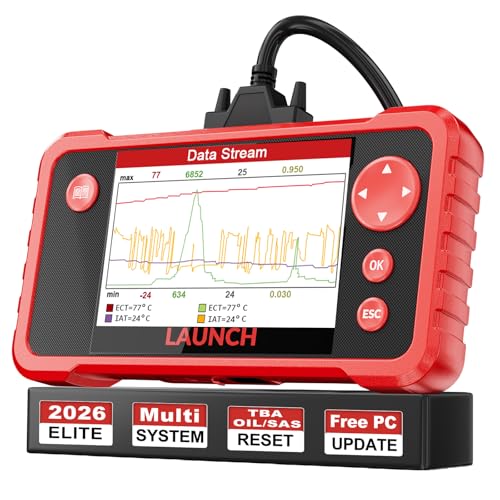
- 【Great Ideal For Every Car Owner】Prefect choice for your father, husband, brother or boyfriend. EVERY CAR OWNER WILL NEED IT! Also, the lifetime update is provided for more vehicle coverage, bug fixes. SAVE AT LEAST $1000+ PER YEAR!Get LAUNCH CRP123 V2.0 car diagnostic scanner and give your lover a surprise!*R each us to Get the Extra Gifts :Protective Case Storage Bag.
- 【Newly Added 3 Reset Functions】CRP123 V2.0 obd2 scanner with upgrades it offers Throttle Adaptation,Oil Reset and SAS Reset functions for FREE now!! Optimize your engine performance with Throttle Adaptation, reset your oil life system with ease to save time and money on maintenance, and enhance your vehicle's handling and safety with SAS Reset.Covering more daily repairs,become the most cost-effective product in its price range,save your time and money!
- 【 Read & Clear/Reset Engine/ABS/SRS/Transmission Diagnostic Scan Tool 】LAUNCH CRP123 V2.0 OBD2 Scanner can test Engine, Transmission, ABS and Airbag four systems, also reads and resets code, displays data stream graphic, stores and playbacks dynamic data stream,helps to quick analysis and diagnosis.
- 【 Error Fault Code Reader】Except the full 10 modes OBD2 diagnostic functions like, retrieving I/M readiness, Freeze Frame Data, Read Dynamic Data stream and Vehicle Information, O2 Sensor Test, EVAP Test of Fuel Tank System (Mode 8) and Advanced On-board Monitoring (Mode 6), launch crp123 v2.0 obd2 scanner can not only reveal what error codes your car is producing, but also erase your vehicle’s check engine light after problem fixed, the DTC help and explanation also tell you the exact problem.
- 【 Live Data Graphing + Read/Record/Playback Data stream + Print diagnostic data 】Live Data Graphing,more intuitive to know your vehicle’s problem.4 inches Screen Screen ;Print Function:Print the diagnose result easily; with user manual and register & update tutorial video uploaded in the link by us,you can Look up it anytime by ONE-CLICK.
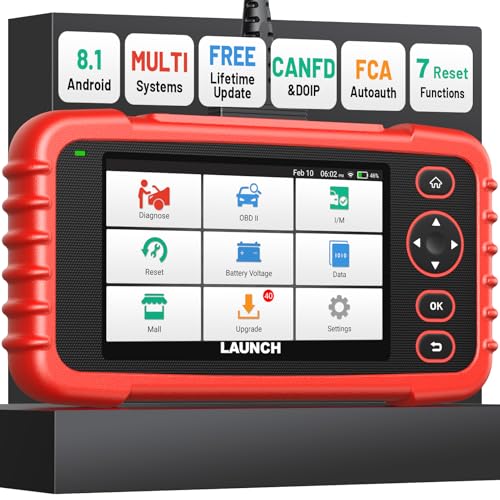
- [Newly Added in 2026: 7 Reset Functions] The 2026 new version of the OBD2 scanner diagnostic tool CRP123X V3.0 Elite has new special functions for F.REE: Throttle Ad.aptation, Oil/SAS/BMS/Brake Reset, D-P.F Re.generation and ABS Service. Before you visit a mechanic, launch obd2 Scanner CRP123X Elite can perform a more in-depth diagnosis of the car system and provide accurate data within minutes. What's more, the list of compatible models has been expanded. Upgrading frequency is regular, occurring monthly even weekly.
- 🔥[FCA AutoAuth + CAN FD & DoIP] As an upgraded version of the LAUNCH CRP123X/CRP129X, FOXWELL NT614, and ANCEL FX2000, The Newest LAUNCH CRP123X V3.0 auto diagnostic scanner supports the following new protocols: CAN-FD for 2020 and newer G.M and Chrysler
 models, as well as DoIP for V.olvo, Land Rover/Jaguar, and B.MW F/G chassis. With integrated AutoAuth, you can diagnose 2018 and newer FCA cars equipped with S.GW. Note: CAN-FD and DoIP protocols require an additional obd2 cable. *Menus vary by make, model, and year of gasoline or diesel engine vehicle. Email us your VIN data.
 - 🔥[No extra software fee. Works on 90 vehicle brands.] Most OBD2 scanners work with vehicles manufactured after 2001. However, the LUNCH OBD2 scanner is compatible with OBDII-equipped vehicles built after 1996 and works with more than 90 vehicle brands. One-click lifetime updates over WIFI 2.4&5.0Ghz keep the car software current and ensure constant coverage additions, diagnose vehicles from 1996 to 2026 with a massive global database. Android 8.1 ensures lightning-fast boot-up and processing.
- [Accurate & Intuitive Multi System Diagnosis] Will you be confused about what happens when the warning light of transmission, ABS, and SRS Airbag check engine flashes? Launch obd2 scanner diagnostic tool CRP123X V3.0 to pinpoint the problem components for a faster diagnosis for your car instead of taking your car to the dealership. Generate vehicle health reports with one click and share them via email over Wi-Fi to help avoid blind maintenance. And will turn off the warning light for you after fixing the problem, make to know more about your cars and do your own repair.
- [Multiple Display of Live Data + DTC Code Definition Explanation] Launch car tools show real-time data of oil temp, pressure, transmission temp, engine speed, coolant temperature, you will know which car part is abnormal. Data can be shown in a single, multi- graph, and merge two graphs for analysis(or 4-in-1 merged waveform graph),you can save, share, print, or email the overall inspection report for easier analysis.🔥Code Search,DTC Library provide massive information. Inbuilt “Feedback” module provides customized repair suggestions from our certified professionals.
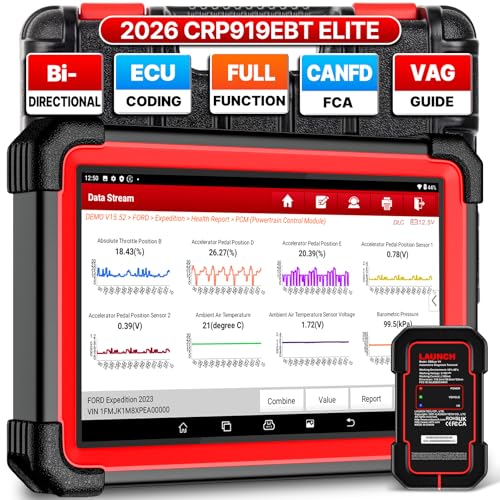
- 🔥【2026 TOP HARDWARE AND SOFTWARE UPGRADE,UPGRADED OF CRP919E】LAUNCH scanner CRP919EBT wireless obd2 scanner has upgraded TOP HARDWARE CONFIGURATION and ADD NEWEST FUNCTIONS. The more FASTER and SMARTER CRP919EBT with 🔥Bluetooths & USB 2-in-1 connect🔥Android 10.0 OS🔥2.0Ghz 4 core high efficiency processor 4GB RAM+64GB ROM large storage🔥6300mAh large battery, more stable and longer lasting diagnostics🔥VAG Guided🔥ECU Code🔥Bi-directional Control🔥35+ Resets🔥CANFD&DOIP🔥FCA AutoAuth🔥Full System Diagnostics🔥2 Yrs Update🔥Newly add BST360 battery tester & I-TPMS & VSP600 endoscope🔥23+ Languages. Provide an unparalleled diagnostic experience at an affordable price.
- 🚗【CAN FD & DOIP & FCA, SUPER PROTOCOL】LAUNCH X431 CRP919EBT is equipped with the DBSCAR VII Bluetooth connector supporting CANFD and DoIP. The CRP919EBT automotive diagnostic scanner supports CAN FD protocol (compatible with post-2020 GM vehicles). It also meets DoIP protocol requirements (adapter sold separately) for compatibility with BMW (E & F chassis) models from 2017 onward. Autoauth for FCA SGW supports FCA vehicles including Chrysler models from 2017 and later.
- ✔️【ADVANCED ECU CODE, ADAPTATION, CALIBRATION & INITIALIZATION】The LAUNCH X431 CRP919EBT automotive scanner delivers exceptional ECU code capabilities for customized vehicle setups. It provides dealer-level functionality to streamline maintenance and repairs, enabling ECU matching and learning for enhanced customization.
- 👍【BIDIRECTIONAL CONTROL, 4000+ ACTIVE TESTS】LAUNCH OBD2 scanner CRP919EBT features bi-directional control - the most demanded capability among mechanics. When headlights or windows malfunction, repairs can be costly. With CRP919EBT, execute ECU commands and assess repair status through systems including ABS, windows, valves, wipers, and headlights - streamlining diagnostics while slashing repair expenses.
- 🥇【35+ MOST POPULAR RESET SERVICE FOR 160 MAKES】Same as Snap-on scanners, CRP919EBT scan tool delivers 35+ reset functions for 160+ vehicle models, including: service oil reset, throttle adaptation, steering angle calibration, brake pad replacement code, tire pressure reset, ABS bleeding, battery registration, gear signal learning, and injector code, etc.
This product presentation was made with AAWP plugin.
Last update on 2026-05-12 / Affiliate links / Images from Amazon Product Advertising API