
NHTSA ID Number: 10163241
Manufacturer Communication Number: 19NA121
TSB/Document Date: 2019-07-29
Summary
This technical bulletin provides a procedure to perform a trans fluid flush to correct the customers concern.
Service Bulletin
Bulletin No.:
19-NA-121
Date:
June, 2019
TECHNICAL
Subject:
Shake and/or Shudder During Light Throttle Acceleration Between 25 and 80 MPH
(40 and 128 KM/H) at Steady Speed
Attention: This Bulletin only applies to vehicles sold in the U.S., Canada and Middle East.
Brand:
Model:
Silverado 1500
(New Model)
Sierra 1500
(New Model)
Model Year:
Date Breakpoint:
from
to
from
to
2019
2019
SOP
March 01,
2019
Engine:
L3B, L84
MQE
Involved Region or Country
United States, Canada, Chile, Thailand and Middle East Operations (MEO)
Condition
Some customers may comment on any of the following conditions:
• A shake and/or shudder during light throttle acceleration between 25 and 80 mph
(40 and 128 km/h) steady state driving when transmission is not actively shifting
gears.
• A shudder feeling that may be described as driving over rumble strips or rough
pavement.
Shudder feeling is evident in both Drive and M7 modes.
Diagnosis Instructions
To ensure torque converter clutch (TCC) shudder is
diagnosed correctly, please drive the following
schedule on a smooth road with transmission sump
temperature between 50°C (122°F) - 70°C (158°F).
Important: For some road conditions, it may be
required to apply the brake pedal and throttle
simultaneously to stay within desired gear, engine firing
mode, engine torque range, and engine/vehicle speed
ranges.
Press and hold the tow-haul mode button for 5 seconds
to disable grade braking to prevent downshifts
during test.
Run the following tests for 3 operational modes:
A. Normal Operation (GDS2 for viewing only)
B. GDS2 Commanding TCC in Disabled Operation
(TCC Open)
C. GDS2 Commanding TCC in Enabled Operation
(TCC Locked)
Shudder Test
Refer to the table below for conditions pertaining to
specific applications. In each vehicle, constant throttle
input on a smooth grade is desirable.
Vehicle Information
Shudder Test Conditions
Make
Application:
Engine
Type
Engine
RPO
Trans
RPO
Gear
Engine
Mode (4,
V6, V8)
Transmission
Input
Speed (rpm)
Vehicle
Speed
mph
(km/h)
Engine
Torque
(Nm)
Silverado/
Sierra
4 CYL.
Turbo
L3B
MQE
4
4
1100-1500
45-55
(72-88)
100–250
Silverado/
Sierra
8
CYL.
NA
L84
MQE
8
V8
1050-1500
45-55
(72-88)
200-375
Copyright 2019 General Motors LLC. All Rights Reserved.
Page 2
June, 2019
Bulletin No.: 19-NA-121
GDS Test
To confirm TCC Shudder, the vibration concern must be
created in normal operation (Mode A) of the test. If the
concern is gone with the torque converter clutch
disabled (Mode B, TCC Open) and is gone with torque
converter clutch enabled (Mode C, TCC Locked), then
the vibration root cause is TCC Shudder, and the fluid
flush procedure corrective action described below
should be performed.
If the concern is not present in Mode A, then the
vibration concern is NOT TCC shudder.
If the concern is still present with the torque converter
clutch disabled (Mode B) or with the torque converter
clutch enabled (Mode C, TCC slip speed at zero), then
the vibration root cause is NOT TCC Shudder.
GDS can be used to monitor TCC Slip to confirm TCC
Shudder. Once TCC shudder is duplicated TCC slip
speed should be monitored while driving at a steady
speed and steady throttle. TCC shudder typically will
present itself in a saw tooth or oscilloscope pattern
where TCC slip will increase and decrease rapidly. The
increase may be as much as a 150 rpm and decline to
below 0 rpm, creating a saw tooth or oscilloscope type
pattern. When TCC slip speed is graphed on the GDS
screen. Desirable slip speed would present itself with 5
to 15 rpm variation. Slip speed will vary by application.
The slip speed is it should be consistent and not erratic
or presented in a saw tooth or oscilloscope pattern
Vibrations not identified as TCC shudder should be
further investigated using the Vehicle Vibration
Diagnosis in SI as a starting point.
5343327
Bulletin No.: 19-NA-121
June, 2019
Page 3
This is an example of TCC slip speed on a 5.3 (L84)
truck. Note the improvement in slip speed after
immediately after the fluid exchange procedure. The
slip speed will improve after additional mileage is
accumulated. This improvement will occur over the
course of 200 miles (320 km) and a minimum of two
cold to operating temperature drive cycles. The truck
should be returned to the customer for the mileage
accumulation.
5336317
Example of GDS Screen Print.
Important: Obtain a single page screen print from
GDS that shows the TCC shudder event. This screen
print must be attached to the Repair Order hard copy
for reference. A screen print can be completed by
pressing the Print Screen button on your laptop
computer or by using a program or application such as
Snipping Tool.
Examples of acceptable screen prints:
• GDS2 Session showing TCC slip
• GDS2 Special Functions showing TCC Locked
Slip Speed
Special Tools
DT-52263 Transmission Fluid Exchange Kit:
• DT-52263-1 Block Assembly (includes fluid drain
hose, spring clamp)
• DT-52263-5 Radiator Cooler Drain Adapter
3763203
•
DT-51190 Transmission Oil Fill Adapter
Page 4
June, 2019
Bulletin No.: 19-NA-121
Service Procedure
Initial TransFlow Flush Machine Setup
Important: The prepping procedure only needs to be
completed if the DT-45096 supply reservoir has
DEXRON VI fluid in it and has not been converted to
use the new blue label Mobil 1 Synthetic LV ATF HP
fluid.
Note: The prepping procedure only needs to be
completed if HP fluid is not in the supply reservoir.
1. Connect the TransFlow adapter DT-45096-31 to
the supply line of the DT-45096 TransFlow
machine.
5181938
•
GE-47716-2 Graduated Bucket
5180884
1215917
DT-45096 TransFlow Cooler Flush Machine
2. Switch the DT-45096 TransFlow to Idle.
3. Connect power leads to the vehicle 12-volt DC
supply.
4. Turn the TransFlow main switch ON.
5. Connect air supply to the DT-45096.
6. Place the TransFlow supply hose with adapter
DT-45096-31 into a waste reservoir using care not
to spill the expelled fluid.
7. Switch the DT-45096 TransFlow to Flow and allow
all the fluid in the supply reservoir to be removed
and placed in the waste reservoir.
8. Switch the control switch back to idle.
Fluid Exchange Procedure – 2019 Chevrolet
Silverado and GMC Sierra (New Body Style)
Equipped with the RPO (MQE)
4733125
DT-45096-31 TransFlow Adapter (one of two pieces
from DT-45096-30)
Important: This procedure must be followed as
published. The exchange process is required to obtain
proper level of new blue label Mobil 1 Synthetic LV ATF
HP fluid. Intermixing of other types of transmission fluid
or aftermarket additive packages will result in a low
concentration level of new fluid and will not provide
satisfactory results.
Bulletin No.: 19-NA-121
June, 2019
Page 5
1. Fill the DT-45096 with 20 quarts of HP fluid.
2. Raise the vehicle on a hoist.
5182541
3. Install the DT-45096-31 TransFlow adapter (1) to
the DT-51190 fluid fill adapter (2).
3723844
8. Remove the level set plug (1) from the
transmission.
Important: DO NOT over tighten the DT-51190 as it
can be damaged by excessive torque. DO NOT exceed
9 Y (80 lb in).
9. Install the DT-51190/DT-45096-31 assembly and
hand tighten as shown in the graphic above.
5180563
4. Remove the transmission oil cooler pipe assembly
from the transmission.
5. Install the DT-52263-1 Adapter Block Assembly
(1), reusing the seal from the transmission oil
cooler pipe assembly.
6. Tighten the bolt (2) to 22 Y (16 lb ft).
7. Place the hose (3) in the GE-47716-2 Graduated
Measuring Bucket, utilizing a Spring Clamp to
retain the hose.
3723839
10. Connect the TransFlow fluid feed (supply) line (3)
to the DT-45096-31 adapter (2).
11. Lower the vehicle.
Caution: DO NOT REMOVE MORE THAN 3 QUARTS
OF FLUID AS IT COULD CAUSE FLUID PUMP
CAVITATION AND POSSIBLY DAMAGE THE
TRANSMISSION.
12. Utilizing the graduated bucket, start the engine and
run 30 - 45 seconds until 3 quarts of fluid is
expelled.
Page 6
June, 2019
13. Shut the engine off immediately.
14. Connect the DT-45096 to the vehicle battery
12 volts and connect shop air to the air connection.
Bulletin No.: 19-NA-121
Note: DO NOT add additional transmission fluid until
the 4 quarts of oil have been removed from the
transmission (Reducing fluid level in the TransFlow
from 12–8).
17.2. Repeat step 17.1.
17.3. Add a maximum of 5 quarts of HP fluid to the
transmission while allowing 5 additional
quarts of oil to fill the DT-graduated bucket
(Reducing fluid level in the TransFlow
from 8 – 3).
5181027
15. Switch the DT-45096 TransFlow to Flow and add
4 quarts of HP to the transmission.
5181401
5181020
16. Switch the DT-45096 TransFlow to Idle (Reducing
fluid level in the TransFlow from 20–16).
17. Switch the TransFlow DT-45096 to Flow and start
the engine:
17.1. Add a maximum of 4 quarts of HP Fluid to
the transmission, turn the TransFlow switch
to idle once 4 quarts have been added, while
allowing 4 additional quarts of oil to fill the
DT-graduated bucket (Reducing fluid level in
the TransFlow from 16 – 12).
18.
19.
20.
21.
22.
17.4. Shut the engine off once 16 quarts of fluid
have been collected.
17.5. Properly dispose of the expelled
transmission fluid.
Raise the vehicle.
Disconnect the DT-45096 TransFlow feed (supply)
line from DT-45096-31 TransFlow adapter.
Using care, remove DT-45096-31/DT-51190 as an
assembly.
Remove the DT-51190 fluid fill adapter from
DT-45096-31 hose.
Install the level set plug.
Tighten
Torque the plug to 9 Y (80 lb in).
23. Remove DT-52263-1 Adapter Block Assembly
from the transmission.
Bulletin No.: 19-NA-121
June, 2019
24. If equipped, remove the Thermal By-Pass Block
from the cooler pipes (L84 only).
24.1. If equipped with the 4 cylinder (L3B) engine
skip to step 27.
25. Using clean compressed shop air regulated to
50 PSI blow out the transmission oil cooler lines to
remove any remaining transmission fluid.
26. If equipped, install the Thermal By-Pass Block from
the cooler pipes.
27. Install the transmission oil cooler pipe using a new
cooler block seal.
28. Partially lower the vehicle.
29. Start the engine.
30. Using care, shift the transmission through all
forward ranges and Reverse.
31. Shift the transmission into Park.
32. Perform the Transmission Fluid Level and
Condition Check outlined below in this procedure:
32.1. Get the transmission fluid temperature to the
proper temperature.
32.2. Install the level set plug.
Tighten
Torque the plug to 9 Y (80 lb in).
The TCC shudder condition should be directional
improved immediately after the fluid exchange
procedure. It may take up to 200 mi (320 km) for the
TCC shudder condition to be eliminated. It is not a
requirement for the dealer to drive the vehicle 200 mi
(320 km). The customer should be advised that the full
effect will take up to 320 km (200 mi) and a minimum of
two cold to operating temperature drive cycles.
Transmission Fluid Level and Condition
Check
This procedure checks both the transmission fluid level,
as well as the condition of the fluid itself. Because the
transmission on this vehicle is not equipped with a fill
tube and dipstick, a tube in the bottom pan is used to
set the fluid level.
Warning: The transmission fluid level must be
checked when the transmission fluid temperature
(TFT) is between 35–45°C (95–113°F). If the TFT is
not within this range, either idle or brake torque the
vehicle to raise the fluid temperature, or shut off the
vehicle to allow the fluid to cool as required. Setting
the fluid level with a TFT outside this range will
result in either an under or over-filled transmission.
TFT>45°C=under-filled, TFT

- 💯【Conta.ct us for Support Directly】If you met any...
- 🔥🔥🔥【2026 AUTEL FLAGSHIP MK900BT MK900-BT, NEW...
- 🚗【3000+ ACTIVE TESTS (50➡3000+), SAME AS MS...
- 🚗【40+ HOT SERVICES FOR 150 MAKES (28+➡40+)】Full...
- 🚗【OE ALL SYSTEM DIAGNOSE, AUTO SCAN 2.0: SCAN LICENSE...


- 【TURN OFF CEL】 This AL319 car scanner diagnostic tool...
- 【EXTENSIVE APPLICATION】 Autel AL319 Compatible with...
- 【FOR END USER & DIYERS】 This error code reader AL319 is...
- 【USER-FRIENDLY DESIGN】 This OBD2 scanner and check...
- 【HIGH-QUALITY SERVICES】 12 months war.ranty from the...
If the PDF is very large, it may not load in the preview below.
Some older TSBs had multiple PDFs — visit the NHTSA Website to view all PDFs.
If the TSB PDF does not show, download or view it on the NHTSA Website.
Click on the (+) Plus Sign
Then Click on Associated Document(s)
Search NHTSA Database for Recalls
Search NHTSA Database for Vehicle Investigations
View Latest Vehicle Investigations
Search NHTSA Database for Vehicle Complaints
View Latest Vehicle Complaints
TSB/Document ID: 19NA121
Replacement Service Bulletin Number:
MFR Communication Date: 2019-06-05
MFR Internal Campaign ID/Software Version:
Communication Type: Service Bulletin/Repair Instructions
NHTSA Components: POWER TRAIN
MFR Component System:
MFR Component Subsystem:
Previous TSB | Next TSB |
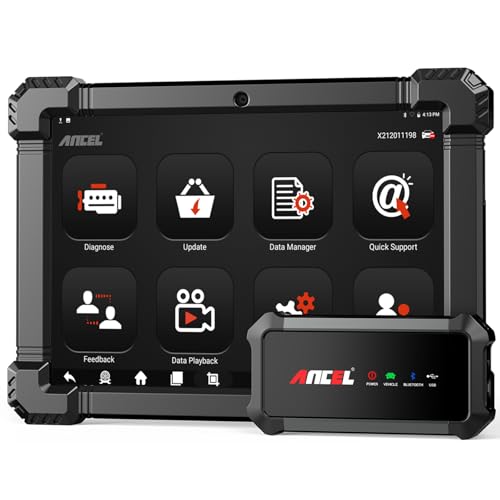
- 🔥🔥🔥2026 New Functions Making X7HD the Top Dog - Big Surprise!!! ANCEL X7HD truck scanner 10 major functional advantages .✅>Full HDOBD/OBD2 Function ✅>ALL System Diagnostic ✅>42+ Reset Function ✅>Active Test / Bi-Directional Control✅>ECU Coding✅>Graphing Live Data✅>Wide Compatibility ✅>2 Yrs Free Update✅>Remote Operation✅>Bluetooth 5.0 & Wifi In addition, 8 major hardware advantages: ✅>6000 mAh✅>10.1 inch Tablet✅>2G RAM
 ✅>32G ROM (Expandable to 128GB)✅>Data Record & Replay & Print✅>Android 10.0✅>Bluetooth 5.0 & Wifi✅>14 Languages
 - 🚛OEM DPF Forced Regen & Cylinder Cutout Test & more - ANCEL X7HD diesel scanner diagnostic tool not only supports DPF regeneration, DPF reset, DPF related information reset, DPR state reset, DPD forced regeneration etc, which helps you better solve the exhaust aftertreatment system problems, but also supports activate motor to do exhaust air in ABS Automatically. Moreover, it features TPMS activation, cylinder cut-off and learning functions
- 🚛Advanced ECU Coding & Programming - ANCEL X7HD 10.1inch truck scanner diagnostic tool is equipped with advanced ECU coding, supports Level calibration, Idle speed learning and Adjustment, Camshaft timing control learning, Control unit adaptations, Injector Codes, Read/Write VIN, Road speed limit optional vehicle speed set, etc... PLEASE NOTE that ECU codes are not compatible with all vehicles, please send us your VIN# to check vehicle compatibility
- 🚛42+ Reset Functions & Bidirectional Control - 2026 newest top heavy duty truck scan tool, comes with 42+ special services (ECU, Speed Limit and Idle Reset, Oil Reset, Injector Coding, EPB, ABS, SRS, Suspension, Throttle, etc. and always keep growing), which meet all your various needs for service and maintenance
- 🚛10 Inch All Systems Diesel Scanner & Full HDOBD/OBD2 Modes - ANCEL X7HD diesel truck scan tool supports all systems scan, such as Engine, Brake, Retarder, TECU Transmission, Tachograph, ABS, SRS, TPMS, EPB, SAS, ESP, and other vehicle systems, comes with 10 obd2 service modes: read/erase error codes, Data Stream, I/M Readiness, Vehicle Information, Actuations, DTC Lookup, EVAP, view freeze frame, etc
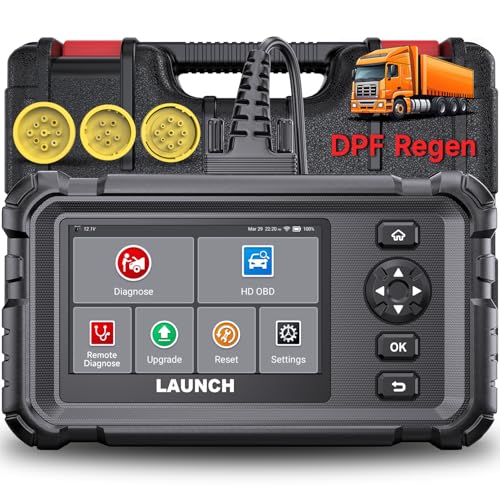
- Dealer-Level Diagnostics, Faster & Easier: The heavy duty truck scanner delivers full-system diagnostics for engine, ABS, transmission, and more, plus 7+ reset functions like DPF Regen and Speed Limit Adjust. Powered by a 1.3G CPU, 2GB RAM, 16GB storage, Android 8.1, and a 3000mAh battery, it runs smoothly for fast scanning, live data, reports, Auto VIN, Wi-Fi updates, and easy handheld use. It captures screenshots, replays live data, and generates reports to support your repair decisions.
- Diesel Truck DPF Regen & Reset Features: Experiencing loss of power, sluggish acceleration, or poor hill-climbing performance? These symptoms are often caused by a clogged or overloaded DPF. The truck diagnostic scanner offers OEM-level forced DPF regeneration, DPF reset, and DPD/DPR functions. This device extends DPF lifespan and efficiently diagnoses exhaust aftertreatment issues. It can significantly reduce diagnostic time and save you up to $3,000 or more in costly dealership fees.
- 7+ Resets - Perform Essential Procedures: The truck scanner features 7+ essential resets including DPF Regen clears carbon buildup; Oil Reset clears service light; Injector Coding matches new injectors; DEF Test checks urea injection; Speed Limit Adjust saves fuel; Cylinder Cutout pinpoints misfires; Clutch Relearn restores smooth engagement. Reset after maintenance or part replacement for proper truck operation. Vehicle compatibility varies. Email [email protected] to confirm before buying.
- One Tool for 50+ Truck Brands: The diesel scanner supports J1939, J1708, J1587, and OBD2/CAN protocols, delivering broad coverage for major diesel trucks and commercial vehicles including Cummins, Cat, Detroit, Paccar, Volvo, Freightliner, Kenworth, Peterbilt, International, Mack, Isuzu, Hino, Scania, Mercedes-Benz, and more. Also supports Allison, Aisin, Eaton, WABCO, and Bendix, helping you diagnose more vehicles, reduce equipment costs, and handle more jobs with one professional scan tool.
- Full System Diagnostic for Truck: The truck scanner diagnostic tool covers all systems like engine, ABS, transmission, SAS, SRS, TPMS and more. It reads fault codes and shows real-time data. Additionally, it includes full HD OBD and OBD2 modes: read/clear codes, live data stream, I/M readiness, freeze frame, DTC lookup, and more. When warning lights appear or performance issues arise, quickly identify which system is affected and gain the real-time data needed for accurate diagnosis.
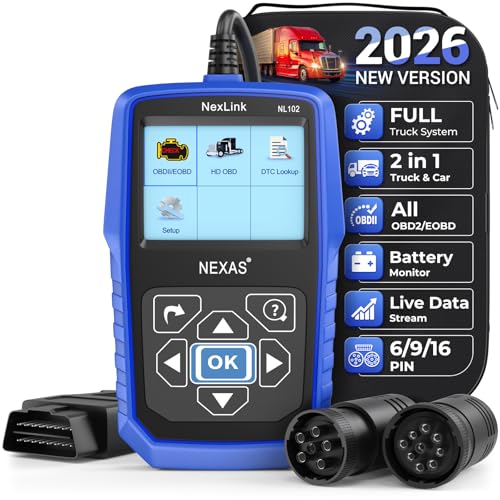
- Diagnose Heavy-Duty Truck Problems Fast — Read and clear fault codes and diagnose warning light issues on many Class 4–8 diesel trucks including Freightliner, Peterbilt, Kenworth, Volvo, Mack and Cummins-powered vehicles
- Help Reduce Downtime & Repair Costs — It offers full system diagnostics for major trucks meeting standard protocols, along with complete OBD2 functionality. Quickly check engine faults, view live truck data and identify issues before expensive repair shop visits or unnecessary repairs
- No complicated setup required — Simple menus and built-in DTC explanations make this truck code reader easy to use for owner-operators, mobile mechanics and small fleet maintenance
- Live Data & Built-in DTC Lookup — View real-time engine data and built-in truck fault code definitions directly on the scanner to help understand vehicle problems faster without searching through manuals
- Free Lifetime Updates & Technical Support — Includes free software updates plus responsive technical support for setup, compatibility and everyday truck diagnostics
Last update on 2026-06-10 / Affiliate links / Images from Amazon Product Advertising API
This product presentation was made with AAWP plugin.