
NHTSA ID Number: 10162069
Manufacturer Communication Number: SF-084
TSB/Document Date: 2019-07-03
Summary
Instructions to convert a Solera Smart Arm Awning to a Standard Power Awning
KZ SOLERA® SMART ARM REMOVAL TO POWER AWNING
Introduction
The intent of this document is to provide instructions on how to remove a KZ Solera Smart Arm and replace
it with a Power Awning arm.
Safety
The "WARNING" symbol above is a sign that the installation procedure has a safety risk involved and may
cause death, serious personal injury, product or property damage if not performed safely and within
parameters set forth in this manual.
Always wear eye protection when performing service or maintenance to the trailer. Other safety
equipment to consider would be hearing protection, gloves and possibly a full face shield, depending on
the nature of the service.
Moving parts can pinch, crush or cut. Keep clear and use caution.
Parts Required
Black:
* 802439 - Awning Arm - Smart Arm to Power Arm 63 inch, With Power Feed, AM Kit, Black (for a 63" arm)
* 802440 - Awning Arm - Smart Arm to Power Arm 69 inch, With Power Feed, AM Kit, Black (for a 69” arm)
White:
* 802534 - Awning Arm - Smart Arm to Power Arm 63 inch, With Power Feed, AM Kit, White, (for a 63" arm)
* 802535 - Awning Arm - Smart Arm to Power Arm 69 inch, With Power Feed, AM Kit, White (for a 69” arm)
Resources Required
* 1-2 People, depending on task
* Cordless or electric drill or screw gun
* Appropriate drive bits
* Cordless drill battery
+ Zip ties
» Wire cutters/Strippers
« Wire caps
+ Silicone sealant or tape
Instructions
NOTE: This manual will refer to the "drive side" and "idler side" throughout for various instructions. The
"drive side" is the right hand side of the awning when facing the awning from the exterior of the
unit. The “idler side" is the left hand side of the awning when facing the awing from the exterior of
the unit.
Rev: 06.11.2019 Page 2 CCD-0002323
KZ SOLERA® SMART ARM REMOVAL TO POWER AWNING
Smart Arm Removal
1. Open the awning completely.
2. Disconnect power to the awning.
NOTE: Make sure to mark which wires are connected to the light switch, the motor switch and which are
constant power.
3. Cap off the constant power wire so it does not blow a fuse.
4. Remove the wires from the wall and check the light wire coming out of the unit. Make sure it has a
ground wire that is capped off, while the power wire is connected to the green wire for the light. The
light wire from the unit will be attached to the green wire in the Smart Arm controller. If no ground
wire is present, use the ground wire from the constant power wire to connect the new arm.
Remove the wire cover, connector small wire cover, snap clip and Smart Arm controller to access the
lag bolts that secure the awning arm to the unit wall. Remove the lag bolts in the bottom and middle
of the arm. Retain the lag bolts for later use.
NOTE: In some instances pop rivets may have been utilized. These fasteners will need to be replaced.
6. Locate the pin (Fig. 1A) at the top of the mount arm and cut the larger of the two black wires (Fig. 1B),
which runs into the bottom of the motor mount/head. Then pull the wire out of the inner arm.
NOTE: The large black wire will contain two reverse polarity wires.
7. Take the cut wire and connect it to the cordless drill battery (+) and (-) terminals to start retracting the
awning. Stop when it is about a foot from being fully retracted.
NOTE: If awning opens instead of retracting, reverse the wires on the cordless drill battery terminals.
Rev: 06.11.2019 Page 3 CCD-0002323
KZ SOLERA® SMART ARM REMOVAL TO POWER AWNING
Secure the arm so it will not kick open by tying a zip tie around the pin in the top of the wall mount and
going around the outer arm, right below the head assembly (Fig. 2). Repeat this process for the idler side.
At the drive side, have someone hold the roll tube, then remove the wax screw (Fig. 3A) that secures
the end cap to the shaft coming out of the motor head. Retain the wax screw for later use.
sic ‘ate
_ (pe
—
@
End Cap
NOTE: Parts have been exploded for clarity.
Remove the lag bolts that secure the Smart Arm to the unit at the top. The arm can now be removed
from the unit. Retain the lag bolts for later use.
Lay the Smart Arm on a safe work area and install a second zip tie in the middle of the arm to ensure it
will not come open while the motor head is being removed.
Remove the Phillips head bolt holding the motor head to the mount arm. Retain bolt for later use.
Disconnect the power wires from the motor.
Rev: 06.11.2019 CCD-0002323
KZ SOLERA® SMART ARM REMOVAL TO POWER AWNING
Power Awning Arm Installation
1. — Install the motor head onto the new Power Awning arm by first connecting the motor power wires from the
new arm into the motor.
2. Tuck the motor power wires down inside the motor mount so they will not get pinched, then slide the
motor mount into the new Power Awning arm and secure it with the Phillips head bolt (Fig. 4A) that was
removed in step 12 of the Smart Arm Removal.
3. Slide the shaft from the new motor arm into the end cap of the roll tube and secure it with the wax
screw (Fig. 4B) that was removed from the original mount arm.
NOTE: Keep the head of the wax screw 1” from being fastened to avoid compromising the structural
integrity of the wax screw.
NOTE: Motor head
not visible for
clarity.
4. Pull the wires from the unit through the mount arm. These wires may be located at the bottom or the top of
the mount arm.
NOTE: If the wire connection is a top connection, pull the motor power wire up from the bottom of the arm and
cut to length.
5. Secure the top of the new Power Awning arm to the wall of the unit with two of the retained lag bolts (Fig. 5).
6. Connect the motor power wire to the interior operating switch.
Hold the outer arm when cutting the zip ties, so it does not open too quickly.
7. Cut the zip tie holding the Power Awning arm closed.
8. Cut the zip tie holding the idler arm closed.
9. Connect the motor power wire from the motor to the cordless drill battery (+) and (-) terminals then run the
awning open to perform the rest of the procedure.
NOTE: If awning retracts instead of opening, reverse the wires on the cordless drill battery terminals.
Rev: 06.11.2019 Page 5 CCD-0002323
KZ SOLERA® SMART ARM REMOVAL TO POWER AWNING
10. Finish securing the Power Awning arm to the unit with the retained lag bolts—with two bolts in the middle of
the arm and two bolts at the bottom.
NOTE: New rivets may be needed to replace those previously removed.
NOTE: Check the manual rocker switch for normal operation. If the awning is running in reverse of what the switch
indicates, reverse the wires.
NOTE: To prevent pinching wires, make sure all the wires are routed on the outside of the pin that secures
the pitch arm to the mount arm.
11. Connect the light wire to the light switch, making sure the red wire goes to the power wire from the
switch. The black wire from the light should go to the ground coming from the switch.
NOTE: If there is no ground wire, the ground wire from the constant power feed that was capped off in
step 6 of the Smart Arm Removal section can be used.
12. Seal all lag bolts and the hole where the wires come out of the unit with silicone sealant or tape.
As a supplier of components to the RV industry, safety, education and customer satisfaction are our primary concerns. Should you
have any questions, please do not hesitate to contact us at (574) 537-8900 or by email at [email protected]. Self-help tips,
technical documents, product videos and a training class schedule are available at Ici1.com or by downloading the MyLCl app.
Rev: 06.11.2019 Page 6 CCD-0002323

- 💯【Conta.ct us for Support Directly】If you met any...
- 🔥🔥🔥【2026 AUTEL FLAGSHIP MK900BT MK900-BT, NEW...
- 🚗【3000+ ACTIVE TESTS (50➡3000+), SAME AS MS...
- 🚗【40+ HOT SERVICES FOR 150 MAKES (28+➡40+)】Full...
- 🚗【OE ALL SYSTEM DIAGNOSE, AUTO SCAN 2.0: SCAN LICENSE...


- 【TURN OFF CEL】 This AL319 car scanner diagnostic tool...
- 【EXTENSIVE APPLICATION】 Autel AL319 Compatible with...
- 【FOR END USER & DIYERS】 This error code reader AL319 is...
- 【USER-FRIENDLY DESIGN】 This OBD2 scanner and check...
- 【HIGH-QUALITY SERVICES】 12 months war.ranty from the...
Last update on 2026-06-23 / Affiliate links / Images from Amazon Product Advertising API
If the PDF is very large, it may not load in the preview below.
Some older TSBs had multiple PDFs — visit the NHTSA Website to view all PDFs.
If the TSB PDF does not show, download or view it on the NHTSA Website.
Click on the (+) Plus Sign
Then Click on Associated Document(s)
Search NHTSA Database for Recalls
Search NHTSA Database for Vehicle Investigations
View Latest Vehicle Investigations
Search NHTSA Database for Vehicle Complaints
View Latest Vehicle Complaints
TSB/Document ID: SF-084
Replacement Service Bulletin Number:
MFR Communication Date: 2019-06-11
MFR Internal Campaign ID/Software Version:
Communication Type: Service Bulletin/Repair Instructions
NHTSA Components: EQUIPMENT
MFR Component System:
MFR Component Subsystem:
Previous TSB | Next TSB |

- Obd2 Bluetooth Scanner Lifetime Update: Ediag Elite offers revolutionary Advantage Lifetime Updates with unlimited access to the superior 15 reset service, bidirectional testing and full system diagnostics.The Ediag Elite is an excellent Bluetooth obd2 scanner diagnostic tool ideal for diy's and private car owners
- Bidirectional Control for Quickly Locating Problems: The Bidirectional Scan tool allows you to send commands directly from your smartphone to your vehicle for active testing. This feature helps to quickly narrow down problems such as air conditioning clutches, windows, doors, sunroofs, etc., reducing diagnostic time for mechanics and helping Diy users locate faults more easily. In addition, Ediag Elite provides fault analysis and repair guidance to help you solve problems efficiently.
- 15 Maintenance Resets: The current version introduces 15 popular special features: Oil Reset, Headlight Matching, Bleeding Reset, TPMS Reset, BMS Reset, Gear Box Relearn, Throttle Learning, Injector Coding, SAS Reset and more special functions in system diagnose menu. These functions make it easy for owners to carry out the necessary maintenance and servicing, ensuring that your vehicle stays in top condition, prolonging its service life and preventing common problems and breakdowns. Note: The Special function vary by model& year, Reach us check compatibility.
- Wide Compatibility CANFD & FCA
 Autoauth: Compatible with GM, Ford, Toyota, Chrysler, Honda, Mazda, Nissan, Mitsubishi, Hyundai, KIA with standard OBD2 port from 1996 to newer. More car brands and features will be released gradually. Newest Ediag Elite scanner supports CANFD Protocol and FCA cars. Note: Coverage may vary on different vehicle by model& year ,Please contact us to confirm compatibility before purchase.
 - Perfect for Monitoring The Health of Your Vehicle: Ediag Elite is designed to make vehicle maintenance simple and efficient. With intelligent AutoVIN quick recognition, it is easy to connect to your car without the need for manual input. Real-time data is visualized in a variety of formats, including graphs, numeric, meter displays and clear 4-in-1 data charts, allowing you to effortlessly monitor real-time data. Data logging/reporting is available for playback and further analysis.
 Autoauth: Compatible with GM,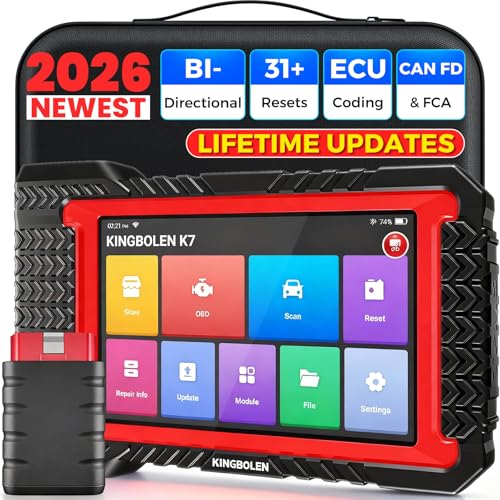
- No Annual Fees & 2026 Upgraded CAN FD: Why pay $199/year or more for updates? The 2026 newest Kingbolen K7 obd2 scanner features have been upgraded to Lifetime Updates without subscription fees, saving you significant costs in the long run. K7 scan tool also adds the CAN FD protocol for the latest GM models (2019+), enabling faster data transfer, reducing the risk of undetected errors
- 2026 Newest Top-tier Car Scanner: Kingbolen K7 diagnostic scan tool is equipped with most capabilities for daily repair/maintenance: Wireless diagnosis via Bluetooth, Bidirectional Test, ECU Online/Offline Code, 31+ Resets, PMI for Ford, Lincoln, Mazda, Global version for 100+ brand vehicles and 17 languages, no area limit, FCA AutoAuth
- OE-Level Full Systems Scan Tool: K7 professional diagnostic scanner with Auto Vin can do one-click to scan ECUs on most of vehicles, like pcm, ecm, eps, bcm, tpms, sas, a/c system... to read/clear code, view live data, freeze frame, read ecu info. 4-in-1 data stream graphics can make data viewing more intuitive. Detailed diagnostic reports will help you easily master the car situation as it can be shared by bluetooth or email! Adding workshop information can help your customers to know more
- Bidirectional Test/Active Test & ECU Code: Stop guessing and start fixing. Bidirectional scan tool Kingbolen K7 can perform real active test that can send commands to the vehicle's ECU to drive the actuators to work, like window, rear mirrors, sunroof, door, solenoids, wipers, headlamp, etc, helping you quickly find out bad parts and pinpoint faulty issues. K7 bidirectional scanner will be a good choice to save money and time on car repairs when performing complex maintenance and repair
- 31 Reset Functions: Avoid expensive dealership visits for simple services. Experience tells us that just a small repair service may cost a lot of money. Kingbolen K7 is a professional diagnostic scanner with 31 common maintenance services like Oil /SAS/EPB/TPMS Reset, Battery Matching, ABS Bleeding, Injector Code, etc. It effectively handles most of the car reset and relearning jobs, perfect for experienced DIYers and mechanics. Note: Functions in the menu vary across vehicles. Kindly check the compatibility before purchase
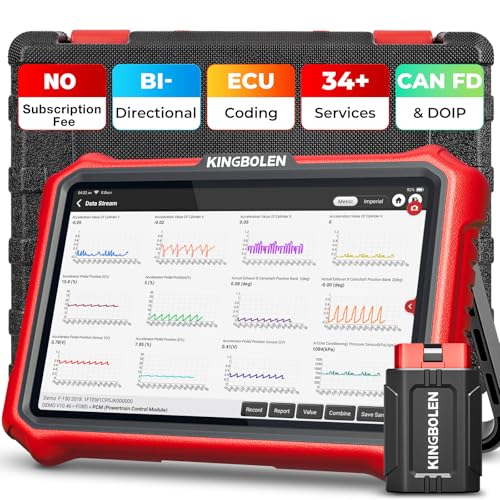
- 【Lifetime Database & Software Updates— No Subscription Fee, No Feature Lock, Save you $399/Y】KINGBOLEN K8 Pro's software can already be permanently upgraded and used for while software of other same price product still needs annual fee of almost $400. K8 pro scanner has packed all capabilities auto technicians would ever need for repair & maintenance services: Added CAN-FD & DOIP protocol, Bluetooth Wireless Diagnosis, Bidirectional Test, ECU Online/Offline Code & Guided Functions for VW, for Audi...34+ Restes, Autoauth for FCA SGW, Larger 4GB+64GB memory, 12600mAh battery, 8'' touch screen with 1280 * 800 Resolution. A Kickstand can allow the tablet to sit at a comfortable angle
- 【Newly Added CAN FD & DOIP Protocol】As Upgrade Version of Kingbolen K8, K8 Pro obd2 scanner supports CANFD and DOIP protocol, which will save you 200+ bucks as no need extra buy for special adapter. CANFD protocol suits for the latest GM(2019-), reducing the risk of undetected errors. The DoIP protocol (comes with DoIp cable) fits for 2017+ BMW(F&G chassis), for Jaguar & Land Rover after 2017, for Volvo after 2018. Plus, K8 Pro's Memory from 2G+32G expanded to 4G+64G, update period extended from 2 years to permanent
- 【34+ Hot Special Functions & V.A.G Guide】KINGBOLEN K8 pro bluetooth obd2 scanner covers almost all common services including Oil Reset, EPB, SAS, BMS Reset, ABS bleed, Throttle Reset, Suspension, Injector Code, Power Balance, Transmission Adaptation, Fuel Trim Learn, HVAC Control Module Calibrate, Language Change, A/F Settings, Stop/Start Reset, Crankshaft Sensor Relearn, TPMS, PMI function and etc. Imagine how much money and time you spend on car maintenance every year? K8 pro car scanner will be a good helper and saver for your car. V.A.G Guided function provides step-by-step guide to work for Volkswagen/Audi/Skoda. Note: Please send us model/year/vin to check compatibility before order
- 【Powerful Bidirectional Test/Active Test & ECU Code】As a bidirectional scan tool, KINGBOLEN K8 pro allows you to request information from a vehicle's ECU or send commands to the vehicle's modules to perform specific tests and functions, such as EVAP Tests, Turn on/off radiator fan, Window/Mirror/Door Lock Test, Pump and Value Tests, Sound horn Test, et. Without using the vehicle control system and dismantling car’s parts, it can quickly and accurately pinpoint the fault causes, simple operation saves time and money
- 【Wireless OE-Level All Systems Diagnostics】Equipped with Bluetooth VCI, you can do car diagnostics out of the car (up to 33F/10M) without being confined to a small space inside the car. Provides the convenience of Auto VIN, K8 pro allowing for easy access and diagnosis of all available modules on a wide range of vehicles, like PCM, ECM, BCM, TPMS, SAS, Fuel System, etc, to perform read/clear codes, view live data, freeze frame, perform active tests, and read ECU info... 12-In-1 Data Stream Graphics make data viewing more intuitive.Diagnostic reports can be shared via QR Code, Bluetooth or email.Built-in Browser and Fault Code Library allows you directly query the fault code when diagnosing
Last update on 2026-06-23 / Affiliate links / Images from Amazon Product Advertising API
This product presentation was made with AAWP plugin.