
NHTSA ID Number: 10159710
Manufacturer Communication Number: T-SB-0045-19
TSB/Document Date: 2019-05-13
Summary
TSB: Pre-Delivery Service (PDS) is a critical step in satisfying our new car customers. Customer feedback indicates the following areas deserve special attention when performing PDS. ? Careful inspection for paint chips/scratches and body dents/dings. ? Proper operation of electrical accessories. ? Interior cleanliness. ? Proper function of mechanical systems. Customer retention and proper maintenance of vehicles are and have always been a major focus for Toyota . To help remind customers that regular service is essential to the proper maintenance of the vehicles, dealers are required to install a service reminder sticker before delivery. By doing this, customers will be reminded to return to your dealership for service. Your current service reminder sticker may be used. (See PDS Check Sheet item 9 of ?Final Inspection and Cleaning.?) A new PDS Check Sheet has been developed for the 2020 model year Sienna. Some check points have been added, expanded, or clarified. Bulletins are available for items in bold type.
If the PDF is very large, it may not load in the preview below.
Some older TSBs had multiple PDFs — visit the NHTSA Website to view all PDFs.
If the TSB PDF does not show, download or view it on the NHTSA Website.
Click on the (+) Plus Sign
Then Click on Associated Document(s)

- 💝【Questions? We’re Here Anytime】MK808S is a...
- 🔥🔥🔥【2026 NEWLY RELEASED BI-DIRECTIONAL...
- 【28+ MOST POPULAR RESET SERVICE FOR 150 MAKES】Autel...
- 【ALL SYSTEM DIAGNOSTICS, FACTORY-LEVEL SCANNER】The...
- 【AUT0 SCAN & AUT0V1N, 10X FASTER】How much have you spent...


- 💯【Conta.ct us for Support Directly】If you met any...
- 🔥🔥🔥【2026 AUTEL FLAGSHIP MK900BT MK900-BT, NEW...
- 🚗【3000+ ACTIVE TESTS (50➡3000+), SAME AS MS...
- 🚗【40+ HOT SERVICES FOR 150 MAKES (28+➡40+)】Full...
- 🚗【OE ALL SYSTEM DIAGNOSE, AUTO SCAN 2.0: SCAN LICENSE...
This product presentation was made with AAWP plugin.
Search NHTSA Database for Recalls
Search NHTSA Database for Vehicle Investigations
View Latest Vehicle Investigations
Search NHTSA Database for Vehicle Complaints
View Latest Vehicle Complaints
TSB/Document ID: T-SB-0045-19
Replacement Service Bulletin Number:
MFR Communication Date: 2019-04-12
MFR Internal Campaign ID/Software Version:
Communication Type: Service Bulletin/Repair Instructions
NHTSA Components: EQUIPMENT:OTHER:OWNERS/SERVICE/OTHER MANUAL
MFR Component System:
MFR Component Subsystem:
Previous TSB | Next TSB |
T-SB-0045-19
April 12, 2019
2020 Sienna Pre-Delivery Service (PDS)
Service
Category
General
Section
Pre-Delivery Service
Market USA
Applicability
YEAR(S)
MODEL(S)
2020
Sienna
ADDITIONAL INFORMATION
Introduction
Pre-Delivery Service (PDS) is a critical step in satisfying our new car customers. Customer
feedback indicates the following areas deserve special attention when performing PDS.
Careful inspection for paint chips/scratches and body dents/dings.
Proper operation of electrical accessories.
Interior cleanliness.
Proper function of mechanical systems.
Customer retention and proper maintenance of vehicles are and have always been a major focus
for Toyota. To help remind customers that regular service is essential to the proper maintenance of
the vehicles, dealers are required to install a service reminder sticker before delivery. By doing this,
customers will be reminded to return to your dealership for service. Your current service reminder
sticker may be used. (See PDS Check Sheet item 9 of “Final Inspection and Cleaning.”)
A new PDS Check Sheet has been developed for the 2020 model year Sienna. Some check points
have been added, expanded, or clarified. Bulletins are available for items in bold type.
Warranty Policy
If the need for additional repairs or adjustment is noted during PDS, the required service should be
performed under warranty. Reimbursement will be managed under the warranty policy.
The Warranty Policy and Procedures Manual requires that you maintain the completed
PDS Check Sheet in the customer’s file. If you cannot produce a completed form for each
retailed vehicle upon TMS and/or Region/Distributor audit, the PDS payment amount will be subject
to debit.
An additional Repair Order completed in conjunction with normal PDS must have time punch/flags
for service. If multiple repairs are performed, separate time flags must be punched for each repair.
© 2019 Toyota Motor Sales, USA
Page 1 of 6
T-SB-0045-19
April 12, 2019
Page 2 of 6
2020 Sienna Pre-Delivery Service (PDS)
Warranty Information
OP CODE
DESCRIPTION
TIME
OFP
T1
T2
001013
Pre-Delivery Service (PDS)
1.0
–
–
–
Required Tools & Equipment
REQUIRED EQUIPMENT
SUPPLIER
Techstream 2.0*
Techstream Lite
PART NUMBER
QTY
TS2UNIT
ADE
Techstream Lite (Green Cable)
TSLITEPDLR01
1
TSLP2DLR01
*Essential SST.
NOTE
Only ONE of the Techstream units listed above is required.
Software version 14.00.019 or later is required.
Additional Techstream units may be ordered by calling Approved Dealer Equipment (ADE)
at 1-800-368-6787.
Before Inspection
When performing new car PDS, install the short pin before moving the vehicle from the
storage lot so that Functional Operation checks can begin as soon as the vehicle is moved
into the service stall.
1. Install short pin – see Check Sheet
2. Initialize power slide door* – see Repair Manual
3. Initialize power back door* – see Repair Manual
4. Initialize parking assist monitor system* – see Repair Manual
5. Initialize/update the Entune™ 3.0 App Suite Connect – T-SB-0008-19
Functional Operation
Apply parking brake, turn vehicle on (engine off), place gear selector in “R,” turn on lights and rear
defogger, unlock all doors, and release fuel door.
1. Check dome, courtesy, map, and sun visor lights*
2. Check warning/indicator lights, gauges, and horn
3. Check windshield wipers and washers
© 2019 Toyota Motor Sales, USA
T-SB-0045-19
April 12, 2019
Page 3 of 6
2020 Sienna Pre-Delivery Service (PDS)
Functional Operation (continued)
4. Check headlights, instrument lights, turn signals, emergency flashers, and brake lights
5. Check inside/outside rear view mirror operation/adjustment
6. Check USB and 12V power outlets
Check the power outlet using an electrical accessory designed for this use.
7. Check sliding roof(s)*
8. Add dealer contact information for Call Dealer head unit function – OM08037U
9. Check audio/navigation*/backup camera systems and set clock
For navigation, set the destination search area to local position.
10. Check Rear Seat Entertainment system operation*
11. Check Automatic Door Lock (ADL) function*
12. Install shift-lock override button cover
13. Check auto access seat* – see Repair Manual
Walkaround Inspection
Starting at the left front door, check window and door lock operation from master power switch, if
equipped. Continue around vehicle in a counterclockwise direction checking each door and window
operation, child door locks, seat belts, interior condition, all lights, and luggage compartment
contents. Finish by checking headlight aim.
1. Check smart key system* – see Repair Manual
2. Check door and door lock operation, including each wireless remote control/theft
deterrent system*
3. Check window operation
4. Check that engine starts with all keys
5. Check that child safety door locks are in normal (unlocked) position
6. Check seats and seat belt operation
7. Check rear defogger/rear view mirror defogger*
8. Check side marker, tail, backup, and license plate lights
9. Check luggage compartment light* and trim appearance
© 2019 Toyota Motor Sales, USA
T-SB-0045-19
April 12, 2019
Page 4 of 6
2020 Sienna Pre-Delivery Service (PDS)
Walkaround Inspection (continued)
10. Adjust spare tire pressure* and check jack and tool installation
NOTE
Compact spare tire – 60 psi (413 kPa).
11. Check headlight aim
Refer to the Repair Manual for procedures.
Under Hood
1. Check engine oil level
2. Check brake fluid level
Visually inspect using see-through reservoirs.
3. Check engine coolant level
4. Check windshield washer fluid level
5. Check battery State-Of-Charge (SOC) using digital battery system analyzer
Refer to Service Bulletin No. T-SB-0007-19, Battery Maintenance During PDS.
NOTE
Battery SOC should be a minimum of 75%. Please enter the SOC reading on the space provided on
the Check Sheet and attach the printout to the Check Sheet.
6. Inspect for fuel, oil, coolant, and other fluid leaks
Under Vehicle (On Hoist)
1. Remove disc brake anti-rust covers/anti-corrosion wheel film* – PD017-04
Visually inspect rotors for rust.
NOTE
For best rotor rust prevention, retain wheel film on vehicle until just before delivery to the customer.
2. Inspect tires for defects/damage (including spare tire*)
3. Initialize Tire Pressure Warning System (TPWS) – see Check Sheet
4. Install wheel covers/caps/spare tire wheel covers*
5. Inspect for fuel, oil, coolant, and other fluid leaks
6. Inspect under the vehicle for damage, rust, etc.
7. Visually check bolts and nuts on chassis and powertrain for looseness
8. Install rubber body plugs (stored in glove box or center console)*
© 2019 Toyota Motor Sales, USA
T-SB-0045-19
April 12, 2019
Page 5 of 6
2020 Sienna Pre-Delivery Service (PDS)
Road Test
A complete road test helps promote customer satisfaction. Drive vehicle over a variety of road
surfaces and driving conditions. Check for unusual noise and driving performance.
1. Check cold engine operation
Check starting and fast idle operation performance.
2. Check engine operation during warm-up
Check that engine operates smoothly during warm-up.
Check for unusual noise, engine vibration, rough idle, etc.
3. Check engine operation at normal operating temperature
Check engine performance over a broad range of driving conditions, including idle quality,
acceleration, cruise, and deceleration.
4. Check transmission operation
Check automatic transmission operation, if equipped, including operation in each range,
neutral start switch, and shift-lock system.
Check manual transmission operation, if equipped, including shift lever/linkage, operation in
each gear, and clutch engagement, disengagement, chattering, and unusual noise.
5. Check brake and parking brake operation
Check brake function, including unusual noise, parking brake performance, and all related
brake system indicator lights.
6. Check steering operation and off-center/vehicle pull/flutter
Check steering function.
Check steering off-center/vehicle pull/flutter.
7. Inspect for abnormal noise and vibration
8. Inspect for squeaks and rattles
9. Check front and rear* heater and A/C operation
10. Check cruise control operation*
Check cruise control, including ON-OFF switch, Set/Coast, Resume/Accel, and
Cancel functions.
11. Check front seat heater/ventilation operation*
12. Set/calibrate compass* – see Check Sheet
© 2019 Toyota Motor Sales, USA
T-SB-0045-19
April 12, 2019
Page 6 of 6
2020 Sienna Pre-Delivery Service (PDS)
Final Inspection and Cleaning
1.
Remove interior protective covers, unnecessary labels, tags, etc. (Remove protective covers
just before delivery to the customer)
Remove plastic covers from door panels, seats, head restraints, and sun visors, as required.
Remove labels, tags, and stickers (except those containing owner information).
NOTE
Consumer information labels, such as airbag information warning and bumper information labels,
must be left on the vehicle until delivery to a retail customer.
2.
Visually inspect all interior parts for installation, damage, fit, dirt, etc.
3.
Verify floor mat application and install using retaining clips* – T-SB-0158-18
4.
Verify green light is illuminated on SOS (Safety Connect) button*
5.
Remove Rapgard™ and clear protective bumper film*
Ensure that all glue residue is removed.
6.
Wash and clean vehicle
7.
Inspect paint finish for scratches, chips, rust, dents, damage, etc.
8.
Inspect exterior body parts for proper installation, damage, rust, etc.
9.
Place service reminder sticker on inside of windshield, top left corner
Complete the mileage or date recommendation and apply the service reminder sticker to the
inside of the windshield, top left corner. You may use your current service reminder sticker.
10. Place Owner’s Manual portfolio* in glove box
11. Install front license plate and mounting bracket* – see Check Sheet
12. Perform Techstream Health Check
Perform Health Check to ensure that Diagnostic Trouble Codes (DTCs) are not present.
Health Check results can be printed for the customer at delivery, or for the dealer file, using
the Diagnostic Report function.
13. Install receiver towing hitch cap*
*Inspect or install when equipped or required
© 2019 Toyota Motor Sales, USA
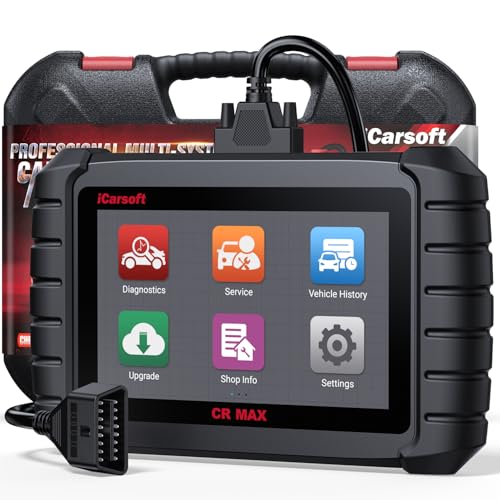
- WHY CHOOSE THE 2025 CR MAX -Upgrade the latest diagnostic capabilities for all vehicles after 1996: upgrade to 49+maintenance services; 46 extra specific functions; real all systems/all control modules diagnose; over 40K+ bidirectional actuation tests for diagnosing all control moduels of cars; Powerful full OBD2 Functions; built-in ECU Coding for BMW
 / Audi/ VW/ RollsRoyce; Fr ee V.A.G Guide Function; Battery retistration for new battery adaptation and more. It covers all vehicle diagnostic services and some special professional vehicle maintenance servces, assists you to do home DIY vehicle maintenance or car repair as a pro technician.
 - NEWEST IN INNOVATION FULL OBD2 SERVICES- iCarsoft auto car diagnostic scanner compatible with CAN-FD, CR MAX can do it all-reads and clears trouble codes, ALL SYSTEM DIAGNOSIS such as engine, transmission, ABS and airbag etc. CR MAX code reader for all cars can perform I/M Readiness, Live Data, Freeze Frame, Vehicle Information, Monitor Test, On-Board Monitor, E vap System Test,O2 Sensor Test,DTC Library Lookup,etc. (Warm Tips: If you car is after 2023,please contact us for compatibility; 3. It comes with 16PIN OBD2 diagnostic adapter, please check your car diagnostic socket if it is 16pin socket, if your car is 14pin diagnostic socket please contact us for the solution.)
- 49 RESET+ 46 SERVICES- Performs: Oil Reset, EPB,SAS,Throttle, D-P - F, Battery, ABS, Injector, TPMS, Suspension, AC, Head Lamp, Body Stablity, Engine, Tramsmission, Airbag, Seat, Door-Win-Roof, Fuel Pump, Door, E-G- R.+21 NEWEST SERVICES( Need update scanner)-AdBlue, Clutch, Crankshaft, High Voltage Battery, Cruise Control, NO xSensor, Rain Sensor, Stop And Start, Turbocharger, Head Up Display, Radar Camera, Vehicle Setup, Cyliner Misfire Check,Speedlimitassist, ControlUnitReset,OxygenSensor, Seatbelt. Extra 46+ extra services based on car brand.(Tips: Quantity of reset/ calibration fucitons are based on car system that your vehicle model has)
- REVOLUTIONARY 40000+BIDIRECTIONAL ACTIVE TESTS: Upgraded CR Max scanner equip with numberous of actuational test items for covering all available vehicle control modules, no longer only do simple light test or window test like other scanners, performs hardware modules test and software control modules test for checking car units or new updated control moduels work well or not after maintenance/ repair/ re-installation/ control system updated (Example for Benz- Roller Sun Blind test; Backup Camera test ;Self-test; EPB test; Transport Mode test;Boost Pressure Positioner test; Fuel Pump test; AND MORE!!).(Warm tip: The available test items are based on control modules your car has)
- ECU CODING+ BATTERY REGISTRATION- Powerful ECU Coding service for BMW/MINI/RollsRoyce / Audi/VW/Seat/Skoda/Bentley/Bugatti/Lamborghini, Improves Engine Power Performance and Optimizes Fuel Efficiency and Match New Hardware Unit to car and Customized a comfortable Driving Modes and Fixes & Updates Original Software Bug. The battery test function for checking car battery health, perform battery reset (BMS ) for replacing a damaged or aging car battery with a new one and register new battery to car ECU

- Scanner POR V2.0 with all obd2 services
- Do the scanning for engine
- Support OBDII/EOBD Ten Modes of Operation

- 【Designed for Most Mercedes-Benz, Sprinter and Smart from 1996-2023】As every car model of Benz has its-owned specific car system and ECUs, not all models are equipped with a complete vehicle ECU, which may cause the scanner to be unable to perform all listed reset services on some models, or even completely incompatible. Like For Sprinter's newer models, it support diagnostic functions only, lacking support for specialized service functions.. So please tell us the car's VIN and required service before purchase for compatibility check. You may also refer to the instructions in the eighth image of the main product photos to perform your inquiry.
- 【Up to 38 Reset Services】MB V3.0 2026 Version diagnostic tool performs Up to 38 maintenance services - Oil Rest , SAS, EPB, ETC, D-P-F, TPMS, ABS, Suspension, Air Conditioner, Head Lamp, Body Stability, Engine Control, Seat, Fuel Pump, Air-Filter, Engine Idle, Door, Im-mo-bilizer, Injector Coding, Transmission Control, Miscellaneous, Adblue, BMS, Cluth, Water Pump, NOxSensor, Rain/Light Sensor, Start/Stop, Radar/Camera, Cylinder Shutoff Test, Speed Limit Assist, Control Unit Reset, Oxygen Sensor, Seat Belt, Cruise Control System, Turbocharger, Crankshaft, Language Setting and etc. (Tips: Please update the software after receiving the product to obtain new service functions)
- 【OE-Level All System OBD2 Scanner】iCarsoft MB V3.0 (2026 Version) diagnostic scanner offers comprehensive OBDII services, allowing you to quickly scan all systems, including the Engine, ABS, SAS, SRS, TPMS, TCM, Fuel Pump System, ESP, EPB, EPS, Suspension, SCM, Adaptive Systems, and more. It supports functions such as reading and erasing codes, checking I/M readiness, viewing freeze frame data, performing O2 sensor tests, conducting on-board monitoring, testing the evap system, auto VIN retrieval, and reading both generic and specific codes, as well as DTCs and battery tests.
- 【Bidirectional Scan Tool】iCarsoft MB V3.0 (2026 Version) Bidirectional scanner supports activate or control a vehicle system or component, allows commanding cars’ modules and receiving info from the ECU to perform active tests on individual components, including EVAP/ABS Motor Pump/Windows/Sunroof and more, to pinpoint fault causes & resolve issues,and allows you to re-learn certain components after making repairs or replacement.
- 【Real Time Record & Graph View】iCarsoft MB V3.0 (2026 Version) can automatically record vehicle text history and identify vehicle information. Preserve real-time data information. View & Graph Live Data. Support Data Review and Print. Multi-language: English, German, Dutch, Spanish, French and so on. We promise to offer Lifetime updates (Lifetime free Update via PC), and confidence in products. We also provide 1 year warranty + extra lifetime hardware free repair if you need it in the future. We prioritize user experience & strive to meet your expectations. Please do feel free to reach out to us if you have any question or problem about the usage, our tech team will service you in time.
This product presentation was made with AAWP plugin.
Last update on 2026-05-12 / Affiliate links / Images from Amazon Product Advertising API