
NHTSA ID Number: 10155475
Manufacturer Communication Number: ST 1707 Rev C
TSB/Document Date: 2019-04-01
Summary
Service Tip regarding Troubleshooting Techniques for Low Power Complaints with Cummins ISB/ISL Engine
If the PDF is very large, it may not load in the preview below.
Some older TSBs had multiple PDFs — visit the NHTSA Website to view all PDFs.
If the TSB PDF does not show, download or view it on the NHTSA Website.
Click on the (+) Plus Sign
Then Click on Associated Document(s)

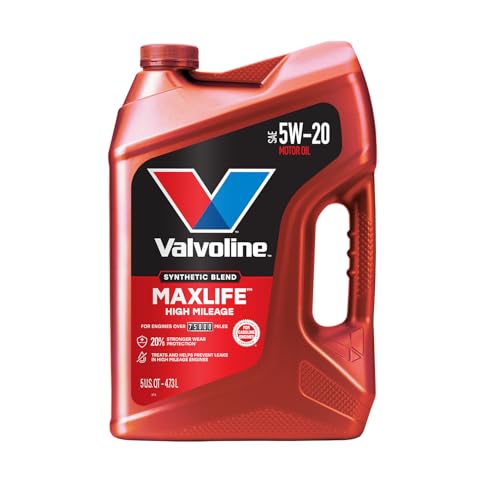
- MaxLife Technology prevents engine breakdown with 40% better...
- Includes seal conditioners to reduce oil consumption and oil...
- Added detergents reduce sludge, corrosion, rust and deposits...
- Advanced friction-fighting additives help maximize...
- Meets or exceeds all requirements of ILSAC GF-6A, API SP...
This product presentation was made with AAWP plugin.
Search NHTSA Database for Recalls
Search NHTSA Database for Vehicle Investigations
View Latest Vehicle Investigations
Search NHTSA Database for Vehicle Complaints
View Latest Vehicle Complaints
TSB/Document ID: ST 1707 Rev C
Replacement Service Bulletin Number:
MFR Communication Date: 2013-08-29
MFR Internal Campaign ID/Software Version:
Communication Type: Service Bulletin/Repair Instructions
NHTSA Components: ENGINE
MFR Component System:
MFR Component Subsystem:
Previous TSB | Next TSB |
Revisions to this document are noted
by a stripe in the lefthand margin
SUBJECT:
#1707, Rev. C
August, 2013
Page 1 of 12
Troubleshooting Techniques for Low Power Complaints with Cummins ISB/ISL Engine
MODELS AFFECTED:
Allison H 40/50 EP SystemTM
Introduction:
The purpose of this bulletin is to provide the Servicing Technician with additional information and troubleshooting
techniques in diagnosing engine low power complaints in conjunction with Diagnostic Trouble Codes (DTCs) in
the Main Code 17 & 65 category. Table 1 contains the Diagnostic Trouble Codes most often associated with a
low power complaint in the H 40/50 EP SystemTM.
Table 1. Diagnostic Trouble Codes Associated With Engine Performance
Description
DTC
Failure Record
PBSS Display
Lamp
1722
Engine Speed Profile
Mismatch
No
Yes
6512
Engine Controller Stop
Yes
No
Stop Engine Lamp
6513
Engine Controller
Warning
No
No
Check Engine Lamp
6514
Engine Controller
Malfunction Indicator
Lamp
No
No
6515
Engine Controller Protect
Yes
No
Flash Stop Engine Light
6516
Engine Protection
System Shutdown
Yes
Yes
Stop System (Stop Engine
Lamp) Disable Propulsion
6517
Engine Controller Idle
Shutdown
No
Yes
Flash Stop System
6523
Engine Torque
Verification
Yes
Yes
Stop System
6524
Engine Torque
Verification at Neutral
Yes
Yes
Check System
6525
Engine Failed to Crank
No
No
6526
Engine Performance
Yes
Yes
WBD / SL5581EN
69323
Copyright © 2013 Allison Transmission, Inc. All Rights Reserved.
#1707, Rev. C
August, 2013
Page 2 of 12
Diagnostic Trouble Code (DTC) Descriptions:
DTC 1722
Engine Speed Profile Mismatch
Description: This DTC will be logged when a deviation (greater than 200 rpm) is detected between the Requested
Engine Speed and Actual Engine Speed.
Service: Retrieve the engine Fault Code(s) and refer to the Fault Code troubleshooting tree(s) in the appropriate
Cummins Troubleshooting and Repair manual.
NOTE: The H 40/50 EP SystemTM overspeed faults (codes with a main code of 81) may be logged
in conjunction with this code.
DTC 6512
Engine Controller Stop
Description: This DTC is logged when the engine has or will shutdown. The engine sends an Engine Controller
Stop message to the hybrid system indicating that it has detected a fault associated with the engine and will
illuminate the stop engine lamp. Typically, the engine will shutdown to protect hardware from extreme conditions,
i.e. engine overheat or low oil pressure.
Service: The Engine Control Module (ECM) will have stored a Fault Code associated with this condition. Retrieve
the engine Fault Code(s) and refer to the Fault Code troubleshooting tree(s) in the appropriate Cummins
Troubleshooting and Repair manual.
NOTE: The H 40/50 EP SystemTM does not shutdown the engine or illuminate any dash lamps during
this diagnostic condition.
DTC 6513
Engine Controller Warning
Description: This DTC is logged when the engine sends an Engine Controller Warning message to the hybrid
system indicating that it has detected a fault associated with the engine and will illuminate the check engine lamp.
Service: The engine ECM will have stored a Fault Code associated with this condition. Retrieve the engine
Fault Code(s) and refer to the Fault Code troubleshooting tree(s) in the appropriate Cummins Troubleshooting
and Repair manual.
NOTE: The H 40/50 EP SystemTM does not shutdown the engine or illuminate any dash lamps during
this diagnostic condition.
DTC 6514
Engine Controller Malfunction Indicator Lamp
Description: This DTC is logged when the engine sends a message to the hybrid system indicating that it has
detected a fault associated with the engine and will illuminate the Malfunction Indicator Lamp (MIL).
Service: Typically, the MIL is illuminated when a diagnostic condition exists associated with the emission control
system of the engine. The engine ECM will have stored a Fault Code associated with this condition. Retrieve
the engine Fault Code(s) and refer to the Fault Code troubleshooting tree(s) in the appropriate Cummins
Troubleshooting and Repair manual.
Copyright © 2013 Allison Transmission, Inc. All Rights Reserved.
#1707, Rev. C
August, 2013
Page 3 of 12
NOTE: The H 40/50 EP SystemTM does not shutdown the engine or illuminate any dash lamps during
this diagnostic condition.
DTC 6515
Engine Controller Protect
Description: This DTC is logged when the engine sends an Engine Controller Protect message to the hybrid system
indicating that it has detected a fault associated with the engine that may warrant an engine shutdown condition.
Service: The engine ECM will have stored a Fault Code associated with this condition. Retrieve the engine
Fault Code(s) and refer to the Fault Code troubleshooting tree(s) in the appropriate Cummins Troubleshooting
and Repair manual.
NOTE: The H 40/50 EP SystemTM does not shutdown the engine or illuminate any dash lamps during
this diagnostic condition.
DTC 6516
Engine Protection System Shutdown
Description: This DTC is logged when the engine has detected a condition that warrants an engine shutdown (i.e.
engine overheat or low engine oil pressure).
Service: The engine ECM will have stored a Fault Code associated with this condition. Retrieve the engine
Fault Code(s) and refer to the Fault Code troubleshooting tree(s) in the appropriate Cummins Troubleshooting
and Repair manual.
DTC 6517
Engine Controller Idle Shutdown
Description: Engine controller idle shutdown is an adjustable engine parameter setting. The setting is customer
programmable and designed to shutdown the engine while in neutral at idle after a specified period of time.
Service: Engine controller idle shutdown must be disabled with the H 40/50 EP SystemTM (see Customer
Adjustable Engine Parameter Settings). The Customer Adjustable Engine Parameters can be verified using the
Cummins INSITE tool.
DTC 6523
Engine Torque Verification
Description: This DTC is logged when there is a large deviation (greater than 500 N∙m) between reported and
estimated engine torque while in Forward or Reverse. Either the engine is not producing enough torque or the
engine is producing too much torque.
Service: There may not be an ECM code associated with this condition. Refer to the Engine Performance
Troubleshooting Tree in the appropriate Cummins Service Manual.
DTC 6524
Engine Torque Verification at Neutral
Description: This DTC is logged when there is a large deviation (greater than 500 N∙m) between reported and
estimated engine torque while in Neutral. This condition will inhibit Neutral to range shifts. Either the engine is
not producing enough torque or the engine is producing too much torque.
Service: There may not be an ECM code associated with this condition. Refer to the Engine Performance
Troubleshooting Tree in the appropriate Cummins Service Manual.
Copyright © 2013 Allison Transmission, Inc. All Rights Reserved.
#1707, Rev. C
August, 2013
Page 4 of 12
DTC 6525
Engine Failed to Crank
Description: This DTC is logged if the engine is unable to increase its speed by 25 rpm above the engine cranking
speed of 600 rpm (above 32°F transmission sump temperature) or 820 rpm (below 32°F transmission sump
temperature), after 10 seconds of cranking. The maximum engine cranking duration is 30 seconds.
Service: Refer to the Engine Performance Troubleshooting Tree in the appropriate Cummins Service Manual.
Refer to Allison SIL 2EP07 and Troubleshooting Manual TS3715EN.
DTC 6526
Engine Performance
Description: This DTC code is logged when the engine is not producing the requested torque as measured by the
H 40/50 EP SystemTM. The H 40/50 EP SystemTM will respond by reducing system performance (output torque)
in proportion to the engine performance reduction.
There are three conditions that will log this code:
Condition 1: Engine has a problem that is diagnosable (e.g. High engine temperature, low oil pressure) and
cannot produce the requested engine torque. Since this condition is diagnosable, the engine still reports
the actual engine torque to the hybrid system. In most cases, the ECM will have logged a Fault Code.
Retrieve the engine Fault Code(s) and refer to the Fault Code troubleshooting tree(s) in the appropriate
Cummins Troubleshooting and Repair manual.
Condition 2: The engine has a problem that is NOT diagnosable by the ECM (e.g. Low fuel pressure,
sticking/damaged exhaust brake valve) and cannot produce the torque requested by the hybrid system. The
ECM may not log a Fault Code under these conditions. Refer to the Engine Performance Troubleshooting
Tree in the appropriate Cummins Service Manual.
Condition 3: Engine has a problem that is NOT diagnosable (e.g. damaged injectors) and cannot produce the
engine torque requested by the hybrid system. This condition is NOT diagnosable and the engine reports the
incorrect engine torque to the hybrid system. There will not be an ECM code associated with this condition.
Refer to the Engine Performance Troubleshooting Tree in the appropriate Cummins Service Manual.
Condition 3 Note: This DTC is different from 6523: Engine Torque Verification diagnostic. The Engine Torque
Verification fault logic is insensitive to minor and medium engine torque reduction problems and only detects
when there is a major torque reduction/increase from the engine (greater than 500 N∙m).
Allison DOC® for PC–Service Tool (H 40/50 EPTM) Troubleshooting Techniques:
Allison DOC® for PC–Service Tool (H 40/50 EPTM) can be used to view Requested Engine and Actual Engine
Output Torque and Speed. Using the Strip Chart function, the parameters can be plotted and reviewed to assist in
diagnosing vehicle low power complaints.
Recording a Snapshot with Allison DOC®:
Connect the laptop and necessary communication hardware to the vehicle diagnostic port.
1. Launch Allison DOC® for PC–Service Tool (H 40/50 EPTM) by double clicking the icon on the desktop.
2. Connect to the vehicle and press F6 (Fire Trigger) to begin recording.
3. Operate the vehicle while in range until the code becomes active or the low power condition is experienced.
4. Press F7 (Stop Recording) and save the Snapshot for replay and analysis.
Playback of a Snapshot with Allison DOC®:
1. Launch Allison DOC® for PC–Service Tool (H 40/50 EPTM) by double clicking the icon on the desktop.
Copyright © 2013 Allison Transmission, Inc. All Rights Reserved.
#1707, Rev. C
August, 2013
Page 5 of 12
2. Select the Snapshot / Playback / Open Playback File feature on the top toolbar and open the Snapshot
previously saved.
3. Select the Diagnostic button or press F3 and select Strip Chart. The Strip Chart Configuration screen
will appear.
4. Scroll to the Engine Information category, and highlight the parameters desired (i.e. Requested Engine
Torque, Actual Engine Torque). Select the Add button to add the desired parameters to the graph.
5. Once parameter selection is complete, select the OK button to plot the Strip Chart.
6. Monitor Actual Engine performance vs. Requested Engine performance. Under normal circumstances the
Actual Engine Torque will meet the Requested Engine Torque with some initial lag due to turbo spool
up. Figure 1 provides a representation for a typical Requested Engine Torque vs. Actual Engine Torque
acceleration scenario.
7. When Actual Engine Torque does not meet the Requested Engine Torque, vehicle performance will be
degraded and H 40/50 EPTM output torque will be reduced. Figure 2 provides a representation for a typical
Requested Engine Torque vs. Actual Engine Torque acceleration scenario where the engine is not capable of
providing the requested torque.
Figure 1. Allison DOC® Strip Chart of Engine Meeting Hybrid Torque Request
Copyright © 2013 Allison Transmission, Inc. All Rights Reserved.
#1707, Rev. C
August, 2013
Page 6 of 12
Figure 2. Allison DOC® Strip Chart of Engine Not Meeting Hybrid Torque Request
Customer Adjustable Engine Parameter Settings:
There are many customer adjustable parameters within the electronic control unit of heavyduty engines. Several
of these impact the operation of the H 40/50 EP SystemTM. They must be set appropriately for optimal performance
of the entire vehicle propulsion system. Engine settings for these customer adjustable parameters that affect the H
40/50 EP SystemTM operation are provided below by engine model year. These lists do not contain all the customer
adjustable parameters for the given engine but only those that impact the operation of the H 40/50 EP SystemTM.
The remaining parameters are to be assigned by the vehicle OEM or the enduser customer.
CAUTION: For H 50 EP SystemTM installations, the Customer Adjustable Engine Parameters and Values
must be set exactly as shown in the table below. If the engine parameters and values are not set as
shown, system performance may be affected or system damage could occur. Do NOT modify the listed
parameters and values for use with other vehicle systems.
Copyright © 2013 Allison Transmission, Inc. All Rights Reserved.
#1707, Rev. C
August, 2013
Page 7 of 12
Table 2. Cummins ISB and ISL (2013)
Accelerator Interlock
Disable
Adjustable Low Idle Speed
Low Idle Speed
700 or 750 rpm (must be same as CSS selection)
Low Idle Speed Adjustment Switch
Disable
Aftertreatment
Aftertreatment Diesel Particulate Filter
Diesel Particulate Filter Regeneration Permit Switch
Enabled (for vehicles with HUSHTM mode; otherwise, no
preference)
Alternator Failure Warning
Alternator Speedup
Disable
Clutch Pedal Position Switch
Not Installed
Disable
Cruise Control and Engine Brake Interaction
Disable
Engine Brake Control
Delay Time
0.0 Seconds
Engine Brake Type
Exhaust Brake OR Variable Geometry Turbo
Minimum Vehicle Speed
0.0 mph
Clutch Pedal Activation
Disable
Service Brake Activation
Disable
Fan Control
Fan on With Engine Brake
Disable
Fast Idle Warmup
Disable
Gear Down Protection
Disable
Governor Type
Governor Type
Automotive
Governor Type Switch
Disable
Idle Shutdown
Disable (refer to 6.6)
J1939 Controls
J1939 Stop Broadcast Allowed
Disable
Powertrain Protection
Disable
PTO
Disable
Road Speed Governor
Maximum Accelerator Vehicle Speed
Set to 130 mph or maximum allowed
Maximum Vehicle Speed
Set to 130 mph or maximum allowed
Switched Maximum Vehicle Speed
Disable
SAE J1939 Multiplexing
Copyright © 2013 Allison Transmission, Inc. All Rights Reserved.
#1707, Rev. C
August, 2013
Page 8 of 12
Table 2. Cummins ISB and ISL (2013) (cont’d)
Accelerator Pedal or Lever Position
Enable
Source Address
3 Transmission #1
Aftertreatment Regeneration Permit Switch
Disable (Enable only for vehicles with HUSHTM Mode)
3 – Transmission #1 * (only for vehicles with HUSHTM Mode)
Source Address
Enable (only for vehicles with HUSHTM Mode)
Auxiliary Shutdown Switch
Source Address
3 Transmission #1
Enable for vehicles that are configured to "Use engine cooling
fan for auxiliary braking" and/or have the transmission cooler
stacked with the engine cooler (Vehicle Fan Configurations 1
& 2 on the CSS form)
Fan Control Switch
Source Address
3 Transmission #1
Idle Validation Switch
Enable
Source Address
3 Transmission #1
Switched Maximum Engine Operating Speed
Disable
Transmission Setup
Top Gear Transmission Ratio
0.5
Transmission Type
Automatic

- [2026 Top-Tier Hardware and Software Upgrade]: Topdon ArtiDiag900 Lite scanner has enhanced hardware and latest features, including Android 11.0, 5x faster CPU, 10000mAh battery for 12 hours of continuous operation, stable wireless diagnosis with Bluetooth 5.0, 8-inch touchscreen. Added bi-directional control, wireless diagnosis, battery testing (optional), and DTC repair guide
- [TOPDON Bidirectional Scan Tool]: This bidirectional obd2 scanner sends commands to the vehicle's ECU for active testing, enabling users to accurately and quickly locate faulty components such as injectors, coolant pumps, windows, wipers, headlights, mirrors, etc. The bidirectional control scanner is the ideal choice for workshops/automotive repair shops as it significantly reduces mechanic's diagnostic time.
- [Wireless Bluetooth Diagnostic Experience]: The AD900 Lite scan tool comes with a Bluetooth 5.0 VCI, supporting a wireless diagnostic range of up to 33 feet (10 meters), allowing you to diagnose without being confined to cables or tight spaces. Stable and fast wireless diagnosis provides a comfortable repair environment. It also offers VCI cables to increase connectivity options.
- [DTC Repair Guide Function]: Easily diagnose issues with your vehicle and receive guidance on repairs with the topdon scan tool's fault code definitions for all systems,maximize your diagnostic capabilities. This function is compatible with Chrysler
 /Dodge/Jeep/Fiat 2010-2014 and expanding with continual updates,the AritDiag 900 Lite car diagnostic scanner is the must-have tool for any technician or DIY enthusiast.
 - [OE-Level Full System Diagnostics]:AritDiag900 Lite full system diagnostic scanner can scan ALL available modules(Engine, Transmission, Airbag, ABS, ESP, TPMS, Gateway, Steering, Radio, Air conditioning, ect.) to✔read ECU info, ✔read/clear codes, ✔view live data stream, ✔retrieves freeze-frame, ✔perform active tests, and more. With just a simple click, it provides you with accurate and in-depth diagnostics.

- Dual WiFi & 10.1" Touchscreen: Provides a stable, high-speed wireless link 3x faster than bluetooth, and a responsive, professional interface. Topdon ONE obd2 scanner diagnostic tool ensures smooth, non-lagging diagnostic scan, boosting mechanic efficiency
- J2534 Pass-Thru Support: The included ONE VCI supports the J2534 standard, allowing it to function as a pass-thru device when paired with OEM diagnostic software.Through TOPDON’s RLink platform, technicians can perform dealer-level coding, expanding in-house capabilities without investing in multiple factory automotive scan tools
- OE Topology Mapping: Visualize the vehicle’s ECU network exactly as it’s built.Zoom, pan, and highlight specific modules to pinpoint component issues with precision.Topology mapping displays real-time communication between modules
- Topfix AI Assistant: Covers 5 million plus fault codes and delivers instant causes, symptoms, and repair guidance with professional wiring diagrams for each code.Slashes diagnostic time, boosts first-time fix accuracy, and increases shop revenue
- 50 Plus Service Functions: Covers high-demand services like ADAS calibration, DPF regen, TPMS reset, ABS bleed, and throttle adaptation.Expands your service menu, allows you to charge premium rates, and turns away zero jobs due to lack of tooling. Vehicle-specific functionality may vary.

- Bi-Directional Control, Quickly Locate Problems: Turn your phone into a professional diagnostic tool. You can send commands from your phone to the ECU to test injectors, cooling fans, headlights, A/C clutch, windows, wipers, and more. See which one doesn't respond. Helps you quickly locate the problem and save time. No need to tear things apart, avoid blind disassembly.
- Full System Diagnostics, No Fault Hides: Unlike basic diagnostic tools that only cover 4 systems, TopScan can scan all systems. Read and clear trouble codes, view live data streams, and generate a complete vehicle health report – all issues are clear at a glance. Covers 10,000+ vehicle models and is compatible with 99.99% of vehicles.
- Flexible Subscription, Choose Advanced Features as Needed: TopScan Lite provides free-for-life access to core diagnostics, including full system scan, code reading, performance tests, and repair information. After purchase, advanced features (bi-directional control, service operations, live data, code clearing, and AI functions) are free-for-the-first-year. After the first year, if you want to use advanced features, you need to subscribe on a monthly, quarterly, or yearly basis. As new models and reset functions are updated, the tool will also be continuously upgraded.
- AI Assistant - TopFix: Think of TopFix as your personal AI mechanic. It leverages a repair database and OEM data to deliver clear, step-by-step repair solutions. Features include AI Q&A, one-click translation, and a full repair log, making your diagnostic process simpler and more efficient.
- 8+ Hot Resets, Keep Your Car in Top Shape: One-tap resets for oil, throttle, EPB, steering angle, DPF, ABS, BMS, and airbag. It enables car owners to easily perform essential maintenance, ensuring the vehicle stays in optimal condition and extends its service life.
This product presentation was made with AAWP plugin.
Last update on 2026-05-11 / Affiliate links / Images from Amazon Product Advertising API