
NHTSA ID Number: 10152511
Manufacturer Communication Number: NTB15-011b
TSB/Document Date: 2019-01-07
Summary
NISSAN CONNECT NAVIGATION SYSTEM SOFTWARE UPDATE This bulletin applies only to vehicles equipped with a navigation system. This bulletin has been amended. See AMENDMENT HISTORY on page 9. Please discard previous versions of this bulletin.
Classification:
Reference:
EL15-005b
Date:
NTB15-011b
November 1, 2018
NISSAN CONNECT NAVIGATION SYSTEM SOFTWARE
UPDATE
This bulletin has been amended. See AMENDMENT HISTORY on page 9.
Please discard previous versions of this bulletin.
2014-2015 Altima (L33)
APPLIED
2014-2015 Rogue (T32)
VEHICLES,
VIN & DATE: 2014-2015 Sentra (B17)
2014-2015 Xterra (N50)
2015 Titan (A60)
2015-2016 NV (F80)
2015-2016 NV200 (M20)
2015-2016 Versa Sedan (N17)
2015-2016 Versa Note (E12)
2015 Juke (F15)
2015 Taxi
2014-2015 Frontier (D40)
2016 Frontier (D40) - Vehicles built before:
1N6(*)D0(***)GN 727602 // January 4, 2016
Equipped with navigation system ONLY
IF YOU CONFIRM
On an Applied Vehicle, one or more of the following is occurring:
A status message “Update Failed !” is displayed with a direction to “Insert update
media” while a countdown from 60 is displayed. The audio system then reboots
(Nissan Logo appears), and then will restart the countdown.
The center display screen (navigation screen) intermittently goes blank (nothing is
displayed) for a few seconds or longer and then returns to normal display.
Continuously reboots (Nissan Logo appears after a loss of sound or freeze
condition).
XM channel selection is sometimes not working as normal or shows “XM loading” for
long periods of time.
Audio sometimes is not working.
Sound levels for balance, fader, treble, or bass do not correspond to what is displayed
by the audio unit after the ignition is cycled.
Example: While the “adjusted balance” shown on the audio unit indicates that the
sound is balanced 100% to the rear, the actual listening level is at 50/50.
Connected iPod freezes after using “Source” button or changing tracks.
Audio preset buttons do not respond when selected.
Calls unintentionally change from “hands free” to “handset”.
And
The Software version has been confirmed as “not current” (refer to page 4).
Nissan Bulletins are intended for use by qualified technicians, not 'do-it-yourselfers'. Qualified technicians are
properly trained individuals who have the equipment, tools, safety instruction, and know-how to do a job
properly and safely. NOTE: If you believe that a described condition may apply to a particular vehicle, DO
NOT assume that it does. See your Nissan dealer to determine if this applies to your vehicle.
1/11
ACTION
Perform the SERVICE PROCEDURE, beginning on page 3, and reprogram the Navigation
system with the USB memory stick shown in Figure A.
A reprogramming software USB memory stick is required for this procedure.
Each dealer has been mailed one
USB memory stick (Figure A) free of
charge, from Bosch. Please discard
any old USB memory sticks with the
previous software version.
If a replacement USB memory stick is
needed due to loss or damage, one
can be ordered through Bosch by
emailing:
nissan.dealers@us.bosch.com
Figure A
Include the following when emailing for a replacement USB:
Bulletin Number
Date
Dealer Number
Mailing Address:
Dealer Name
Address and Street
City
State
Zip Code
Order Placed By
(your name)
Order No.: (See Figure 2 on page 4)
Current audio unit Software version
(See Software in Figure 2 on page 4)
Customer Concern
Reason for request (choose one)
2/11
Received defective USB stick
Did not receive initial USB stick
Lost USB stick (additional charge)
Damaged USB stick (additional charge)
Requesting additional USB stick
(additional charge)
NTB15-011b
SERVICE PROCEDURE
1. Connect the GR8 - set to power supply mode - to the vehicle battery so that the battery
will not lose its charge during the procedure.
NOTE: This reprogram will take 35 minutes after the Update button has been selected.
2. Set the parking brake.
3. Cycle the ignition to ON, engine OFF.
4. Turn ON the hazard lights to prevent the BCM from going into battery saver mode.
IMPORTANT: The hazards must remain ON until the software update has been
completed.
5. If the status message “Update Failed !” is displayed with the direction to “Insert update
media” while a countdown from 60 is displayed or the audio unit continuously reboots
(restarts), insert the USB memory stick and then proceed to step 16. Otherwise,
continue to step 6.
6. Write down the radio settings.
PRESETS
AM
FM 1
FM 2
SAT 1
SAT 2
SAT 3
BASS
1
2
TREBLE
3
BALANCE
3/11
4
FADE
5
6
SPEED SEN.
VOL.
NTB15-011b
Check the Software Version
7. Turn the audio system OFF.
8. Access the SERVICE MENU.
a. Push and hold the APPS button.
b. Turn the TUNE-SCROLL knob as follows:
Counterclockwise 3 or more clicks, then
Clockwise 3 or more clicks, then
Counterclockwise 3 or more clicks, then
Clockwise 3 or more clicks, then
Repeat the above turns until the SERVICE MENU screen is displayed (see
Figure 1, below).
9. Select Version.
Select Version
Figure 1
10. Check the Software version.
If the Software version is
A040, B155, D025, D207,
D209 or D322, proceed to
step 11.
XXXX
Check
Software
version
If the version is anything other
than A040, B155, D025, D207,
D209 or D322, this bulletin
does not apply. DO NOT install
the USB memory stick.
Figure 2
4/11
NTB15-011b
Reprogram Using the USB Memory Stick
11. Select Update System Software.
Select
Update System Software
Figure 3
12. Insert the USB memory stick into the
audio system USB port and select OK.
Select OK
Figure 4
13. Wait for the APPLICATION screen to
appear (Figure 5).
14. Make sure the Current Version and
Media Version are different.
If the versions are the same, this
bulletin does not apply.
NOTE: The media version should be
D407 to proceed.
D407 1662_141212
Select
Update
15. Select Update.
Figure 5
NOTE: After selecting Update, the
screen will go black for up to 1 minute.
This is a normal part of the update.
5/11
NTB15-011b
16. Wait until the update is complete (this
can take up to 35 minutes).
The screen in Figure 6 will be
displayed.
IMPORTANT: If directed to skip here
from step 5, it may take 3-5 minutes
before the USB memory stick is
recognized, and then Figure B may
be displayed before the update
begins. DO NOT remove USB
memory stick during this process.
Figure 6
Figure B
17. When Figure 7 is displayed, remove
the USB memory stick to complete
the update.
This will cause the system to
restart, which may take up to 1
minute.
Do not turn the ignition OFF yet.
Figure 7
Proceed to the next page.
6/11
NTB15-011b
No SD Card Inserted Message displayed
18. Does the message “No SD card is
inserted. Please use a Nissan SD card
only” display (Figure 8)?
If Yes:
a. Eject the SD card from the audio unit
and then reinsert it.
b. After the SD card is re-inserted, the
“APPLICATION” screen (Figure 9)
will display. Select Update.
Figure 8
c. The update will take about 1 minute
to complete and will display Figure
10.
d. The message “Download successful.
System will reboot now” will display
and audio unit will reboot (Figure 11).
Select Update
e. The Nissan logo will display.
f. After the audio unit has rebooted,
proceed to Confirm the Software
Version Has Changed on page 8.
Figure 9
If No:
Is the “APPLICATION” screen displayed
(Figure 9)?
Yes:
a. Select Update.
b. The update will take about 1 minute
to complete and will display Figure
10.
Figure 10
c. The message “Download successful.
System will reboot now” will display
and audio unit will reboot (Figure 11).
d. The Nissan logo will display.
e. After the audio unit has rebooted,
proceed to Confirm the Software
Version Has Changed on page 8.
No:
Proceed to Confirm the Software
Version Has Changed on page 8.
Figure 11
7/11
NTB15-011b
Confirm the Software Version Has Changed
19. Access the SERVICE MENU.
a. Push and hold the MENU button.
b. Turn the TUNE-SCROLL knob:
Counterclockwise 3 or more clicks, then
Clockwise 3 or more clicks, then
Counterclockwise 3 or more clicks, then
Clockwise 3 or more clicks, then
Repeat the above turns until the SERVICE MENU screen is displayed (see
Figure 12).
20. Select Version.
21. Check the Software version.
If the version is now D407, proceed
to step 22.
If the version is still A040, B155,
D025, D207, D209 or D322, install
the reprogramming USB memory
stick again (steps 11 through 18)
and then perform steps 19-21 for
“Confirm the Software Version
Has Changed”.
Select Version
Figure 12
D407
Check
Software
version
22. Reset the radio settings, and turn the
hazard lights OFF.
23. Print the instructions on pages 10 and
11, and either place on the customer
seat or attach it to the customer’s
receipt.
Figure 13
IMPORTANT: Instruct the customer to go into their Bluetooth phone settings and perform
the actions below.
Select delete/erase the vehicle from their phone’s Bluetooth menu for the current
pairing of their phone and vehicle.
Then, re-pair the phone.
If the above is not completed, the phone may no longer connect with the vehicle
while attempting to pair the phone to the vehicle.
8/11
NTB15-011b
CLAIMS INFORMATION
Submit a Primary Operation (PO) type claim using the following claims coding.
OPERATION
OP CODE
SYM
DIAG
FRT
Reprogram Navigation
RX4XAA
ZE
32
0.5
AMENDMENT HISTORY
PUBLISHED DATE
REFERENCE
DESCRIPTION
September 9, 2015
NTB15-011
Original bulletin published.
February 10, 2016
NTB15-011a
APPLIED VEHICLES section revised.
November 1, 2018
NTB15-011b
Page 2 revised, and Bosch form removed.
9/11
NTB15-011b
Congratulations, your new software update has added a new feature called
“SXM Smart Favorites”.
Follow these instructions to use your new feature.
Smart Favorites Preset Setup
The Smart Favorites feature allows the user to designate presets, within the SXM1, SXM2
and SXM3 bands, as their Smart Favorites. When any of the Smart Favorite presets are
selected, the current track on that station will play from the beginning of the song.
To program a Smart Favorite preset:
1. Press the SXM button.
2. Touch the “Setup” key.
3. Touch the “Tune Start” key to activate (ON) or deactivate (OFF) Smart Favorites.
4. Touch the “Add Preset” key to select an available preset.
For additional information regarding preset memory options, please see the Owner’s
Manual for your model and year vehicle.
NOTE:
Smart Favorites will start functioning only after the audio unit is turned on for
a few minutes.
Tune Start is supported for music channels only.
Figure A
10/11
NTB15-011b
Replay Screen
The Replay Screen gives the user the ability to replay, skip, pause or rewind the currently
aired track.
When the “Replay” key is pressed (Figure A), the Replay Screen (Figure B) is prompted.
REPLAY
To replay a track from the beginning, press the
The user can continue to press the
seek button to replay previous songs, but
can only go back as far as the system permits.
The system will warn the user when they cannot skip any further back by displaying
“At the End” in the bottom left corner of the screen.
seek button.
SKIP
To skip a track, press the
track button. “Live” will appear in the bottom left
corner of the screen indicating the difference from play time to live audio.
PAUSE
To pause a track, press the
pause button.
REWIND/ FAST FORWARD
To rewind/ fast forward a track, hold the
or
seek/track button.
Figure B
11/11
NTB15-011b


- Advanced VCI Box, Industry-leading J2534 Pass-Thru...
- High-Speed OEM-Level Diagnostics & Programming: Unlock true...
- Coverage for 17 Car Brands & Ultra Reliability: Works...
- User-Friendly RLink Platform & Expert Support: TOPDON’s...
- 6.6 ft USB-C Cable & Portable Storage Case: The RLink J...
Last update on 2026-06-23 / Affiliate links / Images from Amazon Product Advertising API
If the PDF is very large, it may not load in the preview below.
Some older TSBs had multiple PDFs — visit the NHTSA Website to view all PDFs.
If the TSB PDF does not show, download or view it on the NHTSA Website.
Click on the (+) Plus Sign
Then Click on Associated Document(s)
Search NHTSA Database for Recalls
Search NHTSA Database for Vehicle Investigations
View Latest Vehicle Investigations
Search NHTSA Database for Vehicle Complaints
View Latest Vehicle Complaints
TSB/Document ID: NTB15-011b
Replacement Service Bulletin Number:
MFR Communication Date: 2018-11-01
MFR Internal Campaign ID/Software Version:
Communication Type: Service Bulletin/Repair Instructions
NHTSA Components: EQUIPMENT:ELECTRICAL:NAVIGATIONAL SYSTEM(GLOBAL POSITIONING SYSTEM)
MFR Component System:
MFR Component Subsystem:
Previous TSB | Next TSB |

- Stay Updated with Lifetime Access: This obd2 scanner includes lifetime free software updates for all app service functions. With a single payment, enjoy full access to diagnostics, reset tools, and maintenance features — zero subscription fees. A budget-friendly choice for weekend mechanics, home car owners, and DIYers, supporting vehicles from 1996 onward. Come to us with your VIN to check compatibility.
- Full Bidirectional Control/Active Tests & Stable Wireless Connectivity: This car code reader features full bidirectional control, allowing you to send commands to the vehicle's ECU for active tests on components such as fuel pumps, injectors, A/C clutches, windows, sunroofs, and more. This car scanner diagnostic tool helps DIYers quickly diagnose and test vehicle parts, cutting down troubleshooting and repair time. With BT 4.0 wireless connectivity, you can enjoy cable-free diagnostics up to 33 feet. Stand in your garage and test windows, wipers, or even engine components—all without needing to move around your car.
- Portable Car Scanner with 26 Special Functions: Scheduled vehicle maintenance with the A30M car diagnostic scanner can keep your vehicle in peak condition and save you big on dealership trips. The XTOOL A30M obd2 scanner diagnostic tool features essential reset and relearn functions, such as Oil Reset, EPB Reset (Electronic Parking Brake Release), SAS, ABS Brake Bleeding, Throttle Body Relearn, Injector Coding, Crank Sensor Relearn, Headlight Adjustment, and Tire Size Reset. Note: Service functions may vary by vehicle model – check compatibility beforehand!
- Wide Compatibility CAN FD & FCA
 Autoauth: This obd2 scanner diagnostic tool is compatible with over 85+ car brands from the U.S., Europe, and Asia, providing extensive coverage through a BT connection with your smartphone or iPad. Now upgraded to support the latest protocols, it includes FCA AutoAuth access for Chrysler, Jeep, Dodge, and Fiat (2018+), and supports CAN FD for GM (2020+) models, giving you greater access to newer vehicles and systems. Note: The FCA AutoAuth account is not included with the device. Users must register and pay separately through the official FCA AutoAuth website to access diagnostic functions for vehicles that require it.
 - Up to 8 Live Data Streams Graphing – Real-Time Graphing for Deeper Insight: This car scanner supports up to 8 live data streams simultaneously with intuitive, real-time graphing. Gain comprehensive insights into your vehicle’s performance, making it easier to spot issues, detect trends, and make informed diagnostic decisions with confidence.
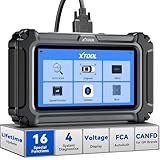
- Comprehensive OBD2 Scanner with 16 Resets: The XTOOL D5S car code reader and vehicle reset tool provides an advanced diagnostic solution with 16 commonly needed reset functions, including Electronic Parking Brake Reset (EPB Reset), SAS, BMS Reset (Battery Test), Throttle Body Relearn, TPMS Reset, ABS Bleeding, Injector Coding, Gearbox Match, Suspension Adjustment, Headlight, Window Initialization, Crank Sensor Relearn and more. Equipped with CAN FD Protocol and FAC AutoAuth, the D5S obd2 scanner diagnostic tool ensures compatibility with a broad range of modern vehicles, allowing users to address common maintenance needs quickly. NOTE: Please Check the Compatibility before ordering.
- 4 Main System Car Scanner & Full OBD2 Diagnostics: The XTOOL D5S car code reader is ideal for home mechanics, DIYers, and professionals, providing access to Transmission/Engine/ABS/SRS systems to read DTCs, Live data can be displayed in text or up to 4 PID data graphs, along with full OBD2 diagnostics to check the engine light on, other obd2 issues and routine maintenance. This car diagnostic scanner ensures you can keep your vehicles in top condition, avoiding costly repairs or unexpected breakdowns. NOTE: Some vehicles display three systems after connection because the transmission and engine of some vehicles are integrated into one.
- Check Engine Code Reader & Real-Time Engine Monitoring: Whether you're a car owner, a DIYer, or run a repair shop, the XTOOL D5S obd2 scanner diagnostic tool makes engine diagnostics fast and frustration-free, reading and explaining trouble codes in seconds—no confusion. Check live data like fuel trim, 02 sensor voltage, RPM, and coolant temp to pinpoint mis~fires, rough idle, or sensor issues. After repairs, simply use the D5S check engine code reader and reset tool to turn off the check engine light and confirm the problem’s fixed—saving time, money, and unnecessary shop visits. - Note: If the check engine light comes back on, it indicates the original problem still exists.
- Portable Car Scanner for ABS and SRS: XTOOL D5S gives you peace of mind when ABS or airbag warning lights come on. It reads and clears ABS codes to help you fix brake sensor, traction control, or wheel speed issues, and supports ABS bleeding after repairs like caliper or master cylinder replacement. For airbag systems, it scans and clears SRS codes related to airbags, seatbelt tensioners, and crash sensors. Whether you're doing repairs at home or running a small shop, the D5S is a cost-effective solution for safety diagnostics. Note: If a fault code returns after clearing, it usually means the issue hasn’t been fully resolved. Please check the compatibility before ordering.
- Transmission Warning Light ON? Here’s the Transmission Diagnostic and Reset Tool You Need: The XTOOL D5S is more than just a basic car scanner—it’s an easy-to-use transmission diagnostic tool. From rough shifts to slipping gears, the D5S lets you read and clear transmission trouble codes, monitor real-time TCM data, and perform transmission resets after fluid changes or repairs. Whether you’re a hands-on car owner or a pro running a busy shop, this OBD2 scanner with transmission functions helps you catch problems early—saving you time, money, and future headaches.. Note: Clearing fault codes is equivalent to a reset on some vehicles, but not all. For help, contact XTOOL Tech Support.
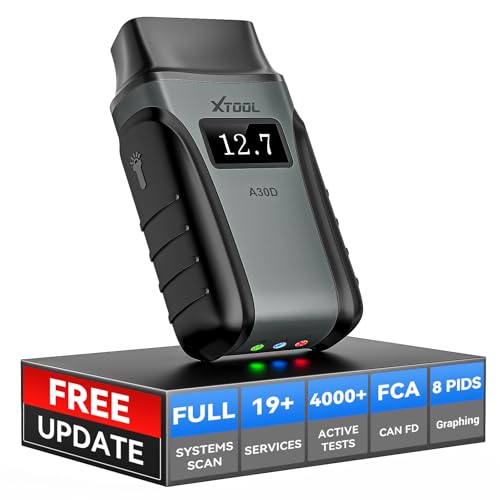
- Save $500+/Year with Pro-Level Diagnostics -No Subscriptions: The Portable XTOOL Anyscan A30D OBD2 scanner diagnostic tool includes free lifetime software updates for all app service functions, without extra cost. With a single payment, enjoy full access to diagnostics, relearn scan tools, and maintenance features. A cost-effective, smart choice for car owners and DIY enthusiasts, compatible with vehicles from 1996 onward. Please provide the car VIN and the special functions you need in advance so that we can confirm compatibility
- Bi-Directional Control for Faster Troubleshooting: Unlike a basic code reader, the A30D bi directional scan tool sends commands directly to your vehicle’s ECU to actively test components like fuel pump, valves, wipers, windows, doors, sunroof, and headlamps right from your smartphone. See component responses in real time without disassembly—perfect for brake jobs, electrical issues, and hard-to-find problems. This bidirectional obd2 scanner helps pinpoint faults faster, reduce guesswork, and avoid replacing good parts. An efficient, easy-to-use car scanner diagnostic tool built for DIYers, home garage users, and small-shop technicians who want real two-way scanner, not just codes
- 19 Reset Functions for Routine Maintenance: The A30D car diagnostic scanner provides 19 relearn functions without extra charges, including EPB Reset for parking brake replacement, TPMS Reset after tire changes, ABS Auto Bleeding, Oil Reset, SAS Reset, BMS Reset, Throttle Relearn, Injector C0ding, Gear Learning, Crank/Crankshaft/Cam/Ckp Sensor Relearn Tool, Transmission Match, Seat Calibration, Airbag Repair and more. This XTOOL A30D automotive scanner diagnostic tool supports preventive care, helping extend vehicle life and reduce costly shop visits. Functions vary by vehicle make and year—plz confirm compatibility before purchase
- Stable BT Connection & All-System & 8 Pids Live Data: The A30D wireless OBD2 scanner delivers a fast and stable wireless connection up to 33 feet, letting you move freely around the vehicle without tangled cables. Pair with with Android 9.0+ and iOS 10.0+ devices to turn your phone into a mobile auto scanner—perfect for home garages, driveways, or on-the-spot repairs. This full system scanner for cars provides real-time access to all major modules, including Engine, Gearbox, ABS, SRS, AC and more. with clear graphs, meters, and up to 8 PIDs displayed at once. This car code reader makes system monitoring visual, simple, easy to understand, and offering data logging for playback and deeper
- Wide Compatibility with CAN-FD & FCA Support: The A30D car computer diagnostic reader works with most 1996 and newer vehicles with a standard OBD2 port, including for Ford, for GM, for Toyota, for Honda, for Nissan,for Hyundai etc, with ongoing updates covering more car models and functions later. It also supports newer communication protocols like CAN-FD and FCA AutoAuth (Personal AutoAuth account and active subscription required, not included with the device!for Chrysler, for Dodge, for Jeep, for Fiat models). It is a future-ready automotive scanner diagnostic tool for households with multiple vehicles or part-time techs. Coverage vary by cars, plz check the compatibility first
Last update on 2026-06-23 / Affiliate links / Images from Amazon Product Advertising API
This product presentation was made with AAWP plugin.