
NHTSA ID Number: 10148949
Manufacturer Communication Number: 08-031-15 REV-B
TSB/Document Date: 2018-11-26
Summary
RA3 RA4 Radio Enhancements This bulletin involves inspecting and, if required, updating the radio software. A small number of customers may experience one or more of the following: ? Intermittently blind spot chime will not turn off (KL vehicles only). ? Enable High Definition (HD) feature, (RA4 radios located in Canada and Mexico). ? Low battery condition due to the radio remaining powered up after the ignition has been turned off (U.S Markets Only). ? The Radio may switch from SiriusXM to an AM station by itself. ? Uconnect registration always present, can not remove Uconnect account. ? Teleprompter does not appear when pressing the Voice Recognition (VR) button. ? VR operation cancels while in media mode. ? Radio may display previous cameras image before displaying the current image. ? Navigation lost vehicle position, during route calculation. ? Navigation displays are missing after vehicle heading changes. ? Navigation giving incorrect guidance to exit the highway. ? FM audio may switch to AM after ignition cycle. ? Text messages appear as sender?s phone number not their name. ? VR phone button may not work at times. ? Audio muted after AUX device is disconnected. ? VR, ? Listen? to text, will only play 1st message. ? Drive Mode: Eco, sport or normal setting may not be saved after key cycle (LA, LD, LX and ZD Only). ? Drive Mode: Shift light On/Off, out of sync (LA, LD, LX and ZD Only). ? SirusXM station information does not update. ? Speed adjusted volume, may not work. ? AM or FM seek or tuner soft keys may be missing. ? Display screen show ambient temperature as ?- - ? not normal values. Improvements: ? Faster response time when using the Remote Service App (U.S. market only). ? Faster connection time with 911(U.S. market only). ? Keyboard improvements, in the Points Of Interest (POI) section. ? High Definition (HD) radio buffering. ? Spanish translation. ? Radio station, scroll feature. ? D
If the PDF is very large, it may not load in the preview below.
Some older TSBs had multiple PDFs — visit the NHTSA Website to view all PDFs.
If the TSB PDF does not show, download or view it on the NHTSA Website.
Click on the (+) Plus Sign
Then Click on Associated Document(s)



- Advanced VCI Box, Industry-leading J2534 Pass-Thru...
- High-Speed OEM-Level Diagnostics & Programming: Unlock true...
- Coverage for 17 Car Brands & Ultra Reliability: Works...
- User-Friendly RLink Platform & Expert Support: TOPDON’s...
- 6.6 ft USB-C Cable & Portable Storage Case: The RLink J...
This product presentation was made with AAWP plugin.
Search NHTSA Database for Recalls
Search NHTSA Database for Vehicle Investigations
View Latest Vehicle Investigations
Search NHTSA Database for Vehicle Complaints
View Latest Vehicle Complaints
TSB/Document ID: 08-031-15 REV-B
Replacement Service Bulletin Number:
MFR Communication Date: 2015-08-04
MFR Internal Campaign ID/Software Version:
Communication Type: Service Bulletin/Repair Instructions
NHTSA Components: EQUIPMENT:ELECTRICAL:RADIO/TAPE DECK/CD ETC.
MFR Component System:
MFR Component Subsystem:
Previous TSB | Next TSB |
NUMBER:
GROUP:
DATE:
08-031-15 REV. B
Electrical
August 04, 2015
This bulletin is supplied as technical information only and is not an authorization for repair. No part of this publication may be reproduced, stored in a retrieval system,
or transmitted, in any form or by any means, electronic, mechanical, photocopying, or otherwise, without written permission of FCA US LLC.
THIS BULLETIN SUPERSEDES TECHNICAL SERVICE BULLETIN 08-031-15 REV. A,
DATED JULY 16, 2015, WHICH SHOULD BE REMOVED FROM YOUR FILES. ALL
REVISIONS ARE HIGHLIGHTED WITH **ASTERISKS** INCLUDES UPDATING
SYMPTOM/CONDITIONS, ADDING REPAIR STEPS FOR KL VEHICLES AND
REMOVING THE RRT STATEMENT AND INSPECTION LOP FROM THIS DOCUMENT.
SUBJECT:
RA3 RA4 Radio Enhancements
OVERVIEW:
This bulletin involves inspecting and, if required, updating the radio software.
MODELS:
2015
(WK)
Jeep Grand Cherokee
2015
(KL)
Jeep Cherokee
2015
(LA)
2015
(ZD)
Dodge Viper
2015
(WD)
Dodge Durango
2015
(DS)
Ram 1500 Pickup
2015
(DJ)
Ram 2500 Pickup
2015
(D2)
Ram 3500 Pickup
2015
(DD)
Ram 3500 Cab Chassis
2015
(DP)
Ram 4500/5500 Cab Chassis
2015
(DX)
Ram Truck (Mexico)
2015
(LX)
Chrysler 300
2015
(LD)
Dodge Charger
08-031-15 REV. B
-2-
NOTE: This bulletin applies to vehicles within the following markets/countries,
NAFTA.
NOTE: This bulletin applies to vehicles equipped with one of the following radios:
•
•
Uconnect 8.4A AM/FM/BT/ACCESS (sales code RA3)
Uconnect 8.4AN AM/FM/BT/ACCESS/NAV (sales code RA4)
SYMPTOM/CONDITION:
A small number of customers may experience one or more of the following:
•
•
•
•
•
•
•
•
•
•
•
•
•
•
•
•
•
•
•
•
•
•
Intermittently blind spot chime will not turn off (KL vehicles only).
Enable High Definition (HD) feature, (RA4 radios located in Canada and Mexico).
Low battery condition due to the radio remaining powered up after the ignition has
been turned off (U.S Markets Only).
The Radio may switch from SiriusXM to an AM station by itself.
Uconnect registration always present, can not remove Uconnect account.
Teleprompter does not appear when pressing the Voice Recognition (VR) button.
VR operation cancels while in media mode.
Radio may display previous cameras image before displaying the current image.
Navigation lost vehicle position, during route calculation.
Navigation displays are missing after vehicle heading changes.
Navigation giving incorrect guidance to exit the highway.
FM audio may switch to AM after ignition cycle.
Text messages appear as sender’s phone number not their name.
VR phone button may not work at times.
Audio muted after AUX device is disconnected.
VR, “ Listen” to text, will only play 1st message.
Drive Mode: Eco, sport or normal setting may not be saved after key cycle (LA, LD,
LX and ZD Only).
Drive Mode: Shift light On/Off, out of sync (LA, LD, LX and ZD Only).
SirusXM station information does not update.
Speed adjusted volume, may not work.
AM or FM seek or tuner soft keys may be missing.
Display screen show ambient temperature as ”- - “ not normal values.
Improvements:
•
•
•
•
•
•
•
•
•
•
•
•
•
•
•
Faster response time when using the Remote Service App (U.S. market only).
Faster connection time with 911(U.S. market only).
Keyboard improvements, in the Points Of Interest (POI) section.
High Definition (HD) radio buffering.
Spanish translation.
Radio station, scroll feature.
Drive Mode: Launch control button, text improvements (LA, LD, LX and ZD Only).
Making assist calls.
App functionality and screen displays.
Displays correct media, song titles and tracks.
Travel Link, Points Of Interest (POI), displaying movies and favorites.
Incoming calls, audio enhancements (LA, LD and LX Only).
Audio for strong AM stations.
VR performance.
Settings can only be changed in run mode, not ACC.
-3•
•
08-031-15 REV. B
Notify user when messaging features are not supported on certain phones/devices.
Shows direction and distance for POI when using VR.
DIAGNOSIS:
Using a Scan Tool (wiTECH) with the appropriate Diagnostic Procedures available, verify
the Audio system is operating properly. If Audio DTCs are present, record them on the
repair order and repair as necessary before proceeding further with this bulletin.
**For all other customers that describe the symptom/condition, perform the Repair
Procedure.**
REPAIR PROCEDURE:
CAUTION: This software update is only compatible with the 2015 model year
vehicles listed above. Attempting to flash a 2013-2014 model year vehicle
with this software will result in a loss of some radio/navigation
functions. Should this occur reinstalling the correct software for the
radio will correct the condition.
1. Has the USB flash drive been created?
a. Yes >>> Proceed to Step #5.
b. No >>> Proceed to Step #2.
2. Go to DealerCONNECT> Service> UCONNECT Information & Utilities> Uconnect
Dealer software downloads to download the files.
3. If a security message appears “Do you want to view only the web page content that
was delivered securely?” see (Fig. 1). Press No to continue.
Fig. 1 Pop-up Security Message
NOTE: A blank USB flash drive must be used to download the software. Only one
software update can be used on one USB flash drive.
NOTE: If the dealer cannot download the software, make sure you have proper
security access. If not, have the Service Manager or Shop Foreman download
the software update.
08-031-15 REV. B
-4-
4. To download the software files to a USB flash drive, follow the on screen instructions
and perform the following.
a. Acquire a blank USB flash drive with at least 4 GBof space.
b. Download the software update file to your local pc's desktop.
c. Be sure to extract the file before copying it to the blank USB flash drive.
d. A blank USB flash drive will be needed one for each radio update, additional
updates can not be on the same USB flash drive.
e. Once the file is saved to the USB flash drive, it is recommended you physically label
the USB flash drive with the bulletin number and proper radio sales codes.
5. With the engine running and radio powered on, insert the correct USB flash drive with
new software into USB port.
6. The next screen display will have the old and new software levels. The radio will be
updated to 15.17.5.
7. Is the radio at software level 15.17.5 or higher?
a. Yes >>> The radio software is already up to date. Normal diagnostics need to be
performed.
b. No >>> The radio software needs to be updated. Proceed to Step #8.
CAUTION: If the radio software level is at or above the level on the USB flash drive,
DO NOT perform the update.
8. Press the soft key “Yes” to start the update.
NOTE: If the software update process is interrupted, aborted or failed, the process
should be restarted.
NOTE: Do not cycle the ignition or touch the radio during the update process.
9. The update may take up to 20 minutes to load. No other actions will be needed to
initiate the update.
10. After the update is done, the screen will display the software levels again.
11. Press “No” and turn the vehicle off. Open and close the driver’s door and let the Bus
go to sleep.
NOTE: Make sure to leave ignition off, do not press the brake, and do not reopen
any doors, so the modules will go to sleep.
12. Cycle the ignition on, then back off one more time. Open and close the driver’s door
and let the Bus go to sleep. This will complete the radio update.
13. Remove the USB flash drive..
14. **Is the vehicle a KL?
a. Yes >>> Proceed to Step #15.
b. No >>> This bulletin has been completed.**
15. **Does the KL have Blind Spot Monitor/Cross Path Detection (Sales Code XAN)?
a. Yes >>> Proceed to Step #16.
b. No >>> This bulletin has been completed.**
16. **Go into the radio Settings menu and select Safety & Driving Assistance. Locate the
Blind Spot Alert feature and turn on the “Lights + Chimes” option.**
17. **This bulletin has been completed.**
POLICY:
Reimbursable within the provisions of the warranty.
-5-
08-031-15 REV. B
TIME ALLOWANCE:
Labor Operation
No:
Description
Skill Category
Amount
18-60-02-FQ
Radio, Check Software
Level and, Perform
Software Update
(0 - Introduction)
6 - Electrical and Body
Systems
0.4 Hrs.
18-60-02-FR
Radio, Software - Create
USB flash drive,
Uconnnect Website (One
Time Only)
(0 - Introduction)
6 - Electrical and Body
Systems
0.2 Hrs
NOTE: The “One Time Only” LOP is used one time per dealer when downloading the
software onto a USB flash drive. The dealer can only use the download LOP,
one time for each of the radios listed.
NOTE: The expected completion time for the flash download portion of this
procedure is approximately 20 minutes. Actual flash download times may be
affected by vehicle connection and network capabilities.
FAILURE CODE:
The dealer must choose which failure code to use. If the customer came in with an
issue and the dealer found updated software to correct that issue, use failure code
CC, for all other use failure code RF.
•
•
If the customer’s concern matches the SYMPTOM/CONDITION identified in the
Service Bulletin, than failure code CC is to be used.
If an available flash is completed while addressing a different customer concern,
failure code RF is to be used.
CC
Customer Concern
RF
Routine Flash
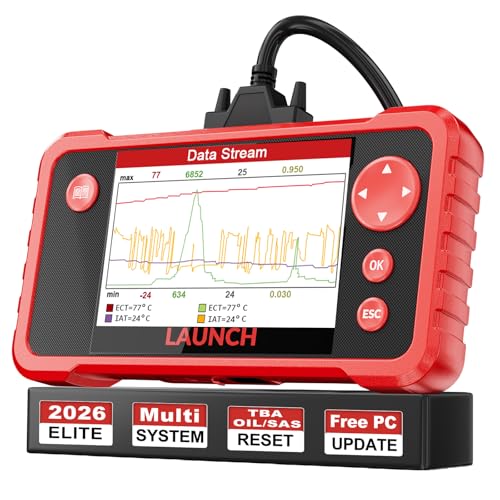
- 【Great Ideal For Every Car Owner】Prefect choice for your father, husband, brother or boyfriend. EVERY CAR OWNER WILL NEED IT! Also, the lifetime update is provided for more vehicle coverage, bug fixes. SAVE AT LEAST $1000+ PER YEAR!Get LAUNCH CRP123 V2.0 car diagnostic scanner and give your lover a surprise!*R each us to Get the Extra Gifts :Protective Case Storage Bag.
- 【Newly Added 3 Reset Functions】CRP123 V2.0 obd2 scanner with upgrades it offers Throttle Adaptation,Oil Reset and SAS Reset functions for FREE now!! Optimize your engine performance with Throttle Adaptation, reset your oil life system with ease to save time and money on maintenance, and enhance your vehicle's handling and safety with SAS Reset.Covering more daily repairs,become the most cost-effective product in its price range,save your time and money!
- 【 Read & Clear/Reset Engine/ABS/SRS/Transmission Diagnostic Scan Tool 】LAUNCH CRP123 V2.0 OBD2 Scanner can test Engine, Transmission, ABS and Airbag four systems, also reads and resets code, displays data stream graphic, stores and playbacks dynamic data stream,helps to quick analysis and diagnosis.
- 【 Error Fault Code Reader】Except the full 10 modes OBD2 diagnostic functions like, retrieving I/M readiness, Freeze Frame Data, Read Dynamic Data stream and Vehicle Information, O2 Sensor Test, EVAP Test of Fuel Tank System (Mode 8) and Advanced On-board Monitoring (Mode 6), launch crp123 v2.0 obd2 scanner can not only reveal what error codes your car is producing, but also erase your vehicle’s check engine light after problem fixed, the DTC help and explanation also tell you the exact problem.
- 【 Live Data Graphing + Read/Record/Playback Data stream + Print diagnostic data 】Live Data Graphing,more intuitive to know your vehicle’s problem.4 inches Screen Screen ;Print Function:Print the diagnose result easily; with user manual and register & update tutorial video uploaded in the link by us,you can Look up it anytime by ONE-CLICK.
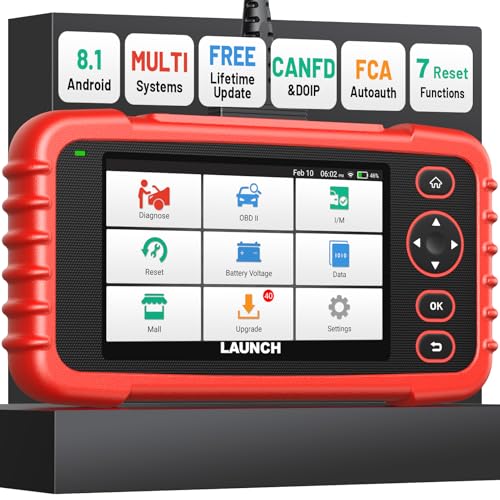
- [Newly Added in 2026: 7 Reset Functions] The 2026 new version of the OBD2 scanner diagnostic tool CRP123X V3.0 Elite has new special functions for F.REE: Throttle Ad.aptation, Oil/SAS/BMS/Brake Reset, D-P.F Re.generation and ABS Service. Before you visit a mechanic, launch obd2 Scanner CRP123X Elite can perform a more in-depth diagnosis of the car system and provide accurate data within minutes. What's more, the list of compatible models has been expanded. Upgrading frequency is regular, occurring monthly even weekly.
- 🔥[FCA AutoAuth + CAN FD & DoIP] As an upgraded version of the LAUNCH CRP123X/CRP129X, FOXWELL NT614, and ANCEL FX2000, The Newest LAUNCH CRP123X V3.0 auto diagnostic scanner supports the following new protocols: CAN-FD for 2020 and newer G.M and Chrysler
 models, as well as DoIP for V.olvo, Land Rover/Jaguar, and B.MW F/G chassis. With integrated AutoAuth, you can diagnose 2018 and newer FCA cars equipped with S.GW. Note: CAN-FD and DoIP protocols require an additional obd2 cable. *Menus vary by make, model, and year of gasoline or diesel engine vehicle. Email us your VIN data.
 - 🔥[No extra software fee. Works on 90 vehicle brands.] Most OBD2 scanners work with vehicles manufactured after 2001. However, the LUNCH OBD2 scanner is compatible with OBDII-equipped vehicles built after 1996 and works with more than 90 vehicle brands. One-click lifetime updates over WIFI 2.4&5.0Ghz keep the car software current and ensure constant coverage additions, diagnose vehicles from 1996 to 2026 with a massive global database. Android 8.1 ensures lightning-fast boot-up and processing.
- [Accurate & Intuitive Multi System Diagnosis] Will you be confused about what happens when the warning light of transmission, ABS, and SRS Airbag check engine flashes? Launch obd2 scanner diagnostic tool CRP123X V3.0 to pinpoint the problem components for a faster diagnosis for your car instead of taking your car to the dealership. Generate vehicle health reports with one click and share them via email over Wi-Fi to help avoid blind maintenance. And will turn off the warning light for you after fixing the problem, make to know more about your cars and do your own repair.
- [Multiple Display of Live Data + DTC Code Definition Explanation] Launch car tools show real-time data of oil temp, pressure, transmission temp, engine speed, coolant temperature, you will know which car part is abnormal. Data can be shown in a single, multi- graph, and merge two graphs for analysis(or 4-in-1 merged waveform graph),you can save, share, print, or email the overall inspection report for easier analysis.🔥Code Search,DTC Library provide massive information. Inbuilt “Feedback” module provides customized repair suggestions from our certified professionals.
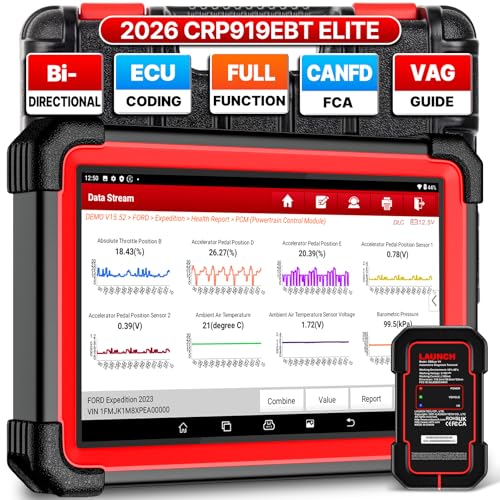
- 🔥【2026 TOP HARDWARE AND SOFTWARE UPGRADE,UPGRADED OF CRP919E】LAUNCH scanner CRP919EBT wireless obd2 scanner has upgraded TOP HARDWARE CONFIGURATION and ADD NEWEST FUNCTIONS. The more FASTER and SMARTER CRP919EBT with 🔥Bluetooths & USB 2-in-1 connect🔥Android 10.0 OS🔥2.0Ghz 4 core high efficiency processor 4GB RAM+64GB ROM large storage🔥6300mAh large battery, more stable and longer lasting diagnostics🔥VAG Guided🔥ECU Code🔥Bi-directional Control🔥35+ Resets🔥CANFD&DOIP🔥FCA AutoAuth🔥Full System Diagnostics🔥2 Yrs Update🔥Newly add BST360 battery tester & I-TPMS & VSP600 endoscope🔥23+ Languages. Provide an unparalleled diagnostic experience at an affordable price.
- 🚗【CAN FD & DOIP & FCA, SUPER PROTOCOL】LAUNCH X431 CRP919EBT is equipped with the DBSCAR VII Bluetooth connector supporting CANFD and DoIP. The CRP919EBT automotive diagnostic scanner supports CAN FD protocol (compatible with post-2020 GM vehicles). It also meets DoIP protocol requirements (adapter sold separately) for compatibility with BMW (E & F chassis) models from 2017 onward. Autoauth for FCA SGW supports FCA vehicles including Chrysler models from 2017 and later.
- ✔️【ADVANCED ECU CODE, ADAPTATION, CALIBRATION & INITIALIZATION】The LAUNCH X431 CRP919EBT automotive scanner delivers exceptional ECU code capabilities for customized vehicle setups. It provides dealer-level functionality to streamline maintenance and repairs, enabling ECU matching and learning for enhanced customization.
- 👍【BIDIRECTIONAL CONTROL, 4000+ ACTIVE TESTS】LAUNCH OBD2 scanner CRP919EBT features bi-directional control - the most demanded capability among mechanics. When headlights or windows malfunction, repairs can be costly. With CRP919EBT, execute ECU commands and assess repair status through systems including ABS, windows, valves, wipers, and headlights - streamlining diagnostics while slashing repair expenses.
- 🥇【35+ MOST POPULAR RESET SERVICE FOR 160 MAKES】Same as Snap-on scanners, CRP919EBT scan tool delivers 35+ reset functions for 160+ vehicle models, including: service oil reset, throttle adaptation, steering angle calibration, brake pad replacement code, tire pressure reset, ABS bleeding, battery registration, gear signal learning, and injector code, etc.
This product presentation was made with AAWP plugin.
Last update on 2026-05-11 / Affiliate links / Images from Amazon Product Advertising API