
NHTSA ID Number: 10146170
Manufacturer Communication Number: SMB17
TSB/Document Date: 2018-10-29
Summary
This is a Service Manager Bulletin: Retailer Car Delivery Process. All vehicles must have a pre-delivery service and a proper customer delivery. Perform all required maintenance, repairs and updates prior to delivery to customer.
VOLVO CAR
CAR
SERVICE AND PARTS BUSINESS
Service Manager Bulletin
TITLE:
Retail Car Delivery Process MY 2018 (P5) (SPA) – Models XC60, XC60 T8,
S90, S90 T8, V90, V90CC, XC90, XC90 T8, XC90 Excellence
GROUP:
NO:
ISSUING DEPARTMENT:
CAR MARKET:
17
2018
Service Operations
United States and Canada
REFERENCE BULLETINS:
TJ 29233, TJ 31543, SMB 17-001, Warranty Policy and Procedure Manual
Service Personnel:
Read and initial
SERVICE
MANAGER
SERVICE
WRITER
ISSUE DATE:
STATUS DATE:
2017-11-09
2017-11-09
WARRANTY
ADMINISTRATOR
Page 1 of 12
“Right first time in Time”
To ensure the highest-quality experience to our customers, new vehicles must be delivered to the
customer with the latest PDS software. The installation of the software must be within five days of the
physical delivery to the customer. PDS payment is subject to debit where it is found that software was
not installed accordingly.
It is important that the entire Service and Sales staff be aware of changes since the November 2017
software update which brings the ability to authorize or deny data collection on services that require
it. More information can be found in TJ 33201 or by looking at the VCUSA support website:
Privacy Settings. Any settings enabled for testing must be disabled prior to releasing the car.
Note: Minimum technician level required to perform a PDS is a Volvo Certified Level.
This bulletin contains information on the following steps which make up the Retail Car Delivery Process.
• Vehicle inspection procedure (Truck Delivery)
• Pre-Delivery Service (PDS)
• Vehicle in stock maintenance
• Vehicle Delivery (Customer Delivery)
New car delivery is a crucial step in the Retail Car Delivery Process. At this point the buying experience
turns into a long-term relationship. It is the retailer’s responsibility to ensure that the car and the
experience are as enjoyable and informative as possible.
Stock Maintenance is a key element in the overall process. It is important to keep your vehicle
inventory maintained and fresh.
The following outlines the Retail Car Delivery Process (RCDP). The basic structure of the RCDP is:
1.
2.
3.
4.
Truck Delivery Vehicle Inspection
Stock Maintenance - proper care and maintenance of vehicles in retailer inventory
PDS - PDS Mechanical and PDS Detail*
Delivery Agenda process with customer
Produced in the USA and available as an electronic document. Hard copy documents are printed in USA on recycled paper containing
a minimum of 50% wastepaper and 10% post-consumer waste.
© 2017 VOLVO CAR USA, LLC
Service Manager Bulletin 17-2018
5. Celebrate delivery of vehicle with customer and sales professional
* Do NOT wax, polish and/or apply any surface treatments to new vehicles.
We encourage you to ensure that these PDS processes are fully understood and implemented. These
processes are geared towards assuring high-quality retail delivery and completely satisfied customers.
Item 1 – Truck Delivery U.S. – All vehicles must be thoroughly inspected at time of delivery by truck
to your facility. Guidance documents with instructions as to the submission and handling of claims can
be found at: www.ucmglobal.com/volvo.
For claims with incident date 1st April 2015 or after:
For questions regarding claims procedures and payments, please contact:
Unicar Claims Management
E-mail: [email protected]
Tel: + 44 (0)844 209 0850
Fax: + 44 (0)870 123 6121
For claims with incident date before 1st April 2015:
[email protected]
A facsimile of the Vehicle Inspection Walk Around sheet is attached at the end of this bulletin.
Item 1A – Transport Delivery Canada – All vehicles must be thoroughly inspected at time of delivery
to your facility.
Canadian inland damage claims
Contact phone: 1-905-695-9651
Contact fax: 1-905-695-9627
Email: [email protected]
Dealer actions
TIME LIMITS
• Rail claims – 4 months from date of delivery to dealer.
• Truck claims – 2 months from date of delivery.
INSPECTION – DAYTIME DELIVERIES
For daytime deliveries (when dealers are open for business), a dealer representative must inspect
vehicles for transport damage immediately upon receipt (and before the driver departs). Damages must
be coded on the trucker’s delivery receipt when he signs it. All three codes must be noted for each
damaged area (codes are listed later in this section or by calling 888-373-0330 option 2):
Code damage area
Code vehicle damage code (type of damage)
Code severity of damage
Page 2 of 12
2017-11-09
Service Manager Bulletin 17-2018
INSPECTION – NIGHT DROPS
For night drops, the dealer must inspect the vehicle on the first open business day and advise the carrier
within 48 hours from the date and time of delivery – no exceptions. You must provide:
•
•
•
•
VIN
Load number (from Hansen’s delivery receipt)
Description of damage.
All three codes for each of the damages found.
For Hansen’s – Complete Hansen’s Afterhours form and fax to (416) 293-1604 or email it to
[email protected]
Note: Refer to the Warranty Administration Manual for complete details
Item 2 – Stock Maintenance – This checklist describes activities that must be performed every 30 days
in order to keep the car in the freshest possible condition. PDS - Final/Detail should be done just prior
to delivery to the final customer.
In VIDA - Profile the vehicle:
Information
Service Programs
0 Administration
05 Transport, vehicle storage and driving regulation
Stock maintenance checklist
Print out checklist
Item 3 – PDS, Pre-Delivery Service – A process to ultimately deliver a better quality product to the end
user.
We suggest that the “technician” take ownership of the PDS to make certain the vehicle is being
inspected correctly. The technician will be responsible for the entire vehicle, the detail person
responsible for the appearance of the vehicle and the salesperson is responsible for the customer
experience. PDS should not be looked at as a fill-in job in the shop but as the first impression our
customer has when he or she purchases a Volvo.
Also note that the PDS Checklist must be signed by the Technician, Detail Person and the Salesperson
responsible for that vehicle. This will ensure that the work performed and the cleanliness of the vehicle
meet the needs and expectations of the Volvo owner. As one of the last people in the Retail Store to hand
off the new Volvo to its owner, the Salesperson must ensure the integrity of the product and make certain
all is in working order. The PDS Checklist must be attached to the R.O. and retained in the vehicle file.
The PDS Checklist must be signed by the Technician, Detail Person and
Salesperson responsible for that vehicle.
Item 4 – Customer Delivery – Delivery preparation is the first opportunity to create customer
satisfaction and customer loyalty. The objective is to deliver a new Volvo that is 100% perfect.
Reset service reminder light. It is important the customer gets a full cycle of 10,000 miles/
16,000 km or 1 year from the delivery date before the reminder light illuminates.
2017-11-09
Page 3 of 12
Service Manager Bulletin 17-2018
Delivery Phases:
ü Vehicle Preparation
ü Stage the Car
ü Demonstration of Features
ü Documentation/Owner’s Information Materials*
ü Tour Facility
ü Leather Care Wipes (for light interior cars)
* Owner’s Manual, Warranty Manual, On Call Guide, Leather Care Wipes, SiriusXM Guide and other
Owner’s Information.
The sales consultant is responsible for making the delivery of a new Volvo a well planned, memorable
event. Time and special attention must be given to the new owner, effectively communicating the
Retailer’s commitment to the customer’s complete satisfaction.
PRE-DELIVERY SERVICE (PDS) REIMBURSEMENT PROCEDURES
PDS will be paid at the time of wholesale to the wholesaling retailer. Payment will appear on the
Weekly Transaction Statement under the PDS section. Claims will be identified by the prefix “C” and
the last six digits of the VIN.
The PDS will continue to be subject to all administrative repair order requirements as outlined in the
Warranty Policy and Procedures Manual. This includes punch time verification.
Retailers that receive a vehicle from another retailer and are not the wholesaling retailer should verify
with the wholesaling retailer if the PDS has been performed. Reimbursement would have to be worked
out between the retailers directly. Claims will only be paid to the retailer identified by Volvo as the
wholesaling retailer, regardless of which retailer performs the PDS.
RETAILER ALLOWANCE for reference information
Model
XC60
XC60 T8
S90
S90 T8
V90
V90CC
XC90
XC90 T8
XC90 Excellence
Model Year
2018
2018
2018
2018
2018
2018
2018
2018
2018
Labor
1.8
1.8
1.8
1.8
1.8
1.8
1.8
1.8
1.8
Labor OP
01717-6
01717-6
01717-6
01717-6
01717-6
01717-6
01717-6
01717-6
01717-6
NOTE: Claims submitted since September 27, 2016 have automatically been paying at the
increased time allowance of 1.8.
Page 4 of 12
2017-11-09
PRE-DELIVERY SERVICE (PDS)
MY 2018 P5 SPA VEHICLES
Date Complete
Retailer Code
Stock No.
RO Number
Odometer
ALWAYS CHECK VRC2 FOR THE LATEST UPDATES
IMPORTANT: PDS CHECK SHEET MUST BE COMPLETED AND ATTACHED TO THE R.O.
PDS VEHICLE SET-UP Checklist
WARNING: Vehicle must be rinsed and loose pieces of rapgard removed prior to performing vehicle set-up.
1) VEHICLE SET-UP
Change from transport mode to normal mode using VIDA
V
Activate “Sensus Connect with Volvo On Call” using TJ 29233
Check and record battery voltage (PRINT OUT CODE AND ATTACH)
Ensure that all Recall or Service Campaign (Quality Bulletins) activities have been performed
Update vehicle to the latest Software Status as per TJ 31543* and TJ 32929
Check all fluids and fill washer fluid reservoir. Checking oil in a Drive-E engine requires the use of VIDA.
* Connect the vehicle to your retailer's WiFi hotspot and Download available apps in the Download center
NOTE: Technician: Volvo Certified Level Required for sections 1), 2) & 3).
2) PRODUCT
Read out fault codes and take away root cause/reset according to instruction
If applicable, download latest maps through USB (Refer to TJ 32929 for XC60)
All accessories/enclosed details (in e.g. glove compartment, cargo compartment) installed and functioning correctly
Hang information tags on rear view mirror
The leather care cloth is to be stored in the glove compartment
The protective gloves are to be stored in the spare wheel compartment
Unpack and stow hybrid charging cable under cargo area floor
3) FUNCTIONAL CHECKS
Set time clock
Clean wipers and ensure function*
Check central locking and alarm and Keyless function
Open and close all doors, check for cracking, noisy doorstops, smooth operation of hinges and handle
Check all seatbelts for correct operation
Check back door child safety lock operation
* Do not clean wiper blades with a solvent and do not remove the graphite protection. Only gently clean wiper blades to remove any
grit that may have built up while sitting in inventory.
Mechanical and Test Drive Responsible:
Name:
Date:
Mileage In:
M ileage Out:
1
2017-11-09
PDS2018
(1/2017)
Page 5 of 12
PRE-DELIVERY SERVICE (PDS)
MY 2018 P5 SPA VEHICLES
Date Complete
Retailer Code
Stock No.
RO Number
Odometer
ALWAYS CHECK VRC2 FOR THE LATEST UPDATES
IMPORTANT: PDS CHECK SHEET MUST BE COMPLETED AND ATTACHED TO THE R.O.
PDS VEHICLE SET-UP Checklist
WARNING: Vehicle must be rinsed and loose pieces of rapgard removed prior to performing vehicle set-up.
4) ON-LIFT OPERATIONS
CHECK FOR SPRING EXTENDERS / REMOVE AS REQUIRED
All models:
Remove brake rotor covers, if applicable (Note - Be careful not to damage/bend the backing plates)
Set tire pressure to correct PSI (including spare tire)
Check condition of undercarriage and lower part of bumpers and sills (damages, loose components, corrosion)
Check for presence of fluid leaks
Install front License Plate Holder (if required) in screw markings on front bumper (use the bracket matching holes, varies type to type)
Install 20 wheel caps on wheel bolts, if needed
5) TEST DRIVE
(Vehicle MUST be driven a minimum of 5 miles/8 km over a variety of road and surface conditions)
WARNING: Wear clean clothing/use a silent seat cover on drivers seat.
Check steering wheel - properly aligned and centered
Check steering for pulling or drifting
Check for unusual noises or vibrations
Check Brake Performance
Check Engine and Transmission Performance
Check climate system functions and operate and open all vents
6) AFTER TEST DRIVE
Check for DTC's using VIDA.
Check DIM for messages
Reset Service Reminder Lamp (SRL)
Mechanical and Test Drive Responsible:
Name:
Date:
Mileage In:
Mileage Out:
2
Page 6 of 12
PDS2018
(1/2017)
2017-11-09
PRE-DELIVERY SERVICE (PDS)
MY 2018 P5 SPA VEHICLES
Retailer Code
Stock No.
RO Number
Date Complete
Odometer
ALWAYS CHECK VRC2 FOR THE LATEST UPDATES
IMPORTANT: PDS CHECK SHEET MUST BE COMPLETED AND ATTACHED TO THE R.O.
PDS Detailer Checklist
WARNING: Do NOT wax, polish or apply any surface treatments to exterior or interior of new vehicles
WARNING: Do NOT use accessories (Radio, etc.) while performing detail, as this can discharge the battery
WARNING: It's absolutely necessary to perform detailing under sufficient lighting conditions
Exterior - Prior to Delivery
Remove all rapgard and exterior trim protection (sill protection, other) or Transport Cover
Manually wash vehicle exterior including door jams and under the trunk
Clean the wiper blades
Ensure outer surface of front windshield is smooth and free of fall-out/adhesive residue/grease marks
Clean alloy wheels/tires and remove any stickers or markings
Gently dry the vehicle exterior with a clean chamois and carefully inspect for paint damages
Inspect carefully for adhesive residue from protection materials and remove (lines from rapgard edges)
NOTE: Use a clean, soft woven cloth soaked with Volvo degreaser.
Wipe down engine compartment and remove excess water from grille and hood area
Interior - Prior to Delivery
Thoroughly clean all windows, moon roof, rear view mirrors and vanity mirrors
Vacuum carpet and luggage compartment
Check upholstery, all interior surfaces and compartments (including sun visors and headliner) for marks or
fingerprints. Clean as required.
Remove protective floor covering and install floor mats/click in tabs.
Final Quality Inspection
Re-inspect complete vehicle for surface scratches, swirl marks, paint chips, finger prints.
Preferably in the delivery area where vehicle is to be delivered. Correct as required.
COMMENTS:
I certify that all operations have been completed and this vehicle has been prepared in accordance with
Volvo procedures and Quality Standards.
Detailer Signature:
Date:
Supervisor Signature:
Date:
Detailing activities are completed - Car is now handed over to sales Department for New Car Delivery.
3
2017-11-09
PDS2018
(1/2017)
Page 7 of 12
Delivery Agenda MY18 - XC60, S90, V90, & XC90
Customer Name:
Date:
Time:
Vehicle:
Pre-Delivery
The delivery
— Before customer arrives, confirm the
pre-delivery service has been completed
— Reveal and check out new vehicle
— Confirm with Service Dept. that the telematics
unit was activated in VIDA (before the
customer arrives)
— Inspect vehicle condition
— Verify Sirius Satelite Radio is activated
— Introduction to/Congratulations from other
retail facility personnel
Set expectations
— Welcome customer
— Discuss amount of time needed for
thorough delivery, approximately 90 minutes
Review documents and
settle payment balance
— Check the trade-in vehicle (verify mileage,
condition and agreed-upon equipment, and
remove personal items)
— Check paperwork and obtain any additional
signatures required
— Provide copies of paperwork
— Confirm customer’s primary email address,
home address, phone number, and valid
insurance policy
— Create VOC subscriber agreement on VRC2
— Register customer in VOC Dealer Portal
— Point out leather care wipes sample
(for light interior cars)
— Point out Sensus screen cleaning cloth in
glove box


- Advanced VCI Box, Industry-leading J2534 Pass-Thru...
- High-Speed OEM-Level Diagnostics & Programming: Unlock true...
- Coverage for 17 Car Brands & Ultra Reliability: Works...
- User-Friendly RLink Platform & Expert Support: TOPDON’s...
- 6.6 ft USB-C Cable & Portable Storage Case: The RLink J...
Last update on 2026-06-23 / Affiliate links / Images from Amazon Product Advertising API
If the PDF is very large, it may not load in the preview below.
Some older TSBs had multiple PDFs — visit the NHTSA Website to view all PDFs.
If the TSB PDF does not show, download or view it on the NHTSA Website.
Click on the (+) Plus Sign
Then Click on Associated Document(s)
Search NHTSA Database for Recalls
Search NHTSA Database for Vehicle Investigations
View Latest Vehicle Investigations
Search NHTSA Database for Vehicle Complaints
View Latest Vehicle Complaints
TSB/Document ID: SMB17
Replacement Service Bulletin Number:
MFR Communication Date: 2017-11-15
MFR Internal Campaign ID/Software Version:
Communication Type: Service Bulletin/Repair Instructions
NHTSA Components: EQUIPMENT
MFR Component System:
MFR Component Subsystem:
Previous TSB | Next TSB |

- 【OE-Level Full System Diagnostics-Lifetime F*REE Software Updates】The VDIAGTOOL D200 OBD2 Scanner for cars is a all system bidirectional scan tool that enjoy lifetime f*ree software updates, delivers complete system coverage. reading/clearing codes across engine, transmission, ABS
 , SAS, EPB, TPMS plus full access to body, chassis, powertrain and all control modules. This D200 Bidirectional car scanner works with most 1996+ OBD2 gasoline and hybrid cars and light trucks. It does NOT support pure electric and heavy-duty trucks. PLEASE CHECK COMPATIBILITY BEFORE ORDERING or Contact us with VIN to confirm compatibility.
 - 【Supports OBD2 Full Functions-ZERO Subscription Fees】D200 Bidirectional OBD2 Scanner is a upgarde of universal car code reader. It supports OBD2 full functions to help you turn off the annoying instrument fault indicator, such as read/clear codes, O2 sensor test, I/M readiness, on-board monitor test, datastream, freeze frame, E-VAP system test, and retrieve vehicle information. This professional obd2 scanner diagnostic tool can full access to diagnostics, reset tools and maintenance features with a single payment. NOTE: The fault code can only be cleared after the vehicle's malfunction has been repaired; please ensure the vehicle issue is fixed before clearing the code.
- 【D200 Hidden 2 Advantages: 1. $169 Expandable 49+ Advanced Resets. 2. $199 Get J2534 P*a*s*s-Thru Programming】Your core car diagnostics and 26 reset remain lifetime f*ree for everyday maintenance. When you need deeper repair capability, upgrade with 3-year access for $169 in Store on VDIAGTOOL App, gaining 49+ advanced resets. D200 configured with J2534 hardware, upgrade only when you need without replacing the entire device. You also can Lifetime Unlock for $199 in Store one-time, perform module programming, software re~flashing and ECU data updates directly. Supports 17+ major brands, including for BMW, for Audi, for GM, for Ford and more. Note:D200 does‘t provide any OE software.
- 【Full Bidirectional Control / Active Tests】The D200 car scanner diagnostic tool is a true bidirectional scan tool that lets you send commands directly to the vehicle’s ECU for active tests. Quickly test fuel pumps, relays, solenoids, injectors, cooling fans, windows, sunroofs and more to verify operation instantly. Get dealership-level diagnostic control at a fraction of the cost (ofter $100-200$ per diagnostic visit), reduce guessworkand confirm repairs faster, avoid unnecessary parts replacement, towing fees and wait times.
- 【26 F*ree Essential Reset & Relearn Functions – Everyday Maintenance Made Easy】Handle common maintenance and repair jobs without visiting the shop. The D200 code readers & scan tools includes 26 f*ree high-demand reset functions, including Oil Reset, EPB Service, SAS Calibration, ABS Brake Bleeding, Throttle Relearn, Injector Coding, Headlight Adjustment, Tire Size Reset and more. Perfect for home car owners, mechanics and DIYers – just plug and diagnose anytime, anywhere! Note: Service functions vary by vehicle model—please confirm compatibility.

- 【A MUST-HAVE TOOL FOR DIYERS】 - VDIAGTOOL VD10 car code reader is an incredibly useful obd scanner for each car owner or hobbyist, even for those with little to no experience when it comes to vehicle mechanics! Similar to a fixd car diagnostic tool, using this car diagnostic scanner is extremely easy. All you have to do is attach it to your car OBDII port and you can diagnose car problems in seconds! Read Codes (DTCs); Clear Codes; Live Data; View Freeze Frame; I/M Readiness; Vehicle Information.
- 【KEEP ENGINE IN GOOD STATUS】 - VDIAGTOOL check engine code reader brings a fast access to scan, read the car fault code, show its definition on the screen instantly, troubleshooting to find the root causes of problems, erase the engine fault code and turn off the MIL (Malfunction Indicator Light). Similar to a fixd car diagnostic tool, this car code reader helps ensure your engine stays in top condition.
- 【READ/CLEAR CODES & DTC LOOKUP】- No search online & saving your time, this vehicle car code reader retrieves generic (P0, P2, P3, and U0), manufacturer specific (P1, P3, and U1) codes, pending codes and displays DTC definitions based on the built-in database(more than 3000 codes) on the TFT screen, find out the root causes and clear the codes after fixed.
- 【LIVE DATA & RETRIEVE FREEZE FRAME】 - This diagnostic scan tool for accurate diagnosis enables you to retrieve data from vehicle sensors, such as Engine RPM, Intake air temperature, Short/Long term fuel, Misfire data and etc. The freeze frame is stored in the PCM together with the diagnostic trouble code (DTC) related to the fault. Comparable to a fixd car diagnostic tool, the VD10 car code reader car scanner can be a valuable & practical diagnostic aid and also greatly help when diagnosing intermittent problems.
- 【I/M READINESS for THE S-nn-0-g CHECK】- OBDII vehicle may not pass the annual inspection unless the required monitors since reset are complete. So you should at least read the readiness monitors and make sure they are ready. This car obd2 scanner diagnostic tool is equipped with I/M readiness function to check the operations of the e-m-issi0n system on OBD2 compliant vehicles, run I/M monitor readiness test, checking if the pass vehicle s-m-0-g inspection.

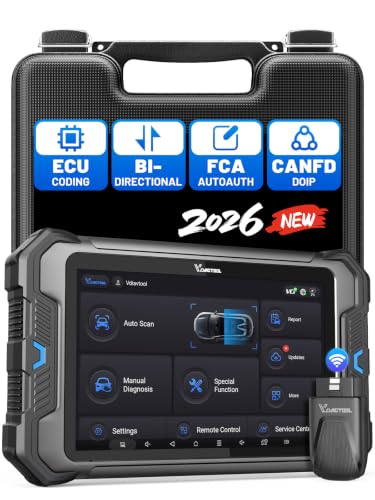
- 【Professional Diagnostics】 The VD80 BT Lite bidirectional obd2 scanner is a professional OBD2 scanner diagnostic tool, delivering vehicle diagnostics right in your own garage. It supports 4,000+ active diagnostic tests, 28+ maintenance service functions, ECU coding, PMI calibration, brake service reset, and OEM-grade full-system vehicle scanning—perfect for DIYers and pros looking for powerful automotive tools. The available function tests vary by model—please to confirm compatibility.
- 【ADVANCED ECU CODE, CUSTOMIZE OE-SETTINGS】As a complete car code reader and reset tool, the VD80 BT Lite bidirectional obd2 scanner supports ECU coding for VW, for Audi, for BMW, for Benz, for Mitsubishi and more. PMI function for Ford/for Lincoln/for Mazda, supports copy data into new module. Step-by-step Guided Diagnostics makes complex jobs easier—making this one of the most reliable code readers & scan tools on the market.
- 【100000+ Vehicles Compatibility – CAN FD/DOIP】 VD80 BT Lite Auto Scanner Compatible with 100,000+ vehicles worldwide, this bidirectiona car scanner works with all OBD2-compliant vehicles manufactured after 1996, covering more than 100 brands worldwide. It also supports CAN FD, DOIP and FCA Secure Gateway protocols, boost 2X faster data transfer, covers 99% of U.S., EU and Asian cars. With 22 languages and 2 years of f*ree updates—future-proofing your car reader diagnostic for all cars.
- 【28+ Maintenance Services & Calibration Functions】VD80 BT Lite scanner for car Supports 28 maintenance services, including resetting oil and service lights after routine maintenance, registering new batteries for proper system operation, and clear clogged filters and restore performance. Additionally, it calibrates TPMS sensors after tire rotations, resets brake systems after pad replacements, relearns steering angle sensors after alignments, and more. These functions help your vehicle quickly and accurately return to peak performance—without the costly dealer visits.
- 【True Bidirectional Control – Diagnose with Confidence】Standing out with full-system coverage and extensive active test capabilities, the VD80 BT Lite bidirectional scan tool retrieves data from electronic control units and performs a wide range of active tests. You can real-time control over modules like fuel pumps, windows, A/C clutches, and relays. Perform 100+ advanced functions including throttle adaptation, injector coding, VIN write, idle relearn, and ABS bleed—helping you fix it right the first time with this all-in-one car diagnostic scanner.
Last update on 2026-06-23 / Affiliate links / Images from Amazon Product Advertising API
This product presentation was made with AAWP plugin.