
NHTSA ID Number: 10137230
Manufacturer Communication Number: PI1408B
TSB/Document Date: 2018-05-21
Summary
This preliminary informational bulletin provides repair information to correct a customer concern of musty odor from HVAC vents on startup.
If the PDF is very large, it may not load in the preview below.
Some older TSBs had multiple PDFs — visit the NHTSA Website to view all PDFs.
If the TSB PDF does not show, download or view it on the NHTSA Website.
Click on the (+) Plus Sign
Then Click on Associated Document(s)

- 💝【Questions? We’re Here Anytime】MK808S is a...
- 🔥🔥🔥【2026 NEWLY RELEASED BI-DIRECTIONAL...
- 【28+ MOST POPULAR RESET SERVICE FOR 150 MAKES】Autel...
- 【ALL SYSTEM DIAGNOSTICS, FACTORY-LEVEL SCANNER】The...
- 【AUT0 SCAN & AUT0V1N, 10X FASTER】How much have you spent...


- 💯【Conta.ct us for Support Directly】If you met any...
- 🔥🔥🔥【2026 AUTEL FLAGSHIP MK900BT MK900-BT, NEW...
- 🚗【3000+ ACTIVE TESTS (50➡3000+), SAME AS MS...
- 🚗【40+ HOT SERVICES FOR 150 MAKES (28+➡40+)】Full...
- 🚗【OE ALL SYSTEM DIAGNOSE, AUTO SCAN 2.0: SCAN LICENSE...
This product presentation was made with AAWP plugin.
Search NHTSA Database for Recalls
Search NHTSA Database for Vehicle Investigations
View Latest Vehicle Investigations
Search NHTSA Database for Vehicle Complaints
View Latest Vehicle Complaints
TSB/Document ID: PI1408B
Replacement Service Bulletin Number:
MFR Communication Date: 2015-11-10
MFR Internal Campaign ID/Software Version:
Communication Type: Service Bulletin/Repair Instructions
NHTSA Components: EQUIPMENT:APPLIANCE:AIR CONDITIONER
MFR Component System:
MFR Component Subsystem:
Previous TSB | Next TSB |
Bulletin No.: PI1408B
Date: Nov-2015
Subject:
Musty Odor from HVAC Vents on Startup
Models:
2013-2015 Cadillac ATS
ATS
2014-2015 Cadillac CTS Sedan (VIN A)
Attention:
This PI also applies to any of the above models that may be Export vehicles.
This PI has been revised to add step 31 under Ionizer Kit Installation. Please discard PI1408A.
Condition/Concern
Some customers may comment on a musty or mildew odor coming from the HVAC instrument panel air outlet vents on startup. The odor most likely will
dissipate after 30-60 seconds of operation. The odor generally occurs after the vehicle has been parked for 2–6 hours with sun load with temperatures of 21°C
(70°F) or higher.
This may be caused by condensation building up on the evaporator core, which does not evaporate by itself in humid conditions. The odor may be the result of
microbial growth on the evaporator core being released into the air stream by the HVAC blower motor.
Recommendation/Instructions
Follow all the steps below to reduce the HVAC musty odor:
Install the latest HVAC Control Module calibration and enable After-blow
Refer to Tis2Web and SI Procedures for enabling after-blow.
For 2013 ATS’s built prior to VIN 1G6AH5RX0D0142531, refer to the latest version of PIC5730: Enabling After-blow.
Drain Tube Inspection
1.
Verify that the plenum area is free of any debris.
2.
Inspect the drain assembly for the presence of a white or light blue plastic drain tube using the latest version of PI1160. If the secondary tube is
present, replace the drain hose assembly.
Apply Oxyvap Cleaning Agent
1.
Place the passenger seat in the full rearward position.
2.
Disable the SIR. Refer to SIR Disabling and Enabling in SI.
3.
Remove the instrument panel compartment. Refer to Instrument Panel Compartment Replacement in SI.
4.
Remove the front floor console extension panel - right side. Refer to Front Floor Console Extension Panel Replacement - Right Side in SI.
5.
Remove the right front side door sill trim plate. Refer to Front Side Door Sill Trim Plate Replacement in SI.
6.
Remove the floor front air outlet duct - right side. Refer to Floor Front Air Outlet Duct Replacement - Right Side in SI.
7.
Remove the blower motor. Refer to Blower Motor Replacement in SI.
8.
Pull back the carpet and roll it back towards the passenger seat.
1
9.
On the lower HVAC case, scribe an “X” in the area shown.
10. Drill a 3 mm (1/8”) pilot hole in the middle of the “X.”
2
11. Drill a 19 mm (3/4") hole in the center of the air duct between the blower motor and the air distribution box. The use of a Uni-bit style bit works well. The
use of a spade bit will produce excessive plastic chips and may cause the drain to get plugged.
Note: Use a vacuum to collect as many of the plastic chips inside and outside the HVAC case as possible. The blower motor removed helps gain
access to the inside of the HVAC case.
12. Using the supplied ionizer bracket as a template, drill a 1/8” pilot hole as shown. Remove the bracket. It will be used at step 18 of the Ionizer Installation.
Note: Some HVAC cases may or may not have the shown case mounting bolt. If the case does not have one, use the supplied bolt in the ionizer kit to
mount the bracket.
3
13. Using a 12.7 mm (1/2”) drill bit, drill the ionizer mounting hole.
Important: The use of a Uni-bit style bit works well. The use of a spade bit will produce excessive plastic chips and may cause the drain to get
plugged.
Important: Remove all of the plastic flash around the ½” hole. Reach in through the blower motor area and use a mirror and/or feel to ensure that
there is no plastic flash around the hole on the inside wall of the case.
Note: Use a vacuum to collect as many of the plastic chips as possible. The blower motor removed helps gain access to the inside of the HVAC case.
14. Reinstall the blower motor. Refer to Refer to Blower Motor Replacement in SI.
15. Connect the battery.
16. Close the face vents on the dash as well as the vents on the rear of the center console. Place a protective cover over the carpet under the blower to air
distribution box duct and over the HVAC face (upper) vents. Set the HVAC temperature control to LO, air distribution to vent mode and blower speed to
high (A/C off).
4
17. Insert the application tool into the drilled hole. Apply OxyVap™ at 65 psi (448 kPa).
•
Apply the OxyVap to the evaporator core using applicator tool P/N 23372329. Move the wand up and down to obtain good coverage to the fin area.
Turn the HVAC system to off.
•
•
Allow the core to soak for 5 minutes.
Rinse the empty bottle of OxyVap and fill with clean water. Rinse the evaporator core moving the applicator tool up and down with clean water until the
bottle is empty with the blower turned on “High.”
•
•
Using the applicator tool, blow compressed air on the evaporator core for one minute moving the applicator tool up and down to help remove
excess water.
Install the body plug, P/N 15632415, into the 19 mm (3/4”) hole with a thin coating of RTV.
Ionizer Kit Installation
5
1.
Wire Harness
2.
3M Dual Lock Mounting Strip
3.
3M Adhesion Promoter
4.
Splice Sleeves
5.
Ionizer Controller
6.
Ionizer Bracket
7.
Ionizer Emitter
8.
Double Sided Adhesive Gasket
1.
Disconnect the battery and any connected battery charger.
2.
On the supplied wire harness, cut wire (3) from the connector. Wire (1) is power and wire (2) is for ground.
3.
Remove the friction tape from the instrument panel harness to gain access to the wires.
6
4.
Locate the violet/gray wire (circuit 539, K33 HVAC Control Module X2) in the instrument panel harness for power as shown and cut the wire.
Note: Within the same harness, there is a violet/white wire. Use caution to select the correct wire.
5.
Using the supplied splice sleeves, crimp wire 1 from the supplied wire harness to the violet I/P harness and connect the other end of the violet wire to
the connector.
Note: Stagger the crimps from the supplied wire harness to the instrument panel harness.
6.
Locate the black wire (circuit 1450, K33 HVAC Control Module X2) in the instrument panel harness for ground and cut the wire.
7.
Using the supplied splice sleeves, crimp wire 2 from the supplied wire harness to the black I/P harness and connect the other end of the black wire to
the connector.
8.
Apply heat to the splice sleeves to seal them.
9.
Rewrap the I/P harness with the friction tape and seal with electrical tape.
7
10. Route the supplied wire harness (connector end) up towards the radio.
11. Connect the battery.
12. With ignition on, check for 12 volts at the Ionizer connector of the wire harness before connecting to the ionizer controller. (The Ionizer has no telltale
signs that it is operational.)
13. Connect the supplied wire harness to the ionizer controller.
14. Clean the ionizer controller and the surface of the radio with the supplied adhesion promoter and let dry.
15. Apply the suppled 3M dual lock mounting strip to the ionizer controller as shown.
16. Peel the backing from the other mounting strip and apply the ionizer controller firmly to the radio.
8
17. Remove and discard the protective sleeve from the ionizer emitter.
Caution: When handing and installing the ionizer emitter, use care to not touch or otherwise damage the two tiny metal prongs located between the
protruding plastic protectors. The Ions are produced by the metal prongs.
18. Before installing, remove the green foam seal and snip off the “ears” from the ionizer as shown.
9
19. Install the supplied gasket to the ionizer emitter.
20. Using tin snips or equivalent, trim the mounting bracket as shown.
21. Install the ionizer emitter to the HVAC case. The adhesive from the gasket will hold it in place until the bracket can be installed.
10
22. Install the ionizer emitter bracket to the HVAC case with the supplied or existing screw.
Tighten: Tighten the screw to 9 Y (79 lb in).
23. With the supplied tie straps, secure the wiring harness in place.
24. Place the carpet back in place.
25. Install the floor front air outlet duct - right side. Refer to Floor Front Air Outlet Duct Replacement - Right Side in SI.
26. Remove and install a new passenger cabin compartment carbon air filter.
27. Install the instrument panel compartment. Refer to Instrument Panel Compartment Replacement in SI.
28. Install the front floor console extension panel - right side. Refer to Front Floor Console Extension Panel Replacement - Right Side in SI.
29. Install the front side door sill trim plate. Refer to Front Side Door Sill Trim Plate Replacement in SI.
30. Enable the SIR. Refer to SIR Disabling and Enabling in SI.
31. If condition is still present, contact GM Technical Assistance for further support.
Parts Information
Part Number
Description
Material Allowance
13356914
FILTER, PASS COMPT CARBON AIR
-
23372329*
APPLICATOR TOOL
-
15632415
BODY PLUG
-
11
23328151
IONIZER KIT
-
Note: Ionizer Kits are currently in limited supply. This kit will be on order review and all
DROs (Daily Replenishment Orders) will cancel. If determined that this part is needed
for this field fix, order part on a CSO (Customer Special Order) and create a SPAC
case. SPAC orders will be processed in the order received. All orders will be reviewed
prior to being filled. Duplicate VIN orders will cancel.
534–60646**
OXYVAP EVAPORATOR SANITIZER (Quantity of 4)
Dealers should submit $15.00
plus applicable shipping as a
net item.
*The Applicator Tool is reusable and does not need to be ordered for additional repairs.
**Available through 1-800-GM-TOOLS (option 2) or by visiting www.GMDEsolutions.com (U.S.) or www.des-canada.ca (Canada).
Warranty Information
For vehicles repaired under the Bumper-to-Bumper coverage (Canada Base Warranty coverage), use the following labor operation. Reference the Applicable
Warranties section of Investigate Vehicle History (IVH) for coverage information.
Labor Operation
Description
Labor Time
4480308*
Inspect Drain Tube, Clean Evaporator and Install Ionizer
2.8 hrs
*This is a unique Labor Operation for Bulletin use only. It will not be published in the Labor Time Guide.
GM bulletins are intended for use by professional technicians, NOT a "do-it-yourselfer". They are written to inform these technicians of conditions that may
occur on some vehicles, or to provide information that could assist in the proper service of a vehicle. Properly trained technicians have the equipment, tools,
safety instructions, and know-how to do a job properly and safely. If a condition is described, DO NOT assume that the bulletin applies to your vehicle, or that
your vehicle will have that condition. See your GM dealer for information on whether your vehicle may benefit from the information.
WE SUPPORT VOLUNTARY TECHNICIAN CERTIFICATION
12
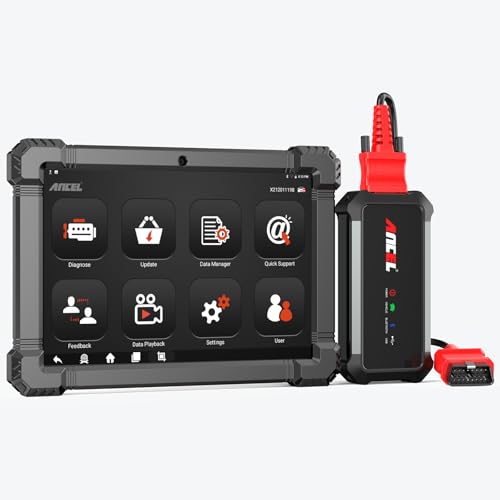
- 🔥🔥🔥2026 New Functions Making X7HD the Top Dog - Big Surprise!!! ANCEL X7HD truck scanner 10 major functional advantages .✅>Full HDOBD/OBD2 Function ✅>ALL System Diagnostic ✅>42+ Reset Function ✅>Active Test / Bi-Directional Control✅>ECU Coding✅>Graphing Live Data✅>Wide Compatibility ✅>2 Yrs Free Update✅>Remote Operation✅>Bluetooth 5.0 & Wifi In addition, 8 major hardware advantages: ✅>6000 mAh✅>10.1 inch Tablet✅>2G RAM
 ✅>32G ROM (Expandable to 128GB)✅>Data Record & Replay & Print✅>Android 10.0✅>Bluetooth 5.0 & Wifi✅>14 Languages
 - 🚛OEM DPF Forced Regen & Cylinder Cutout Test & more - ANCEL X7HD diesel scanner diagnostic tool not only supports DPF regeneration, DPF reset, DPF related information reset, DPR state reset, DPD forced regeneration etc, which helps you better solve the exhaust aftertreatment system problems, but also supports activate motor to do exhaust air in ABS Automatically. Moreover, it features TPMS activation, cylinder cut-off and learning functions
- 🚛Advanced ECU Coding & Programming - ANCEL X7HD 10.1inch truck scanner diagnostic tool is equipped with advanced ECU coding, supports Level calibration, Idle speed learning and Adjustment, Camshaft timing control learning, Control unit adaptations, Injector Codes, Read/Write VIN, Road speed limit optional vehicle speed set, etc... PLEASE NOTE that ECU codes are not compatible with all vehicles, please send us your VIN# to check vehicle compatibility
- 🚛42+ Reset Functions & Bidirectional Control - 2026 newest top heavy duty truck scan tool, comes with 42+ special services (ECU, Speed Limit and Idle Reset, Oil Reset, Injector Coding, EPB, ABS, SRS, Suspension, Throttle, etc. and always keep growing), which meet all your various needs for service and maintenance
- 🚛10 Inch All Systems Diesel Scanner & Full HDOBD/OBD2 Modes - ANCEL X7HD diesel truck scan tool supports all systems scan, such as Engine, Brake, Retarder, TECU Transmission, Tachograph, ABS, SRS, TPMS, EPB, SAS, ESP, and other vehicle systems, comes with 10 obd2 service modes: read/erase error codes, Data Stream, I/M Readiness, Vehicle Information, Actuations, DTC Lookup, EVAP, view freeze frame, etc
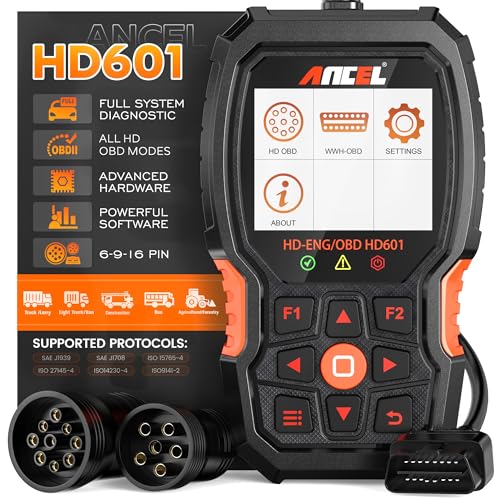
- 【Extensive Compatibility】HD601 heavy duty truck scanner supports 12V & 24V commercial vehicles and all major truck models that comply with standard protocols (SAE J1939, SAE J1708, ISO 14230-4, ISO 15765-4 and ISO 9141-2, ISO 27145-4 and Euro6). Fits for Cummins, Paccar, Detroit, Caterpillar, Freightliner, International, Peterbilt, Ford Heavy Truck, Class 4-Class 8 trucks, etc. It also supports engine diagnosis on most cars, minivans, light trucks and pickups
- 【 Full System Diagnostic】HD601 Diesel Scanner supports all system scans of heavy trucks compliant with standard protocols SAE J1939 & J1708, such as Engine, ABS, Transmission, Braking System, ESP, EPS, Fuel System, etc, It is a great scan tool for Cummins, Caterpillar, Detroit, Caterpillar, Maxxforce, Bendix,Wabash, Wabaco, Haldex, Allison, Eaton heavy trucks, With this truck tool, you can get deep analysis data about the system and do some repairs by yourself, saving much time and money. Note: Only heavy truck vehicles that comply with the above protocol can diagnose the entire system
- 【Enhanced Diesel OBD Scanner】The HD601 Diesel OBD Scanner offers unparalleled diagnostic capabilities for heavy-duty trucks. Beyond code reading, clearing, and live data display, it retrieves vehicle information, freeze frames, and DTCs. With 6, 9, and 16 pin cables, it ensures compatibility with various engines. This scanner's real-world testing prowess ensures comprehensive support for a wide array of heavy-duty truck engines, making it an indispensable tool for truck diagnostics
- 【DTC Library】+【Life Time Free Update】The built-in DTC library allows you to retrieve the codes directly without searching for the definition in the book. Whether you are a professional mechanic or a DIY car owner, HD601 diesel scanner explains the existing problem, makes it easier for you to understand code definitions and helps you locate vehicle faults. Note: This device cannot directly solve the fault. Plus, you get a lifetime free internet updates, so you always have the latest software for diagnostics in English and Spanish languages.
- 【Friendly Design, Easy of Use】This scanner is plug and play, simple and convenient, and very friendly for beginners. With improved buttons for easy menu navigation. The excellent 2.8 inch LCD color screen makes it easy to view the displayed results and gives you a better overview of your car's problem areas and the identified codes. In addition, the processor is super-fast and responds without lagging, providing maximum comfort and efficiency in diagnostic and service work
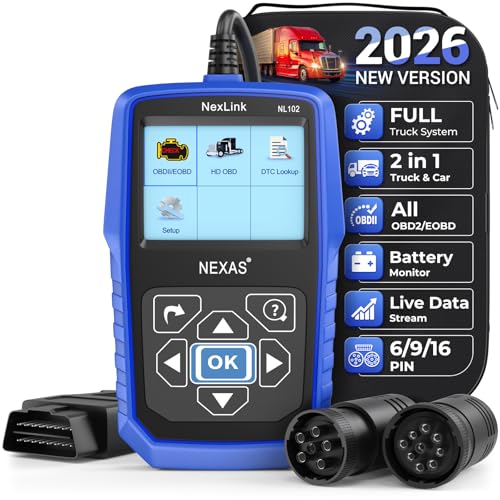
- Why NEXAS NL102 Truck Scan Tool? The NL102 outshines other truck scanner with its extensive diagnostic features. It offers full system diagnostics for major trucks meeting standard protocols, along with complete OBD2 functionality. Beyond read fault codes, clear codes and live data display, it enables vehicle info retrieval, freeze frame capture, and DTC lookup. Equipped with 6-pin, 9-pin, 16-pin connectors, it ensures broad truck compatibility. Plus, enjoy lifetime free updates in English, Spanish, and French, keeping your diagnostic scanner software current.
- Wide Compatibility - Friendly Reminder: To avoid compatibility issues, please confirm with us via Amazon Messages before purchasing. This heavy duty truck scanner is compatible with all heavy-duty trucks and semi that adhere to standard protocols (J1587, J1939, J1708). It covers a wide range of vehicle models, including Cummins, Detroit, Caterpillar, Freightliner, International, Kenworth, John Deere, Peterbilt, Sterling, Mack, Paccar, Western Star, Mercedes-Benz, Volvo, Scania, MAN, Renault, ERF, Foden, Seddon-Atkinson, Iveco, DAF, SISU, STEYR, ISUZU etc. Equipped with 6-pin, 9-pin, and 16-pin connectors for versatile device compatibility, ensuring stable plug-and-play connections.
- Save Hundreds of Money for All Heavy Duty Trucks – This diesel diagnostic scanner supports accurate full-system scans for all heavy-duty trucks that comply with standard protocols (J1587, J1939, and J1708). It can read and clear trouble codes across a range of vehicle systems, including the engine, transmission, instrument panel, drivetrain, brake system, suspension, ABS, ESP, EPS, fuel system, etc. The truck scanner communicates directly with your truck's computer to provide real-time data stream analysis, letting you pinpoint issues with precision. This cuts down on waste from unnecessary part replacements, saving you time and hundreds or even thousands of dollars.
- All OBD2 Functions + Battery Health Monitoring – Unlike many obd2 scanners on the market that only cover partial OBD2 features, ours gives you full OBD2 capability: read & clear codes, live data, freeze frame data, I/M readiness checks, EVAP tests, on-board monitor, O2 sensor tests, vehicle info, and DTC lookup. That means more detailed insights for pros and DIYers alike. The NL102 isn't just a code scanner – it's a battery saver. Regularly check your car's battery health, and catch issues before it dies completely. No more unexpected no-starts in the driveway or on the road. It diagnoses battery condition accurately, helping you avoid costly last-minute repairs.
- Plug and Play & One-click for DTC: NEXAS diesel scanner is user-friendly. It comes with an intuitive screen and easy-to-understand interface, making it accessible even for non-professionals to get started. And the built-in DTC library in the code reader allows you to directly retrieve codes without searching for definitions in books, making it easier to understand the code definitions and solve problems more quickly.
This product presentation was made with AAWP plugin.
Last update on 2026-05-11 / Affiliate links / Images from Amazon Product Advertising API