
NHTSA ID Number: 10135925
Manufacturer Communication Number: SM-SC-2011120006
TSB/Document Date: 2018-05-07
Summary
Update Electric Drive. (Updates to Work Procedure and Special Tools)
FILE:
SERVICE:
GROUP 00 OF SERVICE INFORMATION BINDER
PARTS:
GROUP I OF INFORMATION _ PARTS & ACCESSORIES BINDER
Campaign No. 2011120006, February 2013
Revision
B
A
–
Date
02/01/13
05/24/12
1/13/12
Purpose
Updates to Work Procedure and Special Tools
Updates to Work Procedure
Initial release
TO:
ALL MERCEDES-BENZ CENTERS
SUBJECT:
Model 451, Model Year 2011
Update Electric Drive
This Service Campaign has been initiated because Daimler AG (DAG) has determined that the electric
drive software may not meet current specifications. smart dealers will update the electric drive software at
the next workshop visit.
smart dealers not yet trained or not yet properly equipped with the required tools and equipment
need to direct any smart electric drive vehicle customer to the nearest properly trained and
equipped smart electric drive dealer due to risk of technician personal injury and/or damage to the
vehicle.
Prior to performing this Service Campaign:
Please check VMI to determine if the vehicle is involved in the Campaign and if it has been previously
repaired.
Please review the entire Service Campaign bulletin and follow the repair procedure exactly as
described.
Please note that Recall and Service Campaigns do not expire and may also be performed on a vehicle
with a vehicle status indicator.
Approximately 512 vehicles are affected.
Order No. SM-SC-2011120006
This bulletin has been created and maintained in accordance with MBUSA-SLP S423QH001, Document and Data
Control, and MBUSA-SLP S424HH001, Control of Quality Records.
2
Procedure
Note:
Work on a electric drive system components may only be conducted by certified workshop personnel
who have completed training courses: Tech 961 and Tech 717.
For the scopes of work described below, the safety regulations and hazard notes apply for work on
high-voltage systems.
Information on this in WIS under AS 54.00-Z-0001-02MEV
WARNING! Risk of death and personal injury may occur
when touching components on vehicles with high-voltage
on-board electrical system if not done properly. Do not
touch components and open lines of the high-voltage onboard electrical system.
Persons who are carriers of electronic implants (e.g. cardiac pacemakers) should not carry
out any work on high-voltage on-board electrical systems due to increased risk of death or
personal injury.
Work on a high-voltage system components may only be conducted by certified workshop personnel. NO
OTHER WORKSHOP PERSONNEL may perform work on the high voltage system.
MBUSA High-Voltage Awareness e-Learning course, TECH717 must be successfully completed before
diagnosing a HV vehicle and proceeding with service has even further requirements. Service work that is not
HV-related, such as tire replacement, can also be done by professionals meeting the same minimum
requirement of high voltage awareness training.
Important! Before the actual update at the vehicle, an update of the Zytek/Tesla diagnostic unit is
first required.
This update must be performed once at the diagnostic unit before the vehicles can be processed as
per the following work instructions (refer to subject A).
The following software versions must be present:
Battery (BMS)
= 1.3.9 (.teslaupdate)
EVCM/EDCM/OS
= 2E1
On-board charger
= 02.** (.teslaupdate)
Tesla Firmware Update Tool
= 2.0.8.81
In order to update the diagnostic unit to the current status, please proceed with the update at the
vehicle as per the instructions in subject A. You can also find additional information in following
documents on smart TekInfo: LI00.30-P-053002, LI00.30-P-053003, LI00.30-P-051650.
.
SM-SC-2011120006
3
A. Update of the Diagnostic Unit (required once at diagnostic unit)
Download the software files from the download area of smart TekInfo and install them on the Zytek/Tesla
diagnostic unit as per the training documents.
All the software packages are compressed archives.
To access the download area, launch smart TekInfo => select Daimler Special Tools (see attachments, visit
http://www.smarttekinfo.com/SmartTek/jsp/doclist.jsp) => then click on the link under "document" and
download all items listed.
1. System requirements
The following requirements must be met in order to install the program:
Windows XP Service Pack 2
A free USB connection (USB 1.1 or USB 2.0)
Note:
Steps 5 and 6 must be performed. Step 6.1 is new. If tesla tool 2.0.81 is already installed then steps 2, 3, 4
are not required.
If OBL software V.02xx is already installed, then step 7 from the attachment is not required.
2. Basic requirements for installation
2.1 Preparation of the installation
Create a new folder (e.g. "SW-Temp") on the desktop of the workshop computer
Copy the file "Tesla Battery & Charger Update Tool Support.zip"
in the newly created folder "SW-Temp" and extract file (right click on file then select extract).
The folder now contains the following directories
2.2 Installation of the "LabVIEW Runtime Engine"
Open the "LabVIEW" folder in the "SW-Temp" folder on the desktop
The folder contains the following file
Double click on the "LVRTE2011min.exe" file
Unzip file.
The following window opens
SM-SC-2011120006
4
Please now follow the installation wizard
(following windows appear in succession – see red arrow)
SM-SC-2011120006
5
This is followed by a prompt to restart the computer – please confirm this message
The installation of the "LabVIEW Runtime Engine" is thus completed
SM-SC-2011120006
6
3. Installation of "Tesla Battery & Charger Firmware Update Tool"
Copy the "Tesla Battery & Charger Firmware Update Tool 2.0.8.81.zip" file and extract the contents
of the file, also in the folder "SW-Temp" on the desktop (right click on file then select extract).
The folder now contains the following files
Now run the "setup.exe" file there
Please now follow the installation wizard
(following windows appear in succession – see red arrow)
SM-SC-2011120006
7
SM-SC-2011120006
8
The "Tesla Battery & Charger Firmware Update Tool" in version 2.0.8.81 was now successfully
installed and can be found under the following path
This folder contains the following files:
Now create a shortcut to the file "Metro Firmware Update Tool.exe"
on the desktop so that you can directly start the Tesla tool from there
To do so, proceed as follows:
- Right-click on the "Metro Firmware Update Tool.exe" file
- Select "Create shortcut"
- Now drag the new shortcut created to the desktop
SM-SC-2011120006
9
4. Check/correct connection settings
Double click on the Tesla tool to open (tool).
Click on button (arrow, below) then check the setting after the update of the Tesla tool (circled,
below):
- Adapter selection = Peak USB
- Baud rate = 500 K
- USB port = Port 1
Close "Tesla Battery & Charger FW Update Tool v2.0.8.81"
Important: When downloading and selecting the file, be sure to note the correct charging current variant is:
12 A.
SM-SC-2011120006
10
4.1 Install drivers for USB cable to laptop:
Plug in the USB to OBDII interface adapter into the laptop's bottom right USB port (arrow) nearest the
serial port (which is USB Port 1). This will force the laptop to load the driver you just loaded onto the
laptop.
Acknowledge any pop-up messages to load this driver. The LED (circled) on the USB to OBDII interface
should go solid red in color. This indicates that you found the USB Port 1. If for any reason this LED does
not go to solid red, then try a different USB port until it does
5. Preparation of HV battery firmware on the diagnosis computer
Note: This step must be performed! (refer also to LI00.30-P-053003)
5.1 Call up the "ESS firmware update" folder (desktop)
5.2 Delete all contents in the "Battery" subfolder
5.3 Extract (right-click to extract>select extract) the "BMS 1.3.9" file (the content is added to the "Battery"
folder).
Note:
A subfolder now exists in the "Battery" folder with the designation "1.3.9"
6. Preparation of Zytek software (refer also to LI00.30-P-053002)
Note: This step must be performed!
6.1 Unpack the file OBD.dll.zip in the local directory
C:\Program Files\Zytek Systems Limited\Development Support Tools\Calibration Tool
on the diagnosis computer.
6.2 Copy the "2E1-EVCM.zip" file directly on the desktop then extract (right click on file then select extract to
launch extract wizard).
Note:
The folder "2E1 EVCM – for Service" is created here.
6.3 Open this new folder "2E1 EVCM - for Service" on the desktop
SM-SC-2011120006
11
6.4 Select the file "C507_EVCM_2E1.ZPF" (click on it once) and create a shortcut
(right-click with mouse – 'create shortcut')
6.5 Move this shortcut directly to the desktop
6.6 Copy the "2E1-EDCM.zip" file directly on the desktop then extract (right click on file then select extract to
launch extract wizard).
Note:
The folder "2E1 EDCM – for Service" is created here)
6.7 Open this new folder "2E1 EDCM - for Service" on the desktop
6.8 Select the file "C507_EDCM_2E1.ZPF" (click on it once) and create a shortcut
(right-click with mouse – 'create shortcut')
6.9 Move this shortcut directly to the desktop
6.10 Extract the "2E1-OS.zip" file directly on the desktop:
Right click on the file
Select extract to launch the extract wizard.
Note:
The folder "2E1 OS – for Service" is created here.
6.11 Open this new folder "2E1 OS - for Service" on the desktop
6.12 Select the file "C507_Overseer_2E1.ZPF" (click on it once) and create a shortcut (right-click with mouse
– 'create shortcut')
6.13 Move this shortcut directly to the desktop
The following folders and shortcuts are now on the desktop.
7. Preparation of charger firmware files on the diagnosis computer
The following steps must be successively performed before the actual update process:
7.1 Call up the "ESS firmware update" folder (desktop)
7.2 Delete all respective contents in the "Charger" subfolder
7.3 Extract (right-click to extract>select extract) the "OBL **A V02xx Teslaupdate.zip" folder (the content
is added to the "Charger" subfolder).
Note:
A subfolder now exists in the "Charger" folder with the designation "02xx Teslaupdate"
Important: When downloading and selecting the file, be sure to note the correct charging current variant is:
12 A
The preparation for the actual update process is now completed, meaning that the processing of the
vehicles as per the instructions can begin.
SM-SC-2011120006
12
B. Update Electric Drive Software
Improtant:
Before beginning the work, please ensure that the 12 V battery is completely charged
(i.e. either full charging by means of workshop charger or by switching ignition to position 2 for 1-2 hrs.)
In addition, the charger must also remain connected during the update process.
You must ensure here that the battery supply voltage of the charger is < 15 V.
1. Update BMS (HV battery)
1.1 Switch ignition off and ensure that charging cable is not plugged in.
1.2 Connect diagnostic cable (W 451 589 09 63 00) with the plug-in power supply unit with network
connection and the USB adapter (USB/R232) and connect USB cable to the diagnosis computer.
1.3 Connect low-voltage plug (A) of high-voltage battery with branch-off line (35-pin) diagnostic connector (B)
of high-voltage battery diagnostic cable.
B
A
Figure 1 (Connector A is located under vehicle)
1.4 Start the "Tesla Battery & Charger FW Update Tool v2.0.8.81 application"
Figure 2
SM-SC-2011120006
13


- Advanced VCI Box, Industry-leading J2534 Pass-Thru...
- High-Speed OEM-Level Diagnostics & Programming: Unlock true...
- Coverage for 17 Car Brands & Ultra Reliability: Works...
- User-Friendly RLink Platform & Expert Support: TOPDON’s...
- 6.6 ft USB-C Cable & Portable Storage Case: The RLink J...
Last update on 2026-06-23 / Affiliate links / Images from Amazon Product Advertising API
If the PDF is very large, it may not load in the preview below.
Some older TSBs had multiple PDFs — visit the NHTSA Website to view all PDFs.
If the TSB PDF does not show, download or view it on the NHTSA Website.
Click on the (+) Plus Sign
Then Click on Associated Document(s)
Search NHTSA Database for Recalls
Search NHTSA Database for Vehicle Investigations
View Latest Vehicle Investigations
Search NHTSA Database for Vehicle Complaints
View Latest Vehicle Complaints
TSB/Document ID: SM-SC-2011120006
Replacement Service Bulletin Number:
MFR Communication Date: 2013-02-01
MFR Internal Campaign ID/Software Version:
Communication Type: Service Bulletin/Repair Instructions
NHTSA Components: ELECTRICAL SYSTEM:SOFTWARE
MFR Component System:
MFR Component Subsystem:
Previous TSB | Next TSB |

- 【OE-Level Full System Diagnostics-Lifetime F*REE Software Updates】The VDIAGTOOL D200 OBD2 Scanner for cars is a all system bidirectional scan tool that enjoy lifetime f*ree software updates, delivers complete system coverage. reading/clearing codes across engine, transmission, ABS, SAS, EPB, TPMS plus full access to body, chassis, powertrain and all control modules. This D200 Bidirectional car scanner works with most 1996+ OBD2 gasoline and hybrid
 cars and light trucks. It does NOT support pure electric and heavy-duty trucks. PLEASE CHECK COMPATIBILITY BEFORE ORDERING or Contact us with VIN to confirm compatibility.
 - 【Supports OBD2 Full Functions-ZERO Subscription Fees】D200 Bidirectional OBD2 Scanner is a upgarde of universal car code reader. It supports OBD2 full functions to help you turn off the annoying instrument fault indicator, such as read/clear codes, O2 sensor test, I/M readiness, on-board monitor test, datastream, freeze frame, E-VAP system test, and retrieve vehicle information. This professional obd2 scanner diagnostic tool can full access to diagnostics, reset tools and maintenance features with a single payment. NOTE: The fault code can only be cleared after the vehicle's malfunction has been repaired; please ensure the vehicle issue is fixed before clearing the code.
- 【D200 Hidden 2 Advantages: 1. $169 Expandable 49+ Advanced Resets. 2. $199 Get J2534 P*a*s*s-Thru Programming】Your core car diagnostics and 26 reset remain lifetime f*ree for everyday maintenance. When you need deeper repair capability, upgrade with 3-year access for $169 in Store on VDIAGTOOL App, gaining 49+ advanced resets. D200 configured with J2534 hardware, upgrade only when you need without replacing the entire device. You also can Lifetime Unlock for $199 in Store one-time, perform module programming, software re~flashing and ECU data updates directly. Supports 17+ major brands, including for BMW, for Audi, for GM, for Ford and more. Note:D200 does‘t provide any OE software.
- 【Full Bidirectional Control / Active Tests】The D200 car scanner diagnostic tool is a true bidirectional scan tool that lets you send commands directly to the vehicle’s ECU for active tests. Quickly test fuel pumps, relays, solenoids, injectors, cooling fans, windows, sunroofs and more to verify operation instantly. Get dealership-level diagnostic control at a fraction of the cost (ofter $100-200$ per diagnostic visit), reduce guessworkand confirm repairs faster, avoid unnecessary parts replacement, towing fees and wait times.
- 【26 F*ree Essential Reset & Relearn Functions – Everyday Maintenance Made Easy】Handle common maintenance and repair jobs without visiting the shop. The D200 code readers & scan tools includes 26 f*ree high-demand reset functions, including Oil Reset, EPB Service, SAS Calibration, ABS Brake Bleeding, Throttle Relearn, Injector Coding, Headlight Adjustment, Tire Size Reset and more. Perfect for home car owners, mechanics and DIYers – just plug and diagnose anytime, anywhere! Note: Service functions vary by vehicle model—please confirm compatibility.

- 【A MUST-HAVE TOOL FOR DIYERS】 - VDIAGTOOL VD10 car code reader is an incredibly useful obd scanner for each car owner or hobbyist, even for those with little to no experience when it comes to vehicle mechanics! Similar to a fixd car diagnostic tool, using this car diagnostic scanner is extremely easy. All you have to do is attach it to your car OBDII port and you can diagnose car problems in seconds! Read Codes (DTCs); Clear Codes; Live Data; View Freeze Frame; I/M Readiness; Vehicle Information.
- 【KEEP ENGINE IN GOOD STATUS】 - VDIAGTOOL check engine code reader brings a fast access to scan, read the car fault code, show its definition on the screen instantly, troubleshooting to find the root causes of problems, erase the engine fault code and turn off the MIL (Malfunction Indicator Light). Similar to a fixd car diagnostic tool, this car code reader helps ensure your engine stays in top condition.
- 【READ/CLEAR CODES & DTC LOOKUP】- No search online & saving your time, this vehicle car code reader retrieves generic (P0, P2, P3, and U0), manufacturer specific (P1, P3, and U1) codes, pending codes and displays DTC definitions based on the built-in database(more than 3000 codes) on the TFT screen, find out the root causes and clear the codes after fixed.
- 【LIVE DATA & RETRIEVE FREEZE FRAME】 - This diagnostic scan tool for accurate diagnosis enables you to retrieve data from vehicle sensors, such as Engine RPM, Intake air temperature, Short/Long term fuel, Misfire data and etc. The freeze frame is stored in the PCM together with the diagnostic trouble code (DTC) related to the fault. Comparable to a fixd car diagnostic tool, the VD10 car code reader car scanner can be a valuable & practical diagnostic aid and also greatly help when diagnosing intermittent problems.
- 【I/M READINESS for THE S-nn-0-g CHECK】- OBDII vehicle may not pass the annual inspection unless the required monitors since reset are complete. So you should at least read the readiness monitors and make sure they are ready. This car obd2 scanner diagnostic tool is equipped with I/M readiness function to check the operations of the e-m-issi0n system on OBD2 compliant vehicles, run I/M monitor readiness test, checking if the pass vehicle s-m-0-g inspection.
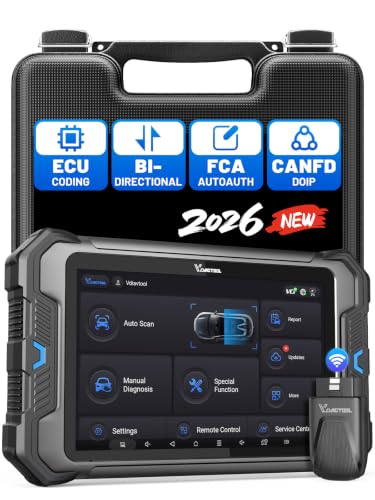
- 【Professional Diagnostics】 The VD80 BT Lite bidirectional obd2 scanner is a professional OBD2 scanner diagnostic tool, delivering vehicle diagnostics right in your own garage. It supports 4,000+ active diagnostic tests, 28+ maintenance service functions, ECU coding, PMI calibration, brake service reset, and OEM-grade full-system vehicle scanning—perfect for DIYers and pros looking for powerful automotive tools. The available function tests vary by model—please to confirm compatibility.
- 【ADVANCED ECU CODE, CUSTOMIZE OE-SETTINGS】As a complete car code reader and reset tool, the VD80 BT Lite bidirectional obd2 scanner supports ECU coding for VW, for Audi, for BMW, for Benz, for Mitsubishi and more. PMI function for Ford/for Lincoln/for Mazda, supports copy data into new module. Step-by-step Guided Diagnostics makes complex jobs easier—making this one of the most reliable code readers & scan tools on the market.
- 【100000+ Vehicles Compatibility – CAN FD/DOIP】 VD80 BT Lite Auto Scanner Compatible with 100,000+ vehicles worldwide, this bidirectiona car scanner works with all OBD2-compliant vehicles manufactured after 1996, covering more than 100 brands worldwide. It also supports CAN FD, DOIP and FCA Secure Gateway protocols, boost 2X faster data transfer, covers 99% of U.S., EU and Asian cars. With 22 languages and 2 years of f*ree updates—future-proofing your car reader diagnostic for all cars.
- 【28+ Maintenance Services & Calibration Functions】VD80 BT Lite scanner for car Supports 28 maintenance services, including resetting oil and service lights after routine maintenance, registering new batteries for proper system operation, and clear clogged filters and restore performance. Additionally, it calibrates TPMS sensors after tire rotations, resets brake systems after pad replacements, relearns steering angle sensors after alignments, and more. These functions help your vehicle quickly and accurately return to peak performance—without the costly dealer visits.
- 【True Bidirectional Control – Diagnose with Confidence】Standing out with full-system coverage and extensive active test capabilities, the VD80 BT Lite bidirectional scan tool retrieves data from electronic control units and performs a wide range of active tests. You can real-time control over modules like fuel pumps, windows, A/C clutches, and relays. Perform 100+ advanced functions including throttle adaptation, injector coding, VIN write, idle relearn, and ABS bleed—helping you fix it right the first time with this all-in-one car diagnostic scanner.
Last update on 2026-06-23 / Affiliate links / Images from Amazon Product Advertising API
This product presentation was made with AAWP plugin.