
NHTSA ID Number: 10130952
Manufacturer Communication Number: IK0800475
TSB/Document Date: 2018-04-02
Summary
Radio Diagnostics and Information
X
X
X
X
X
X
X
SiriusXM
X
X
X
X
X
Radio wont power up
Description
• Customer may state the radio wont power up
• Please print the check list below and attach to warranty claim.
Radio wont power up checklist
• The radio power supply is different between a truck with a remote sleeper control and without remote sleeper control
◦ Without Sleeper Control routes power from fuse F4‐F directly to the radio. For a simplified schematic Click Here
◦ With Sleeper Control routes power from fuse F4‐F to the sleeper control. The sleeper then relays power through the sleeper
control to the radio. For a simplified schemtic Click Here
◦ For Connector Composites 1300 and 1301 Click Here
• In the event the radio is replaced, the radio will be called back for review, it is required to submit checklist with warranty claim,
and radios which are found to be operating will be charged back to the dealer.
( Back to Top )
Radio turns off
Description
• Customer may state the radio turns off. Confirm with the customer when the issue is occurring. All Radios have a 1 hour timer
feature. The customer may not be aware of this built in feature.
• With the ignition off, pressing the SRC/PWR button will turn on the receiver and activate the receiver’s one‐hour timer. The receiver
will turn off after one hour or by pressing and hold the SRC/PWR button.
• If this is not the customers concern, proceed with the checklist below.
• Please print the check list below and attach to warranty claim.
Radio Power Issue Checklist
• In the event the radio is replaced, the radio will be called back for review, it is required to submit checklist with warranty
claim, and radios which are found to be operating will be charged back to the dealer.
Additional Information
• One‐Hour Timer
• With the ignition off, pressing the SRC/PWR button will turn on the receiver and activate the receiver’s one‐hour timer. The receiver
will turn off after one hour or by pressing and hold the SRC/PWR button.
( Back to Top )
Bluetooth issues
https://evalue.internationaldelivers.com/service_kb/DocTool/ArticleViewer.aspx?ControlI...
11/3/2014
IK0800475 Radio Diagnostics and Information
Page 3 of 11
This section also includes information on the Bluetooth microphone
• Customer may state there is an issue with the Bluetooth function of the radio
• Please print the check list below and attach to warranty claim.
Bluetooth Issues Checklist
• In the event the radio is replaced, the radio will be called back for review, it is required to submit checklist with warranty claim,
and radios which are found to be operating will be charged back to the dealer.
Additional Information:
Note: the 355 series radios did not have capability to stream music from a device where the new DEA5xx series models do have this
capability. If the vehicle has a 355 series radio and the complaint is they cant stream music, this is normal operation. Popular Supported
Phone models include but are not limited to:
Bluetooth Radio Microphone
On units equipped with a Bluetooth® stereo, there are some basic operational checks that can be made when there is a complaint with
the system operation.
The Bluetooth® audio comes out of the Front Left speaker.
Follow these steps to make sure the radio is setup correctly.
•
•
•
•
Determine how many channels the vehicle has.
Our vehicles stereos will have a 2 channel system, a 4 channel system, or a 4 channel premium that has 6, 8 or 10 speakers.
You only need to know if its 2 channel or 4 channel, based on the number of speakers are in the vehicle.
Once you determine if it’s a 2 channel or 4 channel vehicle you have to make sure the radio is set to the appropriate mode (2
channel or 4 channel).
1. Press "Title/Menu" button for 2 seconds (until you hear a beep) to enter "main menu"
2. Press "UP" until you get to "Speakers", then press "OK"
3. Press up to select "2CH" or "4CH" to correspond to the number of speakers in the vehicle.
4. Press "ESC" a few times to exit out of the "main menu"
• Now you want to verify the speaker location.
1. Press the Volume knob in for 2 seconds to bring up the audio menu
https://evalue.internationaldelivers.com/service_kb/DocTool/ArticleViewer.aspx?ControlI...
11/3/2014
IK0800475 Radio Diagnostics and Information
Page 4 of 11
2. Turn the Volume knob (left or right) until you see "FADE" (note if you have it on 2 channel mode then there will not be a fade
option, if so skip to step 4).
3. Press the Volume knob to select "FADE" then turn the knob to the left until the Fade is only on the front speakers, then press
"OK"
4. Turn the Volume knob until you see "Balance" and press the knob to select it.
5. Turn the Volume knob left until the Balance is only on the left speaker.
• You have now isolated the left front speaker. If you hear audio then the radio is installed correctly, if not then there is a wiring issue.
If you determine there is a wiring issue, verify all wiring is properly connected and has continuity from the radio to the speaker or
microphone.
The Bluetooth® Mic must be installed with the arrow on the Mic facing toward the front of the vehicle or the performance will be
drastically impacted. See Figure 1.
Figure 1
Bluetooth® Mic Install Orientation
Figure 2
Bluetooth® Mic Connector Pinout
The Microphone should have approx 7.2v ‐ 8.8v power supply.
Attached is the wiring diagram and photos relating to the factory installed Bluetooth® system.
• Bluetooth Wiring Schematic
Bluetooth Mic Part Number: 3714837C1
( Back to Top )
https://evalue.internationaldelivers.com/service_kb/DocTool/ArticleViewer.aspx?ControlI...
11/3/2014
IK0800475 Radio Diagnostics and Information
Page 5 of 11
Radio Reception (Including SAT)
Customer may have one of the following concerns:
1. Cant identify XM radio ID#
◦ To identify XM ID perform the procedure below:
◦ Select XM as source, then tune to channel 0 , "RADIO ID" label alternates with the SXM radio eight‐digit code.
◦ NOTE: Some customers have had trouble activating the radio. This has been found to be due to misinterpretation of the radio
ID. It's easy to mistake a "Q" for a "0"
◦ Example: 9904248G should be 99Q4348G
2. Poor radio reception
◦ Resolution:
◦ If poor radio reception is experienced, the mounting location needs to be spot‐faced from the inside of the cab.
◦ Remove the Nut and Star washer
◦ Use a die grinder and remove the paint (spot face) around the antenna base. You do not need to remove the antenna.
◦ Apply dielectric grease to the spot faced area.
◦ Re‐install the star washer and nut.
Figure 3 below shows location near the passengers kick panel under the IP. Builds after mid‐December have the area spot‐faced.
Figure 3
3. Complaint Not Listed
◦ If the customer has a different concern related to radio reception, proceed with the checklist
◦ Please print the check list below and attach to warranty claim.
Reception Issues Checklist
◦ In the event the radio is replaced, the radio will be called back for review, it is required to submit checklist with warranty
claim, and radios which are found to be operating will be charged back to the dealer.
( Back to Top )
iPod/USB flash device
This Radio supports the following iPod models:
https://evalue.internationaldelivers.com/service_kb/DocTool/ArticleViewer.aspx?ControlI...
11/3/2014
IK0800475 Radio Diagnostics and Information
•
•
•
•
•
Page 6 of 11
iPod classic® (6th generation)
iPod nano® ( 6G)
iPod touch® (4G)
iPhone® (3G, 3GS, 4, and 4S)
Other iPods may be played, but functionality is not guaranteed.
Radio provides up to 1A of charge, so any device connected to the USB that requires less than 1 A will be charged.
DEA5XX Mode Specific:
• The USB MP3 players and USB drives connected must comply with the USB Mass Storage specification:
◦ MS‐Dos partition only.
◦ Class specification (USB MSC) and supports formats of FAT32, FAT16, NTFS, and HFS+.
◦ Hard disk drives may be played, but they are not supported.
◦ The radio will not be able to play back write‐protected music.
◦ MTP players are not supported.
If the above information does not resolve the issue, print and fill out the checklist below.
iPOD Issues checklist
In the event the radio is replaced, the radio will be called back for review, it is required to submit checklist with warranty claim, and
radios which are found to be operating will be charged back to the dealer.
( Back to Top )
Cd Player issue
The player can be used for CD and MP3 audio.
• With the vehicle on, insert a disc into the slot, label side up. The player pulls it in and begins playing.
• Most models are capable of playing:
◦ Most audio CDs.
◦ CD‐R.
◦ CD‐RW.
◦ MP3 or unprotected WMA formats.
• When playing any compatible recordable disc, the sound quality can be reduced due to disc quality, the method of recording, the
quality of the music that has been recorded, or the way the disc has been handled.
• There can be increased skipping, difficulty in recording tracks, difficulty in finding tracks, and/or difficulty in loading and ejecting.
Verify in operator manual of disc compatibility.
• If these problems occur, check the disc for damage or try a known good disc.
Specific Error Messages for CQ‐CM140U
Check with customer if they experienced any of these error messages as it might help pinpoint the problem.
DEA5xx Model:
https://evalue.internationaldelivers.com/service_kb/DocTool/ArticleViewer.aspx?ControlI...
11/3/2014
IK0800475 Radio Diagnostics and Information
Page 7 of 11
If “Disc Error” message is displayed and/or the disc comes out, it could be for one of the following reasons:
•
•
•
•
•
•
•
•
•
•
The disc has an invalid or unknown format.
The disc is very hot. Try the disc again when the temperature returns to normal.
The road is very rough. Try the disc again when the road is smoother.
The disc is bent.
The disc is dirty, scratched, wet, or upside down.
The air is very humid. Try the disc again later.
There was a problem while burning the disc.
The label is caught in the CD player.
If the disc is not playing correctly, for any other reason, try a known good CD.
If any error continues, contact your dealer.
Check with customer if they experienced any of these error messages as it might help pinpoint the problem.
If the above information did not solve the customer issue, proceed with filling out the checklist below.
CD Player Issues Checklist
In the event the radio is replaced, the radio will be called back for review, it is required to submit checklist with warranty claim, and
radios which are found to be operating will be charged back to the dealer.
( Back to Top )
Locked Radio
Description
Radio is locked up.
Symptoms
• Radio buttons will not function
• Applies to models AVN5494 / AVN5435 / AVN radios
Troubleshooting
1. Verify the battery power, accessory power and ground circuits for the radio are in proper working order
◦ Verify the terminals are fully seated and locked in their connector
◦ Pin drag test the terminals to verify they have not spread
◦ Load test the power and ground circuits
Resolution
You will need to remove the radio and record the following:
1. Serial number.
2. Model number
3. Call Manufacturer hotline for assistance:
◦ 1‐800‐233‐2216 in the United States.
◦ 1‐888‐557‐8278 in Canada.
4. When screen message on the radio says "CALL 800" proceed:
◦ Press and hold at the same time CONTINUE and MENU button. Both located on the left side.
◦ While holding the CONTINUE and MENU button on the left side,press the MENU button five times continuously that is located
on the right side.
◦ Under the Code# is the 6 digit security code.
◦ Enter the new code by using the touch screen.
◦ After entering the new unlock code press the ENTER symbol on the screen.
5. Be sure to record the new security code in a safe place.
( Back to Top )
https://evalue.internationaldelivers.com/service_kb/DocTool/ArticleViewer.aspx?ControlI...
11/3/2014
IK0800475 Radio Diagnostics and Information
Page 8 of 11
Sleeper Radio Displays no Link
• Applies To: LoneStar, ProStar, PayStar, 9400, 9900
Description
• Complaint that the Sleeper Radio Control (08RJG) Displays "No Link"
• No radio control from sleeper
Service Procedure
1. Verify sleeper radio control is powering up.
◦ If not, troubleshoot power circuits to the unit
◦ If power and grounds are good and unit will not power up you may need to replace sleeper radio control.
◦ Fused Accessory power is supplied to the sleeper radio terminal 2. Then terminal 6 supplies power to the radio in the dash.
2. Verify radio is powering up and can be controlled by the knobs and switches on the front of the radio. If not, troubleshoot power to
radio or replace radio if necessary.
3. Verify radio cab be controlled by switches in steering wheel. If not, troubleshoot steering wheel switch inputs to radio.
4. Try to force sleeper radio control to "sync" with radio.
◦ Turn key to off position.
◦ With radio on, pull fuse F2‐E, Radio, for a few seconds, then reinstall the fuse.
◦ With radio off, disconnect sleeper radio control , leave loose for a couple seconds, reconnect and turn on radio with sleeper
radio control .
◦ This should force the sleeper radio control to sync with the radio. If not, check integrity of data link.
5. Check the integrity of the data link circuits between the radio and the sleeper radio control . (Refer to circuit Diagram)
◦ This data link is similar to the other J1939 data links on the vehicle.
◦ With no power applied, there should be 60 Ohms of resistance between the circuits. If this is not correct, there may be an open
circuit or missing terminating resistor. The terminating resistor for the remote is in a jumper harness between the sleeper radio
control and the truck harness. (See picture below)
◦ With power, there should by approximately 2.5 Vdc on each data link circuit.
—Note: The voltages should not match
◦ If problems persist or reoccur, it may be necessary to relocate the terminating resistors so that one is as close to the radio as
possible and the other is a close to the remote control as possible.
6. If all else fails it may be necessary to replace the remote or the radio.
Circuit Diagrams
• ProStar/LoneStar Remote Radio
( Back to Top )
Citizens Band (CB) Radio Antenna Application/Performance
The quality and range of CB transmission is largely dependent on the "impedance match" of the antenna, cables, and connections to the
CB radio. The antennas used by International are designed and matched to be used with specific truck models and should not be used in a
particular installation simply because it fits the mounting hole or has the right mast color for the particular truck in question. Use only the
correct antenna by part number for the current production vehicles listed below.
https://evalue.internationaldelivers.com/service_kb/DocTool/ArticleViewer.aspx?ControlI...
11/3/2014
IK0800475 Radio Diagnostics and Information
Page 9 of 11
Parts Information
Models
Color/ Description
Part Number
4000, 7000, 8000 HPV
*White / 48" CB Only ‐ Black Dot
3566222C1
5000, 9000
Black / 48" CB/AM/FM/WX
3528749C1
9000
*White / 48" CB Only
2007866C1
ProStar
*White / 48" CB Only ‐ Red Dot
3666568C1
* Indicates the mast is white with an orange cap and International printed on the cap. The
antennas with black or red dots will have the dots on the bottom of the threaded end.
( Back to Top )
Radio Displays Amp Fault
Customer may state the radio display says "AMP Fault". If the concern is verified, check with the customer to see if any aftermarket
equipment has been installed recently. Check the ground for the amp located in the sleeper. The ground stud is located on the driver side
near the sleeper fuse box.
The radio will display this fault if the amp sense circuit is grounded. Check the circuit for a short to ground(Figure 1). As a last resort, the
amp itself might be faulty.
FIGURE 1
( Back to Top )
Radio Steering wheel controls diagnostics
https://evalue.internationaldelivers.com/service_kb/DocTool/ArticleViewer.aspx?ControlI...
11/3/2014
IK0800475 Radio Diagnostics and Information
Page 10 of 11
Triage
Customer may state the steering wheel controls, specifically volume up or down, for the radio may be inoperative or work intermittently.
The radio steering wheel controls are voltage sensitive and any voltage drop between the input to the radio and the input to the radio
steering wheel controls may cause the controls not to work. It is important to note from the customer when the concern is experienced.
Diagnostic Procedures
Please follow the attached procedure to check voltages to pinpoint the problem. Most of the time, the radio is not the issue, rather there
is a wiring problem causing a voltage drop between the 2 inputs to the radio
• Steering wheel switch diagnostics
( Back to Top )
Owners Manual by radio model
•
•
•
•
•
DEA5xx Manual
DEA355 Manual
CRCM120 Manual
DEA222 Manual
CQ‐CM140U Manual
( Back to Top )
Circuit Diagrams
•
•
•
•
•
•
•
ProStar/Lone Star
DuraStar/WorkStar/TranStar
CE Bus
TerraStar
RE Bus
AE Bus
PayStar/9900
( Back to Top )
Warranty Information
Warranty Claim Coding:
Group 19070 ‐ Radio‐Entertainment and C.B.
777 ‐ Vehicle, Sub(Rental)
778 ‐ Towing, Out of Warranty
473 ‐ Amplifier
284 ‐ Antenna and Lead‐in ‐ Entertainment Radio
Noun
481 ‐ C.B. ‐ Basic Assembly
483 ‐ CD Changer
290 ‐ Control, Radio ‐ Sleeper Box
489 ‐ DVD Entertainment System
379 ‐ Fuse / Circuit Breaker
https://evalue.internationaldelivers.com/service_kb/DocTool/ArticleViewer.aspx?ControlI...
11/3/2014
IK0800475 Radio Diagnostics and Information
Page 11 of 11
Standard Repair Time(s):
Action
SRT Code
Model
Hours
Radio (Receiver Unit), Replace
A19‐8001A
All Models
0.4
Radio (Receiver Unit), Replace
S19‐8001A
LoneStar
0.3
Radio Antenna Base and Mast,
Replace
A19‐3645
All Models
0.7
Radio Antenna Base and Mast,
Replace
S19‐8002A
LoneStar
1.3
Radio Antenna Lead In Cable,
Replace
A19‐3660
All Models
0.6
Radio Antenna, Replace
A19‐3650
All Models
0.3
Radio Antenna, Replace
A19‐650
All Models
0.3
Radio Control, Replace (Sleeper
Cab)
R19‐7005L
ProStar
0.5
( Back to Top )
Hide Details
Feedback Information
Viewed:
4620
Helpful:
18
Not Helpful: 79
No Feedback Found
Copyright © 2014 Navistar, Inc.
https://evalue.internationaldelivers.com/service_kb/DocTool/ArticleViewer.aspx?ControlI...
11/3/2014

- Seamless Bluetooth Connectivity: Car stereo with Bluetooth...
- Powerful, Clear Audio Performance: Equipped with a built-in...
- High-Quality Music Playback via USB: Enjoy clear, detailed...
- Compact 1-DIN Design: Single din radio is designed with a...
- Simple Sound Customization: Dedicated Direct EQ Keys let you...

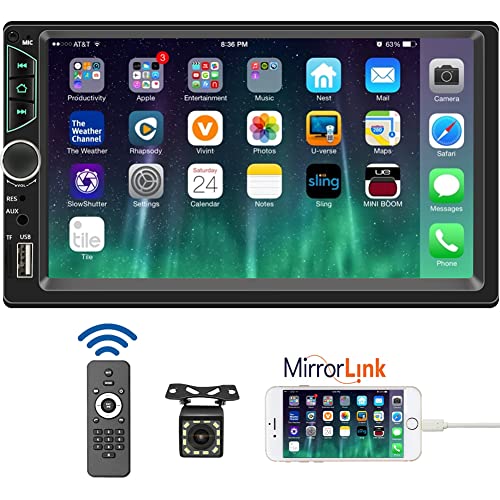
- 【High Quality Car Stereo Player】- Our double din car...
- 【Double Din Car Stereo Phone Mirror Link】- Support...
- 【7 inch Double Din Car Radio With Bluetooth 5.0 and FM...
- 【Car Stereo Double Din Inputs】- USB /SD/AUX input. car...
- 【Standard Double Din Stereo with Backup Camera】- Parking...
Last update on 2026-06-23 / Affiliate links / Images from Amazon Product Advertising API
If the PDF is very large, it may not load in the preview below.
Some older TSBs had multiple PDFs — visit the NHTSA Website to view all PDFs.
If the TSB PDF does not show, download or view it on the NHTSA Website.
Click on the (+) Plus Sign
Then Click on Associated Document(s)
Search NHTSA Database for Recalls
Search NHTSA Database for Vehicle Investigations
View Latest Vehicle Investigations
Search NHTSA Database for Vehicle Complaints
View Latest Vehicle Complaints
TSB/Document ID: IK0800475
Replacement Service Bulletin Number:
MFR Communication Date: 2014-10-31
MFR Internal Campaign ID/Software Version:
Communication Type: Service Bulletin/Repair Instructions
NHTSA Components: EQUIPMENT:ELECTRICAL:RADIO/TAPE DECK/CD ETC.
MFR Component System:
MFR Component Subsystem:
Previous TSB | Next TSB |

- Stay Updated with Lifetime Access: This obd2 scanner includes lifetime free software updates for all app service functions. With a single payment, enjoy full access to diagnostics, reset tools, and maintenance features — zero subscription fees. A budget-friendly choice for weekend mechanics, home car owners, and DIYers, supporting vehicles from 1996 onward. Come to us with your VIN to check compatibility.
- Full Bidirectional Control/Active Tests & Stable Wireless Connectivity: This car code reader features full bidirectional control, allowing you to send commands to the vehicle's ECU for active tests on components such as fuel pumps, injectors, A/C clutches, windows, sunroofs, and more. This car scanner diagnostic tool helps DIYers quickly diagnose and test vehicle parts, cutting down troubleshooting and repair time. With BT 4.0 wireless connectivity, you can enjoy cable-free diagnostics up to 33 feet. Stand in your garage and test windows, wipers, or even engine components—all without needing to move around your car.
- Portable Car Scanner with 26 Special Functions: Scheduled vehicle maintenance with the A30M car diagnostic scanner can keep your vehicle in peak condition and save you big on dealership trips. The XTOOL A30M obd2 scanner diagnostic tool features essential reset and relearn functions, such as Oil Reset, EPB Reset (Electronic Parking Brake Release), SAS, ABS Brake Bleeding, Throttle Body Relearn, Injector Coding, Crank Sensor Relearn, Headlight Adjustment, and Tire Size Reset. Note: Service functions may vary by vehicle model – check compatibility beforehand!
- Wide Compatibility CAN FD & FCA
 Autoauth: This obd2 scanner diagnostic tool is compatible with over 85+ car brands from the U.S., Europe, and Asia, providing extensive coverage through a BT connection with your smartphone or iPad. Now upgraded to support the latest protocols, it includes FCA AutoAuth access for Chrysler, Jeep, Dodge, and Fiat (2018+), and supports CAN FD for GM (2020+) models, giving you greater access to newer vehicles and systems. Note: The FCA AutoAuth account is not included with the device. Users must register and pay separately through the official FCA AutoAuth website to access diagnostic functions for vehicles that require it.
 - Up to 8 Live Data Streams Graphing – Real-Time Graphing for Deeper Insight: This car scanner supports up to 8 live data streams simultaneously with intuitive, real-time graphing. Gain comprehensive insights into your vehicle’s performance, making it easier to spot issues, detect trends, and make informed diagnostic decisions with confidence.
- Comprehensive OBD2 Scanner with 16 Resets: The XTOOL D5S car code reader and vehicle reset tool provides an advanced diagnostic solution with 16 commonly needed reset functions, including Electronic Parking Brake Reset (EPB Reset), SAS, BMS Reset (Battery Test), Throttle Body Relearn, TPMS Reset, ABS Bleeding, Injector Coding, Gearbox Match, Suspension Adjustment, Headlight, Window Initialization, Crank Sensor Relearn and more. Equipped with CAN FD Protocol and FAC AutoAuth, the D5S obd2 scanner diagnostic tool ensures compatibility with a broad range of modern vehicles, allowing users to address common maintenance needs quickly. NOTE: Please Check the Compatibility before ordering.
- 4 Main System Car Scanner & Full OBD2 Diagnostics: The XTOOL D5S car code reader is ideal for home mechanics, DIYers, and professionals, providing access to Transmission/Engine/ABS/SRS systems to read DTCs, Live data can be displayed in text or up to 4 PID data graphs, along with full OBD2 diagnostics to check the engine light on, other obd2 issues and routine maintenance. This car diagnostic scanner ensures you can keep your vehicles in top condition, avoiding costly repairs or unexpected breakdowns. NOTE: Some vehicles display three systems after connection because the transmission and engine of some vehicles are integrated into one.
- Check Engine Code Reader & Real-Time Engine Monitoring: Whether you're a car owner, a DIYer, or run a repair shop, the XTOOL D5S obd2 scanner diagnostic tool makes engine diagnostics fast and frustration-free, reading and explaining trouble codes in seconds—no confusion. Check live data like fuel trim, 02 sensor voltage, RPM, and coolant temp to pinpoint mis~fires, rough idle, or sensor issues. After repairs, simply use the D5S check engine code reader and reset tool to turn off the check engine light and confirm the problem’s fixed—saving time, money, and unnecessary shop visits. - Note: If the check engine light comes back on, it indicates the original problem still exists.
- Portable Car Scanner for ABS and SRS: XTOOL D5S gives you peace of mind when ABS or airbag warning lights come on. It reads and clears ABS codes to help you fix brake sensor, traction control, or wheel speed issues, and supports ABS bleeding after repairs like caliper or master cylinder replacement. For airbag systems, it scans and clears SRS codes related to airbags, seatbelt tensioners, and crash sensors. Whether you're doing repairs at home or running a small shop, the D5S is a cost-effective solution for safety diagnostics. Note: If a fault code returns after clearing, it usually means the issue hasn’t been fully resolved. Please check the compatibility before ordering.
- Transmission Warning Light ON? Here’s the Transmission Diagnostic and Reset Tool You Need: The XTOOL D5S is more than just a basic car scanner—it’s an easy-to-use transmission diagnostic tool. From rough shifts to slipping gears, the D5S lets you read and clear transmission trouble codes, monitor real-time TCM data, and perform transmission resets after fluid changes or repairs. Whether you’re a hands-on car owner or a pro running a busy shop, this OBD2 scanner with transmission functions helps you catch problems early—saving you time, money, and future headaches.. Note: Clearing fault codes is equivalent to a reset on some vehicles, but not all. For help, contact XTOOL Tech Support.
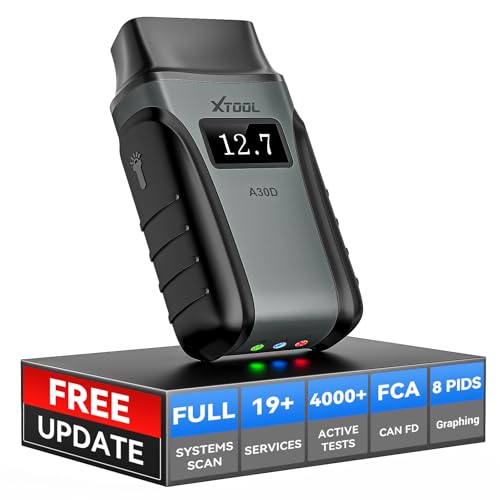
- Save $500+/Year with Pro-Level Diagnostics -No Subscriptions: The Portable XTOOL Anyscan A30D OBD2 scanner diagnostic tool includes free lifetime software updates for all app service functions, without extra cost. With a single payment, enjoy full access to diagnostics, relearn scan tools, and maintenance features. A cost-effective, smart choice for car owners and DIY enthusiasts, compatible with vehicles from 1996 onward. Please provide the car VIN and the special functions you need in advance so that we can confirm compatibility
- Bi-Directional Control for Faster Troubleshooting: Unlike a basic code reader, the A30D bi directional scan tool sends commands directly to your vehicle’s ECU to actively test components like fuel pump, valves, wipers, windows, doors, sunroof, and headlamps right from your smartphone. See component responses in real time without disassembly—perfect for brake jobs, electrical issues, and hard-to-find problems. This bidirectional obd2 scanner helps pinpoint faults faster, reduce guesswork, and avoid replacing good parts. An efficient, easy-to-use car scanner diagnostic tool built for DIYers, home garage users, and small-shop technicians who want real two-way scanner, not just codes
- 19 Reset Functions for Routine Maintenance: The A30D car diagnostic scanner provides 19 relearn functions without extra charges, including EPB Reset for parking brake replacement, TPMS Reset after tire changes, ABS Auto Bleeding, Oil Reset, SAS Reset, BMS Reset, Throttle Relearn, Injector C0ding, Gear Learning, Crank/Crankshaft/Cam/Ckp Sensor Relearn Tool, Transmission Match, Seat Calibration, Airbag Repair and more. This XTOOL A30D automotive scanner diagnostic tool supports preventive care, helping extend vehicle life and reduce costly shop visits. Functions vary by vehicle make and year—plz confirm compatibility before purchase
- Stable BT Connection & All-System & 8 Pids Live Data: The A30D wireless OBD2 scanner delivers a fast and stable wireless connection up to 33 feet, letting you move freely around the vehicle without tangled cables. Pair with with Android 9.0+ and iOS 10.0+ devices to turn your phone into a mobile auto scanner—perfect for home garages, driveways, or on-the-spot repairs. This full system scanner for cars provides real-time access to all major modules, including Engine, Gearbox, ABS, SRS, AC and more. with clear graphs, meters, and up to 8 PIDs displayed at once. This car code reader makes system monitoring visual, simple, easy to understand, and offering data logging for playback and deeper
- Wide Compatibility with CAN-FD & FCA Support: The A30D car computer diagnostic reader works with most 1996 and newer vehicles with a standard OBD2 port, including for Ford, for GM, for Toyota, for Honda, for Nissan,for Hyundai etc, with ongoing updates covering more car models and functions later. It also supports newer communication protocols like CAN-FD and FCA AutoAuth (Personal AutoAuth account and active subscription required, not included with the device!for Chrysler, for Dodge, for Jeep, for Fiat models). It is a future-ready automotive scanner diagnostic tool for households with multiple vehicles or part-time techs. Coverage vary by cars, plz check the compatibility first
Last update on 2026-06-23 / Affiliate links / Images from Amazon Product Advertising API
This product presentation was made with AAWP plugin.