
NHTSA ID Number: 10130501
Manufacturer Communication Number: NTB18-015
TSB/Document Date: 2018-03-26
Summary
2016-2018 TITAN XD; VEHICLE WILL NOT MOVE AND/OR A/T OIL TEMP LIGHT FLASHING This bulletin applies only to vehicles equipped with a Cummins 5.0L V8 Diesel engine. IF YOU CONFIRM The customer reported the following: While driving in conditions where wheel slip can occur (such as dirt, sand, mud, snow/ice, etc.), or while driving/sitting in traffic at slow speeds or idle: -The red A/T Oil Temp lamp began flashing, And/or -Vehicle would not move (the engine felt like it had no power), And -Vehicle operation returned to normal when the engine/transmission was allowed to cool. ACTION 1. Compare the vehicle?s current TCM part number to the part number listed in Table A on page 7. 2. If the current TCM part number matches a part number listed in Table A, follow the instructions in Table A.
Classification:
Reference:
AT18-001
Date:
NTB18-015
February 16, 2018
2016-2018 TITAN XD; VEHICLE WILL NOT MOVE
AND/OR A/T OIL TEMP LIGHT FLASHING
APPLIED VEHICLES:
APPLIED ENGINE:
APPLIED TRANSMISSION:
2016-2018 Titan XD (A61)
Cummins 5.0L V8 Diesel
6AT – RE6R01A
IF YOU CONFIRM
The customer reported the following:
While driving in conditions where wheel slip can occur (such as dirt, sand, mud,
snow/ice, etc.), or while driving/sitting in traffic at slow speeds or idle:
The red A/T Oil Temp lamp began
flashing,
A/T
OIL TEMP
And/or
Vehicle would not move (the engine felt
like it had no power),
And
Vehicle operation returned to normal
when the engine/transmission was
allowed to cool.
ACTION
1. Compare the vehicle’s current TCM part number to the part number listed in Table A on
page 7.
2. If the current TCM part number matches a part number listed in Table A, follow the
instructions in Table A.
IMPORTANT: The purpose of ACTION (above) is to give you a quick idea of the work you
will be performing. You MUST closely follow the entire SERVICE PROCEDURE as it
contains information that is essential to successfully completing this repair.
Nissan Bulletins are intended for use by qualified technicians, not 'do-it-yourselfers'. Qualified technicians are
properly trained individuals who have the equipment, tools, safety instruction, and know-how to do a job
properly and safely. NOTE: If you believe that a described condition may apply to a particular vehicle, DO
NOT assume that it does. See your Nissan dealer to determine if this applies to your vehicle.
1/25
SERVICE PROCEDURE
IMPORTANT: Before starting, make sure:
ASIST on the CONSULT PC has been synchronized (updated) to the current date.
All C-III plus software updates (if any) have been installed.
The CONSULT PC is connected to the internet (Wi-Fi, or cable).
No DTCs are stored.
TCM Reprogramming
1. Connect the plus Vehicle Interface (plus VI) to the vehicle.
CAUTION: Make sure the plus VI is securly connected. If the plus VI connection is
loose during reprogramming, the process will be interrupted and the TCM may be
damaged.
2. Connect the AC Adapter to the CONSULT PC.
CAUTION: Be sure to connect the AC Adapter. If the CONSULT PC battery
voltage drops during reprogramming, the process will be interrupted and the TCM
may be damaged.
3. Connect the GR8, set to “Power Supply” mode, to the vehicle battery.
CAUTION: Be sure the GR8 is connected securely to the battery. Make sure the
battery voltage stays between 12.0V and 15.5V during reprogramming. If the
battery voltage goes out of this range during reprogramming, the TCM may be
damaged.
4. Turn OFF all external Bluetooth® devices (e.g., cell phones, printers, etc.) within range
of the CONSULT PC and the VI.
CAUTION: Make sure to turn OFF all external Bluetooth® devices. If Bluetooth®
signal waves are within range of the CONSULT PC and the VI during
reprogramming, reprogramming may be interrupted and the TCM may be
damaged.
5. Turn the ignition ON with the engine OFF.
The engine must not start or run during the reprogramming procedure.
6. Turn OFF all vehicle electrical loads such as exterior lights, interior lights, HVAC,
blower, rear defogger, audio, NAVI, seat heater, steering wheel heater, etc.
IMPORTANT: Make sure to turn OFF all vehicle electrical loads. Make sure the
battery voltage stays between 12.0V and 15.5V during reprogramming. If the battery
voltage goes out of this range during reprogramming, the TCM may be damaged.
7. Turn ON the CONSULT PC.
2/25
NTB18-015
8. Confirm the plus VI is recognized.
The Serial No. will display when the plus VI is recognized.
9. Select Re/programming, Configuration.
Step 8:
plus VI is
recognized
Step
9
Figure 1
10. Use arrows (if needed) to view and read all precautions.
11. Check the box confirming the precautions have been read.
12. Select Next.
Step
10
Step
12
Step
11
Figure 2
3/25
NTB18-015
13. Select Nissan, Vehicle Name, and then the correct Model Year.
If the screen in Figure 3 does not display, skip to step 14.
Step
13
Example
Step
13
Figure 3
14. Make sure VIN or Chassis # matches the vehicle VIN.
15. If the correct VIN is displayed, select Confirm.
Step 14
Verify here
Step
15
Figure 4
4/25
NTB18-015
16. Select Confirm.
Step
16
Figure 5
17. Select TRANSMISSION on page 2.
Step
17
Figure 6
5/25
NTB18-015
18. Select Reprogramming.
Step
18
Figure 7
19. When you get to the screen shown in Figure 8, confirm TCM reprogramming applies as
follows.
a. Find the TCM Part Number and write it on the repair order.
NOTE: This is the current TCM Part Number (P/N).
xxxxxxxxxxx xxxxxx
19a: Current TCM P/N
31036 -XXXXX
xxxxxxxxxxxxxx
xxxxxxxxxxx xxxxxx
xxxxxxxxxxxxxxxxxx
Figure 8
b. Compare the P/N you wrote down to the numbers in the Current TCM Part Number
column in Table A on the next page.
If there is a match, follow the instructions in Table A.
If there is not a match, TCM reprogramming does not apply.
6/25
NTB18-015
Table A
Current TCM Part Number: 31036 -
Instructions
EZ02B, EZ02D, EZ03B, EZ03D
1. Complete TCM Reprogramming.
2. Perform Transmission Calibration.
EZ04B, EZ04D, EZ05B, EZ05D,
EZ06B, EZ06D
1. Complete TCM Reprogramming.
7/25
NTB18-015
20. Select Save.
Step
20
Figure 9
21. Use arrows (if needed) to view and read all precautions.
22. Check the box confirming the precautions have been read.
23. Select Next.
Step
21
Step
23
Step
22
Figure 10
8/25
NTB18-015
24. Read the Current Part Number and Part Number After Reprogramming. They
should be different.
25. Select Next.
Step 24
These numbers
should be
different
Step
25
Figure 11
NOTE:
In some cases, more than one new P/N for reprogramming is available.
If more than one new P/N is available, the screen in Figure 12 displays.
Select and use the reprogramming option that does not have the message
“Caution! Use ONLY with NTBXX-XXX”.
If you get this screen and it is blank (no reprogramming listed), it means there is no
reprogramming available for this vehicle. Close C-III plus and refer back to ASIST for
further diagnosis.
xxxxx-xxxxx
xxxxx-xxxxx
xxxxx-xxxxx xxxxxxxxxxxxxxxxx
xxxxx xxxxx xxxxxxxxxxxxxxxx
Figure 12
9/25
NTB18-015
26. Make sure OK is highlighted green (battery voltage must be between 12.0 and 15.5
Volts).
27. Select Next.
IMPORTANT: Battery voltage must stay between 12.0 and 15.5 Volts during
reprogramming or ECM reprogramming may be interrupted and ECM may be damaged.
Monitor battery
voltage here
Step
26
Step
27
Figure 13
10/25
NTB18-015
28. Change the ignition to ACC mode.
Make sure the IGN status judgement changes to OK. See Figure 15.
“NG” will display until the
ignition is changed to ACC mode
Figure 14
NOTE: In the next step, the reprogramming process will begin when Start is selected.
29. Select Start.
Monitor battery
voltage here
Step
29
Figure 15
11/25
NTB18-015
If a screen display asking for “Please select your user group”, select USA/CANADA
Dealers.
Before reprogramming will start, you will be required to enter your User Name and
Password.
The CONSULT PC must be connected to the Internet (Wi-Fi or cable).
If you do not know your User Name and Password, contact your Service
Manager.
Figure 16
30. Wait for both progress bars to complete.
Step
30
Figure 17
12/25
NTB18-015
31. When the screen in Figure 18 displays, reprogramming is complete.
NOTE: If the screen in Figure 18 does not display (indicating that reprogramming did
not complete), refer to TCM Recovery on the next page.
32. Disconnect the GR8 (battery charger) from the vehicle.
33. Select Next.
Step
33
Figure 18
34. Follow the on-screen instructions and change the ignition to ON mode.
Figure 19
NOTE:
In the next step (page 15), you will perform DTC erase.
This operation is required before C-III plus will provide the final reprogramming
confirmation report.
13/25
NTB18-015
TCM Recovery
Do not disconnect the plus VI or shut down C-III plus if reprogramming does not
complete.
If reprogramming does not complete and the “!?” icon displays as shown in
Figure 20:
Check battery voltage
(12.0 - 15.5 V).
Ignition is ON, engine OFF.
External Bluetooth® devices
are OFF.
All electrical loads are OFF.
Select retry and follow the
on screen instructions.
xxxxx
xxxxxxxxxxx
xxxxx
“Retry” may not go through
on first attempt and can be
selected more than once.
xxxxxxxxxx
Figure 20
If reprogramming does not complete and the “X” icon displays as shown in
Figure 21:
Check battery voltage
(12.0 - 15.5 V).
CONSULT A/C adapter is
plugged in.
Ignition is ON, engine OFF.
Transmission is in Park.

- Formulated for engines with 75,000 miles or more, Valvoline...
- Delivers 20% better wear protection and 15% better sludge...
- Extra detergents safeguard against friction, corrosion and...
- Advanced friction-fighting additives help maximize...
- Provides performance benefits for high mileage, new and...


- Advanced protection against the four main causes of engine...
- Delivers 40% stronger wear protection than industry...
- Provides 15% better deposit defense vs. industry standards...
- Up to 2.5X better heat protection vs. industry standards to...
- Engineered for excellent low-temperature flow, reducing...
Last update on 2026-06-12 / Affiliate links / Images from Amazon Product Advertising API
If the PDF is very large, it may not load in the preview below.
Some older TSBs had multiple PDFs — visit the NHTSA Website to view all PDFs.
If the TSB PDF does not show, download or view it on the NHTSA Website.
Click on the (+) Plus Sign
Then Click on Associated Document(s)
Search NHTSA Database for Recalls
Search NHTSA Database for Vehicle Investigations
View Latest Vehicle Investigations
Search NHTSA Database for Vehicle Complaints
View Latest Vehicle Complaints
TSB/Document ID: NTB18-015
Replacement Service Bulletin Number:
MFR Communication Date: 2018-02-16
MFR Internal Campaign ID/Software Version:
Communication Type: Service Bulletin/Repair Instructions
NHTSA Components: FUEL SYSTEM, DIESEL
MFR Component System:
MFR Component Subsystem:
Previous TSB | Next TSB |
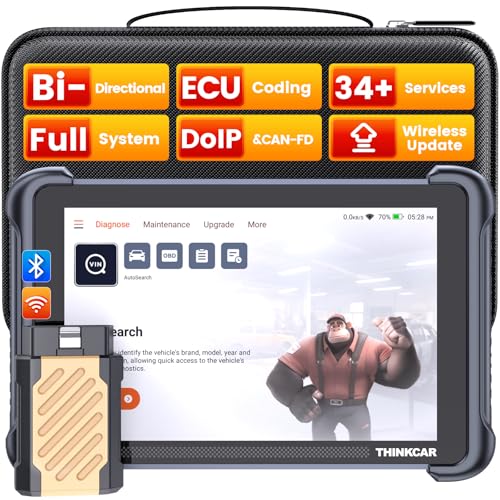
- [Notice] When you receive a used escaner automotriz device, it may be a customer return resold by Amazon without inspection. You can exchange it for a new one through Amazon. As this situation is unavoidable, we sincerely apologize. For any issues, contacting us via Amazon's "Messages" is the best way, and we’ll provide a solution within 24 hours. THINKSCAN 689BT Can Be Used Immediately After It is Turned On, Without Complicated Registration Process, Which is More Convenient & Quick.
- [Good News] THINKSCAN 689BT is the most competitive automotive scan tool to date, offering wireless updates with no subscription fees(valued 500Buc.ks) . With all the features of THINKTOOL PD8,PRO, built on Android 10 platform with 4-core CPU, 4GB RAM
 and 64GB ROM, serving up to 5X faster than older MAX/MINI/PLUS vehicle scanners escaner automotriz, no more slow and delayed feedbacks, it's time to update your garage tool.
 - [Big Money Saver] Premium THINKSCAN 689BT Wireless Diagnostic Scanner Escaner Automotriz, save up to 400USD per year, includes all useful features: Full bi-directional controls, ECU coding, 34+ services, OEM all system diagnostics, Worldwide vehicles coverage, CAN FD & DoIP, FCA AutoAuth(The 689BT only provides a login and purchase portal, and users are required to register for an FCA account and pay a membership fee in order to perform the relevant automotive diagnostics)
- [3000+ Active Tests]Active testing is one of the most useful features in automotive maintenance and greatly improves mechanic efficiency. THINKCAR 689BT bidirectional scanner can send action commends to vehicle sub-systems or components for active test without using vehicle controls. It can perform various tests such as: EVAP Test, Fuel Trim Reset, Injector Buzz Test, Window/ Mirror/ Door Lock Test, Pump and Value Tests, etc. Get functions from "Diagnose>Car Model>System>Active Test".
- [Hot Advanced Features] 689BT bidirectional tool scanner for car newly adds ECU Coding, Power Balance, Flash Hidden Functions, Reset Adaptive Data, Match Replaced Components, Customize OE-Settings. Such as: 1. changing the color of interior lights 2. switching on/off the auto hold, 3. customizing dash kits 4. activating the auto side mirror folding function 5. disables auto start-stop. Note: Coding functions vary by model&year.
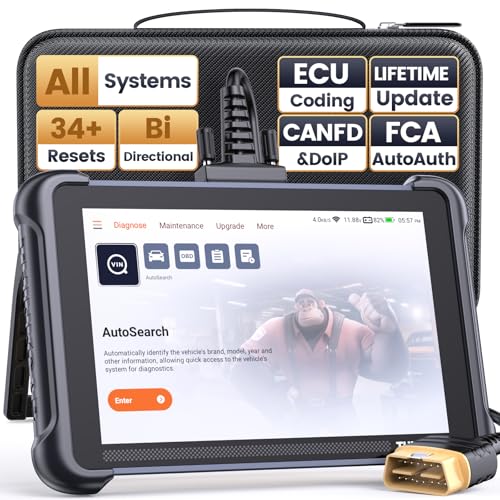
- 【Warm Tips】Wired THINKSCAN 689 is connected through a detachable OBDII cable, and we also have added OBD2 Extension Cable (about 60 cm/2 feet) as g ift, enabling customers handling vehicle repairs with ease. Just click "Bundles Item" above to get it. Note: FCA AutoAuth is a third-party service, additional cost may be required.
- 【Professional Car Diagnostic Tool】Tired of renew fees? Thinkscan 689 scanner provides dealer-level advanced functions without annual fees for auto mechanics and repair shops. 34+ Services, 3000+ Active Test, ECU Coding, 140+ Brands Coverage, FCA AutoAuth, CANFD&DOIP Protocol, Component Matching, Power Balance, V.A.G Guided, Compatible with Google Chrome integration, etc. With strong hardware backing, 64G Memory, Android 10, 4-core processors, and 4150mAh battery. Thinkscan 689 brings you the best as your daily business helper and never lets you drop the ball!
- 【Over 34 Reset Service, Adaptation + Relearn + Calibration + Initialization + Matching】Made for workshops, Thinkscan 689 scanner provides 34+ services for worldwide vehicles: such as Gear/SAS/EPB/TPMS/D.P.F/I.M.M.O/BMS/ETS/Oil/Brake/AFS/GEARBOX/SUNROOF/SUS Reset, ABS Bleed, Injector coding, etc. Warm tips: Compatibility may vary on vehicles' model and year, please contact seller before purchase to make sure it works well on your cars.
- 【Real Active Test】Thinkscan 689 scan tool features over 3000+ full bi-directional control ability, to send commands to vehicle’s systems/components, to verify system input/output without using the vehicle's controls, e.g. turn on the radiator fan, modulate the throttle, open/close windows, operate mirrors, Injector Buz Test, turn on interior&exterior lights, sound horn, test door lock actuators, turn on/off front/rear side ACM Solenoid, Vehicle level position calibration, Wheel Speed Sensor Supply.
- 【Comprehensive Solutions with Advanced Features】Take your vehicle customization to the next level with the Thinkscan 689's advanced ECU coding capabilities. This scan tool provides power balance, PMI, unlock more new features and enhance performance by activating dormant functions, customizing OE settings, matching replaced components, and reprogramming adaptive data to elevate your driving experience. Note: Compatibility varies by car models, please check before order.

- 【Cost-effective OBD2 scanner】 Thinkcar Thinkdiag2 is the most powerful wireless diagnostic tool for it's price! Equipped with multi-functions of Newly added CAN-FD protocol, BiDirectional control(Active Test), 15 Maintenance resets, All Systems diagnosis, Auto VIN, FCA AutoAuth, Unlock the protected FCA vehicle SGW module on Chrysler, Dodge, Jeep, Alfa Romeo, and Fiat vehicles manufactured after 2019.120+ Car brands coverage, No IP limited, etc. Good for workshops & DIYers. Kindly send us VIN to check compatibility before purchase
- 【OE-Level Full Systems Car Scanner with Added CAN FD Protocol】 Upgrade of Thinkdiag, Thinkdiag2 is a bluetooth diagnostic tool can diagnose Full System such as ECM, ABS, SRS, TCM, EPB, TPMS, SAS, A/C, BMS, etc. Thinkdiag2 can read/clear fault codes, read real-time data, read control module information,etc. As the only diagnostic scanner in this price range that supports the CAN-FD protocol, it suits for the latest GM(2019-) , saving $100 to buy a CAN FD adapter, reducing the risk of undetected errors to enhancing the user experience
- 【Bidirectional Test】This bidirectional scan tool Thinkdiag2 allows you to send commands from your smartphone directly to the vehicle's ECU for active testing, quickly locate problem areas, such as A/C clutch, windows, doors, sunroof, etc., reducing the diagnostic time and money. (Note: kindly send us VIN to check compatibility before order.)
- 【15+ Maintenance Functions】Thinkdiag2 OBDII code scanner is designed for individual car owners, DIYers, and small repair shops, which has a separate menu of 15 common special functions, such as Oil reset, EPB reset, SAS calibration, ABS bleeding, injector code, TPMS reset, etc. Enter from the all-system diagnostic menu to unlock more system special functions, and effectively handle the reset and relearn of most cars. Note: The Maintenance functions that each car can do may be different
- 【120+ car brands & FCA Autoauth+10 languages】Thinkcar thinkdiag2 helps you to troubleshoot the problems fast for 100 + US, European, Asian vehicle brands after 1996 that use the OBDII protocol. Only support 12V cars, including gasoline cars and diesel cars. Supporting Autoauth allows you to unlock the protected FCA vehicle SGW module on Chrysler, Dodge, Jeep, Alfa Romeo, Fiat vehicles, etc. (Note: Only provide AutoAuth login portal, and need purchase the registration number on the AutoAuth website by yourself.) Multilingual function allows workshop mechanics to avoid language barriers and use it around the world Without restriction
Last update on 2026-06-12 / Affiliate links / Images from Amazon Product Advertising API
This product presentation was made with AAWP plugin.