
NHTSA ID Number: 10128594
Manufacturer Communication Number: FS-2018-01
TSB/Document Date: 2018-02-12
Summary
It was found that an earlier Bulletin spec'd bolts that could be too long due to variances in bolt shoulder length, so this bulletin was written to make sure bolt attachments were correct.
Number:
Model:
FS-2018-01
Date:__January 5, 2018
29’, 35’ & 40’ Low Floor Buses
Model Years:
1997- 2016
Approved:
Robert L. Birdwell, Executive Director
Quality Control & Field Service
Subject: Steering Gear Mounting Plate Replacement Procedure
This is a reissue of a portion of FS-2016-06, (Pages 7 through 13).
The reason for this Field Service Bulletin is that due to varying bolt shoulder length, and
tolerance variations, there is a possibility that the bolts used to mount the steering gear
mounting plate to the chassis could ‘bottom out’ prior to full engagement against the
plate.
We are therefore modifying the bolt kit available for buses that haven’t had the steering
gear mounting plate replaced, and releasing another kit for buses that have had the
steering gear mounting plate replaced.
54-74537-002 total hardware kit for buses that haven’t had the plate replaced.
54-74537-001 bolt replacement kit for buses that have had the plate replaced.
The difference is the length of the ½”-20 Grade 8 bolts from 2-1/2” to 2-1/4”.
The significant changes from FS-20106-06 are highlighted in yellow.
If you have any questions, please contact GILLIG Field Service at 1-800-264-5073, or email
WarrantyParts@gillig.com.
RLB:rlb
GILLIG, LLC
451 Discovery Drive
Livermore, CA 94551
(800) 735-1500
(510) 785-1500
BB@Gillig.com
FS-2018-01
Page 2
GILLIG Low Floor Bus
Steering Gear Mounting Plate Replacement Procedure
Overview Instructions
1.
2.
3.
4.
5.
This procedure covers the replacement of the existing 3/8” thick steering gear
mounting plate with a 3/4” thick mounting plate on all GILLIG Low Floor Buses.
A vehicle lift or pit is required to complete this procedure.
Refer to your GILLIG Service Manual for any procedures not covered in this
document.
Always reinstall the same steering gear that was removed, unless the gear
needs to be replaced.
Do not make any adjustments to the axle stop bolts during this procedure. If
any adjustments are made, the steering gear poppets may require possible readjustment per TRW Service Bulletin # TAS-101.
Special Tools & Materials Required
1.
2.
3.
4.
5.
6.
7.
8.
9.
Torque wrench(s)
A. Min Torque Required is 90 ft-lbs.
B. Max Torque Required is 445 ft-lbs. (with Anti Seize)
Lifting fixture for the Steering Gear and Plate
Pullers and wedge tools to remove pitman arm and draglink
Hose caps or plugs for sealing disconnected hydraulic fittings
#8, #10, and #12 Fittings
Bostik Never-Seez Anti-Seize, Regular Grade (K=.13)
3/4-in drive breaker bar
4-6 ft ladder if using a lift
Pry bar
White, Green or Yellow Paint Pen
FS-2018-01
Page 3
Parts Required
Application
Part Number
Description
29ft Stainless
Steel Low Floor w/
Drum Brakes
05-74397-000
Plate, Steering Gear
Mounting, 29 SSLF
-OR-
1
05-63059-000
or 05-50256000
29ft Stainless
Steel Low Floor w/
Disc Brakes
05-74344-000
Plate, Steering Gear
Mounting, 76000 LF
-OR-
1
05-63058-000
1
05-50265-000
29ft Carbon Steel
Low Floor w/
Raised Gear
05-74685-000
Plate, Steering Gear
Mounting, Mild Steel LF,
Raised Gear
-OR-
QTY Replaces P/N
35 and 40ft
Stainless Steel
Low Floor
05-74344-000
Plate, Steering Gear
Mounting, 76000 LF
-OR-
1
05-63058-000
or 05-45365000
29, 35, and 40ft
Carbon Steel Low
Floor
05-74636-000
Plate, Steering Gear
Mounting, Mild Steel LF
-AND-
1
05-36841-000
1
N/A
Hardware Kit
(required for all
plate replacements)
54-74537-002
Kit, Hardware, 3/4THK
Steering Gear Plate
Removal of Old Steering Gear Plate
1. Use the appropriate personal protective equipment for under-bus maintenance and use of
cleaner/de-greaser agents.
2. Safely place bus on vehicle lift or pit. Place front wheels in straight ahead position. If on a
lift, do not yet lift the bus until Step 3, Battery Removal, is completed.
3. Ensure parking brakes are applied, engine off, and battery disconnect switch is in the OFF
position.
4. Disconnect and remove the battery located on the upper battery tray. Start by removing the
negative/chassis ground lead before removing the positive lead. Refer to your GILLIG
Service Manual for additional details for battery removal. Note: It is not necessary to remove
the battery on the lower tray. Removal of the upper battery will allow access to the gear side
of the plate. Always lift the battery with handles or proper lifting devices.
FS-2018-01
Page 4
5.
6.
7.
8.
9.
10.
11.
12.
13.
14.
15.
16.
If using a lift, raise the bus to a sufficient height to reach the steering gear plate and all plate
mounting bolts.
Thoroughly clean off all outside dirt and grease from the steering gear, especially around the
hose connections, with a suitable cleaner/de-greaser.
Remove the draglink from the pitman arm.
Disconnect the intermediate shaft from the steering gear by loosening the universal joint pinch
bolt and sliding the intermediate shaft free from the steering gear. Do NOT hammer or pound
the universal joint coupling off the steering gear input shaft, as this can cause damage to the
input shaft and/or internal damage to the steering gear.
Disconnect clamp securing the air line adjacent to the steering gear.
Loosen the 5 steering gear mounting bolts shown in Detail B but do not remove the hardware.
Note: it may be necessary to rotate the pitman arm clear of the lower, 7/8” bolt. If necessary,
rotate it just enough to provide clearance to break the bolt loose. Excessive rotation may
require resetting the steering gear poppets.
Place the lifting fixture to hold the steering gear and mounting plate.
Remove the 10 bolts holding the steering gear mounting plate to the bus chassis. Note:
Access is provided to the heads of the steering gear plate mounting bolts through the battery
box where the upper battery was removed. The use of a swivel joint and socket extensions
may be useful. If using a lift, a 4-6 ft ladder can be used to aid in access through the cut-out in
the back of the battery box. A second person should secure the nuts on the backside of the
plate to prevent them from spinning.
Disconnect power steering supply and return hoses at steering gear. Cap both hose ends and
steering gear fittings with plugs to prevent contamination and excessive drainage of hydraulic
fluid. Note: It may be useful to place a bucket or absorbent material under the steering gear
when disconnecting the hydraulic lines for spill containment.
Lower the steering gear and mounting plate assembly from the chassis. Take special caution
to avoid damaging surrounding parts, lines, fittings, or other equipment. In order to avoid
these parts, the steering gear plate may need to be slightly rotated prior to lowering out of the
chassis.
Use a suitable device (forklift, hoist, etc.) to remove the steering gear and plate from the fixture
and place on a workbench or ground.
Remove the Pitman arm from the steering gear. Note: The output shaft and Pitman arm have
alignment marks stamped into them. These may be hard to see, especially if they are
dirty/greasy. If the alignment marks are not easily seen, it may be useful to mark the
alignment with an alternative method, like a paint pen, prior to removal. The Pitman arm will
be reinstalled in the same position at the end of this procedure. See Detail A.
FS-2018-01
Page 5
Note:
A.
B.
C.
17.
18.
19.
20.
A chisel will help to loosen the pitman arm from the steering output shaft. Use a
puller if you cannot remove the pitman arm by hand.
If using a chisel to spread the pitman arm boss to loosen the pitman arm for
removal, keep a firm grip on the chisel. Failure to do this may result in the chisel
flying loose and causing injury. Never leave the chisel wedged in the pitman arm
boss. If you cannot remove the pitman arm from the shaft with a chisel and
your hands, remove the chisel from the pitman arm and use a puller.
Once the draglink is removed do not allow the input shaft on the steering gear to rotate
more than 1.5 input shaft revolutions from straight ahead position. Rotating the input
shaft more than 1.5 rotations from straight ahead with the draglink removed could
disrupt the poppet setting set at initial installation. The steering gear is in the straight
ahead position when the timing marks on the end of the housing trunnion and the
sector shaft are aligned, as shown in Detail A.
Unbolt the steering gear from the mounting plate.
Clean the steering gear with a rag moistened with a suitable cleaner or de-greaser, then
inspect the steering gear for any signs of wear or damage.
Clean off the mating surfaces of the steering gear to prepare for mounting to the new 3/4”
thick mounting plate.
Remove all existing steering gear plate fasteners from the chassis to mount the plate. These
will be replaced. Note: It may be necessary to remove the clamp securing the coolant/heater
lines for proper access to remove the fasteners.
FS-2018-01
Page 6
Installation of New Steering Gear Plate
21.
Install the steering gear in reverse order on the new 3/4” thick steering gear mounting
plate using anti-seize on all mounting fasteners. See Detail B for installation details and
torque values. Do not torque mounting fasteners until Step 28, after re-installation of plate
into chassis.
22.
Clean off the steering gear output shaft and clean the spline and bolting surfaces on the
Pitman arm. Re-install the pitman arm to the output shaft. Ensure the alignment marks are
properly aligned, as shown in Detail A. Apply anti-seize to the new pinch bolt, install, and
torque to 260-280 ft-lbs. See Detail C for hardware details.
FS-2018-01
Page 7
23.
Apply anti-seize to new plate mounting bolts, insert loosely into chassis mounting holes,
and reinstall/re-secure coolant lines back into place. See Detail D for installation details.
24.
25.
Mount the new steering gear plate with steering gear into the lifting fixture.
Using the lifting fixture, reinstall the steering gear and plate assembly in the chassis.
Take special caution to avoid damaging surrounding parts, lines, fittings, or other
equipment. In order to avoid these parts, the steering gear plate may need to be slightly
rotated prior to reinstalling into the chassis.
Remove fixture and torque plate mounting bolts (Detail D) to 90 ft-lbs.
Verify all mounting plate mounting bolts are properly torqued and apply torque seal.
Torque steering gear mounting bolts from Step 21 and apply torque seal.
Using a white, yellow or green paint pen, mark the plate with the date completed in an
area suitable for visual inspection.
Clean off the draglink ball joint taper and threaded section and clean off the mating taper
in the pitman arm. Re-install the draglink to the Pitman arm and torque the nut to 225
ftlbs. Install a new cotter pin. Anti-Seize is not required at this connection. Note: If
required to align castle nut with cotter pin hole, apply additional torque to castle nut.
PTorque on castle nut not to exceed 400 ft-lbs.
Install the intermediate shaft on the steering gear input shaft. Tighten the pinch bolt to
63-75 ft-lbs. Do NOT apply anti-seize to this pinch bolt. See Detail E
26.
27.
28.
29.
30.
31.
FS-2018-01
Page 8
32.
33.
Remove hose plugs, clean off the hose connection fittings and the hose ends.
Connect the power steering supply and return hoses to the steering gear. See Detail F.
34.
Note: If the clamp securing the coolant/heater lines was removed to allow access, secure
the lines with the clamp and reattach to its original location.
Lower the bus if on a lift. Remove lifts from bus.
Reinstall and connect the battery in the upper tray. Switch the battery disconnect to the
ON position.
Start the engine and check for hydraulic leaks at the steering gear hose connections.
Fix any leaks found and retest.
Top-off hydraulic fluid in reservoir.
With the bus parked and the engine running, slowly make a full right hand and full left
hand turn. Ensure pitman arm and draglink move freely without contacting any of the
hoses, wiring or chassis components.
Bleed the steering gear using the standard bleeding procedure found in the Service
Manual under Hydraulic System section, Bleeding the Hydraulic System.
Test drive the bus to check for proper steering function.
Return the bus to service if it meets all fleet operating standards.
35.
36.
37.
38.
39.
40.
41.
42.
Note: Do not dispose of any cracked plate removed from a bus. Removed plates must be
marked with vehicle identification number, vehicle mileage and date removed from vehicle, then
stored until it can be reviewed by Gillig Field Service personnel.
FS-2018-01
Page 9
Total Hardware Kit (54-74537-002)
For use when plate has not yet been changed
FS-2018-01
Page 9
Bolt Replacement Kit (54-74537-001)
For use when plate has already been changed
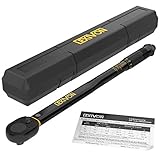
- PRECISE & HIGH QUALITY - Manufactured in Taiwan, our torque...
- DURABLE - Built to last, featuring a reinforced ratchet gear...
- LONGEVITY - Protect your investment with our proprietary...
- PERFORMANCE - Easily read and set torque levels with our...
- OMFORT - Equipped with a reversible ratchet head that drives...

- 【9-in-1 Torque Solution】Complete set includes...
- 【High Precision & Dual Scales】Factory-calibrated to...
- 【Clear & Safe Audible Click】Upgraded loud "Click" sound...
- 【Smooth 72-Tooth Ratchet & Quick Release】Reversible...
- 【Durable Construction & Wide Use】Hardened Cr-V steel...
Last update on 2026-06-29 / Affiliate links / Images from Amazon Product Advertising API
If the PDF is very large, it may not load in the preview below.
Some older TSBs had multiple PDFs — visit the NHTSA Website to view all PDFs.
If the TSB PDF does not show, download or view it on the NHTSA Website.
Click on the (+) Plus Sign
Then Click on Associated Document(s)
Search NHTSA Database for Recalls
Search NHTSA Database for Vehicle Investigations
View Latest Vehicle Investigations
Search NHTSA Database for Vehicle Complaints
View Latest Vehicle Complaints
TSB/Document ID: FS-2018-01
Replacement Service Bulletin Number:
MFR Communication Date: 2018-01-05
MFR Internal Campaign ID/Software Version:
Communication Type: Service Bulletin/Repair Instructions
NHTSA Components: STEERING:GEAR BOX (OTHER THAN RACK AND PINION)
MFR Component System:
MFR Component Subsystem:
Previous TSB | Next TSB |
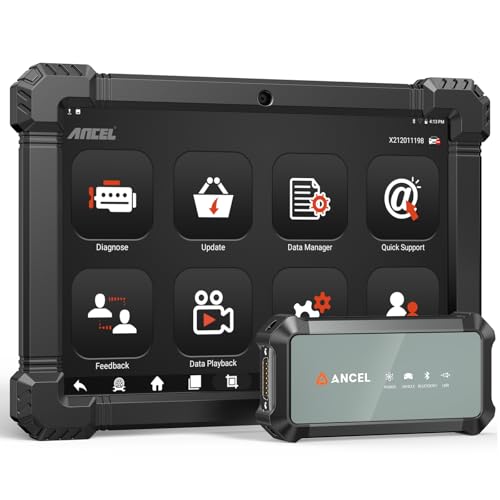
- 2026 ALL-IN-ONE HEAVY DUTY TRUCK SCANNER – BUILT FOR DIESEL DIAGNOSTICS:The ANCEL X7HD PRO combines full-system diagnostics, bi-directional control, ECU coding, HDOBD/OBD2 functions, and 42+ reset services in one powerful heavy duty truck scanner. This diesel scan tool helps technicians, fleet owners, and repair shops diagnose problems faster, reduce downtime, and complete more repairs without switching between multiple truck diagnostic tools. Features a 10.1" Android tablet, Bluetooth & Wi-Fi, live data graphing, and 2 years of f-ree updates
- 42+ RESET FUNCTIONS – MORE THAN A BASIC TRUCK CODE READER:Perform essential service functions including forced DPF regeneration, injector coding, speed limiter adjustment, idle adjustment, oil reset, ABS reset, SRS reset, EPB reset, throttle reset, and suspension calibration. Designed for real truck maintenance and fleet service, this commercial truck diagnostic scanner helps reduce dealer visits, avoid unnecessary downtime, and handle more repair jobs with one diesel diagnostic tool
- ACTIVE TEST & ECU CODING – ADVANCED BIDIRECTIONAL SCAN TOOL FOR TRUCKS:Quickly locate faults by activating components and sending commands directly to vehicle systems. Test injectors, ABS, throttle, cooling systems, and other modules in real time without unnecessary disassembly. ECU coding and module matching help adapt replacement parts, restore factory settings, and reduce repeat repairs, making this semi truck scan tool ideal for advanced troubleshooting and daily shop work
- FULL-SYSTEM HDOBD/OBD2 DIAGNOSTICS – WIDE TRUCK & ENGINE COVERAGE:Read and clear codes, monitor live data, freeze frame, and diagnose engine, transmission, ABS, body, and other major systems. Compatible with Freightliner
 , Kenworth, Peterbilt, Volvo, Mack, International, and other commercial truck brands, plus Cummins, Caterpillar, Detroit, Paccar, and Navistar diesel engines. Also supports full OBD2/EOBD diagnostics for standard vehicles, making it a versatile truck obd2 scanner for mixed fleets and repair shops
 - PROFESSIONAL HARDWARE + RELIABLE SUPPORT – BUILT FOR DAILY SHOP USE:This professional diesel diagnostic computer features a 10.1" touchscreen, Android 10.0 system, 6000mAh battery, Bluetooth/Wi-Fi connectivity, and built-in front & rear cameras for documenting repairs and remote troubleshooting. Includes 2 years of fr-ee updates, 1-year w-arranty, and responsive technical support. Contact [email protected] before purchase to confirm compatibility and supported functions for your truck or diesel engine

- 【Built for Heavy Duty Diesel Diagnostics】Designed for SAE J1939 and J1708 compliant trucks, buses, and diesel-powered commercial vehicles. HD601 truck scanner diagnostic tool helps owner-operators, small fleets, mobile technicians, and independent repair shops quickly identify fault codes, view live data, and make informed repair decisions—saving time, reducing downtime, and avoiding unnecessary shop visits
- 【Full System Diagnostics+All HD OBD Modes】The New HD601 heavy duty truck scanner delivers full-system diagnostics on SAE J1939 and J1708-compliant commercial vehicles—digging into engine, transmission, ABS, fuel, every system that keeps your rig rolling. It supports all HD OBD modes, giving you live data, freeze frame, ECU info, vehicle info, emissions data tracking, plus code reading and clearing. Not just what broke, but why—so you fix it right the first time. Pinpoint issues faster, cut repair costs, and spend less time on the shoulder
- 【Wide Heavy-Duty Vehicle Coverage】Supports a wide range of heavy-duty vehicle manufacturers and systems, including Freightliner, Kenworth, Peterbilt, Volvo, International, Detroit, Cummins, Paccar, Allison, Eaton, Bendix, Wabco, and more. Coverage varies by vehicle make, model, year, and system configuration. Contact our support team before purchase if compatibility verification is needed
- 【Speaks Major Truck Protocol】The New HD601 diesel truck scanner is built for American-made trucks—and supports the heavy‑duty protocols you' re most likely to run into on the road: SAE J1939, J1708/J1587, ISO 15765‑4, ISO 14230‑4, ISO 9141‑2, J1850 PWM/VPW, ISO 27145‑4, and EURO‑6. For most trucks, model years, and systems, it speaks the language your vehicle understands. Just plug it in and start diagnosing—no guesswork, no gatekeeping. Note: vehicle functions and module availability may vary by manufacturer and model year
- 【Save Hundreds on Diagnostic Fees】Why pay $150–300 for someone to read your codes? With the New ANCEL heavy duty truck scanner, you can pull fault codes yourself—in minutes, without leaving the truck. One or two uses pays for the tool. After that, every diagnostic is money back in your pocket. Smart investment for owner-operators, techs, and small fleets. Read and clear stored fault codes in minutes. Active fault codes may require repairs before they can be cleared
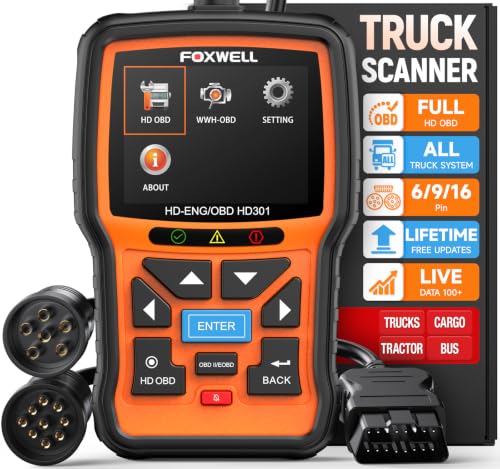
- 【One Tool, Total Fleet Coverage: 6/9/16 Pin Ready】Featuring an integrated 16-pin OBD2 connector and professional-grade 6-pin & 9-pin adapters, this heavy duty truck scanner provides extensive support for J1939, J1708, J1587, ISO 14230-4, ISO 15765-4 and ISO 9141-2, ISO 27145-4 protocols. It offers reliable diagnostic coverage for major American diesel brands—including Cummins, Paccar, Caterpillar, Detroit, and Freightliner—making it a versatile semi truck scanner for managing any diverse fleet.
- 【2 in 1 Diesel Code Reader & Advanced HD OBDII】Equipped with professional-grade diesel scanner capabilities, the HD301 diesel scanner features intuitive Read/Erase codes and turn off the "Check Engine" light. With the built-in DTC Lookup library, you can instantly access fault code definitions on-device without searching the internet. It also retrieves hundreds of essential live sensor data—such as coolant temperature, fuel pressure, and engine RPM—in a stable text format for precise and rapid troubleshooting. (Please note that the HD301 can not support DPF Regen.)
- 【Full System Truck Diagnostic】The FOXWELL HD301 heavy duty scan tool is engineered to deeply access and scan all available electronic control modules specifically for truck, including Engine, Transmission, ABS, SRS, Chassis, and Body Control. This professional truck scanner diagnostic tool allows you to identify issues across the entire vehicle, ensuring your rig stays in peak condition for the long haul.
- 【Versatile for most big Rigs: Commercial, Passenger & Beyond】Engineered for more than just trucks, this heavy duty scan tool offers extensive coverage for pickups, buses, trailers, and even marine vessels. From construction machinery (excavators, loaders) to agricultural equipment (tractors, harvesters), it provides a true all-in-one diagnostic solution.
- 【Plug-and-Play & No Subscription】Designed for the road! No WiFi, no batteries, and no complex App setup required. Simply plug it into your vehicle’s diagnostic port to start scanning immediately. Enjoy lifetime free software updates to keep your HD301 diesel truck scanner current with the latest vehicle models and features—without any hidden subscription fees—While overcoming language barriers with support for Spanish and English.

Last update on 2026-06-23 / Affiliate links / Images from Amazon Product Advertising API
This product presentation was made with AAWP plugin.