
NHTSA ID Number: 10126406
Manufacturer Communication Number: GCUS-9-1009
TSB/Document Date: 2017-12-22
Summary
14582A - Special Coverage (2012 model year Buick Enclave, Lacrosse, Regal; Chevrolet Traverse, and GMC Acadia vehicles have been removed). On some various model year vehicles, the throttle-position sensor may cause the engine to run rough, cause the malfunction-indicator lamp and/or an engine reduced power message to illuminate, and reduce the engine's power. Dealers are to replace the throttle body assembly and gasket for Bosch equipped vehicles, or to install the throttle position sensor kit for Hitachi equipped vehicles. The Hitachi throttle body assembly only needs to be replaced if the sensor kit does not correct the condition. The repairs will be made at no charge to the customer. For vehicles covered by Vehicle Service Contracts, all eligible claims with repair orders on or after September 24, 2015, are covered by this special coverage and must be submitted using the labor operation codes provided with this bulletin. Claims with repair orders prior to September 24, 2015, must be submitted to the Service Contract provider.
Bulletin No.:
Date:
14582A
October 2015
Service Bulletin
SPECIAL COVERAGE
SUBJECT:
Special Coverage Adjustment – Throttle Body – Reduced Power Mode
MODELS:
2008-2009 Buick Allure
2008-2011 Buick Enclave, Lacrosse
2009-2011 Buick Lucerne
2010-2011 Buick Regal
2008-2011 Cadillac CTS, SRX
2008-2009 Chevrolet Equinox, Uplander
2008-2011 Chevrolet Impala
2008, 2011-2012 Chevrolet Captiva
2008-2012 Chevrolet Colorado, Malibu
2009-2011 Chevrolet Traverse
2008-2012 GMC Canyon
2009-2011 GMC Acadia
2008-2010 Hummer H3
2009 Hummer H3T
2008-2009 Pontiac G8, Montana SV6, Torrent
2008-2010 Pontiac G6
2008 Saturn Outlook
2008-2009 Saturn VUE
The models involved in this bulletin have been revised. 2012 model year Buick Enclave, Lacrosse,
Regal; Chevrolet Traverse, and GMC Acadia vehicles are not involved and have been removed
from the model description. Please discard all copies of bulletin 14582.
CONDITION
On some 2008 model year (MY) Saturn Outlook; 2008-2009 MY Buick Allure, Chevrolet Equinox,
Chevrolet Uplander, Pontiac G8, Pontiac Montana SV6, Pontiac Torrent, and Saturn VUE; 20082010 MY Hummer H3 and Pontiac G6; 2008-2011 MY Cadillac CTS, Cadillac SRX, and Chevrolet
Impala; 2008, 2011-2012 MY Chevrolet Captiva; 2008-2011 MY Buick Enclave, Buick Lacrosse;
2008-2012 MY Chevrolet Colorado, Chevrolet Malibu, and GMC Canyon; 2009 MY Hummer H3T;
2009-2011 MY Buick Lucerne; 2009-2011 MY Chevrolet Traverse and GMC Acadia; and 20102011 MY Buick Regal vehicles, the throttle-position sensor may cause the engine to run rough,
cause the malfunction-indicator lamp and/or an engine reduced power message to illuminate, and
reduce the engine’s power.
SPECIAL COVERAGE ADJUSTMENT
This special coverage covers the condition described above for a period of 10 years or 120,000
miles (193,000 km), whichever occurs first, from the date the vehicle was originally placed in service,
regardless of ownership.
Dealers are to replace the throttle body assembly and gasket for Bosch equipped vehicles, or to
install the throttle position sensor kit for Hitachi equipped vehicles. The Hitachi throttle body
assembly only needs to be replaced if the sensor kit does not correct the condition. The repairs will
Copyright 2015 General Motors. All Rights Reserved.
Page 2
October 2015
Bulletin No.: 14582A
be made at no charge to the customer. For vehicles covered by Vehicle Service Contracts, all
eligible claims with repair orders on or after September 24, 2015, are covered by this special
coverage and must be submitted using the labor operation codes provided with this bulletin. Claims
with repair orders prior to September 24, 2015, must be submitted to the Service Contract provider.
VEHICLES INVOLVED
All involved vehicles are identified by Vehicle Identification Number on the Applicable Warranties
section in GM Global Warranty Management system. Dealership service personnel should always
check this site to confirm vehicle involvement prior to beginning any required inspections and/or
repairs. It is important to routinely use this tool to verify eligibility because not all similar vehicles
may be involved regardless of description or option content.
PART INFORMATION
Parts required to complete this recall are to be obtained from General Motors Customer Care and
Aftersales (GMCCA). Please refer to your “involved vehicles listing” before ordering parts. Normal
orders should be placed on a DRO = Daily Replenishment Order. In an emergency situation, parts
should be ordered on a CSO = Customer Special Order.
Note: Due to limited initial parts availability, dealers are encouraged not to order recall parts for use
as shelf stock. Parts should only be ordered when inspection determines that it is necessary to
replace the throttle body and/or gasket(s). Parts may have quantity limiters in effect.
Note: Use the vehicle identification number (VIN), SI, and the GM Electronic Parts Catalog to
determine which part to order.
Part Number
Description
Quantity/Vehicle
Service Part Numbers Supplied By Bosch
12589056
BODY, THROTTLE
1
12631016
BODY, THROTTLE
1
12631018
BODY, THROTTLE
1
12616994
BODY, THROTTLE
1
12616995
BODY, THROTTLE
1
12631186
BODY, THROTTLE
1
12631187
BODY, THROTTLE
1
12616438
BODY, THROTTLE
1
Service Part Numbers Supplied By Hitachi
12609500
BODY, THROTTLE
1
12615503
BODY, THROTTLE
1
12620183
BODY, THROTTLE
1
12615516
BODY, THROTTLE
1
19259452
SENSOR KIT, THROTTLE POSITION
1
19300180
SENSOR KIT, THROTTLE POSITION
1
Page 3
October 2015
Bulletin No.: 14582A
Note: The gasket between the throttle body and the intake manifold may need to be replaced
when performing the following procedures. The gasket is included with some replacement throttle
body assemblies, if the gasket is not included with the service assembly, order the part. Use the
vehicle identification number (VIN), SI, and the GM Electronic Parts Catalog to determine which
gasket to order.
SERVICE PROCEDURE
Note: There are two repair procedures in this bulletin. Follow the correct procedure based on the
service part supplier. The part table above identifies the service part as a Bosch or Hitachi
supplied component.
With a scan tool, verify that DTC P2135, P0121 OR P0221 is set as Current or in History.
If DTC P2135, P0121 OR P0221 is NOT set as Current or in History, no further action is required.
Inform the customer that any additional diagnosis and repairs are not covered under this special
coverage.
If DTC P2135, P0121 OR P0221 is set as Current or in History, refer to the service procedures
below. Bosch supplied throttle bodies require that the throttle body be serviced by replacing the
complete assembly. Hitachi supplied throttle bodies only need the Throttle Position Sensor Kit
installed to correct the condition. Only replace the Hitachi throttle body assembly if the sensor kit
does not correct the condition.
REPAIR PROCEDURE FOR BOSCH EQUIPPED VEHICLES
Replace the throttle body assembly and gasket. Refer to Throttle Body Assembly Replacement in
SI.
REPAIR PROCEDURE FOR HITACHI EQUIPPED VEHICLES
Use the following steps to replace the Throttle Position Sensor Cover.
Note: Handle the electronic throttle control components carefully. Use cleanliness in order to
prevent damage. Do not drop the electronic throttle control components. Do not roughly handle
the electronic throttle control components. Do not immerse the electronic throttle control
components in cleaning solvents of any type.
Note: If at any time during this procedure the throttle body is dropped, abort this procedure and
REPLACE it with a new throttle body assembly.
1. Remove the throttle body and discard the throttle body gasket. Refer to Throttle Body
Assembly Replacement in SI.
2. Remove any loose debris and dirt from the throttle body assembly and the TP sensor cover.
Inspect the throttle body for damage.
Note: Do not use any solvent that contains Methyl Ethyl Ketone (MEK). This solvent may damage
fuel system components.
3. Clean the throttle body bore and the throttle plate using a clean shop towel with GM Top
Engine Cleaner, P/N 1052626 (in Canada, P/N 993026), or AC-Delco Upper Engine and Fuel
Injector Cleaner, P/N X66-P, or an equivalent product.
Page 4
October 2015
Bulletin No.: 14582A
2696698
Note: DO NOT mount the throttle body in a vise. The throttle body can be set on the top of a soft
protected workbench area.
4. Hold the throttle body with your hand, so that the throttle position (TP) sensor cover is facing
upward as shown.
2697177
5. Secure a rubber band around the throttle body and TP sensor cover as shown.
Page 5
October 2015
Bulletin No.: 14582A
2697335
6. Turn over the throttle body and use a flathead screwdriver to remove the two clips (1, 2) as
shown. Discard the clips.
2697396
Note: Do NOT pry on the machined sealing surface of the throttle body inlet duct.
7. Turn over the throttle body and use a flathead screwdriver to remove the four remaining clips
from the TP sensor cover. Discard the clips.
Page 6
October 2015
Bulletin No.: 14582A
2697514
8. Hold the throttle body with your hand, so that the TP sensor cover is facing upward. Grasp the
TP sensor cover and carefully lift it up and separate it from the throttle body.
2697650
Note: DO NOT allow the intermediate gear to fall out.
9. Maintain the throttle body in an upward position. Use your thumb to maintain contact with the
intermediate gear. If the intermediate gear falls out and impacts a hard workbench surface or
the floor, abort this procedure and REPLACE with a new throttle body assembly.
Page 7
October 2015
Bulletin No.: 14582A
2697675
10. Verify that the TP sensor cover gasket HAS REMAINED in the TP sensor cover as shown.
Ensure that the gasket is accounted for and remains with the old TP sensor cover.
2697721
Page 8
October 2015
Bulletin No.: 14582A
2698017
Note: If one or both of the TP sensor cover female throttle actuator motor terminals (1) HAVE
BEEN retained on the throttle actuator motor male terminals (2), remove and discard those female
terminals.
11. Observe the TP sensor cover for missing female throttle actuator motor terminals (1). Verify
that the female throttle actuator motor terminals HAVE REMAINED in the TP sensor cover and
HAVE NOT been retained on the throttle actuator motor male terminals (2). Discard the old TP
sensor cover, gasket and terminals.
12. Remove the new TP sensor cover from the protective shipping wrapper.
2698978
Note: If the TP sensor drive slot orientation is not aligned as shown, use a small flathead
screwdriver to gently rotate the TP sensor drive slot clockwise to the wide open throttle (WOT)
position as shown.
13. Place the TP sensor cover in the position as shown. Confirm the TP sensor drive slot
orientation is aligned in the TP sensor cover as shown.
Page 9
October 2015
2697675
14. Verify that the TP sensor cover gasket is secure and properly positioned.
2699003
Bulletin No.: 14582A
Page 10
October 2015
Bulletin No.: 14582A
2699007
Note: The three TP sensor cover alignment tabs are highlighted in white for identification
purposes only.
15. Verify that all three of the TP sensor cover alignment tabs are present and are not damaged.
16. Grasp and hold the throttle body in the previously hand held upward position. Lightly depress
the intermediate gear to verify that it is fully seated and the gears are engaged.
2699109
17. Rotate the throttle body plate to the WOT position (1).
Page 11
October 2015
Bulletin No.: 14582A
2699101
18. Position and install the TP sensor cover to the throttle body. Hold the TP sensor cover in
position. If necessary for ease of the clip installation, secure a rubber band around the throttle
body and TP sensor cover.
2700151
19. Install the first new TP sensor cover clip (1) in the position shown.
Page 12
October 2015
Bulletin No.: 14582A
2699881
20. Install the remaining new TP sensor cover clips in the sequence shown.
21. Install a NEW throttle body gasket to the intake manifold.
22. Install the throttle body, bolts and nuts. DO NOT tighten the fasteners yet.
23. Connect the electrical connector to the throttle body.
24. Turn ON the ignition. Clear the DTC with a scan tool.
25. Observe the scan tool TP Sensor 1 and 2 Agree/Disagree parameter while slowly depressing
the accelerator pedal to WOT and then slowly returning the pedal to closed throttle. Repeat the
procedure several times. Rapidly depress the accelerator pedal from the rest position to the
wide open throttle position (WOT) and release pedal. Repeat the procedure several times. The
TP Sensor 1 and 2 Agree/Disagree parameter should display Agree.
If TP Sensor 1 and 2 Agree/Disagree parameter displays Agree, proceed to Step 27.
If TP Sensor 1 and 2 Agree/Disagree parameter displays Disagree, replace the throttle
body assembly.
26. Observe the engine control module (ECM) module DTC information. Are DTC P1516, P2101
and/or P2176 set?
If DTC P1516, P2101 and/or P2176 are set, replace the throttle body.
If DTC P1516, P2101 and/or P2176 are not set, proceed to Step 28.
27. Tighten the throttle body fasteners.
Tighten: Tighten the fasteners to 10 Nm (89 lb in).
28. Install any remaining components that were removed during this procedure.
29. Perform the Throttle Learn Reset Procedure. Refer to Throttle/Idle Learn > Throttle Learn >
Reset Procedure in SI.
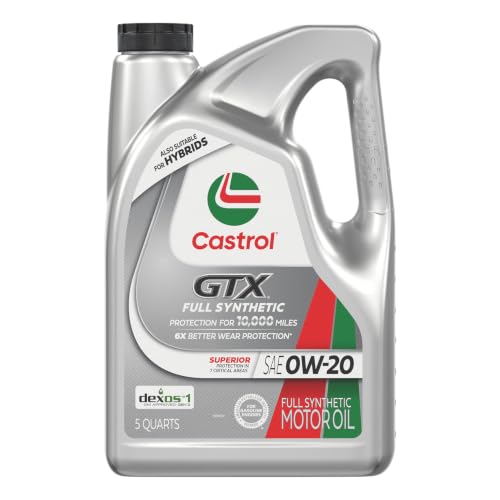
- 6X better wear protection on critical engine parts than...
- 1.3X better sludge protection than industry standards*
- 3X Stronger against viscosity breakdown than leading full...
- Protection for 10,000 miles between oil changes
- Meets or exceeds the following specifications: API SP/SN...

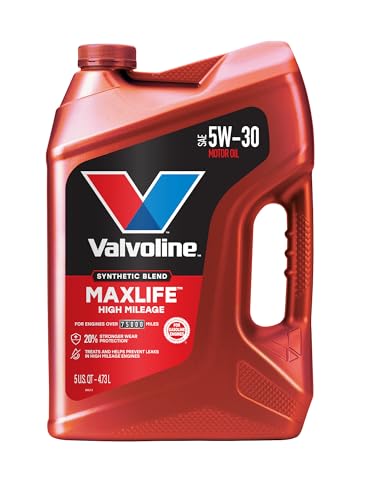
- Formulated for engines with 75,000 miles or more, Valvoline...
- Delivers 20% better wear protection and 15% better sludge...
- Extra detergents safeguard against friction, corrosion and...
- Advanced friction-fighting additives help maximize...
- Provides performance benefits for high mileage, new and...
Last update on 2026-06-23 / Affiliate links / Images from Amazon Product Advertising API
If the PDF is very large, it may not load in the preview below.
Some older TSBs had multiple PDFs — visit the NHTSA Website to view all PDFs.
If the TSB PDF does not show, download or view it on the NHTSA Website.
Click on the (+) Plus Sign
Then Click on Associated Document(s)
Search NHTSA Database for Recalls
Search NHTSA Database for Vehicle Investigations
View Latest Vehicle Investigations
Search NHTSA Database for Vehicle Complaints
View Latest Vehicle Complaints
TSB/Document ID: GCUS-9-1009
Replacement Service Bulletin Number:
MFR Communication Date: 2015-10-07
MFR Internal Campaign ID/Software Version:
Communication Type: Service Bulletin/Repair Instructions
NHTSA Components: ENGINE AND ENGINE COOLING
MFR Component System:
MFR Component Subsystem:
Previous TSB | Next TSB |

- [Notice] When you receive a used device, it may be a customer return resold by Amazon without inspection. You can exchange it for a new one through Amazon. As this situation is unavoidable, we sincerely apologize. For any issues, contacting us via Amazon's "Messages" is the best way. THINKSCAN 689BT Bidirectional Scan Tool Can Be Used Immediately After It is Turned On, Without Complicated Registration Process, Which is More Convenient & Quick.
- Full Bi-Directional Control & 3000+ Active Tests: Take control and test components like actuators, fuel injectors, relays, and cooling fans in real time. You’ll quickly see if the problem is in the part itself or the control module — saving you hours of guesswork and frustrating trial-and-error.
- Advanced ECU Coding Capabilities: Handle module matching and hidden feature activation with confidence. When you replace an ECU or want to customize settings, this obd2 scanner diagnostic bi directional tool gives you the professional-level capabilities you need without the dealership price tag.
- 34+ Useful Reset and Maintenance Functions: Complete everyday service tasks smoothly with a wide range of helpful reset and maintenance functions. Whether you’re keeping up with regular upkeep or tackling a specific job, this scanner makes maintenance simpler and less stressful for both DIYers and pros.
- Comprehensive Full System Diagnostics: Diagnose every major system — Engine, Transmission, ABS
 , SRS, TPMS, and more — all in one place. Finally stop wondering if you’re missing something important; get the full picture and clear codes with ease.
Last update on 2026-07-02 / Affiliate links / Images from Amazon Product Advertising API

- Top Reasons to Choose the D7S OBD2 Scanner: XTOOL D7S car scan tool, an upgrade of XTOOL D7, offers comprehensive features for automotive technicians, workshops, and DIY enthusiasts 1. Upgraded Hardware: 2+64GB memory, rear camera, intuitive interface, foldable bracket 2. Complete Diagnostics: FCA Autoauth, OE-level all system scan, 39+ maintenance services, 4K+ bidirectional, CANFD/DoIP protocol 3. Advanced Capabilities: ECU c0ding, PMI functions 4. Wide Compatibility: Support 10,000+ models, covering 99% vehicle brands 5. Multi-language: Available in 22+ languages, No IP Restrictions 6. 3-Year Updates: Save 300 bucks on software updates for the latest features and optimizations
- 2026 Upgraded D7S Car Scanner Features: The newly 2026 D7S V2.0 scanner for car brings exciting features for advanced vehicle diagnostics and enhanced user experience 1. FCA AutoAuth: Now supports FCA SGW module for Chrysler, for Jeep, for Dodge (2018+), for Fiat (2017+), enabling faster vehicle communication without gateway restrictions 2. PMI (Offline ECU Pr0gramming): Allows for Ford, for Lincoln, and for Mazda ECU pr0gramming for new modules 3. Optimized Diagnostic Report 2.0: Personalized reports with logos and customer info for auto shops. Note: Compatibility varies by cars, please check before order
- 39+ Services/Resets/Adaptations/Relearns/Calibrations: XTOOL D7S full system car scanner diagnostic tool tackles 99% of common car issues through its 36+ special functions, including Oil Reset, EPB, SAS, BMS, Throttle Reset, Injector C0ding, ABS Bleed, TPMS Reset, Power Balance, etc and also covers specific-vehicle functions like Crank Sensor Relearn, ABS Initialization, Cylinder Power Balance, Fuel Trim Reset, Idle Relearn etc. This car diagnostic scanner enhances efficiency, making repairs and maintenance hassle-free. Tip: DO NOT for All vehicles, please check compatibility first
- Cost-effective ECU C0ding Scan Tool for Specific Brands: Enhance your vehicle's performance with XTOOL D7S! This obd2 scanner all systems bidirectional offers advanced capabilities at an affordable price, supports online for BMW, for Benz and offline for BENZ, for MIT, along with PMI functions for Ford, for Mazda, and for Lincoln. Ideal for technicians and DIY enthusiasts, this automotive scanner diagnostic tool optimizes vehicle performance and enhances the driving experience. Note: Not for all cars and modules, please send car VIN to check the compatibility before purchase
- OE All System Diagnostic & 8 Pids Graphing: XTOOL D7S is a comprehensive all system bi directional obd2 scanner that delivers dealer-level diagnostics, completely controlling over your vehicle’s performance and health. This automotive scan tool can read and clear DTCs, view live data and ECU information, retrieve freeze frames, and perform active tests and full obd2 functions. This bi-directional scan tool can can identify your vehicle's make, model, and year information with just one click and show up to 8 PIDs live data with options for CSV viewing, playback, and recording for in-depth analysis. It is easy-to-use for both professionals and beginners, helping pinpoint issues efficiently
Last update on 2026-06-30 / Affiliate links / Images from Amazon Product Advertising API

- 【✅Compared to BOSSCOMM IF742, IF745 Offers Full-System Diagnostics】The BOSSCOMM IF745 car diagnostic scanner is an upgraded model of IF742. In addition to supporting all OBD2 Code Reader functions and 6 reset options (ABS/EPB/SAS/BMS/Oil/Throttle), it expands diagnostics from 4 systems (Check Engine/ABS/SRS/Transmission) to vehicle All systems, including Steering, Suspension, and Body Electronics. This provides deeper, more comprehensive diagnostic capabilities.
- 【✨10 OBD2 Functions】The BOSSCOMM IF745 scan tool’s DTC Lookup instantly translates fault codes into user-friendly explanations, its I/M Readiness feature streamlines emissions testing with a single tap, and Freeze Frame lets you pinpoint the exact moment of a fault for in-depth root-cause diagnosis. Combined with a live data dashboard and advanced diagnostics (O2S, OBMon, EVAP), it delivers comprehensive insights for confident troubleshooting.
- 【✨Deep Diagnostics for All Vehicle System Modules】Beyond code reading/clearing and ECU information retrieval, our all-in-one data stream feature lets you inspect all current fault codes and their locations across the vehicle’s systems. This vehicle code reader helps you turn off dashboard warning lights and perform a comprehensive self-check of your car at home—no more back-and-forth trips to the repair shop or hefty inspection fees.
- 【✨6 Essential Resets: ABS Bleeding, Oil, EPB, SAS, Throttle, BMS】The BOSSCOMM IF745 obd2 scanner diagnostic tool swiftly purges air from brake lines to restore braking sensitivity, fine-tunes maintenance cycles to eliminate false alerts, resolves parking brake issues with one-click control, recalibrates steering sensors for stability, optimizes engine idling/acceleration for smoother performance, and deeply resets battery systems to extend lifespan and range via precise parameter adjustments.❗NOTE: Does NOT support bidirectional control, coding, or programming.
- 【✨10,000+ Car Models, AutoVIN, 13 Languages】The BOSSCOMM IF745 vehicle scanner diagnostic tool covers 73+ global car brands and offers support in 13 languages, making it perfect for DIYers, auto mechanics, or as a thoughtful gift. With a single-click AutoVIN feature, it instantly retrieves vehicle serial numbers, streamlining diagnostics for users globally. This adaptable tool balances user-friendliness with precision, catering to both personal and professional requirements.✅Unsure about compatibility? Compatibility will vary on vehicles' model and year, pls reach us via 📧 [email protected] 📧 before purchase.
Last update on 2026-07-02 / Affiliate links / Images from Amazon Product Advertising API
This product presentation was made with AAWP plugin.