
NHTSA ID Number: 10125225
Manufacturer Communication Number: Q633NAS5
TSB/Document Date: 2017-12-14
Summary
Situation: Jaguar Land Rover have developed the latest software upgrade in response to customer feedback on the performance of the InControl Touch Pro system. Some customers may have experienced infotainment issues and this software upgrade is designed to enhance the robustness of the following features and functions:* Satellite Digital Audio Radio Service (SDARS) lock up, audio loss, channel artwork not displayed * Infotainment Master Controller (IMC) resets, blank screens, and poor system performance * CD ripping/playback issues * Media Player crash, library track select fails, USB Source reliability * Phone and Bluetooth - connection and contacts download issues * Climate control fan symbol not visible when increasing/decreasing fan speed * The heated seat temperature indication is misaligned to the vehicle image on the Touchscreen * 'Camera System Not Available, Consult Your Dealer' message displayed on the Instrument Cluster (IC) upon vehicle set up.
Page 1 of 14
Q633NAS5
TECHNICAL BULLETIN
14 JUL 2017
© Jaguar Land Rover North America, LLC
NOTE: The information in Technical Bulletins is intended for use by trained,
professional Technicians with the knowledge, tools, and equipment required to
do the job properly and safely. It informs these Technicians of conditions that may
occur on some vehicles, or provides information that could assist in proper vehicle
service. The procedures should not be performed by 'do-it-yourselfers'. If you are
not a Retailer, do not assume that a condition described affects your vehicle.
Contact an authorized Land Rover service facility to determine whether this
bulletin applies to a specific vehicle.
INFORMATION
Changes are highlighted in blue
SECTION:
415-00: Information and Entertainment Systems
SUBJECT/CONCERN:
https://topix.landrover.jlrext.com/topix/service/procedure/803040/ODYSSEY_FSA/G21647... 8/4/2017
Page 2 of 14
Service Action: InControl Touch Pro Phase 2.5 Software Update
AFFECTED VEHICLE RANGE:
MODEL
YEAR:
MODEL:
VIN:
ASSEMBLY
PLANT:
APPLICABILITY:
Discovery Sport
(LC)
2017
634012670688
Halewood
Vehicles With: InControl
Touch Pro
Range Rover
Evoque (LV)
2016-2017
166843208616
Halewood
Folding Top, Vehicles With:
InControl Touch Pro
Range Rover
Evoque (LV)
2017
168200208616
Halewood
Vehicles With: InControl
Touch Pro
MARKETS:
NAS
CONDITION SUMMARY:
SITUATION:
Jaguar Land Rover have developed the latest software upgrade in response to
customer feedback on the performance of the InControl® Touch Pro™ system.
Some customers may have experienced infotainment issues and this software
upgrade is designed to enhance the robustness of the following features and
functions:
• Satellite Digital Audio Radio Service (SDARS) lock up, audio loss, channel
artwork not displayed
• Infotainment Master Controller (IMC) resets, blank screens, and poor system
performance
• CD ripping/playback issues
• Media Player crash, library track select fails, USB Source reliability
https://topix.landrover.jlrext.com/topix/service/procedure/803040/ODYSSEY_FSA/G21647... 8/4/2017
Page 3 of 14
• Phone and Bluetooth™ - connection and contacts download issues
• Climate control fan symbol not visible when increasing/decreasing fan speed
• The heated seat temperature indication is misaligned to the vehicle image on
the Touchscreen
• 'Camera System Not Available, Consult Your Dealer' message displayed on the
Instrument Cluster (IC) upon vehicle set up.
NOTE:
This action will result in the navigation journey ETA share contacts being
deleted from the system. Inform customers that any contacts previously
stored in the navigation system (not phone contacts) will need to be reentered upon completion.
ACTION:
Retailers are required to HOLD affected new vehicles that are within your control
and refrain from releasing the vehicles for new vehicle sale pending completion of
the Workshop Procedure detailed in this Technical Bulletin. Unsold vehicles should
have this performed as part of the Pre-Delivery Inspection (PDI) process but must
have it completed prior to vehicle handover to the customer.
Affected vehicles already in the hands of customers should be updated at the next
available opportunity.
PARTS:
No parts required.
SPECIAL TOOLS:
Jaguar Land Rover-approved Midtronics Battery Power Supply
Jaguar Land Rover-approved diagnostic tool with latest SDD software, Calibration
File, and InControl© Touch Pro™ Software
https://topix.landrover.jlrext.com/topix/service/procedure/803040/ODYSSEY_FSA/G21647... 8/4/2017
Page 4 of 14
Jaguar Land Rover-approved USB memory device DTSE9G2/32GB
WARRANTY:
NOTE:
Check DDW to ensure that a vehicle is affected by this program prior to
undertaking any rework action.
At the time of confirming a booking for vehicle repair, ensure that all outstanding
Recall and Service Actions are identified to ensure the correct parts are available
and adequate workshop time is allocated for repairs to be completed at one visit.
Warranty claims must be submitted quoting the Program Code together with the
relevant Option Code from the table. SRO and parts information is included for
information only. The Option Code(s) that allows for the drive in/drive out
allowance can only be claimed if the vehicle is brought back into the workshop for
this action alone to be undertaken.
Repair procedures are under constant review and therefore times / prices are
subject to change; those quoted here must be taken as guidance only. Refer to
TOPIx to obtain the latest repair time.
This program is valid for a limited time only. Warranty claims with a repair date
prior to the 30 November 2018 closure date must be submitted or payment
within 30 calendar days of completion of the repair.
PROGRAM
CODE
OPTION
CODE
DESCRIPTION
SRO
TIME
(HOURS)
PARTS/SUNDRY
CODE
QTY./VALUE
Q633
B
InControl
Touch Pro Without RSE Configure IMC
86.90.89.78
2.0
-
-
Q633
C
InControl
Touch Pro Without RSE Configure IMC
Drive in/drive
out
86.90.89.78
02.02.02
2.0
0.20
-
-
https://topix.landrover.jlrext.com/topix/service/procedure/803040/ODYSSEY_FSA/G21647... 8/4/2017
Page 5 of 14
PROGRAM
CODE
OPTION
CODE
DESCRIPTION
SRO
TIME
(HOURS)
PARTS/SUNDRY
CODE
QTY./VALUE
Q633
D
InControl
Touch Pro Without RSE Configure IMC
Disengage/reengage transit
mode
86.90.89.78
86.90.89.30
2.0
0.10
-
-
Q633
E
InControl
Touch Pro Without RSE Configure IMC
Disengage/reengage transit
mode
Drive in/drive
out
86.90.89.78
86.90.89.30
02.02.02
2.0
0.10
0.20
-
-
Normal Warranty policies and procedures apply.
WORKSHOP PROCEDURE:
NOTE:
This action will result in the navigation journey ETA share contacts being
deleted from the system. Inform customers that any contacts previously
stored in the navigation system (not phone contacts) will need to be reentered upon completion.
1
CAUTIONS:
◾ Make sure that the Jaguar Land Rover-approved diagnostic tool is
connected to the internet at least once every 24 hours.
◾ This procedure requires DVD149.05, Calibration File 269, and
InControl Touch Pro Software 004.03 (or later), and the Vehicle
Communication Interface (VCI) on the latest level as per VCI
Update Instructions available on TOPIx. If a DA VCI device is used
for the update, it MUST be on a firmware level of 63 or later.
https://topix.landrover.jlrext.com/topix/service/procedure/803040/ODYSSEY_FSA/G21647... 8/4/2017
Page 6 of 14
◾ This software update is split into 2 separate procedures and,
depending on the software level, it may require an update to the
Gateway Control Module (GWM) first.
◾ Battery support unit: it is extremely critical to use a battery
support unit and have a vehicle with a battery that has a good
state of health to start. The battery support unit must also be in
proper working condition to be able to supply 13v consistently. If
the voltage is compromised during the installation of software,
the IMC may switch 'OFF'.
◾ The software transfer process can take some time; be patient. The
vehicle ignition will turn 'OFF' during this transfer, which is normal
- do not touch the engine START/STOP button unless instructed
to do so.
◾ Before commencing, make sure that the Infotainment screens
display the 'Home' screen with the ignition ‘ON’. If not (i.e the
display screens show the Land Rover logo or the front screen is
blank), lock the vehicle and leave for 5 minutes, then unlock the
vehicle. Switch the ignition ‘ON’ and check the display screens
again.
◾ Once downloading it is extremely critical to NOT disturb the Data
Link Connector (DLC) connection. Any interruption in connection
between VCI and the DLC connection will result in a failure and
may not be recoverable.
NOTES:
◾ After the GWM programming occurs, a functional CAN reset is
sent to the vehicle. The very next step in the process then begins
to run Variant Configuration to the IMC. If the Technician is too
fast and is pressing green 'tick' (✓
✓) boxes to push the process
along, the Variant Configuration process will fail as the IMC is not
fully booted. Anytime the tool is advising to 'turn the ignition
ON', the technician must pay attention and switch the ignition
'ON' AND wait for the IMC to fully boot up. The IMC in general
takes 90 seconds for full operation. A good check point is
https://topix.landrover.jlrext.com/topix/service/procedure/803040/ODYSSEY_FSA/G21647... 8/4/2017
Page 7 of 14
pressing the 'Audio' button and then pressing the 'Source'
button. When the IMC is booted, all available sources will be
displayed on the Source Selection screen. At this time the
continue button can now be pressed.
◾ If a failure occurs when the retry is attempted, the technician must
switch the ignition back 'ON' and wait a minimum 90 seconds
until the IMC is booted up.
Connect the Jaguar Land Rover-approved battery support unit.
1
2
If required, remove the transit relay.
CAUTION:
Disconnect all customer USB devices that are connected in any of
the vehicle front and rear USB ports (as applicable) before
connecting the Jaguar Land Rover-approved diagnostic tool and
commencing with the software update. After successfully
completing the update and after disconnecting the Jaguar Land
Rover-approved diagnostic tool, reconnect the customer USB
devices back to their original location.
Connect the Jaguar Land Rover-approved diagnostic tool to the vehicle
and begin a new diagnostic session, the Jaguar Land Rover-approved
diagnostic tool will read the correct Vehicle Identification Number (VIN)
for the current vehicle.
3
Follow the Jaguar Land Rover-approved diagnostic tool prompts.
1
If the vehicle is not in Transit mode, go to the next Step.
2
If the vehicle is in Transit mode, set the vehicle to Normal
operation mode.
CAUTIONS:
◾ At the start of this process, the Jaguar Land Rover-approved diagnostic
tool will transfer a large number of files to the USB memory device. These
will then be transferred to the vehicle.
https://topix.landrover.jlrext.com/topix/service/procedure/803040/ODYSSEY_FSA/G21647... 8/4/2017
Page 8 of 14
◾ The Jaguar Land Rover-approved diagnostic tool may prompt ‘No Update
Required’ in the software resolution screen. This software does require
updating; select the green 'tick' (✓
✓) to continue the download.
NOTE:
The infotainment screen display will go blank or change color during this
update, this is normal behavior and is to be expected when the software is
being updated in the InControl Touch Pro control module.

- Advanced VCI Box, Industry-leading J2534 Pass-Thru...
- High-Speed OEM-Level Diagnostics & Programming: Unlock true...
- Coverage for 17 Car Brands & Ultra Reliability: Works...
- User-Friendly RLink Platform & Expert Support: TOPDON’s...
- 6.6 ft USB-C Cable & Portable Storage Case: The RLink J...
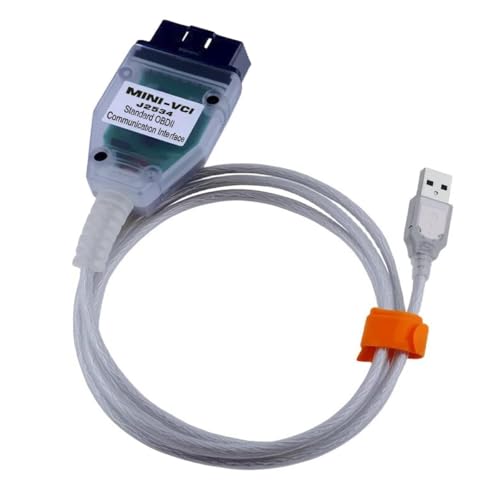
Last update on 2026-06-12 / Affiliate links / Images from Amazon Product Advertising API
If the PDF is very large, it may not load in the preview below.
Some older TSBs had multiple PDFs — visit the NHTSA Website to view all PDFs.
If the TSB PDF does not show, download or view it on the NHTSA Website.
Click on the (+) Plus Sign
Then Click on Associated Document(s)
Search NHTSA Database for Recalls
Search NHTSA Database for Vehicle Investigations
View Latest Vehicle Investigations
Search NHTSA Database for Vehicle Complaints
View Latest Vehicle Complaints
TSB/Document ID: Q633NAS5
Replacement Service Bulletin Number:
MFR Communication Date: 2017-07-14
MFR Internal Campaign ID/Software Version:
Communication Type: Service Bulletin/Repair Instructions
NHTSA Components: EQUIPMENT:ELECTRICAL
MFR Component System:
MFR Component Subsystem:
Previous TSB | Next TSB |

- [2026 Top-Tier Hardware and Software Upgrade]: Topdon ArtiDiag900 Lite scanner has enhanced hardware and latest features, including Android 11.0, 5x faster CPU, 10000mAh battery for 12 hours of continuous operation, stable wireless diagnosis with Bluetooth 5.0, 8-inch touchscreen. Added bi-directional control, wireless diagnosis, battery testing (optional), and DTC repair guide
- [TOPDON Bidirectional Scan Tool]: This bidirectional obd2 scanner sends commands to the vehicle's ECU for active testing, enabling users to accurately and quickly locate faulty components such as injectors, coolant pumps, windows, wipers, headlights, mirrors, etc. The bidirectional control scanner is the ideal choice for workshops/automotive repair shops as it significantly reduces mechanic's diagnostic time.
- [Wireless Bluetooth Diagnostic Experience]: The AD900 Lite scan tool comes with a Bluetooth 5.0 VCI, supporting a wireless diagnostic range of up to 33 feet (10 meters), allowing you to diagnose without being confined to cables or tight spaces. Stable and fast wireless diagnosis provides a comfortable repair environment. It also offers VCI cables to increase connectivity options.
- [DTC Repair Guide Function]: Easily diagnose issues with your vehicle and receive guidance on repairs with the topdon scan tool's fault code definitions for all systems,maximize your diagnostic capabilities. This function is compatible with Chrysler
 /Dodge/Jeep/Fiat 2010-2014 and expanding with continual updates,the AritDiag 900 Lite car diagnostic scanner is the must-have tool for any technician or DIY enthusiast.
 - [OE-Level Full System Diagnostics]:AritDiag900 Lite full system diagnostic scanner can scan ALL available modules(Engine, Transmission, Airbag, ABS, ESP, TPMS, Gateway, Steering, Radio, Air conditioning, ect.) to✔read ECU info, ✔read/clear codes, ✔view live data stream, ✔retrieves freeze-frame, ✔perform active tests, and more. With just a simple click, it provides you with accurate and in-depth diagnostics.

- Bi-Directional Control, Quickly Locate Problems: Turn your phone into a professional diagnostic tool. You can send commands from your phone to the ECU to test injectors, cooling fans, headlights, A/C clutch, windows, wipers, and more. See which one doesn't respond. Helps you quickly locate the problem and save time. No need to tear things apart, avoid blind disassembly.
- Flexible Subscription, Choose Advanced Features as Needed: TopScan Lite provides free-for-life access to core diagnostics, including full system scan, code reading, performance tests, and repair information. After purchase, advanced features (bi-directional control, service operations, live data, code clearing, and AI functions) are free-for-the-first-year. After the first year, if you want to use advanced features, you need to subscribe on a monthly, quarterly, or yearly basis. As new models and reset functions are updated, the tool will also be continuously upgraded.
- Full System Diagnostics, No Fault Hides: Unlike basic diagnostic tools that only cover 4 systems, TopScan can scan all systems. Read and clear trouble codes, view live data streams, and generate a complete vehicle health report – all issues are clear at a glance. Covers 10,000+ vehicle models and is compatible with 99.99% of vehicles.
- AI Assistant - TopFix: Think of TopFix as your personal AI mechanic. It leverages a repair database and OEM data to deliver clear, step-by-step repair solutions. Features include AI Q&A, one-click translation, and a full repair log, making your diagnostic process simpler and more efficient.
- 8+ Hot Resets, Keep Your Car in Top Shape: One-tap resets for oil, throttle, EPB, steering angle, DPF, ABS, BMS, and airbag. It enables car owners to easily perform essential maintenance, ensuring the vehicle stays in optimal condition and extends its service life.

- Dual WiFi & 10.1" Touchscreen: Provides a stable, high-speed wireless link 3x faster than bluetooth, and a responsive, professional interface. Topdon ONE obd2 scanner diagnostic tool ensures smooth, non-lagging diagnostic scan, boosting mechanic efficiency
- J2534 Pass-Thru Support: The included ONE VCI supports the J2534 standard, allowing it to function as a pass-thru device when paired with OEM diagnostic software.Through TOPDON’s RLink platform, technicians can perform dealer-level coding, expanding in-house capabilities without investing in multiple factory automotive scan tools
- OE Topology Mapping: Visualize the vehicle’s ECU network exactly as it’s built.Zoom, pan, and highlight specific modules to pinpoint component issues with precision.Topology mapping displays real-time communication between modules
- 50 Plus Service Functions: Covers high-demand services like ADAS calibration, DPF regen, TPMS reset, ABS bleed, and throttle adaptation.Expands your service menu, allows you to charge premium rates, and turns away zero jobs due to lack of tooling. Vehicle-specific functionality may vary
- Advaned ECU Coding: 10 of the most serviced brands in North America, including full ECU coding and flash hidden support for BMW, VW, Au-di, Benz, Porsche, Toyota, Ni ssan and more. Enables module replacement, feature customization, and personal settings with automatic backup or restore.Lets your shop safely offer high-margin customization services, attracting more customers and boosting profit
Last update on 2026-06-12 / Affiliate links / Images from Amazon Product Advertising API
This product presentation was made with AAWP plugin.