
NHTSA ID Number: 10122395
Manufacturer Communication Number: PDI - 2015 A8-A8
TSB/Document Date: 2017-11-08
Summary
This document contains the Audi Delivery guidelines and includes a predelivery checklist that ensures that final vehicle quality inspection is completed.
PERFECT DELIVERY INSPECTION (PDI)
2015
A8/A8 L/A8 W12/S8/A8 L TDI
Client
Stock No.
Audi Delivery
Guidelines
Delivery Date
VIN
Pre-Delivery
Ensure Final Vehicle Quality Inspection Is Completed
Enroll customer in Audi connect Services
(http://MyAudiconnect.com)(if equipped and Audi connect
Request to Initiate Services and T-Mobile T&C are signed) (USA
ONLY)
Deactivate the connection prompts for the online services (TEL
function button > Settings > Connections > Data Connection >
select Without request) (USA ONLY)
Inspect exterior for damage, dings, dents and surface scratches
Check interior for cleanliness, grease marks and damage.
Repair all defects prior to customer delivery
Verify vehicle is equipped as specified and all accessories are
installed
Check front/rear floor mats are locked in
Customer Priority Topics
1. ___________________________________________________________________________________________________________________________________________________________
2. ___________________________________________________________________________________________________________________________________________________________
3. ___________________________________________________________________________________________________________________________________________________________
How long would the client like to spend on topics today? ______________________________________
Priority Delivery Topics
Personalize Vehicle Settings
Audio and Entertainment
System Controls
Bluetooth: Connect customer’s Bluetooth phone and assist in copying and accessing
phonebook entries. Ensure connection will occur automatically upon re-entry if desired.
Refer to www.audi.com/bluetooth for compatible phone list. Click on appropriate country
HVAC (Heating, Ventilation,
Air Conditioning) Controls
Adjust mirrors, seats, and steering column to customer preference
Navigation System
Assist with radio station presets
Memory Seats
Show how to connect iPod/MP3. Demonstrate AMI, SD cards and Aux-in jack (if equipped)
Bluetooth Capability
Voice Controls
Pair the customer’s phone with the vehicle
Demonstrate the voice command feature (i.e., accessing
“Help,” dialing a phone number, calling a contact, using the
steering wheel voice command button, etc.)
Demonstrate making a call via voice and steering wheel
commands
Demonstrate how to answer, ignore and end calls
Demonstrate dialing from directories/phonebook/call lists
(received, missed, dialed calls)
Refer to www.audi.com/bluetooth for compatible phone list.
Click on appropriate country
Have the customer complete the speech training to allow the
Voice Recognition System to learn and adapt to the customer’s
voice (Main Menu > Setup MMI > Voice Recognition > Individual
Speech Training)
Radio station, CD/DVD, or Jukebox
Demonstrate conference calling (enable in the MMI under
Telephone > Call Options menu)
Effective 4-14-2014-US
Version 1.0
1 of 5
PERFECT DELIVERY INSPECTION (PDI)
2015 A8/A8 L/A8 W12/S8/A8 L TDI| Audi Delivery Guidelines
Client
Stock No.
Delivery Date
VIN
Introduce MMI Navigation System
Media Overview
Review the MMI controls and basic functionality (buttons:
function, on/off, arrow control, and back)
Radio (AM/FM/SAT)
Input letters, numbers, symbols, add a space, delete a character
Moving a map and adjusting the sound distribution
Audi connect (USA ONLY)
Activate services prior to customer arrival and provide overview
of features
Ensure customer has requested activation of Audi connect
• Explain the purpose of setting up a myAudi account at
my.audiusa.com/Audiconnect
• Explain trial period for Audi connect and how to extend
service
• Explain Wi-Fi hotspot capabilities
Have the customer set up their Wi-Fi password Via TEL >
Settings > Wi-Fi Settings > Select “Password.” Ask the
customer to enter an easy way to remember the password
of at least 8 characters. Then Select “Apply settings” to
save it
Point out that the Audi connect Brochure (located in the glove
box) contains additional information for customer review after
delivery
Show traffic reports (via your 4 year SiriusXM subscription), fuel
updates, weather information, and real-time news feeds
Show how to program preferred radio stations (press and hold
knob)
Explain the scanning/tuning functions
Walk the customer through the steps to program favorite radio
stations (press and hold knob).The customer should do this
with your guidance
Show the customer the manual seek feature. Select the FM
Band > Functions. Turn control knob to Tuning/Channels and
press the knob.
Explain the settings for the Bang & Olufsen® system (if
equipped)
Explain to the customer that they have a 3 month free subscription to Sirius Satellite Radio and demonstrate how to get
to the satellite band. Show them the SiriusXM Satellite Radio
insert from the glove box, point out the station guide list, and
demonstrate presetting a station of their choice for them.
Audi Music Interface and CD/DVD Media
Show the location of the AMI interface and standard iPod cable
Explain the different available cable options for different media
(i.e. iPod, USB, Aux, etc)
Explain CD/DVD loading/unloading
Jukebox – Hard drive
Capacity (20 GB/up to 3,000 songs)
Supported file extensions and formats per MMI manual
Show how to input an address and a POI as the destination
using the MMI and voice commands. (Use Online Destinations
if equipped with Audi connect)
Demonstrate importing and sorting from SD Card/Retail Audio
CD. See owner’s manual for supported file formats and
maximum bitrates
Show how to enter a stopover
Demo how to “cancel” route guidance using voice commands
(“Cancel route guidance”) and the MMI (NAV > Destination >
Cancel)
Show how to store a destination
Show how to customize route “criteria” (e.g., avoid toll roads)
and “Settings” (e.g., 3D map and Map Orientation, and Google
Earth Mapping [with Audi connect services enabled])
Video Capability (MMI3G+)
Demonstrate Video Playback using the SD media, Jukebox,
& DVD media
Explain acceptable video formats
Rear Seats (if equipped with the following):
Rear heated seats
Show how to manipulate the map (zoom, scroll map area)
Rear seat ventilation and massage
Show how to repeat the last navigation announcement using
the iNav steering wheel button
Rear seat lumbar and power adjustments
Show how to set the power locking options in the MMI
Rear seat entertainment system (RSE)
Show how to set the ambient lighting in the vehicle interior
Show how to turn the RSE on/off
Explain Tire Pressure Monitoring System and how to reset in
the MMI
Review the RSE controls
Effective 4-14-2014-US
Version 1.0
Rear seat pass through
2 of 5
PERFECT DELIVERY INSPECTION (PDI)
2015 A8/A8 L/A8 W12/S8/A8 L TDI| Audi Delivery Guidelines
Client
Stock No.
Delivery Date
VIN
Rear Seats (if equipped with the following) (continued):
Interior (continued)
Show how to turn wireless headphones on/off
Demonstrate valet function (ensure not activated) – refer to
OM for details
Show how to use the control knob joystick function
Show the location of the RSE DVD drive
Review video playback information
Interior
Demonstrate and explain Head-up Display (if equipped)
Show seat, mirrors and steering column adjustments including exterior mirror tilt function. Advise exterior mirrors fold in,
make adjustments in the MMI
Demonstrate seat positioning and memory settings using front
seat controls. Show how to adjust headrest in all different axis
directions
Seat ventilation and massage – Front and rear (if equipped)
Mention seatbelt movement
Show how to activate heated mirrors and seat heating/
ventilation
Demonstrate heated steering wheel operation (if equipped)
Show integrated foot rest on back of front seats (if equipped)
Show how to adjust comfort arm rest (longitudinal adjustment)
Demonstrate sunroof operation
Demonstrate power rear sunshade and rear side manual sunshades (if equipped)
Demonstrate climate control functions (front and rear). Explain
“hi”/“lo” settings for faster heating and cooling
Explain that the small red triangle puts the system into AUTO
mode and that it will automatically adjust the fan speed to
reach the temperature
Multifunction steering wheel functions (toggle, scrolling, menu
button)
Explain Star (*) button on the steering wheel (if equipped) – If
in the Preset Station List, press the * button to cycle through
presets. If in Station List, press * button to cycle through
station list.
Show Homelink® location and setup
Demonstrate cooled glove box
“Passenger Side Airbag Off” light: Explain that it illuminates if
no occupant in passenger seat or if occupant is “out of
position”
In Car Video Tutorials
Show the customer how to view the In Car Video Tutorials.
Select the Car function button > Owner’s Man. control button
and follow the prompts
Point out these videos can also be viewed in the following ways:
• Via the USB launcher found in the “Quick Questions
& Answers Guide”
• Via www.auditechnology.com
• Via www.audiusa.com/help/video-tutorials
Exterior
Demonstrate how to operate the power tailgate via the remote
control master key, driver’s door, and tailgate
(If equipped with Keyless entry) Explain to the customer that
the vehicle is set from the factory to unlock only the door that
is approached. Show them in the MMI under vehicle settings,
where they can select their central locking preference and
adjust it to “all doors” if preferred.
Show how to open fuel door – push / pull release (show AdBlue
fill – TDI only)
Explain the misfuel inhibitor feature on the fuel tank (TDI only)
Explain AdBlue and messages shown if AdBlue level is low or
empty (TDI only)
Advise the customer to only use oil that meets Audi 502.00
standards
Advise the customer that Audi recommends using Top Tier
Detergent Gasoline with a minimum octane rating of 91AKI
(95 RON)
Explain wiper/washer system/rain sensor
Review the Start-Stop-System information card with the
customer. Explain the system functionality (if applicable)
Show how to set daylight savings time and time zone manually
Driver info display/Trip computer: Explain toggle function via
“RESET” on stalk. Show the different tabs that will display
Show how to access the Vehicle functions within each tab. Point
out the items which can be set via the MMI (e.g., time, miles
vs. km, etc.). Reset “Trip Comp 1 and 2” prior to delivery
Effective 4-14-2014-US
Version 1.0
Owner’s Documents
Take the Quick Questions & Answers Guide from the glove box,
open it, and demonstrate how to use it with the customer
Explain the USB launcher use
ABS should insert their business card in the slots available next
to the USB launcher
3 of 5
PERFECT DELIVERY INSPECTION (PDI)
2015 A8/A8 L/A8 W12/S8/A8 L TDI| Audi Delivery Guidelines
Client
Stock No.
Delivery Date
VIN
Owner’s Documents (continued)
Orientation Drive (continued)
Explain the “text to phone” features for viewing tutorials on a
smart phone or at the Audi Technology website:
www.auditechnology.com
Explain Audi side assist functionality (if equipped): Point out
the side assist button on the driver’s side door. Show how to
adjust the side assist light brightness in the MMI. Only works
at speeds over 19 mph (30 km/h)
Owner’s Manual, MMI Manual and other manuals as equipped
Warranty & Maintenance Booklet (stamp to confirm PDI was
completed): Adhere “vehicle identification label” from the vehicle trunk to the inside cover of the Warranty & Maintenance
Booklet prior to delivery
Review the recommended maintenance schedule. Explain the
importance of getting the Warranty & Maintenance Booklet
stamped for each maintenance performed
Tire Warranty Booklet: Explain coverage from tire manufacturer
License/insurance/registration/title (if applicable)
24-Hour Roadside Assistance information; ask customer to
program number in their phone
Provide Audi Care Information
Lemon Law Rights Booklet or Lemon Law Notice as required by
law (USA ONLY)
Explain Audi active lane assist functionality (if equipped): Show
how to set the steering wheel vibration in the MMI. Show how
to activate the system with the button on the turn signal. Only
works at speeds of 40 mph (65 km/h) or more
Explain Audi pre sense system with active safety system (based
on installed equipment)
Explain the functionality of Audi braking guard and show how
to set in the MMI
Demonstrate Tiptronic function
Show how to set the electromechanical parking brake
If equipped with front and rear park sensors, show the customer
how they can customize the volume through the MMI under
“Driver Assist>Parking Aid”.
End the orientation drive in the service write-up area
Orientation Drive
Keyless Go: No ignition for key. Show how to start vehicle using
Start/Stop button. Discuss that foot must be on brake when
starting/stopping
Activate and demonstrate navigation system with real-time
traffic
Demonstrate operation of Audi parking system plus with rear
view camera and top or corner view cameras (if equipped)
Service Introduction
Tour service department and introduce to Service Manager and
Service Consultant
Set up first service appointment
Ask customer if you can program service department’s phone #
in their phone
Explain the High Beam Assistant functionality
Explain Adaptive air suspension function
Explain Audi drive select modes and how to select/change modes
Night vision assistant: Show where the night vision assistant
button is located. Show how to adjust the various settings in
the MMI
Explain the purpose of Start-Stop (fuel economy/CO2)
Demonstrate the engine Start-Stop-System (on applicable
models)
Explain what happens during start-stop system transitions
(feels and sounds)
Show how to enable and disable the start-stop system
Set the Start-Stop function to the customer’s preference
Explain adaptive cruise control with stop & go function. Explain
the city auto e-brake feature
Effective 4-14-2014-US
Version 1.0
4 of 5
PERFECT DELIVERY INSPECTION (PDI)
2015 A8/A8 L/A8 W12/S8/A8 L TDI| Audi Delivery Guidelines
Client
Stock No.
Delivery Date
VIN
Audi Brand Specialist
I certify that all operations have been completed and this vehicle has been prepared in accordance with Audi Procedures and
Quality Standards.
Audi Brand Specialist Signature
Date
Would you like to schedule a Second Delivery?
No
Yes
Date
Time
By signing, I confirm all items in this checklist have been thoroughly reviewed with me and the statements below are true.
• Vehicle is clean and free of problems
• Received all keys and owner’s documentation
• Satisfied with features and controls explanations
Customer Signature
Effective 4-14-2014-US
Version 1.0
Date
5 of 5
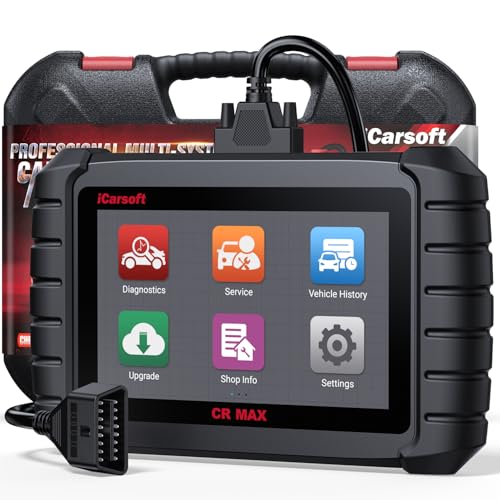
- Why Choose the 2026 CR MAX -Upgrade the latest diagnostic...
- Newst in Innovation Full Services - iCarsoft auto car...
- Up to 50 Reset Services - Performs: Oil Reset...
- REVOLUTIONARY 40000+BIDIRECTIONAL ACTIVE TESTS: Upgraded CR...
- Advanced ECU CODING: Unlock Your Vehicle's Full Potential...
- 【Looking for More Professional Vehicle Scan...
- 【OE-Level 4 Systems OBD2 Scanner】iCarsoft E...
- 【4 Systems Diagnosis for 10000+ Vehicles】 iCarsoft E...
- 【6 Reset Services】iCarsoft E660 2026 Upgrade Version is...
- 【118+ Real Time Record & Live Graph View】iCarsoft E...

If the PDF is very large, it may not load in the preview below.
Some older TSBs had multiple PDFs — visit the NHTSA Website to view all PDFs.
If the TSB PDF does not show, download or view it on the NHTSA Website.
Click on the (+) Plus Sign
Then Click on Associated Document(s)
Search NHTSA Database for Recalls
Search NHTSA Database for Vehicle Investigations
View Latest Vehicle Investigations
Search NHTSA Database for Vehicle Complaints
View Latest Vehicle Complaints
TSB/Document ID: PDI - 2015 A8-A8
Replacement Service Bulletin Number:
MFR Communication Date: 2014-04-14
MFR Internal Campaign ID/Software Version:
Communication Type: Service Bulletin/Repair Instructions
NHTSA Components: EQUIPMENT ADAPTIVE/MOBILITY
MFR Component System:
MFR Component Subsystem:
Previous TSB | Next TSB |

- [Notice] When you receive a used device, it may be a customer return resold by Amazon without inspection. You can exchange it for a new one through Amazon. As this situation is unavoidable, we sincerely apologize. For any issues, contacting us via Amazon's "Messages" is the best way. THINKSCAN 689BT Bidirectional Scan Tool Can Be Used Immediately After It is Turned On, Without Complicated Registration Process, Which is More Convenient & Quick.
- Full Bi-Directional Control & 3000+ Active Tests: Take control and test components like actuators, fuel injectors, relays, and cooling fans in real time. You’ll quickly see if the problem is in the part itself or the control module — saving you hours of guesswork and frustrating trial-and-error.
- Advanced ECU Coding Capabilities: Handle module matching and hidden feature activation with confidence. When you replace an ECU or want to customize settings, this obd2 scanner diagnostic bi directional tool gives you the professional-level capabilities you need without the dealership price tag.
- 34+ Useful Reset and Maintenance Functions: Complete everyday service tasks smoothly with a wide range of helpful reset and maintenance functions. Whether you’re keeping up with regular upkeep or tackling a specific job, this scanner makes maintenance simpler and less stressful for both DIYers and pros.
- Comprehensive Full System Diagnostics: Diagnose every major system — Engine, Transmission, ABS, SRS, TPMS, and more — all in one place. Finally stop wondering if you’re missing something important; get the full picture and clear codes with ease.

- Top Reasons to Choose the D7S OBD2 Scanner: XTOOL D7S car scan tool, an upgrade of XTOOL D7, offers comprehensive features for automotive technicians, workshops, and DIY enthusiasts 1. Upgraded Hardware: 2+64GB memory, rear camera, intuitive interface, foldable bracket 2. Complete Diagnostics: FCA
 Autoauth, OE-level all system scan, 39+ maintenance services, 4K+ bidirectional, CANFD/DoIP protocol 3. Advanced Capabilities: ECU c0ding, PMI functions 4. Wide Compatibility: Support 10,000+ models, covering 99% vehicle brands 5. Multi-language: Available in 22+ languages, No IP Restrictions 6. 3-Year Updates: Save 300 bucks on software updates for the latest features and optimizations
 - 2026 Upgraded D7S Car Scanner Features: The newly 2026 D7S V2.0 scanner for car brings exciting features for advanced vehicle diagnostics and enhanced user experience 1. FCA AutoAuth: Now supports FCA SGW module for Chrysler, for Jeep, for Dodge (2018+), for Fiat (2017+), enabling faster vehicle communication without gateway restrictions 2. PMI (Offline ECU Pr0gramming): Allows for Ford, for Lincoln, and for Mazda ECU pr0gramming for new modules 3. Optimized Diagnostic Report 2.0: Personalized reports with logos and customer info for auto shops. Note: Compatibility varies by cars, please check before order
- 39+ Services/Resets/Adaptations/Relearns/Calibrations: XTOOL D7S full system car scanner diagnostic tool tackles 99% of common car issues through its 36+ special functions, including Oil Reset, EPB, SAS, BMS, Throttle Reset, Injector C0ding, ABS Bleed, TPMS Reset, Power Balance, etc and also covers specific-vehicle functions like Crank Sensor Relearn, ABS Initialization, Cylinder Power Balance, Fuel Trim Reset, Idle Relearn etc. This car diagnostic scanner enhances efficiency, making repairs and maintenance hassle-free. Tip: DO NOT for All vehicles, please check compatibility first
- Cost-effective ECU C0ding Scan Tool for Specific Brands: Enhance your vehicle's performance with XTOOL D7S! This obd2 scanner all systems bidirectional offers advanced capabilities at an affordable price, supports online for BMW, for Benz and offline for BENZ, for MIT, along with PMI functions for Ford, for Mazda, and for Lincoln. Ideal for technicians and DIY enthusiasts, this automotive scanner diagnostic tool optimizes vehicle performance and enhances the driving experience. Note: Not for all cars and modules, please send car VIN to check the compatibility before purchase
- OE All System Diagnostic & 8 Pids Graphing: XTOOL D7S is a comprehensive all system bi directional obd2 scanner that delivers dealer-level diagnostics, completely controlling over your vehicle’s performance and health. This automotive scan tool can read and clear DTCs, view live data and ECU information, retrieve freeze frames, and perform active tests and full obd2 functions. This bi-directional scan tool can can identify your vehicle's make, model, and year information with just one click and show up to 8 PIDs live data with options for CSV viewing, playback, and recording for in-depth analysis. It is easy-to-use for both professionals and beginners, helping pinpoint issues efficiently

- 【✅Compared to BOSSCOMM IF742, IF745 Offers Full-System Diagnostics】The BOSSCOMM IF745 car diagnostic scanner is an upgraded model of IF742. In addition to supporting all OBD2 Code Reader functions and 6 reset options (ABS/EPB/SAS/BMS/Oil/Throttle), it expands diagnostics from 4 systems (Check Engine/ABS/SRS/Transmission) to vehicle All systems, including Steering, Suspension, and Body Electronics. This provides deeper, more comprehensive diagnostic capabilities.
- 【✨10 OBD2 Functions】The BOSSCOMM IF745 scan tool’s DTC Lookup instantly translates fault codes into user-friendly explanations, its I/M Readiness feature streamlines emissions testing with a single tap, and Freeze Frame lets you pinpoint the exact moment of a fault for in-depth root-cause diagnosis. Combined with a live data dashboard and advanced diagnostics (O2S, OBMon, EVAP), it delivers comprehensive insights for confident troubleshooting.
- 【✨Deep Diagnostics for All Vehicle System Modules】Beyond code reading/clearing and ECU information retrieval, our all-in-one data stream feature lets you inspect all current fault codes and their locations across the vehicle’s systems. This vehicle code reader helps you turn off dashboard warning lights and perform a comprehensive self-check of your car at home—no more back-and-forth trips to the repair shop or hefty inspection fees.
- 【✨6 Essential Resets: ABS Bleeding, Oil, EPB, SAS, Throttle, BMS】The BOSSCOMM IF745 obd2 scanner diagnostic tool swiftly purges air from brake lines to restore braking sensitivity, fine-tunes maintenance cycles to eliminate false alerts, resolves parking brake issues with one-click control, recalibrates steering sensors for stability, optimizes engine idling/acceleration for smoother performance, and deeply resets battery systems to extend lifespan and range via precise parameter adjustments.❗NOTE: Does NOT support bidirectional control, coding, or programming.
- 【✨10,000+ Car Models, AutoVIN, 13 Languages】The BOSSCOMM IF745 vehicle scanner diagnostic tool covers 73+ global car brands and offers support in 13 languages, making it perfect for DIYers, auto mechanics, or as a thoughtful gift. With a single-click AutoVIN feature, it instantly retrieves vehicle serial numbers, streamlining diagnostics for users globally. This adaptable tool balances user-friendliness with precision, catering to both personal and professional requirements.✅Unsure about compatibility? Compatibility will vary on vehicles' model and year, pls reach us via 📧 [email protected] 📧 before purchase.
This product presentation was made with AAWP plugin.