
NHTSA ID Number: 10120224
Manufacturer Communication Number: VSE-14-13
TSB/Document Date: 2017-10-21
Summary
Service Information (John Bean VAG1943B, VAS6331, VAS6421 Aligners Pro32 Program Update Version 4.11 (06.2014) and Vehicle Data Update (VAG-06.2014)): This communication provides important information on how to obtain and install the latest software for the John Bean VAG1943B, VAS6331, VAS6421 alignment tools.
Service Information
Workshop Equipment
Number: VSE-14-13
Subject: John Bean VAG1943B, VAS6331, VAS6421 Aligners
Pro32 Program Update Version 4.11 (06.2014) and
Vehicle Data Update (VAG-06.2014)
Date: July 15, 2014
Supersedes VSE-14-07 dated Apr. 14, 2014 due to PRO32 Program software and Vehicle Data software
updates.
This communication provides important information on how to obtain and install the latest software for
the John Bean VAG1943B, VAS6331, VAS6421 alignment tools.
Latest Software Versions Released:
• Pro32_vag_version_4.11.exe (program update June, 2014)
• VehicleSpecs_Database_VAG_062014.exe (vehicle data update June, 2014)
Installation Requirements:
• All John Bean VAG1943B, VAS6331, VAS6421 Aligners must be previously updated to Pro32
Program software version 3.4 or higher before performing this update
• Attain a copy of Pro32 Aligner software and Vehicle Specification updates installation instructions (see
attachments)
• Dealers must download Pro32_vag_version_4.11.exe file and
vehicleSpecs_Database_VAG_062014.exe file from ServiceNet>> Wheel Alignment Software >>
John Bean
Installation:
To update the John Bean VAG1943B, VAS6331, VAS6421 Aligners, please read and follow the Pro32
Aligner software and Vehicle Specification updates installation instructions attached.
Questions regarding installation of software updates to VAG1943B, VAS6331 or VAS6421 (after they
have been downloaded), can call EquiServ technical support desk (service group for John Bean) at 800225-5786. EquiServ will also be able to help with Aligner software and specifications installed from CD.
Page 1 of 1 plus attachments
ver1.2
© 2014 Volkswagen Group of America, Inc.
All rights reserved. Information contained in this document is based on the latest information available at the time of printing and is subject to the copyright and other intellectual
property rights of Volkswagen Group of America, Inc., its affiliated companies and its licensors. All rights are reserved to make changes at any time without notice. No part of this
document may be reproduced, stored in a retrieval system, or transmitted in any form or by any means, electronic, mechanical, photocopying, recording, or otherwise, nor may
these materials be modified or reposted to other sites, without the prior expressed written permission of the publisher.
Software PRO32 Version 4.11, June 2014
Supplements/Changes compared to Version 4.10
Software Pro32 version 4.11, Juin 2014
Suppléments/Changements par rapport à la version 4.10
Golf Sportsvan 2015 (AM)
Brazil/Brésil Golf VII [5G]
Passat [3C]
Passat [A32]
Passat CC [357/358]
Touareg [7P5]
1
2
2
2
2
2
-
-
Skoda
-
-
Seat
Alhambra [71]
Alhambra [7N]
2
2
Macan [95B]
1
-
1 = Nouveau / New
2 = Changement / Change
Page/Page: 1 of 1
Snap-on Equipment GmbH- Konrad-Zuse-Strasse 1 – D 84579 Unterneukirchen – Tel.: +49 (0) 8634 / 622-0
Geschäftsführer: Klaus Kirstätter
Sitz der Gesellschaft: Unterneukirchen, Eingetragen beim Handelsregister Traunstein HRB 20757
AGB in ihrer gültigen Fassung entnehmen Sie bitte unserer Homepage: www.snapon-equipment.de
Software Installation Instructions
Pro32 VAG (Portal Install)
This document outlines the installation process for Pro32 Software, specifically the VAG release
portal version to be downloaded in the field as a self-extracting ZIP file.
After downloading the self-extracting ZIP file from the portal, and copying to the aligner, doubleclick the self-extracting EXE file. See example below.
This will open the file to begin the extraction process. Press the “Setup” button and the dialog
will show the unzip progress.
After the ZIP extracts, it will automatically start the Pro32 installer. Select the setup language in
the first screen of the installer process and press Next to continue.
Select which languages (one or many) you would like installed for the software and then press
Next to continue.
The installer shows the progress of the installation
When the installer completes, it will request to restart the computer. Select “Finish”.
After the PC restarts, it will request to perform the install of video CODEC’s. Select “Next” to
continue. Once it is finished, it will finish booting into Windows.
The user can confirm the version of the software by using the “About” button on the toolbar of
Pro32.
Vehicle Data Base VAG-062014*, June 2014
Supplements/Changes compared to Version VAG - 032014
Base de données de Véhicule VAG–062014*, Juin 2014
Suppléments/Changements par rapport à la version de VAG - 032014
Golf Sportsvan 2015 [AM]
Saveiro/Saveiro Cross [5U]
Gol/Parati/Saveiro [5X+5W]
Gol/Voyage [5U]
Fox/Space Fox/Suran/Suran Cross [5Z]
1
2
2
2
2
-
-
Skoda
Octavia III [5E] Scout
Octavia III [5E] CNG
Octavia III [5E] Laurin et Klement
1
1
1
Seat
Alhambra [7N]
2
-
-
Macan [95B]
Volkswagen
Brazil/Brésil
Brazil/Brésil
Brazil/Brésil
Brazil/Brésil
1
1 = Nouveau / New
2 = Changement /
Change
*= les deux premiers
chiffres indiquent le mois,
les quatre derniers chiffres
du numéro de l´année
Snap-on Equipment GmbH – Konrad-Zuse-Str. 1, 84579 Unterneukirchen, Germany, Tel. 08634-6220
Geschäftsführer: Klaus Kirstätter
Sitz der Gesellschaft: Unterneukirchen, Eingetragen beim Handelsregister Traunstein HRB 20757
AGB in ihrer gültigen Fassung entnehmen Sie bitte unserer Homepage: www.snapon-equipment.de
Page 1 of 1/ Page 1 of 1
Vehicle Specs Installation Instructions
VAG (Portal Install)
This document outlines the installation process for Pro32 specifications, specifically the VAG
release portal version to be downloaded in the field as a self-extracting ZIP file.
After downloading the self-extracting ZIP file from the portal, and copying to the aligner, doubleclick the self-extracting EXE file. See example below.
This will open the file to begin the extraction process. Press the “Setup” button and the dialog
will show the unzip progress.
After the ZIP extracts, it will automatically start the Pro32 installer. Select the setup language in
the first screen of the installer process and press Next to continue.
The installer prepares the installation process. Press “Next” when prompted.
Select the default location for the database to be installed, unless the user knows it needs to go
to a specific location.
The installer continues with a screen displaying information. Select “Next” when requested.
The installer is ready to begin the installation. Select “Install”.
The installer provides a progress bar as the installation is performed.
Select “Finish” after the installer completes the install and requests to do so.
The installer requests to restart the PC. Leave the selection to “Yes” and press “Finish”.
After the PC restarts, the user can confirm the database version at 2 places: at the Vehicle
Selection page, and using the “About” button on the Home page toolbar. See examples below.


- [J2534 Pass-Thru Programmer] - TOPDON RLink J2534 is...
- [All-in-One OEM Reprogramming and Diagnostics] - When...
- [Tested, Trusted, and Proven for Accuracy] - TOPDON RLink...
- [One-Click Installation, Continuous Updates] - The exclusive...
- [Works with Windows Compatibility and OEM Software...
Last update on 2026-06-21 / Affiliate links / Images from Amazon Product Advertising API
If the PDF is very large, it may not load in the preview below.
Some older TSBs had multiple PDFs — visit the NHTSA Website to view all PDFs.
If the TSB PDF does not show, download or view it on the NHTSA Website.
Click on the (+) Plus Sign
Then Click on Associated Document(s)
Search NHTSA Database for Recalls
Search NHTSA Database for Vehicle Investigations
View Latest Vehicle Investigations
Search NHTSA Database for Vehicle Complaints
View Latest Vehicle Complaints
TSB/Document ID: VSE-14-13
Replacement Service Bulletin Number:
MFR Communication Date: 2014-07-15
MFR Internal Campaign ID/Software Version:
Communication Type: Service Bulletin/Repair Instructions
NHTSA Components: ELECTRICAL SYSTEM:SOFTWARE
MFR Component System:
MFR Component Subsystem:
Previous TSB | Next TSB |
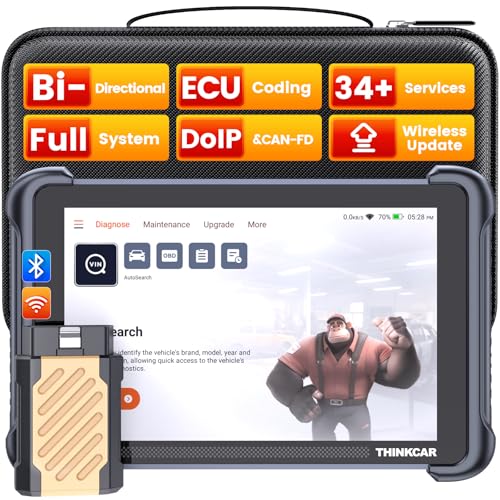
- [Notice] When you receive a used escaner automotriz device, it may be a customer return resold by Amazon without inspection. You can exchange it for a new one through Amazon. As this situation is unavoidable, we sincerely apologize. For any issues, contacting us via Amazon's "Messages" is the best way, and we’ll provide a solution within 24 hours. THINKSCAN 689BT Can Be Used Immediately After It is Turned On, Without Complicated Registration Process, Which is More Convenient & Quick.
- [Good News] THINKSCAN 689BT is the most competitive automotive scan tool to date, offering wireless updates with no subscription fees(valued 500Buc.ks) . With all the features of THINKTOOL PD8,PRO, built on Android 10 platform with 4-core CPU, 4GB RAM
 and 64GB ROM, serving up to 5X faster than older MAX/MINI/PLUS vehicle scanners escaner automotriz, no more slow and delayed feedbacks, it's time to update your garage tool.
 - [Big Money Saver] Premium THINKSCAN 689BT Wireless Diagnostic Scanner Escaner Automotriz, save up to 400USD per year, includes all useful features: Full bi-directional controls, ECU coding, 34+ services, OEM all system diagnostics, Worldwide vehicles coverage, CAN FD & DoIP, FCA AutoAuth(The 689BT only provides a login and purchase portal, and users are required to register for an FCA account and pay a membership fee in order to perform the relevant automotive diagnostics)
- [3000+ Active Tests]Active testing is one of the most useful features in automotive maintenance and greatly improves mechanic efficiency. THINKCAR 689BT bidirectional scanner can send action commends to vehicle sub-systems or components for active test without using vehicle controls. It can perform various tests such as: EVAP Test, Fuel Trim Reset, Injector Buzz Test, Window/ Mirror/ Door Lock Test, Pump and Value Tests, etc. Get functions from "Diagnose>Car Model>System>Active Test".
- [Hot Advanced Features] 689BT bidirectional tool scanner for car newly adds ECU Coding, Power Balance, Flash Hidden Functions, Reset Adaptive Data, Match Replaced Components, Customize OE-Settings. Such as: 1. changing the color of interior lights 2. switching on/off the auto hold, 3. customizing dash kits 4. activating the auto side mirror folding function 5. disables auto start-stop. Note: Coding functions vary by model&year.


- 【Cost-effective OBD2 scanner】 Thinkcar Thinkdiag2 is the most powerful wireless diagnostic tool for it's price! Equipped with multi-functions of Newly added CAN-FD protocol, BiDirectional control(Active Test), 15 Maintenance resets, All Systems diagnosis, Auto VIN, FCA AutoAuth, Unlock the protected FCA vehicle SGW module on Chrysler, Dodge, Jeep, Alfa Romeo, and Fiat vehicles manufactured after 2019.120+ Car brands coverage, No IP limited, etc. Good for workshops & DIYers. Kindly send us VIN to check compatibility before purchase
- 【OE-Level Full Systems Car Scanner with Added CAN FD Protocol】 Upgrade of Thinkdiag, Thinkdiag2 is a bluetooth diagnostic tool can diagnose Full System such as ECM, ABS, SRS, TCM, EPB, TPMS, SAS, A/C, BMS, etc. Thinkdiag2 can read/clear fault codes, read real-time data, read control module information,etc. As the only diagnostic scanner in this price range that supports the CAN-FD protocol, it suits for the latest GM(2019-) , saving $100 to buy a CAN FD adapter, reducing the risk of undetected errors to enhancing the user experience
- 【Bidirectional Test】This bidirectional scan tool Thinkdiag2 allows you to send commands from your smartphone directly to the vehicle's ECU for active testing, quickly locate problem areas, such as A/C clutch, windows, doors, sunroof, etc., reducing the diagnostic time and money. (Note: kindly send us VIN to check compatibility before order.)
- 【15+ Maintenance Functions】Thinkdiag2 OBDII code scanner is designed for individual car owners, DIYers, and small repair shops, which has a separate menu of 15 common special functions, such as Oil reset, EPB reset, SAS calibration, ABS bleeding, injector code, TPMS reset, etc. Enter from the all-system diagnostic menu to unlock more system special functions, and effectively handle the reset and relearn of most cars. Note: The Maintenance functions that each car can do may be different
- 【120+ car brands & FCA Autoauth+10 languages】Thinkcar thinkdiag2 helps you to troubleshoot the problems fast for 100 + US, European, Asian vehicle brands after 1996 that use the OBDII protocol. Only support 12V cars, including gasoline cars and diesel cars. Supporting Autoauth allows you to unlock the protected FCA vehicle SGW module on Chrysler, Dodge, Jeep, Alfa Romeo, Fiat vehicles, etc. (Note: Only provide AutoAuth login portal, and need purchase the registration number on the AutoAuth website by yourself.) Multilingual function allows workshop mechanics to avoid language barriers and use it around the world Without restriction

- 【15+ Advanced Reset & Calibration Functions】The Thinkdiag scanner provides 15+ professional maintenance functions, including:✔ Oil Reset | ✔ ABS Bleeding | ✔ Injector Coding | ✔ SAS Reset✔ TPMS Reset | ✔ BMS Reset | ✔ Transmission Adaptation | ✔ AFS Reset | ✔ Sunroof Calibration | ✔ Brake Reset | ✔ Suspension Relearn | ✔ Electronic Throttle Relearn | ✔ Seat Calibration | + More reset/relearn/calibrate/adaptive functions under automotive full systems diagnostic menu. Ideal professional OBDII scanner for mechanics and DIY enthusiasts, Thinkdiag delivers professional OE-level diagnostics with adaptive relearn capabilities for precise vehicle servicing.
- 【Full-System Diagnostics OBD2 Scanner Bluetooth】 Thinkdiag OBD2 Scanner supports all Systems diagnostic function, it can read/clear DTCs, read live data, read control module information, actuation tests and maintenance functions for ECM, BCM, SRS, TCM, BMS, TPMS, SAS, A/C system etc... It works with most car models after 1996, cover more than 120+ car brands. All car make and reset software come with 1 year update without any charge, much valuable and powerful than 1000 dollars level scanners in the market.
- 【Potential Feature Activation】 Thinkdiag diagnose obd2 scanner Bluetooth allows you to match the replaced components with ECU, activate potential functions for BMW, for GM, for Benz etc. Adjust some annoying features, adapt vehicle's settings to improve performance. No matter you are private owner or professional technician, Thinkdiag is a powerful and handy scanner in your repair tool list. Potential features are not suitable for every car models, please check with us before purchase. This superior function required newest Android OS device, it performs better on Android cell phone.
- 【Bidirectional Test/Active Test】 Thinkdiag car code reader actuates solenoids and actuators for active testing, send commands to systems/components to test their real-time working status, without using manual vehicle controls which saves much diagnostic time and effort to identify malfunction causes. You can check windows, doors, mirrors, sunroof, fans, fuel pump and other parts working status by actuation test function, thinkdiag supports 10000+ active tests. When you process Automotive full system diagnostic, you can do active test on every supported module.
- 【Intelligent Diagnostic Tool with Auto-VIN】Thinkdiag Bluetooth OBD2 scanner makes your smart phone device become a professional vehicle diagnostic tool, it compatible with Android and iOS system. Auto-VIN function supports the Thinkdiag identifies the most car models automatically, if autovin failed, you can choose car info manually. Full system Vehicle health report will be automatically created after diagnosis, report can be shared. Live Data Stream combined 4-in-1 Graphing+Data Record better for monitoring vehicle performance and analyze the abnormal parameter.
Last update on 2026-06-21 / Affiliate links / Images from Amazon Product Advertising API
This product presentation was made with AAWP plugin.